
Jun 8
Vector 究極ボーナスセール
「Fonts66 109書体」98%OFF2,980円!
「Advanced SystemCare 19」63%OFF、
「AnyTrans 8」54%OFFなど #ベクターPCショップ #Windows #PR
prices.blog.jp/archives/3011…
1
18

Jun 3
なんか最初PCにiTunesインストールしたら、スマホ認識しなくて🥲
チャッピーに言われるままApple MusicとApple デバイス新たにインストールしたら、1曲だけ追加できるか怪しくなり…
結局、Apple MusicとApple デバイスアンインストールして、iTunes入れ直して、AnyTrans使いました
ツカレタ…😵
1
3
275





AnyTrans, el gran gestor integral de iPhone y de iPad wp.me/p1qyfB-zp3 a través de @fabriciano
2
2
51

Mar 8
AnyTrans, el gran gestor integral de iPhone y de iPad wp.me/p1qyfB-zp3 a través de @fabriciano
1
2
48

iPhoneからiPhoneへの大量の写真転送がより快適に! AnyTrans Ver.8.9.14.1がリリース ift.tt/ik3xUK4
1
1
1,278

Jan 8
アポーデバイスやitunes使わなくてもAnytransだけで処理すりゃいいのか? でもなんかつながらないと不安だ。だからアポー嫌い。M$も嫌い。ギャオオオオオン!(咆哮)
1
13
1,661
Jan 8
先日買ったiPhone、適当にAnytransで復元したせいかiTunesやAppleデバイスで内容を読み込めねえ……。復元しろって出てくるけど、内容全部消えるんだよな。バックアップから戻すと5日くらい巻き戻るのかな。ネットバンクとかLINEとか再設定すんのめんどくせええ!
1
1
13
3,989

27 Dec 2025
AnyTrans Your iPhone Data, In Your Control
iMobie: invl.me/cln54dj
#AnyTrans #iMobie #apple #Iproducts #iosdata #iphone #ipad #iPod #iTunes #iCloud #android_18
1
2
104
iPhoneの写真をパソコンに取り込むなら必見! 『AnyTrans』Ver.8.9.14がリリース ift.tt/87nLfMX
1
1
1,674

23 May 2025
Save on AnyTrans, a one-stop content manager for iOS devices. The Mac app makes it easy to transfer any kind of data — music, photos, texts, whatever — among all your Apple gear. Grab a lifetime sub for just $19.97 with code LIFETIME10 (reg. $79.99).
dlvr.it/TKx9jY
1
4,228


29 Mar 2025
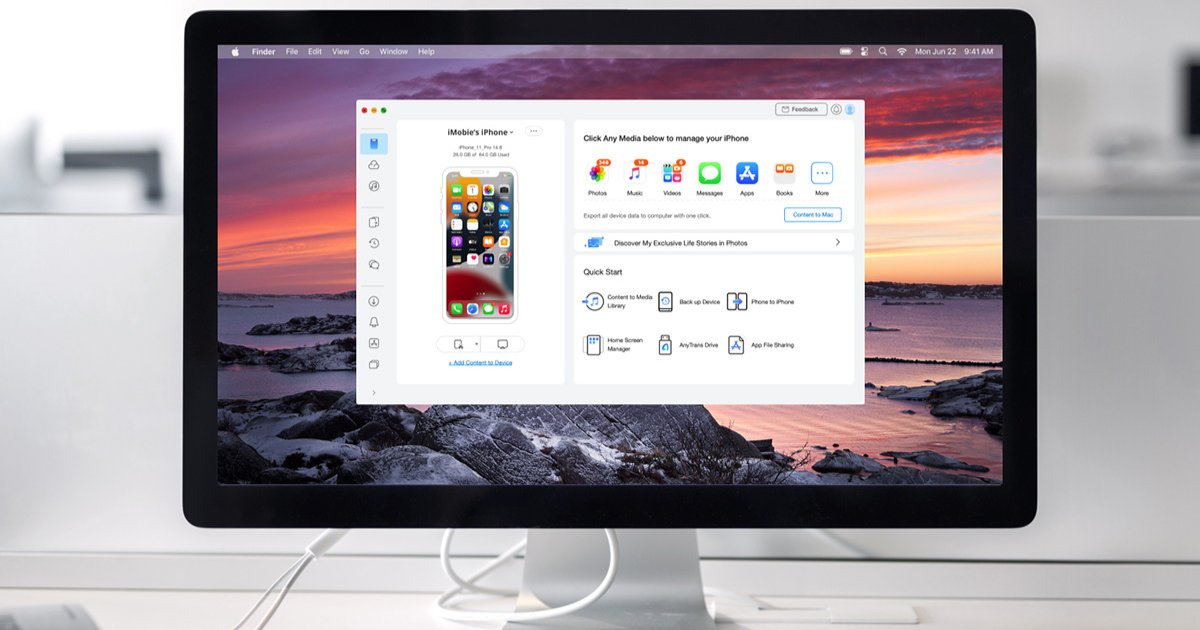
Somebody Check On Tim Cook—This App Just Freed Apple Users And It’s UGLY 😳📱💥
Trade iCloud For AnyTrans File Manager 👉 lite.spr.ly/6002GRyK
2
2
8
18,932


24 Feb 2025
AnyTransとAppleデバイスアプリ(Win11)って共存できないのけ?
Appleデバイスアプリ入れるとAMDSが動かなくてAnyTransでiPhone読まない
わけわかんない~
3
592

21 Feb 2025
I’ve asked Grok for an alternative to iCloud for cloud storage. I’m going for pCloud get your private backups away from Apple. One way to protect your data and fuck Apple for revenue. See below 👇🏼
Yes, you can absolutely use another cloud backup service for your iPhone instead of iCloud! Apple doesn’t lock you into using iCloud, so you’ve got plenty of third-party options depending on your needs (storage size, security, cost, etc.). Here are some popular alternatives:
1. **Google Drive**
- Offers 15GB free (shared across Google services like Gmail and Photos).
- You can use the Google Drive app to manually back up photos, videos, and files from your iPhone.
- Not a full device backup like iCloud (e.g., no settings or app data), but great for media and documents.
- Paid plans start at $1.99/month for 100GB.
2. **Dropbox**
- Good for selective backups (photos, videos, files).
- 2GB free tier; paid plans start at $11.99/month for 2TB.
- Like Google Drive, it’s not a full iPhone backup but works well for specific content.
3. **Microsoft OneDrive**
- 5GB free; paid plans start at $1.99/month for 100GB or $6.99/month for 1TB (includes Microsoft 365).
- Easy to use with an iPhone app for photos, videos, and files.
- Again, not a complete iOS backup, but solid for cross-platform users.
4. **pCloud**
- A privacy-focused option with 10GB free (after some setup steps).
- Paid plans start at $49.99/year for 500GB, with optional encryption.
- Best for files and media, not full system backups.
5. **IDrive**
- Designed for full backups across devices (including iPhones).
- 10GB free; paid plans start at $9.95/year for 100GB.
- Can back up photos, videos, contacts, and calendars—closer to iCloud’s scope.
If you’re looking for a **full iPhone backup** (like iCloud does with settings, apps, etc.), third-party apps like **iMazing** or **AnyTrans** can back up to a cloud service of your choice (e.g., Google Drive or an external drive), but they often require a computer and a paid license.
### How to Switch Away from iCloud
- **Turn off iCloud Backup**: Go to Settings > [Your Name] > iCloud > iCloud Backup, and toggle it off.
- **Pick Your Alternative**: Install the app for your chosen service, sign in, and configure what you want to back up.
- **Manual vs. Automatic**: Most alternatives won’t auto-backup your entire iPhone like iCloud, so you might need to manually upload stuff or set up specific folders.
What’s your priority—full device backup, just photos/videos, or something else? I can narrow it down for you!
9
35
116
11,418

2 Feb 2025
Good evening☕︎
「Anytransがアプリデータの移行に対応してる」って情報があったので一部データの残ってるサブ機で試してみたんだけど、
やり方が間違っているのか、何故かアプリ本体しか同期されず...
確かにもうストアで提供されてないアプリを入れられたのはありがたいんだけど、
なんで中身がおいていかれちゃうんだろう🤦♀️
21
635

28 Jan 2025
FF外から突然すみません…Android→iPhone乗り換えしようとしててXの検索から辿り着いたものです💦
初めましてで恐縮なんですが、どのツール使ったか参考にお聞きすることできますか?「AnyTrans」ってやつ検討していまして。。。
1
599