

9 Oct 2025
NATIONAL NEWSWIRE: California Law Requires Streaming Ads Match Content Volume
ENTERTAINMENT NEWS: California Governor Gavin Newsom signed a law requiring major streaming services to match ad volume to content.
NEW REGULATION: Effective July 2026, the legislation addresses consumer complaints and may set a national standard.
California is taking a definitive stand against one of the most pervasive annoyances of modern streaming: excessively loud commercial breaks.
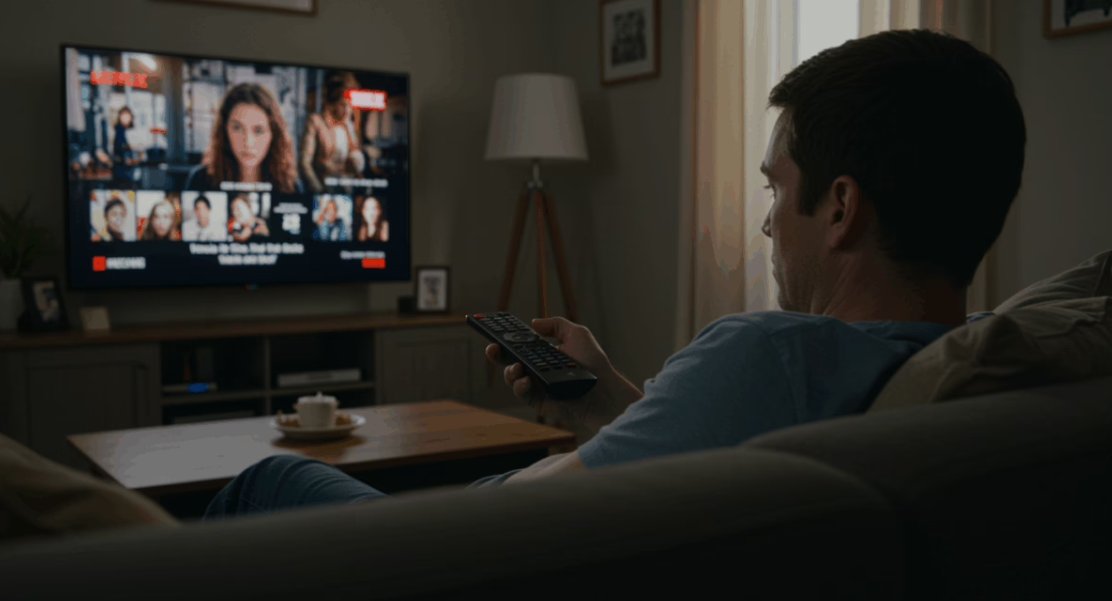
Under a new law signed by Governor Gavin Newsom, major streaming services including Netflix, Hulu, Prime Video, and YouTube will be required to air advertisements at the same volume as their content, starting July 2026.
The legislation, Senate Bill 576, was introduced by State Senator Tom Umberg, directly addressing a widespread consumer complaint.
Umberg shared that the inspiration came from a staffer whose newborn’s sleep was repeatedly disturbed by the sudden blare of streaming ads, a sentiment he echoed, saying it was for “every exhausted parent who’s finally gotten a baby to sleep, only to have a blaring streaming ad undo all that hard work.”
This move mirrors the federal Commercial Advertisement Loudness Mitigation (CALM) Act, which has long regulated ad volumes for traditional TV broadcasters but did not extend to the burgeoning streaming sector.
Governor Newsom emphasized that the state “heard Californians loud and clear” regarding their desire for consistent audio levels.
Given California’s immense influence over the entertainment industry, this pioneering legislation is poised to set a significant precedent, potentially leading to a national standard that ensures a more seamless and less disruptive viewing experience for audiences across the country.
#CaliforniaLaw, #StreamingAds, #AdVolume, #GavinNewsom, #SenateBill576, #TomUmberg, #StreamingServices, #Netflix, #Hulu, #PrimeVideo, #YouTube, #CALMAct, #ConsumerProtection, #EntertainmentNews, #NewRegulation, #VolumeControl, #StreamingMedia, #CaliforniaLegislation, #AdRegulation, #ViewerExperience, #NationalStandard, #AudioLevels, #StreamingIndustry, #ConsumerComplaints, #LoudAds, #MediaRegulation, #CaliforniaEntertainment, #StreamingStandards, #Parenting, #SleepDisruption, #TVAds, #StreamingExperience, #Legislation2026, #EntertainmentIndustry, #AudioConsistency, #StreamingRegulation, #CaliforniaPolicy, #AdLoudness, #ViewerComfort, #StateLaw, #MediaStandards, #StreamingContent, #VolumeBalance, #ConsumerRights, #EntertainmentLaw, #CaliforniaInfluence, #StreamingAudio, #AdMitigation, #SeamlessViewing
2
173

25 Jul 2025
Here's how the waveform is rendered in your project:
### How it works
1. **Audio Level Calculation:**
- The code uses `AVAudioPCMBuffer` to get audio samples.
- It calculates the RMS (root mean square) of the samples to get the audio level.
- The level is normalized and smoothed for a more natural visual response.
2. **Waveform Data Buffer:**
- The waveform is represented as an array of `CGFloat` values (`audioLevels`), typically with a fixed length (e.g., 120).
- On each audio update, the oldest value is removed and the newest is appended, creating a scrolling effect.
3. **Rendering:**
- `WaveformView` uses a `GeometryReader` and a horizontal stack of bars (`RoundedRectangle`).
- Each bar's height is set by the corresponding value in `audioLevels`.
- Opacity and animation are used for a smooth, modern look.
- Only a fixed number of bars are rendered, so performance remains high even for long or real-time audio.
#### Example: (from `SpeechToTextView.swift`)
```swift
struct WaveformView: View {
let audioLevels: [CGFloat]
let isRecording: Bool
var body: some View {
GeometryReader { geometry in
HStack(spacing: 1) {
ForEach(0..<audioLevels.count, id: \.self) { index in
RoundedRectangle(cornerRadius: 1)
.fill(Color.primary.opacity(isRecording ? 0.8 : 0.4))
.frame(width: max(geometry.size.width / CGFloat(audioLevels.count) - 1, 1),
height: max(audioLevels[index] * 80, 2))
.opacity(fadeOpacity(for: index))
.animation(.interpolatingSpring(stiffness: 500, damping: 40), value: audioLevels[index])
}
}
.frame(maxHeight: 100, alignment: .bottom)
}
}
// ... fadeOpacity helper ...
}
```
### Why it's performant
- **Fixed-size buffer:** Only the most recent N samples are kept and rendered.
- **No continuous view creation:** The number of bars is constant, so SwiftUI doesn't have to create/destroy views as audio plays.
- **Efficient updates:** Only the heights and opacities of the bars are animated/updated.
---
**Summary:**
Your app uses a custom, fixed-size, bar-based waveform view (`WaveformView`) that is highly performant for real-time audio, because it only renders a small, constant number of bars and updates them efficiently.
If you want to see the full implementation or need help adapting it, let me know!
1
5
1,027

26 May 2025
qua audiolevels sowieso onvoldoende, een MBO student zakt op deze audiomix.
4
19

14 Dec 2024
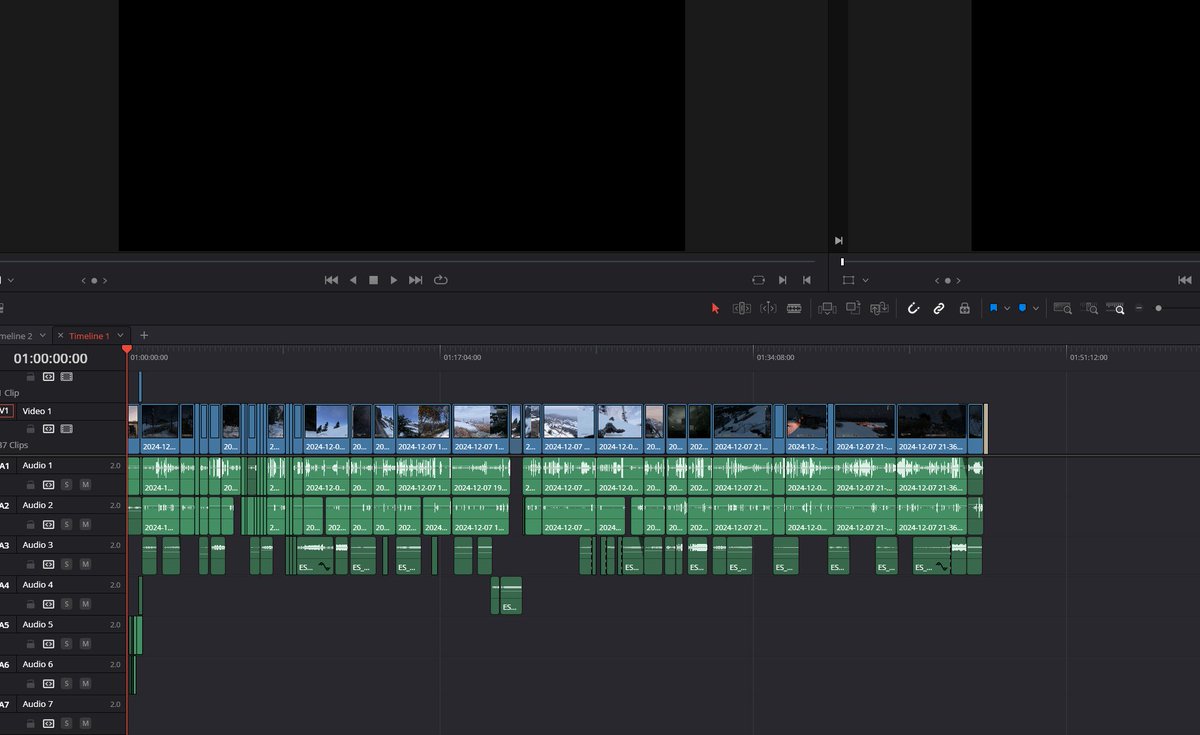
I think THE EPIC SAKHAL EVENT VIDEO is done ✨
I only need to clean it up and check the audiolevels 🎶
It is 46 minutes long, not many are going to watch it.
But there were too much epicness in this story.
I cut down from 4 hours😅 GG Yellowteam💛
Hope you enjoy when its up 🏔️
5
311

21 Aug 2024
Just two more recordings tomorrow, four more audiolevels to set up, afterwards some chill video editing for a bit over than half a day. And only then will I can do a preview render. So close I am getting restless
1
2
78

17 Sep 2023
AudioLevels tells us the @campfireaudio Orbit has 'outstanding noise cancelling'. Check it out 👇
buff.ly/44Lyyun
1
1
295

10 Jan 2023
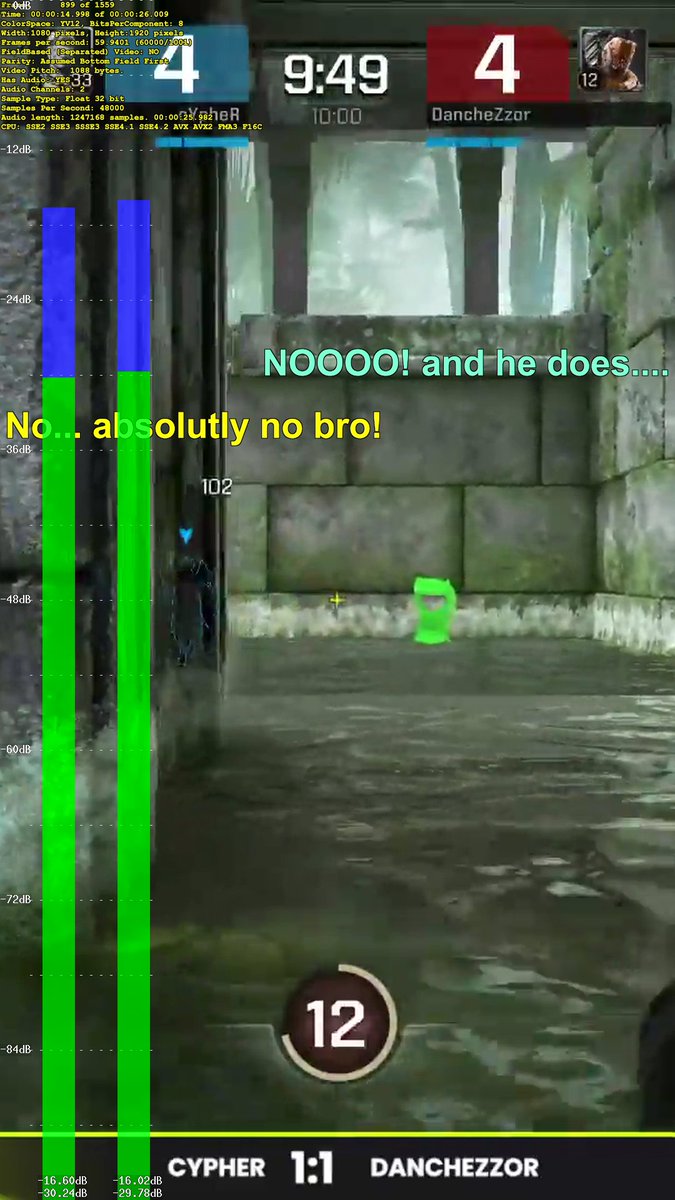
Darn.. syncing subs for two casters is painstaking work 😡
Anyone that does this often? Currently using avisynthplus.readthedocs.io's subtitle filter. Slowed down the footage and added AudioLevels to make it easier. @RoliTheOne would laugh hard at seeing me scripting videos again 😉
2
6
280

7 May 2022
Things I learned by going through the vod:
1: My GF def needs to be closer to the mic than I
2: I will need to lower the gamevolume by at least 20% when she is gone.
The spontanious nature of yesterdays stream didn't allow me to figure audiolevels out beforehand, but now we know!
2

4 Mar 2022
"This is gonna be a headphone that introduces people that really good planar sound."--AudioLevels(Youtube channel)
youtube.com/watch?v=-85jbZO-…
#headphones #hifiman #audiophile #hifi #bluetoothheadphones #Wireless
2
10

8 Aug 2021
Just starting NOW on Indylive.radio - it's an hour of #videogame music and #chat - join us!
#audiolevels #VideoGame #music
1
1
25 Jul 2021
if you missed our #AudioLevels #Summer #Special and #videogames #quiz you can catch it on our Mixcloud channel - no cheating tho!
mixcloud.com/indyliveradio/a…
1
2

21 Jul 2021
Exciting PM planned of picking and washing all the Beets. I know you're all jelly. Pls try to contain yourselves.
I finally got a new headset with a mute button! Incoming fucking with Audiolevels stream *L* The fine balance of hearing me but not picking up the Dogs blastin farts
1
2
21 Jul 2021
Think you know all about video games? Join us for audio Levles summer special quiz night tonight at 11pm on indylive.radio and lets find out !!
#indylivradio #audioLevels #videogamemusic
1
1
2
1 Jul 2021
If you missed our #videogame #music show #AudioLevels yesterday, you can listen on demand on our Mixcloud channel - enjoy!
mixcloud.com/indyliveradio/a…
2
1
16 May 2021
Think you know your #videogamemusic ?
Join us for a round of "guess that game" on #AudioLevels coming up at 5pm every Sunday on #indyliveradio


1
5 May 2021
Take your mind off the big day tomorrow and join us for an hour of escapism in the weird and wonderful world of #videogamemusic on NOW on indylive.radio #AudioLevels
1

(4/x) Ich hab die Melody jetzt mal mit liebevoll ausgewählten "Platzhaltern" gespielt und bin mega happy wie es klingt. Als nächstes machen wir ein ganzes Lied daraus, Mixen die Audiolevels und machen es schön...
Hier der Fortschritt: 🎧
#myFirstSong #AbletonLive #Pigments3
2
1
1 May 2021
Still up at this hour? Join us for an hour of weird, wistful and wonderful #videogamemusic and a little game chat on #AudioLevels on indylive.radio
2
17 Apr 2021
Still awake at this hour?
Come and join us on indylive.radio for an hour of fantastic video games music and a wee bit of gaming chat too in Audio Levels, from 3am every Saturday.
#indyliveradio #audioLevels #videogamesmusic #gaming #chat
2
1