

Jun 12
📣 New publication!!!
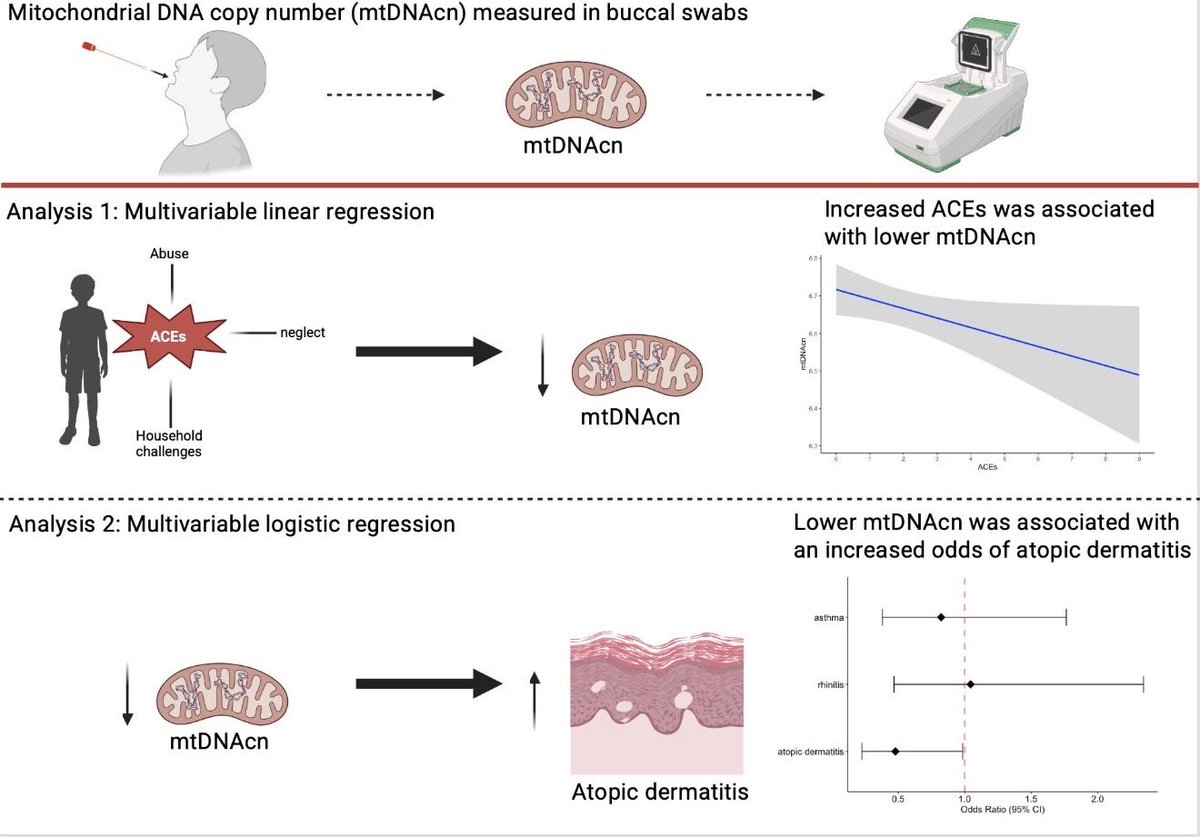
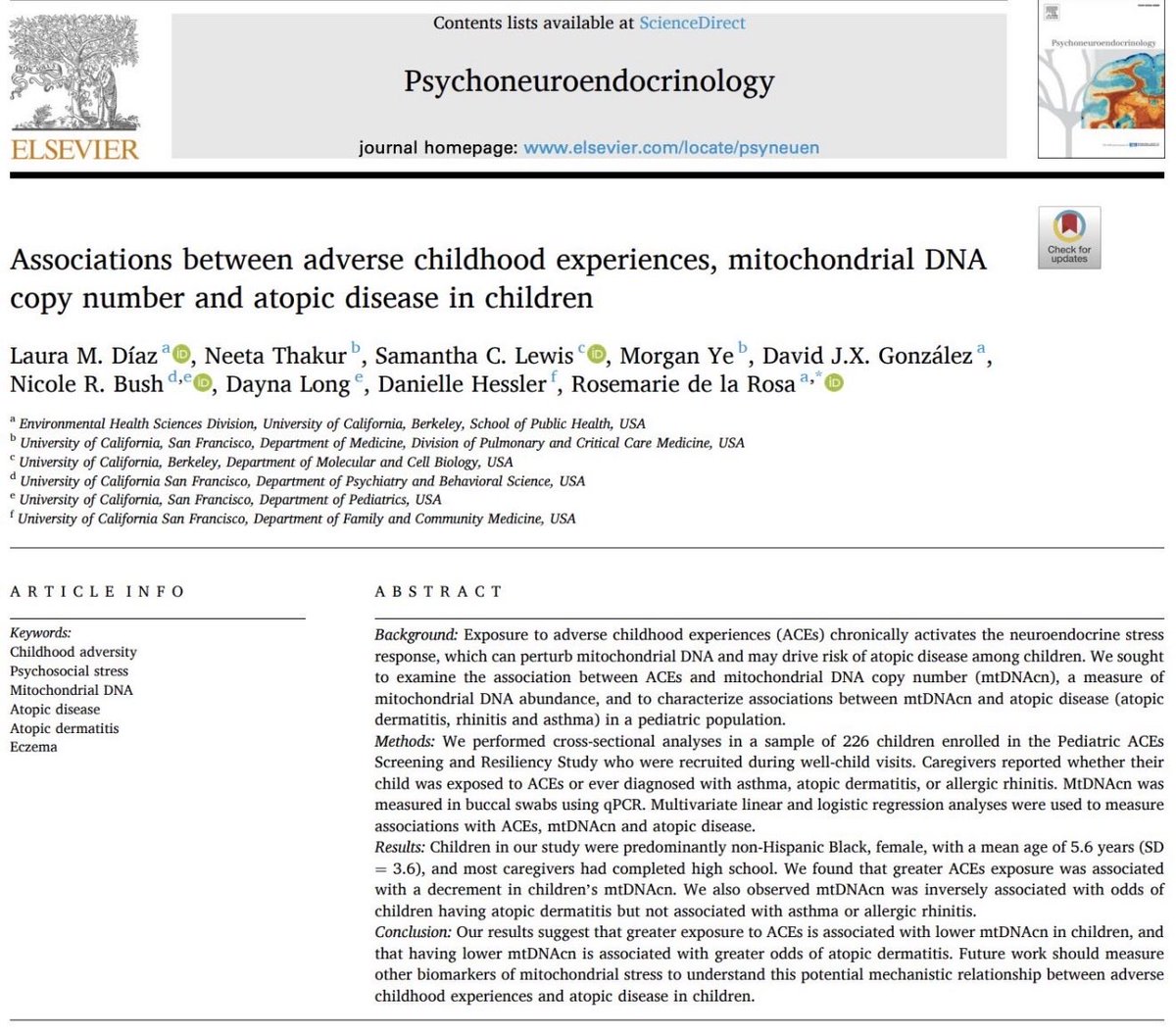
I’m thrilled to share our publication from my dissertation: Adverse Childhood Experiences, Mitochondrial DNA Copy Number and Atopic Disease In Children
doi.org/10.1016/j.psyneuen.2…
#aces #atopic #mitochondria
(abstract made w/ BioRender)
16

Jun 12
haciendo ilustraciones para mi tfm en BioRender, cuando fácilmente me las podría hacer muchísimo más rápido la ia (pero muchísimo muchísimo más rápido), simplemente por lo divertido que es diseñarlas

2
2
286

Jun 12
Codex 真正好用的地方,是把插件装起来,让它直接接进你的工作流。
我建议先看这 11 个:
1. Canva
做海报、封面、朋友圈图。适合内容创作者快速出图。
2. Figma
把需求、页面想法、代码转成可编辑设计稿。适合做产品原型。
3. HyperFrames by HeyGen
用 HTML / 脚本生成视频。适合做产品演示、教程短片。
Remotion
做更专业的视频动效和动画。适合需要细节控制的视频内容。
4. Presentations
给主题生成 PPT 初稿、大纲、页面结构。适合汇报、课程、产品方案。
5. Spreadsheets
处理表格、公式、图表、数据分析。适合运营、财务、复盘。
6. Documents
写长文、总结资料、整理文档、生成脚本。适合内容和知识管理。
7. BioRender
做科研、医学、生物类专业图表。适合论文、课题、科普内容。
8. Windsor ai
拉营销数据,做广告和渠道分析。适合投放、增长、数据复盘。
9. Chrome
让 Codex 操控浏览器,读网页、抓资料、填表、测试流程。
10. Google Calendar
安排会议、管理日程、整理待办。适合把 AI 接进日常工作。
11. Computer Use
Codex 操作你的电脑屏幕
1
2
2
686
Eduardo Calvario retweeted

28 Oct 2024
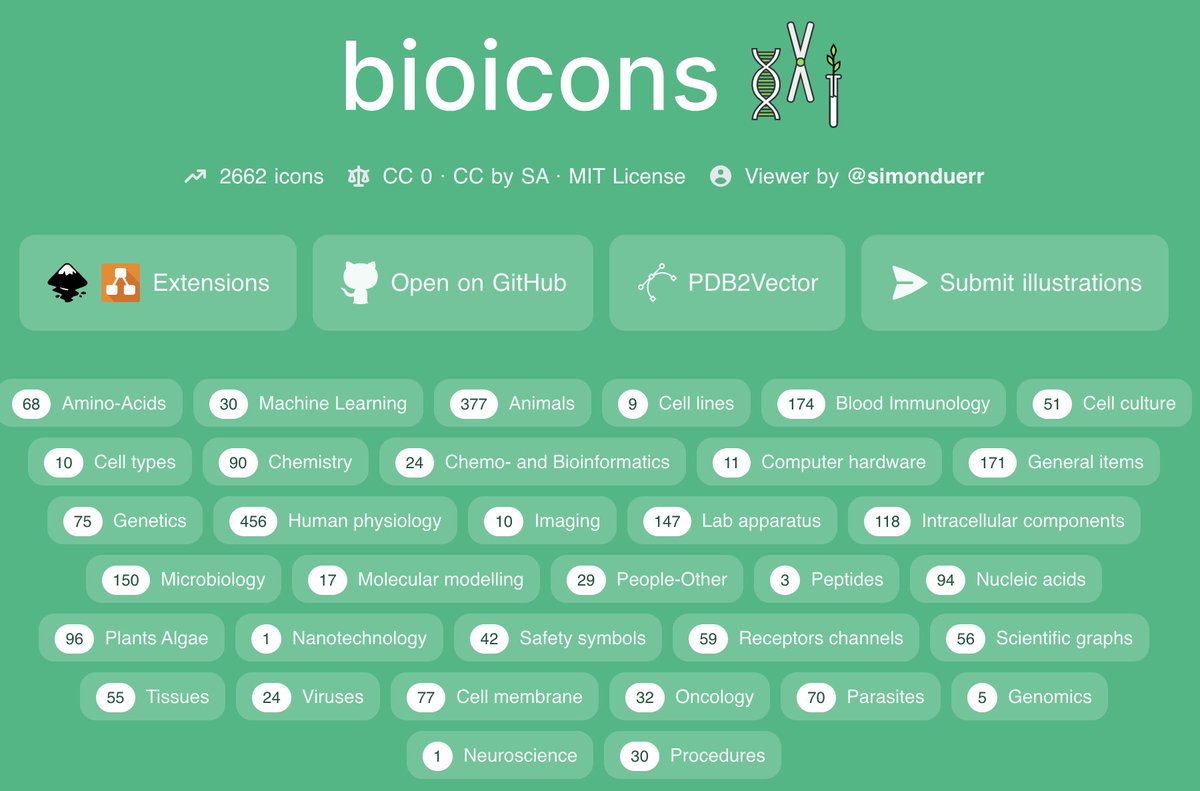
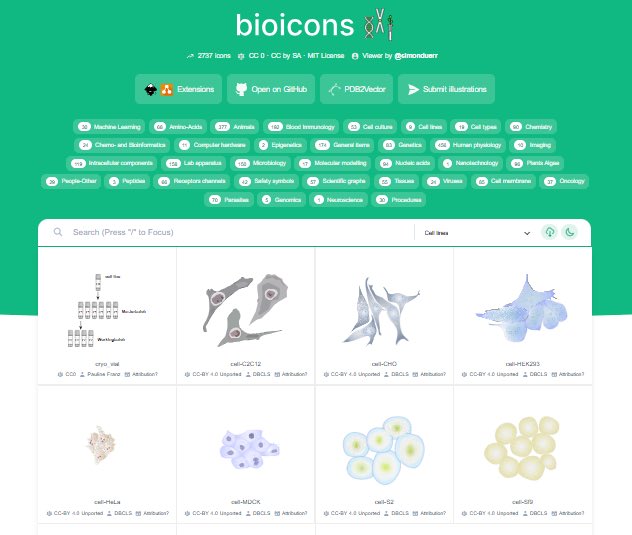
Because of annoying complications with the use of images prepared on BioRender @iamscicomm for publication or presentations, our lab will be exploring open-source alternatives like bioicons.com/ or drawing our own images with Illustrator.
9
86
484
171,937
Eduardo Calvario retweeted

14 Nov 2025
Biorender🧬
فيه رسومات جاهزة لكل شيء: خلايا، أنسجة، بروتينات، مسارات كل شيء تقريبًا مررة جميل.
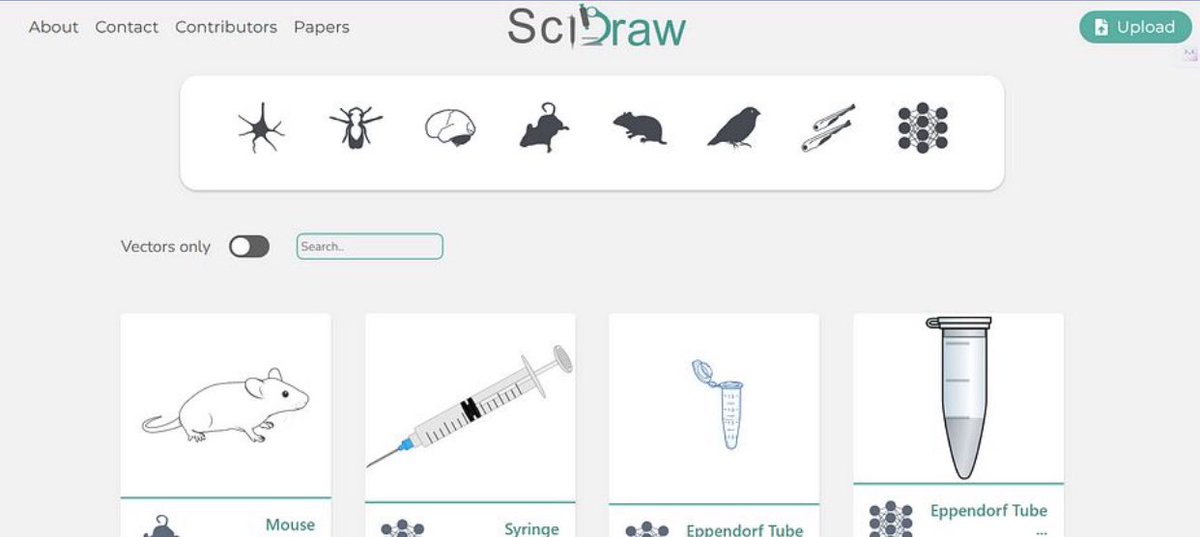
scidraw🔎
هذا موقع إذا حابة تحطي رسمة لخطوات تجربة معملية:حقنة، أنابيب، فأر، طبق بتري وغيرها مثالي لو بتعملون برتوكول أو ملخص عملي.
bioicons🔬
مكتبة ضخمة من الرسومات العلمية.🤍
13 Nov 2025

من الخاص:
زميل لنا يسأل عن أفضل تطبيق يستخدم لرسومات علم الأحياء
اقدّر لكم مساعدتكم 🙏🏼🌷
5
39
464
41,349

Jun 11
bioRender、使える図はちらほらあるんやけど、作業環境がイマイチすぎて結局イラレで作業してしまう。私はいつになったらAdobeの呪いから解き放たれるのか。
1
113

Jun 10
Maaciii. Pake biorender naad, byk free object gitu tinggal disusun. Free versionnya lumayan udah bisa bikin begini
28


JFK Whitlam retweeted

3 Dec 2025
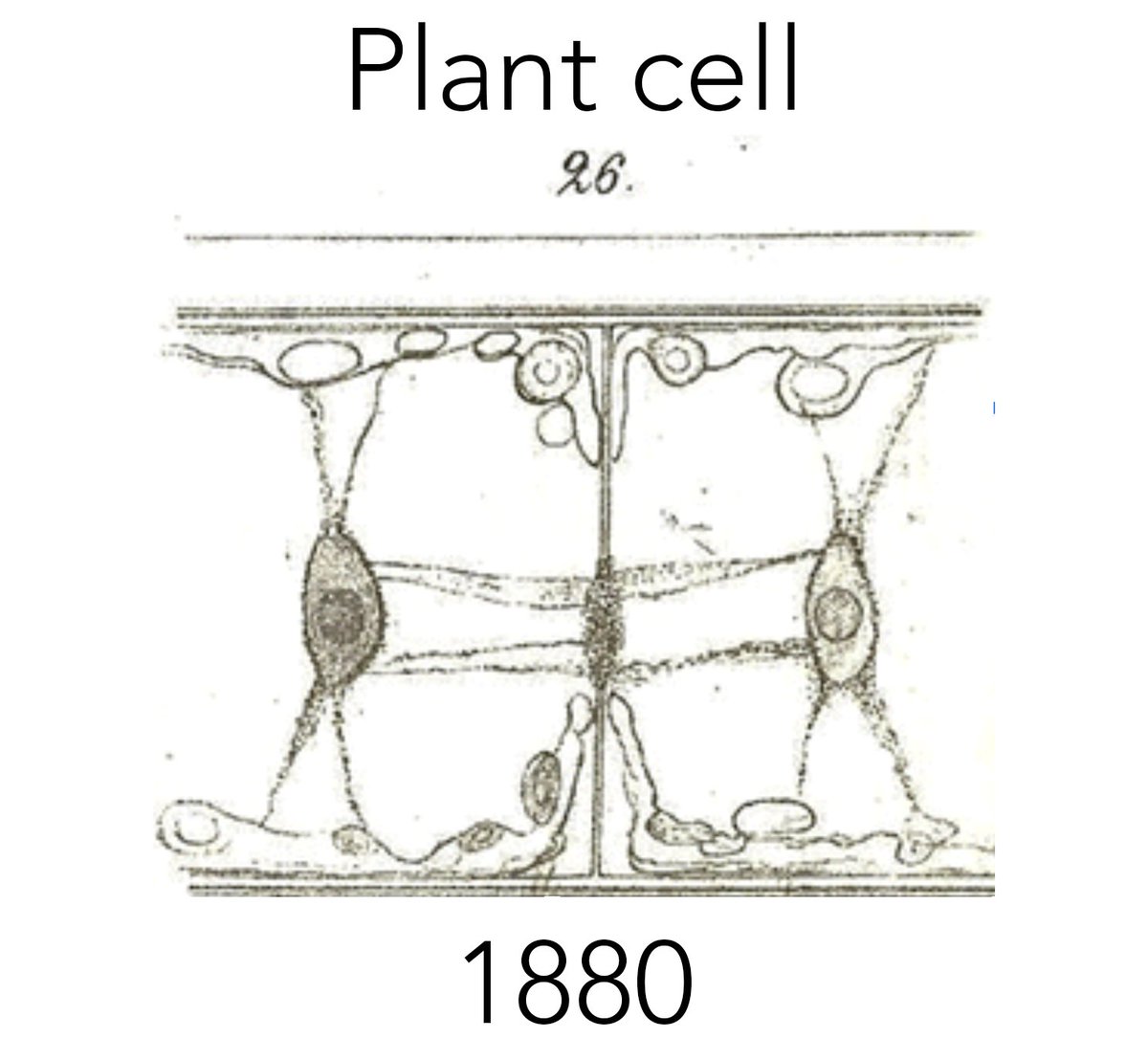
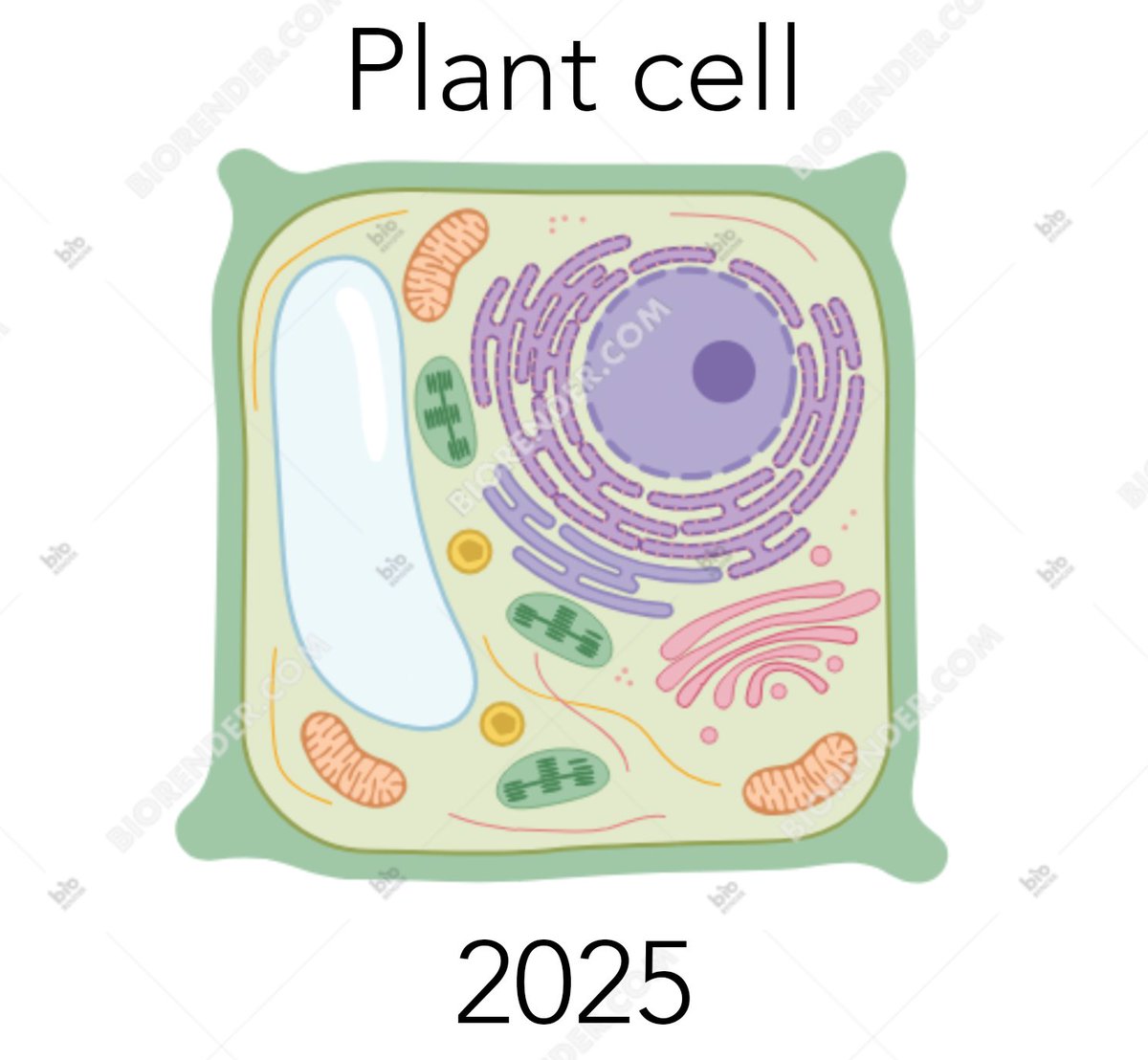
Biorender is like nails on a chalkboard to me. It has its utility, but to thoroughly convey complex and novel discoveries and ideas it often just doesn’t cut ✂️ it. Standardization at the expense of detail leads to an inefficient delivery (OR WORSE …a boring narrative) 💯
1 Dec 2025

The hidden danger of Biorender
(& the death of scientific illustration)
A short thread 🧵
1
4
173


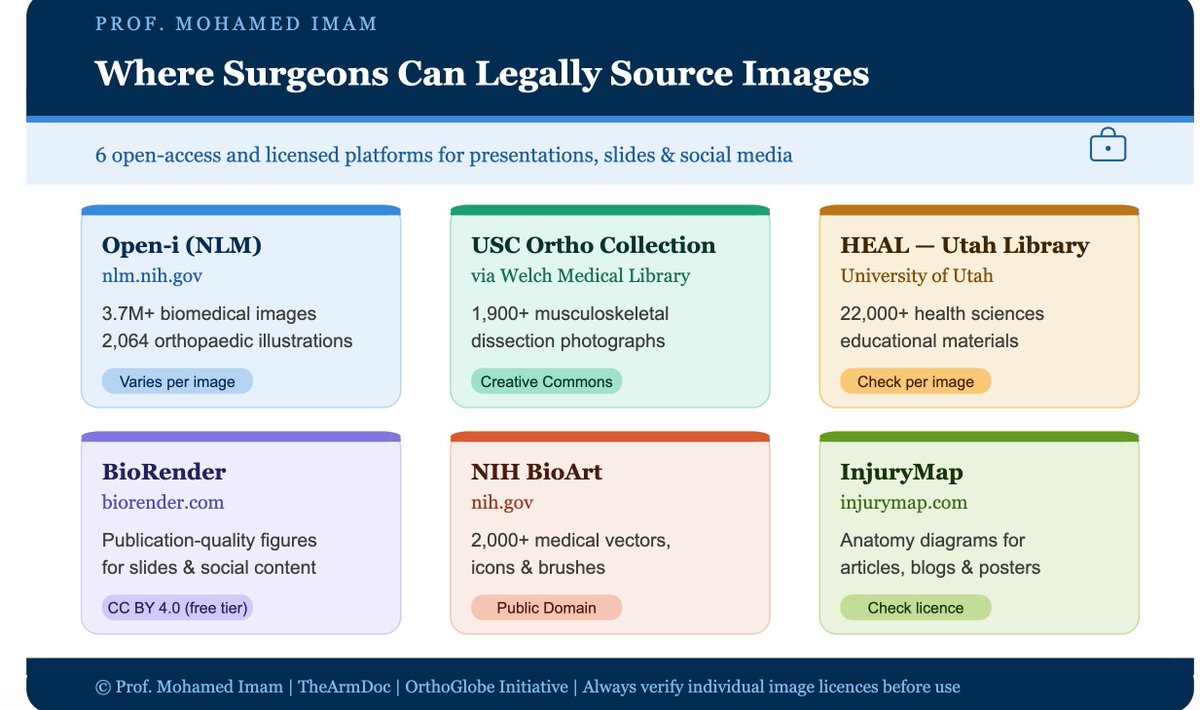
Surgeons — using Netter on your slides or social posts? That's a copyright violation.
Here are 6 FREE sources you can actually use legally:
🔵 Open-i (NLM) — 3.7M images, 2,000 ortho illustrations
🟢 USC Ortho Collection — 1,900 dissection photos (CC licence)
🟡 HEAL / Utah — 22,000 health ed materials
🟣 BioRender — publication-quality figures (free tier)
🟠 NIH BioArt — 2,000 vectors, public domain
🟩 InjuryMap — anatomy diagrams for posts & blogs
Bookmark this. Share it with a colleague who needs it.
#Orthopaedics #MedTwitter #SurgicalEducation #TheArmDoc
1
9
29
1,817

Biorender now has an AI prompt, similar to other LLMs. You can even import your own sketchy image and “Biorenderify” it 🤣
Although we seem to have a limited amount of ‘tokens’ for this.
2
40

Jun 8
【保存版】
Codexに公式プラグインが大量にまとめられている😳
デザイン・資料作成・データ分析・ブラウザ操作まで1つの画面から指示できる環境が整ってきた👇
x.com/BTCqzy1/status/2058752…
カテゴリ別に整理すると、
・デザイン:Canva / Figma / HeyGen / Remotion
・資料・分析:Presentations / Spreadsheets / Documents
・データ活用:Windsor AI / BioRender
・自動化:Chrome / Google Calendar
インストールはCodex Appの「Plugins」から検索するだけ
複数ツールを行き来しながらやっていた作業が、
Codexへの指示1行で完結する
ツールを切り替える手間ごと消える
 爱丽丝呀!
爱丽丝呀!

1
6
151
20,612

I just don't seem to get BioRender but I was hoping to attend a few of their online classes. I like the concept and I have seen it used very effectively. I do however wonder about the future of such programs with AI. At my recent ASCO talk, I used AI to create images and they looked great and I disclosed that I used AI for them.
1
2
112
I have this quasi-guilt feeling yet of using ChatGPT to make figures..but are we truly missing a skill spending hours moving around stubborn shapes in PPT or biorender when you can just type out exactly what you want? 🤔
3
2
182

Codexをチャットだけで使ってる人、めちゃくちゃもったいない。
公式・非公式のプラグインを入れると、こんなことが1行の指示でできるようになる。おすすめ10個を紹介:
1. Canva
プロ品質のテンプレートを呼び出せる。ポスター・SNS画像・サムネが数秒で形になる。
github.com/openai/plugins/tr…
2. Figma
「こんなデザインにして」と伝えるだけで、編集可能なデザイン稿を生成してくれる。
github.com/openai/plugins/tr…
3. HyperFrames by HeyGen
HTMLやスクリプトを渡すと高品質の動画を自動レンダリング。編集ゼロで動画が出てくる。
github.com/openai/plugins/tr…
4. Remotion
プロ級の動画アニメーション・モーションが作れる。動画クオリティが一段上がる。
github.com/openai/plugins/tr…
5. Presentations
テーマを伝えるだけでスライド初稿+構成案を自動生成。資料の叩き台づくりから解放される。
developers.openai.com/codex/…
6. Spreadsheets
複雑な数式・グラフ・データ分析を一気に処理。表計算で詰まる作業がなくなる。
developers.openai.com/codex/…
7. Documents
長文の要約・整理・スクリプト化が得意。大量のテキストを扱う作業が一瞬で終わる。
developers.openai.com/codex/…
8. BioRender
科学・医療系のビジュアル資料を扱える。専門的な図解づくりがぐっとラクになる。
github.com/openai/plugins/tr…
9. Chrome拡張
Codexがブラウザを直接操作する。Webページの読み取り・データ収集・フォーム入力を自動化。
developers.openai.com/codex/…
10. Google Calendar
「来週月曜に打ち合わせ入れて」で完了。日程調整・会議作成の手間がゼロになる。
github.com/openai/plugins/tr…
インストールは Codex App →「Plugins」→ 名前で検索するだけ。すぐに使えるようになる。
この投稿が参考になったら、 @so_ainsight をフォロー。いいね、リポストもよろしく。



7
29
280
23,010

Jun 7
【保存推奨】
公式の11個のプラグインを入れるだけで、Codexが異次元の「生産性ブースター」に化ける。
41秒のデモ動画がマジでヤバいです。
x.com/BTCqzy1/status/2058752…
「他人が手動でポチポチやっている作業を、自分は1文で丸投げする」フェーズへ。
まだ単なるチャットツールとして使っている人は本気で損しています。
▼ 導入すべき神プラグイン11選
ビジュアル&デザイン系
・Canva:一言でプロ級のSNS画像を即生成
・Figma:指示だけで編集可能な高精度デザイン稿を自動作成
・HyperFrames (HeyGen):テキストから高品質動画を自動レンダリング
・Remotion:プロ級アニメーション・動画効果を自動化
オフィス&PPT系
・Presentations:テーマを投げるだけで高品質PPTの初稿+大綱が完成
・Spreadsheets:複雑な表計算やグラフ、データ分析を一瞬で完了
コンテンツ&データ系
・Documents:長文要約や資料整理を丸投げ
・BioRender:専門的な図表を秒で生成 ・Windsor ai:全網のマーケティングデータを自動取得&分 自動化最強系
・Chrome:ブラウザを直接自律操作(データ収集・入力)
・Google Calendar:日程調整・会議作成を完全自動化
▼ 導入は1つ30秒で完了
Codex App(デスクトップ版)の左メニュー「Plugins」から検索して「Install」を押すだけ。
手動の作業がすべて「数分レベル」に縮まります。
この強力なプラグインたちを「実務にどう落とし込み、どう自動化の指示を設計すべきか」は、下の記事がめちゃくちゃ体系的にまとまっています。
マジでおすすめです👇
爱丽丝呀!

2
21
315
50,055