
22 Dec 2025
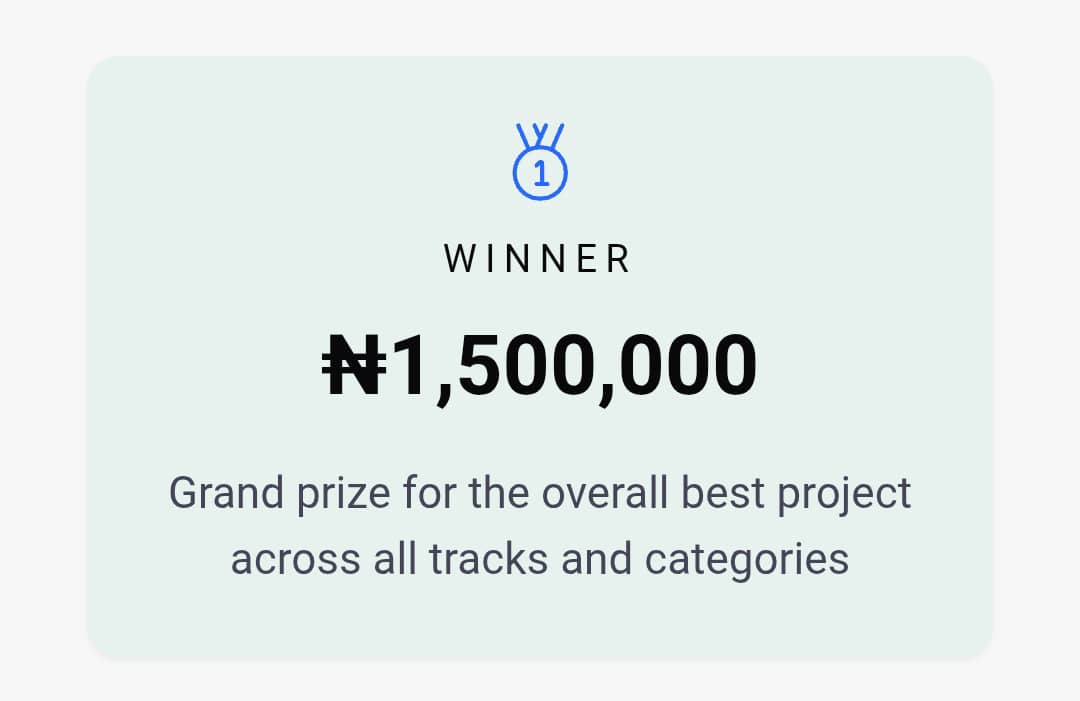
250 → 40 → 20 → 1 🏆
We built wecareEHR in 4 weeks and won the @Codematic_io Build with Google Hackathon 2025!
Our Solution
wecareEHR is an AI-powered, cloud-based, mobile-first, multi-tenant EHR built specifically for Nigerian clinics
#HackathonWinner #BuildwithCodematic
2
48

25 Nov 2025
During the last 4 weeks of the
@Codematic_io
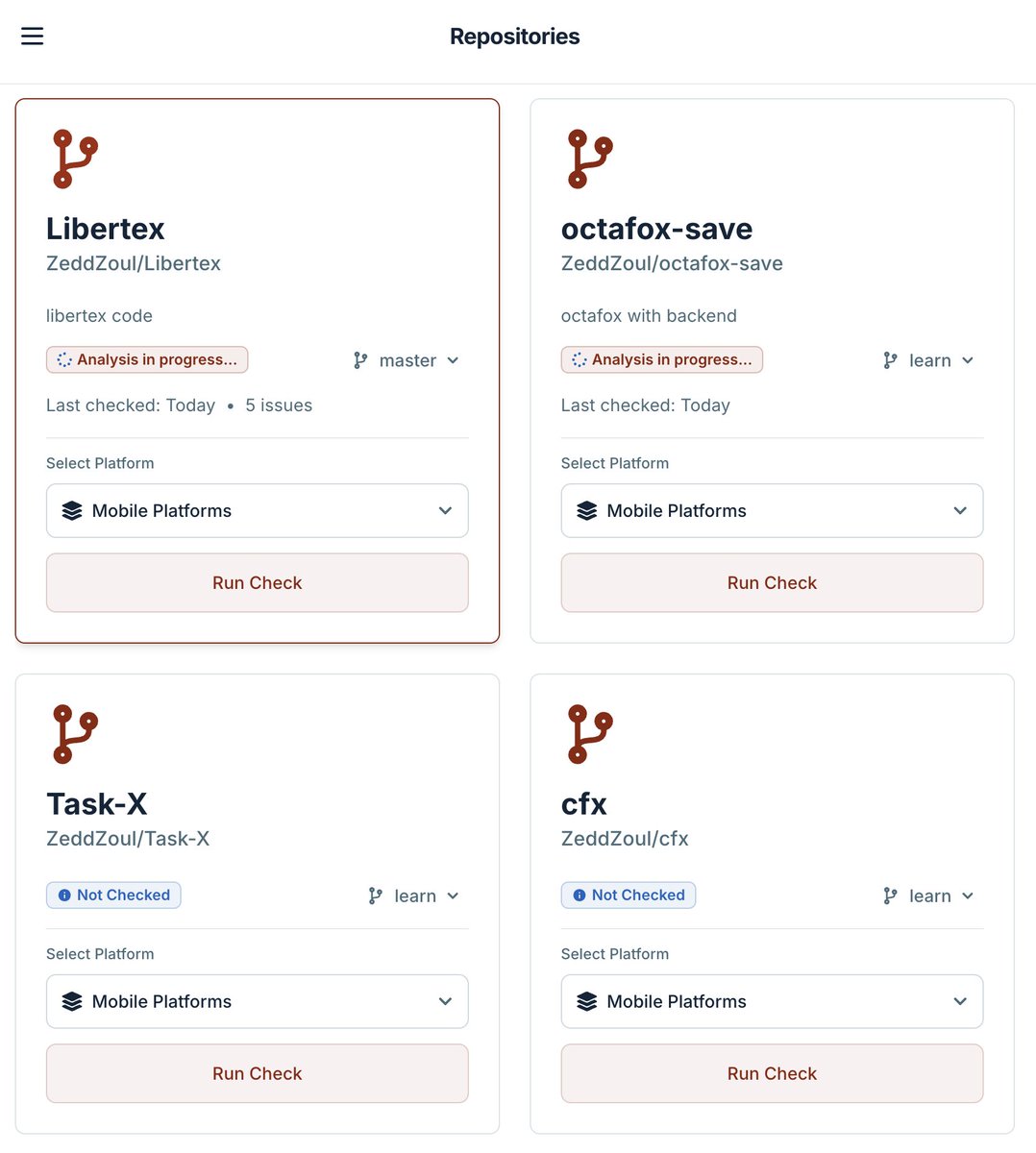
#GoogleCloud I built Themis; an app to help developers reduce wait times due to compliance issues from @GooglePlay Store and @AppStore
#buildwithcodematic #buildwithgoogle
1
5
96
25 Nov 2025
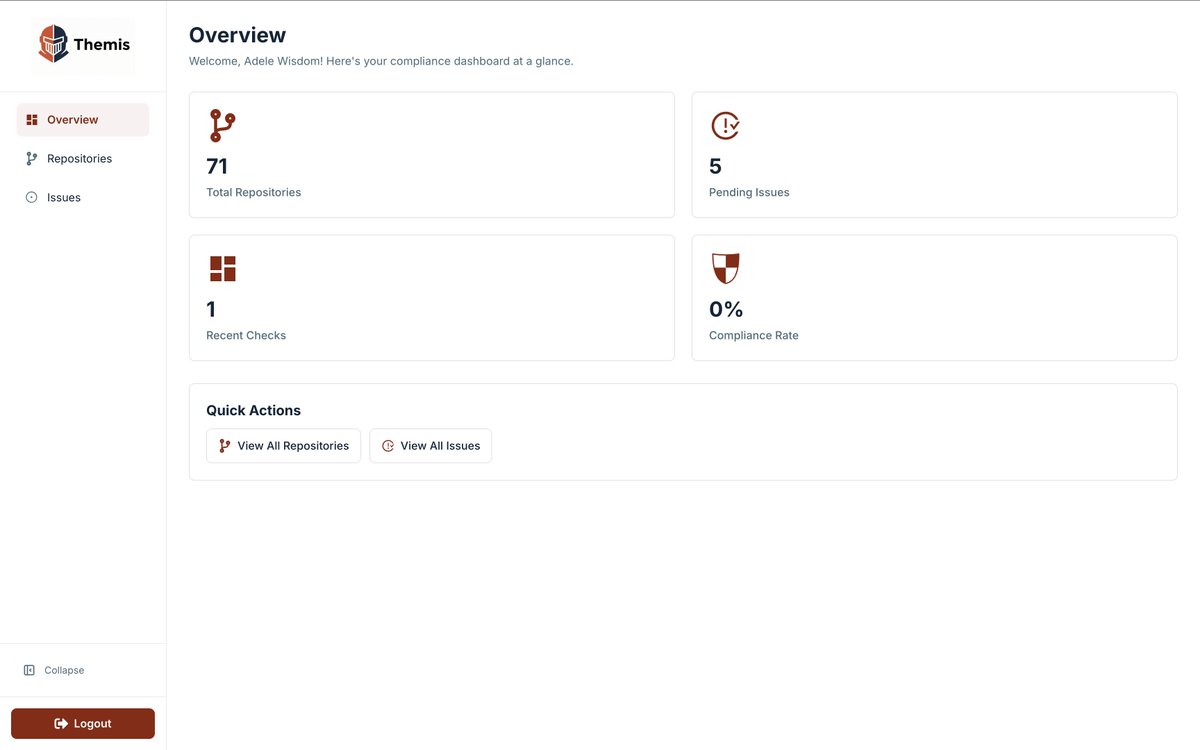
Are App store rejections slowing you down? Been there. It's horrible. Meet Themis, the Hybrid Compliance Checker!
#Themis #DevTools #buildwithcodematic #buildwithgoogle
5
2
15
348

24 Nov 2025
It feels so good not posting about the @Codematic_io hack I have been in, for the past 1 month...today.
I am super grateful for the opportunity #BuildWithCodematic gave me to learn, from now on I will build more in public.
And more info on my product soon😊.
#BuildWithNunsi
23 Nov 2025

Day 28
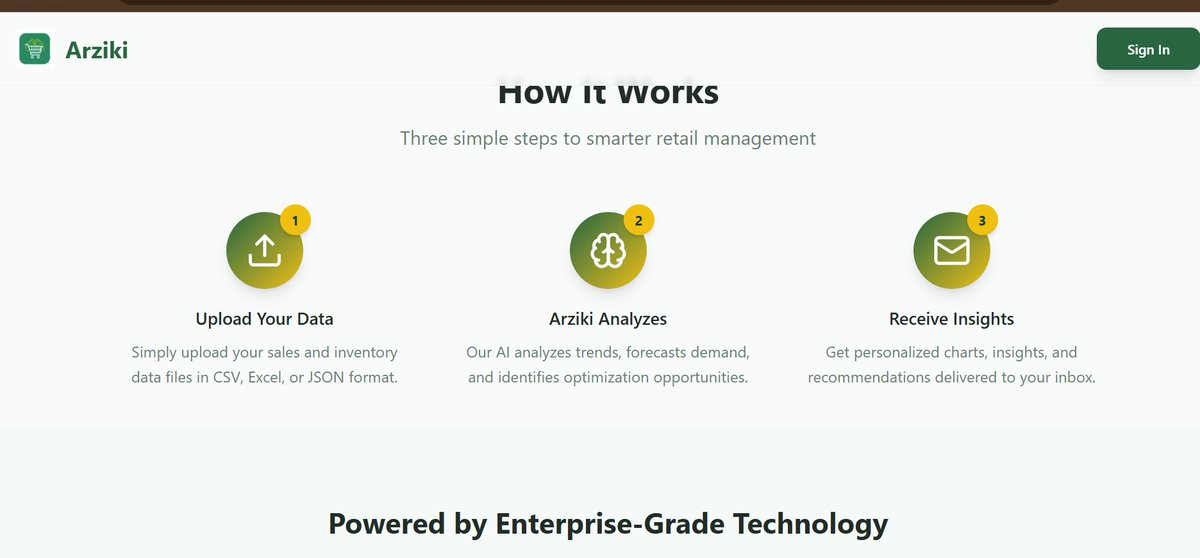
Humbled to have built consistently from Day 1. Grateful for #BuildWithCodematic for bringing out a level of consistency I didn’t know I had.
Finalized docs, slides, submission answers, and ensured everything works. Full reveal soon.
#ArzikiIsComing
#BuildWithNunsi
2
202

24 Nov 2025
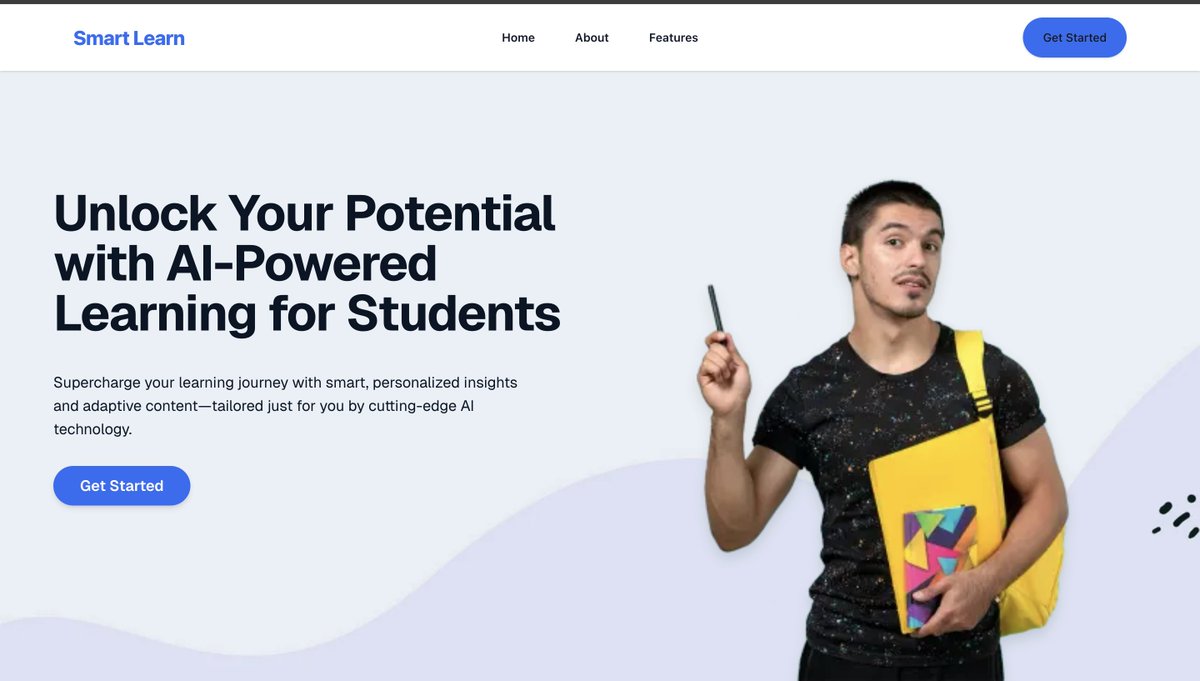
This is the demo video for SmartLearn which I built during the @Codematic_io hackathon 2025
SmartLearn is a comprehensive e-learning platform designed to revolutionize online education through AI-powered features and seamless learning experiences.
I utilized @googlecloud services, Google AI (@GeminiApp) and @pipeopshq while building this product.
Please drop your reviews about this product in the comments, and also what features would you like me to add in the future?
#GoogleCloud #BuildWithCodematic #BuildWithGoogle #BuildWithAhiakwoJohn
18
7
108
2,285

24 Nov 2025
The question.
#BuildWithCodematic #BuildWithGoogle #BuildWithHerbwise #BuildWithPraise #BuildWithObatula

2
49

24 Nov 2025
Counterfeit drugs are a serious problem in Nigeria.
During the last 4 weeks of the @Codematic_io #googlecloud hackathon, I worked on an app that helps users verify if a drug is legitimate by just taking photos.
#buildwithcodematic #buildwithgoogle
10 Nov 2025

BREAKING: NAFDAC has raised an alert over a suspected substandard and falsified (SF) pharmaceutical product identified in Nigeria’s drug supply chain.
The product, BETACLOX (Ampicillin 250mg and Cloxacillin 250mg), was found to contain fraudulent registration details and originated from an unverified source, posing serious public health risks.

4
4
7
456
23 Nov 2025
Day 28
Humbled to have built consistently from Day 1. Grateful for #BuildWithCodematic for bringing out a level of consistency I didn’t know I had.
Finalized docs, slides, submission answers, and ensured everything works. Full reveal soon.
#ArzikiIsComing
#BuildWithNunsi
22 Nov 2025
Day 27 #BuildWithCodematic
Had another sync with my teammate as we prep for submission.
Added more to our docs, drafted our answer set, and spent time bug-checking the platform. It’s chaotic but exciting. Can’t wait to show what we’ve built.
#BuildWithGoogle #BuildWithNunsi
1
4
516
23 Nov 2025
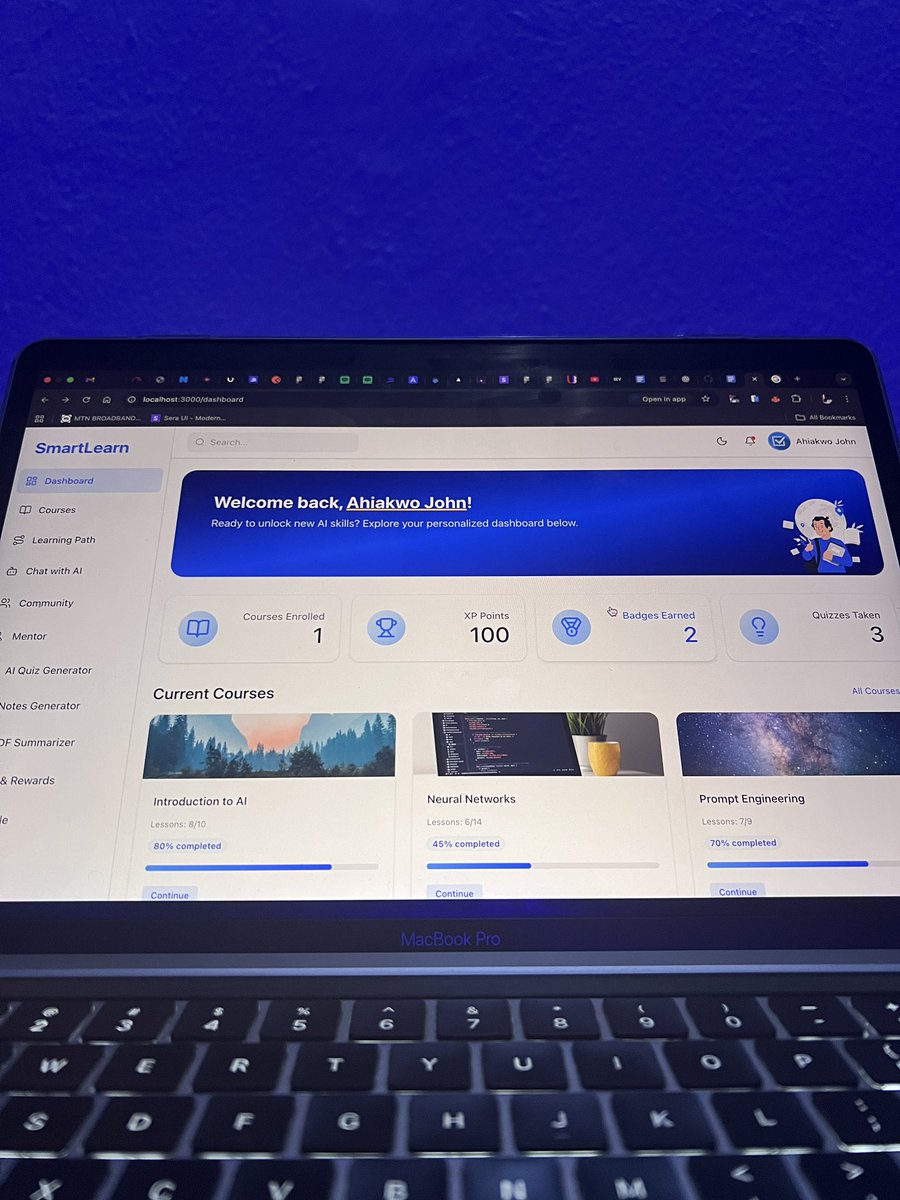
Day 28 of @Codematic_io Build with Google Cloud Hackathon
These past few weeks of building SmartLearn, my AI-powered learning platform, have been an incredible journey.
I’ve learned so much while working hands-on with Google Cloud and AI, and each day has pushed me to think differently and build smarter. I’ve been sharing more daily progress and lessons for other developers for the past few weeks.
The hackathon today ends today, with submissions closing tomorrow, so today was all about polishing, fixing final issues, and making sure SmartLearn is ready to shine.
Thanks for following me throughout this build in public process and for all the reviews and encouragement, looking forward to building more amazing products.
I’ll be dropping a demo video of Smartlearn tomorrow. Stay tuned.
#GoogleCloud #BuildWithCodematic #BuildWithGoogle #BuildWithAhiakwoJohn
7
2
54
1,405
22 Nov 2025
Day 27 #BuildWithCodematic
Had another sync with my teammate as we prep for submission.
Added more to our docs, drafted our answer set, and spent time bug-checking the platform. It’s chaotic but exciting. Can’t wait to show what we’ve built.
#BuildWithGoogle #BuildWithNunsi
21 Nov 2025
Day 26 #BuildWithCodematic
We finished hosting our MCP tools on a separate port using MCP FastMCP. The tools now pull from our DB, send data into an embedding model, and power our RAG flow fully integrated into our chat endpoint. Also worked on documentation.
#BuildWithNunsi
1
404
22 Nov 2025
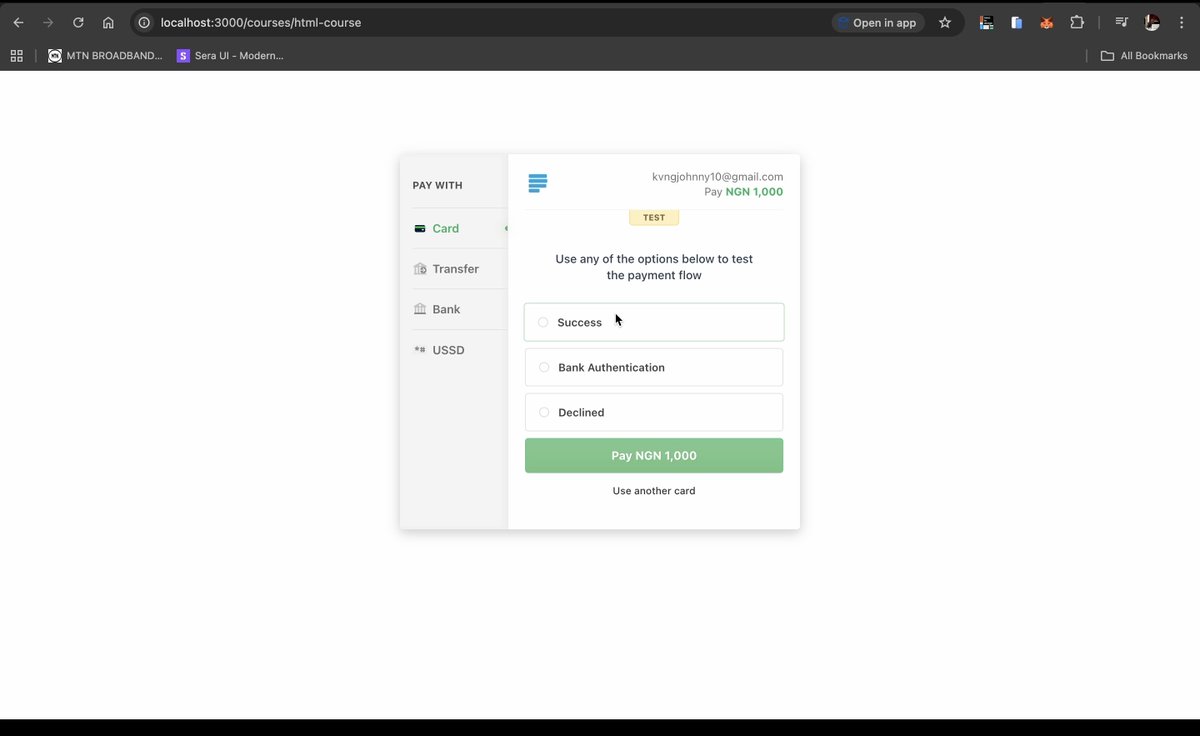
Day 27 @Codematic_io Build with Google Cloud Hackathon 2025
I've been building Smartlearn, a robust ai-powered learning platform for students, with the goal of helping get access to education and learn faster.
Today, I implemented the payment checkout for purchasing courses and mentor bookings on Smartlearn using @paystack.
This feature allows users/learners to purchase courses and mentor sessions on Smartlearn.
Daily Tasks Accomplished:
👉 Implement paystack for payments
👉 Integrated @Firebase firestore storage on my backend to keep track of payments.
#GoogleCloud #BuildWithCodematic #BuildWithGoogle #BuildWithAhiakwoJohn
4
19
459
21 Nov 2025
Day 26 @Codematic_io Build with Google Cloud Hackathon 2025
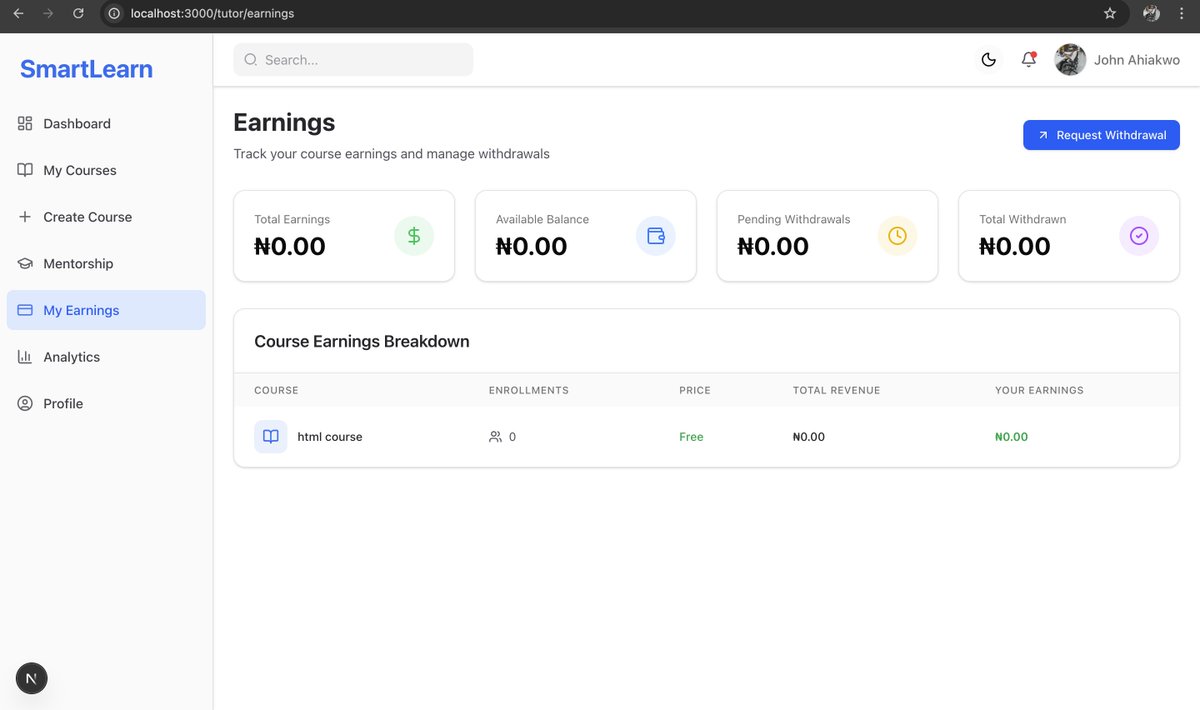
Today, I built the tutor earnings page for SmartLearn, a fully functional interface where tutors can track the earnings they’ve made from each of their courses.
At the top of the page, I added analytics cards that give tutors a quick snapshot of their financial performance. I also implemented a “Request Withdrawal” button, allowing tutors to initiate payout requests. These requests are sent to the backend and stored in Firestore through the connected APIs.
This feature brings more transparency and financial clarity to the tutor experience and connects seamlessly with the backend logic.
Daily Tasks Accomplished:
👉 Built the full Tutor Earnings page UI.
👉 Added analytics cards for quick financial insights.
👉 Created withdrawal request functionality connected to the backend.
👉 Integrated @Firebase firestore storage for all withdrawal requests and earnings.
#GoogleCloud #BuildWithCodematic #BuildWithGoogle #BuildWithAhiakwoJohn
5
1
28
828
21 Nov 2025
Day 26 #BuildWithCodematic
We finished hosting our MCP tools on a separate port using MCP FastMCP. The tools now pull from our DB, send data into an embedding model, and power our RAG flow fully integrated into our chat endpoint. Also worked on documentation.
#BuildWithNunsi
20 Nov 2025
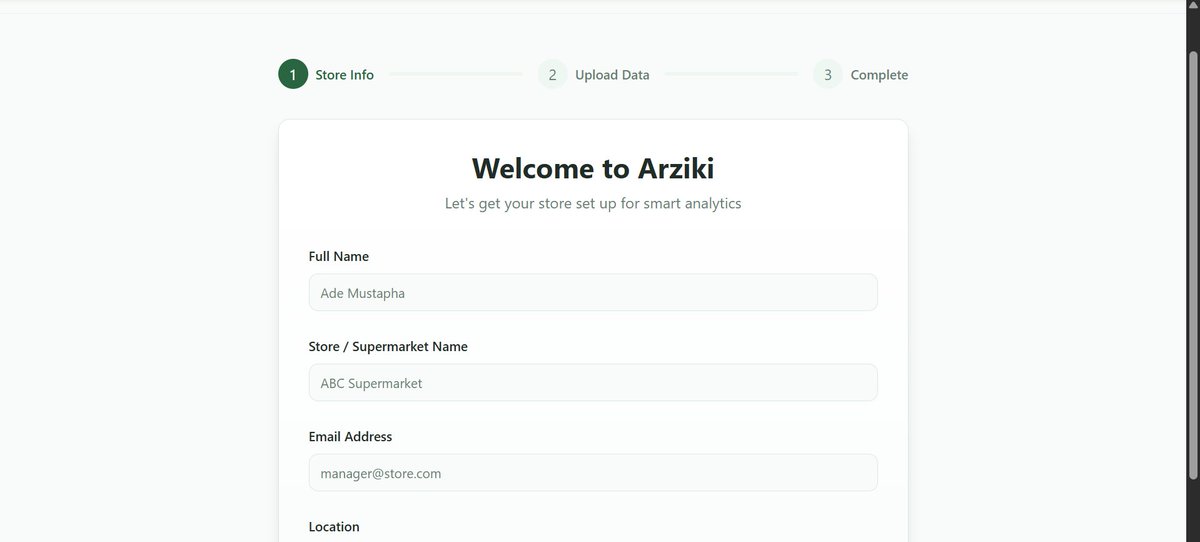
Day 25 #BuildWithCodematic
Balancing visuals and technical details is key, syncing with teammates keeps progress smooth.
Started documentation today, reviewed backend with teammate.
Prepare submission materials early and communicate with team.
#BuildWithNunsi #GoogleCloud
2
222
20 Nov 2025
Day 25 #BuildWithCodematic
Balancing visuals and technical details is key, syncing with teammates keeps progress smooth.
Started documentation today, reviewed backend with teammate.
Prepare submission materials early and communicate with team.
#BuildWithNunsi #GoogleCloud
19 Nov 2025
Day 24 #BuildWithCodematic
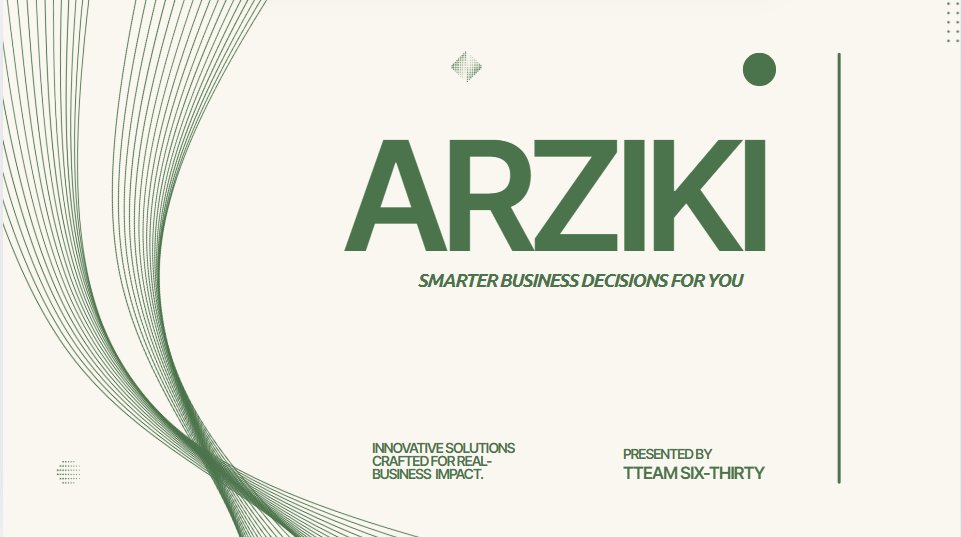
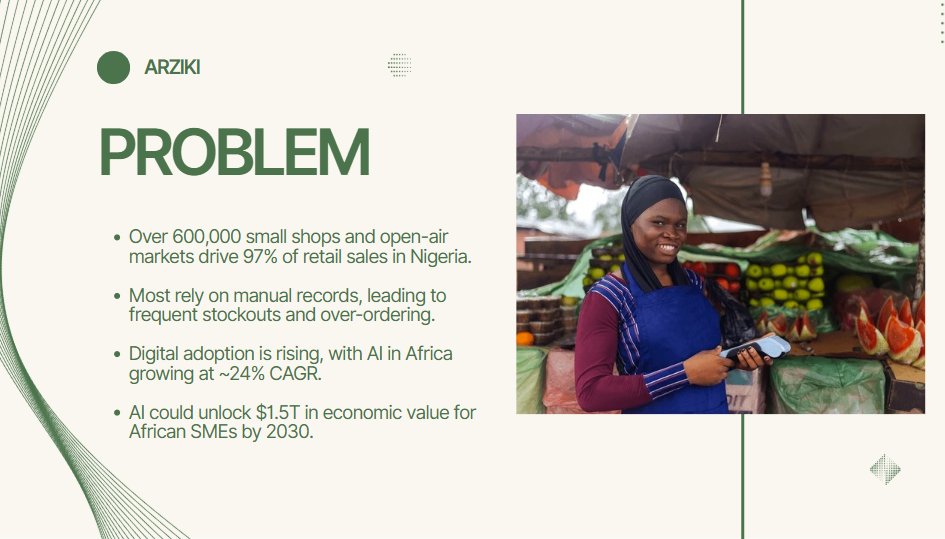
Had a solid team discussion on how we’ll wrap up every part of the project. I also started working on our pitch deck.
Next steps: finish the documentation, align all project components, and complete our @pipeopshq feature.
#BuildWithNunsi
6
324
20 Nov 2025
Day 25 @Codematic_io Build with Google Cloud Hackathon 2025
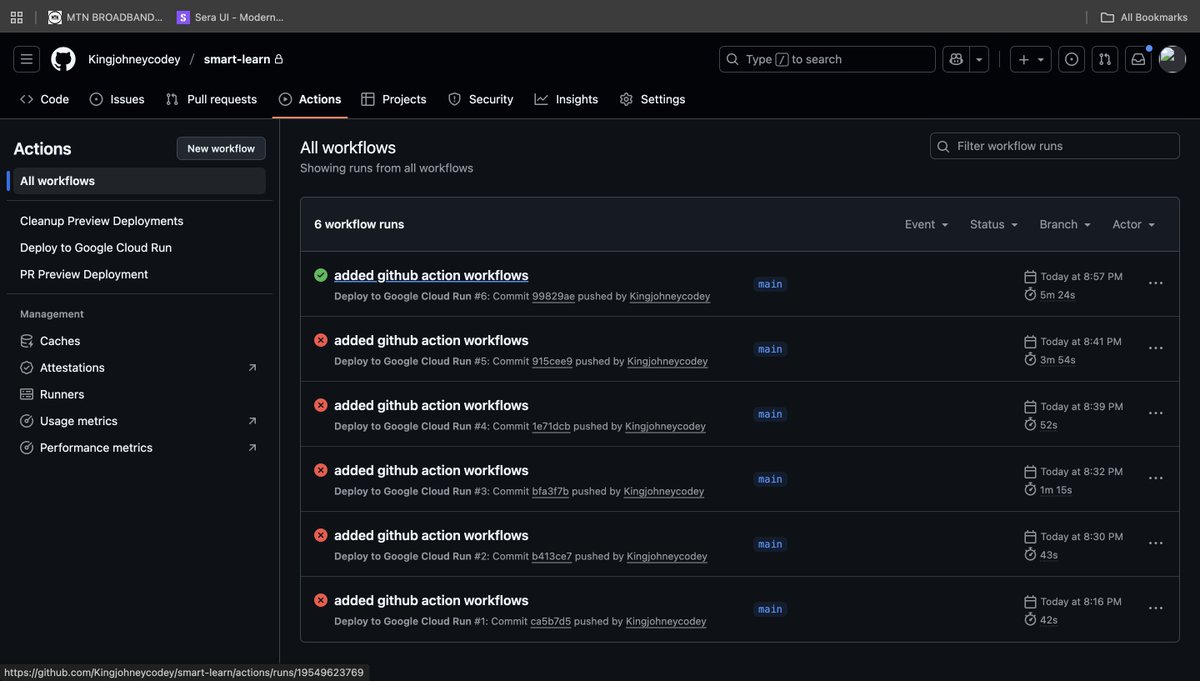
Today, I focused on taking SmartLearn fully live on @googlecloud by deploying both the backend and frontend to Google Cloud Run. I also set up GitHub Actions for automatic deployments, ensuring every push updates the live environment seamlessly.
To streamline configuration and environment management, I used @pipeopshq new devops tool, which made the entire deployment workflow faster, clearer, and more reliable.
The journey wasn’t without challenges, I ran into a couple of deployment issues, but I pushed through, debugged the configs, refined the workflows, and eventually everything deployed successfully.
Huge shoutout to Google Cloud for the powerful developer tooling and to PipeOps for making environment setup and CI/CD configuration smooth and stress-free.
Lessons Learned
👉 Cloud Run deployment becomes effortless once your build and environment configs are properly structured.
👉 GitHub Actions is extremely powerful for automation, removing manual steps improves developer speed and consistency.
👉 @pipeopshq drastically reduces setup time; managing environments manually would have taken much longer.
Daily Tasks Accomplished
👉 Deployed SmartLearn backend to Google Cloud Run.
👉 Deployed SmartLearn frontend to Google Cloud Run.
👉 Configured GitHub Actions for continuous deployment.
👉 Used PipeOps to prepare environment variables and deployment configs.
Tips for Other Developers
👉 Automate early, CI/CD saves you countless hours long-term.
👉 Use tools like PipeOps to manage configs instead of juggling them manually.
👉 For Cloud Run, triple-check service accounts, permissions, and runtime configurations.
Finally I can't share the live deployed link now until after the hackathon, which is ending soon, its been a long journey and I'll keep pushing 🚀
Do you think you'll like to try out @pipeopshq and @googlecloud for deployments?
#GoogleCloud #BuildWithCodematic #BuildWithGoogle #BuildWithAhiakwoJohn
6
3
44
1,133
19 Nov 2025
Day 24 #BuildWithCodematic
Had a solid team discussion on how we’ll wrap up every part of the project. I also started working on our pitch deck.
Next steps: finish the documentation, align all project components, and complete our @pipeopshq feature.
#BuildWithNunsi
18 Nov 2025
Day 23 #BuildwithCodematic
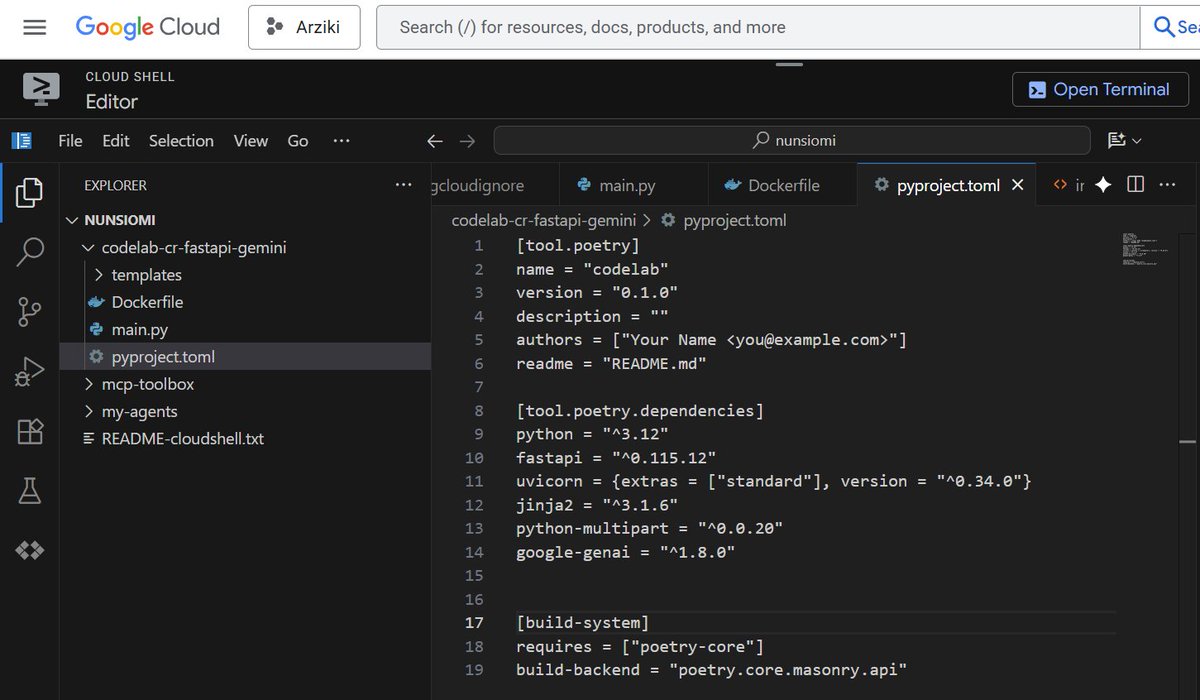
• Built a stronger system persona
• Gemini 1.5 Pro handles text visuals
• AI behavior refined
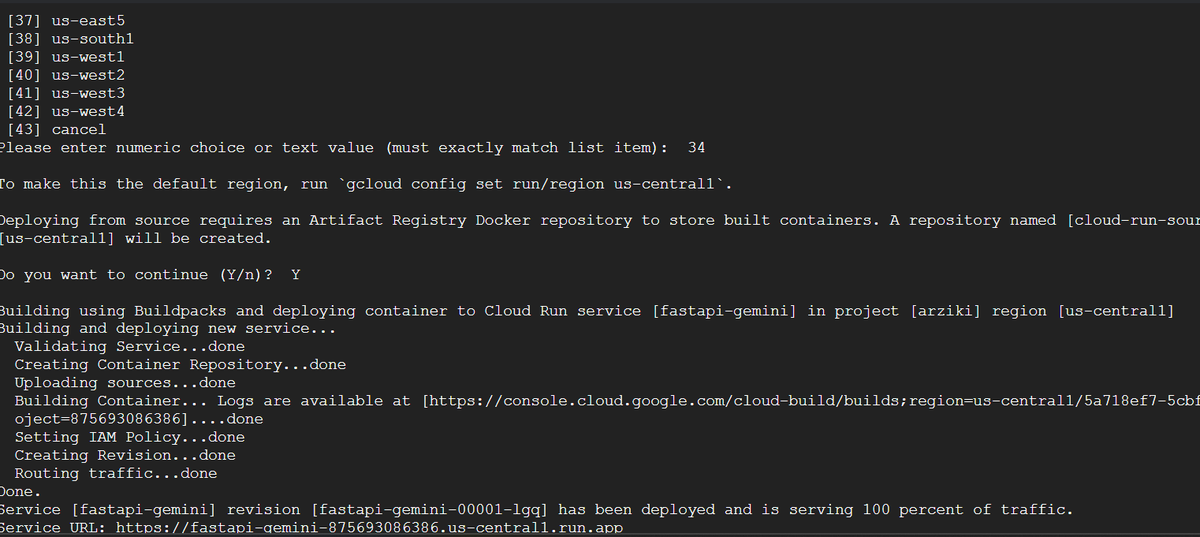
• Cloud Run setup
Tips:
• Define system prompts early
• Pick models based on task
• Use least-privilege IAM
#BuildwithGoogle #BuildwithNunsi
1
2
511
19 Nov 2025
Day 24 @Codematic_io Build with Google Cloud Hackathon 2025
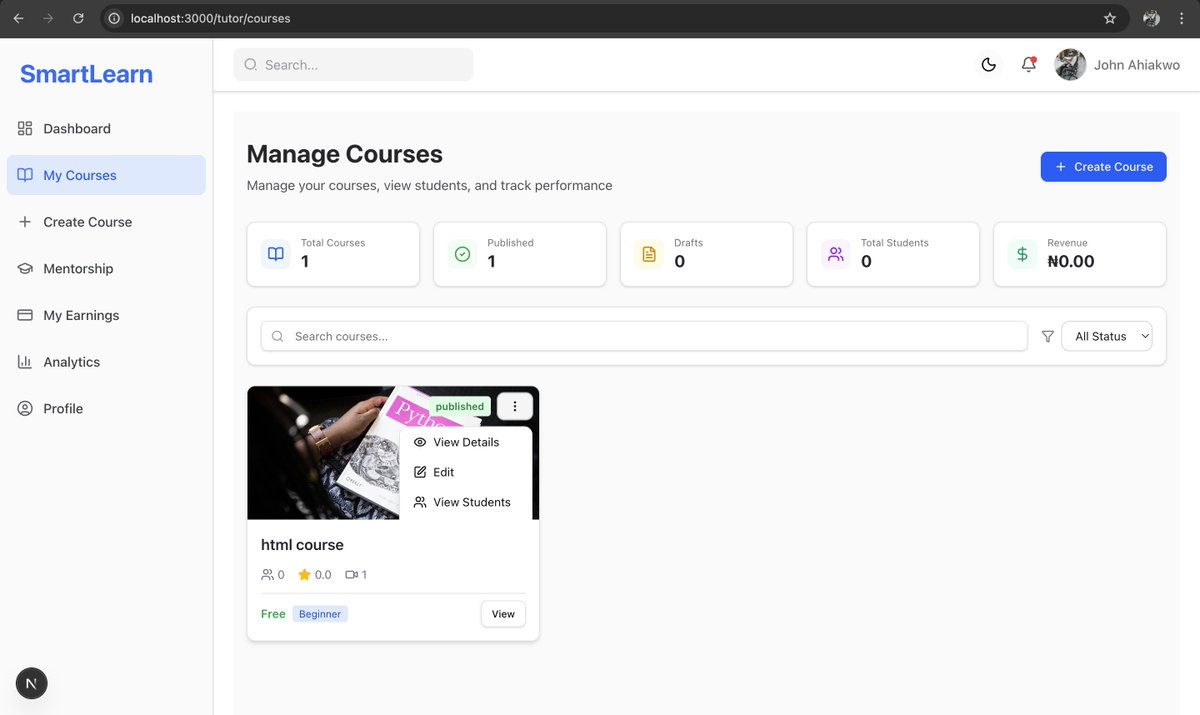
Today, I worked on the tutor course management for SmartLearn, this gives tutors full control over their courses, student engagement, and content structure. Everything works with my backend thats integrated with Google @Firebase.
Some key features are
👉 Analytics Overview: displays key stats at a glance:
Total Courses, Published, Drafts, Archived, Total Students, Revenue
👉 Course Listing
👉 Course Management Tools
👉 Edit Course
👉 Delete Course
👉 Learner Management
Daily Progress Summary
I focused on building an interface that gives tutors complete visibility and control, while keeping everything clean and intuitive.
#GoogleCloud #BuildWithCodematic #BuildWithGoogle #BuildWithAhiakwoJohn
1
1
32
704

18
18 Nov 2025
made more progress on my @Codematic_io app
started today with tweaking my scoring algorithm because all the drugs were getting flagged as suspicious?" 😅 Turns out my initial logic was way too strict
#buildwithomu #buildwithcodematic #googlecloud
17 Nov 2025

✅ added search & verify endpoints to Flask ✅ tested locally with Cloud SQL Proxy ✅ fixed all the import errors ✅ rebuilt docker image ✅ redeployed to Cloud Run ✅ API is live and actually works now lol
@Codematic_io
#buildwithomu #GoogleCloud
1
73
18 Nov 2025
Day 23 #BuildwithCodematic
• Built a stronger system persona
• Gemini 1.5 Pro handles text visuals
• AI behavior refined
• Cloud Run setup
Tips:
• Define system prompts early
• Pick models based on task
• Use least-privilege IAM
#BuildwithGoogle #BuildwithNunsi
17 Nov 2025
Day 22 #BuildwithCodematic
Problem: How do we make sure the bot’s answers match the user’s PDF report (charts included)?
Switched to Gemini 1.5 Pro using the File API, so the AI reads the actual PDF, charts text included.
#GoogleCloud #BuildwithNunsi
2
488