
1 Jul 2025
🧩 𝐂𝐇𝐑𝐎𝐌𝐄 𝐃𝐄𝐕𝐓𝐎𝐎𝐋𝐒 𝐇𝐓𝐌𝐋/𝐂𝐒𝐒 𝐃𝐄𝐁𝐔𝐆𝐆𝐈𝐍𝐆 𝐓𝐈𝐏𝐒 🛠️
Your browser is more than a viewer—it’s a 𝐝𝐞𝐯𝐞𝐥𝐨𝐩𝐞𝐫’𝐬 𝐦𝐢𝐜𝐫𝐨𝐬𝐜𝐨𝐩𝐞. This infographic highlights 8 powerful DevTools features that make HTML/CSS debugging faster, smarter, and way less frustrating:
🔍 𝐐𝐮𝐢𝐜𝐤 𝐄𝐥𝐞𝐦𝐞𝐧𝐭 𝐒𝐞𝐥𝐞𝐜𝐭
Use the 𝐞𝐥𝐞𝐦𝐞𝐧𝐭 𝐩𝐢𝐜𝐤𝐞𝐫 (Ctrl Shift C) to instantly inspect any part of the page.
No more digging through nested divs—just point, click, and debug.
📦 𝐁𝐨𝐱 𝐌𝐨𝐝𝐞𝐥 𝐕𝐢𝐬𝐮𝐚𝐥𝐢𝐳𝐚𝐭𝐢𝐨𝐧
See 𝐩𝐚𝐝𝐝𝐢𝐧𝐠, 𝐛𝐨𝐫𝐝𝐞𝐫, 𝐚𝐧𝐝 𝐦𝐚𝐫𝐠𝐢𝐧 in real-time.
Perfect for fixing layout issues and understanding spacing at a glance.
🧪 𝐅𝐨𝐫𝐜𝐞 𝐄𝐥𝐞𝐦𝐞𝐧𝐭 𝐒𝐭𝐚𝐭𝐞𝐬
Simulate :hover, :focus, :active, and more—without triggering them manually.
Great for styling interactive elements without clicking around.
📱 𝐑𝐞𝐬𝐩𝐨𝐧𝐬𝐢𝐯𝐞 𝐓𝐞𝐬𝐭𝐢𝐧𝐠
Toggle device toolbar to test breakpoints, screen sizes, and touch behavior.
Design once, debug everywhere.
🧹 𝐅𝐢𝐧𝐝 𝐔𝐧𝐮𝐬𝐞𝐝 𝐂𝐒𝐒
Use the 𝐂𝐨𝐯𝐞𝐫𝐚𝐠𝐞 𝐭𝐚𝐛 to detect and remove unused styles.
Lean CSS = faster load times.
📋 𝐂𝐨𝐩𝐲 𝐂𝐒𝐒 𝐒𝐞𝐥𝐞𝐜𝐭𝐨𝐫
Right-click any element and copy its 𝐮𝐧𝐢𝐪𝐮𝐞 𝐬𝐞𝐥𝐞𝐜𝐭𝐨𝐫—ideal for targeting in scripts or stylesheets.
📝 𝐄𝐝𝐢𝐭 𝐇𝐓𝐌𝐋 𝐈𝐧𝐬𝐭𝐚𝐧𝐭𝐥𝐲
Double-click or right-click to 𝐞𝐝𝐢𝐭 𝐇𝐓𝐌𝐋 𝐨𝐧 𝐭𝐡𝐞 𝐟𝐥𝐲.
Test changes without touching your source code.
📐 𝐑𝐮𝐥𝐞𝐫𝐬 & 𝐆𝐫𝐢𝐝𝐬
Enable rulers and overlays to 𝐚𝐥𝐢𝐠𝐧 𝐞𝐥𝐞𝐦𝐞𝐧𝐭𝐬 𝐩𝐫𝐞𝐜𝐢𝐬𝐞𝐥𝐲.
Pixel-perfect layouts, every time.
💡 At 𝐏𝐂 𝐃𝐨𝐜𝐭𝐨𝐫𝐬 𝐍𝐄𝐓, we don’t just write code—we 𝐝𝐞𝐛𝐮𝐠 𝐰𝐢𝐭𝐡 𝐩𝐫𝐞𝐜𝐢𝐬𝐢𝐨𝐧. Whether you're building from scratch or optimizing legacy layouts, we help you ship 𝐜𝐥𝐞𝐚𝐧, 𝐫𝐞𝐬𝐩𝐨𝐧𝐬𝐢𝐯𝐞, 𝐚𝐧𝐝 𝐦𝐚𝐢𝐧𝐭𝐚𝐢𝐧𝐚𝐛𝐥𝐞 𝐟𝐫𝐨𝐧𝐭𝐞𝐧𝐝𝐬.
🌐 pcdoctorsnet.com
📞 1 (346) 355-6002
#ChromeDevTools #CSSDebugging #FrontendFixes #BoxModelMastery #ResponsiveDesign #WebDevTips #InspectAndPerfect #MaximumVisibility #StrategicBranding #texas #usa #UnitedStates #pcdoctorsnet #canada #india
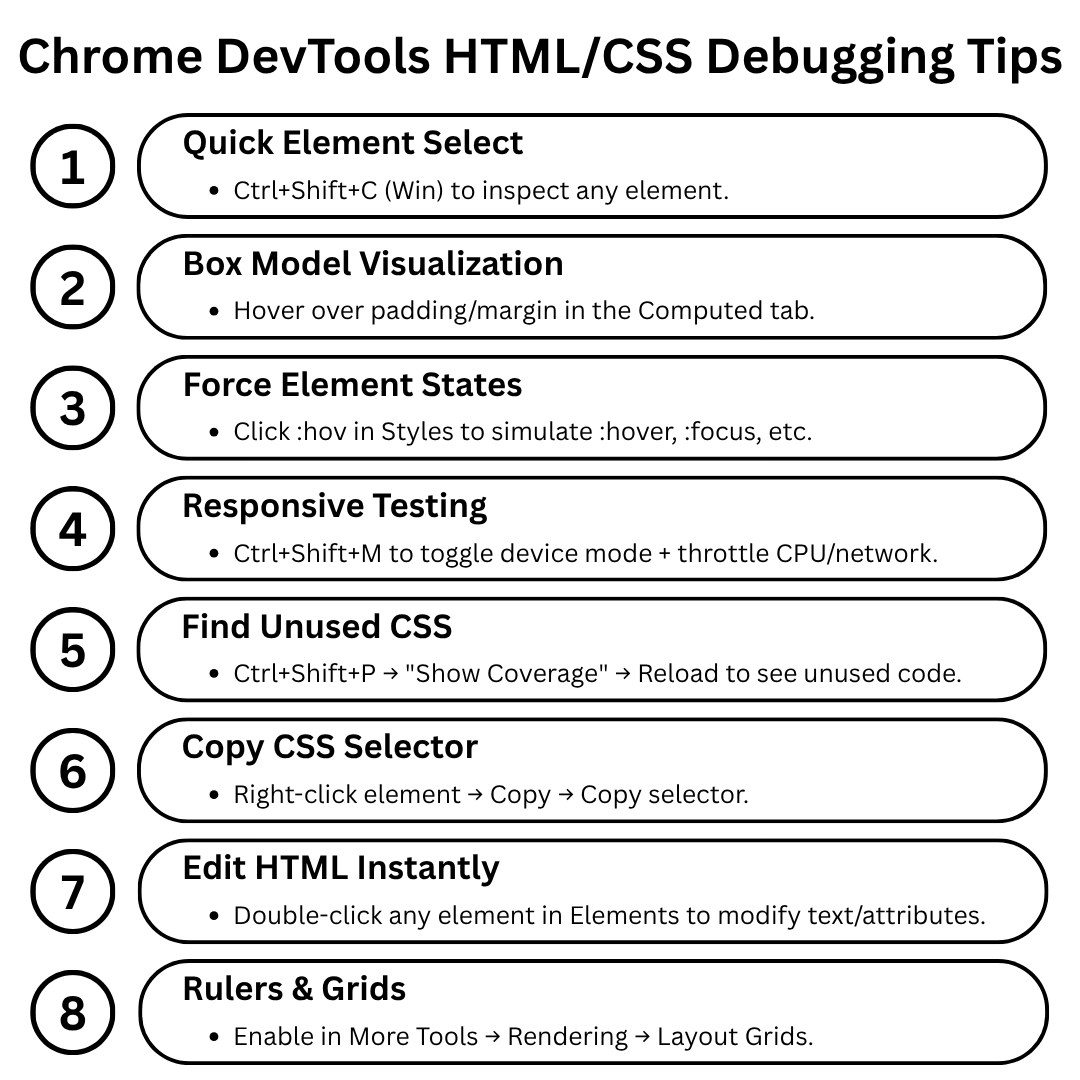
ALT This infographic by PC Doctors NET showcases 8 essential Chrome DevTools features for HTML/CSS debugging—covering element inspection, box model visualization, responsive testing, unused CSS detection, and more. These tools empower developers to troubleshoot layout issues, optimize styles, and refine user interfaces directly in the browser. Visit pcdoctorsnet.com or call 1 (346) 355-6002 to streamline your frontend workflow with expert support.
1
2
23

17 Feb 2023
Check out my latest article: CSS Debugging and Best Practices & Tools linkedin.com/pulse/css-debug… via @LinkedIn
#webdevelopment #css #cssdebugging #frontend #html5 #tutorials #debug #webdesigner #webdevelope #toolss #bestpractices #javascript #react #webdevelopmentbasics
1
1
44