
Day 11 of JavaScript 🚀
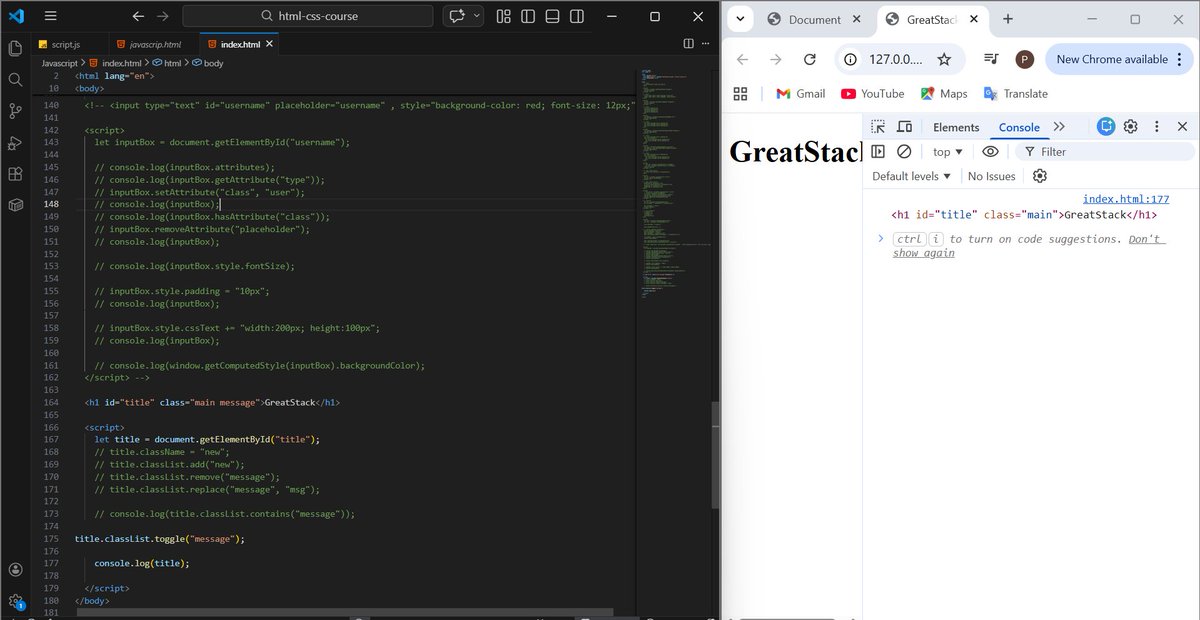
Worked on styling elements with JS:
style property
cssText
getComputedStyle()
className & classList
Nothing big today, just showing up and improving 🔁
Next: JavaScript Events ⚡
#100DaysOfCode #JavaScript #WebDev
3
30

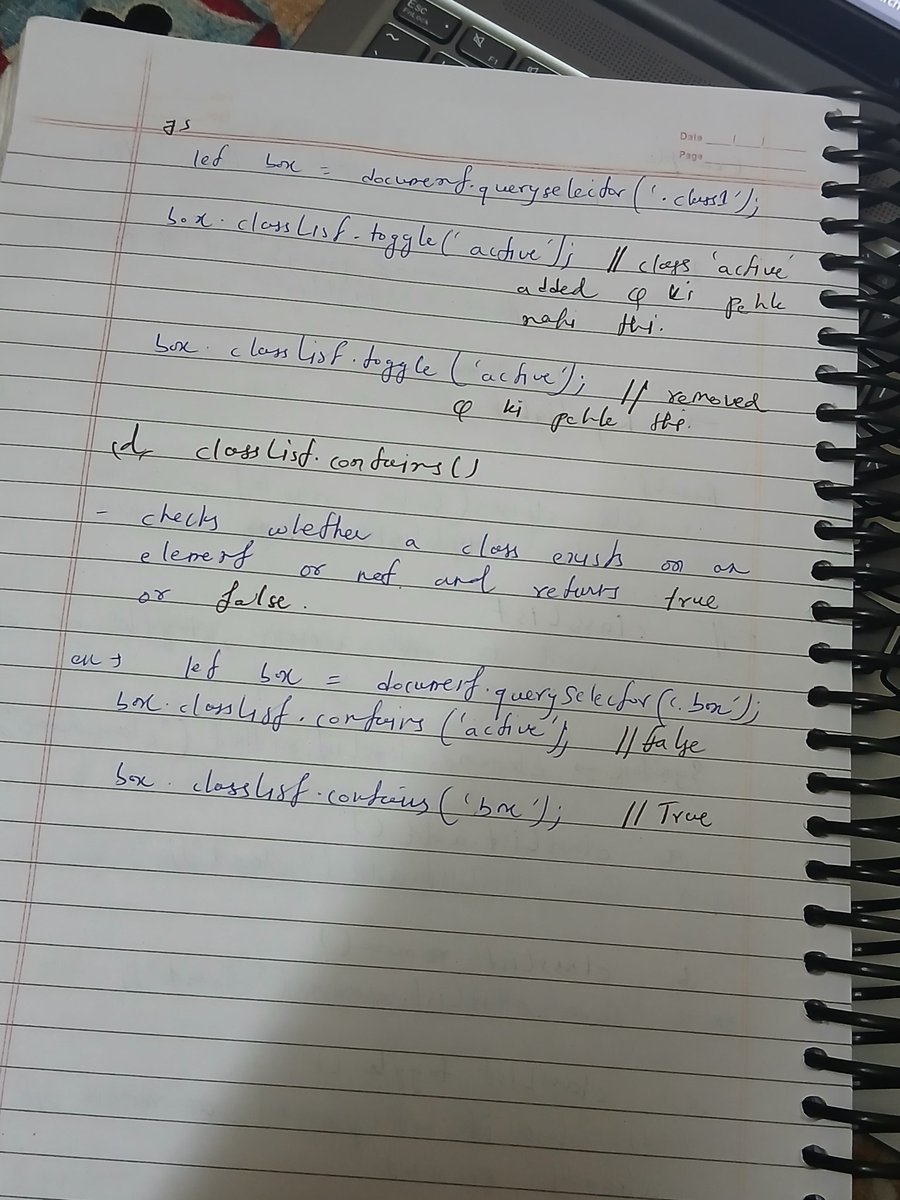
🎨 Completed Lecture 52 – DOM Styling with JavaScript (Love Babbar’s course)!
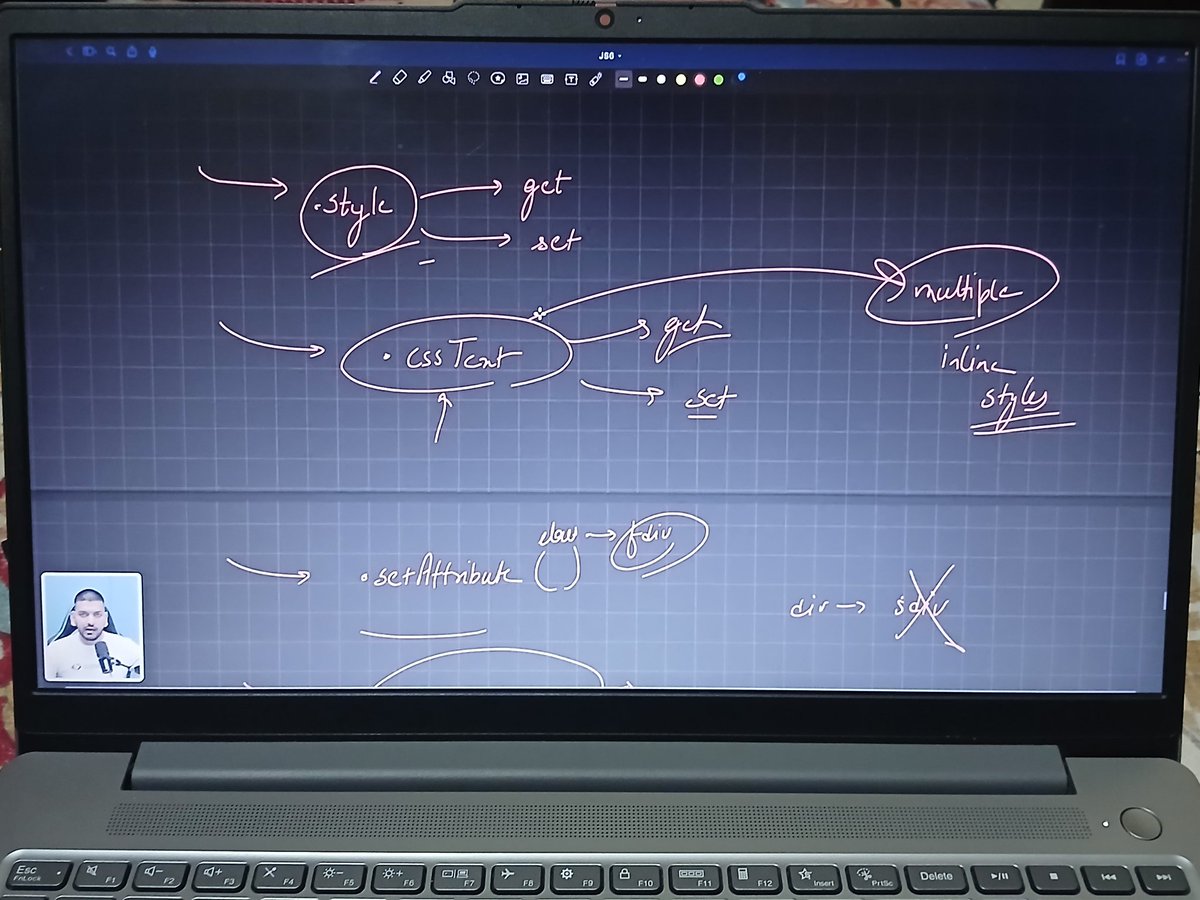
👉 Change CSS using style & cssText
👉 setAttribute() for updates
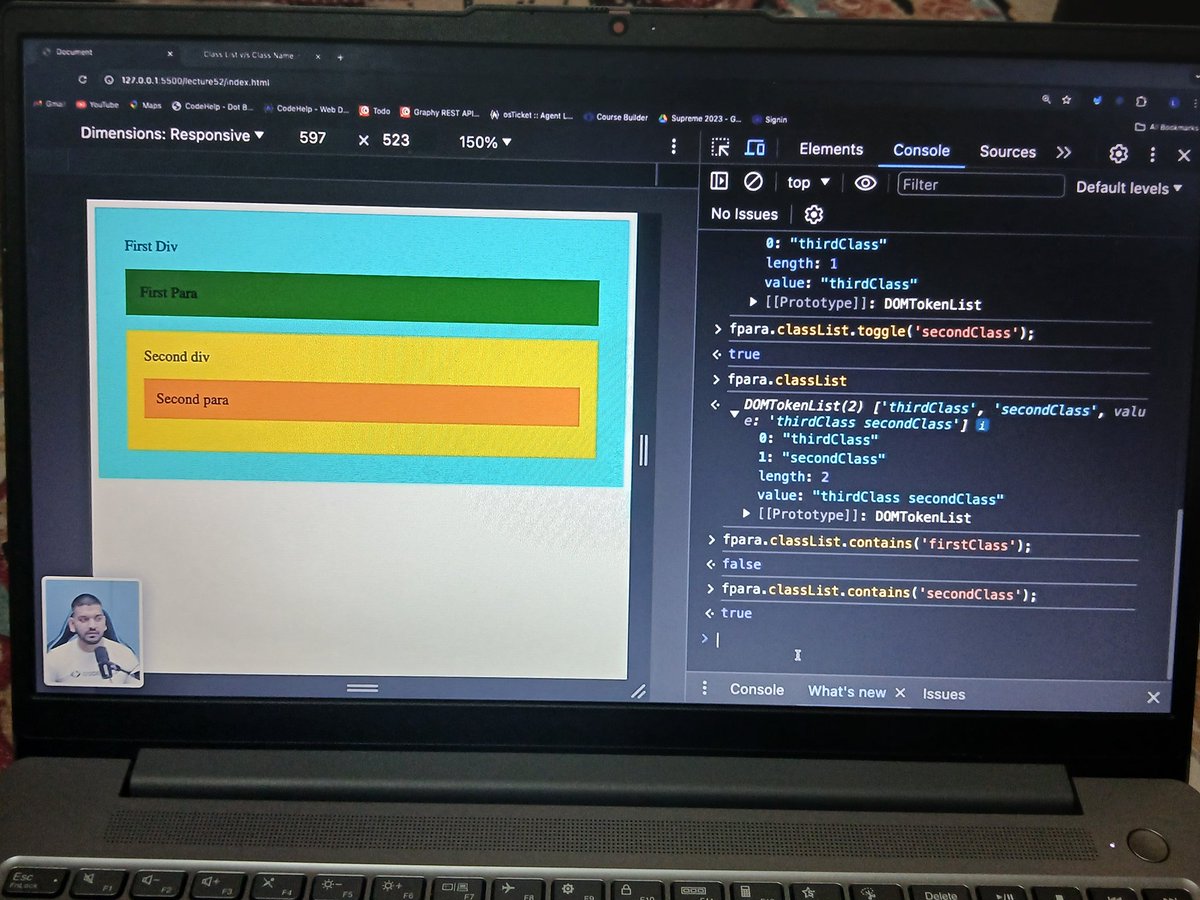
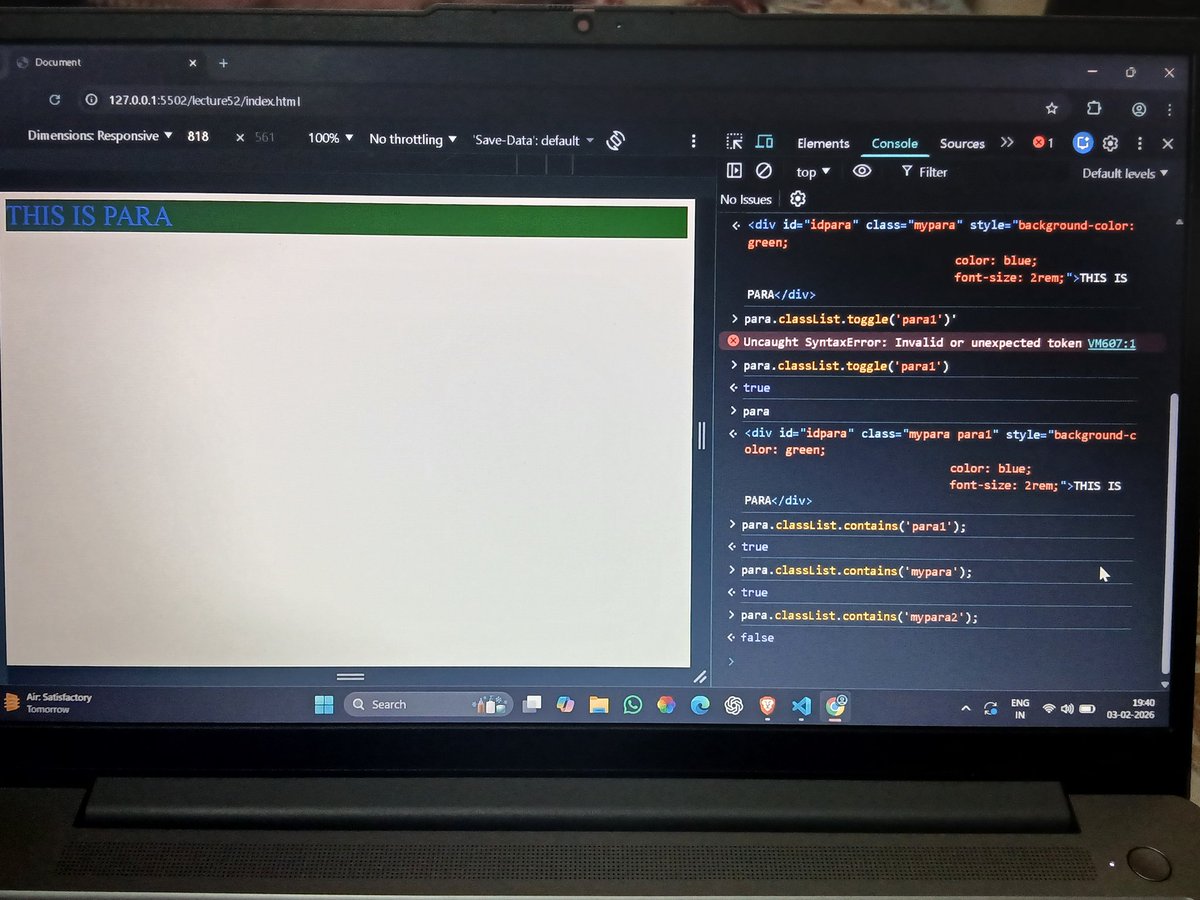
👉 className & classList (add/remove/toggle)
👉 Dynamic UI control 💪
#JavaScript #WebDev #100DaysOfCode
5
31


// ==UserScript==
// @name 小宇宙播客倍速播放
// @namespace tampermonkey.net/
// @version 1.1
// @description 为小宇宙网页版添加播放倍速控制功能
// @author You
// @match xiaoyuzhoufm.com/episode/*
// @grant none
// ==/UserScript==
(function() {
'use strict';
// 等待音频元素加载
function waitForAudio() {
const audio = document.querySelector('audio');
if (audio) {
addSpeedControl(audio);
} else {
setTimeout(waitForAudio, 500);
}
}
// 添加倍速控制
function addSpeedControl(audio) {
// 创建倍速控制容器
const speedContainer = document.createElement('div');
speedContainer.style.cssText = `
position: fixed;
top: 80px;
right: 20px;
background: white;
border-radius: 8px;
padding: 10px;
box-shadow: 0 2px 10px rgba(0,0,0,0.1);
z-index: 1000;
display: flex;
flex-direction: column;
gap: 8px;
`;
// 倍速选项
const speeds = [0.5, 0.75, 1.0, 1.25, 1.5, 1.75, 2.0];
// 创建标题
const title = document.createElement('div');
title.textContent = '播放倍速';
title.style.cssText = `
font-size: 12px;
color: #666;
text-align: center;
margin-bottom: 5px;
`;
speedContainer.appendChild(title);
// 创建倍速按钮
speeds.forEach(speed => {
const btn = document.createElement('button');
btn.textContent = `${speed}x`;
btn.style.cssText = `
padding: 8px 15px;
border: 1px solid #ddd;
border-radius: 5px;
background: white;
cursor: pointer;
font-size: 14px;
transition: all 0.2s;
`;
// 设置当前倍速的样式
if (speed === 1.0) {
btn.style.background = 'var(--theme-color, #25B4E1)';
btn.style.color = 'white';
btn.style.borderColor = 'var(--theme-color, #25B4E1)';
}
btn.addEventListener('click', () => {
audio.playbackRate = speed;
// 更新所有按钮样式
speedContainer.querySelectorAll('button').forEach(b => {
b.style.background = 'white';
b.style.color = 'black';
b.style.borderColor = '#ddd';
});
// 高亮当前按钮
btn.style.background = 'var(--theme-color, #25B4E1)';
btn.style.color = 'white';
btn.style.borderColor = 'var(--theme-color, #25B4E1)';
});
btn.addEventListener('mouseenter', () => {
if (audio.playbackRate !== speed) {
btn.style.background = '#f5f5f5';
}
});
btn.addEventListener('mouseleave', () => {
if (audio.playbackRate !== speed) {
btn.style.background = 'white';
}
});
speedContainer.appendChild(btn);
});
// 添加到页面
document.body.appendChild(speedContainer);
// 添加快捷键支持
document.addEventListener('keydown', (e) => {
// 使用数字键 1-7 快速切换倍速
if (e.key >= '1' && e.key <= '7') {
const index = parseInt(e.key) - 1;
if (speeds[index]) {
audio.playbackRate = speeds[index];
// 触发对应按钮的点击效果
speedContainer.querySelectorAll('button')[index 1].click();
}
}
});
console.log('倍速控制已添加!可使用数字键1-7快速切换倍速');
}
// 开始监听
waitForAudio();
})();
3
6
2,310

10 Nov 2025
Day 190/365
In #TheOdinProject today, I learned how appendChild() and insertBefore() work in DOM manipulation. I also discovered that a removed child node stays in memory, explored the cssText property, and understood why innerHTML poses XSS risks. 👍!
#JavaScript #WebDevelopment
2
37

29 Jul 2025
Day 41 of #100DaysOfCode
Learned [ JS ]
> DOM Manipulation in CSS
- Style Method
- cssText Method
- setAttribute/getAttribute Method
- className Method
- classList Method
[ Add, Remove, Toggle & Contains ]
28 Jul 2025

Day 40 of #100DaysOfCode
Learned [ JS ]
> Object Cloning
[ Spread Operators, Assign Method and Iteration ]
> Garbage Collector
> Error Handling
[ Try, Catch and Finally ]
> DOM Manipulation in HTML
[ Access, Insert, Update and Delete ]
1
10
312

21 Jul 2025
July 21 - Done with DOM(CSS manipulation) classList (add/remove/toggle/contains), className, setAttribute, .style, cssText etc etc....
sleep();
#JavaScript #WebDev #DOM #CSS
3
51

9 Jul 2025
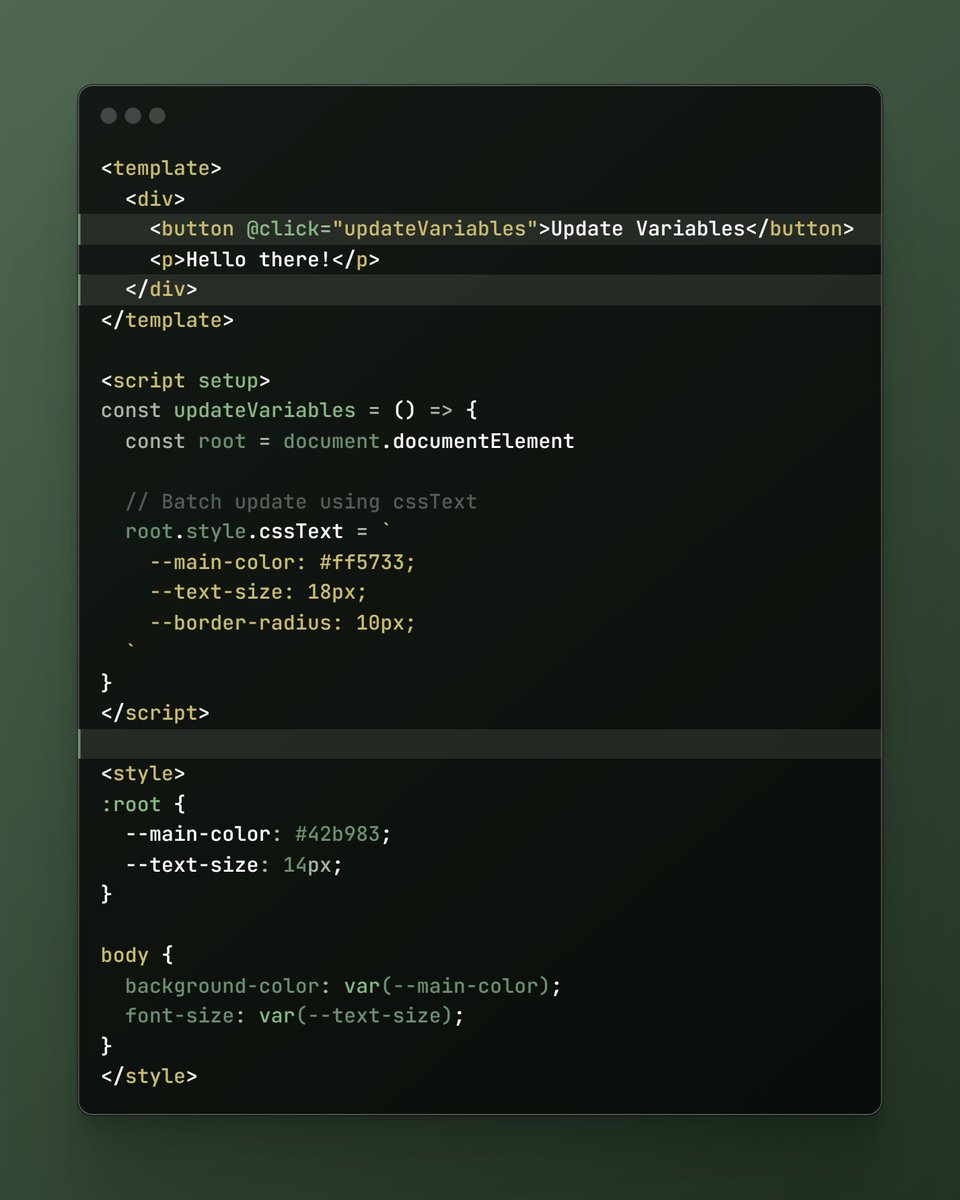
Best practices on how to update the :root CSS variable with JavaScript and Vue.js 🤓
1. Batch Updates
When updating multiple CSS variables, grouping them together in a single operation reduces browser reflows and improves performance.
Image 1: This is an example using the Composition API with a script setup to batch CSS variable updates. In this example, the cssText property batches multiple updates to minimize reflows.
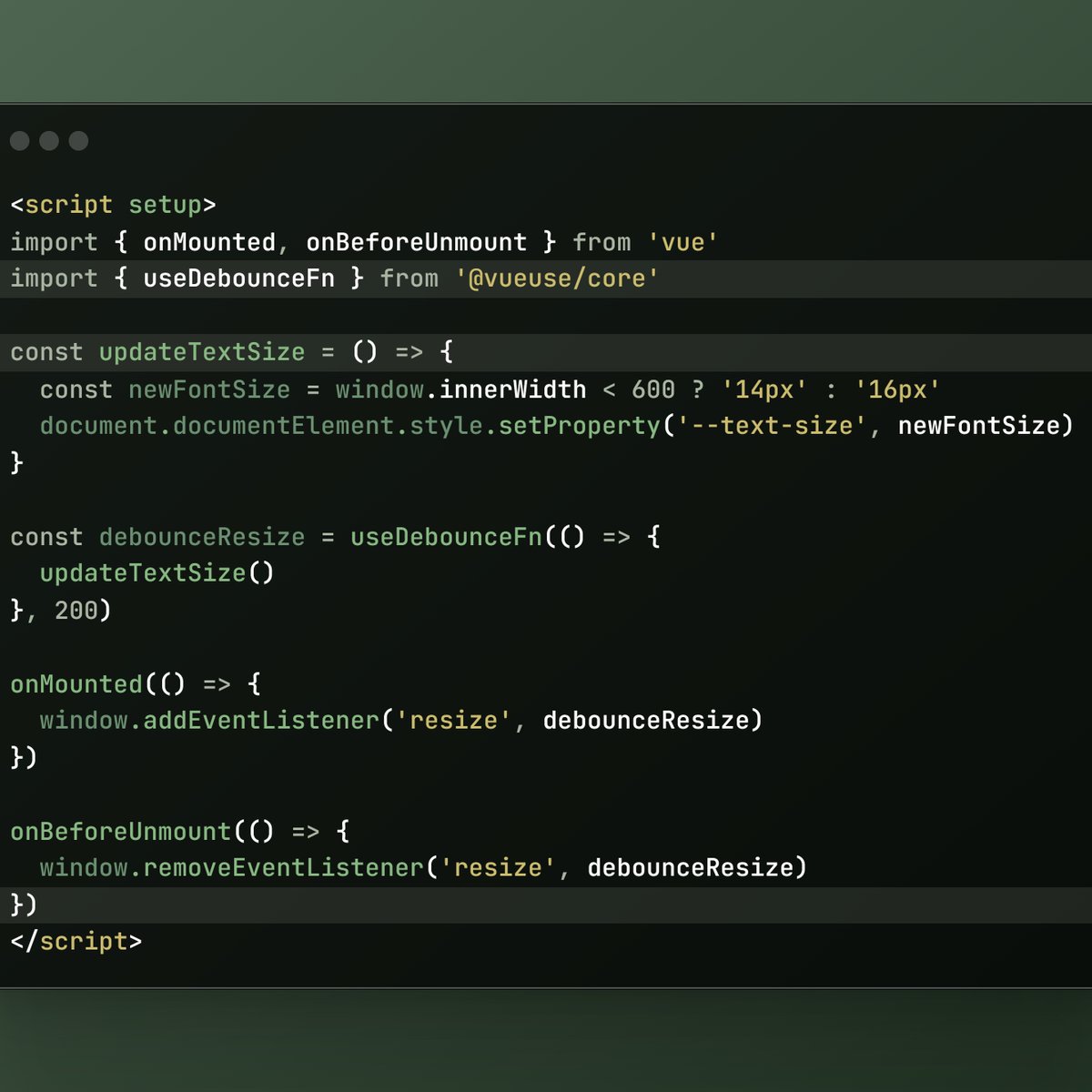
2. Debouncing Updates
When updating CSS variables in response to frequent events like resizing, debounce the updates to improve performance.
Image 2: Instead of building our own debounce function, we can use VueUse’s useDebounceFn helper function to achieve the same thing.
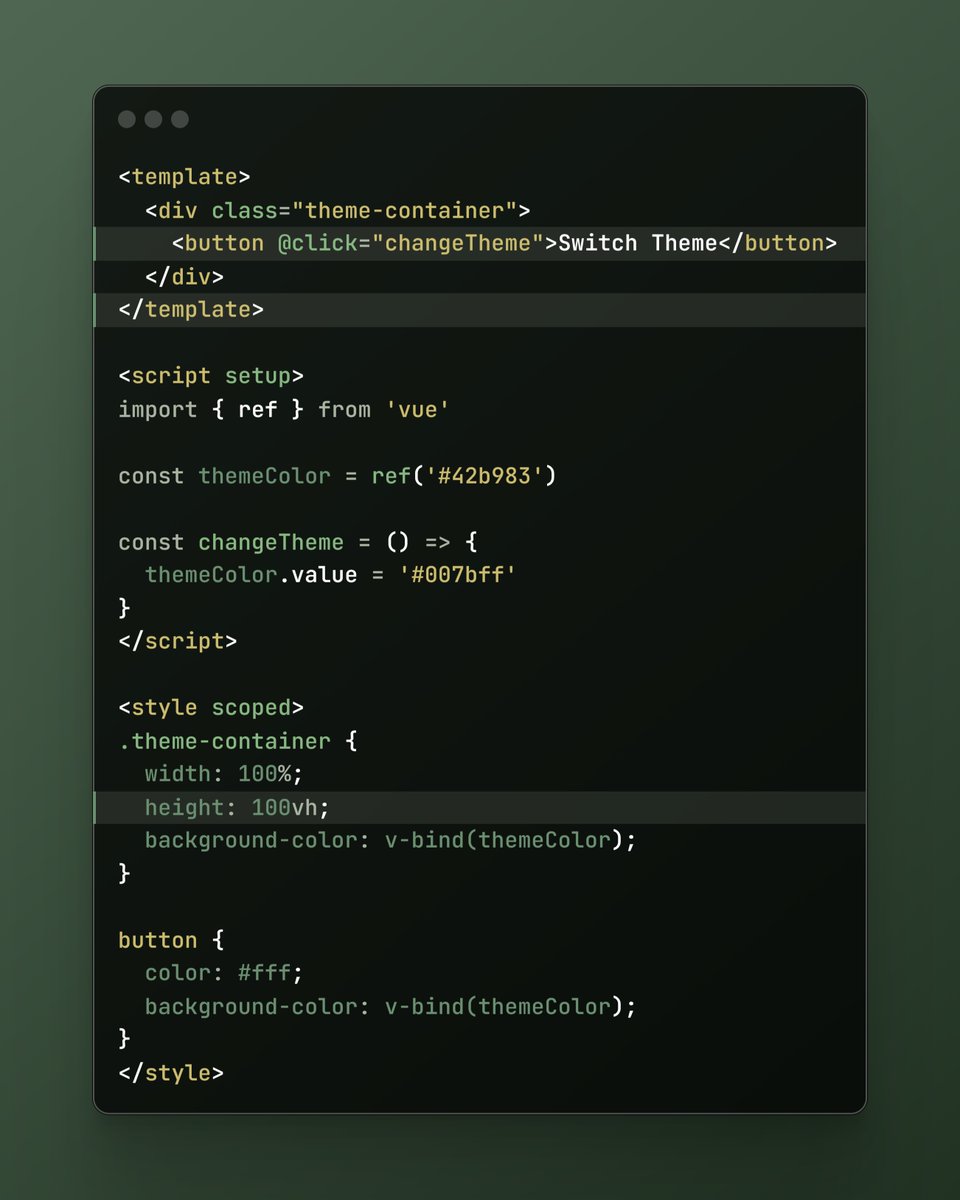
3. Limit Scope
When possible, limit the scope of your CSS variable updates to specific components instead of applying them globally. This helps keep the impact localized and improves maintainability.
We can even rely on Vue.js’ SFC CSS features instead of defining CSS variables - Image 3: In this example, we didn’t have to define a CSS variable. Instead, we defined a themeColor variable ref and used v-bind() in CSS to bind its value to the corresponding CSS property.
3
39
1,536

17 Dec 2024
What the CSS used in JavaScript!!
Here mentions this properties ↓
→.style ✅
→.cssText ✅
→.setAttribute✅
→.className✅
→.classList✅
→.contains ✅
#softwareEngg #frontendDeveloper
#connect
2
2
59

4 Dec 2024
Introduction to DOM in JS :
✅DOM, BOM, Window Object.
✅Accessing and Modifying DOM Elements.
✅modifying HTML DOM.
✅Style Object.
✅cssText, setAttribute, className, classList.
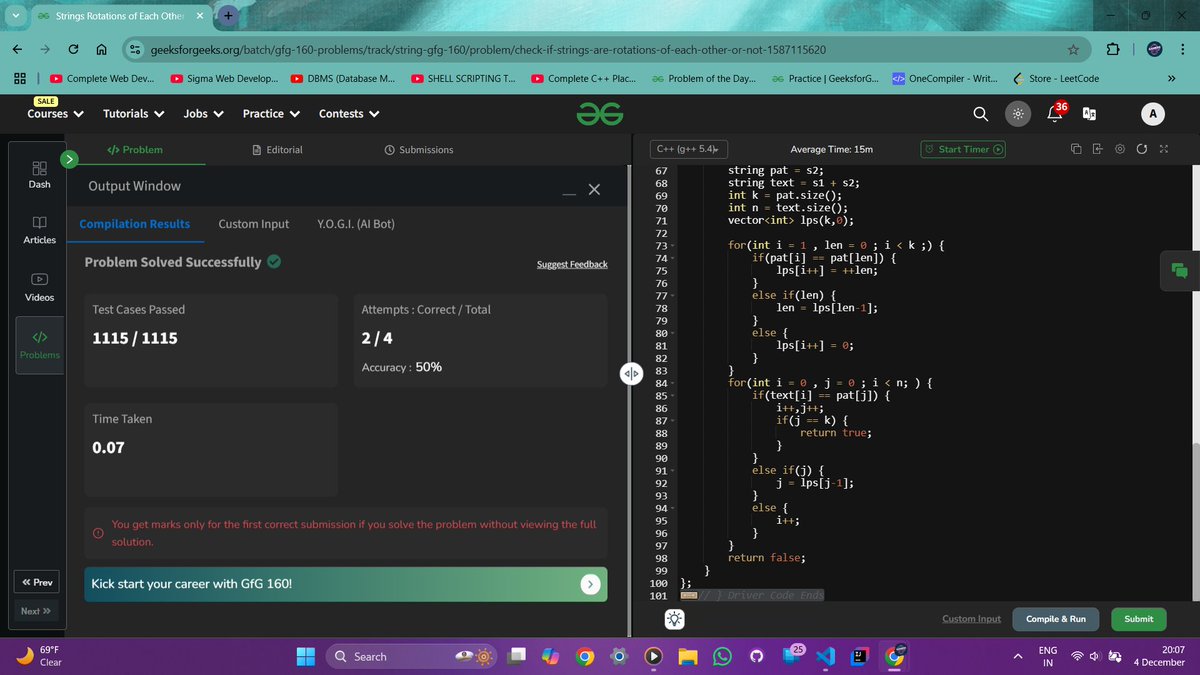
Day 19 of GFG 160 :
Problem 1 or #POTD : Strings Rotations of Each Other.
#gfg160 #geekstreak2024
7
37

18 Nov 2024
横からすみません。
これ、僕も試してみたんですけど、多分kiteさんほど負荷をかけられずで、あまり実証を得られませんでした笑
もちろん、直接値をいじるよりもカスタムプロパティのほうが負荷はありそうではあるんですが、cssTextとsetPropertyの差もあるのでは…?という可能性を拭いきれません。
1
2
361

30 Aug 2024
JavaScriptで1つの要素に複数のstyleを当てたい!てなった時、
document.getElementsByClassName("hoge");
hoge.style.color = 'red';
hoge.style.fontSize = '20px';
みたいに書いてもいいんですが、数が多いと面倒。
まとめて記述出来る方法の1つにcssTextというプロパティがあり、コードをスッキリさせる事が出来ます。
hoge.style.cssText = "color: red; font-size: 20px;"
ただしcssTextは既にあるインラインのstyleは消してしまうらしいのでHTML側で該当要素にインラインでstyle当てている場合、JS側で再度指定しないと消えてしまうらしいので注意。
cssTextはjQueryでも同じプロパティ名で使えるみたいです😌
まとめる方法は他にもあるので興味ある方は調べてみてください!
7
733

17 Jun 2024
Learning on the Job-Day1
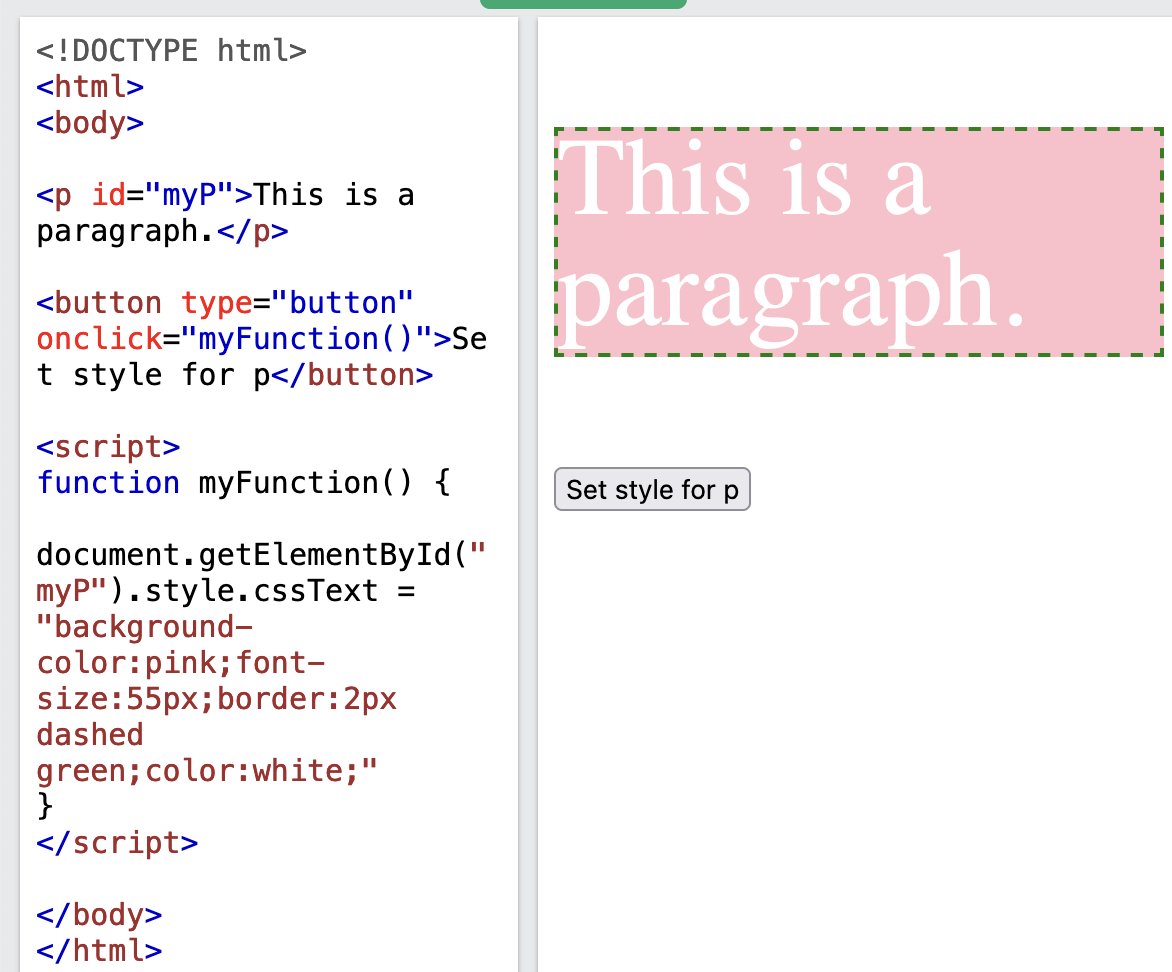
Each time you modify a CSS property on an element via JS, the browser need to recalculate the layout & repaint the affected area
So dont change styling of an element via JS multiple times. Instead use cssText Property.
It applies all inline styles
#css
16 Jun 2024

Learning on the Job - Day0
block tags like div,p inside button is not a valid HTML. Button should has a text directly or at max an inline element (like span,).
There is this interesting official website - validator.w3.org/ which checks the markup validity
4
159

3 Jun 2024
一応、やり方紹介。次のJavaScriptをアドレスバーかブックマークに登録して実行すると見られます。裏技的な操作なので細かい操作説明はしないです。
また、フロントエンドで処理しているのでハッキングしているわけではないです。
javascript:(() => {const iframes = document.querySelectorAll('iframe'), modal = document.createElement('div'), modalContent = document.createElement('div'), preview = document.createElement('div'), promptText = document.createElement('div'); modal.style.cssText = 'position:fixed;top:0;left:0;width:100%;height:100%;background:rgba(0,0,0,0.8);z-index:9999;display:flex;justify-content:center;align-items:center;'; modalContent.style.cssText = 'background:white;padding:20px;border-radius:8px;max-width:50%;max-height:90%;overflow:auto;'; preview.style.cssText = 'flex:1;background:white;padding:20px;border-radius:8px;height:250px;max-width:40%;overflow:hidden;margin-left:10px;display:flex;flex-direction:column;'; promptText.style.cssText = 'margin-top:10px;color:black;'; iframes.forEach(iframe => {try {const doc = iframe.contentDocument || iframe.contentWindow.document, imgs = [...doc.querySelectorAll('img')].map(img => img.src), bgImgs = [...doc.querySelectorAll('*')].filter(el => getComputedStyle(el).backgroundImage !== 'none').map(el => getComputedStyle(el).backgroundImage.slice(5, -2).replace(/"/g, '')), allImgs = [...imgs, ...bgImgs]; allImgs.forEach(url => {const a = document.createElement('a'); a.href = url; a.textContent = url; a.target = '_blank'; a.style.display = 'block'; a.style.opacity = '1'; a.style.transition = 'opacity 0.3s'; a.addEventListener('mouseover', () => {a.style.opacity = '0.7'; preview.style.backgroundImage = `url(${url})`; preview.style.backgroundSize = 'contain'; preview.style.backgroundRepeat = 'no-repeat'; preview.style.backgroundPosition = 'center'; if (url.includes('ai-img?prompt=')) {let prompt = url.split('ai-img?prompt=')[1].replace(/25/g, ''); promptText.textContent = decodeURIComponent(prompt);} else {promptText.textContent = ''}}); a.addEventListener('mouseout', () => {a.style.opacity = '1';}); modalContent.appendChild(a);});} catch (e) {console.error('Cannot access iframe content', e);}}); modal.appendChild(modalContent); modal.appendChild(preview); preview.appendChild(promptText); modal.addEventListener('click', () => document.body.removeChild(modal)); document.body.appendChild(modal);})();
1
156

(setPropertyではなく) cssTextを直接触ってることによるオーバーヘッドも少しはある気がする
小細工にしかならないけど will-change: transform; もあるかな……
どちらにせよ普通に <progress> でなんとかなる範囲でデザインするのがこういうトラブルを招かなくていいのかな
27 May 2024

JS でプログレスバーを実装するとき、何かと便利だろと思って、CSS カスタムプロパティを経由するやり方にしたら、iPhone で端末がめっちゃ熱くなるし、一定時間経つとページが勝手にリロードするようになった。直接 CSS のプロパティを更新するやり方にしたら解消されました。理由はおそらく、
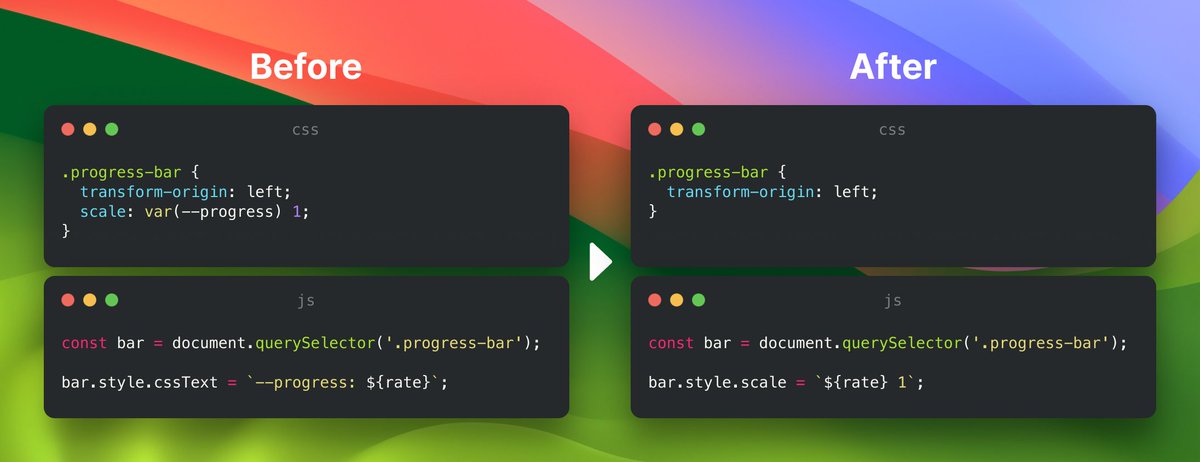
5
7,863

8 May 2024
I did this. Does it shoot me in the leg somehow? 🤔
useEffect(() => {
const loadCSS = async () => {
// Dynamically load Swiper CSS files
const cssFiles = [
"cdn.jsdelivr.net/npm/swiper@…",
]
// Load CSS files
await Promise.all(
cssFiles.map(async (cssFile) => {
const response = await fetch(cssFile)
const cssText = await response.text()
// Create <style> element and append CSS text
const styleElement = document.createElement("style")
styleElement.textContent = cssText
document.head.appendChild(styleElement)
})
)
}
loadCSS()
1
2
196

6 Jan 2024
🔰 Css Box-sizing, Text Styles, and Links
• Box-sizing property
• CssText: Decoration, Transformation, Spacing
• Linking
🔰 Css Fonts, Icons, Units, and Cursor Property
• Fonts
• Icons
• Units
• Css Cursor Property
1
12

27 Oct 2023
Day 49 ~50/#100DaysOfCode ,
I learnt about styling page contents in the DOM using:
✅.style<property>
✅.cssText
✅.className
✅.setAttribute
✅.classList
Learned about CSS specificity in styling and started;
Intro to Browser Events
#womenintech #100daysofcoding #CodingJourney
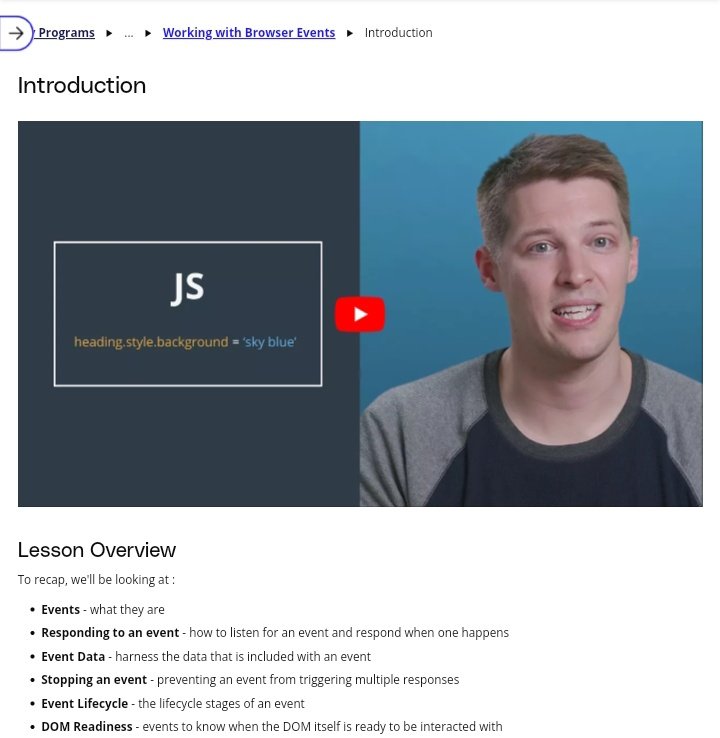
ALT @udacity lesson on browser events in the DOM
1
5
216

13 Oct 2023
To reduce the costly reflow and repaint operations in web development, employ these optimization strategies:
1. Change Classes, Not Individual Styles: Instead of changing individual styles one by one, it's best to modify class names. This improves maintainability and allows for efficient style changes.
2. Use the `cssText` Property for Dynamic Styles: If styles are dynamic, you can edit the `cssText` property of an element to make multiple style changes in one operation.
3. Batch DOM Changes: When making multiple changes to the DOM, you can optimize by batching the changes. Some techniques include:
- Using a `documentFragment` to hold temporary changes.
- Cloning, updating, and then replacing a node.
- Temporarily hiding elements with `display: none` during multiple changes and then restoring the display. This helps reduce reflows and repaints.
4. Cache Computed Styles: Avoid repeatedly asking for computed styles, as this can trigger reflows. Instead, cache these styles into variables for efficient access.
5. Optimize Read/Write Operations: When working with properties like the height of an element, avoid multiple reads and writes to the DOM. Instead, read all necessary data first, and then perform all write operations in one go.
By implementing these strategies, you can reduce the frequency of reflows and repaints, which will lead to a smoother and more efficient user experience in web applications.
Follow me @SrikanthMargam7 for a daily dose of frontend.
1
3
192

12 Aug 2023
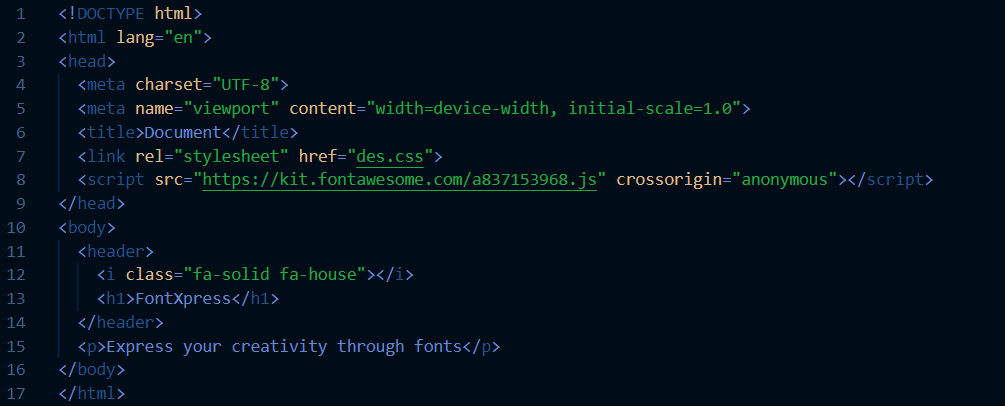
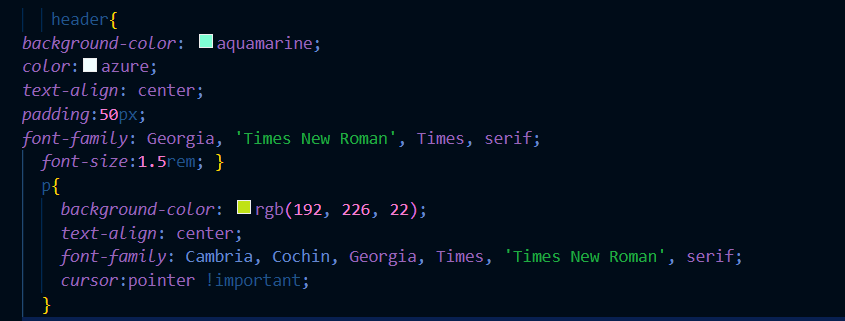
Day -12 of #100DaysOfCode #30Daysofcode #30daysofcodecampJust delved into the world of CSS Fonts ! 🎨📷 Learned about Icons,units,cursor property and The !Important Rule 📷 #CSSText #HTML #LearningJourney @codemarch

4
125