
Jun 11
Day 6 of CSS Tricks 🎨
CSS scroll-behavior — smooth scrolling in 1 line.
html {
scroll-behavior: smooth;
}
No JavaScript. No libraries. No Stack Overflow rabbit hole.
Just pure CSS magic. ✨
#CSS #WebDev #Frontend #CSStricks
11
Jun 10
Day 5 of CSS Tricks 🎨
CSS clamp() — fluid typography without media queries.
h1 {
font-size: clamp(1.5rem, 5vw, 3rem);
}
Min size → fluid scaling → max size.
One line replaces 10 breakpoints. Your CSS file just lost weight. 🏃
#CSS #WebDev #Frontend #CSStricks
1
18
Day 4 of CSS Tricks 🎨
CSS :is() selector — write less, target more.
Instead of this:
h1 a, h2 a, h3 a, h4 a { color: red; }
Do this:
:is(h1, h2, h3, h4) a { color: red; }
Cleaner code. Same result. Less crying. 🙏
#CSS #WebDev #Frontend #CSStricks
15

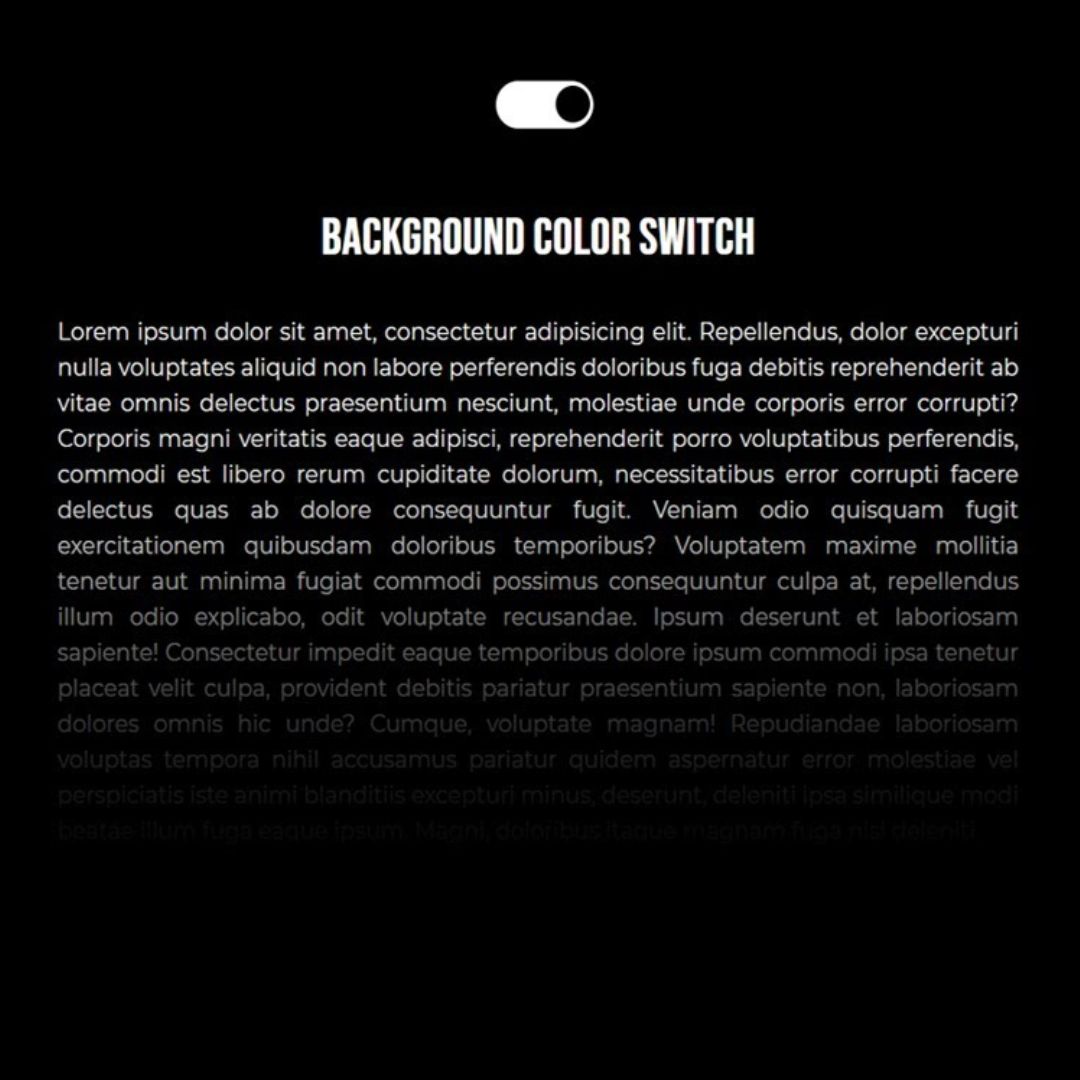
Dark/Light Toggle CSS
Video: youtu.be/EqEDwE6-0YM
#frontend #FrontEndDevelopment #html #HTML5 #CSS #CSS3 #webdesign #webdevelopment #webdeveloper #darklighttoggle #csstricks
11
Day 3 of CSS Tricks 🎨
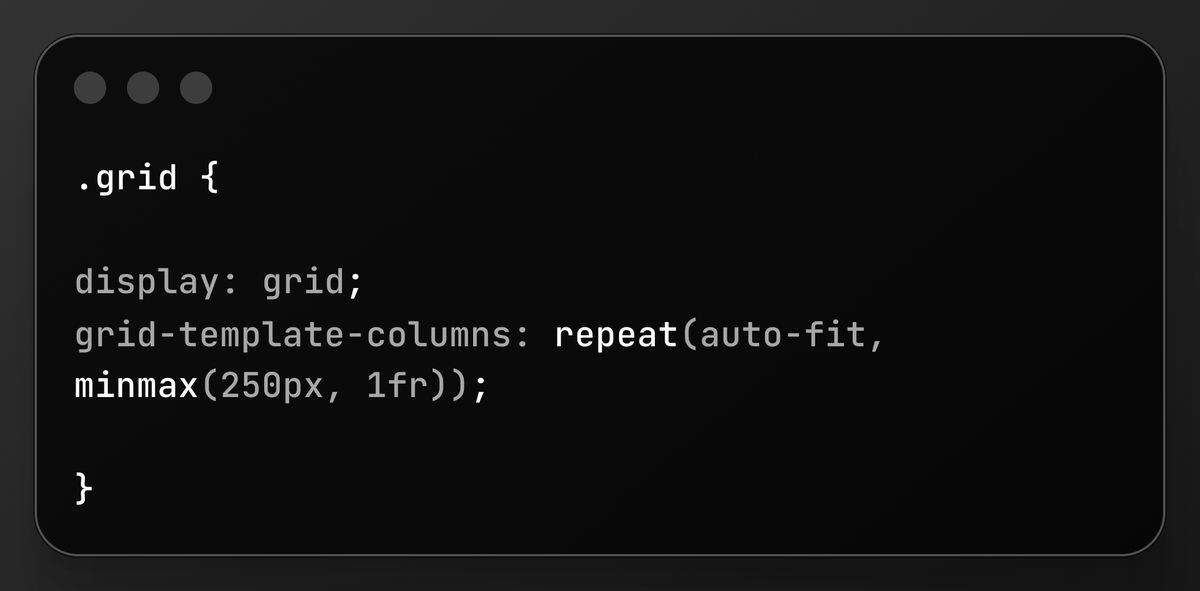
CSS Grid — build complex layouts with 2 lines.
auto-fit minmax = a fully responsive grid with ZERO media queries.
Your designer will think you're a wizard. 🧙♂️
#CSS #WebDev #Frontend #CSStricks
1
1
18
Day 2 of CSS Tricks 🎨
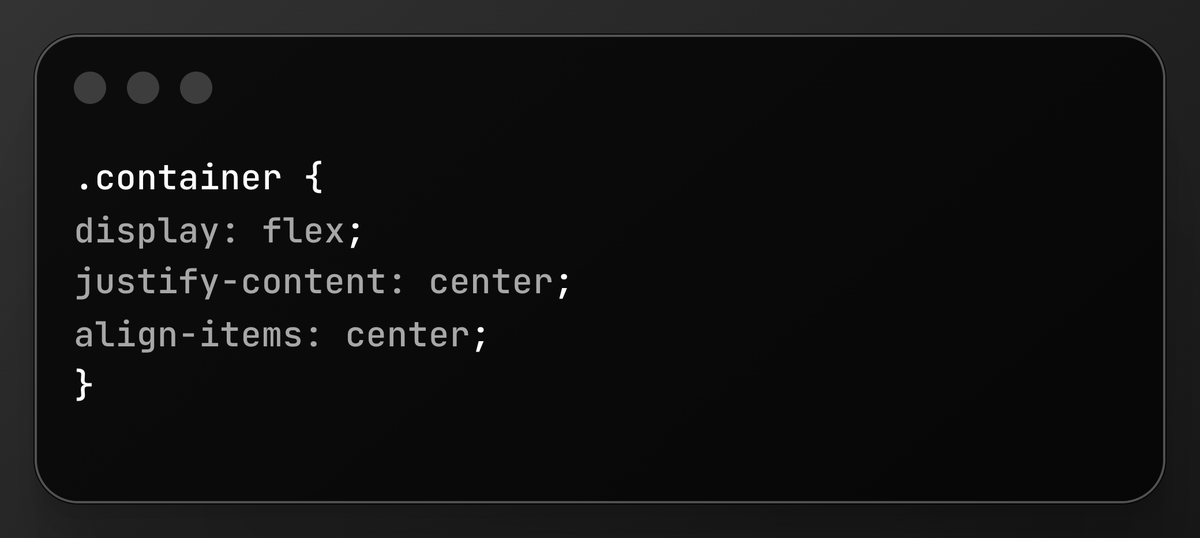
CSS Flexbox in 30 seconds — center ANYTHING perfectly.
That's it. No more margin hacks. No more position tricks.
Flex is your best friend. 🤝
#CSS #WebDev #Frontend #CSStricks
1
1
13
Day 1 of CSS Tricks 🎨
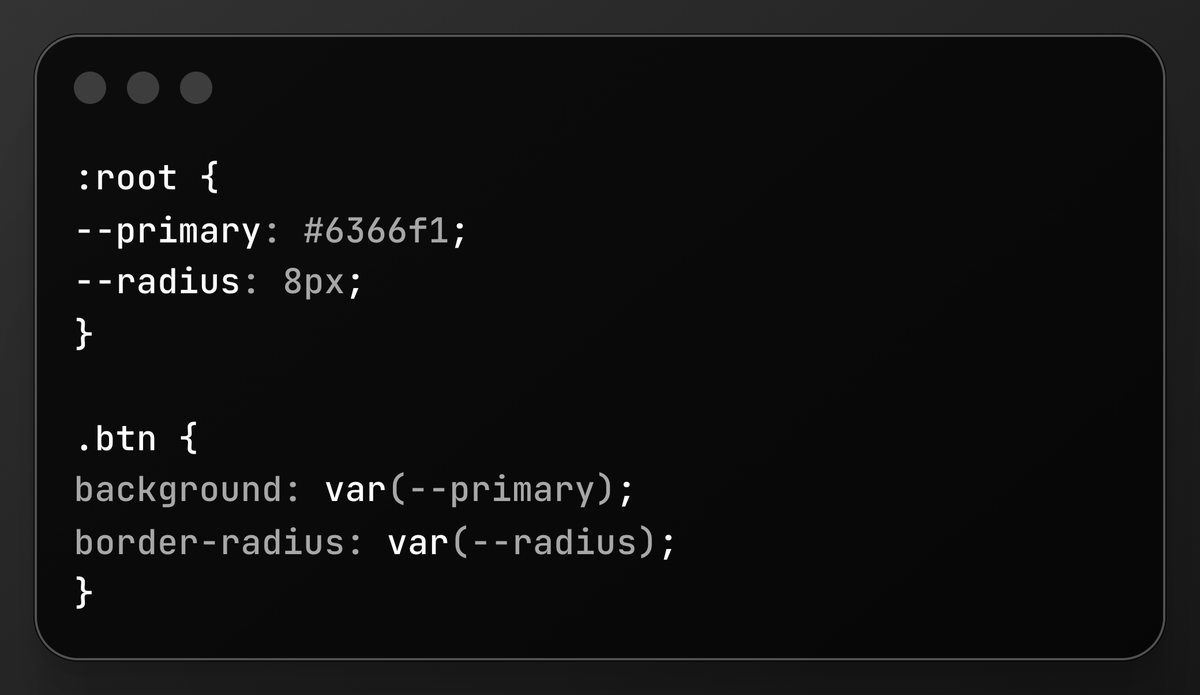
CSS Custom Properties (Variables) — the most underused power move in CSS.
Instead of hardcoding colors everywhere:
Change one value → update your entire UI instantly. 🔥
#CSS #WebDev #Frontend #CSStricks
1
1
2
15


Apr 28
Alright, I'll list them here:
@traversymedia - literally everything you can imagine about web dev
@KevinJPowell - top CSS guy (csstricks is also awesome)
@DevSimplified - just watch a single video of his
@thenetninjauk - very high quality content
@designcoursecom - he's just awesome in UI and UX design, and he's a dev too.
and any of the freeCodeCamp videos
4
14
1,244

Apr 25
Csstricks 🥲
Apr 24

What’s a "lost" website from the early 2000s that you still think about today?
1
6
931

Mar 25
Back to basics.
Exploring what’s possible with only HTML & CSS—no JavaScript.
Using sibling-index() sibling-count() to create staggered animations based on DOM structure 👇
#webdesign #css #cssanimation #onlycss #creativecoding #csstricks
1
1
4
98

Excellent list. I have extensively used CssTricks and CanIUse. MDN is also another site that I visit very frequently.
1
1
184


3 Dec 2025
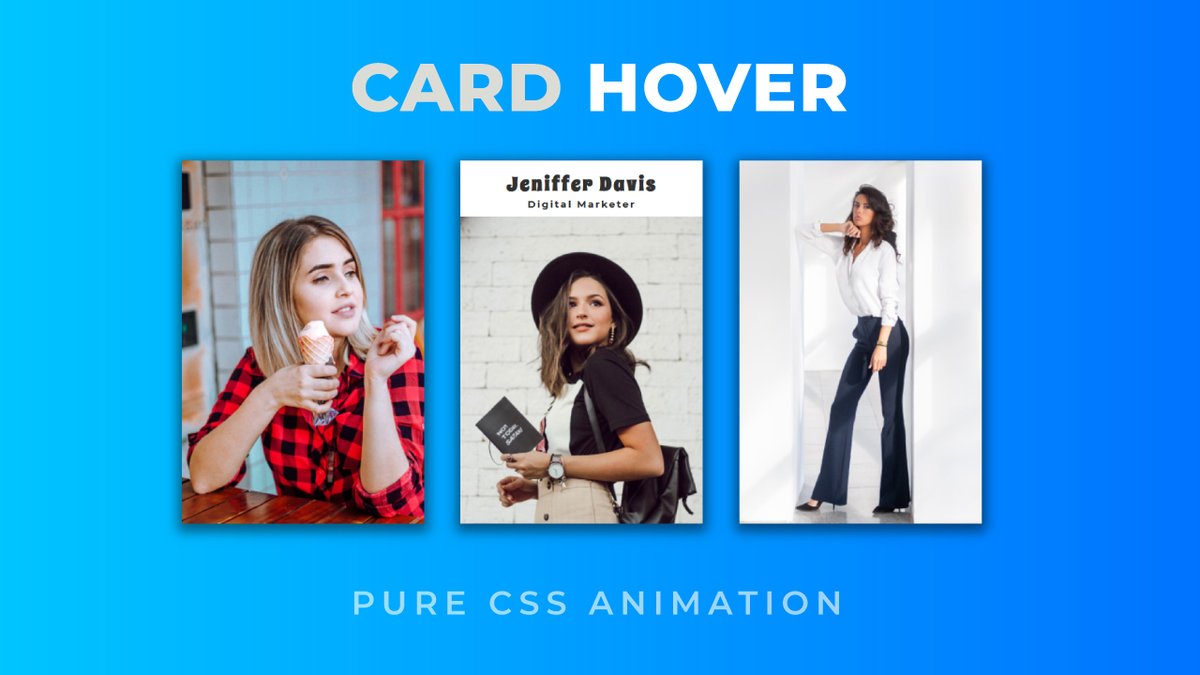
Card Hover Animation
Video: youtu.be/eULrMJg8uD0
#Coding #100DaysOfCode #frontend #FrontEndDevelopment #html #HTML5 #CSS #CSS3 #codenewbies #csseffects #cardhover #csstricks #imagehover #cssanimation #animation
1
2
62

27 Nov 2025
CSS Tip
Use flexbox to center elements easily.
Use grid to build complex layouts.
CSS is more powerful than you think.
#CSSTricks
#WebDesign
#WebDesign #WebDevelopment
1
4
69

19 Oct 2025
GM 🌎
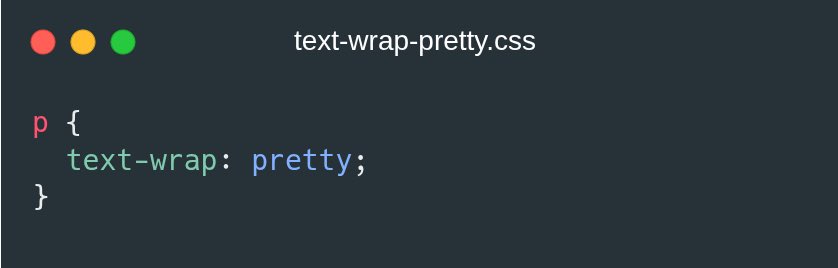
CSS tip:
Use `text-wrap: pretty;` to make text line breaks look cool and reduce that ugly line breaks on the last line.
#csstrick #csstricks #css #html
2
4
9
149


14 Oct 2025
14 Oct 2025

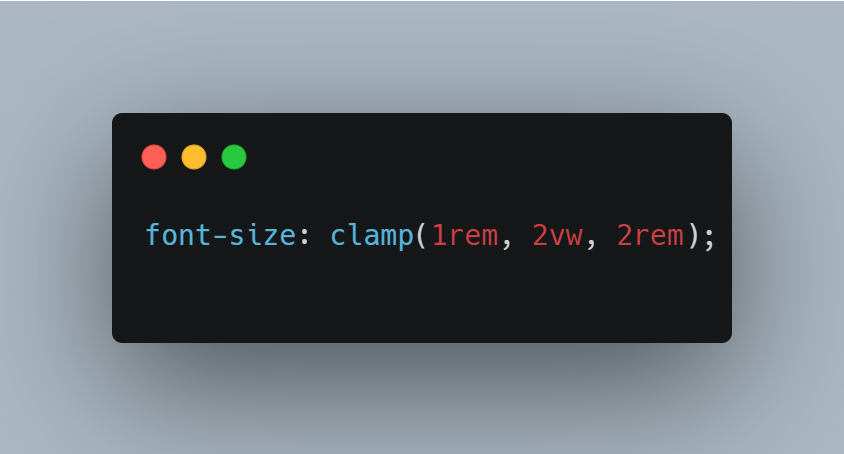
Still my favorite CSS trick today 💡
Use clamp() for responsive font sizes that adjust perfectly on any screen.
No more tiny mobile text or huge desktop titles 👇
#webdev #frontend #csstips
ALT Use clamp() for responsive font sizes that adjust perfectly on any screen. No more tiny mobile text or huge desktop titles 👇 #webdev #frontend #csstips
2
4
103
13 Oct 2025
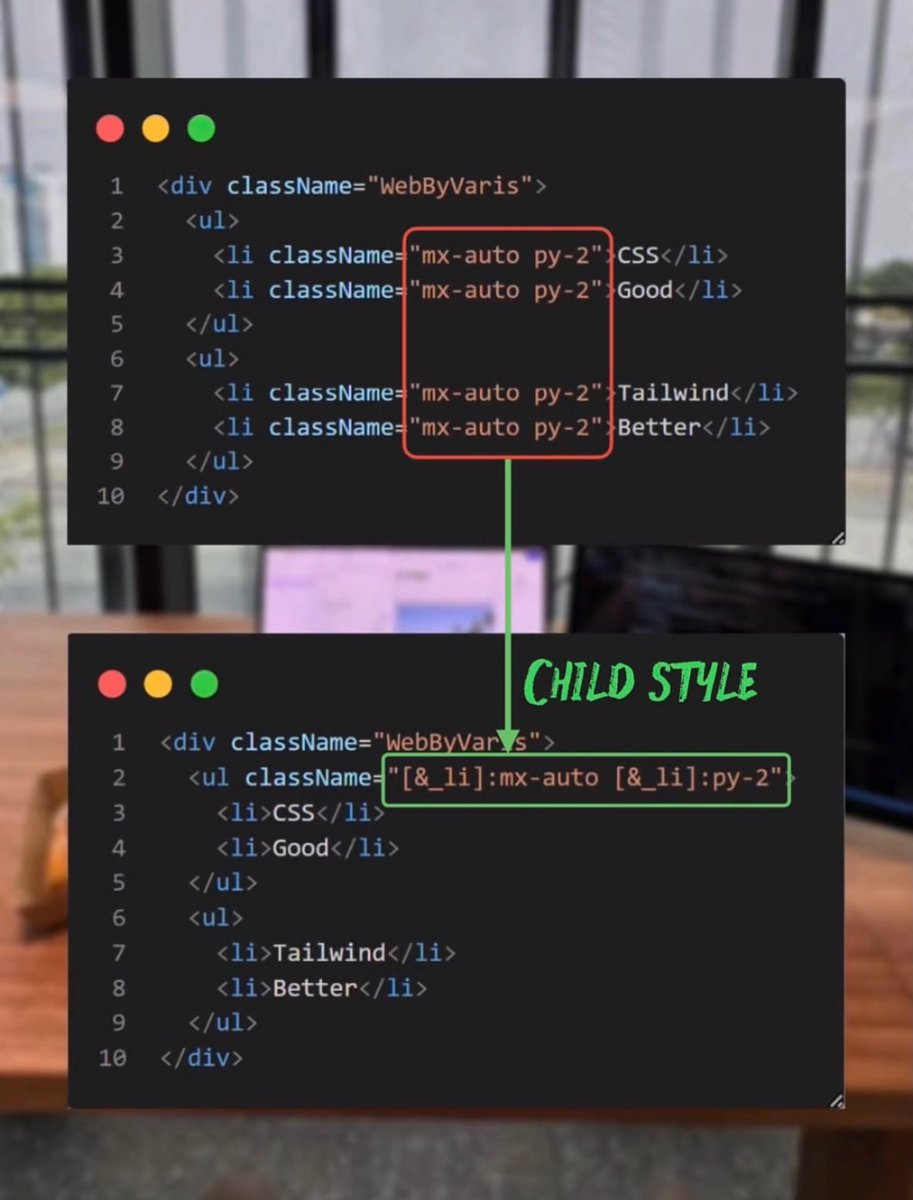
You know you could just put this way …
saves you from writing the same lines of codes 🧑💻 over and over
#csstricks
1
1
10
297