
Jun 13
Because the entire stack is completely open-source with over 76k GitHub stars, enterprise teams have total transparency to inspect, audit, or self-host the infrastructure.
If you are ready to stop micromanaging individual prompts and let a Chief Agent Operator run the show, you can jump in and test it out yourself through the links below.
💻 Try the app: app.lobehub.com, @lobehub
GitHub: [github.com/lobehub/lobehub](github.com/lobehub/lobehub)
#LobeHub #ChiefAgentOperator #CAO
7
3,050

The next layer of AI tooling probably isn't just better models.
It's better coordination systems around them.
That's the direction LobeHub 2.5 feels focused on: multi-agent orchestration, persistent workflows, heterogeneous models, and long-running execution under one system.
Multi-model routing also means it uses the cheapest capable model for every sub-task. At least 50% cheaper than comparable closed stacks for equivalent workloads.
For teams already working across multiple AI tools daily, the CAO model starts making a lot of sense.
Try it here: app.lobehub.com
GitHub Repository:
github.com/lobehub/lobehub
#LobeHub #ChiefAgentOperator #CAO #AIagents #OpenSource
2
3
2,854

May 22
AI helped me prepare for Google I/O
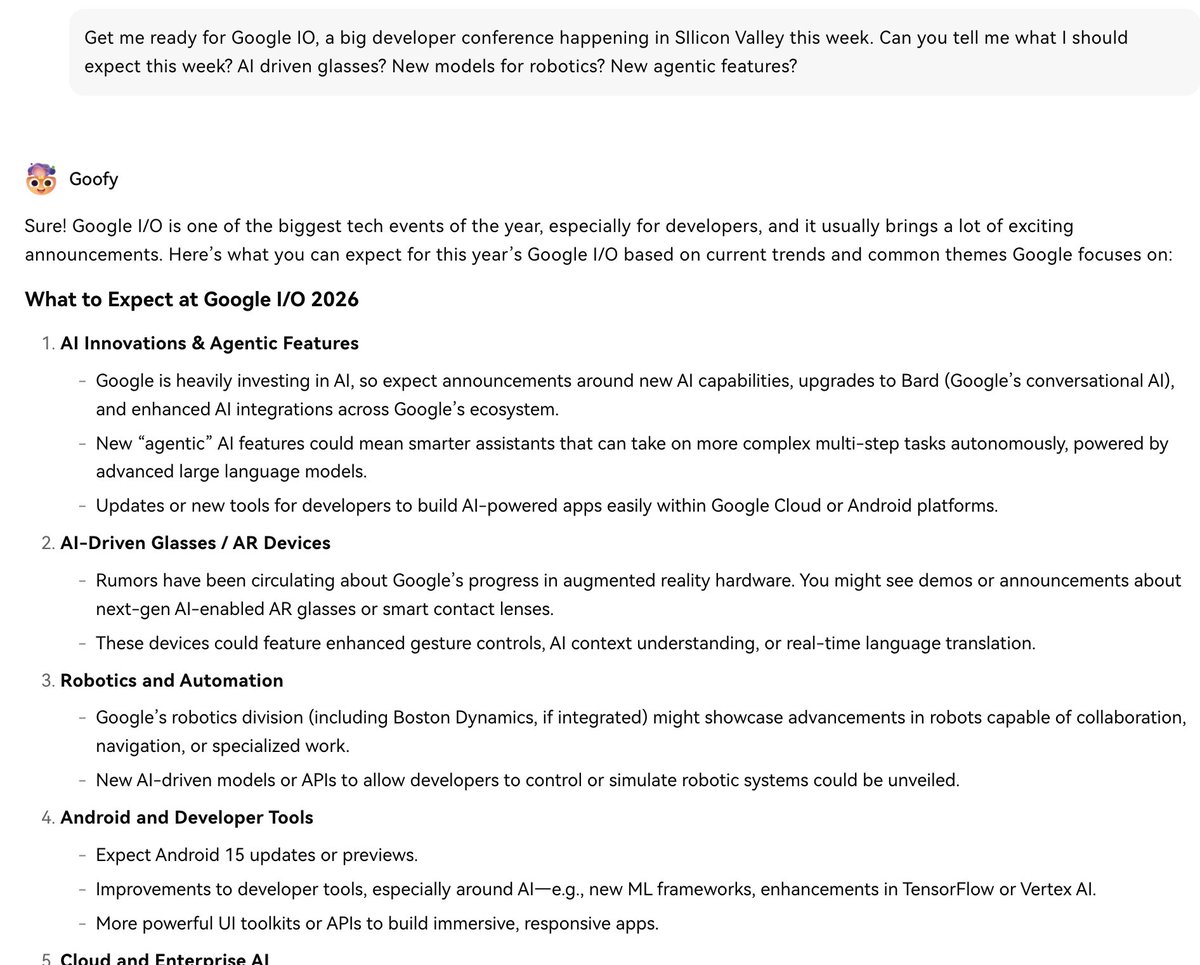
Google I/O happened this week, and I used LobeHub to help prepare for it: lobehub.com
What I found is that LobeHub feels less like another chatbot and more like an AI workspace.
I started with a simple prompt:
“Get me ready for Google I/O. What should I expect this week? AI glasses? New robotics models? New agentic features?”
grok.com/share/bGVnYWN5_37f5…
(I will do the same for Apple's WWDC coming up in June).
It came back fast with a useful breakdown of what to watch, then helped me narrow in on the announcements and sessions I wanted to pay attention to.
Then I used Tasks to organize the work: research themes, session ideas, follow-ups, and notes I wanted to come back to after the event.
That part is important.
Most AI tools are good at answering one prompt. The harder part is managing what comes after: research, drafts, comparisons, follow-ups, and things you need to return to later.
LobeHub’s Tasks feature gives that work a place to live.
Instead of losing useful ideas inside a long chat history, I can keep the next steps organized and return to them with context.
For Google I/O, that meant I could keep track of what I wanted to research, which announcements looked important, and what follow-ups I wanted after the event.
That’s why LobeHub is interesting to me.
It is fast, flexible, and makes AI work feel more organized without needing to run something nerdier myself.
For many people, Hermes or OpenClaw can do similar things, but LobeHub is much easier to get started with.
Worthy of trying:app.lobehub.com !
#LobeHub #ChiefAgentOperator #CAO
3
4
29
3,622