

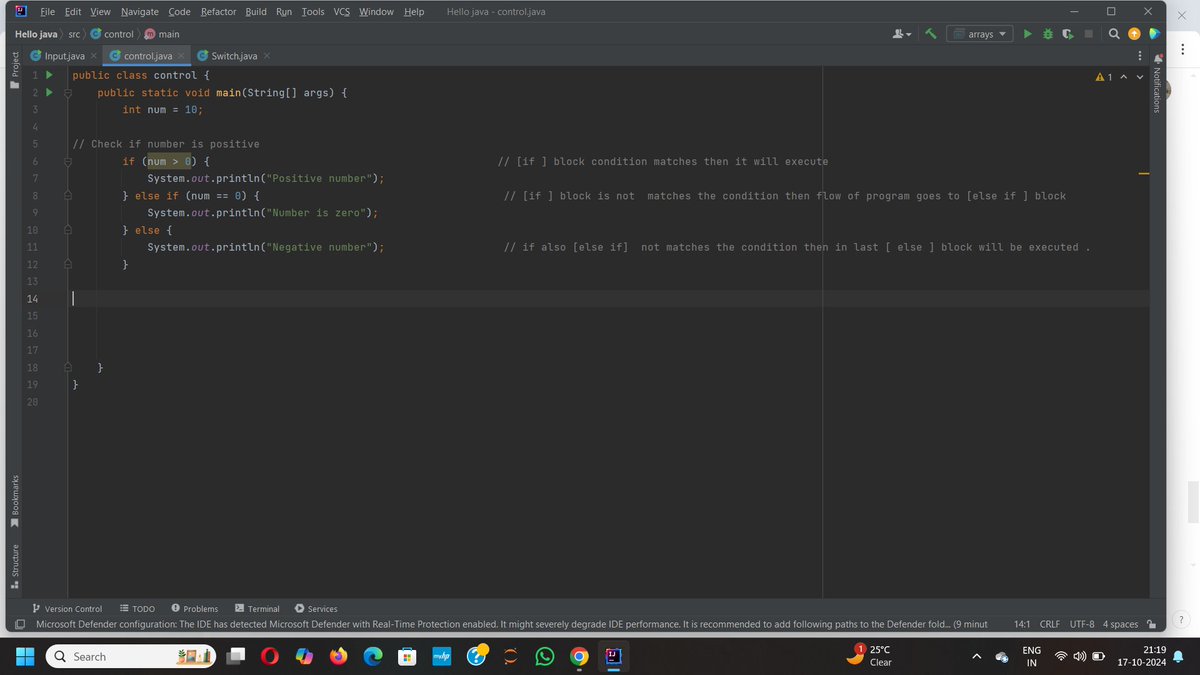
ALT ✨ How it works: if: Checks a condition. If true, the code inside the block runs. else if: Adds additional conditions to check after the initial if. else: Executes when none of the previous conditions are true. 📌 Explanation: This code checks whether a number is positive, zero, or negative, and executes the corresponding block of code. #JavaJourney #100DaysOfJava #LearnInPublic #IfElseStatements #JavaBasics
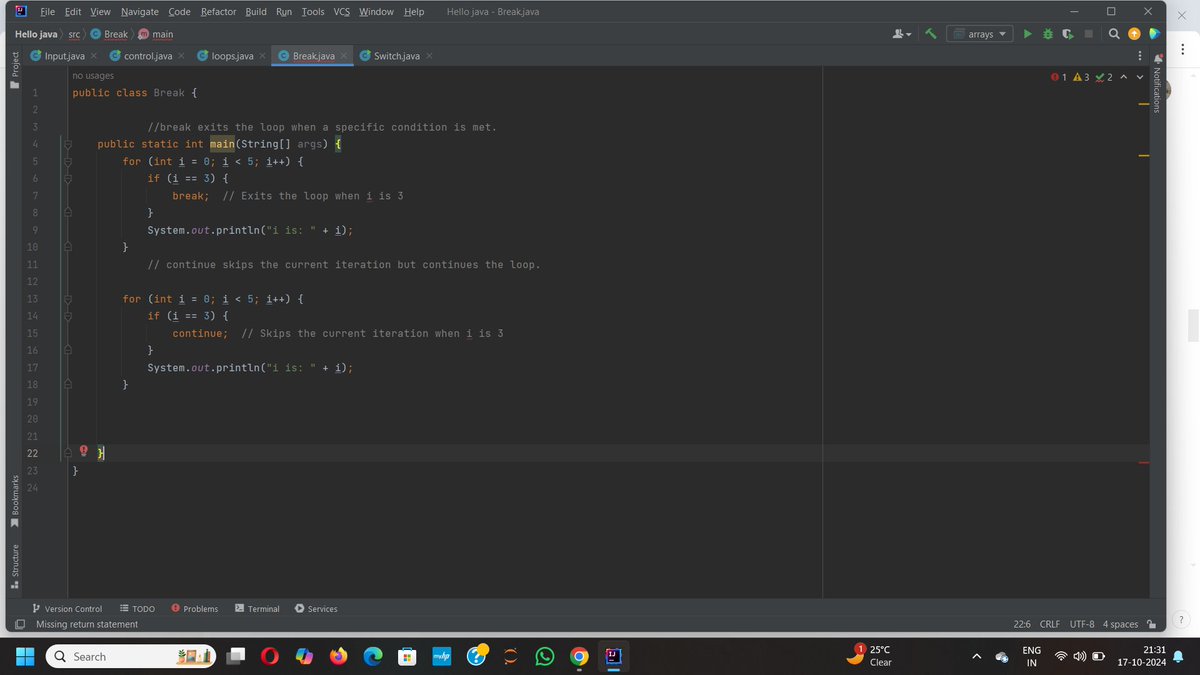
ALT In loops, break and continue help in controlling the flow of iteration: break Statement: Purpose: Immediately exits the loop when a condition is met, stopping any further iterations. continue Statement: Purpose: Skips the current iteration when a condition is met, but continues with the next iteration.
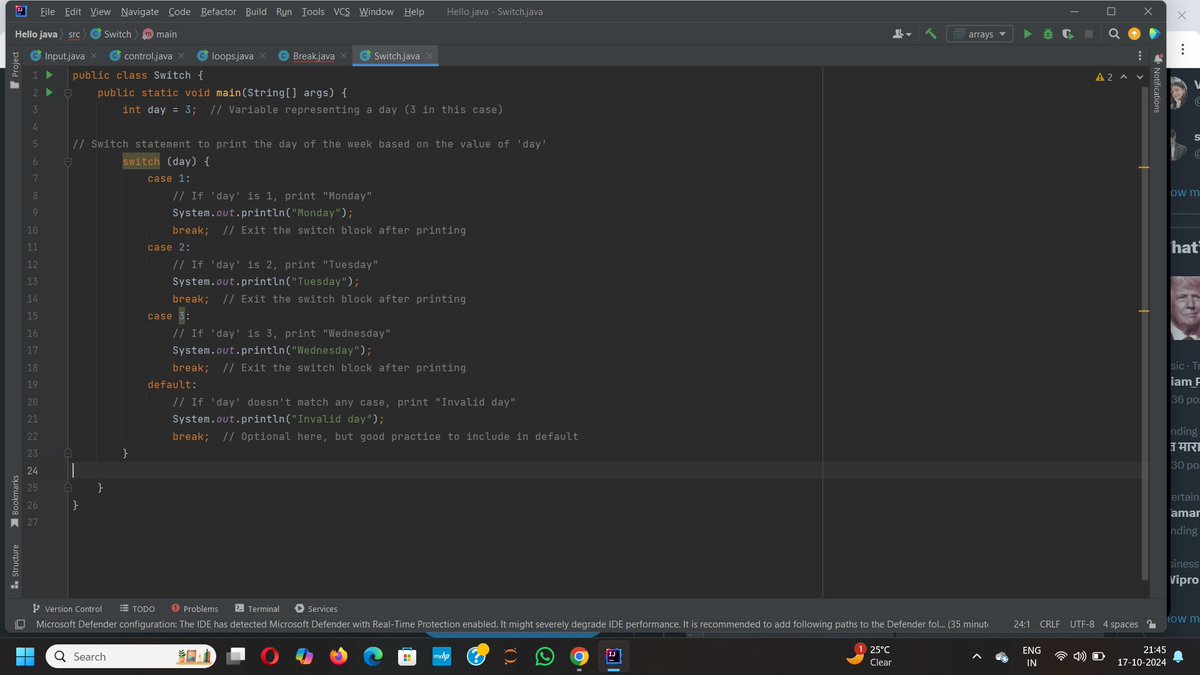
ALT switch (day): This evaluates the variable day to decide which case to execute. case 1, case 2, case 3: These are specific conditions checked for the value of day. Each case prints the corresponding day of the week. break: Ensures that after a case is executed, the program exits the switch block and doesn't fall through to the next case. default: This is the fallback case when none of the other cases match. Here, it prints "Invalid day."
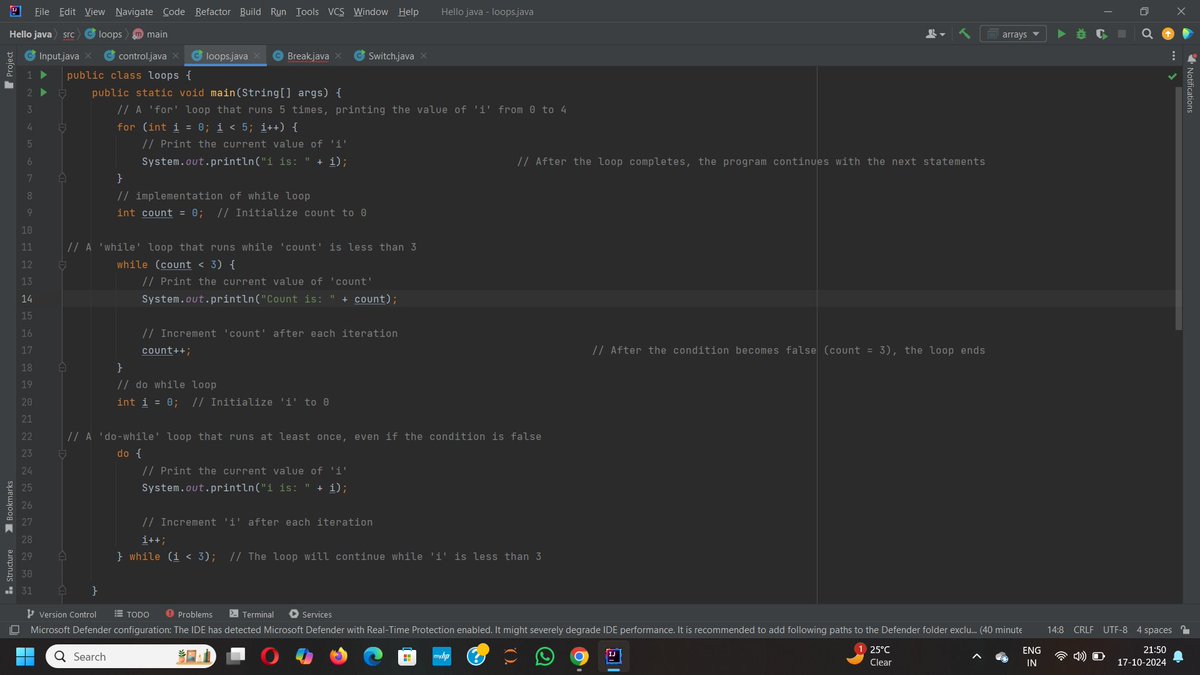
ALT For loop : int i = 0: The loop starts by initializing i to 0. i < 5: The condition checks whether i is less than 5. If true, the loop continues. i : After each iteration, the value of i is incremented by 1. The loop runs 5 times, printing values from 0 to 4. while loop : count = 0: Initializes the variable count to 0. while (count < 3): The loop continues as long as count is less than 3. Inside the loop, the current value of count is printed, and count is incremented after each iteration. The loop ends when count becomes 3. DO-while loop : do: The block inside do is executed at least once, regardless of the condition. while (i < 3): After executing the block, the condition is checked. If true, the loop continues. In this case, the loop runs until i becomes 3, printing values 0, 1, and 2. #JavaJourney #controlflow #codecacademy #java developer #javaBasic


