

🚀 JavaScript Performance Optimization: 10 Techniques That Actually Matter
Most performance issues aren't caused by JavaScript itself.
They're caused by loading too much code, rendering too much UI, or doing unnecessary work on the main thread.
1. Reduce Bundle Size
Every kilobyte of JavaScript must be downloaded, parsed, compiled, and executed before users can interact with your application. Use tree shaking, remove unused dependencies, split code into smaller chunks, and avoid importing entire libraries when only a few functions are needed. The best optimization is shipping less code.
2. Lazy Load Features
Not every feature needs to be loaded during the initial page visit. Routes, dashboards, analytics, admin panels, and rarely used components can be loaded on demand. This reduces startup time and improves the user experience, especially on slower networks and devices.
3. Prevent Unnecessary Re-Renders
Modern frameworks often spend more time rendering than executing business logic. Every unnecessary component update consumes CPU resources. Memoization techniques such as React.memo, useMemo, and useCallback can significantly reduce rendering costs when applied correctly.
4. Virtualize Large Lists
Rendering thousands of rows or cards at once can overwhelm the browser. Instead of creating every DOM element, virtualization libraries render only the items currently visible on the screen. Whether you're displaying logs, tables, or product catalogs, virtualization can dramatically improve responsiveness.
5. Debounce and Throttle Expensive Operations
Search boxes, filters, window resize handlers, and scroll events can trigger hundreds of operations per second. Debouncing delays execution until user activity stops, while throttling limits how often a function runs. Both techniques reduce unnecessary work and API requests.
6. Move Heavy Work to Web Workers
JavaScript normally runs on the browser's main thread. When expensive tasks such as file processing, image manipulation, large calculations, or data transformations occur, the UI can freeze. Web Workers move these operations to background threads, keeping the interface responsive.
7. Optimize API Usage
Performance isn't only about frontend code. Excessive API requests, large payloads, and unnecessary round trips create bottlenecks. Use pagination, request batching, caching, compression, and efficient data fetching strategies to reduce network overhead.
8. Eliminate Memory Leaks
Applications that run for hours can gradually consume more memory due to forgotten event listeners, timers, subscriptions, and detached DOM nodes. These leaks eventually slow down the application and increase browser crashes. Regular profiling helps identify and remove them.
9. Optimize Images and Assets
Images are often larger than the entire JavaScript bundle. Modern formats like WebP and AVIF, responsive image sizing, lazy loading, and CDN delivery can reduce page weight significantly. Performance optimization isn't just about code; it's about every asset users download.
10. Measure Before Optimizing
The biggest mistake engineers make is optimizing without data. Use Chrome DevTools, Lighthouse, Performance Profiler, and Core Web Vitals to identify actual bottlenecks. Measure first, optimize second, and verify improvements afterward.
29

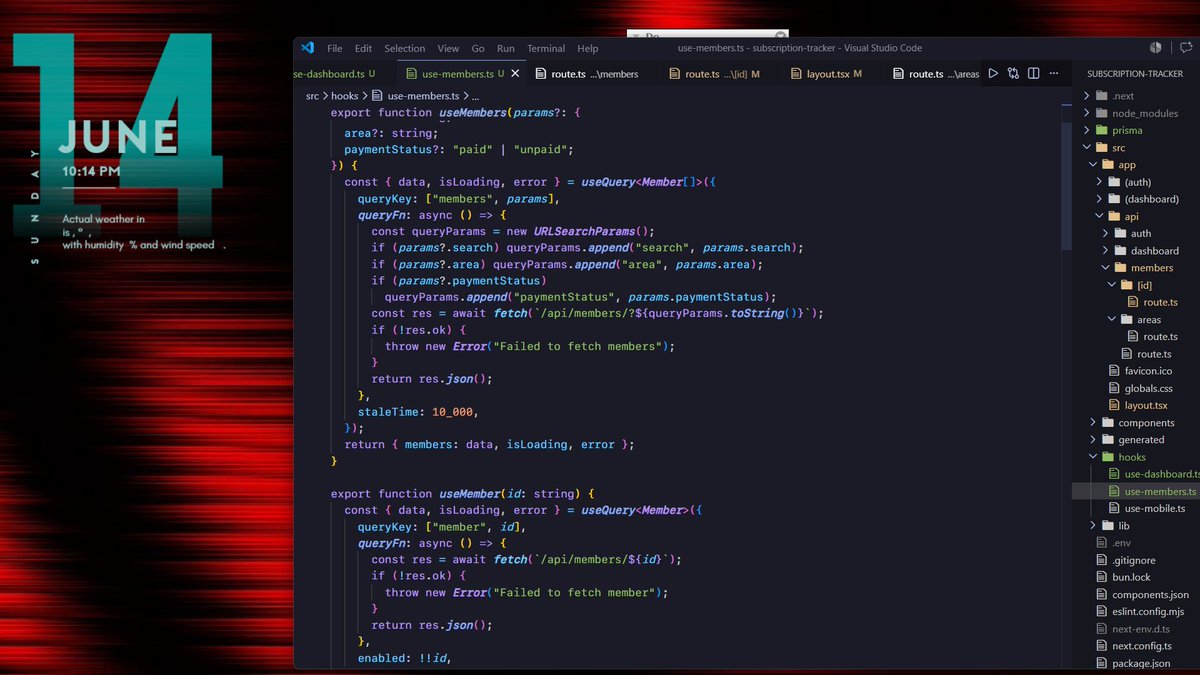
Right? One has to actively try to write code this bad. Didn’t even include basic debouncing. Wild stuff
1
9
313

Jun 13
Hi — if your GA4 looks “fine” but your experiments keep failing, the problem is often the measurement layer, not the ideas.
In a recent audit of ~625 raw events I found:
- ~25% exact duplicate events
- many same‑timestamp bursts (instrumentation loops)
- cumulative counters that made models look “perfect” (fake AUCs)
What that means: if you A/B test on noisy or leaking signals, you’ll get misleading results and waste budget.
What I do (14‑day sprint)
- Rapid triage → dedupe & remove burst noise
- Sessionize & aggregate for robust labels
- Quick sanity checks (leakage detection) a short prioritized fix list
Quick wins you can run immediately
- Fix event debouncing in GTM (one user action → one event)
- Prioritize low‑noise tests (CTA copy, hero messaging)
Run a focused 14‑day landing‑page sprint using a clean form_submit event
Want a free 15‑minute diagnostic? DM me “GA4” or click the link to book request the short diagnostics package.
#GA4 #CRO #Analytics #ConversionOptimization #DataQuality #Statistics #DataScience #Data
Free 15‑minute GA4 diagnostic & short diagnostics pack — Get it here:
linkedin.com/in/hincal-topcu…
Also blog link:
hincaltopcuoglu.github.io/bl…
1
48


Jun 12
Day 10: Python oops, decorators, generators etc.
Auth, debouncing, Tanstack router based small project.
3
41

Jun 12
Full breakdown: Stop Spamming Your API: A Guide to Debouncing, Throttling, and Batching with TanStack Pacer
quizwizard.app/blog/stop-spa…
12

Jun 12
JS Interview-Focused Subset (Most Important)
For interview preparation, prioritize these 25 topics in order:
Hoisting
Closures
Scope (var, let, const differences)
this binding (regular vs arrow functions)
Event Loop (Promise vs setTimeout order)
Type Coercion (== vs ===, truthy/falsy)
Object References & Copying
Promises & Async/Await
Array Methods (map, filter, reduce)
Prototypal Inheritance
Call, Apply, Bind
Event Bubbling & Delegation
Debouncing & Throttling
Currying
Recursion
Spread & Rest Operators
Destructuring
Temporal Dead Zone
IIFE (Immediately Invoked Function Expressions)
JSON methods
Error Handling
Optional Chaining & Nullish Coalescing
Modules (import/export)
Memoization
Generators
1
47
2,166

Jun 11
Debouncing user input is a one-liner. Throttling is a one-liner. Not implementing either is a performance tax that compounds every interaction. #Frontend #Performance
4

FW v1.4.2
Added AI.Agent auto-start option
Fixed unintended movement caused by invalid servo position readings
Added Y-axis servo current monitoring and stall protection
Improved touchscreen debouncing in AI.Agent mode
19


Jun 11
Log: day 98🍹
PRODUCTION WIN ON KIROBIT🏆
replaced slow full fetches with IndexedDB stale-while-revalidate.
~ load times went from 500ms–2s to almost instant.
~ learned a lot about async storage, debouncing, and handling edge cases.
tbh building reliable UX while maintaining data integrity with Supabase is a bit challenging, but definitely satisfying

Jun 10

Log: day 97⚾️
- work: prod deployement checked ✅
- lc: potd checked✅
- gym: arm day checked✅
- side quest: working on a feature for Kirobit, v1.0.1 loading....
all set for rest of the day


1
2
107

Jun 11
Software has a surprising amount of language from EE:
probes, signals, pipelines, buses, ports, sockets, buffers, gates, clocks, pulses, noise, impedance mismatch, feedback loops, debouncing, race conditions.
We’re all just debugging electrons at higher levels of abstraction.
2
2
9
321


Jun 10
I have used shadcn sheet for left drawer and popover in which I have put the color picker component.
I have implemented debouncing and also optimised the code using useCallback and memo.
The freeze simple goes way when I select any text inside the preview component
1
23

Jun 9
JavaScript Debounce vs. Throttle: When and Why to Use Each
Modern web apps handle countless user interactions every day. But not every event should trigger a function immediately.
Consider a search box, infinite scrolling feed, or window resize handler. Events like typing, scrolling, and resizing can fire dozens of times per second. Without optimization, this can lead to:
📌 Excessive API requests
📌 Sluggish user interfaces
📌 Increased server load
📌 Unnecessary CPU and memory usage
This is where debouncing and throttling come in.
These techniques control how often a function executes during high-frequency events, improving performance and user experience. They solve similar problems, but in very different ways.
Understanding the Problem
Imagine a search input that fetches suggestions from a server.
Without optimization, every keystroke triggers an API call.
Typing the word JavaScript would result in 10 separate requests. Most of those requests become outdated before the response even arrives, wasting network resources and impacting both frontend and backend performance.
What is Debouncing?
Debouncing delays function execution until the user stops triggering the event for a specified period.
Think of it as waiting for silence before responding.
Every new event resets the timer. The function only executes after the activity has stopped for the configured delay period.
Best use cases:
✅ Search suggestions
✅ Form validation
✅ Auto-save functionality
✅ Filtering large datasets
With debouncing, typing "JavaScript" in a search box can result in a single API request instead of ten.
What is Throttling?
Throttling takes a different approach.
Instead of waiting for activity to stop, it limits how frequently a function can execute during continuous activity.
For example, with a throttle interval of one second:
• The first event executes immediately
• Additional events are ignored until the interval expires
• Execution continues at fixed intervals while activity remains active
Best use cases:
✅ Scroll event handlers
✅ Window resize events
✅ Mouse movement tracking
✅ Real-time dashboards
✅ Analytics and event tracking
Throttling can reduce ten search-triggered API calls to only three while still providing regular updates during user interaction.
A simple way to remember:
🔹 Debounce = Wait until the user is finished.
🔹 Throttle = Allow execution, but only at a controlled rate.
By applying the right technique, developers can reduce backend load, optimize resource usage, improve responsiveness, and build smoother web applications.
Whether you're building search functionality, dashboards, or analytics systems, knowing when to use debounce and when to use throttle is an essential JavaScript performance skill.
#JavaScript #WebDevelopment #Frontend #Performance #Programming #SoftwareDevelopment #Developers #Coding #WebPerformance #JavaScriptTips
59
TA21 retweeted

Jun 9
So the bounce is debouncing
Jun 7

A massive crash like this does not go away in a few days. You need to let the market heal. Ignore the “RSI is low” calls. RSI can reset pretty quickly with a small bounce.
1
14
3,170
Jun 9
After building JavaScript or full-stack applications, you should be able to explain these below concepts clearly and confidently. If not, it's worth revisiting the fundamentals.
> Closure
> Lexical Scope
> Hoisting
> Temporal Dead Zone (TDZ)
> Execution Context
> Call Stack
> Event Loop
> Microtask Queue
> Callback Queue (Macrotask Queue)
> Prototype Chain
> this Binding
> Higher-Order Functions
> Currying
> Debouncing
> Throttling
> Promise
> Async/Await
> Event Delegation
> Destructuring
> Module System (ESM)
1
1
39
1,589
