
30 Oct 2025
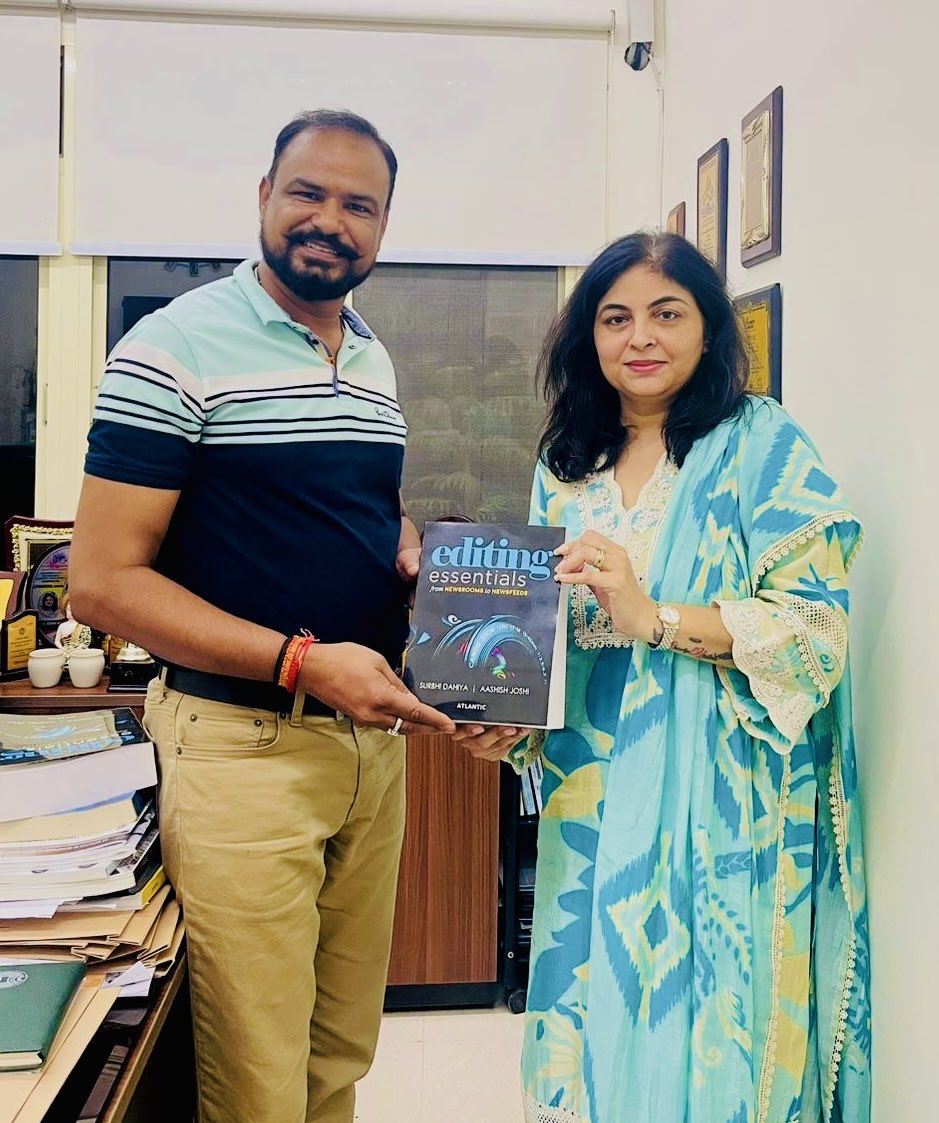
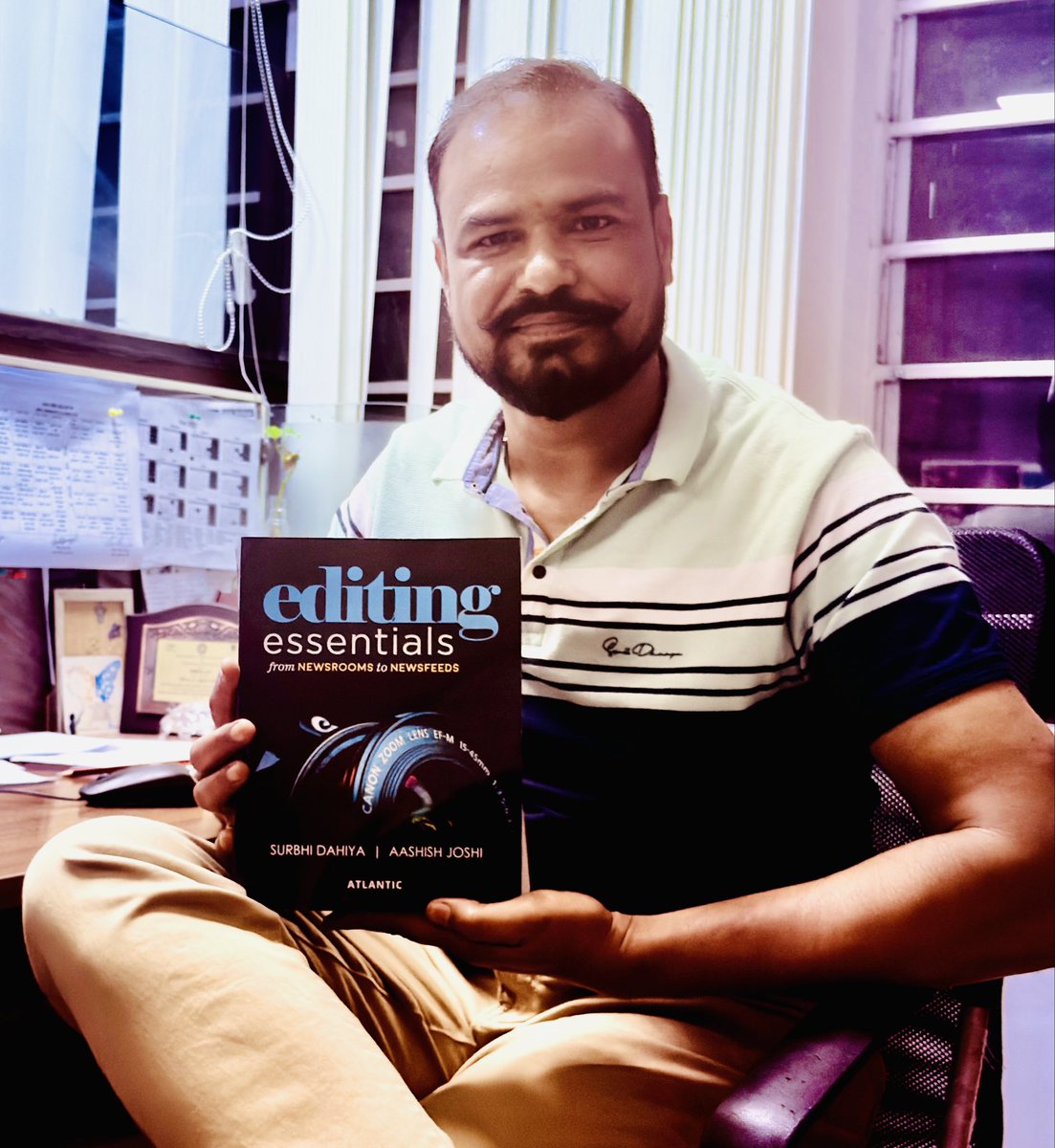
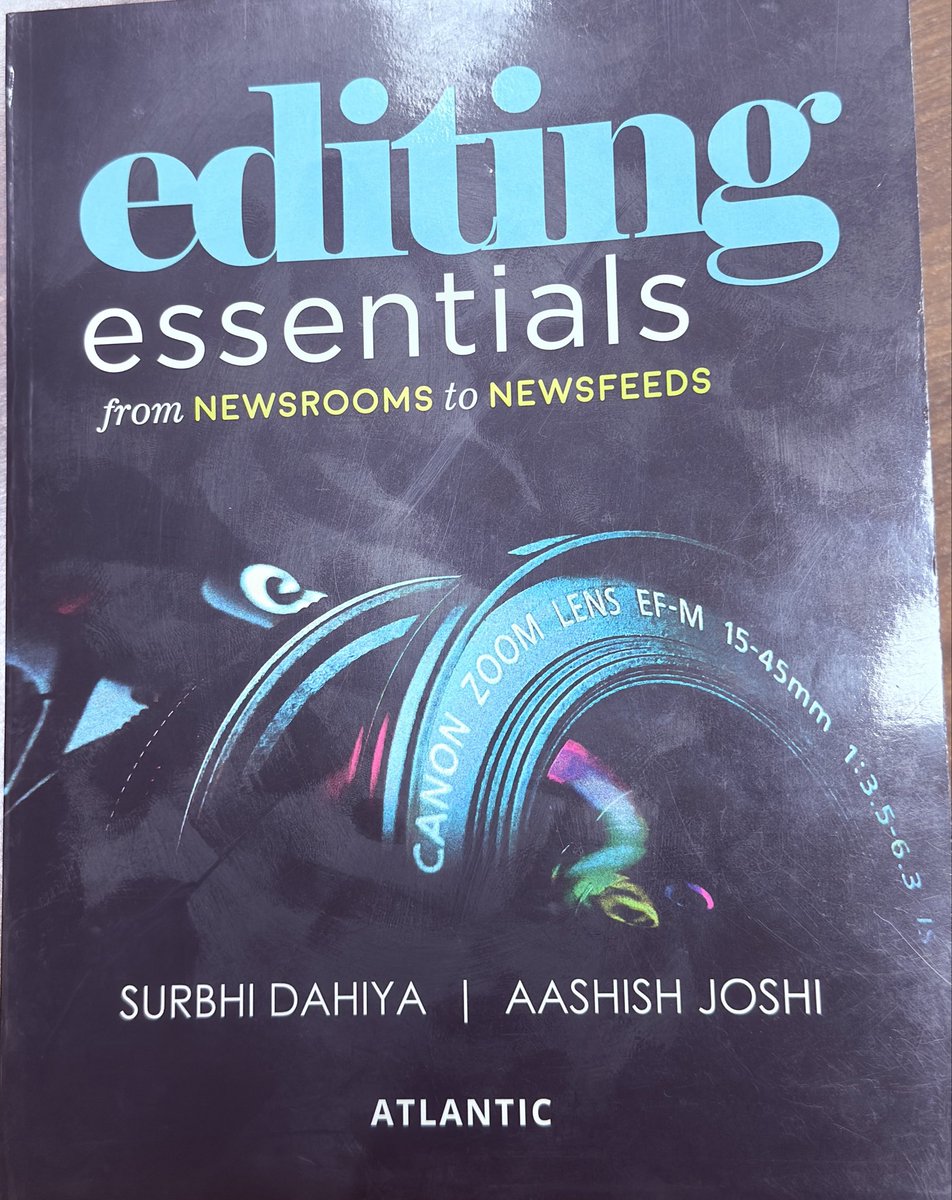
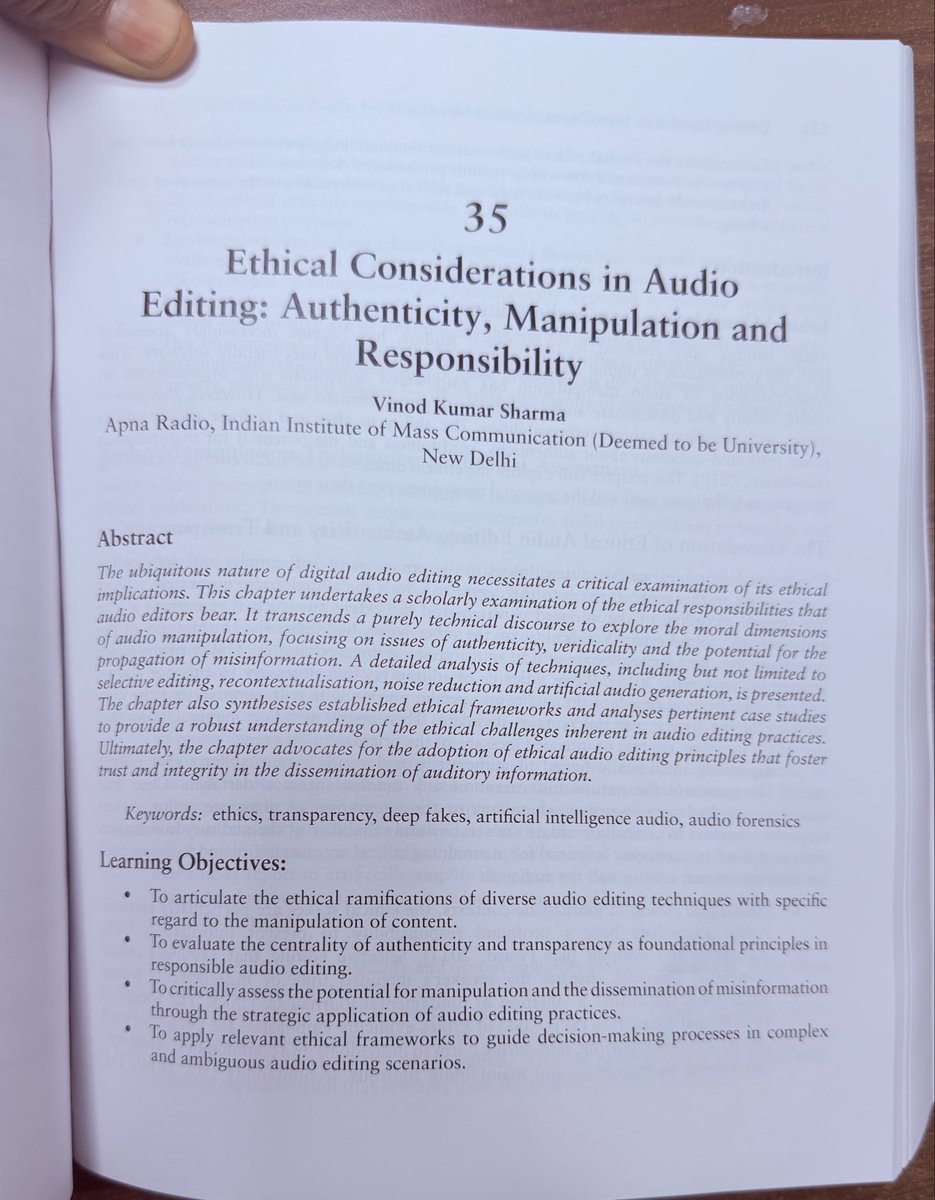
Grateful to @Surbhithescribe author of “Editing Essentials: From Newsroom to Newsfeeds”for the opportunity to write my first book chapter “Ethical Considerations in Audio Editing.”
Special thanks to @sangpran Ma’am for her guidance & support. 🙏
#MediaEthics #EditingEssentials
1
4
96

8 Apr 2025
The Hand Tool is like having a magic carpet ride through your artboard!
Feeling lost in your zoomed-in design? Just press and drag (or hold spacebar) to pan around like you're moving a real piece of paper. It's your digital navigation buddy when you're deep in the details of a complex design. No need to zoom out and back in – just grab and glide to exactly where you need to be. Perfect for those moments when your design is bigger than your screen (which is basically always) 🖐️
#IllustratorTips #DesignBasics #IllustratorBasics #DesignTips #GraphicDesign #IllustratorBasics #IllustratorTips #handtool #hand #PhotoEditingMadeEasy #DesignTools #CreativeProcess #DigitalArtistry #TiskosKe #LearnWithTiskos #GraphicDesignCommunity #EditingEssentials #IllustratorSkills #CreativeLearning #DesignLife #IllustratorForBeginners #tiskosdesign #tiskosexperience #tiskos #TiskosDesignTips #MasterIllustrator #DesignEducation #EditingLikeAPro #TiskosCreativeSolutions
4
78
3 Apr 2025
𝐖𝐚𝐧𝐭 𝐭𝐨 𝐜𝐨𝐦𝐛𝐢𝐧𝐞 𝐦𝐮𝐥𝐭𝐢𝐩𝐥𝐞 𝐜𝐢𝐫𝐜𝐥𝐞𝐬 𝐢𝐧𝐭𝐨 𝐨𝐧𝐞 𝐬𝐦𝐨𝐨𝐭𝐡 𝐥𝐨𝐠𝐨? 𝐉𝐮𝐬𝐭 𝐝𝐫𝐚𝐠 𝐚𝐜𝐫𝐨𝐬𝐬 𝐭𝐡𝐞𝐦. 𝐍𝐞𝐞𝐝 𝐭𝐨 𝐜𝐚𝐫𝐯𝐞 𝐨𝐮𝐭 𝐩𝐚𝐫𝐭 𝐨𝐟 𝐚 𝐬𝐡𝐚𝐩𝐞?
Hold Alt/Option and swipe it away. It's basically like having Photoshop's eraser and combine tools had a baby in Illustrator. No more wrestling with Pathfinder operations – just click, drag, and watch your shapes merge or split exactly how you want them to. Perfect for turning basic shapes into complex custom designs without losing your mind in the process ⚡️
#IllustratorTips #VectorMagic #IllustratorBasics #DesignTips #GraphicDesign #IllustratorBasics #IllustratorTips #shapebuildertool #shapebuilder #PhotoEditingMadeEasy #DesignTools #CreativeProcess #DigitalArtistry #TiskosKe #LearnWithTiskos #GraphicDesignCommunity #EditingEssentials #IllustratorSkills #CreativeLearning #DesignLife #IllustratorForBeginners #tiskosdesign #tiskosexperience #tiskos #TiskosDesignTips #MasterIllustrator #DesignEducation #EditingLikeAPro #TiskosCreativeSolutions
2
5
124
1 Apr 2025
𝐔𝐧𝐥𝐢𝐤𝐞 𝐫𝐞𝐠𝐮𝐥𝐚𝐫 𝐠𝐫𝐚𝐝𝐢𝐞𝐧𝐭𝐬 𝐭𝐡𝐚𝐭 𝐨𝐧𝐥𝐲 𝐠𝐨 𝐢𝐧 𝐬𝐭𝐫𝐚𝐢𝐠𝐡𝐭 𝐥𝐢𝐧𝐞𝐬, 𝐌𝐞𝐬𝐡 𝐥𝐞𝐭𝐬 𝐲𝐨𝐮 𝐜𝐫𝐞𝐚𝐭𝐞 𝐜𝐨𝐥𝐨𝐫 𝐭𝐫𝐚𝐧𝐬𝐢𝐭𝐢𝐨𝐧𝐬 𝐢𝐧 𝐀𝐍𝐘 𝐝𝐢𝐫𝐞𝐜𝐭𝐢𝐨𝐧.
Want to add that perfect highlight to a realistic apple? Click to add a mesh point and push color exactly where you need it. It's basically like having supernatural control over how colors flow and blend. Think of it as painting with light itself – you can create those subtle shadows, glows, and depth that make your illustrations look 3D. Pro tip: start simple with just a few mesh points, you can always add more! 🎨✨
#IllustratorTips #DigitalPainting #IllustratorBasics #DesignTips #GraphicDesign #IllustratorBasics #IllustratorTips #meshtool #mesh #PhotoEditingMadeEasy #DesignTools #CreativeProcess #DigitalArtistry #TiskosKe #LearnWithTiskos #GraphicDesignCommunity #EditingEssentials #IllustratorSkills #CreativeLearning #DesignLife #IllustratorForBeginners #tiskosdesign #tiskosexperience #tiskos #TiskosDesignTips #MasterIllustrator #DesignEducation #EditingLikeAPro #TiskosCreativeSolutions
3
20
27 Mar 2025
𝐓𝐡𝐞 𝐆𝐫𝐚𝐝𝐢𝐞𝐧𝐭 𝐓𝐨𝐨𝐥 𝐢𝐬 𝐥𝐢𝐤𝐞 𝐡𝐚𝐯𝐢𝐧𝐠 𝐚 𝐝𝐢𝐠𝐢𝐭𝐚𝐥 𝐩𝐚𝐢𝐧𝐭 𝐦𝐢𝐱𝐞𝐫 𝐭𝐡𝐚𝐭 𝐛𝐥𝐞𝐧𝐝𝐬 𝐜𝐨𝐥𝐨𝐫𝐬 𝐢𝐧 𝐫𝐞𝐚𝐥-𝐭𝐢𝐦𝐞!
Drag across your object and watch colors melt into each other like magic. Want that perfect sunset fade? Just adjust those color stops. Need that smooth transition from transparent to solid? It's got you covered. Pro tip: double-click any point on the gradient slider to fine-tune that exact spot's color. Think of it as your smooth color DJ – mixing and fading colors to create that perfect visual beat 🎨
#IllustratorTips #ColorDesign #IllustratorBasics #DesignTips #GraphicDesign #IllustratorBasics #IllustratorTips #gradienttool #gradient #PhotoEditingMadeEasy #DesignTools #CreativeProcess #DigitalArtistry #TiskosKe #LearnWithTiskos #GraphicDesignCommunity #EditingEssentials #IllustratorSkills #CreativeLearning #DesignLife #IllustratorForBeginners #tiskosdesign #tiskosexperience #tiskos #TiskosDesignTips #MasterIllustrator #DesignEducation #EditingLikeAPro #TiskosCreativeSolutions
3
41
13 Mar 2025
𝐓𝐡𝐞 𝐋𝐚𝐬𝐬𝐨 𝐓𝐨𝐨𝐥 𝐢𝐬 𝐥𝐢𝐤𝐞 𝐝𝐫𝐚𝐰𝐢𝐧𝐠 𝐚 𝐦𝐚𝐠𝐢𝐜 𝐫𝐨𝐩𝐞 𝐚𝐫𝐨𝐮𝐧𝐝 𝐲𝐨𝐮𝐫 𝐝𝐞𝐬𝐢𝐠𝐧𝐬 – 𝐣𝐮𝐬𝐭 𝐟𝐫𝐞𝐞𝐥𝐲 𝐝𝐫𝐚𝐠 𝐭𝐨 𝐜𝐢𝐫𝐜𝐥𝐞 𝐞𝐱𝐚𝐜𝐭𝐥𝐲 𝐰𝐡𝐚𝐭 𝐲𝐨𝐮 𝐰𝐚𝐧𝐭 𝐭𝐨 𝐬𝐞𝐥𝐞𝐜𝐭!
While other selection tools play by strict rules, the Lasso lets you get wild and select objects with a hand-drawn boundary. Perfect for grabbing irregular groups of objects or selecting parts of paths that would be a pain to click individually. Think of it as your digital lariat for wrangling those hard-to-grab elements. And here's the real magic – hold Alt/Option while lassoeing to select everything the rope touches! 🎯
#IllustratorTips #DesignHacks #DesignCleanup #IllustratorBasics #DesignTips #GraphicDesign #IllustratorBasics #IllustratorTips #lassotool #lasso #PhotoEditingMadeEasy #DesignTools #CreativeProcess #DigitalArtistry #TiskosKe #LearnWithTiskos #GraphicDesignCommunity #EditingEssentials #IllustratorSkills #CreativeLearning #DesignLife #IllustratorForBeginners #tiskosdesign #tiskosexperience #tiskos #TiskosDesignTips #MasterIllustrator #DesignEducation #EditingLikeAPro #TiskosCreativeSolutions
2
5
131
6 Mar 2025
𝐍𝐞𝐬𝐭𝐞𝐝 𝐢𝐧𝐬𝐢𝐝𝐞 𝐨𝐛𝐣𝐞𝐜𝐭𝐬 𝐛𝐮𝐭 𝐧𝐞𝐞𝐝 𝐭𝐨 𝐠𝐫𝐚𝐛 𝐬𝐨𝐦𝐞𝐭𝐡𝐢𝐧𝐠 𝐬𝐩𝐞𝐜𝐢𝐟𝐢𝐜?
The Group Selection Tool is like having X-ray vision for your layers! While it looks similar to the Direct Selection Tool, it's got a special superpower – it 𝐥𝐞𝐭𝐬 𝐲𝐨𝐮 𝐜𝐥𝐢𝐜𝐤 𝐭𝐡𝐫𝐨𝐮𝐠𝐡 𝐠𝐫𝐨𝐮𝐩𝐬 𝐰𝐢𝐭𝐡𝐨𝐮𝐭 𝐮𝐧𝐠𝐫𝐨𝐮𝐩𝐢𝐧𝐠 𝐞𝐯𝐞𝐫𝐲𝐭𝐡𝐢𝐧𝐠. Each click dives deeper into your grouped objects, making it perfect for those complex designs with groups inside groups inside groups. It's the ultimate "I need that specific thing buried in there" tool! Think of it as a surgical tool that knows exactly which layer you're aiming for 🎯
#IllustratorTips #DesignHacks #IllustratorBasics #DesignTips #GraphicDesign #IllustratorBasics #IllustratorTips #anchorpointtool #anchorpoint #PhotoEditingMadeEasy #DesignTools #CreativeProcess #DigitalArtistry #TiskosKe #LearnWithTiskos #GraphicDesignCommunity #EditingEssentials #IllustratorSkills #CreativeLearning #DesignLife #IllustratorForBeginners #tiskosdesign #tiskosexperience #tiskos #TiskosDesignTips #MasterIllustrator #DesignEducation #EditingLikeAPro #TiskosCreativeSolutions
3
13
20 Feb 2025
Breaking paths is an art!
The Delete Anchor Point Tool is like your digital eraser, but here's the magic – it knows how to remove points while keeping your path's shape intact. Think of it as digital plastic surgery: removing what's unnecessary while maintaining the overall form.
Too many anchor points can make your design look janky and slow down your file, so this tool is perfect for that path cleanup. Just click those unnecessary points away and watch your path stay smooth and beautiful 🧹✨
#IllustratorTips #DesignCleanup #IllustratorBasics #DesignTips #GraphicDesign #IllustratorBasics #IllustratorTips #anchorpointtool #anchorpoint #PhotoEditingMadeEasy #DesignTools #CreativeProcess #DigitalArtistry #TiskosKe #LearnWithTiskos #GraphicDesignCommunity #EditingEssentials #IllustratorSkills #CreativeLearning #DesignLife #IllustratorForBeginners #tiskosdesign #tiskosexperience #tiskos #TiskosDesignTips #MasterIllustrator #DesignEducation #EditingLikeAPro #TiskosCreativeSolutions
2
3
174
11 Feb 2025
𝐓𝐡𝐢𝐧𝐤 𝐨𝐟 𝐭𝐡𝐞 𝐏𝐞𝐧𝐜𝐢𝐥 𝐓𝐨𝐨𝐥 𝐚𝐬 𝐝𝐢𝐠𝐢𝐭𝐚𝐥 𝐟𝐫𝐞𝐞𝐡𝐚𝐧𝐝 𝐝𝐫𝐚𝐰𝐢𝐧𝐠 – 𝐢𝐭'𝐬 𝐥𝐢𝐤𝐞 𝐢𝐟 𝐲𝐨𝐮 𝐭𝐨𝐨𝐤 𝐚 𝐫𝐞𝐚𝐥 𝐩𝐞𝐧𝐜𝐢𝐥 𝐚𝐧𝐝 𝐝𝐫𝐞𝐰 𝐫𝐢𝐠𝐡𝐭 𝐨𝐧 𝐲𝐨𝐮𝐫 𝐬𝐜𝐫𝐞𝐞𝐧!
While the Pen Tool is all about precision, the 𝐏𝐞𝐧𝐜𝐢𝐥 𝐓𝐨𝐨𝐥 𝐢𝐬 𝐩𝐞𝐫𝐟𝐞𝐜𝐭 𝐟𝐨𝐫 𝐭𝐡𝐨𝐬𝐞 𝐥𝐨𝐨𝐬𝐞, 𝐨𝐫𝐠𝐚𝐧𝐢𝐜 𝐥𝐢𝐧𝐞𝐬 𝐚𝐧𝐝 𝐧𝐚𝐭𝐮𝐫𝐚𝐥 𝐬𝐤𝐞𝐭𝐜𝐡𝐞𝐬. It's your go-to for quick illustrations, hand-drawn logos, or adding that human touch to your designs. Even if your hand isn't totally steady, Illustrator's got your back with smoothing options 🎨
#GraphicDesign #IllustratorBasics #IllustratorTips #EraserTool #PhotoEditingMadeEasy #DesignTools #CreativeProcess #DigitalArtistry #TiskosKe #LearnWithTiskos #GraphicDesignCommunity #EditingEssentials #IllustratorSkills #CreativeLearning #DesignLife #IllustratorForBeginners #TiskosDesignTips #MasterIllustrator #DesignEducation #EditingLikeAPro #TiskosCreativeSolutions
2
28

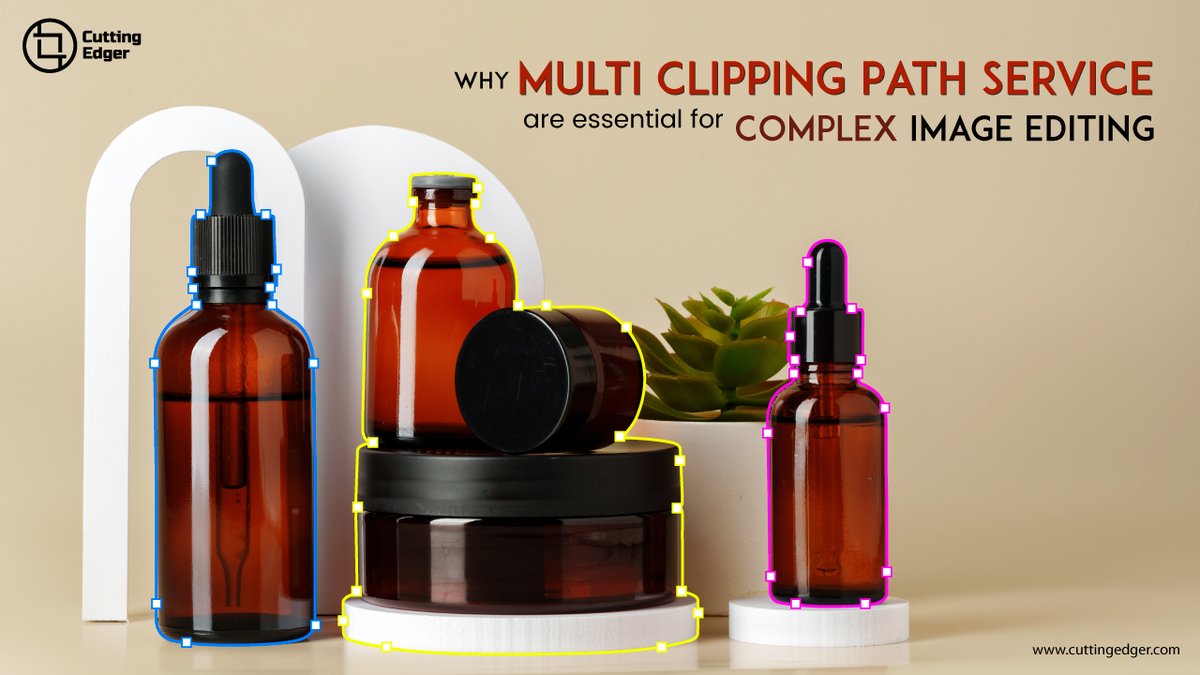
Unlock the benefits of multi-clipping path services for detailed image editing! Achieve precise separation of elements and enhance visual quality. Improve your editing game and workflow.
#EditingEssentials #ImageEditing #CuttingEdger #MultiClippingpath #Clippingpath
3
16

14 Aug 2024
"From Rough Cuts to Masterpieces: Video Editing Essentials"🎞️ 📹
@WishUpNow do you like this?
#VideoEditing #Masterpieces #EditingEssentials #RoughCuts #CreativeProcess #PostProduction #VisualStorytelling #ContentCreation #TechTuesday
6
13
221




24 Mar 2017
Must read for editing professionals
#FilmEditing #EditingEssentials #EditingTips #IndieFilmmaking #ArgalianPictures
24 Mar 2017

Editing job is as important as shooting. An editor's role in the success of a project cannot be undermined, as... fb.me/NAwCKCge
1

