
5 Mar 2025
Make grading effortless! Sync your Quizizz scores directly to Canvas!
▶️ Watch & learn: bit.ly/quizizzincanvas
📰 Read other EdTech highlights from our latest newsletter: bit.ly/fwedchat #FWEDTechTips #FWISD #EdTech @quizizz @Canvas_by_Inst
2
4
151
29 Jan 2025
💻FWEdTech Tip: I don't know about you, but searching for starred content was a struggle. But now you can search your favorite tabs in Chrome! See below.⬇️
📰 Read FWEdTech newsletter: bit.ly/fwedchat #FWEdTechTips #FWISD
15 Jan 2025

Sometimes your favorite tabs can get lost in the work grind. That’s why we have a shortcut to find them when you need them most.
2
3
207
24 Jan 2025
New to Mac? Get started by adjusting your Dock to fit your workflow! Simple tweaks can make navigating your Mac even easier!
▶️ Watch & learn: bit.ly/fwedtechtip
📰 Read other EdTech highlights from our latest newsletter: bit.ly/fwedchat
#FWEDTechTips #FWISD #EdTech
1
2
176
22 Apr 2024
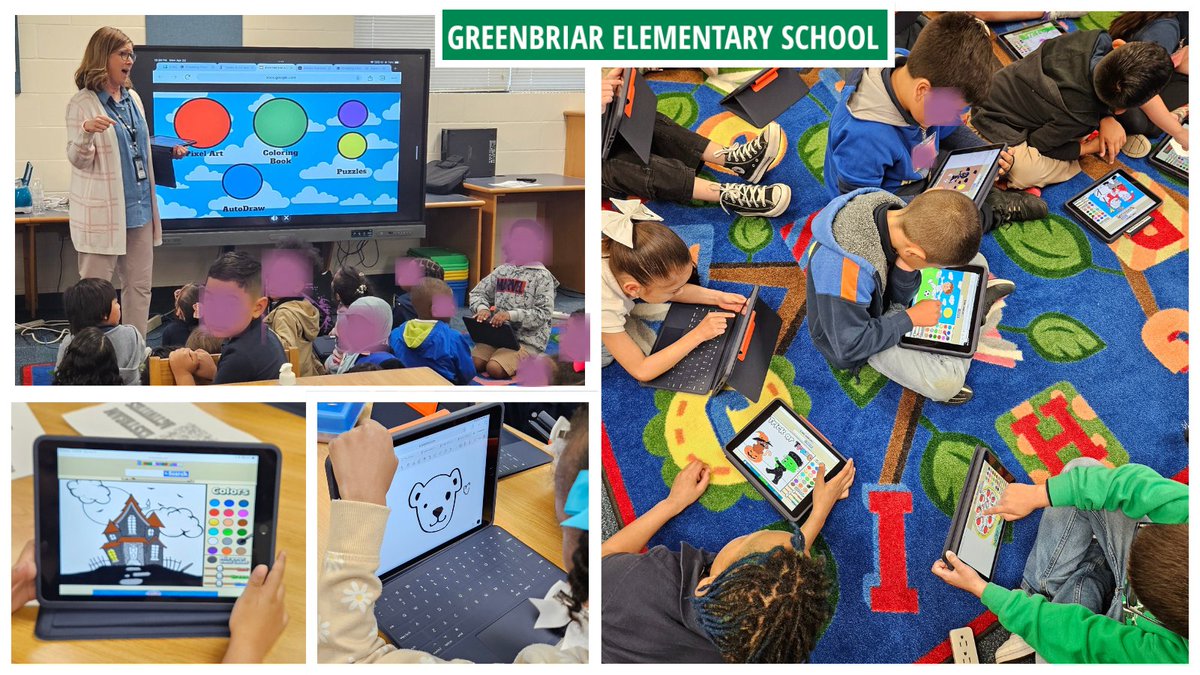
Our DLS Sara had an exciting day at Greenbriar ES teaching Pixel Art and other fun activities to all grade levels! Check out the creations below.
#FWISD #OneFortWorth #FWEDTechTips
1
1
9
216
16 Feb 2024
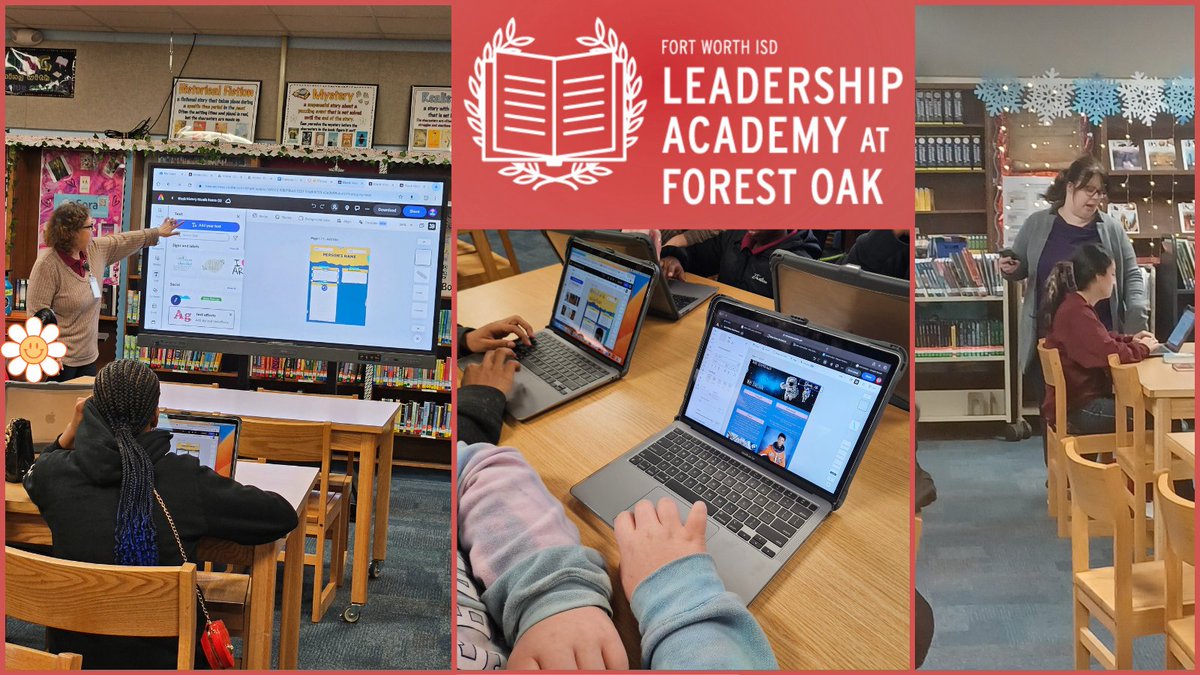
Our DLS Hollie collaborated with Leadership Academy at Forest Oak MS librarian, Ms. Watson, to teach a lesson on using Canvas and Adobe Express to research and create a Black History Month poster.
#FWISD #OneFortWorth #FWEDTechTips
7
214
22 May 2023
We made it! The last week of the 2022-23 school year is upon us. Don’t forget to store those important files in the cloud. FWISD educators have access to OneDrive and Google Drive. Reach out to your DLS if you need help. #FWEDTechTips
3
5
493
28 Apr 2023
Use this interactive guide to learn how to use the iPad more efficiently in your classroom. Click the link below to open the interactive guide. #FWEDTechTips
canva.com/design/DAFa2IZ8QZk… . .
2
2
196
26 Apr 2023
As we approach the end of another school year, don’t forget to store those important files in the cloud. All FWISD educators have access to OneDrive and Google Drive. Reach out to your DLS if you need help.
#FWEDTechTips Find Your DLS: docs.google.com/forms/d/e/1F…
2
4
337
24 Apr 2023
Did you know that many of your favorite EdTech tools can be easily integrated into Canvas without requiring users to sign-in to the app? Use our handy interactive guide to learn which integrations are currently available in Fort Worth ISD. #FWEDTechTips view.genial.ly/638e0a2376c53…
6
352
21 Apr 2023
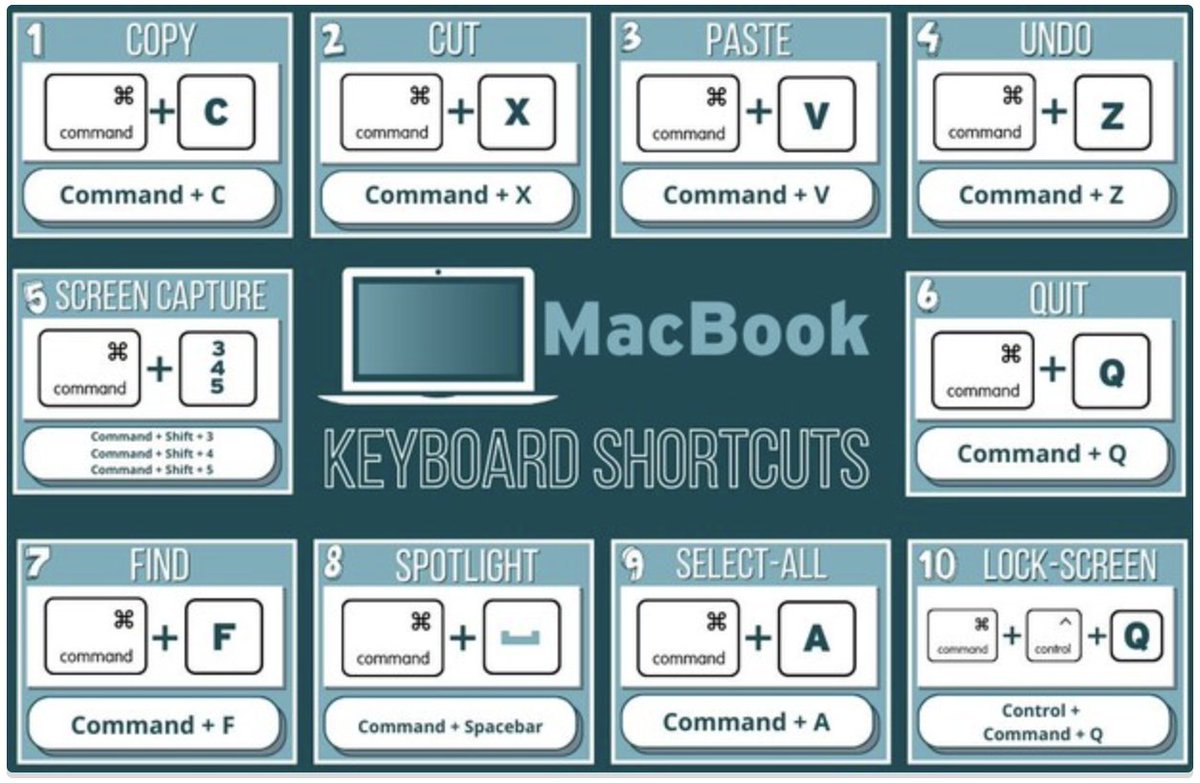
Are you crazy for shortcuts? Use this handy graphic to increase your productivity and efficiency with your MacBook. #FWEDTechTips
3
9
304
14 Apr 2023
An Apple Tip a day keeps the Footprints tickets away! Check out these great tips to help you keep your Apple devices in tip top shape. #FWEDTechTips
canva.com/design/DAFeH-pfdSk…
3
5
343
12 Apr 2023
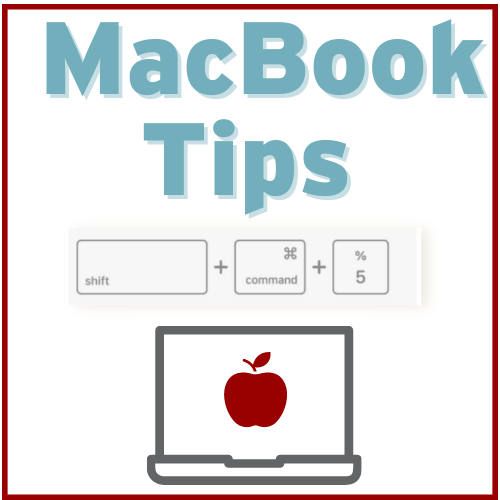
Did you know you can easily record your screen on your MacBook using a few keystrokes? #FWEDTechTips
Check out this video for details: drive.google.com/file/d/1hft…
1
3
237
3 Apr 2023
Did you know you can remove unnecessary links from the course navigation menu to make it easier for students to navigate your course? #FWEDTechTips Here’s how: docs.google.com/presentation…

2
5
289
13 Jan 2023
Keep yourself organized by setting up separate Chrome profiles for work and personal accounts and/or for different users. Click the link below for details.#FWEDTechTips docs.google.com/forms/d/e/1F…
2
5
298
14 Dec 2022
Use this Chrome User Guide to learn how to “work smarter not harder” when using the Chrome browser. These tips and tricks will improve your digital organization and efficiency.
#FWEDTechTips
view.genial.ly/62e9519134785…
1
3
30 Nov 2022
Did you know you can easily share an entire module with another teacher in Canvas? Click the link below for directions. #FWEDTechTips community.canvaslms.com/t5/I… . .

1
8
18 Nov 2022
Have you been wondering how you can mirror your iPad to your MacBook? This feature will enable you to move around your classroom freely without being tethered to your board. Check out this video we created to see how. #FWEDTechTips drive.google.com/file/d/1_IN…

1
3
17 Nov 2022
Did you know that sharing resources in Canvas is easy peasy? You can share an assignment, quiz, or entire module to the FWISD Commons area. Click the link below for directions. #FWEDTechTips community.canvaslms.com/t5/C…

2
5
27 Oct 2022
Did you know you can easily record your screen on your MacBook using a few keystrokes?
Check out this video for details: drive.google.com/file/d/1hft…
#FWEDTechTips

2
4
26 Sep 2022
Have you considered removing unnecessary links from your course navigation menu to make it easier for students to locate coursework?
#FWEDTechTips
Here’s how:
docs.google.com/presentation…

3
7