
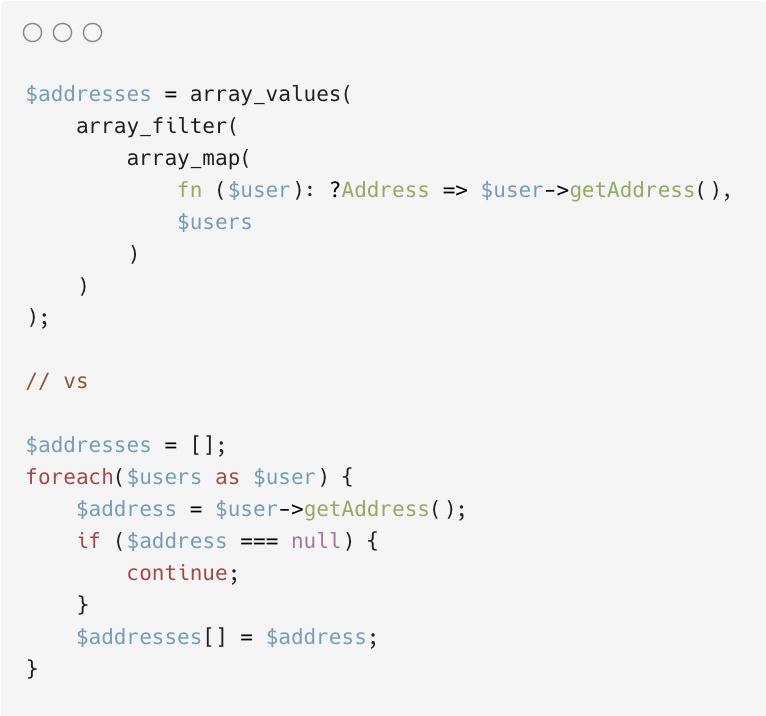
I have a theory that full-stack developers who write PHP use array_map, array_reduce, etc.
I prefer foreach loops: it scans much better and doesn't suffer from the "what's the parameter order?" problem. The array_* methods are also absolutely hideous to compose.
1
2
126

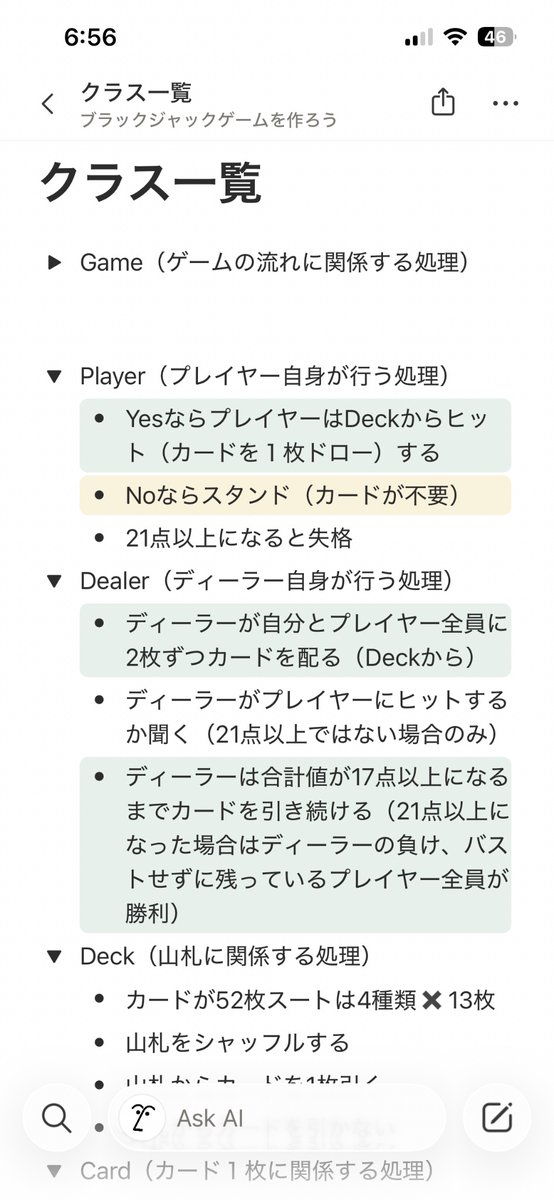
🐶Listクラスでは次のメソッドにデリゲートを渡すことが出来る
Exists:デリゲートに渡したメソッドがtrueを返す要素があるか確認する
Find:デリゲートに渡したメソッドがtrueを返す要素があるか確認し 複数ある場合は最初に見つかったものを返す
FindIndex:デリゲートに渡したメソッドがtrueを返す要素の添字を返す 複数ある場合ははじめに見つかったものを返す
FindAll:デリゲートに渡したメソッドがtrueを返す要素を全て返す
RemoveAll:デリゲートに渡したメソッドがtrueを返す要素を全て削除する
ForEach:すべての要素をデリゲートに渡したメソッドに渡して処理するforeach文の古い書き方
ConvertAll:全ての要素に対してデリゲートに渡したメソッドを使って値を変換する
デリゲート多すぎて覚えられなさそうだなあこれは
そういう存在があるっていう認識だけ一旦しておいたほうが良さそう 活用法含めてどういうときに必要かだけちゃんと認識しておこう
1
15




이거 하는 법:
설정 - 귀하의 계정 - 데이터 기록 파일을 다운로드하세요
에 들어가서 신청 버튼을 누르면 24시간 뒤에 파일을 다운로드 할 수 있게 만들어주는데 다운로드 하고
data 폴더에 들어가서 tweets.js의 변수명 부분을 const part0 = ... 으로 바꾼 뒤 파일 맨 아래에
let output = []
part0.forEach((e) => {
output.push({
created_at: e.tweet.created_at,
full_text: e.tweet.full_text,
is_reply: e.tweet.in_reply_to_screen_name !== undefined,
reply_to_me: e.tweet.in_reply_to_user_id === "본인의 트위터 아이디(숫자 19자리) 입력",
has_media: !e.tweet.extended_entities === undefined,
})
})
console.log(JSON.stringify(output))
적고 본인의 트위터 아이디(숫자 19자리) 입력 후 실행 (node 필요)
1
67

برای ارزشیابی استاید آموزشیار این کد نوشتم استفاده کردم که سریع همرو خیلی خوب میزنه
document.querySelectorAll('input[type="radio"][title="خیلی خوب"]').forEach(radio => {
radio.checked = true;
if (radio.onclick) radio.onclick.call(radio);
});
7

デイトラ 2.5h 卒業制作
・スタッフ紹介ページ PHP設置
・診療案内ページ PHP設置(途中)
✨カスタム投稿のカスタムフィールドを固定ページに出力する際はforeachとwhileで繰り返し処理を行う
🤔 診察案内ページはページ内リンク用のidをスラッグに設定して出力できるか明日試す。
#デイトラ
16

・foreach厳禁
→ Unity5.3までのコンパイラのバグでGCが発生していた
→ 今は抽象クラスで無い限りGCが発生しないので気軽に使って良い
57
【Unityプログラミングで最近知った今はあまり意味がない昔の慣習】
・ヨーダ記法(例:if (null == gameObject) {})
・foreach厳禁
1
223

【photo_manager_eng_v3_copy.ahk】
全構文 ⇒
#Requires AutoHotkey v2.0
; エクスプローラーがアクティブな場合のみ、ショートカットキーを有効化
#HotIf WinActive("ahk_class CabinetWClass")
; 【無変換 + テンキー9】: デスクトップのexeをコピーせず、現在のパスを「引数」として直接起動する
vk1D & Numpad9:: {
currentDir := GetActiveExplorerPath()
if (currentDir == "") {
MsgBox("エクスプローラーのパスを取得できませんでした。", "エラー", "IconX")
return
}
exePath := "C:\Users\kawa\Desktop\photo_manager_eng_v4.exe"
if !FileExist(exePath) {
MsgBox("デスクトップにプログラムが見つかりません:`n" exePath, "エラー", "IconX")
return
}
try {
; ★ exeの後ろにスペースを空けてフォルダパスを引き渡します
Run('"' exePath '" "' currentDir '"')
ToolTip("プログラムを起動しました`n対象: " currentDir)
SetTimer(() => ToolTip(), -2000)
} catch as err {
MsgBox("プログラムの起動に失敗しました。`nエラー: " err.Message, "エラー", "IconX")
}
}
; 【無変換 + テンキー5】: selectedフォルダ内の指定画像を、Zドライブに新規作成したフォルダへコピー & 自動リネーム & selectedフォルダ削除
vk1D & Numpad5:: {
; 1. 現在アクティブなエクスプローラーのフォルダパスを取得
currentDir := GetActiveExplorerPath()
if (currentDir == "") {
MsgBox("エクスプローラーのパスを取得できませんでした。", "エラー", "IconX")
return
}
; 2. 現在のフォルダ内に「selected」フォルダが存在するか確認
selectedDir := currentDir "\selected"
if !DirExist(selectedDir) {
MsgBox("「selected」フォルダーが現在の場所に存在しません。`n処理を中断します。", "エラー", "IconX")
return
}
; 3. Zドライブ(保存先の基本パス)が存在するか確認
baseDestDir := "Z:\Saishin\sokorireki\photo\episode\rebel"
if !DirExist(baseDestDir) {
MsgBox("保存先ベースフォルダーが見つかりません。`nネットワーク接続(Zドライブ)を確認してください。", "エラー", "IconX")
return
}
; 4. 小窓を開いてフォルダ名の入力を促す
ib := InputBox("作成するフォルダー名を入力してください。", "新規フォルダーの作成とコピー", "w350 h130")
if (ib.Result == "Cancel" || ib.Value == "") {
return ; キャンセルまたは空欄の場合は処理を終了
}
newFolderName := ib.Value
; 5. 入力されたフォルダ名で、Zドライブ内にフォルダを新規作成
destDir := baseDestDir "\" newFolderName
if !DirExist(destDir) {
try {
DirCreate(destDir)
} catch as err {
MsgBox("フォルダーの作成に失敗しました:`n" destDir "`nエラー: " err.Message, "エラー", "IconX")
return
}
}
; 6. 「selected」内の「jpg」「heic」「png」ファイルをコピー
extensions := ["jpg", "heic", "png"]
copiedCount := 0
try {
for ext in extensions {
Loop Files, selectedDir "\*." ext {
FileCopy(A_LoopFilePath, destDir "\", 1) ; 1 は同名ファイルを上書き
copiedCount
}
}
; 7. コピー完了後、PowerShellを呼び出して自動リネームを実行
if (copiedCount > 0) {
; コピー中であることを一旦通知
ToolTip("コピー中... リネーム処理を準備しています。")
; 動的にリネーム用のPowerShellスクリプトを生成
RunRenamePowerShell(destDir, newFolderName)
; ★ 【後片付け】コピー元フォルダ内の「selected」フォルダを中身ごと強制削除する ★
if DirExist(selectedDir) {
try {
DirDelete(selectedDir, 1) ; 1を指定することで、フォルダ内が空でなくても丸ごと削除します
}
}
; 完了通知
ToolTip("コピー & リネーム完了!`n(元フォルダのselectedは自動削除しました)`n保存先: " destDir)
SetTimer(() => ToolTip(), -4000) ; 4秒後に通知を消去
} else {
MsgBox("「selected」フォルダー内に、コピー対象の画像(jpg, heic, png)が見つかりませんでした。", "お知らせ", "Iconi")
}
} catch as err {
MsgBox("コピー・リネーム処理中にエラーが発生しました。`nエラー: " err.Message, "エラー", "IconX")
}
}
#HotIf
; --- 以下、処理を行う関数群 ---
; コピーしたファイルを撮影日時(または更新日時)順に並び替え、入力フォルダ名で連番リネームする関数
RunRenamePowerShell(folderPath, newName) {
psTemplate := "
(
$folder = '[[FOLDER_PATH]]'
$list = @()
Get-ChildItem -LiteralPath $folder -File | ForEach-Object {
$f = $_.FullName
$date = $null
$out = & 'C:\Tools\exiftool.exe' -DateTimeOriginal -s3 $f 2>$null
if ($out) {
try { $date = [DateTime]::ParseExact($out.Trim(), 'yyyy:MM:dd HH:mm:ss', $null) } catch {}
}
if (-not $date) { $date = $_.LastWriteTime }
$list = ,[PSCustomObject]@{ Path = $f; Date = $date; Ext = $_.Extension }
}
$tempList = @()
foreach ($item in $list) {
$tempName = [System.IO.Path]::GetRandomFileName() $item.Ext
$tempPath = Join-Path $folder $tempName
Rename-Item -LiteralPath $item.Path -NewName $tempName -Force
$tempList = [PSCustomObject]@{ TempPath = $tempPath; Date = $item.Date; Ext = $item.Ext }
}
$i = 1
$tempList | Sort-Object Date | ForEach-Object {
Rename-Item -LiteralPath $_.TempPath -NewName ('[[NEW_NAME]]_' $i $_.Ext) -Force
$i
}
)"
psCode := StrReplace(psTemplate, "[[FOLDER_PATH]]", folderPath)
psCode := StrReplace(psCode, "[[NEW_NAME]]", newName)
tempPsFile := A_Temp "\ahk_rename_temp.ps1"
if FileExist(tempPsFile) {
FileDelete(tempPsFile)
}
FileAppend(psCode, tempPsFile, "UTF-8-RAW")
RunWait("powershell -NoProfile -ExecutionPolicy Bypass -File `"" tempPsFile "`"", , "Hide")
if FileExist(tempPsFile) {
FileDelete(tempPsFile)
}
}
; アクティブなエクスプローラーのパスをCOMオブジェクト経由で取得する関数
GetActiveExplorerPath() {
activeHwnd := WinExist("A")
try {
for window in ComObject("Shell.Application").Windows {
if (window.hwnd == activeHwnd) {
return window.Document.Folder.Self.Path
}
}
}
return ""
}
1
2
167

Jun 13
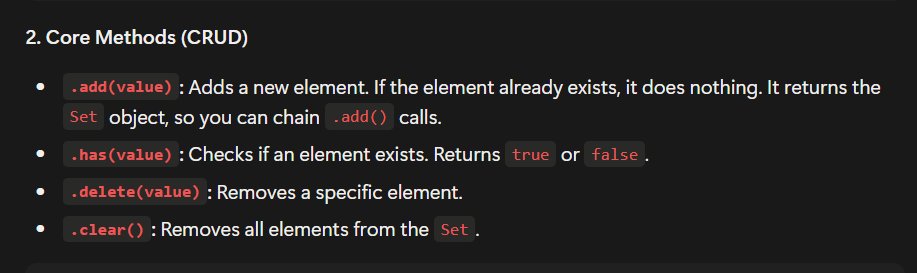
🚀 Day 8
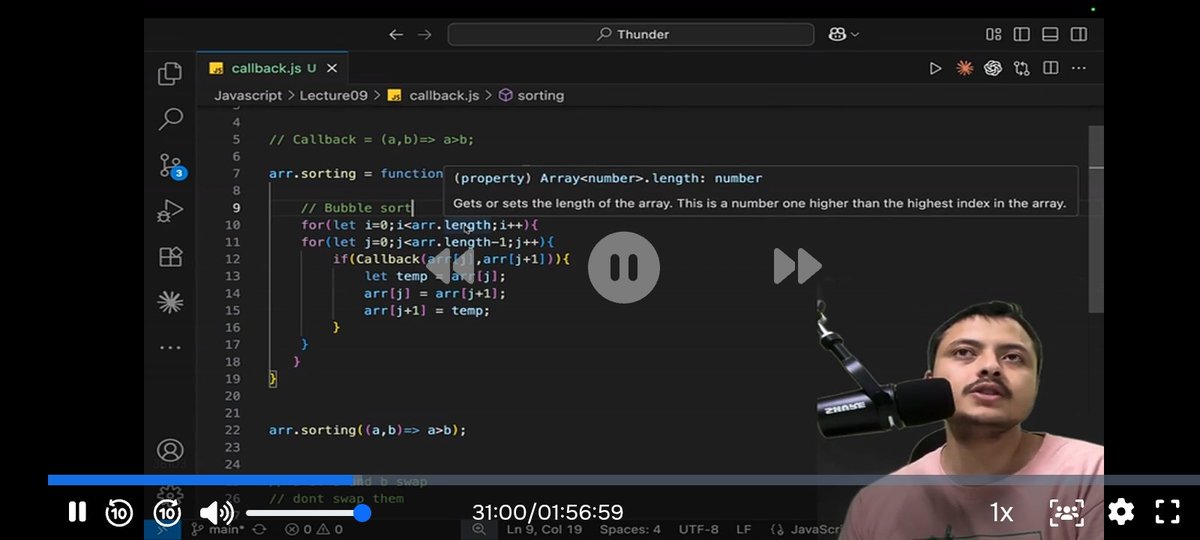
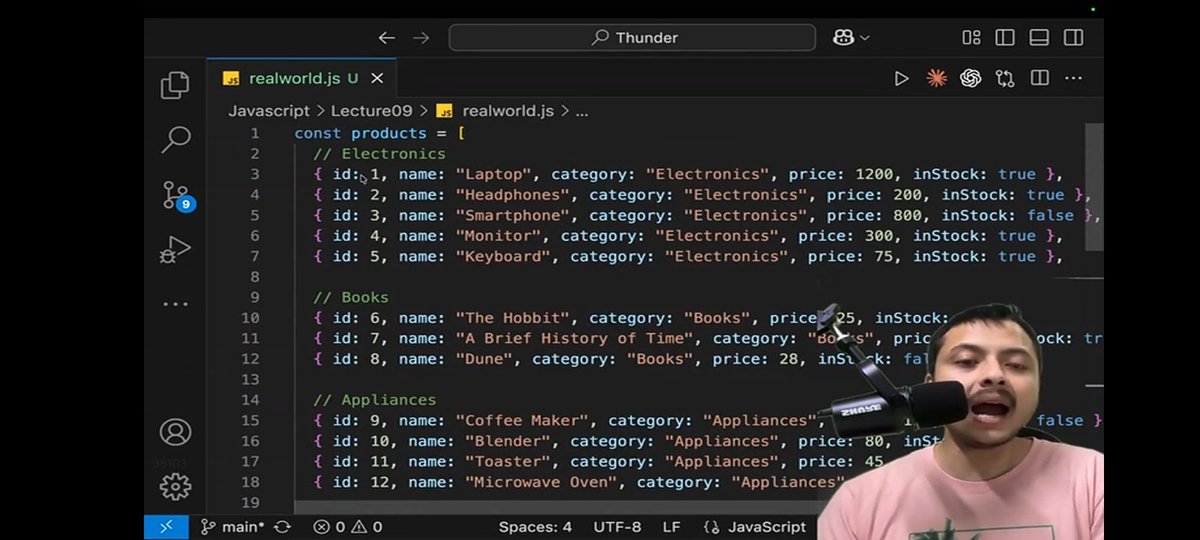
Today I learned JavaScript callback functions, array methods like forEach(), map(), filter(), and reduce(), along with Set and Map.
@rohit_negi9 @CoderArmy
#JavaScript #100DaysOfCode
6
61

Jun 13
Day 009/100 of #100DaysOfCode by @rohit_negi9
It was interesting to see how these methods can simplify data manipulation and make code more readable.
Covered:
• forEach()
• filter()
• map()
• reduce()
• Sets and Maps
• Callback functions
#CoderArmt #JavaScript #Thunder
1
16
@echo off
setlocal EnableDelayedExpansion
if "%~1"=="" (
echo ファイルがドロップされていません。
pause
exit /b
)
:: 一時リストファイルの作成
set "listfile=%temp%\file_list_%random%.txt"
if exist "!listfile!" del "!listfile!"
:: ドラッグされたファイルのパスを一時ファイルに1行ずつ書き出し
:loop
if "%~1"=="" goto run_ps
echo %~1>> "!listfile!"
shift
goto loop
:run_ps
:: PowerShellで処理を実行
powershell -NoProfile -ExecutionPolicy Bypass -Command ^
"$list = @();" ^
"Get-Content '!listfile!' | ForEach-Object {" ^
" $f = $_.Trim();" ^
" if ($f -and (Test-Path -LiteralPath $f -PathType Leaf)) {" ^
" $date = $null;" ^
" $out = & 'C:\Tools\exiftool.exe' -DateTimeOriginal -s3 $f 2>$null;" ^
" if ($out) {" ^
" try { $date = [DateTime]::ParseExact($out.Trim(), 'yyyy:MM:dd HH:mm:ss', $null) } catch {}" ^
" }" ^
" if (-not $date) { $date = (Get-Item -LiteralPath $f).LastWriteTime }" ^
" $list = ,[PSCustomObject]@{ Path = $f; Date = $date; Ext = [System.IO.Path]::GetExtension($f) }" ^
" }" ^
"};" ^
"$tempList = @();" ^
"foreach ($item in $list) {" ^
" $tempName = [System.IO.Path]::GetRandomFileName() $item.Ext;" ^
" $tempPath = Join-Path (Split-Path $item.Path) $tempName;" ^
" Rename-Item -LiteralPath $item.Path -NewName $tempName -Force;" ^
" $tempList = [PSCustomObject]@{ TempPath = $tempPath; Date = $item.Date; Ext = $item.Ext }" ^
"};" ^
"$i = 1;" ^
"$tempList | Sort-Object Date | ForEach-Object {" ^
" Rename-Item -LiteralPath $_.TempPath -NewName ('20260329_' $i $_.Ext) -Force;" ^
" $i ;" ^
"}"
:: 一時ファイルの削除(後片付け)
if exist "!listfile!" del "!listfile!"
echo 完了
pause
40


Codex CLIに直させた。以下なおしたコーディングエージェントからの報告。
----
Windows版 Codex App の WSL agent が起動しなくなった件。
症状:
Codex App 本体は起動するが、Agent Environment を WSL にすると
Codex failed to start
Unable to locate the Codex CLI binary
Set CODEX_CLI_PATH...
系のエラーで落ちる。
調査結果:
WSL 側の codex CLI、PATH、bubblewrap、WSL2 設定は正常だった。
原因は WSL 側ではなく、Windows Store 版 Codex App OpenAI.Codex 26.609.4994.0 のパッケージ側。
App のログでは、WSL agent 起動時に Windows App が
C:\Program Files\WindowsApps\...\app\resources\codex
C:\Program Files\WindowsApps\...\app\resources\rg
を探して ENOENT で失敗していた。
しかし実際のパッケージ内には
codex.exe
rg.exe
しかなく、WSL 起動経路が期待する拡張子なしの Linux 用 codex / rg が存在しなかった。
その結果、App 側が fallback として
Unable to locate the Codex CLI binary. Set CODEX_CLI_PATH...
を出していた。
つまり CODEX_CLI_PATH は本来ユーザーが普段から設定すべきものではなく、App が同梱 WSL 用 CLI を見つけられない時の回避口。
切り分け:
- WSL は Ubuntu-22.04 / WSL2 で正常
- codex --version は WSL 内で成功
- /usr/local/bin/codex --version も成功
- bubblewrap も導入済み
- Windows App package は Store 署名で Status OK
- Unity プロジェクトや WSL PATH は原因ではなかった
暫定解決策:
グローバル環境変数 CODEX_CLI_PATH を常時設定すると Windows native agent 側に副作用が出る可能性があるため、User/Machine 環境変数には残さない。
代わりに、Codex App を起動する時だけ WSL 用 CLI を渡す専用 PowerShell ランチャーを作る。
例:
$ErrorActionPreference = 'Stop'
$pkg = Get-AppxPackage -Name OpenAI.Codex |
Sort-Object Version -Descending |
Select-Object -First 1
$codexExe = Join-Path $pkg.InstallLocation 'app\Codex.exe'
$wslBinRoot = Join-Path $env:USERPROFILE '.codex\bin\wsl'
$codexCli = Get-ChildItem -LiteralPath $wslBinRoot -Directory |
ForEach-Object { Join-Path $_.FullName 'codex' } |
Where-Object { Test-Path -LiteralPath $_ } |
Sort-Object { (Get-Item -LiteralPath $_).LastWriteTimeUtc } -Descending |
Select-Object -First 1
$env:CODEX_CLI_PATH = $codexCli
Start-Process -FilePath $codexExe
これを launch-codex-wsl.ps1 として保存し、ショートカットから起動する。
検証結果:
この方式では App ログ上で
stdio_transport_spawned ... executablePath=...\codex
Codex CLI initialized
app_server_connection ... next=connected
まで進み、WSL agent が起動した。
結論:
少なくともこの環境では、原因は WSL やプロジェクトではなく、Windows Store 版 Codex App 26.609.4994.0 の WSL agent 起動経路のパッケージング不整合と思われる。
160
Rohit Negi retweeted

Jun 13
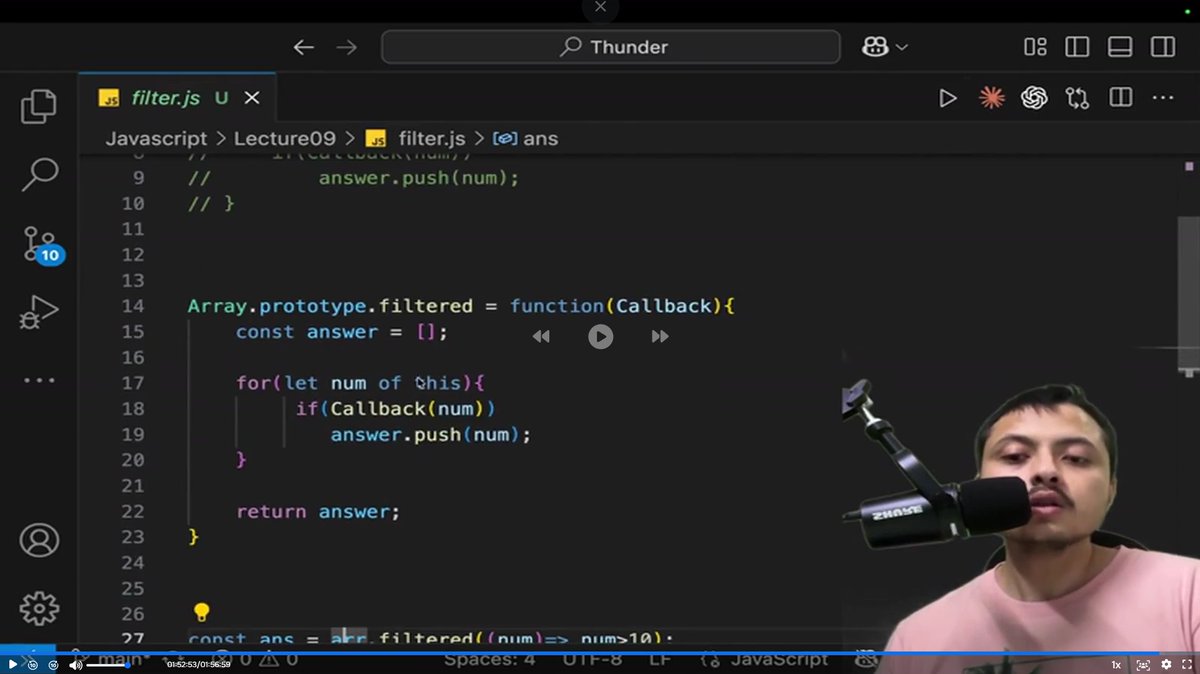
Day 9/100 - #Thunder ⚡
Deep dive into Callbacks, forEach(), map(), filter(), and reduce(). Also explored Set and built custom versions of some array methods to understand how they work behind the scenes.
JavaScript keeps getting more interesting.
#100DaysOfCode #LearnInPublic
1
14
326

Jun 13
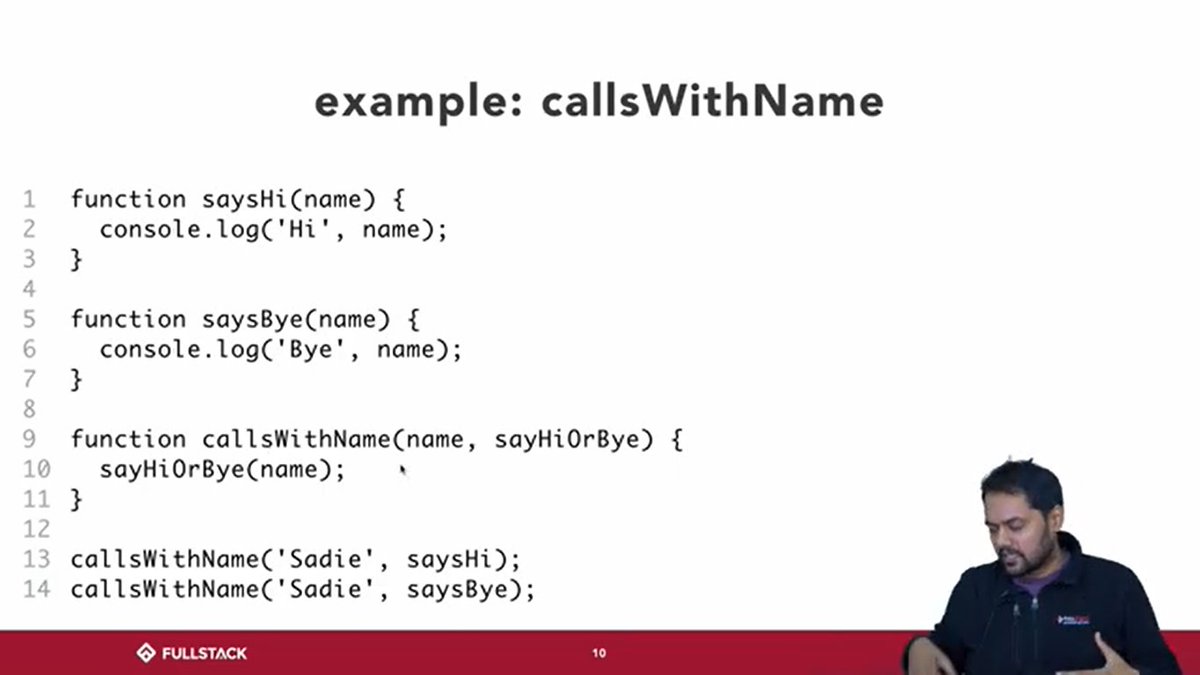
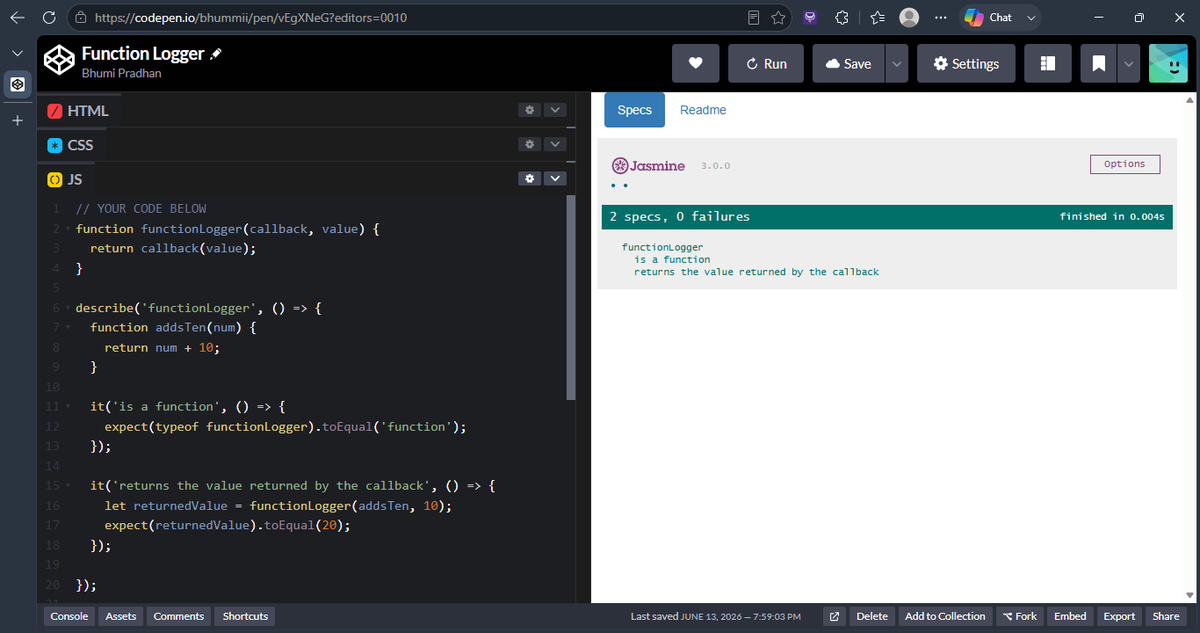
#LSPPDay12
Explored JavaScript functions, callbacks, and the .forEach() method through examples and practice questions. Improved my understanding of passing.callback() function and how they can be used to make code easier. #60DaysOfLearning2026 #LearningWithLeapfrog
@lftechnology
1
20