What exactly are we formatting in a document?
When you're working with Adobe InDesign (or doing book formatting in general with any software), it's not just about making text look nice; it's about structuring content so it's clean, readable, and professionally presented.
Here are some key things you format in any document:
Characters
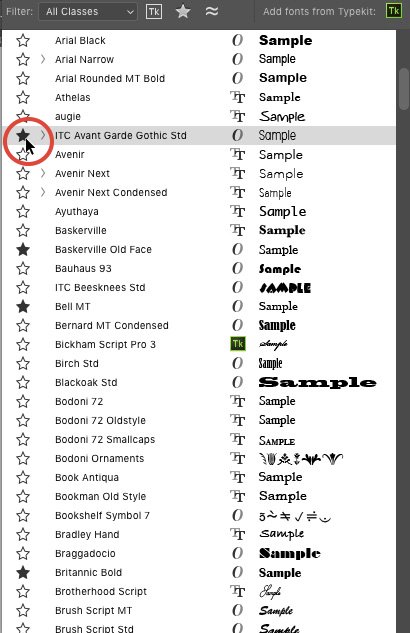
The smallest unit: letters, numbers, punctuation. You format font type, size, color, bold/italic, case (UPPERCASE/lowercase), etc.
Paragraphs
A paragraph isn’t just a block of text, it’s how that text looks. You format alignment (left, right, center, justified), indentation, spacing before/after, and more.
Line Spacing (Leading)
This is the vertical space between lines of text. Get it wrong and your page looks cramped or too loose. Get it right and it becomes easy to read.
Margins & Columns
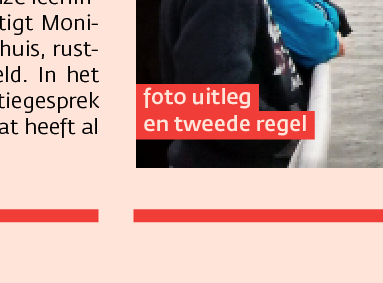
Margins give breathing room to your content. Columns help structure it. Like magazines and brochures.
Page Numbers, Headers & Footers
These are crucial for navigation, especially in books. InDesign lets you automate this across pages.
Styles (Character & Paragraph Styles)
These save time. Define how your text looks once and apply it everywhere. Want to change your chapter titles later? One click updates them all same applies to body text or page numbers
Images, Tables & Graphics
You don’t just dump them in, you align, wrap text around them, add captions, resize smartly, and optimize for print or screen.
These are the building blocks of a professional document.
Once you understand how they work together, you can format anything from a 1-page brochure to a 300 page novel or academic journal.
And guess what? These are the exact same formatting principles used across:
eBooks & EPUBs
Magazines & Reports
Journals & Planners
Course Materials
Workbooks
Business Documents
Whether it’s for a client or your own project, knowing how to format like a pro = instant value.
Over the next few posts (and inside the X community
x.com/i/communities/19440365… ), I’ll dive into each of these with real examples using InDesign and Word doc.
This might not be the loudest tech skill out there, but it’s one of the most sought-after behind the scenes.
Let’s keep learning.
Like, bookmark, retweet the more energy this gets, the more I’ll share!
#BookFormatting #AdobeInDesign #DocumentDesign #SideHustleNigeria #eBookDesign #Freelancing #InDesignTips #EarnWithSkills #UIUX #TechSkills