
IntelliCode was deprecated last year and is just Copilot now. It is independent of Intellisense
4
31
IntelliCode (now GH Copilot) is AI, Intellisense isn't
12
660

Intellisense / intellicode has used machine learning since atleast 2019 lmao
1
1
245

أول أداة حبيت أتكلم عنها هي Visual Studio IntelliCode من مايكروسوفت 🤖💗
هالأداة تعتمد على الذكاء الاصطناعي وتشتغل داخل بيئة التطوير بحيث تساعد المبرمج أثناء كتابة الكود من خلال اقتراح تكملة الأسطر البرمجية بشكل ذكي بناءً على السياق وطريقة كتابة المبرمج مو بس كذا تقدر تكتشف الأنماط المتكررة في الكود وتقترح حلول واختصارات توفر الوقت والجهد استخدام IntelliCode يساعد على زيادة سرعة البرمجة وتقليل الأخطاء وتحسين جودة الكود خصوصًا في المشاريع الكبيرة اللي تحتاج دقة وتنظيم أكثر
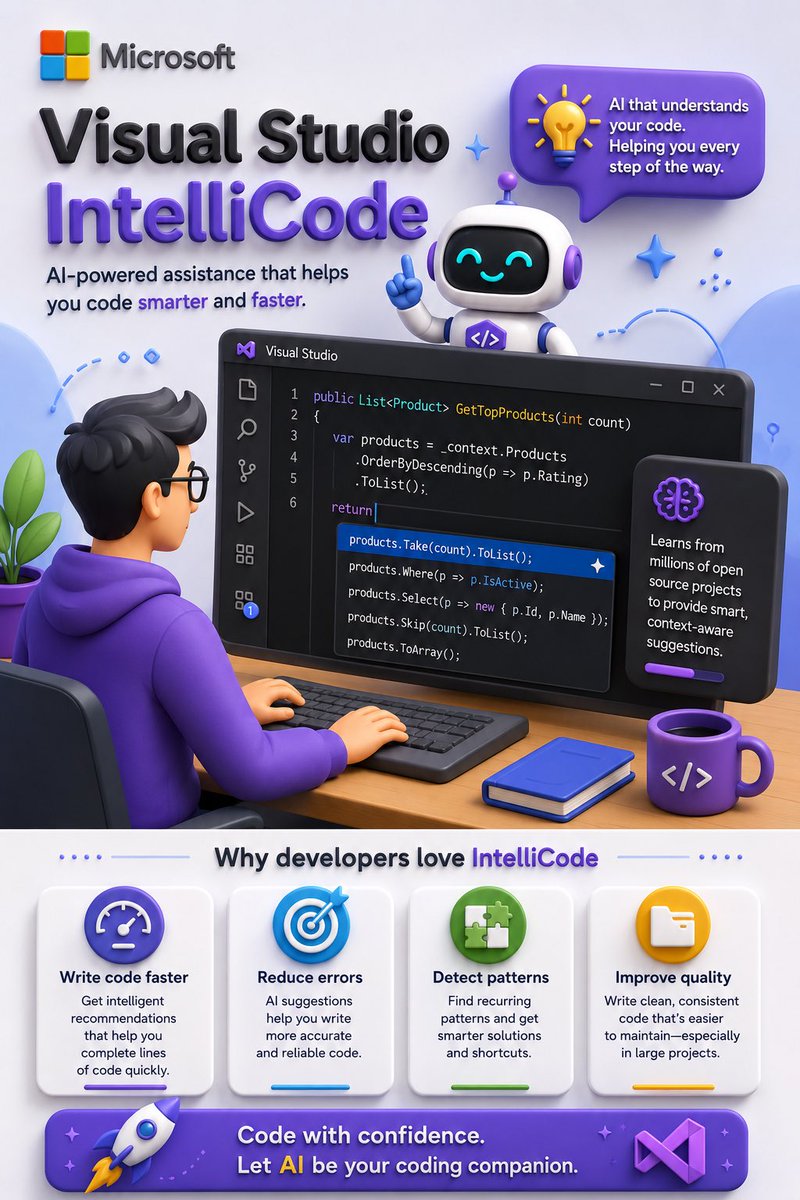

قررت من اليوم أشارككم كل يوم أداة من أدوات الذكاء الاصطناعي عشان نستفيد منها سوا ونتعرف على مميزاتها واستخداماتها 💗✨
1
14
3,587

May 30
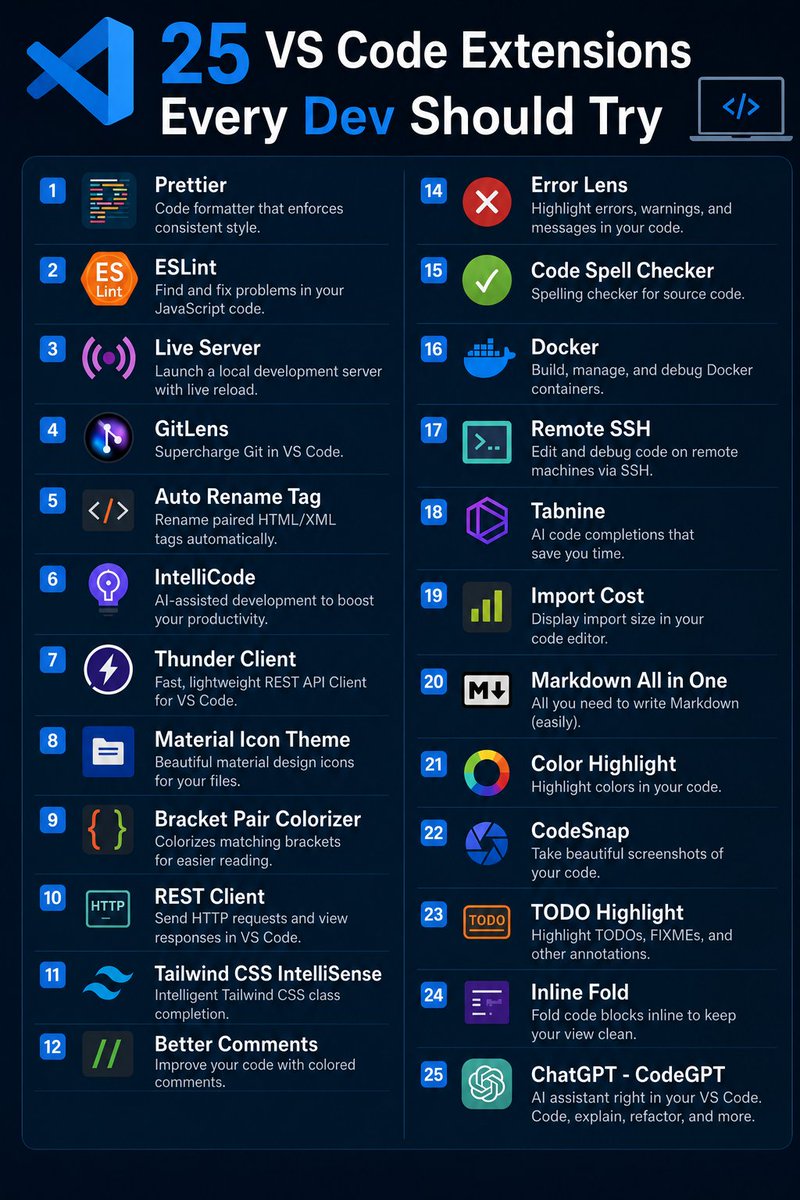
🎯 𝟮𝟱 𝗩𝗦 𝗖𝗼𝗱𝗲 𝗘𝘅𝘁𝗲𝗻𝘀𝗶𝗼𝗻𝘀 𝗘𝘃𝗲𝗿𝘆 𝗗𝗲𝘃𝗲𝗹𝗼𝗽𝗲𝗿 𝗦𝗵𝗼𝘂𝗹𝗱 𝗧𝗿𝘆
The right VS Code extensions can save hours of work, improve code quality, and make development way more productive 🚀
Here are 25 powerful VS Code extensions every developer should definitely try.
1. Prettier
♦ Code formatter that enforces consistent style.
2. ESLint
🔹 Find and fix problems in your JavaScript code.
3. Live Server
♦ Launch a local development server with live reload.
4. GitLens
🔹 Supercharge Git in VS Code.
5. Auto Rename Tag
♦ Rename paired HTML/XML tags automatically.
6. IntelliCode
🔹 AI-assisted development to boost your productivity.
7. Thunder Client
♦ Fast, lightweight REST API Client for VS Code.
8. Material Icon Theme
🔹 Beautiful material design icons for your files.
9. Bracket Pair Colorizer
♦ Colorizes matching brackets for easier reading.
10. REST Client
🔹 Send HTTP requests and view responses in VS Code.
11. Tailwind CSS IntelliSense
♦ Intelligent Tailwind CSS class completion.
12. Better Comments
🔹 Improve your code with colored comments.
13. Path Intellisense
♦ Autocomplete filenames and paths in your project.
14. Error Lens
🔹 Highlight errors, warnings, and messages in your code.
15. Code Spell Checker
♦ Spelling checker for source code.
16. Docker
🔹 Build, manage, and debug Docker containers.
17. Remote SSH
♦ Edit and debug code on remote machines via SSH.
18. Tabnine
🔹 AI code completions that save you time.
19. Import Cost
♦ Display import size in your code editor.
20. Markdown All in One
🔹 All you need to write Markdown easily.
21. Color Highlight
♦ Highlight colors in your code.
22. CodeSnap
🔹 Take beautiful screenshots of your code.
23. TODO Highlight
♦ Highlight TODOs, FIXMEs, and other annotations.
24. Inline Fold
🔹 Fold code blocks inline to keep your view clean.
25. ChatGPT - CodeGPT
♦ AI assistant right in your VS Code. Code, explain, refactor, and more.
❤️ Like
🔁 Retweet
🔖 Bookmark
Follow @Tech_by_Shweta for more such posts
16
21
105
2,498

May 28
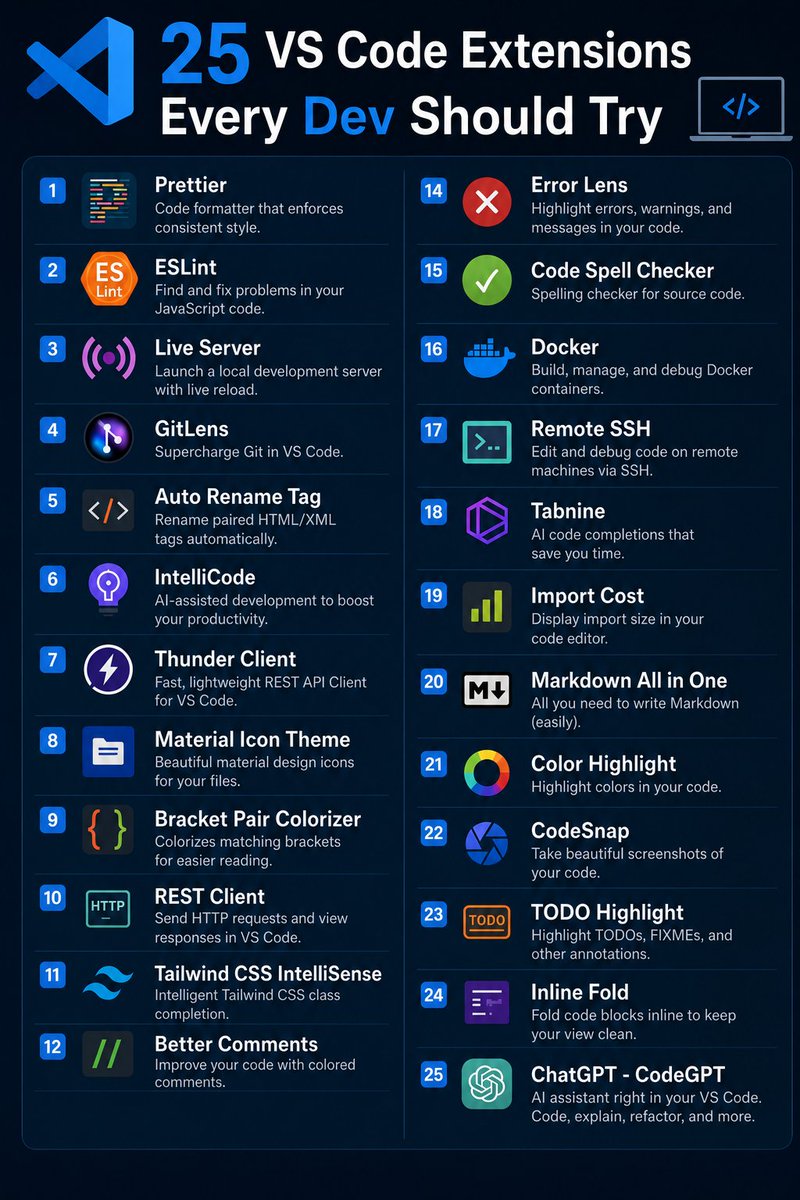
🎯 25 VS Code Extensions That Will Instantly Boost Your Productivity 🚀
Most developers only use a handful of VS Code extensions… but the right setup can seriously speed up your workflow, improve code quality, and make coding a lot more enjoyable.
Here are 25 VS Code extensions worth adding today 👇
1. Prettier — Auto-format your code beautifully
2. ESLint — Catch and fix JavaScript issues fast
3. Live Server — Real-time browser reload during development
4. GitLens — Powerful Git insights inside VS Code
5. Auto Rename Tag — Rename paired HTML/XML tags automatically
6. IntelliCode — AI-powered coding suggestions from Microsoft
7. Thunder Client — Lightweight API testing directly in VS Code
8. Material Icon Theme — Cleaner and prettier file icons
9. Bracket Pair Colorizer — Makes nested brackets easier to read
10. REST Client — Test APIs without leaving your editor
11. Tailwind CSS IntelliSense — Smart Tailwind autocomplete
12. Better Comments — Colorful comments for cleaner collaboration
13. Path Intellisense — Autocomplete file paths instantly
14. Error Lens — Shows errors inline while coding
15. Code Spell Checker — Prevent spelling mistakes in code/comments
16. Docker — Manage containers without leaving VS Code
17. Remote SSH — Work on remote servers seamlessly
18. Tabnine — AI code completions that save time
19. Import Cost — See package size impact instantly
20. Markdown All in One — Everything you need for Markdown
21. Color Highlight — Preview colors directly in code
22. CodeSnap — Create beautiful code screenshots
23. TODO Highlight — Never miss TODOs or FIXMEs again
24. Inline Fold — Keep your editor clean by folding inline
25. CodeGPT — AI assistant built into VS Code
Once you start using the right extensions, coding feels completely different ⚡
❤️ Like
🔁 Repost
🔖 Bookmark for later
Follow for more dev tools & AI content 🚀
8
4
16
9,262

May 28
🎯 𝟮𝟱 𝗩𝗦 𝗖𝗼𝗱𝗲 𝗘𝘅𝘁𝗲𝗻𝘀𝗶𝗼𝗻𝘀 𝗘𝘃𝗲𝗿𝘆 𝗗𝗲𝘃𝗲𝗹𝗼𝗽𝗲𝗿 𝗦𝗵𝗼𝘂𝗹𝗱 𝗧𝗿𝘆
The right VS Code extensions can save hours of work, improve code quality, and make development way more productive 🚀
Here are 25 powerful VS Code extensions every developer should definitely try.
1. Prettier
♦ Code formatter that enforces consistent style.
2. ESLint
🔹 Find and fix problems in your JavaScript code.
3. Live Server
♦ Launch a local development server with live reload.
4. GitLens
🔹 Supercharge Git in VS Code.
5. Auto Rename Tag
♦ Rename paired HTML/XML tags automatically.
6. IntelliCode
🔹 AI-assisted development to boost your productivity.
7. Thunder Client
♦ Fast, lightweight REST API Client for VS Code.
8. Material Icon Theme
🔹 Beautiful material design icons for your files.
9. Bracket Pair Colorizer
♦ Colorizes matching brackets for easier reading.
10. REST Client
🔹 Send HTTP requests and view responses in VS Code.
11. Tailwind CSS IntelliSense
♦ Intelligent Tailwind CSS class completion.
12. Better Comments
🔹 Improve your code with colored comments.
13. Path Intellisense
♦ Autocomplete filenames and paths in your project.
14. Error Lens
🔹 Highlight errors, warnings, and messages in your code.
15. Code Spell Checker
♦ Spelling checker for source code.
16. Docker
🔹 Build, manage, and debug Docker containers.
17. Remote SSH
♦ Edit and debug code on remote machines via SSH.
18. Tabnine
🔹 AI code completions that save you time.
19. Import Cost
♦ Display import size in your code editor.
20. Markdown All in One
🔹 All you need to write Markdown easily.
21. Color Highlight
♦ Highlight colors in your code.
22. CodeSnap
🔹 Take beautiful screenshots of your code.
23. TODO Highlight
♦ Highlight TODOs, FIXMEs, and other annotations.
24. Inline Fold
🔹 Fold code blocks inline to keep your view clean.
25. ChatGPT - CodeGPT
♦ AI assistant right in your VS Code. Code, explain, refactor, and more.
❤️ Like
🔁 Retweet
🔖 Bookmark
Follow @sonalshukla3377 for more such posts
26
30
129
3,085

not sure if its the same for visual studio but with vscode theres something called intellicode that is just ai code auto complete, might be something like that
3
106



May 9
Top VS Code extensions every serious developer should have
• GitLens
• Error Lens
• Prettier
• ESLint
• Thunder Client
• Code Spell Checker
• Path Intellisense
• Tabnine
• Continue
• Docker
• Live Server
• Auto Rename Tag
• Better Comments
• TODO Highlight
• Material Icon Theme
• Peacock
• IntelliCode
• REST Client
• Prisma
• Turbo Console Log
• Markdown Preview Enhanced
• npm Intellisense
• Tailwind CSS IntelliSense
• Bracket Pair Colorizer 2
• CodeSnap
6
1
9
317

Apr 27
I learned a LOT...basically, how to code...by prompting Grok to build, observing the result, debugging, fining down *how* to prompt (you're probably there already), and then using Visual Studio's Intellicode feature to learn what each individual line was doing. From there (1/3)
1
2
38

IntelliCode suggestions, deep debugging tools, and Azure GitHub integration are built into Visual Studio Pro 2026 for $49.99.
4
618

Feb 17
7 free VS Code extensions that can 10x your productivity
1. GitLens
Shows who changed what and why right in your editor
Blame annotations, history, commit search
Helps you understand code history fast
Great for navigating unfamiliar codebases
2. Turbo Console Log
Auto-generates console.log() with variable names
Saves tons of time writing debug logs manually
Just highlight a variable and hit the shortcut
Debugging becomes faster and cleaner
3. Path Intellisense
Auto-completes file paths as you type (imports, requires, etc.)
Works with project structure
No more guessing exact file paths
4. Prettier
Auto-formats code on save
Keeps consistent code style across files/teams
Supports JS/TS/HTML/CSS/JSON
Less formatting friction, more focus on logic
5. ES7 React/Redux/React-Native Snippets
Code snippets for React components, hooks, Redux, exports
Type rfce - creates a ready React component
Speeds up boilerplate-heavy code
Huge boost if you write React or React-Native
6. Better Comments
Color-codes TODOs, alerts, notes, questions
Makes comments easier to scan and act on
Helps organize thoughts and tasks
Turns messy comments into helpful docs
7. IntelliCode
AI-powered IntelliSense suggestions
Learns common code patterns
Makes smarter autocomplete than stock VS Code
Autocomplete that feels predictive
Alright, that's a wrap. Follow me @mysticwillz for more posts like this
1
2
16
1,480

Feb 11
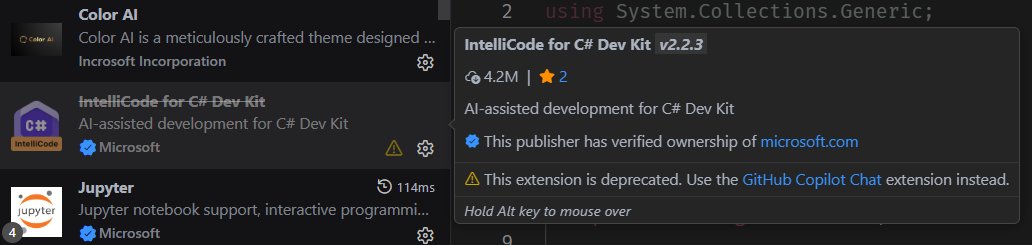
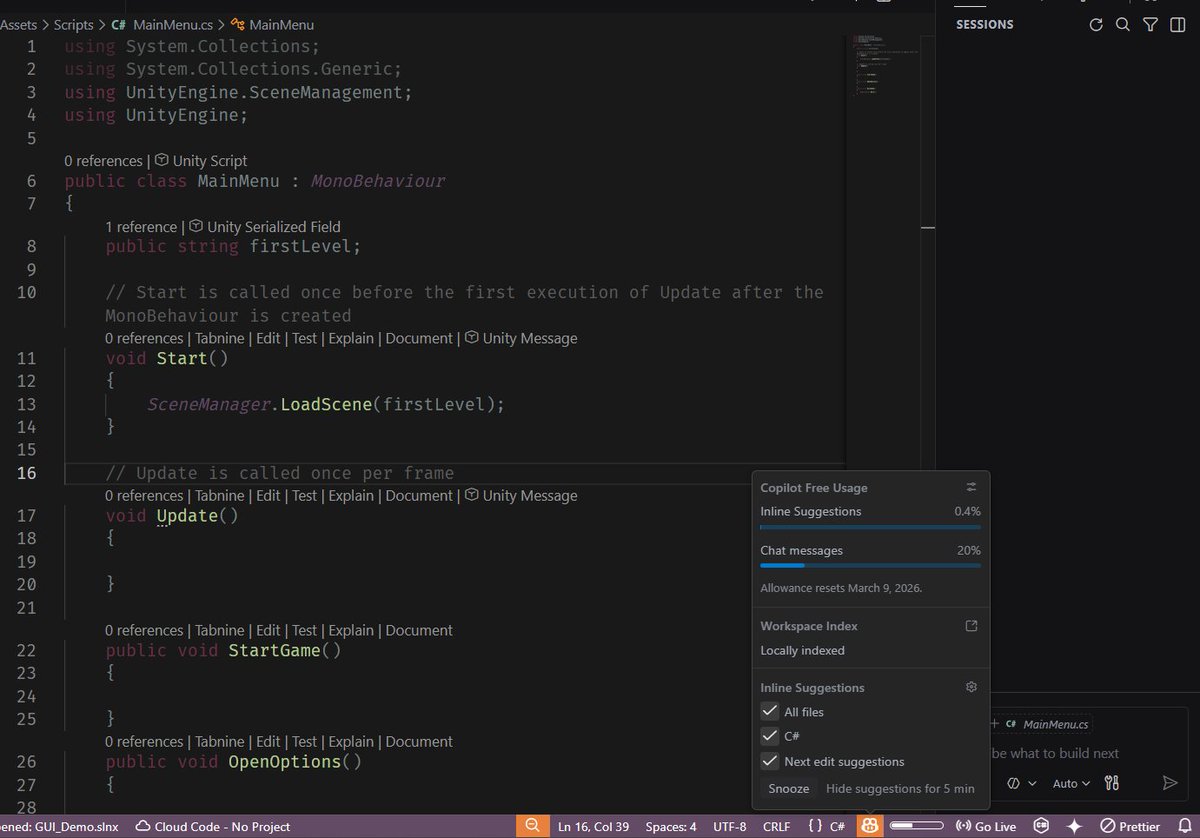
@Microsoft Hold up. ok I havnt used VS in a hot minute...You deprecated intellicode...force copilot adoption on me, and then have the audacity to give ma an ALLOWANCE of code completion that was a standard feature FOREVER, so then I cave and buy a subscription? I hate this timeline. Who do I complain to?
3
125


Feb 1
52 vscode extension to boost your productivity
1. ESLint
2. Prettier
3. GitLens
4. Bracket Pair Colorizer 2
5. Better Comments
6. Path Intellisense
7. Bookmarks
8. Project Manager
9. TODO Highlight
10. Import Cost
**IntelliSense & AI
11. Tabnine AI Autocomplete
12. GitHub Copilot
13. IntelliCode (built-in AI suggestions)
14. Code Navigation & Refactoring
15. Code Spell Checker
16. Jump to Test
17. Auto Rename Tag
18. Extract Selector
19. Sort Lines
**Testing
20. Jest
21. Test Explorer UI
22. Mocha Test Explorer
23. UI / Themes / Appearance
24. One Dark Pro (theme)
25. Material Icon Theme
26. Dracula Official Theme
27. Night Owl Theme
28. Peacock (color your workspace)
** Web Development
29. HTML CSS Support
30. CSS Peek
31. IntelliSense for CSS class names
32. Tailwind CSS IntelliSense
33. PostCSS Language Support
34. Live Server
**Framework Specific
35. Angular Language Service
36. Vetur (Vue support)
37. Vue Language Features (Volar)
38. Reactjs code snippets
39. Svelte for VS Code
40. Next.js Snippets
**Python & Data
41. Python (official MS extension)
42. Pylance
43. Jupyter
44. Pytest
**Backend / Languages
45. Docker
46. REST Client
47. Go (vs code official)
48. C/C (ms)
49. PHP Intelephense
** Cloud / DevOps
50. Azure Tools
51. AWS Toolkit
52. Terraform
End 🤝
13
30
138
6,553

Jan 28
API-first products are about to eat everything.
I just used Claude Code to hit the Typefully API, the Linear API, and a domain search tool in one session. No dashboards. No clicking around. Just described what I wanted and the agent handled the rest.
Once you've experienced the flow of pure delegation, there is no going back. I straight up won't use products now that don't have good API or CLI support.
Meanwhile Spotify is restricting API endpoints. Atlassian is throttling API access to push you toward Rovo. Meta just banned third-party AI from WhatsApp's API. Microsoft killed IntelliCode (70M downloads) to upsell you on Copilot.
Bain literally published a report telling SaaS companies to "limit access to critical endpoints" before agents siphon their value.
That is short-term thinking at its peak.
The dashboard is dead. Agents are going to be the primary consumer of your product, not people. Adding friction in 2026 is like forcing people to use your product over email instead of a website in 2010.
Bullish on companies building for an agent-first world. Bearish on the ones locking you into their UI so they can upsell you on their own half-baked copilot.
2
5
166

Jan 22
i remember using intellicode, later tabnine, briefly kite, and then copilot.
copilot was the first that got it right. even in beta it was immediately obvious it was much better than the rest out there
1
2
52

Get smarter IntelliCode suggestions, code insights, and productivity features for daily work at an unbelievable discount of 90% off the sticker price. pcmag.com/deals/upgrade-to-m…
661