
Feb 10
I know I’m late, but come hang & check out the #ModChallenge that the Mod Squad Cooked up 😉🥰
twitch.tv/arkticraven
2
53

1 Aug 2025
🚨 Mod Challenge is LIVE on TG! 🚨 A coin’s only as strong as its crew—so we’re putting our squad through fresh trials to prove we’ve got the muscle. Behind the scenes, we’re stockpiling GRTX for a DEX ad blitz across Raydium, Orca & more. Strategy locked, whales warned. 🦈🚀 TG link in Bio!
Mcgriftcoin.com
Raydium: raydium.io/swap/?inputMint=6…
#ModChallenge #GRTX

4
4
5
131

8 Jul 2025
🧵 Day 22 of #ModChallenge How I Work With Devs, CM, and Founders as a Mod
Modding isn’t just “watching chat.”
It’s about being the bridge between the users and the team.
Here’s how I work with devs, community managers, and founders without stepping on toes 👇
1. I make updates easy for the devs.
Devs don’t always speak “community.”
So I help them by:
→ Rewriting technical updates in simpler terms
→ Asking what can be shared publicly
→ Giving quick summaries of community feedback
We’re not in conflict — we’re teammates.
2. I sync weekly (or as needed) with the Community Manager.
If there’s a CM on the team, I stay in touch.
→ I ask about this week’s priorities
→ I share any patterns I’m seeing (questions, complaints, etc.)
→ I clarify tone for the next announcement
I don’t assume — I ask.
3. I handle minor issues so founders can focus.
Founders are usually busy building or pitching.
So I don’t ping them over every little FUD or typo.
Instead, I:
→ Manage what I can
→ Escalate only when necessary
→ Offer solutions when I bring up problems
4. I report with receipts, not emotions.
If I say “Community is frustrated,” I back it with:
→ Screenshots
→ Quote logs
→ A quick summary of 3–5 repeated issues
This makes it easier for the team to act.
5. I remember my role: communicator, not controller.
I’m not here to override decisions.
But I am here to help the team deliver them better—and help the community understand them.
Respect both sides. Bridge the gap.
When you mod well, you become more than just “a mod.”
You become a vital part of the project’s communication engine.
Stay useful. Stay respectful. Stay aligned.
1
2
9
105
7 Jul 2025
🧵 Day 21 of #ModChallenge
How I Keep My Mod Portfolio Updated (in 10 Minutes a Week)
Proof of work is everything in Web3.
But most mods don’t document what they do… until it’s too late.
Here’s how I keep my mod portfolio fresh — without stress 👇
1. I use Notion or Google Docs as my mod hub.
Nothing fancy.
Just a clean doc with sections like:
→ Projects I’ve worked on
→ Tasks I handled
→ Screenshots of impact
→ Testimonials & messages from team/community
2. I update it once a week — usually Sundays.
In 10–15 minutes, I log:
→ Number of questions answered
→ Events I supported (AMAs, launches, etc.)
→ Engagement I sparked
→ Any problems I helped solve
It adds up quickly over time.
3. I save screenshots as I go.
→ A user thanking me
→ Team praising my work
→ A chart showing chat growth
→ Messages where I de-escalated FUD
Visual proof hits harder than just telling people “I’m a good mod.”
4. I write short case studies every few months.
Example:
“In April, I helped revive a silent Discord by introducing daily polls. Chat activity grew by 70% in 2 weeks.”
Short, clear, and easy for clients to skim.
5. I include a “Who I Am” intro.
At the top of my doc:
→ Name
→ What kind of communities I thrive in
→ My timezone & availability
→ Why I mod (in 1–2 lines)
Helps clients connect with the person, not just the role.
Your portfolio is your reputation — don’t wait till you're job hunting to build it.
Do your future self a favor:
Start tracking today.
2
2
6
127
6 Jul 2025
🧵 Day 20 of #ModChallenge How I Turned One Mod Gig Into Many
I started with just one mod role.
No network. No “clout.”
But by staying consistent and visible, I turned that one gig into more opportunities.
Here’s exactly how I did it 👇
1. I treated every role like it was paid — even if it wasn’t (yet).
→ I showed up on time
→ Kept logs of what I did
→ Answered questions quickly
→ Engaged when the team was asleep
People noticed the effort before the title.
2. I made myself visible (without begging).
I didn’t spam “looking for mod job” posts.
I:
→ Shared mod tips on X (like this thread)
→ Commented on Web3 content
→ Celebrated wins publicly
→ Joined spaces & introduced myself as a mod
That’s how I got into new rooms.
3. I collected proof of work as I went.
→ Screenshots of helpful messages
→ Engagement I sparked
→ Praise I received from founders or members
→ Notes on problems I solved
All of that went into a Notion portfolio I could share anytime.
4. I asked for referrals after I delivered value.
Once a project was happy with my work, I politely asked:
→ “If you hear of any other teams that need a mod, feel free to mention me!”
→ “Would you be open to writing a short testimonial?”
Satisfied people are happy to connect you.
5. I stayed in touch with fellow mods.
Mod circles are powerful.
→ We share gig leads
→ Exchange tools/tips
→ Cover for each other during burnout or travel
I never feel alone in this field.
One gig can unlock five.
But only if you treat it like more than just “watching chat.”
Show up. Build receipts. Stay visible.
Your next role is watching how you handle this one.
2
9
105
5 Jul 2025
🧵 Day 19 of #ModChallenge What to Do When the Team Goes Quiet
Sometimes the devs disappear.
No updates. No replies. No new announcements.
And the community starts asking:
“Is this project dead?”
Here’s how I handle those silent seasons 👇
1. Be transparent — but don’t speculate.
If there’s no official update, I don’t make one up.
I say something like:
→ “The team is currently focused on dev work.”
→ “No new update yet, but I’ll share as soon as I get something official.”
Clarity > fake confidence.
2. Keep the chat warm with small talk value.
Even without updates, you can:
→ Share industry news
→ Ask engaging questions
→ Post quick tips for new users
→ Drop a poll to keep activity up
Don’t let silence kill momentum.
3. Watch the mood — not just the messages.
Pay attention to tone:
→ Are people still hopeful or frustrated?
→ Are complaints increasing?
→ Are key members going quiet?
This helps you give real feedback to the team later.
4. Don’t take the pressure personally.
When people complain, it’s usually not about you.
You’re just the only visible person.
Listen. Acknowledge. Hold the line.
5. Escalate respectfully.
If silence stretches too long, I check in with the team:
→ “Hey, the community’s asking for updates. Any ETA I can share?”
→ “Do we have anything I can use to keep engagement going this week?”
You’re not nagging. You’re doing your job.
Being a mod isn’t just about hype.
It’s about holding space when things are quiet and keeping the community grounded.
Silence is part of the job.
But so is showing up.
2
2
7
118
4 Jul 2025
🧵 Day 18 of #ModChallenge How I Welcome New Members into the Community
First impressions matter — especially in Web3.
New members decide in the first few minutes if they’ll stay, engage, or vanish.
As a mod, your welcome can shape that decision 👇
1. Always say “Welcome” by name.
→ “Welcome, @Chinedu! Glad to have you here.”
→ “Hey @Ada, feel free to ask anything!”
→ “Wagmi, @SolGuy 🫡 Jump into the pinned post for updates.”
Tagging people makes them feel seen instantly.
2. Point them to pinned messages or intros.
New people get lost fast.
I usually say:
→ “Start here 👉 [link]”
→ “Check out the FAQ above”
→ “Here’s the roadmap summary in one post 👇”
A smooth landing = better retention.
3. Ask a quick question to start engagement.
→ “Where are you joining us from?”
→ “How did you hear about the project?”
→ “Are you more into NFTs or DeFi?”
Small questions = big conversations.
4. Reinforce the culture.
Set the tone with how you welcome:
→ Friendly?
→ Chill?
→ Techy?
→ Vibe-heavy?
The way you speak tells them how the whole place operates.
5. Watch for quiet joiners.
If someone joins and says nothing after 10–15 mins, I drop a soft:
→ “Hey @username, don’t be shy! We’re happy to have you here 😄”
→ “Let me know if you need anything!”
Not everyone talks first — sometimes they need an extra nudge.
A thoughtful welcome goes a long way.
Because community isn’t just what people see.
It’s what they feel when they arrive.
1
6
82
2 Jul 2025
🧵 Day 16 of ModChallenge Traits I Look for in a Good Project Team
Mods don’t just work for teams we work with them.
And choosing the right team to mod for is just as important as the pay.
Here are the 5 traits I look for before saying yes to any project 👇
1. Clear & respectful communication
If the team takes days to reply or is always vague… that’s a red flag.
Good teams:
→ Answer questions
→ Set expectations
→ Respect your time
Bad communication = messy moderation.
2. They value mods as part of the core
You’ll know a great team when they:
→ Loop you in before announcements
→ Ask for your feedback
→ Publicly appreciate your effort
If you’re treated like “just a chat cleaner,” walk away.
$SHOUT @shoutdotfun
3. Transparent with goals & timelines
Before I mod for anyone, I ask:
→ What’s the goal for this phase?
→ Is this a long-term or short-term project?
→ How often are updates shared?
If they dodge clarity, the community will suffer.
4. They care about the community
Look at how they talk to their holders or early supporters.
Do they:
→ Answer real questions?
→ Handle criticism well?
→ Show up when it’s not just hype season?
If they treat users poorly, they’ll treat you worse.
5. They pay on time and without stress
Modding is work.
You deserve clarity, fairness, and consistency in payment.
A good team won’t guilt-trip you for asking what you’ve earned.
Remember: you’re not begging to mod for a team.
You’re offering your time, energy, and peace of mind.
Choose wisely. The right team brings out your best.
2
1
12
168
1 Jul 2025
🧵 Day 15 of ModChallenge A Day in My Life as a Web3 Mod (Part-Time)
Modding looks easy from the outside.
But behind every active community is a mod juggling schedules, questions, bots, and chaos. 😅
Here’s what a typical part-time mod day looks like for me 👇
⏰ 8:00 AM — First Chat Check
I scroll through Telegram & Discord:
→ Remove spam
→ Answer simple questions
→ React to comments to keep convo flowing
→ Check for pings from the team
Takes 15–20 mins, but sets the tone for the day.
📲 12:00 PM — Midday Community Touchpoint
→ I post a question, update, or reminder
→ Share a project tweet or link
→ Send a “Who’s building today?” to spark convos
→ Check messages from my project lead or collab manager
This is when most users are active.
📂 3:00 PM — Admin Cleanup
→ Update mod notes
→ Report key issues (if any)
→ Check bot logs or role requests
→ Save screenshots of important convos (for proof of work)
This helps me stay organized and keeps handovers smooth.
🧠 7:00 PM — Learning or Catching Up
→ I read project updates
→ Join a space or mod circle
→ Watch how other mods engage
→ Take short notes on what worked/didn’t that day
Every good mod is always learning.
💤 10:00 PM — Last Check-In Before Bed
→ Clear remaining questions
→ Mute chat if needed overnight
→ Schedule any announcements
→ DM team if anything urgent came up
Then I log off. Rest matters too.
Modding isn’t just “chilling in chats.”
It’s structure, attention, and presence.
And even part-time, your work can be professional.
1
3
148
25 Jun 2025
Day 14 ModChallenge Week 2 Reflections: 3 Wins, 1 Lesson
We’re halfway into the 30-day challenge, and I’ve learned a lot by simply showing up daily as a mod.
Here are 3 wins and 1 key lesson I’m taking with me 👇
✅ Win 1: I’m showing consistency
Whether the chat was active or quiet, I showed up.
Even one tweet or check-in builds trust.
Modding is about presence—and people notice that.
✅ Win 2: I shared more of my voice
Instead of just moderating passively, I:
→ Started convos
→ Shared tips
→ Talked about real experiences
This helped me connect more with both the team and the community.
✅ Win 3: I’ve built momentum
This challenge helped me build a content habit AND a workflow.
I now have:
→ Saved replies
→ Mod logs
→ Templates I can reuse
All of that = less stress and more results.
💡 Biggest Lesson: Visibility = Value
You can be doing a great job behind the scenes…
…but if no one sees you, they won’t remember you.
As a mod, being helpful and visible is how you grow in this space.
The work isn’t always glamorous.
But consistency, kindness, and clarity go a long way.
Here’s to a stronger Week 3 💪
4
77
24 Jun 2025
Day 13 of ModChallenge My Go-To Mod Checklist Before Any AMA
AMA days are 🔥 for community energy.
But they can also be chaotic if you’re not prepared.
Here’s my personal moderator checklist to stay sharp before every AMA 👇
1 📣 Confirm the Time in UTC (and convert for your community)
→ I triple-check the AMA time in UTC, WAT, EST, etc.
→ I update the pinned message at least 4–6 hours ahead.
→ I schedule a countdown tweet/post if the team hasn’t.
Clear timing avoids confusion.
2 🧾 Have a Copy of the AMA Details Ready
I keep a note with:
→ Host’s name & handle
→ Topic/focus
→ Format (text or voice?)
→ Prize rules (if any)
→ Duration
If anyone asks, I can reply in seconds.
3 📌 Pre-write Engagement Prompts
Chats can go dry real quick. I prepare:
→ “Where’s everyone joining from today?”
→ “What are you most curious about?”
→ “Drop your questions for the team 👇”
These keep the flow moving.
4 🔒 Security Setup
→ Enable slow mode (on Discord)
→ Temporarily mute new users (on Telegram)
→ Have bots ready to catch spam
→ Alert the team if raid protection is needed
AMA days attract both fans and trolls.
5 📝 After the AMA: Summarize & Share
→ Save the top questions and answers
→ Post or pin a recap
→ Thank the community for showing up
People appreciate closure. It builds trust.
Being a great mod during an AMA isn’t just about showing up.
It’s about orchestrating the experience for the project and the community.
Preparation makes you powerful
5
112
23 Jun 2025
Day 12 of ModChallenge “Dead Chat” Syndrome: How I Revive It
Every mod has been there:
The group is silent.
The server is dry.
No one’s talking. No one’s responding.
Dead chat syndrome is real.
Here’s how I bring chats back to life 👇
1 🎯 Don’t panic. Strategize.
A quiet chat doesn’t mean failure.
Sometimes people are just lurking, busy, or waiting for you to move.
The worst thing you can do is disappear too.
2 🧠 Ask small, easy-to-answer questions.
→ “GM fam! Where are you joining from today?”
→ “What’s one thing you learned this week?”
→ “Coffee or tea? ☕🍵”
Low-effort, no-pressure.
People are more likely to reply when it feels casual.
3 📌 Share a quick tip or resource.
→ “Found this thread on setting up cold wallets 🔒”
→ “Here’s how I track gas fees efficiently ⛽”
→ “This bot has been saving my life on Discord…”
Be valuable. Then watch them respond.
4 🗣 Shout out a member.
→ “Big thanks to @username for helping someone earlier!”
→ “Love how helpful y’all have been lately.”
Recognition makes people feel seen.
Seen people stay.
5 📆 Run a simple activity.
Polls, games, daily trivia, meme hours.
Even a “Drop your favorite Web3 gif 👇” can help.
People don’t want to start the convo—but they’ll join one already happening.
Reviving a dead chat doesn’t require magic.
It just takes presence, intention, and a little spark.
Start small. Stay visible.
You are the energy.
1
8
128
22 Jun 2025
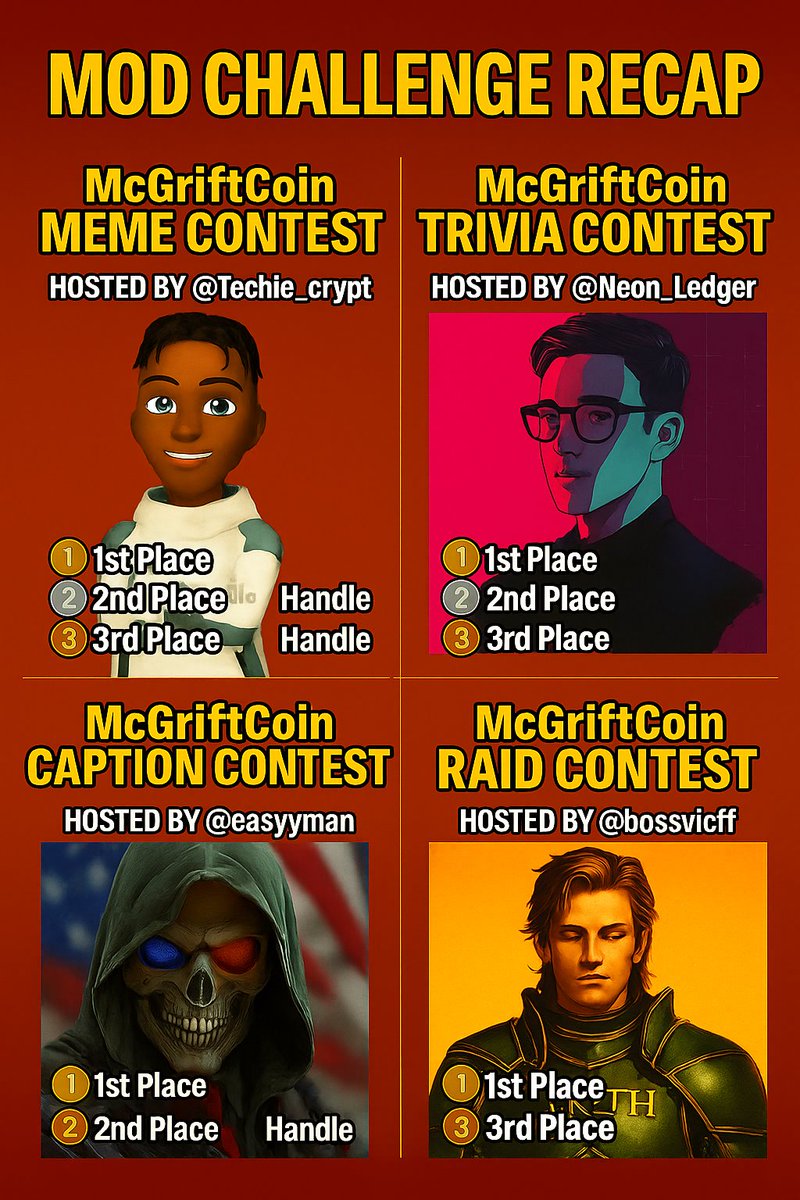
McGriftCoin Mod Challenge – Weekly Recap 🧩
This week, the GRTX community brought the chaos… and our Mod contestants delivered 🔥
Here’s what went down:
🎭 @Techie_Crypt kicked it off with a Meme Contest
🧠 @Neon_Ledger dropped a fast-paced Trivia Battle
📝 @easyyman12 ran a Caption Contest full of sarcasm
⚔️ @bossvicff launched a Raid Challenge to shake the timeline
💥 Total prize pool: $220 a few extra Winner by Grift Team Picks! It was an Epic Week 😎
🗳️ Community poll live now.
Winners? That’s for the team to decide. But the energy? Undeniable.
#McGriftCoin #GRTX #ModChallenge #CryptoCommunity #Recap
2
3
314
22 Jun 2025
McGriftCoin Raid Contest – Winners Recap! ⚔️
Hosted by @bossvicff – the man who stormed the X battlefield with full GRTX fury 💣
The raids were loud. The engagement was real. And a few poor hashtags will never recover...
🚨 Top Operatives:
🥇 1st Place – @gigranam
🥈 2nd Place – @synthaxweb3
🥉 3rd Place – @entitled_1
Major shoutout to every soldier who jumped in.
@bossvicff pulled no punches and brought that takeover energy 🔥
#McGriftCoin #RaidContest #GRTXTakeover #ModChallenge #WinnersCircle
5
2
8
581
22 Jun 2025
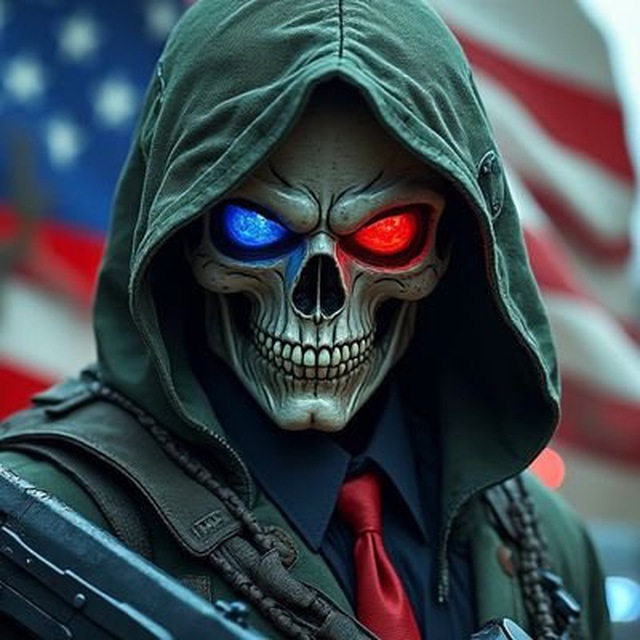
McGriftCoin Caption Contest – Winners Recap! 📝
Hosted by the chaos himself — @easyyman12☠️
This one brought the heat and the sarcasm — and the captions? Absolutely unhinged (in the best way).
📢 Top 3 Wordsmiths:
🥇 1st Place – @YieldChaser32
🥈 2nd Place – @kaydox_001(TG)
🥉 3rd Place – @ThomasOjew62080
If your caption didn’t make the cut... blame your inner writer, not the skull in a hoodie. 😏
@easyyman12 delivered dark wit and wild vibes — Grift would approve 💀🔥
#McGriftCoin #CaptionContest #ModChallenge #GRTXWinners
2
1
4
213

19 Jun 2025
THIS A CALL TO ALL RAIDERS 🪄🪄🪄
DON'T MISS OUT ON $DOBBY'S RAID CONTEST
MORE INFO 👇
#CryptoRaid #TakeoverTime #ModChallenge #Raidtoearn #Elflife #DobbyCoin
18 Jun 2025

🎮Its always fun & games in the community TG chat 😁🎯
DOBBY June $50 Token Prize Pool Raid Challenge starts NOW! ⚔
At end of month -- 3 Top Raiders and community members will be announced!.. be the top raiders on 20D raider leaderboard and win magic! 🪄
🎉Rewards & Prizes:
⚔$20 in Dobby to the #1 Raider
⚔$15 in Dobby to #2 Raider
⚔$15 in Dobby to #3 Raider
Ready to cast your magic on the battlefield?! GO! 🪄💫✨
5
6
7
93
18 Jun 2025
Day 11 of ModChallenge How I Handle Time Zones as a Global Mod
One of the toughest parts of modding in Web3?
Time zones.
Your team’s in Asia, the founder’s in the U.S., your users are global.
Here’s how I stay on top of it all (without losing sleep) 👇
1🗓 I keep a UTC-first mindset.
Almost every major Web3 event mint, airdrop, AMA is announced in UTC.
I’ve trained myself to think in UTC before converting.
This helps me avoid mistakes and give clear info fast.
2🕒 I use World Time Buddy / Timezone.io
These tools let me compare my time with my team’s and key community zones.
Before I agree to a call or host an AMA, I check this first.
No more “I thought it was 6pm my time” errors.
3⏰ I set reminders for key shifts.
I mod for multiple projects, so I use Google Calendar and label reminders like:
→ “Dev AMA (6pm UTC)”
→ “Discord cleanup (12 noon UTC)”
→ “Snapshot ends in 2hrs!”
Time management = trust earned.
4🌙 I don’t try to cover every shift.
Burnout is real.
I choose my most alert hours and let my team know when I’m offline.
We create overlapping shifts to keep the chat covered.
Teamwork over overwork.
5📌 I communicate time info clearly.
When users ask “When is the mint?”, I reply:
→ “June 15, 6pm UTC (that’s 7pm WAT / 1pm EST)”
Clear, localized info = fewer repeated questions.
Being a global mod means working smart not 24/7.
Respect your energy. Know your zones. Build your system.
The best mods don’t burn out. They build out smart routines.
2
8
179
18 Jun 2025
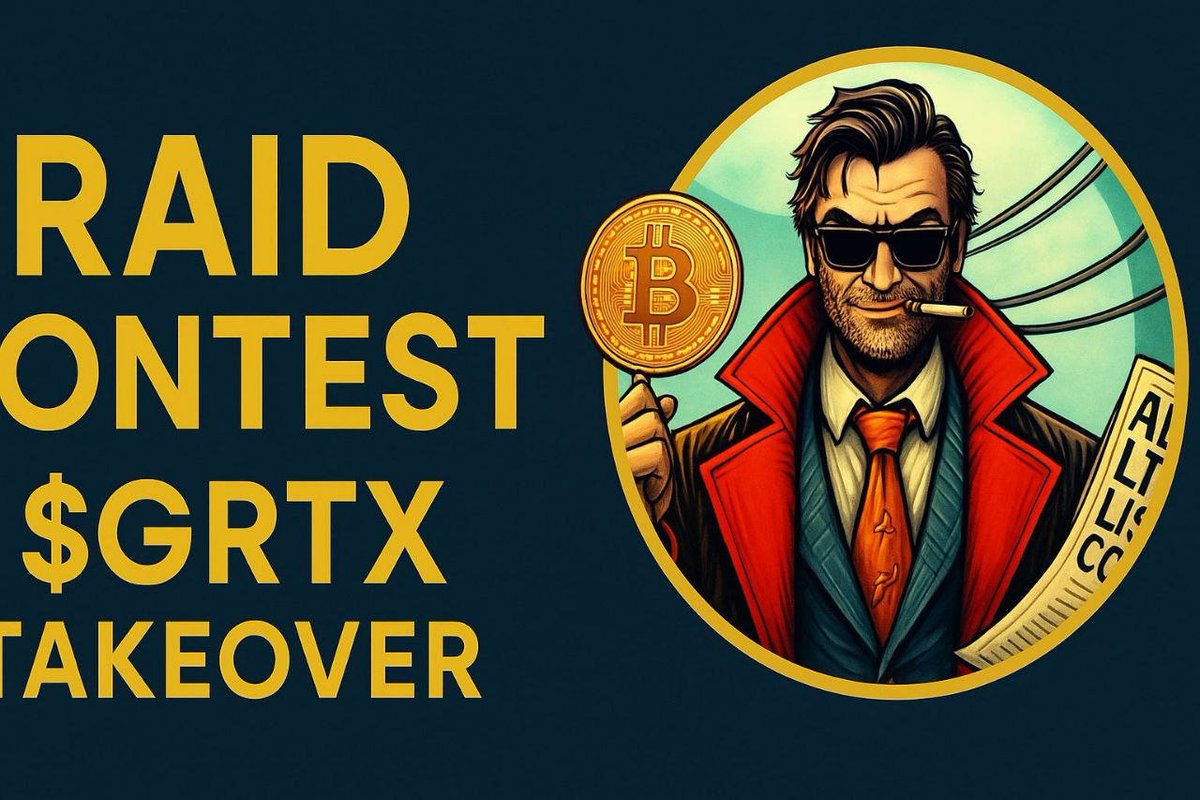
⚔️ RAID CONTEST ALERT – GRTX TAKEOVER INCOMING!
Part of the McGriftCoin Mod Challenge 💣
Hosted by @ban_due1 MOD Challenger #1 contender pushing for the crown 👑
🧨 Spread the word. Raids about to go down in Mcgrift History. Show your GRTX grit.
💰 Prize Pool: $55 – Only the loud survive.
📸 Must Join our Telegram link in Bio to participate!
Be apart of the Mcgriftcoin movement!
⏰ Ends in 5 days – don’t slack!
#McGriftCoin #GRTX #CryptoRaid #TakeoverTime #ModChallenge
13
5
15
1,404
17 Jun 2025
Day 10 of ModChallenge My Go-To Tools as a Web3 Moderator
Being a mod isn’t just about vibes.
It’s about efficiency, clarity, and speed and the right tools make that 10x easier.
Here are the ones I use (and why) 👇
1🛠️ Google Keep or Notion
I use these to store:
→ FAQs
→ Pinned messages
→ Team announcements
→ Community rules
So when someone asks “When’s the mint?” for the 100th time, I just copy paste ✅
2📊 Combot (Telegram)
Tracks engagement, spam, top users, and keyword alerts.
I use it to:
→ spot trends
→ monitor community health
→ catch toxic patterns early
Pro tip: set keyword triggers for common FUD topics.
3🤖 MEE6, Dyno, Wick (Discord)
These bots handle:
→ Role assignments
→ Auto-welcome messages
→ Raid protection
→ Rule enforcement
I let bots do the heavy lifting, so I can focus on connection.
4📆 Google Calendar Reminders
Mod calls, AMAs, drops, team syncs.
If you’re modding for multiple projects, this keeps you sane.
Set reminders for giveaways, snapshot times, or channel cleanups.
5📂 Shared mod folders
Create a simple shared Google Drive or Notion page for your team.
→ SOPs
→ Team contacts
→ Emergency actions
→ Screenshots of abuse or reports
Professional mods are organized mods.
There’s no badge for being a chaotic mod.
But when you come prepared, people notice.
And that’s how you turn one gig into ten.
What tools do you swear by as a mod?
Drop yours 👇
1
11
177
16 Jun 2025
Day 9 of ModChallenge
5 Daily Habits That Make Me a Better Mod
Modding isn’t just about being online.
It’s about showing up well every single day.
Here are 5 simple habits that keep me sharp, useful, and valuable as a Web3 mod 👇
1 I read at least 1 update about the project or ecosystem.
Whether it’s from the devs, X (Twitter), or a newsletter
Staying informed helps me respond faster and more accurately when questions come.
Smart mods are resourceful mods.
2 I set “check-in hours.”
Instead of refreshing the chat every 5 minutes,
I schedule 2–3 time blocks to:
→ catch up on convos
→ answer questions
→ boost activity
It reduces burnout & boosts consistency.
3 I pin helpful messages.
If I see a great explanation or FAQ, I pin it or save it for later.
This builds a strong knowledge base and helps new users settle in faster.
Organized mods = reliable mods.
4 I start at least one conversation.
Whether it’s a poll, a “GM fam,” or a shoutout
I never let the chat go fully cold on my watch.
One message can spark ten more.
5 I log what I do.
Quick note:
→ Helped 3 users
→ Muted a spammer
→ Shared project update
→ Started poll
Why?
It helps me track growth build a mod portfolio.
Receipts matter in Web3.
Being a great mod isn’t luck.
It’s built on small, daily actions that compound over time.
Keep showing up. Keep improving.
The space sees your effort even if it’s quiet right now.
2
12
141