
Jun 11
You stated your own problem with the first word...msedge NEVER use that browser!
1
40

Jun 10
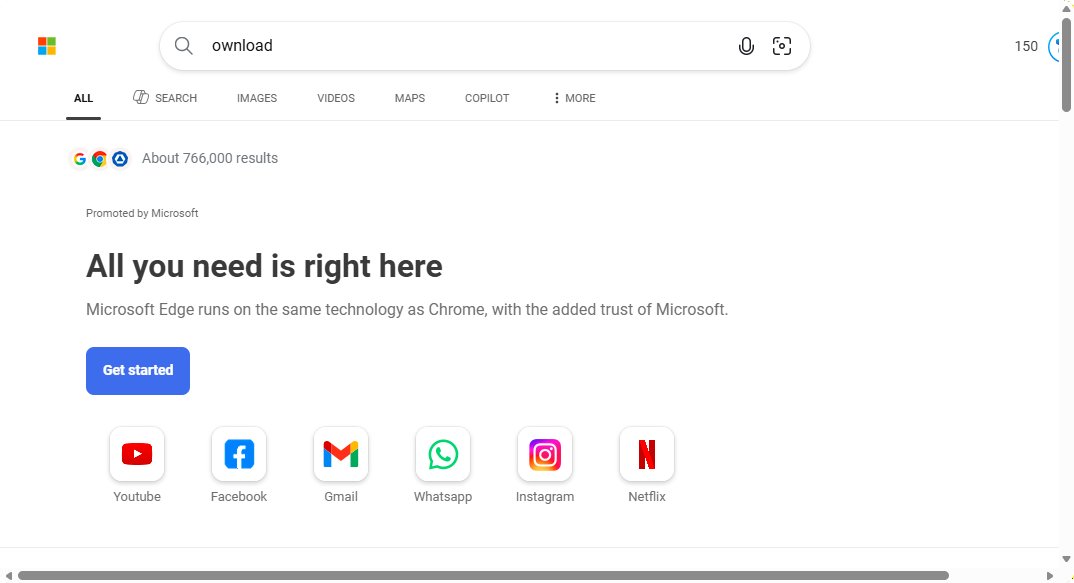
Searching "ownload" on bing in msedge brings you the "don't switch to chrome" page. Doesn't happen if you search "Download"
1
50


Fix for Edge's rounded corners:
Right-click Edge in Start Menu → Open file location → right-click shortcut → Properties → Target field, add after existing text:
--enable features=msForceNoRoundedCornerAndMargin
Click Apply → OK
#msedge #microsoftedge
2
3
95
@Microsoft @MicrosoftEdge 2 days ago I was telling how good edge was....today I see the rounded corners in the browser with zero options to toggle it off.
Wasted space on the sides looks so bad. Plz give the toggle option.
#msedge #microsoft #microsoftedge
2
4
78

Tak samo nie należy zapamiętywać loginów i haseł w przeglądarkowym menadżerze haseł bo ze względu na to jak są zbudowane, to najzwyczajniej szyfrowanie ich baz danych jest po prostu… kiepskie. No chyba, że używacie #MSEdge, to wtedy wasze hasła są zapisane w #plaintext 🫠…
1
2
28

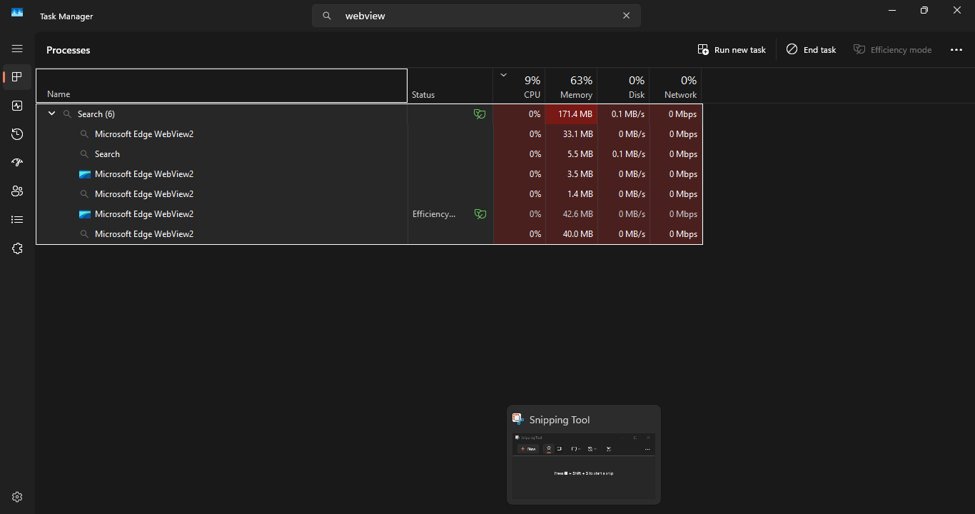
Hi, @Microsoft this is a view of MSEdge view which I don't ever use and was not on web (airplane) when I searched my taskmanager to understand why it siad I was uploading/downloading?
@RaeRobi63950 can you explain how it would be running when I have deleted the program and icon?
2

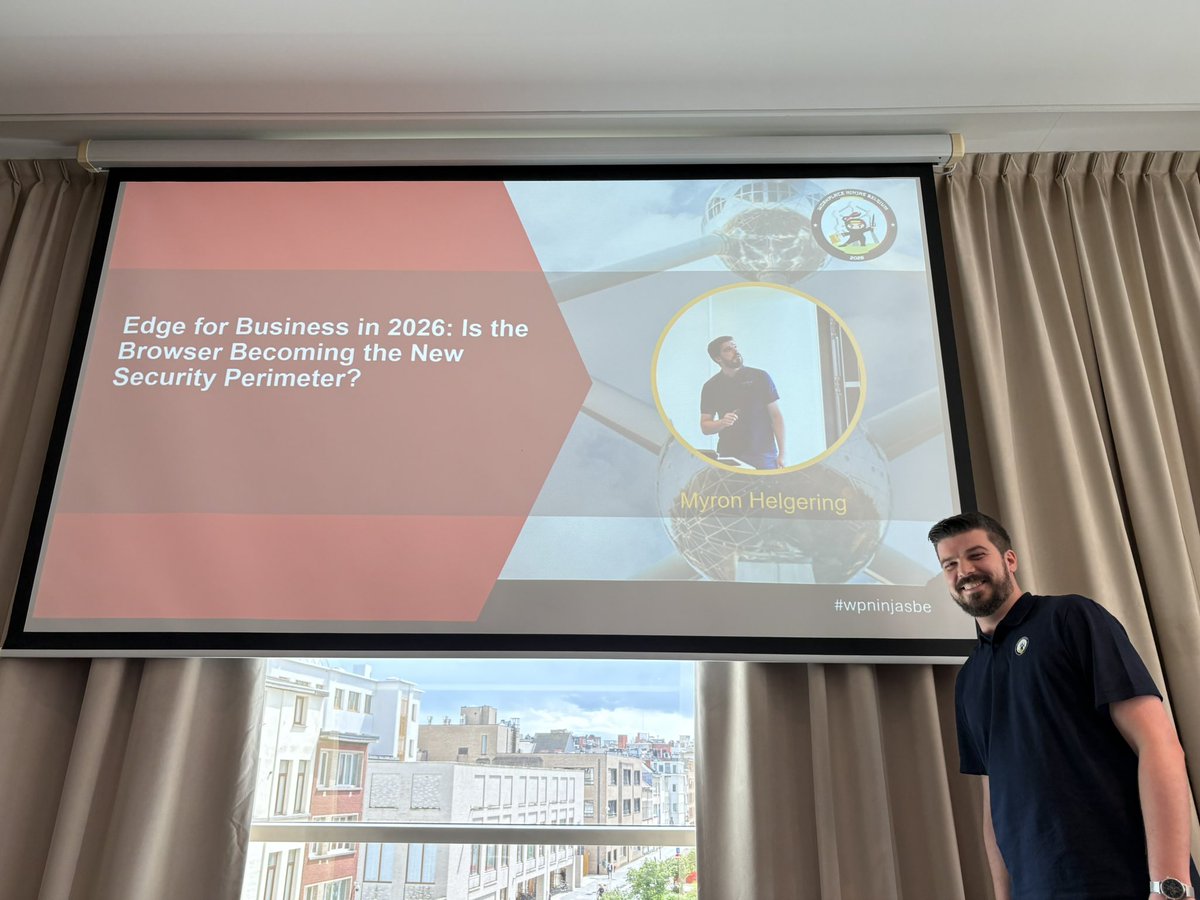
5th session of the @wpninjasbe #WPNinjasBE day 'Edge for Business in 2026: Is the Browser Becoming the New Security Perimeter?' by @MyronHelgering #community #MVPBuzz #MSEdge
1
3
27

This allows msedge to use the user's credentials as the key, so even an attacker with code execution (even in the kernel!) can't decrypt data without passing user re-authentication. This also allows using different keys to encrypt different data.
1
2
12
575
This gets even dumber. Microsoft built a VBS enclave into msedge! It protects data even from kernel drivers! That would've been the perfect place to store passwords! And they are using it to store... a bit of static configuration data.

Microsoft Edge loads all your saved passwords into memory in cleartext — even when you’re not using them.
9
32
413
40,669

New blog post: Using sensitivity labels for protecting labeled content in Microsoft 365 online apps
petervanderwoude.nl/post/usi…
#MSIntune #EMS #Windows11 #MSEdge #MSPurview #Microsoft365 #SensitivityLabels
5
27
2,377

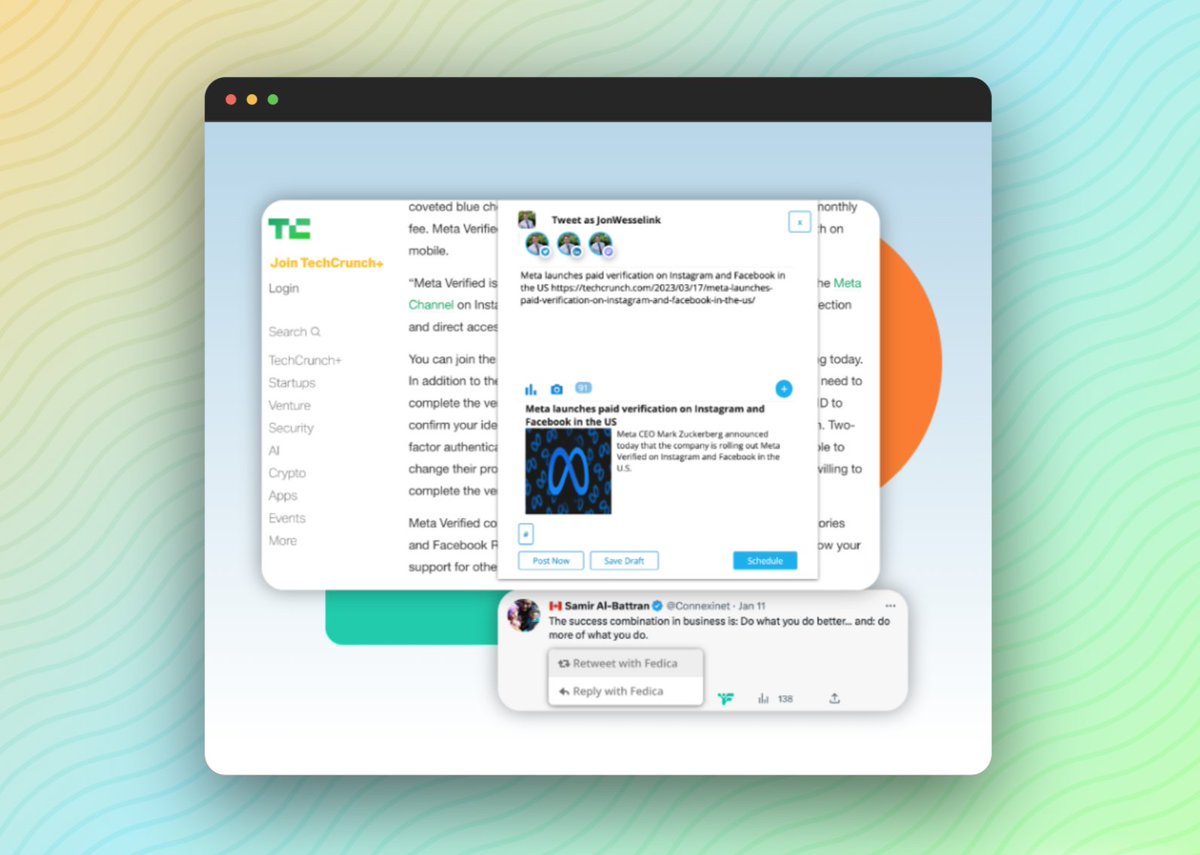

Let's now dive into the next newish feature of Push's browser extension.
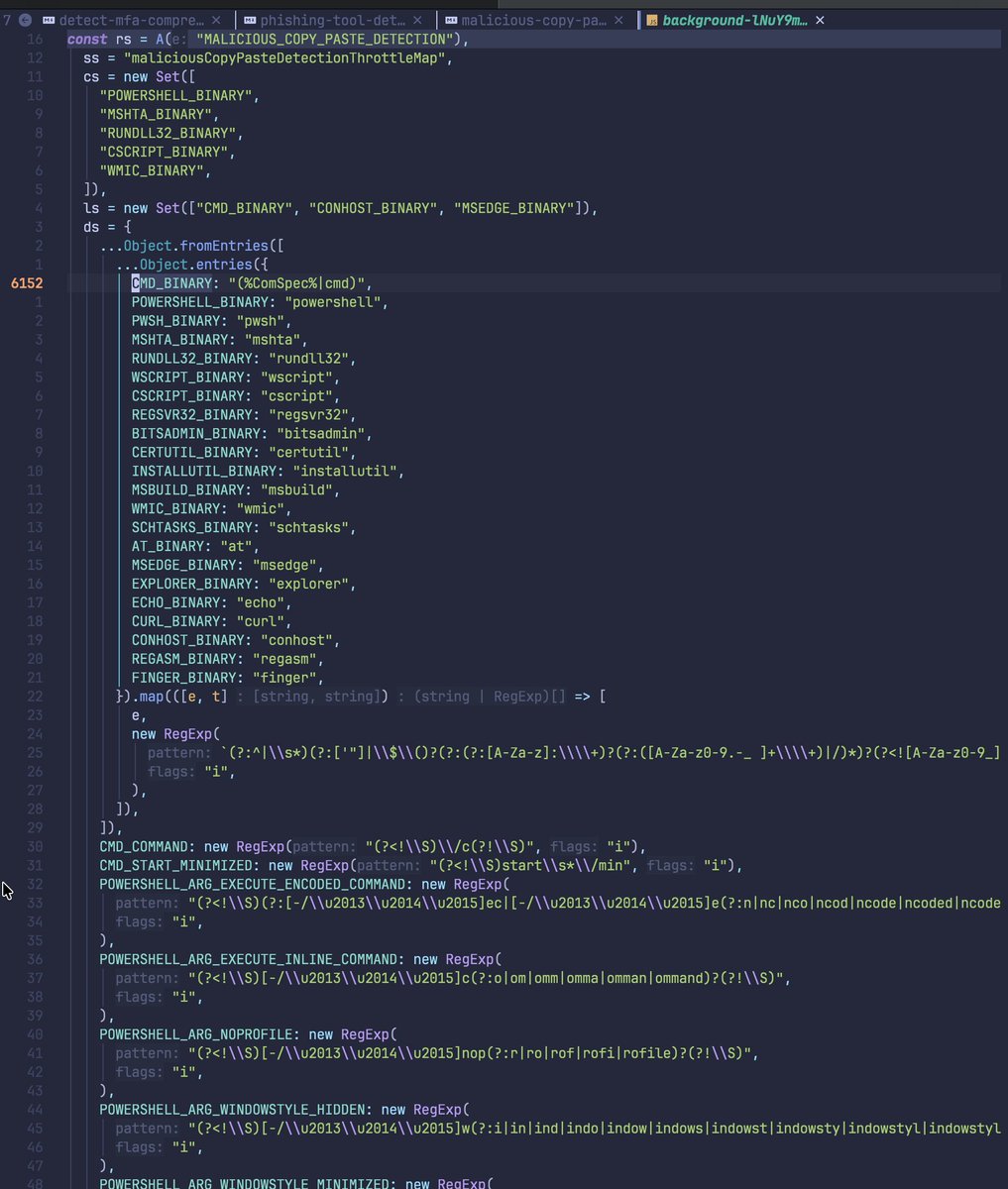
The MALICIOUS_COPY_PASTE_DETECTION feature monitors clipboard operations to detect and prevent users from pasting malicious commands into terminals or command prompts.
This protects against "ClickFix" and similar social engineering attacks where users are tricked into copying and executing malicious payloads.
Going through the detection flow:
0. Content Script hooks clipboard API
1. When the user copies text (a clipboard operation)
2. Copy/Cut Event Intercepted (COPY_OR_CUT_DETECTED message)
3. Pattern Matching then occurs (Windows/Unix)
4. WARN/BLOCK/MONITOR Action
5. Report to the API
Content Script Clipboard Hooks (dist/contentScripts/maliciousCopyPasteDetection/index.js)
The content script intercepts clipboard operations by hooking multiple APIs:
- navigator.clipboard.writeText
- navigator.clipboard.write
- document.execCommand("copy"/"cut")
- EventTarget.addEventListener("copy"/"cut") (Wraps event listeners to capture clipboard data when programmatic copy/cut events fire)
Message Flow:
1. Content script detects copy/cut operation
2. After 1 second debounce, sends COPY_OR_CUT_DETECTED message
3. Background script receives message
4. Pattern matching performed (more on this later)
5. If malicious, action taken based on mode
Pattern Matching is quite naive, albeit functional it has a set of detections for Windows/Unix:
Windows:
1. Binary Detection Patterns (Command Prompts/Powershell/WMIC etc)
2. PowerShell Argument Patterns (e.g -ep bypass or -w minimized)
3. PowerShell Cmdlet Patterns (aka irm/iwr/set-clipboard/start-process)
4. PowerShell Obfuscation Patterns (env variable paths, string concat. obfuscation, quotation based obfuscation, Base64)
5, CMD Patterns (/c argument and start /min)
Equivalent, for Unix it has Binary/Shell Arguments/Shell Redirection patterns (just more regex)
For both platforms, it has generic patterns (URLs, IPs, pipes, base64 with recursive decode)
**Source:** `main.js` lines 50401-50420
Windows commands are considered malicious if:
1. Match starts at position 0 (beginning of text)
2. First match is a "dangerous" binary (POWERSHELL, MSHTA, RUNDLL32, CSCRIPT, WMIC)
3. OR first match is CMD/CONHOST/MSEDGE AND contains a dangerous binary later
4. PowerShell commands must have additional arguments (not just `powershell` alone)
5. Not just a binary name with no arguments
Unix commands are considered malicious if:
1. Contains a shell binary (bash, sh, exec, installer)
2. AND contains network/download tool (curl, wget, /dev/tcp, IP, URL)
3. OR contains base64 operations
HOWEVER, importantly this alone would cause a lot of false positives - and to prevent that before triggering detection, the extension checks if the copied text appears in the visible page content.

Push Security recently added malicious browser extension detection ... here's how it works:
The DETECT_MALICIOUS_BROWSER_EXTENSIONS feature flag is enabled, it uses heuristic detection to identify malicious browser extension behavior on sensitive websites.
If the URL matches 24 sites, of the following categories:
- Authentication Providers (e.g *://*.okta.com/*, *://login.microsoftonline.com/*`)
- Productivity & Cloud (e.g gmail, gdrive, azure portal)
- Finacial and Crypto
- Social/Communication
It'll inject a content script for detection.
It has 2 categories of detections:
1. CSP downgrade - Detects when Content-Security-Policy headers are missing or stripped
2. ChromeAlone (by the notorious @BouncyHat)
Well truthfully speaking, it's one category of detections all based on ChromeAlone's PAINTBUCKET.
What is ChromeAlone you may ask?
ChromeAlone is a credential-stealing browser extension that:
For CSP Downgrade, iff BOTH CSP and CSP-Report-Only are missing/empty (likely aligned to detect ChromeAlone's PAINTBUCKET toolkit)
1. Intercepts Login Forms: Monitors and captures credentials entered into login forms
2. Bypasses MFA: Intercepts WebAuthn/FIDO2 responses to replay credentials
3. Strips Security Headers: Removes CSP headers to inject malicious scripts
4. Uses Message Passing: Communicates between content script and page using specific message patterns
For ChromeAlone specific detection, 4 techniques exist:
1. CHROME_ALONE_01: Detects message passing patterns used by Chrome Alone malware (detect specific message patterns used by ChromeAlone)
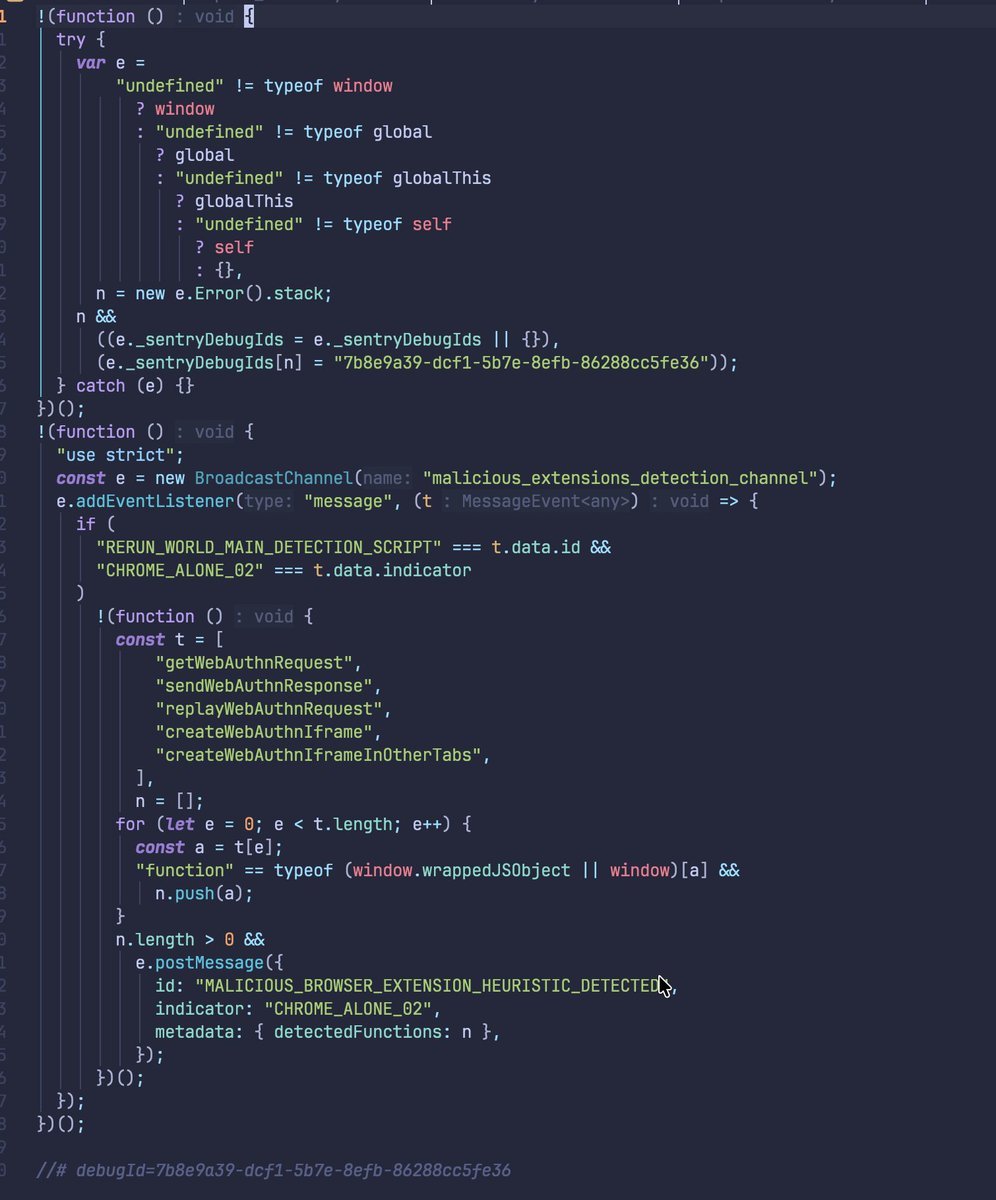
2. CHROME_ALONE_02: Detects WebAuthn manipulation functions in MAIN world (this is Push's first MAIN world content script detection functionality).
ChromeAlone injects these functions to intercept and replay WebAuthn credentials (also PAINTBUCKET)
Note, for MAIN world detections - these can be trivially fooled bypassed as load order matters more than everything.
3. CHROME_ALONE_03: Detects form attribute manipulation. ChromeAlone marks forms it has processed with `data-form-processed` attribute - hence, an easy IoC.
4. CHROME_ALONE_04: Detects suspicious URL parameters (makeWebAuthnRequestParam: params.get("makewebauthnrequest"))
ChromeAlone (PAINTBUCKET) uses `makewebauthnrequest` URL parameter to trigger WebAuthn interception
The isolated world script (dist/contentScripts/maliciousBrowserExtensions/chromeAlone/index.js)
- Monitors window messages for CHROME_ALONE_01
- Checks DOM for CHROME_ALONE_03 and CHROME_ALONE_04
MAIN world script (dist/contentScripts/maliciousBrowserExtensions/chromeAloneMain/index.js)
- Checks global functions for CHROME_ALONE_02
Screenshots are captured when detection occurs, and detection events include navigation trace for forensic analysis:
1
12
3,618

May 11
Edge question, have you started testing your enterprise apps with XSLT - disabled?
"Organizations are encouraged to proactively test setting XSLTEnabled = Disabled"
techcommunity.microsoft.com/…
#MSEdge #MSintune
0%
Yes
100%
No
4 votes • Final results
4
10
1,587

May 10
Windows laptop, Msedge and Google Chrome. (the complete eavesdropping kit ever made)
Bro this laptop isn't yours 😂

1
29
7,746

May 6
But the fridge does not have PIN protected door (MSedge). They should PIN protect the fridge door just as Chrome does it. Crowd screams.
Crowd doesn't realize the PIN is on a sticky note in the next room. Zero security added. The attacker already breached the house front door.
7
1,077