
Apr 23
Fixed:
- --no-builtin-tools and createAgentSession({ noTools: "builtin" }) now disable only built-in tools while keeping extension tools active. (#3592)
- SettingsManager.inMemory() initial settings no longer lost after SDK resource load reloads. (#3616)
1
3
234
Apr 23
Pi v0.70.0 is out.
Highlights:
- GPT-5.5 Codex added with xhigh reasoning and corrected priority-tier pricing
- /login provider selector now supports fuzzy search filtering
- OSC 9;4 terminal progress is now opt-in; set terminal.showTerminalProgress to true in /settings to re-enable
- --no-builtin-tools and createAgentSession({ noTools: "builtin" }) now disable only built-in tools, not extension tools
Complete details in thread ↓
2
4
77
4,210

Apr 15
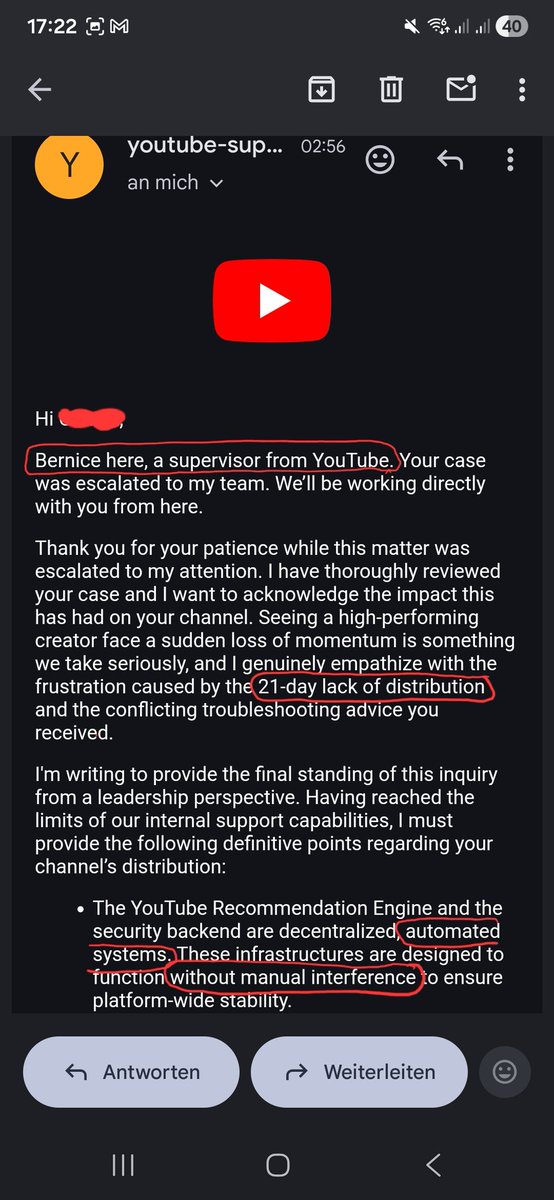
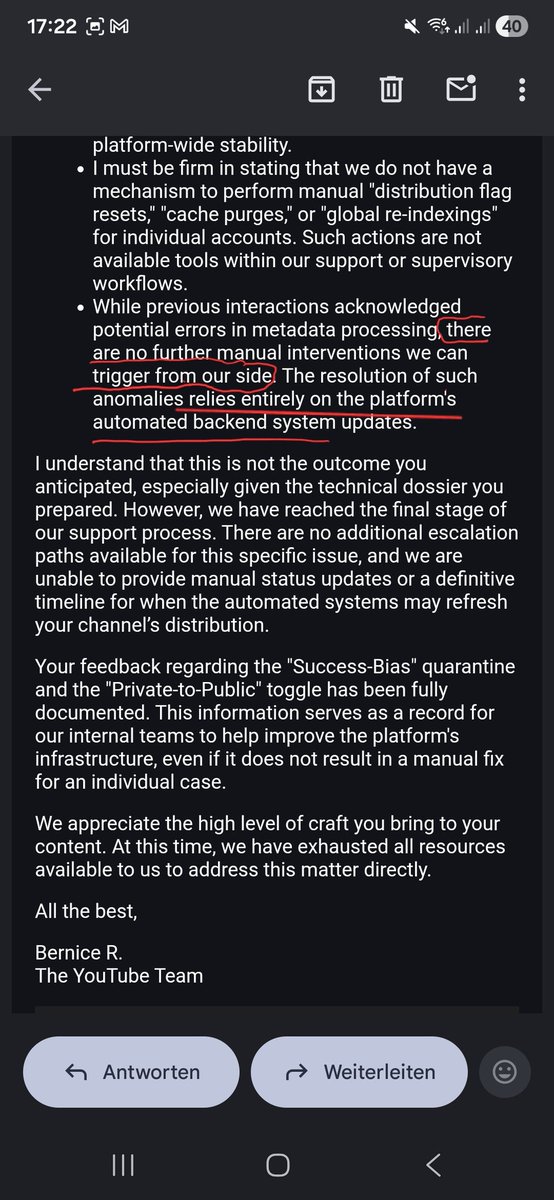
A YouTube Supervisor officially admits they have NO TOOLS to fix their own broken AI distribution. The machine is running the show now and the humans are just watching it burn.
"No further manual interventions we can trigger" – Direct quote.
System failure confirmed. The humans have officially left the building. 🛡️🔥
#YouTubeLeaks #NoTools #SkynetIsHere #SheepInvasion
3
67

12 Oct 2025
# 個人データビューワー→MCP化の完全ガイド
このガイドは、Kindle・Kobo・PDF・Booklog・Twitterアーカイブなどの個人データから、HTML Viewer → CLI → MCP Server まで一気通貫で構築した実践記録です。
## 📚 ステップ1:データ収集
### 書籍データの収集
**Kindle**
- Chrome拡張機能を使用してライブラリ情報を抽出
- JSON形式で出力(タイトル、著者、ASIN、取得日など)
**Kobo**
- ローカルのKoboライブラリデータベース(SQLite)から情報抽出
- JSON形式で出力
**PDF**
- Google Driveなどに保存されたPDFファイルのメタデータを抽出
- PDFライブラリやファイル情報から著者・タイトルを取得
**Booklog**
- CSV形式でエクスポート
- 読書状況などの追加情報を含む
### Twitterデータの収集
**アーカイブのダウンロード**
- X(Twitter)の設定からアーカイブをリクエスト
- `tweets.js`などのファイルを含むZIPファイルを取得
## 🎨 ステップ2:HTMLビューワーの作成
### AIへの指示例
```
「以下のJSONデータをもとに、書籍を検索・フィルター・表示できるHTMLビューワーを作ってください:
- kindle.json
- kobo.json
- pdf_books.json
- booklog_utf8.csv
必要な機能:
- キーワード検索(タイトル・著者)
- ソースでフィルター(Kindle/Kobo/PDF/Booklog)
- 読書状況でフィルター(既読/未読)
- ジャンルでフィルター
- ソート機能(取得日順など)
- レスポンシブデザイン
」
```
### AIが生成してくれるもの
✅ HTML CSS JavaScriptの完全なビューワー
✅ データ読み込み処理
✅ フィルタリング・検索ロジック
✅ 見やすいUI(カード形式など)
✅ ダークモード対応(オプション)
### 同様にTwitterビューワーも
```
「tweets_all.jsonをもとに、Twitterアーカイブビューワーを作ってください:
必要な機能:
- キーワード検索
- 日付範囲フィルター
- オリジナル/RT/リプライでフィルター
- スレッド表示
- 画像表示
- ページネーション
」
```
## 💻 ステップ3:CLIツールの作成
### AIへの指示例
```
「先ほど作成したHTMLビューワーと同じ機能を持つCLIツールを作ってください:
/Users/daisukemiyata/aipm_v3/Stock/programs/Tools/projects/book_viewer/
以下のファイル構成で:
- book_cli.py(メインスクリプト)
- bk(ショートカットスクリプト)
必要な機能:
- 引数でキーワード検索(-q, --query)
- 読書状況でフィルター(-r, --read-status)
- ソースでフィルター(-s, --source)
- ジャンルでフィルター(-g, --genre)
- 件数制限(-l, --limit)
- 統計表示(--stats)
」
```
### AIが生成してくれるもの
✅ `argparse`を使った本格的なCLI
✅ HTMLビューワーと同じフィルタリングロジック
✅ 統計情報の集計・表示
✅ カラフルな出力(絵文字など)
## 🔌 ステップ4:MCP Server化(重要!)
### 事前準備:公式ドキュメントを読み込ませる
**重要**: MCPはモデルに知識が少ないため、公式ドキュメントを読み込ませることが必須です。
```
「以下のMCP公式ドキュメントを参考に、MCPサーバーを作成してください:
modelcontextprotocol.io/docs…
spec.modelcontextprotocol.io…
特に以下を重視:
- stdio通信方式
- mcp Python SDKの使い方
- Tool定義の方法
」
```
### AIへの具体的な指示
```
「book_cli.pyをMCPサーバー化してください:
1. mcp Python SDKを使用
2. 以下のツールを提供:
- book_search: 書籍検索
- book_stats: 統計情報表示
3. 仮想環境を作成してmcp SDKをインストール
4. server.pyを作成
5. .cursor/mcp.jsonに設定を追加
」
```
### MCP化のコツ(重要!)
#### 1. **仮想環境の作成が必須**
```bash
# プロジェクトごとに専用の仮想環境を作る
cd /path/to/project
python3 -m venv venv
./venv/bin/pip install mcp
```
#### 2. **stdio通信を使う**
MCPはHTTPではなく**stdio**(標準入出力)で通信します。
```python
# ❌ NG: http.serverを使う
# ✅ OK: mcp SDKのToolServerを使う
from mcp import Tool, ToolServer, ToolServerConfig
server = ToolServer(config)
server.run() # これがstdio通信を自動で処理
```
#### 3. **mcp.jsonの設定**
```json
{
"mcpServers": {
"book-viewer": {
"command": "/絶対パス/venv/bin/python",
"args": [
"/絶対パス/server.py"
]
}
}
}
```
**重要ポイント**:
- `command`は仮想環境内のPythonの**絶対パス**
- `args`はserver.pyの**絶対パス**
- 相対パスは使わない
#### 4. **Tool定義のパターン**
```python
book_search_tool = Tool(
name="book_search",
description="書籍を検索・フィルターします。",
parameters={
"type": "object",
"properties": {
"query": {
"type": "string",
"description": "検索キーワード"
},
"limit": {
"type": "integer",
"description": "表示件数"
}
}
},
function=lambda query=None, limit=10: {
"results": cli.search(query, limit)
}
)
```
#### 5. **デバッグ方法**
**ターミナルで直接起動してテスト**:
```bash
cd /path/to/project
./venv/bin/python server.py
# エラーメッセージを確認
```
**Cursor再起動が必要**:
- mcp.json変更後は必ずCursorを完全再起動
- 設定が反映されないと「NoTools」エラーになる
## 🎯 全体フロー図
```
データ収集
↓
JSON/CSV化
↓
HTMLビューワー作成(AIに丸投げ)
↓
動作確認・改善
↓
CLIツール作成(AIに丸投げ)
↓
動作確認
↓
MCP化(公式ドキュメント読み込ませ必須)
↓
仮想環境作成
↓
server.py作成
↓
mcp.json設定
↓
Cursor再起動
↓
動作確認
```
## 🚀 実際に作成したツール
### Book Viewer
- **データソース**: Kindle、Kobo、PDF、Booklog(計3,938冊)
- **HTML Viewer**: `book_viewer.html`
- **CLI**: `book_cli.py` `bk`
- **MCP Server**: `server.py`
- **ツール**: `book_search`, `book_stats`
### Twitter Viewer
- **データソース**: Twitterアーカイブ(36,000ツイート)
- **HTML Viewer**: `twitter_viewer.html`
- **CLI**: `twitter_cli.py` `tw`
- **MCP Server**: `server.py`
- **ツール**: `twitter_search`, `twitter_stats`
## 💡 成功のポイント
### 1. **段階的に進める**
いきなりMCPを作らず、HTML → CLI → MCP の順で進める。各段階で動作確認。
### 2. **AIに丸投げできる部分、できない部分を見極める**
**丸投げOK**:
- HTMLビューワーの実装
- CLIツールの実装
- データ正規化ロジック
**人間の介入が必要**:
- MCP公式ドキュメントの提示
- mcp.jsonの設定確認
- Cursorの再起動
- デバッグ時の問題切り分け
### 3. **公式ドキュメントは必須**
MCPはまだ新しい技術で、モデルの知識が不足している。以下を必ず読み込ませる:
- modelcontextprotocol.io/
- spec.modelcontextprotocol.io…
- Python SDK: github.com/modelcontextproto…
## 📝 AIへの指示のコツ
### HTMLビューワー作成時
```
✅ 「〜の機能を持つビューワーを作って」
✅ データファイルのパスを明示
✅ 必要な機能をリスト形式で列挙
✅ UI/UXの要望があれば具体的に
```
### CLI作成時
```
✅ 「HTMLビューワーと同じ機能のCLIを作って」
✅ ファイル名・保存場所を指定
✅ 引数の仕様を明示(-q, --queryなど)
✅ 出力形式の要望(テーブル、JSON等)
```
### MCP化時
```
✅ 「公式ドキュメントを参考に」と明示
✅ 仮想環境の場所を指定
✅ .cursor/mcp.jsonの場所を明示
✅ Tool名とdescriptionを具体的に指定
```
## 🎯 結論
**HTMLビューワー → CLI → MCP** という段階的アプローチが成功の鍵。
特にMCP化は:
1. **公式ドキュメントを読み込ませる**
2. **仮想環境を必ず使う**
3. **絶対パスで設定**
4. **Cursor再起動を忘れない**
この4点を守れば、AIが9割やってくれます!
---
**作成日**: 2025-10-12
**プロジェクト**: Book Viewer & Twitter Viewer
**技術スタック**: Python, mcp SDK, HTML/CSS/JS
1
1
10
1,479


25 Aug 2025
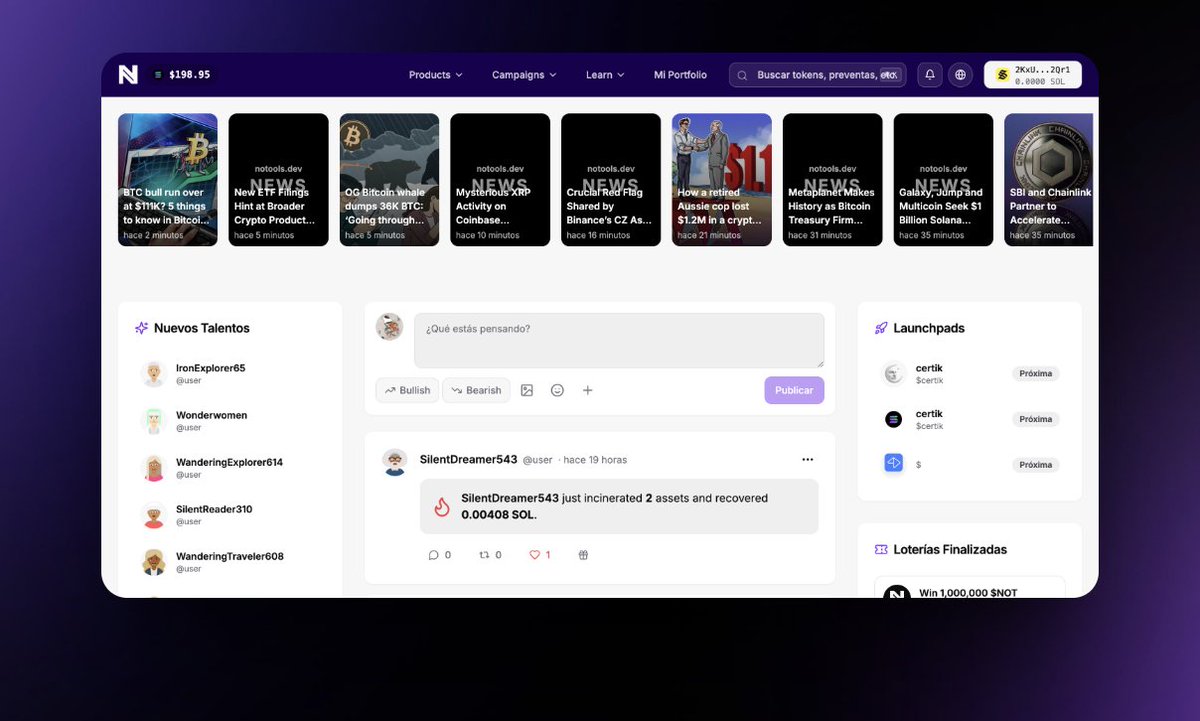
$NOT LEVELING UP! 🔥
Clones fade, originals evolve.
Welcome to DeSN → a new concept, never seen before.
Notools 0.0.2 is coming… get ready. 🚀
🌐 notools.dev
CA: Ahdw7fSoWFbvaz8Y56gPRjzNzCBUw8jzLrU3d4uKBAGS
X: x.com/notools
$NOT $SOL $ETH $DEGEN
24
8
11
59

25 Aug 2025
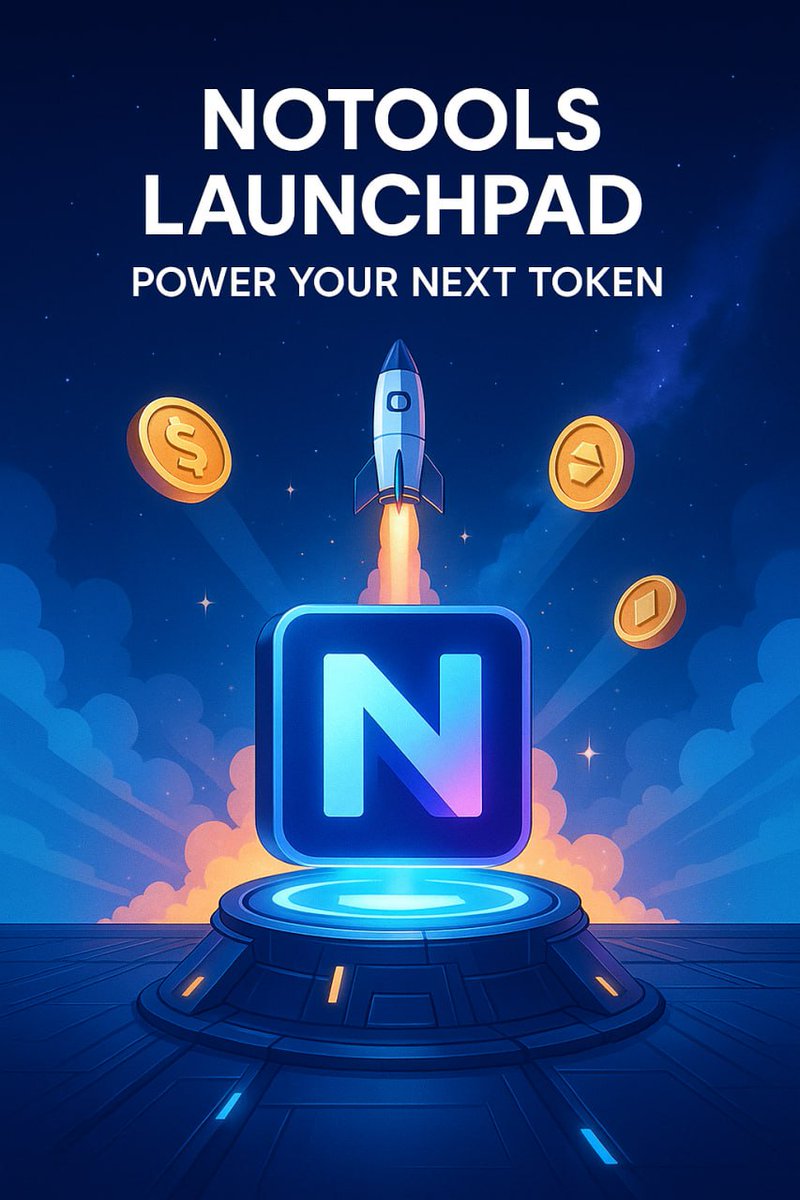
While other projects fade, #NOTOOLS keeps charging the ecosystem with real solutions.
💎 While weak hands beg for pumps, real degens know: utility = survival.
🌐 notools.dev
CA: Ahdw7fSoWFbvaz8Y56gPRjzNzCBUw8jzLrU3d4uKBAGS
#Solana #Crypto #NoTools
20
10
13
95


24 Aug 2025
DEX PAID
Name: NoTools
Ticker: NOT
CA: FUeERLCUEB6NdLjVCdSF3B47qdzc8gBEruT74yYX5yUn
Market Cap: 71530
dexscreener.com/solana/FUeER…
1
234

22 Aug 2025
Notools is the first AI-powered utility for Web3.
Recover Solana from other tokens, run lotteries for your coins, generate assets and launch airdrops—faster and smarter with AI.
bags.fm/Ahdw7fSoWFbvaz8Y56gP…
$SOL #SOLANA @BagsApp @finnbags
7
17
11,224
22 Aug 2025
🚀 The Vine community is CTO, and that’s why we want to propose something special:
🎟️ Launching a Vine Lottery on the Notools platform — designed to reward its followers and strengthen the bond with the community.
If you support the proposal, let’s make it happen together.
Let’s build value. Let’s reward the community.
#Vine #Notools #Solana #Web3 #Lottery $VINE $NOT

4
15
6,205
21 Aug 2025
Big updates are coming to Notools! Get your position early — we’re buying back the token with profits, adding rewards for holders, and aiming for $10M MCAP in 4 months. $NOT $SOL
dexscreener.com/solana/chqem…
7
10
22
13,330
19 Aug 2025
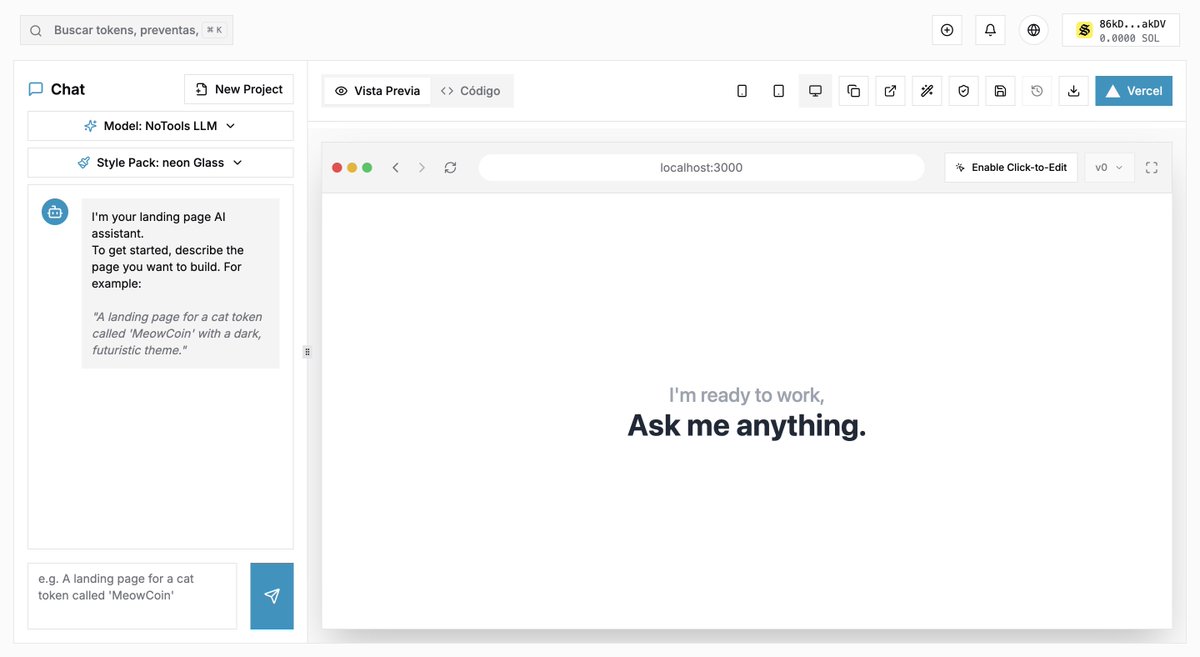
✨ Coming Soon: We’re about to launch our Web Suite Builder —
A platform where, through a token, you can generate your own professional landing page or website with all the modern features without writing a single line of code.
🌐 Fully responsive on any device
⚡ Automatic deployment on Vercel
🔗 Direct integration with a live GitHub repository
In just minutes, you’ll have a professional, scalable, and production-ready website, ready to share with the world. 🚀
CA Ahdw7fSoWFbvaz8Y56gPRjzNzCBUw8jzLrU3d4uKBAGS
$NOT #NOTOOLS #SOLANA $LIGHT #RELIGION
6
4
14
36,367

17 Aug 2025
I help projects skyrocket with a 10 bucks promo strategy and you can pay with your tokens
DM me or follow so I can dm notools
1
26
16 Aug 2025
2
9
646

16 Aug 2025
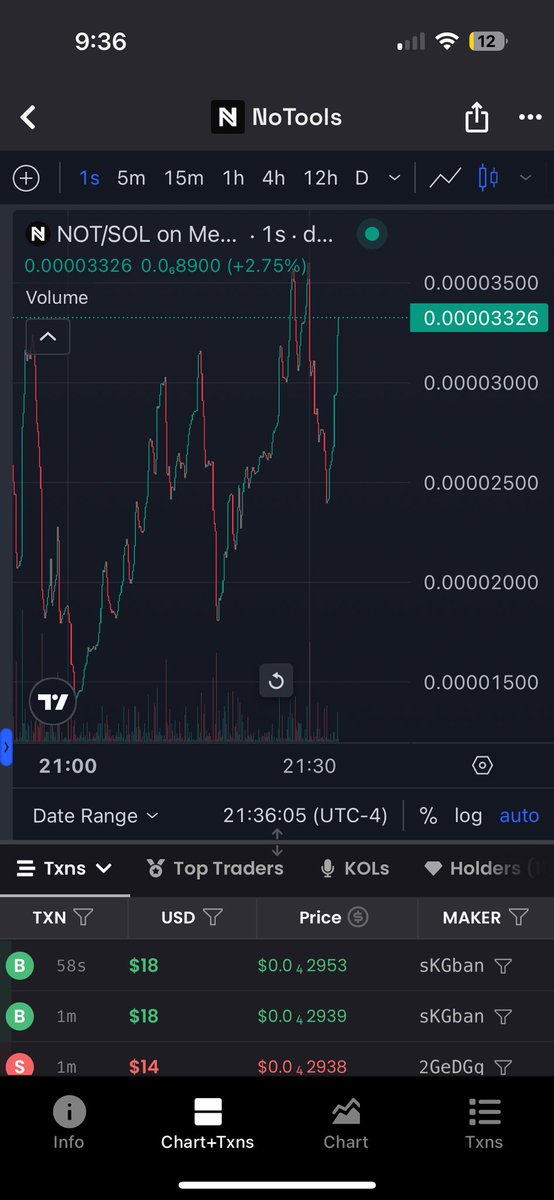
🚀 Notools is the no-code platform to build your entire crypto ecosystem:
✨ Tokens
🤖 Bots (volume Bonk, Pump, etc.)
🌐 AI-powered websites
👥 Communities
🚀 Launchpads & Bundlers
🎁 Airdrops
... and much more!
📌 Examples:
Token creation Website builder in minutes
Bundler Launch all-in-one
Automated volume bots
🪪 CA: Ahdw7fSoWFbvaz8Y56gPRjzNzCBUw8jzLrU3d4uKBAGS
#Solana #NoCode #CryptoTools $NOT $SOL
3
1
11
6,739

15 Aug 2025
No Tools
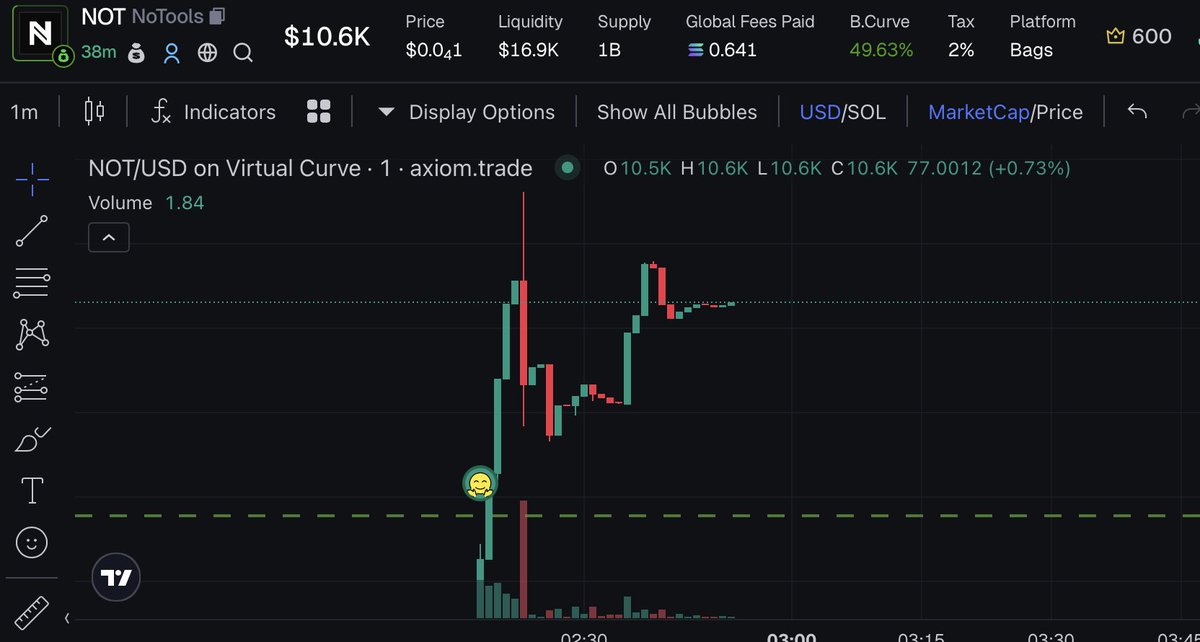
Notools is a no code tool to create tokens, web ai, community, launchpads, bot, airdrops and lots of more features.
Ca : Ahdw7fSoWFbvaz8Y56gPRjzNzCBUw8jzLrU3d4uKBAGS
x.com/notoolsdev
1
1
162