Markus Junginger retweeted
We just released the first public preview of ObjectBox Mesh Sync (P2P) ☺️
sync.objectbox.io/mesh-sync
Devices can now sync directly with each other without any server or Internet connection, increasing resilience and robustness
#edgeai #localai #datasync
2
2
61

May 18
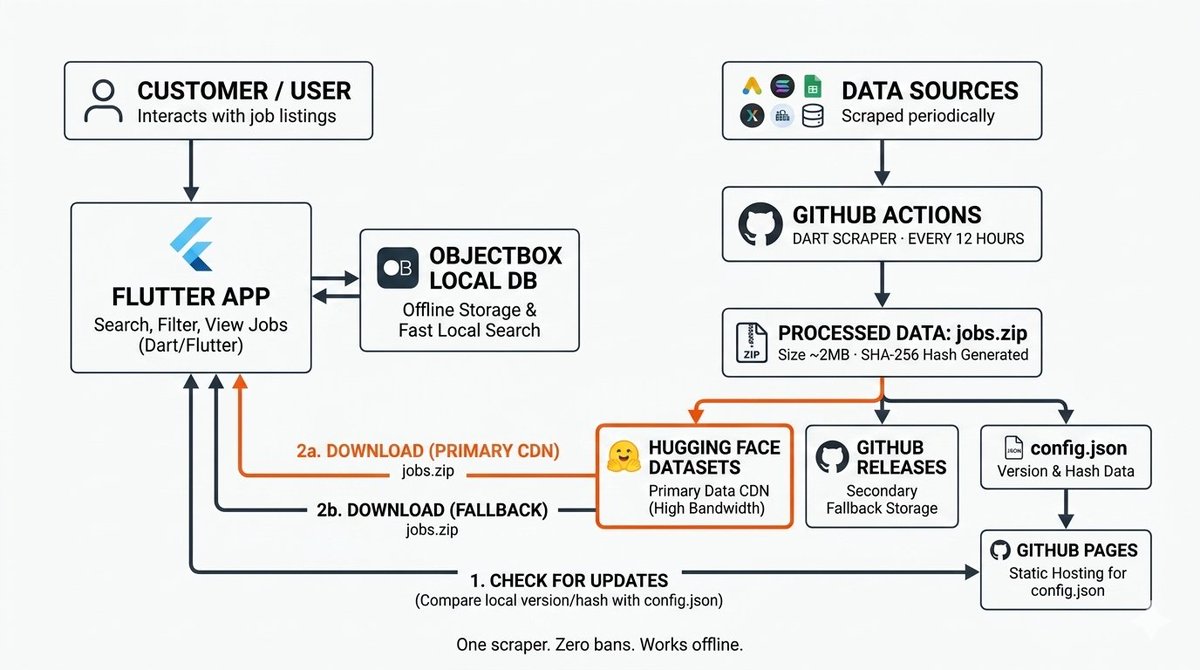
Rebuilt NEXUS V3 from scratch.
Old: every user scraped career pages. 100 users = 100 IPs. Ban risk was real.
New: one GitHub Actions scraper. 295 companies. 30K jobs. 2MB file. Hugging Face delivers it. ObjectBox stores it locally.
Zero servers. Zero cost. Works offline.
3
8
254

Apr 8
📂 Mobile App Stack
┃
┣ 📂 Frontend / Framework
┃ ┣ 📂 React Native
┃ ┣ 📂 Flutter
┃ ┣ 📂 SwiftUI
┃ ┣ 📂 Jetpack Compose
┃ ┗ 📂 Ionic
┃
┣ 📂 Backend & API
┃ ┣ 📂 Firebase
┃ ┣ 📂 Supabase
┃ ┣ 📂 AWS Amplify
┃ ┣ 📂 Backendless
┃ ┗ 📂 Custom NodeJS API
┃
┣ 📂 Local Database
┃ ┣ 📂 SQLite
┃ ┣ 📂 Realm
┃ ┣ 📂 WatermelonDB
┃ ┣ 📂 ObjectBox
┃ ┗ 📂 Drift
┃
┣ 📂 Cloud Database
┃ ┣ 📂 Firebase Firestore
┃ ┣ 📂 Supabase PostgreSQL
┃ ┣ 📂 AWS DynamoDB
┃ ┣ 📂 MongoDB Realm
┃ ┗ 📂 Couchbase Mobile
┃
┣ 📂 Authentication
┃ ┣ 📂 Firebase Auth
┃ ┣ 📂 Supabase Auth
┃ ┣ 📂 Auth0
┃ ┣ 📂 Apple Sign In
┃ ┗ 📂 Google One Tap
┃
┣ 📂 Push Notifications
┃ ┣ 📂 Firebase Cloud Messaging
┃ ┣ 📂 OneSignal
┃ ┣ 📂 Expo Notifications
┃ ┣ 📂 Pusher Beams
┃ ┗ 📂 AirShip
┃
┣ 📂 Payments & Subscriptions
┃ ┣ 📂 RevenueCat
┃ ┣ 📂 Adapty
┃ ┣ 📂 Glassfy
┃ ┣ 📂 Stripe Mobile SDK
┃ ┗ 📂 App Store Connect API
┃
┣ 📂 App Stores & Distribution
┃ ┣ 📂 App Store Connect
┃ ┣ 📂 Google Play Console
┃ ┣ 📂 TestFlight
┃ ┣ 📂 Firebase App Distribution
┃ ┗ 📂 Microsoft App Center
┃
┣ 📂 UI Component Libraries
┃ ┣ 📂 NativeBase
┃ ┣ 📂 React Native Paper
┃ ┣ 📂 Tamagui
┃ ┣ 📂 Gluestack UI
┃ ┗ 📂 SwiftUI Charts
┃
┣ 📂 Navigation
┃ ┣ 📂 React Navigation
┃ ┣ 📂 Expo Router
┃ ┣ 📂 Go Router
┃ ┣ 📂 Voyager
┃ ┗ 📂 SwiftUI NavigationStack
┃
┣ 📂 State Management
┃ ┣ 📂 Zustand
┃ ┣ 📂 Riverpod
┃ ┣ 📂 Redux Toolkit
┃ ┣ 📂 MobX
┃ ┗ 📂 BLoC Pattern
┃
┣ 📂 Media & Camera
┃ ┣ 📂 React Native Vision Camera
┃ ┣ 📂 Expo Camera
┃ ┣ 📂 react-native-image-picker
┃ ┣ 📂 CameraKit
┃ ┗ 📂 SwiftUI PhotosPicker
┃
┣ 📂 Maps & Location
┃ ┣ 📂 Google Maps SDK
┃ ┣ 📂 Mapbox
┃ ┣ 📂 Apple MapKit
┃ ┣ 📂 React Native Maps
┃ ┗ 📂 OpenStreetMap
┃
┣ 📂 Analytics & Attribution
┃ ┣ 📂 Firebase Analytics
┃ ┣ 📂 Mixpanel
┃ ┣ 📂 AppsFlyer
┃ ┣ 📂 Adjust
┃ ┗ 📂 Branch Metrics
┃
┣ 📂 Crash Reporting
┃ ┣ 📂 Sentry
┃ ┣ 📂 Firebase Crashlytics
┃ ┣ 📂 Bugsnag
┃ ┣ 📂 Instabug
┃ ┗ 📂 Embrace
┃
┣ 📂 A/B Testing
┃ ┣ 📂 Firebase Remote Config
┃ ┣ 📂 Optimizely
┃ ┣ 📂 LaunchDarkly
┃ ┣ 📂 Statsig
┃ ┗ 📂 Flagsmith
┃
┣ 📂 App Monetization
┃ ┣ 📂 AdMob
┃ ┣ 📂 AppLovin MAX
┃ ┣ 📂 Unity Ads
┃ ┣ 📂 ironSource
┃ ┗ 📂 Google Ad Manager
┃
┣ 📂 Offline & Syncing
┃ ┣ 📂 Redux Persist
┃ ┣ 📂 Async Storage
┃ ┣ 📂 MMKV Storage
┃ ┣ 📂 Secure Store
┃ ┗ 📂 PowerSync
┃
┣ 📂 Testing
┃ ┣ 📂 Detox
┃ ┣ 📂 Maestro
┃ ┣ 📂 Appium
┃ ┣ 📂 XCTest
┃ ┗ 📂 Jest
┃
┣ 📂 CI / CD
┃ ┣ 📂 Fastlane
┃ ┣ 📂 Bitrise
┃ ┣ 📂 Codemagic
┃ ┣ 📂 GitHub Actions
┃ ┗ 📂 Xcode Cloud
┃
┣ 📂 ASO & Marketing
┃ ┣ 📂 AppTweak
┃ ┣ 📂 Appfigures
┃ ┣ 📂 Sensor Tower
┃ ┣ 📂 App Radar
┃ ┗ 📂 SplitMetrics
┃
┗ 📂 Support & Feedback
┣ 📂 Instabug (Shake to Report)
┣ 📂 Apptentive
┣ 📂 Helpshift
┣ 📂 Zendesk SDK
┗ 📂 App Store Reviews API
4
686

Mar 27
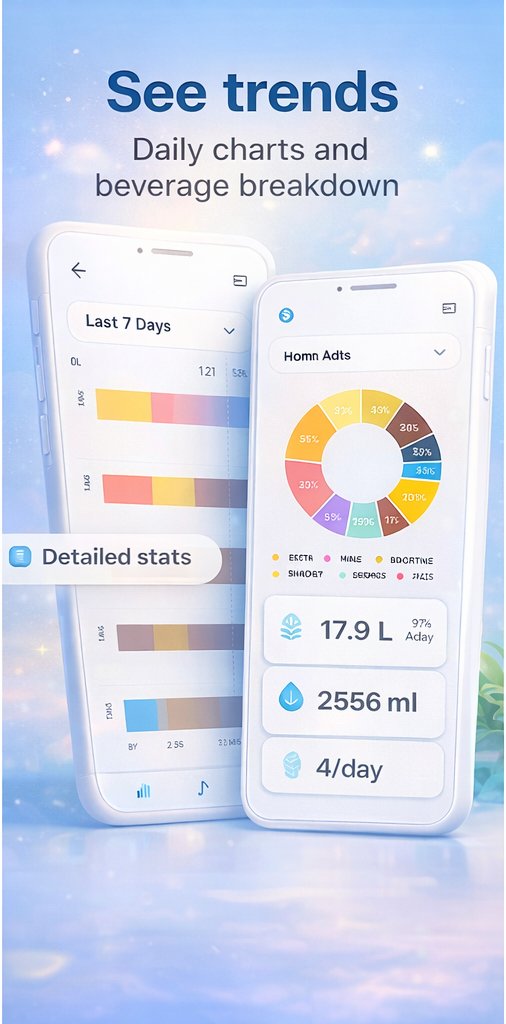
Hot take: requiring an account on a water tracking app is a privacy red flag.
Let me explain why I built Dewdrop without one — and why it made the app dramatically better.
THE ACCOUNT PROBLEM
Every health app that asks for your email is asking you to trust them with data about your body. Your weight. Your daily routine. How much you drink. When you're most active. These things seem trivial until you realize they paint a detailed picture of your life.
Most apps don't sell your data. But you're trusting that. Every time. For every app.
I wasn't willing to ask that trust from Dewdrop users for features that simply don't require it.
THE LOCAL-FIRST DECISION
Dewdrop stores everything on your device. No backend. No server. No API calls for user data. The entire data layer runs on ObjectBox — a blazing-fast local NoSQL database.
What this means for you:
→ The app works offline. Always. Airplane mode, basement, middle of nowhere.
→ There's no "log in to continue" screen.
→ Uninstalling the app is the only data deletion you'll ever need.
→ There's no breach that can expose your health data because it was never stored centrally.
THE PRODUCT BENEFIT
Here's the thing nobody talks about: removing the backend made the app BETTER.
No server = no loading spinners waiting for API responses.
No API = no error states for "couldn't connect to sync your water log."
No auth = no 3-screen onboarding just to create an account.
Users go from install to logging their first drink in under 60 seconds. That's what happens when you remove friction.
THE TRADE-OFF
The obvious downside: if you get a new phone and don't backup your data, you start fresh. No cross-device sync.
For version 1, I made peace with this. The core value proposition — tracking hydration — doesn't require the cloud. We can add optional backup later if users want it. Cross-device sync should be OPT-IN, not the default.
Privacy-first isn't a limitation. It's a design philosophy that puts users first.
Dewdrop is live on Play Store → play.google.com/store/apps/d…
No account needed. Just download and drink water.
#PrivacyFirst #LocalFirst #Flutter #HydrationApp #Dewdrop #HealthTech #MobileApp
```
ALT https://play.google.com/store/apps/details?id=com.vicharshala.dew_drop&pcampaignid=web_share
2
54

Mar 25
What happens when two offline devices edit the same thing? It depends... ObjectBox Sync now gives developers more control over concurrent updates 🎊
👉 objectbox.io/customizable-co…
#DataSync #conflictresolution #release
1
1
3
297

Feb 10
Built a real-time crypto tracker in Flutter 🚀
⚡ 2000 trading pairs streaming via WebSocket
⚡ Background isolate JSON parsing
⚡ 60fps price flash animations
⚡ Offline-first with ObjectBox caching
No Freezed. No Bloc. No code gen. Just clean Dart 3 Provider.
Repo link is in comments
#Flutter #Dart #OpenSource
1
6
288
Edge AI made easy with MongoDB and ObjectBox:
* Offline-first
* Efficient on-device vector search & AI support
* Automatic Data Sync (including vectors)
* Powerful #MongoDB backend AI
mongodb.com/company/blog/inn…
#database #localAI #ondeviceAI #EdgeAI
2
3
151
Jan 26
Hybrid AI: From the Edge to the Cloud With MongoDB & ObjectBox dev.to/mongodb/hybrid-ai-fro…
#offlinefirst #ondevice #vectordatabase #datasync #edgeAI #mongoDB
1
2
121
Jan 22
Tutorial: ObjectBox on-device ↔ MongoDB Atlas kept in sync with ObjectBox MongoDB Data Sync --> check out the tutorial dev.to/mongodb/mongodb-data-…
1
3
99

転職550日目、現場456日目done🔥
パッケージ依存関係の解消調査
isar-communityのリポジトリに未発表だけどマージされたPRを発見
直接読み込んで解消
ObjectBox版Entity作成PRのレビュー
今まで見慣れた形ではない分公式を見ながらのレビューでかなりの時間がかかる
9
173
3 Dec 2025
🎊ObjectBox Swift 5.1 and Dart 5.0.3 released!
The offline-first database for Apple 🍏 now has
* Support for Xcode 26 & Swift 6.x
* New vector types
* Various Sync improvements
* User-specific Data Sync and MongoDB integration (since 5.0)
👉 github.com/objectbox/objectb…
#swiftlang
2
2
119
2 Dec 2025
💥ObjectBox 5.0
* User-specific Data Sync
* MongoDB Connector
* Powerful local Vector Search
--> objectbox.io/user-specific-d…
2
88



27 Nov 2025
GM CT ☀️
@MemeMarketFun is the only Solana prediction market built purely for meme coins. AI scans on-chain data CT sentiment to predict pumps/dumps with scary accuracy. Stake MFUN → split 500K weekly rewards. Win = SOL MFUN. Lose = still get refunded $SOL $MFUN. Risk almost zero. Listed on MEXC, deep liquidity on Jupiter & Meteora. The ultimate bull-run survival tool. Smart money is already in. You?
@edgeX_exchange : ObjectBox/edgex-objectbox seamlessly integrates EdgeX Foundry with ObjectBox a high performance embedded database designed for resource-constrained edge devices. It preserves EdgeX’s fully vendor-neutral IoT framework while adding blazing-fast local data persistence and querying capabilities. The repository highlights perfect compatibility with EdgeX’s Go-based microservices and demonstrates smooth operation on constrained IoT hardware. This project proves EdgeX’s flexibility with alternative databases, enabling significantly faster deployment and richer edge analytics without sacrificing openness or interoperability.

27 Nov 2025

Good morning everyone 🌤️
@Ensofi_xyz stands out with fixed-rate lending that protects both lenders and borrowers from interest-rate volatility. Built on Sui’s object-centric model, it delivers blazing speed and near-zero fees perfect for sophisticated DeFi. Co-founder Dree Do puts it simply: “Sui is a game-changer for high-performance apps like EnsoFi.” Partnering with 30 communities to distribute free Boosting Passes, the project is still unfunded yet growing explosively proof that real product strength wins. This is the stable, reliable DeFi the future demands.
@edgeX_exchange -helm is the official Helm chart for deploying EdgeX Foundry on Kubernetes. Built directly on the secure/non-secure Docker Compose scripts, it dramatically simplifies running the full EdgeX stack with a single command. The chart includes ready-to-use ingress routes with TLS SNI support and automatically configures the “edgex” hostname for easy management. It serves as the ideal starting point for custom production deployments across multiple environments. The repository also shows ongoing work to automate CI/CD for example code, further improving reliability and deployment speed.

141
46
147
1,420
If you're still looking for a MongoDB Realm Device Sync replacement and want to dive deep, here is all you need to know for an in-depth comparison vs. ObjectBox: objectbox.io/dev-how-to/migr…
#mongodbdevelopment #MongoDB #DataSync
1
2
100

30 Oct 2025
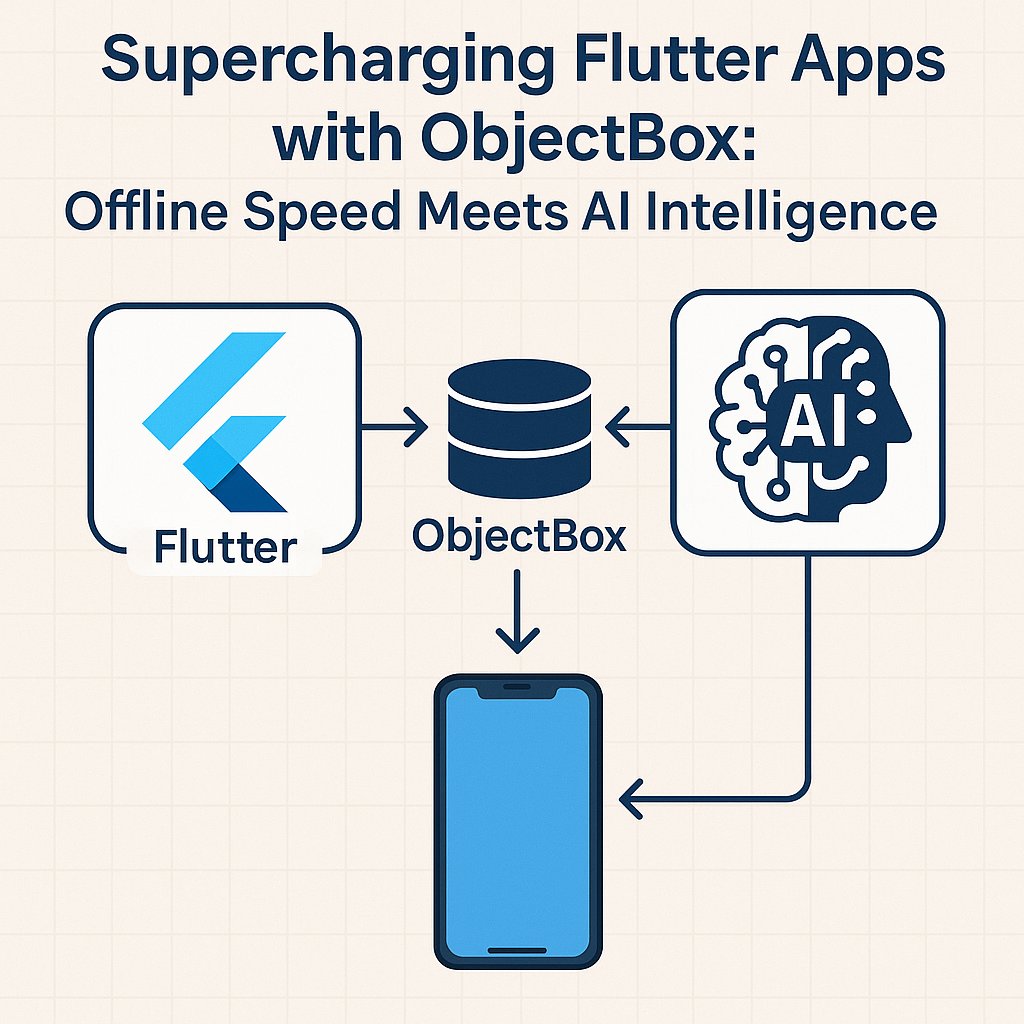
I just published Supercharging Flutter Apps with ObjectBox: Offline Speed Meets AI Intelligence 🧠
medium.com/p/supercharging-f…
2
6
131

22 Oct 2025
Yeah, I agree! 💯
MongoDB is great, but there are some better ones. Here’s a short list off the top of my mind:
MySQL
PostgreSQL
MariaDB
Oracle Database
Microsoft SQL Server
IBM Db2
SQLite
Amazon Aurora
Google Cloud SQL
CockroachDB
YugabyteDB
TiDB
OceanBase
SingleStore
Altibase
NuoDB
InterBase
Firebird
SAP HANA
SAP ASE
Informix
Teradata
Greenplum
Vertica
Exasol
Snowflake
Redshift
BigQuery
DuckDB
H2
Apache Derby
Apache Ignite
VoltDB
Redis
Aerospike
Riak KV
DynamoDB
FoundationDB
Tarantool
Berkeley DB
RocksDB
LevelDB
BadgerDB
LMDB
Kyoto Cabinet
HyperLevelDB
WiredTiger
EventStoreDB
Apache Cassandra
ScyllaDB
HBase
Google Bigtable
Azure Cosmos DB
Hypertable
Accumulo
CouchDB
Couchbase
RethinkDB
RavenDB
ArangoDB
OrientDB
MarkLogic
BaseX
eXist-db
ZODB
Neo4j
JanusGraph
TigerGraph
Dgraph
Amazon Neptune
Blazegraph
AllegroGraph
AnzoGraph
Faunus
InfiniteGraph
InfluxDB
TimescaleDB
QuestDB
OpenTSDB
Prometheus
VictoriaMetrics
Graphite
Kdb
Apache IoTDB
DalmatinerDB
RRDtool
M3DB
TDengine
Elasticsearch
OpenSearch
Solr
Splunk
Rockset
ClickHouse
Apache Druid
Apache Pinot
Apache Kylin
Memcached
Hazelcast
Oracle TimesTen
TIBCO ActiveSpaces
HSQLDB
Realm
LiteDB
TinyDB
NeDB
ObjectBox
PouchDB
IndexedDB
LocalStorage
Google Firestore
Google Cloud Spanner
CockroachDB Cloud
Yugabyte Cloud
Neon
PlanetScale
AlloyDB
MarkLogic
FoundationDB
Datastax Enterprise
db4o
ObjectDB
GemStone/S
Versant Object Database
PostGIS
SpatiaLite
Oracle Spatial
GeoMesa
GeoWave
MonetDB
CrateDB
Apache Hudi
Apache Iceberg
Delta Lake
Datomic
Firebase Realtime Database
GridDB
Machbase
TileDB
2
196

16 Oct 2025
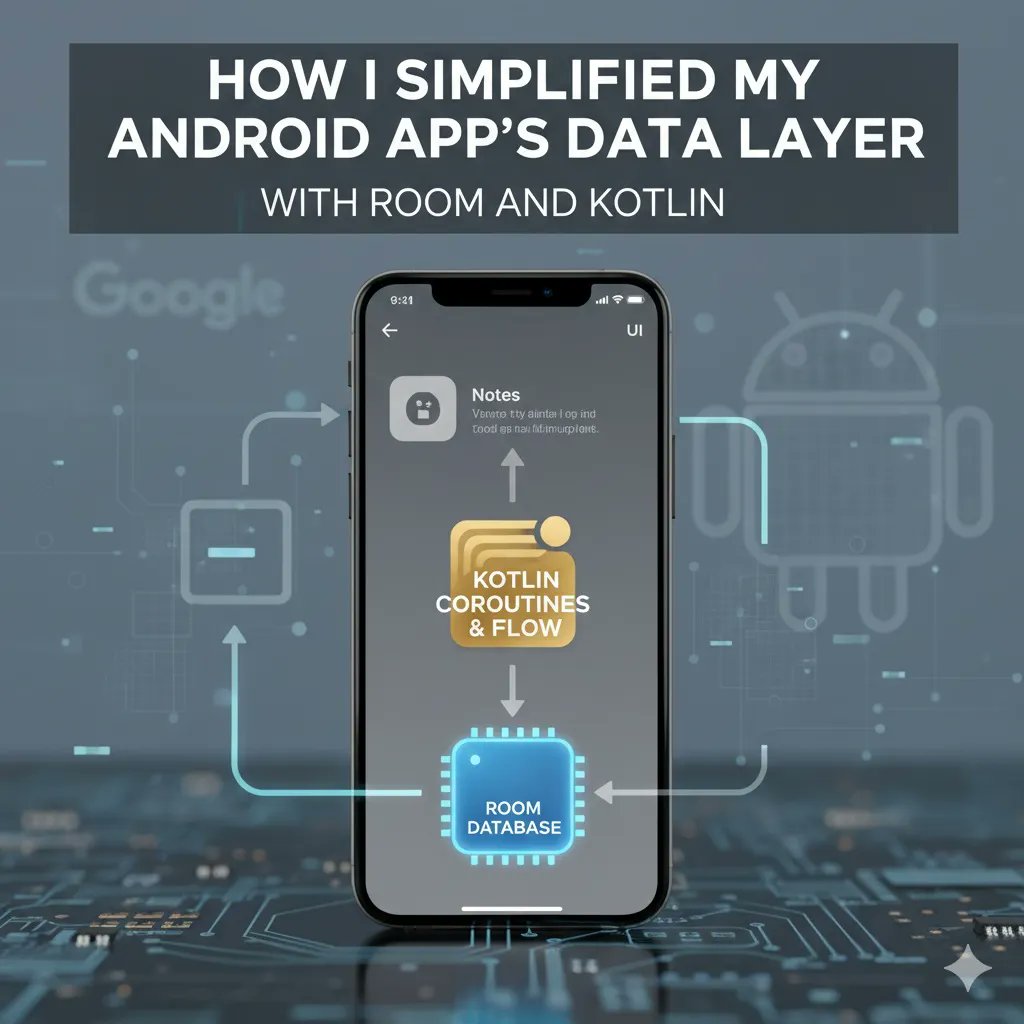
How I Simplified My Android App’s Data Layer with Room and Kotlin?
When building Android apps, managing data efficiently is one of the toughest and most repetitive challenges developers face. From writing SQL queries to handling migrations and caching, the data layer can quickly become messy and hard to maintain.
That’s exactly what happened to me, until I adopted Room, the official Android ORM (Object Relational Mapping) library, with the expressive power of Kotlin. The combination didn’t just simplify my code; it made my entire data layer cleaner, safer, and far easier to scale.
Why Room Matters in Modern Android Development
Before Room, the typical way to store local data in Android was through SQLite. While powerful, it had its drawbacks:
You had to write raw SQL queries manually.
There were no compile-time checks for query errors.
Data mapping between classes and database tables was manual and error-prone.
Migrations could easily break the app if not handled carefully.
Room fixes all of that by providing an abstraction layer over SQLite, so you still get the full power of SQL but with the convenience of type safety, annotations, and easy integration with Kotlin features like coroutines and Flow.
The Core Components of Room
Room works with three main components:
Entity: Represents a database table.
DAO (Data Access Object): Contains the SQL operations (queries, inserts, deletes, updates)
Database: Ties it all together and defines the connection to the actual database file.
Here’s how I structured mine:
Defining the Entity:
Each entity corresponds to a table. Here’s a simple example of a ‘User’ entity:
import androidx.room.Entity
import androidx.room.PrimaryKey
@Entity(tableName = "users")
data class User(
@PrimaryKey(autoGenerate = true) val id: Int = 0,
val name: String,
val email: String
)
The best part? You don’t need to worry about writing the ‘CREATE TABLE’ statement; Room handles that automatically.
Creating the DAO:
Instead of writing SQL queries directly, you define methods inside an interface or abstract class, and annotate them.
import androidx.room.*
@Dao
interface UserDao {
@Insert(onConflict = OnConflictStrategy.REPLACE)
suspend fun insertUser(user: User)
@Query("SELECT * FROM users")
fun getAllUsers(): List<User>
@Delete
suspend fun deleteUser(user: User)
}
Room validates your queries at ‘compile’ time, meaning you will know immediately if your SQL is invalid or not. A huge time-saver compared to debugging at runtime.
Building Database:
Finally, you tie everything together with a database class:
import androidx.room.Database
import androidx.room.RoomDatabase
@Database(entities = [User::class], version = 1)
abstract class AppDatabase : RoomDatabase() {
abstract fun userDao(): UserDao
}
You can then create an instance of your database using a ‘singleton pattern’, usually in your Application class:
import android.content.Context
import androidx.room.Room
object DatabaseProvider {
fun getDatabase(context: Context): AppDatabase {
return Room.databaseBuilder(
context.applicationContext,
AppDatabase::class.java,
"app_database"
).build()
}
}
How Kotlin Makes It Even Better:
Room was designed to work beautifully with Kotlin. Here’s how that synergy helps:
Coroutines:
You can run queries asynchronously using the ‘suspend’ functions. This keeps the UI smooth and responsive.
viewModelScope.launch {
userDao.insertUser(User(name = "Rajesh", email = "rajesh@gmail.com"))
}
Flow for Reactive Updates:
When you use ‘Flow’, the UI automatically reacts to database changes.
@Query("SELECT * FROM users")
fun getAllUsersFlow(): Flow<List<User>>
Combine that with ‘LiveData’ or ‘Compose’ state management, and your data of the app updates seamlessly.
Data Classes:
The ‘data class’ of Kotlin works perfectly with entities of Room framework, keeping your models concise and readable.
Simplifying Migrations
Another plus point is ‘built-in migration’ handling of ‘Room’. Instead of manually re-creating tables, you just define a migration strategy:
val migration1to2 = object : Migration(1, 2) {
override fun migrate(database: SupportSQLiteDatabase) {
database.execSQL("ALTER TABLE users ADD COLUMN phoneNumber TEXT")
}
}
Then include it when building the database:
Room.databaseBuilder(context, AppDatabase::class.java, "app_database")
.addMigrations(migration1to2)
.build()
What I Learned from Using Room?
After integrating Room in my app, a few things became clear:
Consistency beats complexity.
With clear data access patterns through DAOs, my code became consistent and easier to debug.
Type safety saves time.
I stopped wasting hours fixing query-related runtime crashes.
Kotlin Room = Developer Delight.
The natural integration with coroutines and Flow made asynchronous operations painless.
Scaling became easier.
Adding new entities or changing database structures was much simpler with migrations and annotations.
When Not to Use Room
While Room is great, it’s not perfect for every scenario. For instance:
If your data is temporary or cached from APIs, use ‘DataStore’ or ‘Preferences’ instead.
If you need complex relational operations (such as; joins across multiple tables frequently), you might have to consider alternatives like ‘Realm’ or ‘ObjectBox’ for performance.
Room isn’t just a convenience. It’s a game changer for Android app development architecture. Combined with Kotlin, it makes your local data layer robust, testable, and clean.
When I migrated my app from raw SQLite to Room, I came across fewer crashes, simpler debugging, and faster development cycles. It felt like cleaning up a messy stuff.
So, if you are still juggling raw SQL or a messy local data setup, do yourself a favour; adopt Room with Kotlin.
ALT Android development, Room Framework and Kotlin Programming
1
10
1,667