

Filter
Exclude
Time range
-
Near
Mobile CVR is often half of desktop CVR. Most brands treat that as expected rather than as an optimisation problem. Some of the gap is real intent. Mobile buyers do browse more than they buy, especially in luxury or high-consideration categories. But mobile traffic share has passed 60% for most ecom brands, and buyers who start on mobile don't always switch to desktop to complete. A 50% CVR gap usually has more to do with the experience than the device. Session recordings on mobile-only traffic surface the same patterns: Address field drop-off in checkout, often because the input doesn't trigger the right keyboard. Pinch-zoom on PDP copy because the body font is below 16px. ATC button below the fold on mobile, even when it sits cleanly above the fold on desktop. Tap targets under 44pt that get mis-pressed, especially on size and variant selectors. Most of this comes down to form friction and content legibility. Both are testable, and both have low-cost fixes. Tools that surface mobile-specific issues: Lighthouse's mobile audit, mobile-filtered session recordings in Hotjar or Clarity, and PageSpeed Insights for mobile Core Web Vitals. If your mobile CVR is less than half your desktop CVR, I'd start there before testing anything else on desktop.
يُعد أداء الموقع الإلكتروني أحد أهم العوامل التي تؤثر على تجربة المستخدم ونتائج محركات البحث ومعدلات التحويل. فحتى أفضل المواقع من حيث التصميم والمحتوى قد تفقد جزءاً كبيراً من جمهورها إذا كانت بطيئة في التحميل أو الاستجابة. لهذا يأتي هذا الدليل الشامل حول تحسين أداء مواقع WordPress ليقدم منهجية عملية مبنية على سنوات طويلة من الخبرة في إدارة الخوادم وتحسين البنية التحتية للمواقع عالية الزيارات. يبدأ الدليل بتوضيح كيفية وضع أهداف أداء واضحة وقابلة للقياس، حيث إن عملية التحسين لا تبدأ بتثبيت الإضافات أو تعديل الإعدادات، بل بفهم الوضع الحالي للموقع وتحديد مؤشرات الأداء المستهدفة مثل زمن تحميل الصفحة، ووقت الاستجابة الأولي للخادم (TTFB)، وسرعة التفاعل مع المستخدم. كما يشرح الدليل رحلة طلب الصفحة منذ لحظة كتابة عنوان الموقع وحتى ظهور المحتوى على شاشة المستخدم، مما يساعد على تحديد نقاط الاختناق التي تؤثر على الأداء. ويتناول بالتفصيل دور إعدادات DNS وشبكات توصيل المحتوى (CDN) في تقليل زمن الوصول وتحسين سرعة تحميل الملفات للمستخدمين حول العالم. ومن الجوانب المهمة التي يغطيها الدليل تحسين إعدادات الخوادم وقواعد البيانات، واستخدام تقنيات التخزين المؤقت (Caching)، بالإضافة إلى تحسين تطبيق WordPress نفسه من خلال تقليل حجم الملفات، وتحسين الصور، وتقليل الطلبات غير الضرورية. كما يوضح أهمية المراقبة المستمرة وتحليل النتائج لضمان الحفاظ على الأداء مع نمو الموقع وتزايد عدد الزوار. ويتعرف المتعلم أيضاً على مجموعة من الأدوات الاحترافية لقياس الأداء مثل Google Lighthouse وGoogle PageSpeed Insights، والتي تساعد على اكتشاف المشكلات التقنية وتحديد أولويات التحسين بناءً على بيانات حقيقية. يُعد هذا الدليل مرجعاً مهماً لمطوري الويب، ومديري المواقع، ومهندسي DevOps، وأصحاب المشاريع الرقمية الذين يسعون إلى بناء مواقع أسرع وأكثر استقراراً وقادرة على تقديم تجربة استخدام احترافية في بيئات الإنتاج الحقيقية. #برمجة #تقنية #WordPress freecodecamp.org/news/the-ul…
1
38
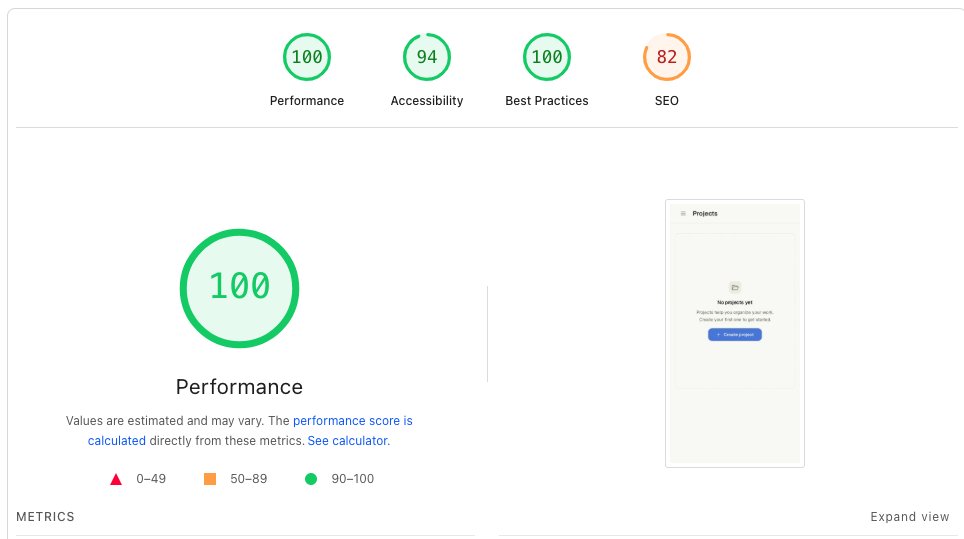
I posted it on r/vuejs for feedback and got genuinely useful, brutal critique, depth of component APIs, mobile-first gaps, accessibility. So I checked the showcase against PageSpeed Insights:
1
7
Scroll Roast retweeted
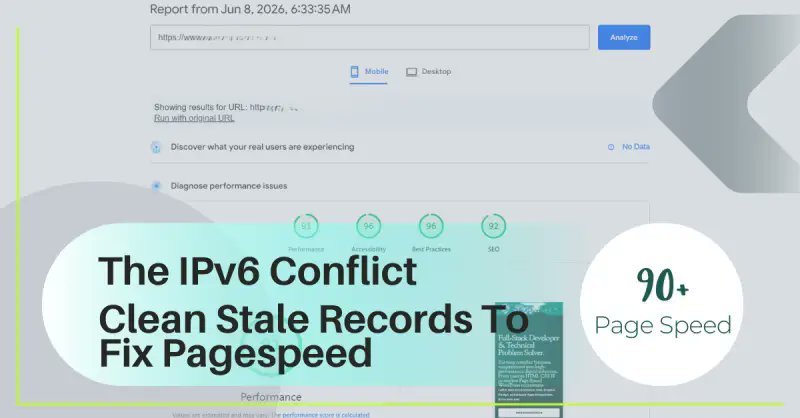
Staring at a "PageSpeed Insights Unable to Resolve URL" error while trying to audit your site? 🤦‍♂️ It's rarely a down server. 9 times out of 10, it's a hidden IPv6 conflict or a stale DNS zone blocking Google's crawlers from reaching your domain. See Next Thread For Post Link 🔗
1
26
Slow images are killing your website's PageSpeed score and SEO rankings. 🐌📈 ​We built a browser-side Image Compressor that shrinks JPG, PNG & WebP files instantly without losing quality—and with absolute privacy. ​Optimize your images now: ⚡ scalarpivot.com/compresor-de…
8
Replying to @icanflyD
Highly interested! AI-Native UI Engineer specialized in Next.js 15, Tailwind v4, & Edge Handlers. Built an edge stream-sanitizer to handle malformed LLM outputs & pushed PageSpeed from 65 to 92. 🔗 github.com/kashvi-techie 📷 portfolio-oymcgot7q-kashvis-…
1
87
11/ Emergency #6: Core Web Vitals collapse: Symptom: - Rankings drop across site - Search Console shows failed Core Web Vitals - Mobile traffic particularly affected Diagnosis: Check PageSpeed Insights: Test critical pages. Common failures: - LCP (Largest Contentful Paint) > 2.5s - INP (Interaction to Next Paint) > 200ms - CLS (Cumulative Layout Shift) > 0.1 Identify culprits: - Unoptimized images - Render-blocking JavaScript - No size attributes on images - Third-party scripts
1
19
2 ways to check your site's health without being a developer: 1. Run your homepage through Google PageSpeed Insights and check your mobile score. 2. Check your Google Search Console for indexation errors.
11
Sometimes the biggest growth opportunity is website speed. This customer was dealing with ongoing performance issues until they tried Website Speedy and saw results fast ⚡ 💻 Visit websitespeedy.com #WebsiteSpeedy #WebsiteSpeed #PageSpeed #CoreWebVitals #SEO #SEOTips
Replying to @ThePeterMick
urlmagic.co.uk it turns your images into SEO objects that report-back their own real-time clicks, impressions and more! It can also generate auto alt text, improve pageSpeed and generate reports! What do you reckon? 👀
1
31
Saturday resource — 6 free tools to find your conversion leak: → Hotjar (free heatmaps) → Microsoft Clarity (free session recordings) → PageSpeed Insights → GA4 funnel reports → Google Tag Assistant → Lighthouse in Chrome Find the leak before spending another £ on traffic
16
Your website has two speeds: slow enough to lose people, or fast enough that they never notice. Ran a speed test for a client last week. 7.2 seconds to load on mobile. That's a lifetime. 53% of mobile visitors leave if a site takes longer than 3 seconds. He had no idea. "It loads fine on my laptop." His laptop is connected to fast wifi. His prospects are on phones, on 4G, between meetings. We compressed images, removed the video background, and disabled two plugins. Load time dropped to 2.1 seconds. Bounce rate dropped 40% in two weeks. Nobody compliments a fast website. But everyone leaves a slow one. If you've never checked your site speed on mobile, do it today. Google PageSpeed Insights. Free. Takes 10 seconds. And if you don't like what you see, DM me : )
57
Jun 12
Replying to @recursoswebyseo
Interesante el dato del lazy load, porque al final el problema no suele ser el peso del archivo en sí, sino que cargue antes que el contenido principal y penalice el LCP. Aplicar esa misma lógica a imágenes y vídeos también marca mucha diferencia en PageSpeed.
5
Replying to @jobbdrop
Highly interested! AI-Native UI Engineer specialized in Next.js 15, Tailwind v4, & Edge Handlers. Built an edge stream-sanitizer to handle malformed LLM outputs & pushed PageSpeed from 65 to 92. 🔗 github.com/kashvi-techie 📷 portfolio-oymcgot7q-kashvis-…
1
62
Smaller files = faster pages. Minify your JavaScript and CSS to boost site speed, improve user experience, and support better SEO performance. Check your site's performance: seositecheckup.com/ #TechnicalSEO #SiteSpeed #PageSpeed #SEOTips #SeoSiteCheckup
1
13
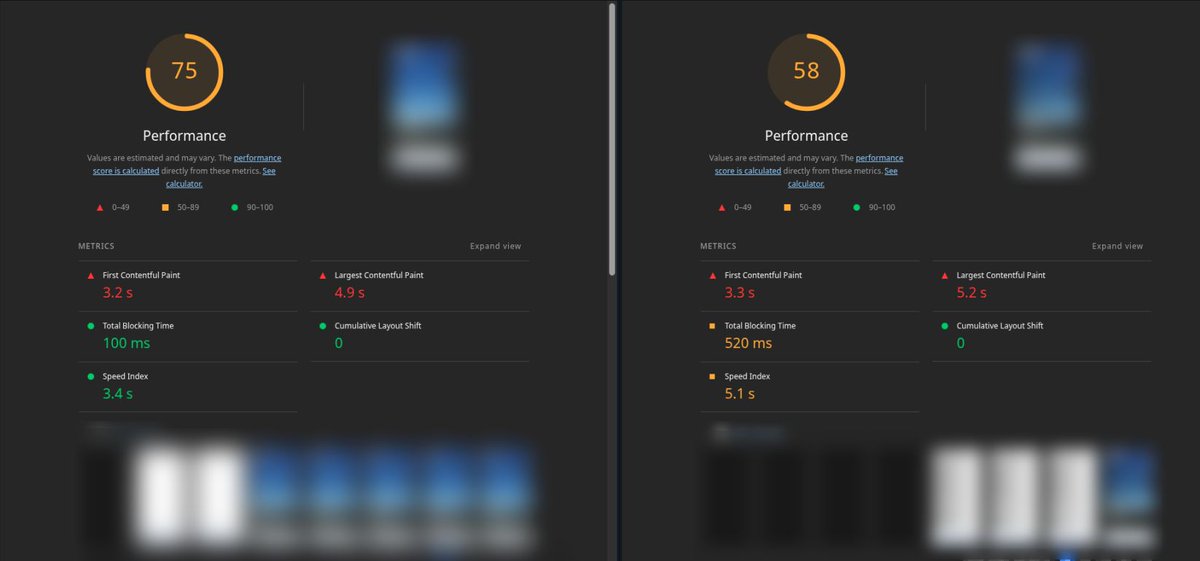
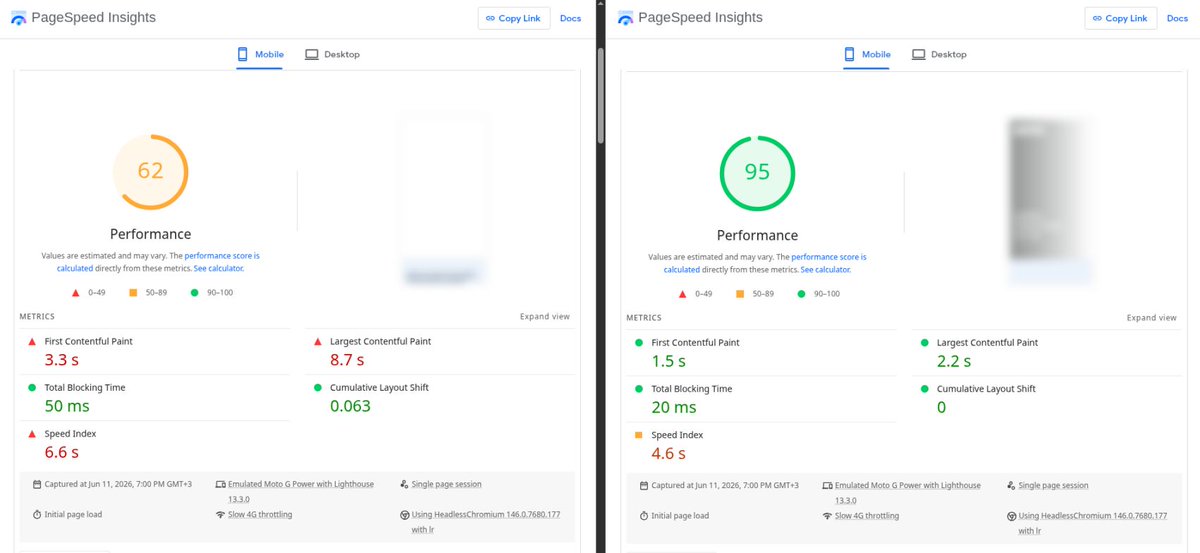
TRUST PageSpeed Insights NOT local Lighthouse tests (or similar for FE perf metrics) from where your traffic is actually coming from and definitely NOT experienced engineers..and even go and make business decisions based solely off PageSpeed Insights 😏 🤦🏾 (oh the irony..) What you see in the screenshots is the same site hosted in 2 different places with very different infra (no I didn't mix up the left/right..I checked more times than I can count). I know I didn't share much concrete info in this post. I'm not at the liberty of sharing all the details but I'm happy to answer any questions I can in the comments. It's more of a venting post anyway. 😇 So has this happened to you too?
1
73
Replying to @dannyvankooten
I don't think you'll win anything in terms of pure performance (I've seen your pagespeed screenshot, haha), but I always argue that SS is so much more than that - it's having a fast and secure static site combined with the ease of use of WP - it's just so convenient these days.
1
1
53
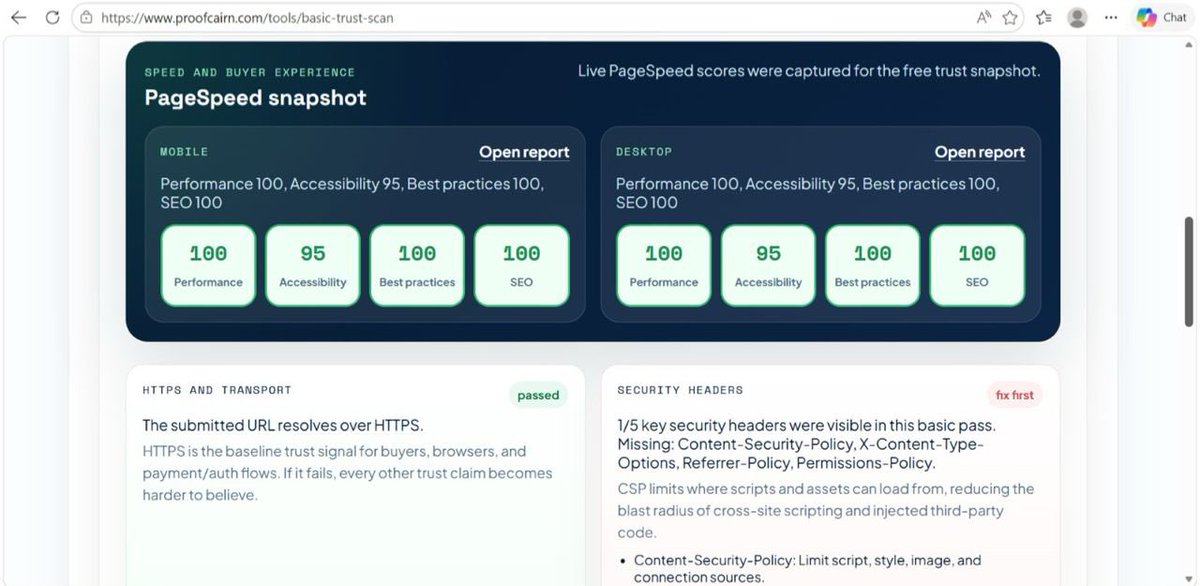
So, I used one of my products, proofcairn.com , to run basic scan test for a new product I’m currently working on, and it gave this result in the attached screenshot. And yes, the pagespeed snapshot is on point, I used Google’s API for that. Take home is that there’s a gap to fill as my security headers for the new product is weak at the moment; just 1 out of 5 important headers were attained. Back to the kitchen to fix that.🫡
1
76
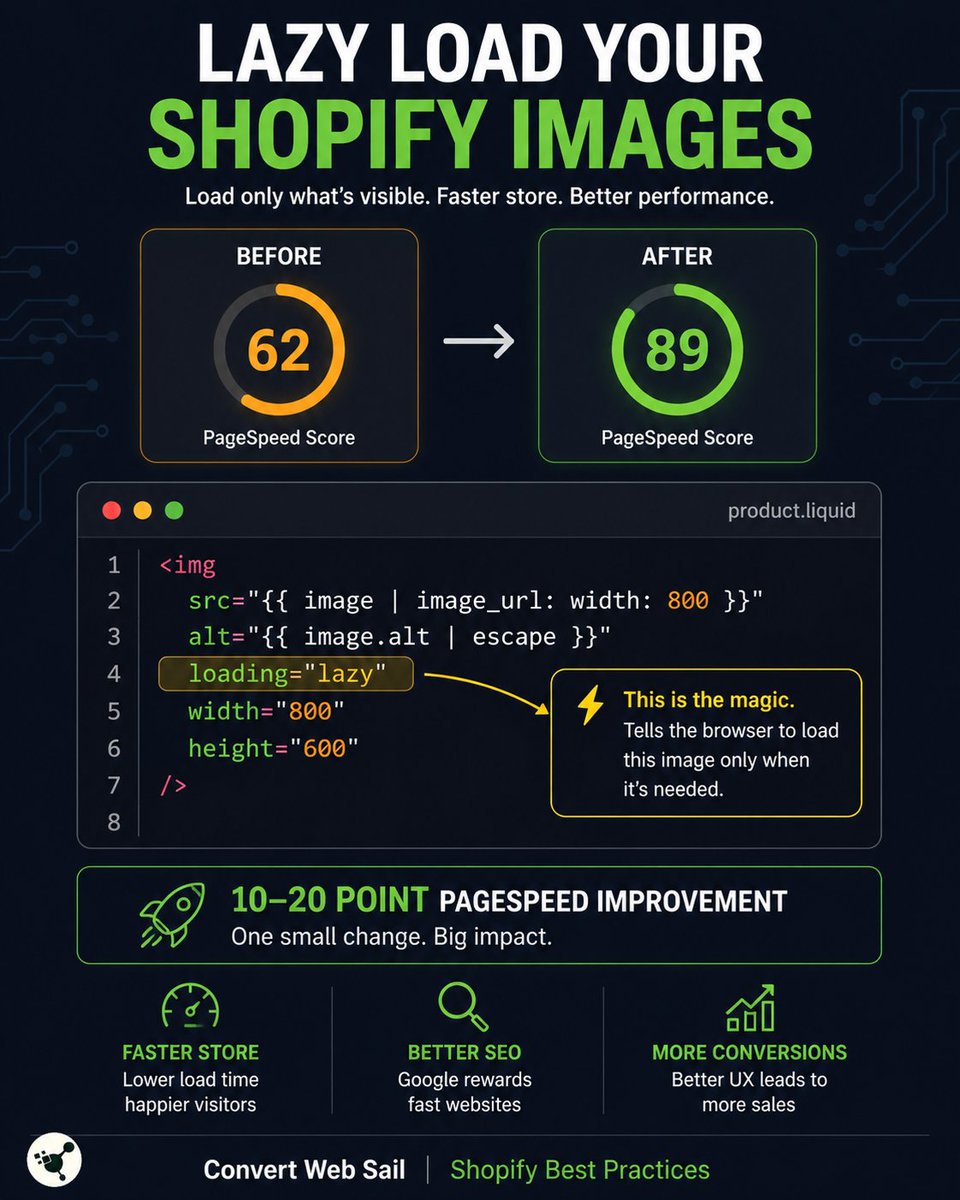
Always lazy-load images below the fold in Shopify. Add loading="lazy" to all img tags that aren't in the hero: <img src="{{ image | image_url: width: 800 }}" alt="{{ image.alt | escape }}" loading="lazy" width="800" height="600" > This alone can improve your PageSpeed score by 10–20 points. Faster store = Better SEO = More conversions.
26