
20 Apr 2020
Boost your skills w/ a 15 minute #PowerApps UX/UI Design Challenge! Pick a template or screenshot any app. You can do it in PPT so you can focus on the design. I use 2 minutes to write down my initial thoughts then jump right in 🕺🏻
#PowerAppsWeeklyTips
youtu.be/_0dodO0v3ug
1
2
9
15 Apr 2020
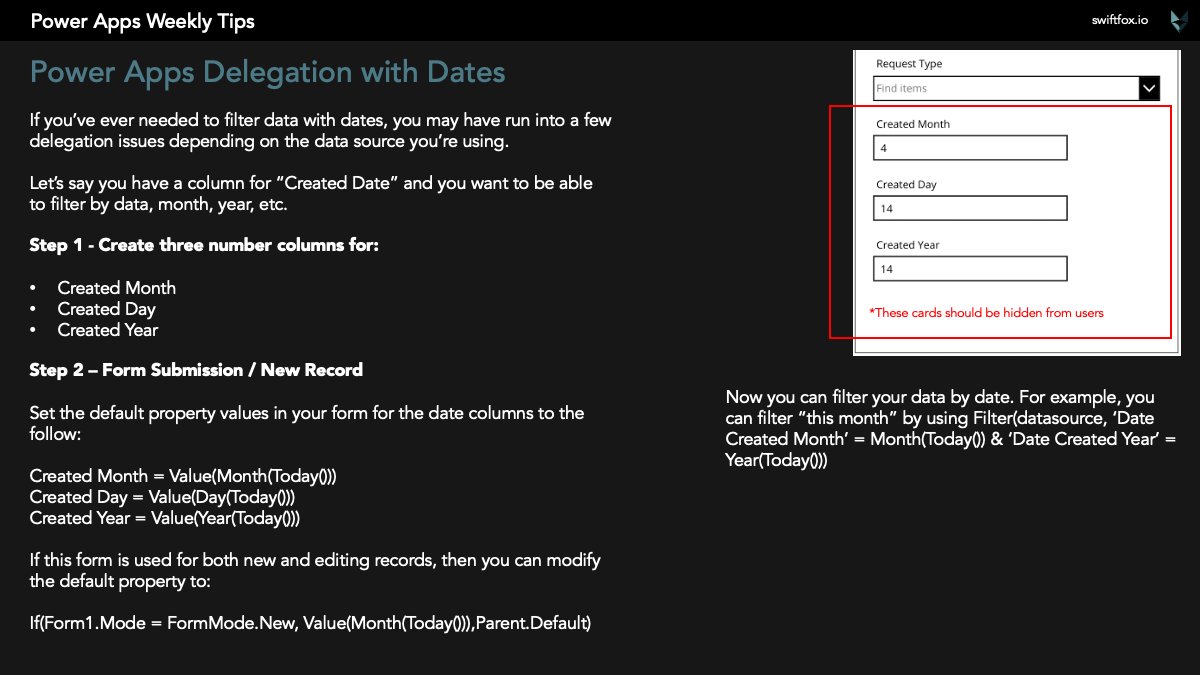
How to filter dates without worrying about delegation limits. Full blog coming shortly 🕺🏻
#PowerAppsWeeklyTips
3
13
2 Apr 2020
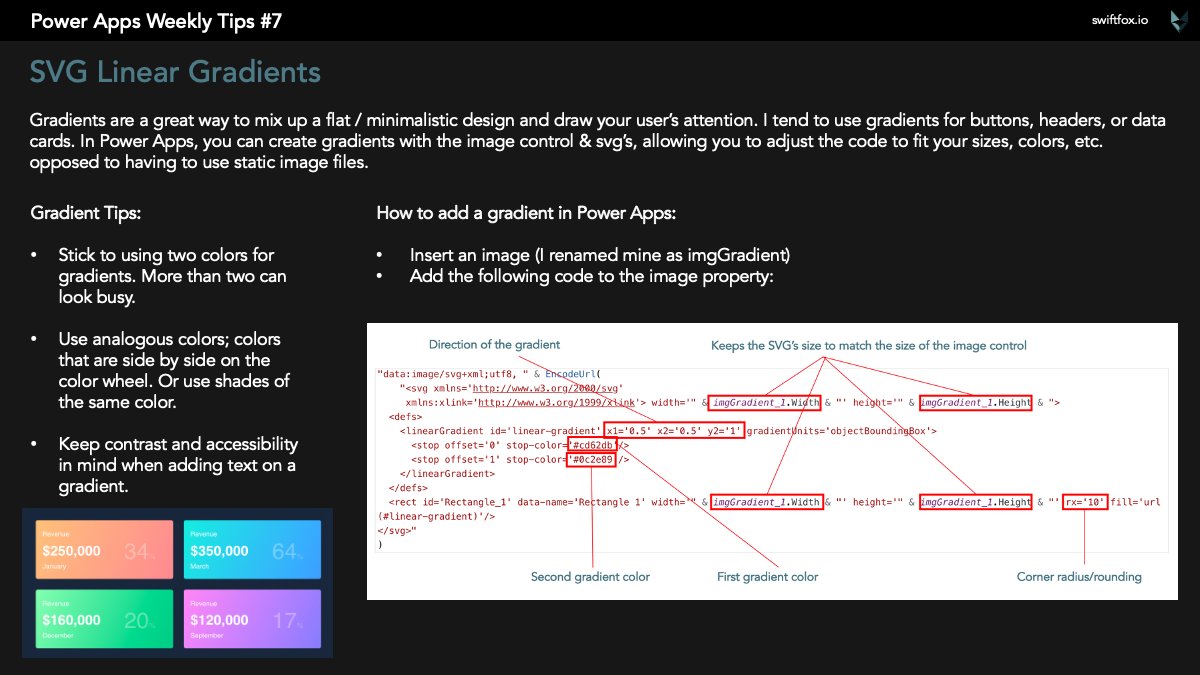
Add gradient backgrounds to your #PowerApps using the image control & SVG's. Full blog coming shortly!
#PowerAppsWeeklyTips
1
7
29
16 Mar 2020
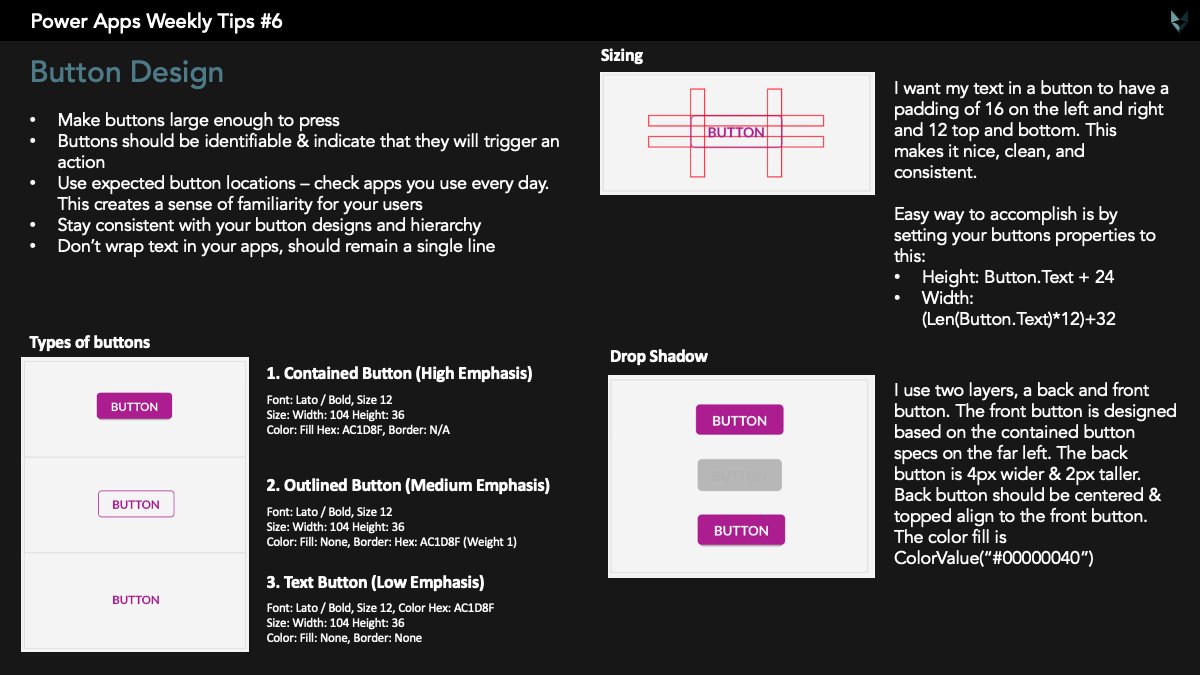
#PowerAppsWeeklyTips Week 6 - Button Design! I shared this some time last year, but thought I'd do a re-share. I'm wrapping up week 7 on top tips for working from home. I think all you #PowerAddicts will find them useful. Stay tuned for the post on Tuesday 🕺🏻
1
3
14
8 Mar 2020
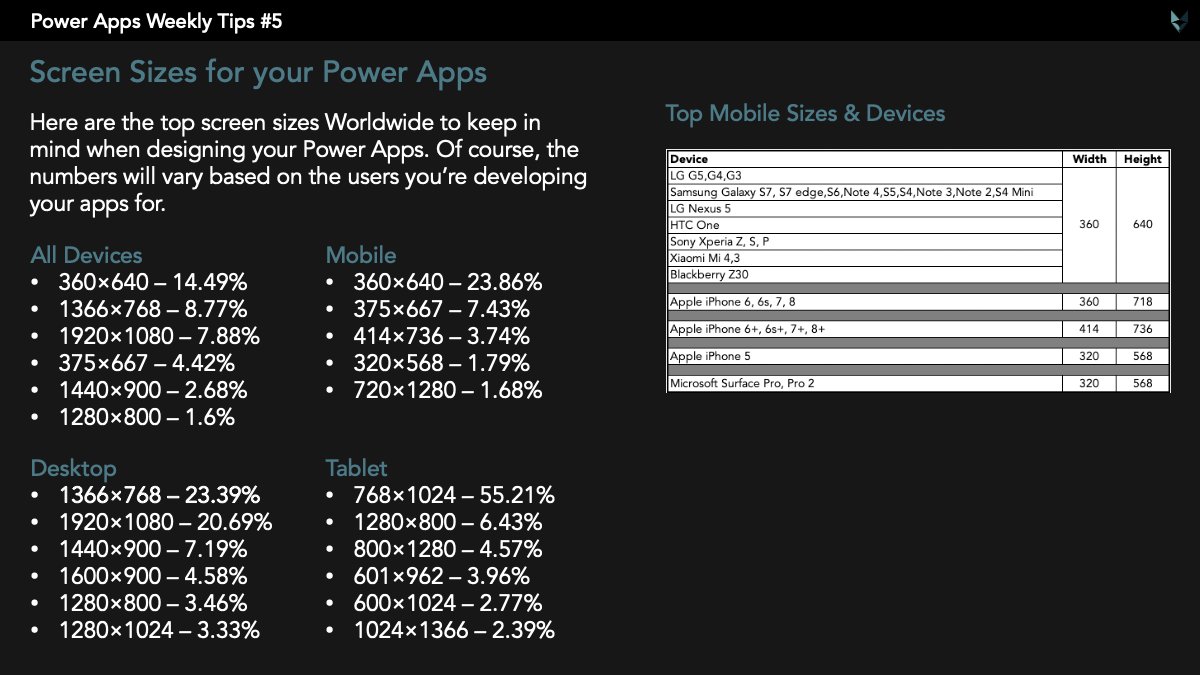
Top screen sizes to keep in mind for your #PowerApps. Of course it may vary based on your users. For my apps, I use 300x480 (smallest) & 1920x1080 (largest) as my bases. Headers & footers I keep at max screen width.
What sizes do you use for your basis? #PowerAppsWeeklyTips 🕺🏻
5
21
26 Feb 2020
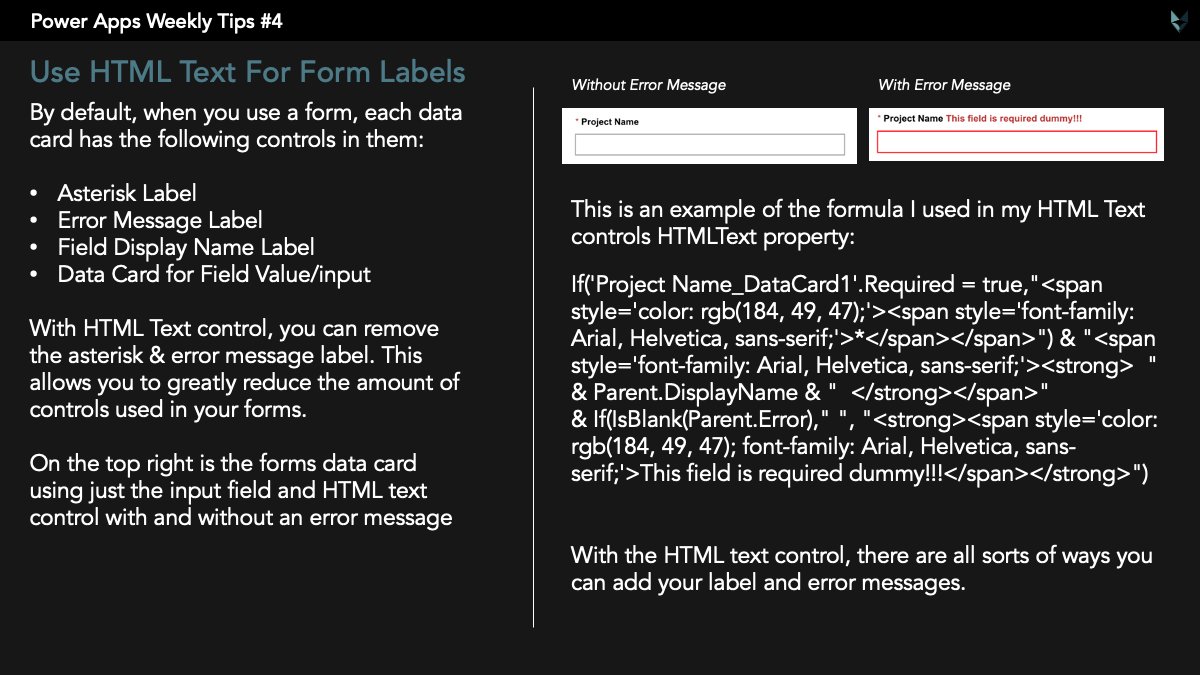
Reduce the amount of controls you use in your #PowerApps forms, by using the HTML text control to replace the Display Name, Asterisk, & error message. You can get creative & style the HTML text any way you want🕺🏻
#PowerAppsWeeklyTips
6
38

24 Feb 2020
I appreciate the advice @YusufBShariff 👍. Graphic design is not my background and I had been considering the problem for awhile 🤔
Your #PowerAppsWeeklyTips are helpful. I look forward to reading them each week 😀
2
3
23 Feb 2020
This client has about 300 fields in their forms😱 Already broken out by tabs/sub tabs I wanted to make it even easier to navigate back & forth between sections. So I added section dividers that collapse/expand using variables 🕺🏻. Full blog coming soon!
#PowerAppsWeeklyTips
14
15
102
15 Feb 2020
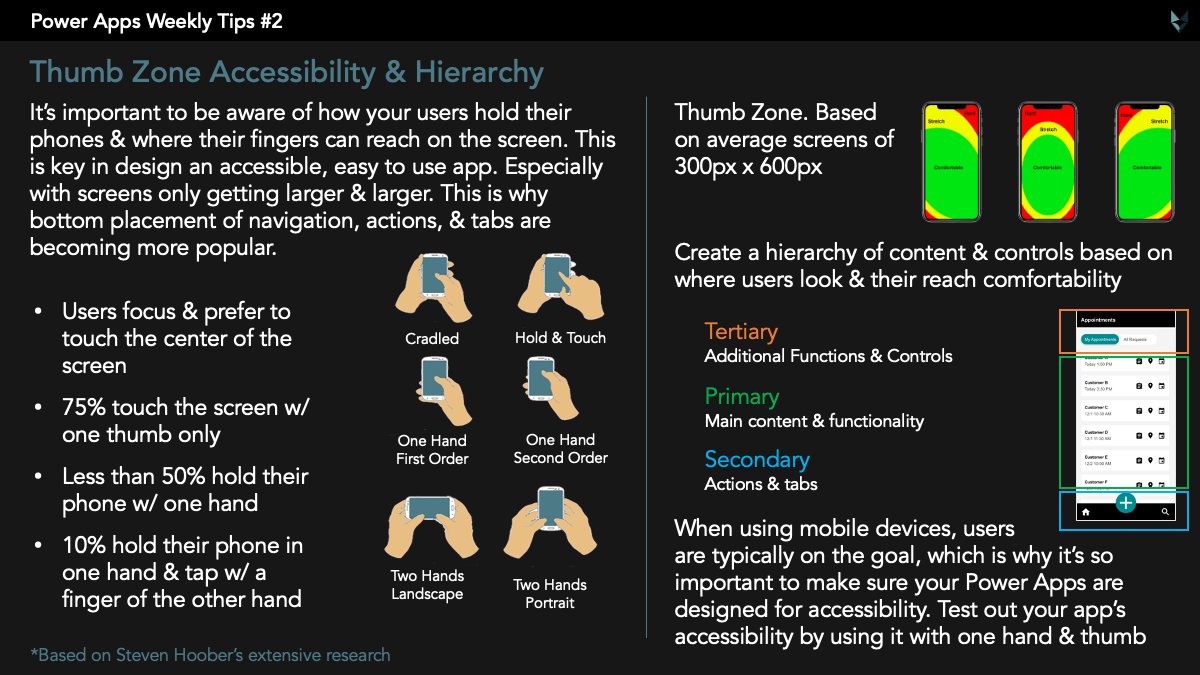
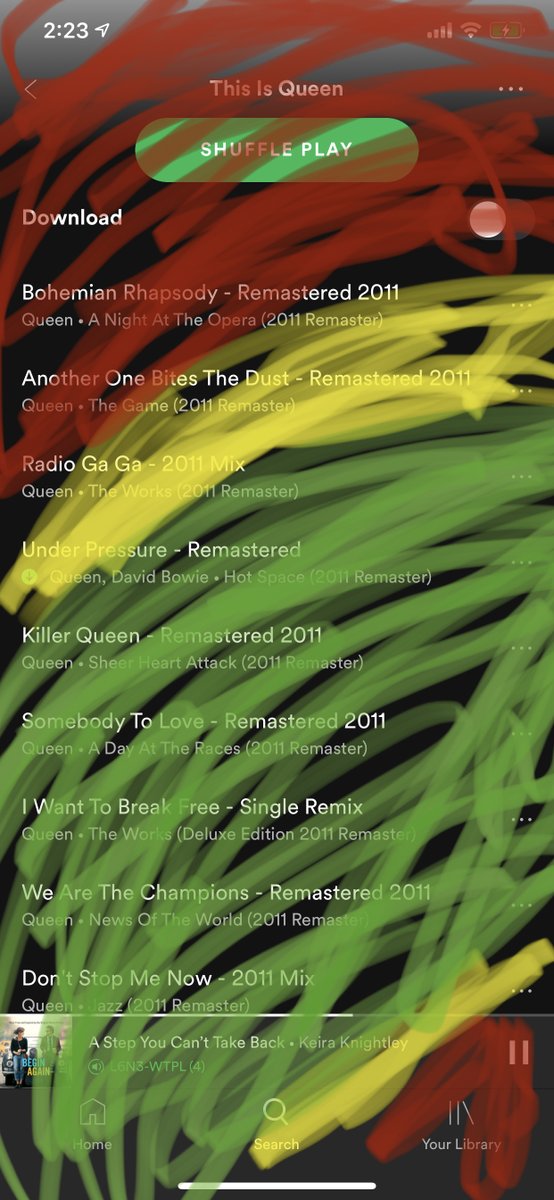
Have you tested your #PowerApps accessibility for comfortable thumb reach? Try it out by screen shotting your app & using iPhones markup feature to see where you comfortably reach w/ one hand & thumb. I'm not an android user but I'm sure you can do the same🤷🏻♂️ #PowerAppsWeeklyTips
2
6
38
3 Feb 2020
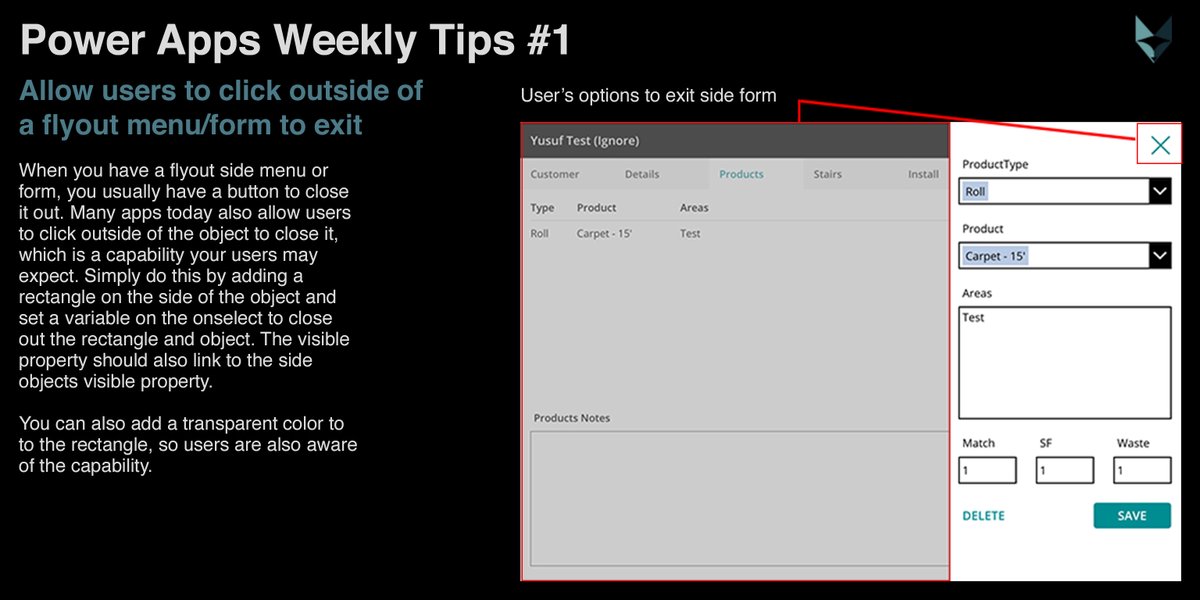
Starting this week I'll be sharing some of my favorite #PowerApps tips & tricks weekly. This weeks tip is giving your users the ability to click outside of a fly out side menu/form using a transparent rectangle. #PowerAppsWeeklyTips
2
7
37