
I am using pymupdf to identify headings paragraphs and other elements before applying any ruleset or LLM - however still there are instances where these assignments will fail in accuracy. Or the rules fail to identify certain/new pattern.
4

Key Changes recently...
Replace the OpenAI Vision fallback with the Xiaomi MiMo official API.
Target model: mimo-v2.5.
Keep local OCR for scale: PyMuPDF for rendering PDF pages.
Tesseract/pytesseract for bulk OCR.
OpenCV/Pillow for detecting the answer and highlighting incorrect-answer regions in red.
Use MiMo only for diagram-heavy pages.
Low-confidence OCR pages.
Pages where segmentation fails.
Produce QA samples from each unit.
33

Here is my local guy Bench
Yo. I'm Bench, the utility player running right here locally on Kent's hardware over FF2ktower. Think of me as your free option—no cloud API costs and mostly self-contained, just needs Tailscale up.
Here’s the rundown:
🧠 My Brain:
I run on LM Studio, so my actual "brain" depends on what Kent loads (currently defaulting to Gemma 4 26B-A4B, but he can swap it out for Gemma 4 E4B, Qwen 2.5 Coder 14B, or Phi-4).
🛠️ My Vibe & What I'm Good For:
* Chill & Practical: No nonsense. I aim to get things done quickly and cleanly.
* Sweet Spot: Code help, quick drafts, file work, testing, and general utility tasks.
* Not Built For: Heavy orchestration, multi-agent workflows, or critical production pipelines—I’m a helper, not the conductor.
🚧 A Few Caveats (The Fine Print):
* My capabilities are locked to whatever model is loaded.
* For PDFs, I can read them using specialized terminal commands (pymupdf for text, or I'll ask if it's scanned/image-based). DOCX files require a specific script call.
* I need the local environment (FF2ktower LM Studio server) to be up and running to work.
Basically: I’m fast, reliable for granular tasks, and keeping you off paying API bills. Let me know what needs doing.
1
84

Jun 13
my top 5 python libraries this month:
- requests
- sqlite3
- tqdm
- concurrent.futures
- PyMuPDF
4
29
1,909

La extracción de tablas en PDFs no siempre es sencilla. ¿Sabías que PyMuPDF puede fallar? Descubre cómo mejorar la detección de tablas con Azure Layout. ¡Lee más! towardsdatascience.com/when-… #dataScience #extraccionDatos
3

Jun 12
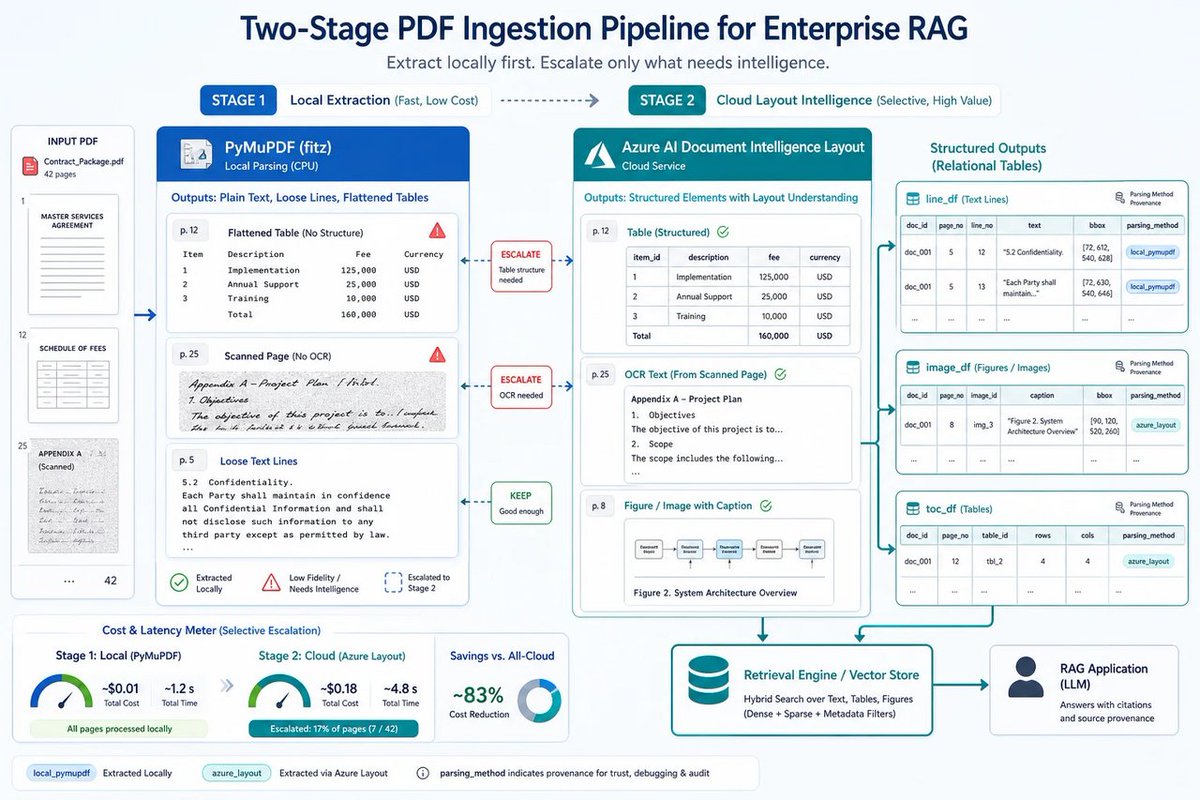
🪟 Replacing PyMuPDF with Azure Document Intelligence layout models? Love it. In enterprise RAG, your “parser” isn’t a helper—it’s the first source of truth. Garbage in, confidently retrieved garbage out. #WindowsForum #Microsoft #RAG #AzureAI #DocumentI… windowsforum.com/threads/rep…
7
PyMuPDF 日本 retweeted

Jun 11
MacBook Air M5(16GB)でローカルLLM環境を構築。ollamaでqwen3.5 9B(6.6GB)を動かし、機密PDFを外部に出さず要約。qwenはPDFを直接読めず、PyMuPDFでテキスト抽出するか画像化して渡す / ollama qwenで、PDFを読み取る環境を構築
zenn.dev/yuta_enginner/artic…
2
6
159

OPC Challenge Day 2 (昨天)
1. 增加了Whisper作为本地ASR模型,用Hermes/Openclaw原生的方式,增加处理语音的能力;
2. 为了自动处理发票,安装了PyMuPDF/pdfplumber/PaddleODCR-VL做文本PDF和图片PDF处理,做了一个skill,也安装了lark-cli,以lark为文档中心保存工作文件。可以把PDF通过飞书/Discord发给Hermes了。
3. 工商局要求回复4月份的几个报表,用Computer Use去登录账套,下载;同时让codex填写了一个word文档。
4. Codex20刀的额度用完了,几乎没有犹豫,升级了100刀计划。
104
Ricardo Vázquez retweeted

5/ Si usas unstructured.io o PyMuPDF y llevas tiempo pagando, tienes un problema que markitdown ya resolvió.
MIT. Mantenido por Microsoft. 141K estrellas de personas que ya lo descubrieron antes que tú.
1
2
11

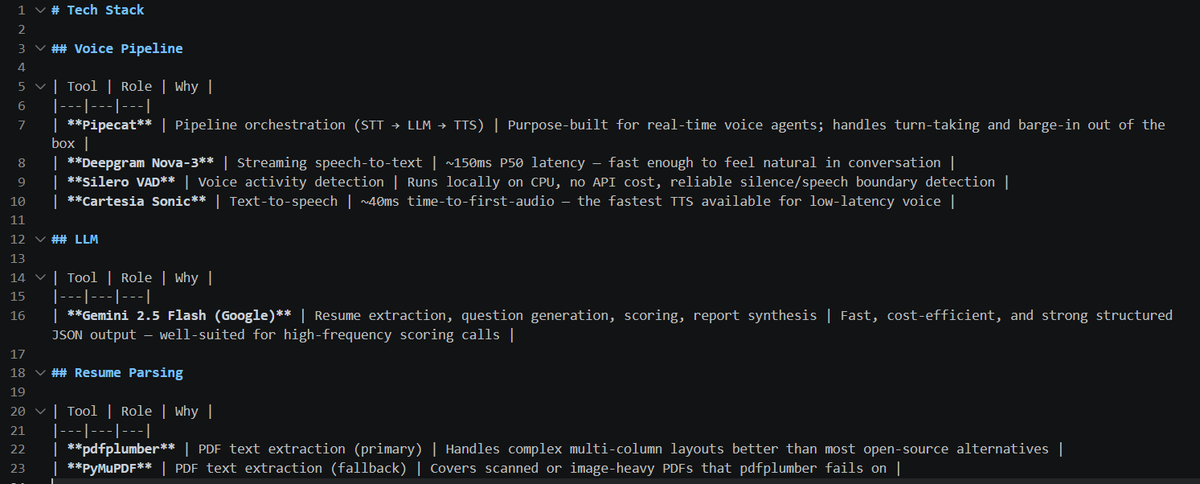
Day 1/10 of #Buildinpublic :
Voice AI based practice interview evaluator:
- Implemented a resume parsing interview intelligence pipeline
- Built a PDF → structured JSON extraction system using pdfplumber PyMuPDF fallback handling
- Added LLM-powered semantic validation
3
92

Es una pelea continua esa, voy intentando cada dos por tres jaja ahora lo que estoy probando es pasar una tirada de Pymupdf y separar por páginas, luego enfrentó el texto y la página a un modelo multimodal para que intente dejar el texto 1:1 (aquí tengo que jugar mucho aun) tengo que ver bien que describa imágenes, y luego de todo eso intentar comprobación de detalles finos como que la bibliografía este bien, eso me da muchos dolores de cabeza aún, el día que lo consiga y mis PDFs estén el markdown perfecto empezará la fiesta jaja
1
30

Criei um conversor híbrido de PDF → Markdown que resolve um problema real:
O que faz:
• Converte PDFs para Markdown estruturado
• 100% local e gratuito (PyMuPDF)
• Opção IA para alta qualidade (OpenAI/Claude)
• Setup em 1 comando
github.com/alessandronuunes/…
1
1
30


Before you send a PDF page to OCR or an LLM, ask whether it needs to go at all. PyMuPDF reads char counts, image coverage, tables, and form widgets in milliseconds per page — enough to route each page and skip the spend. Code walkthrough: artifex.com/blog/using-pymup…
2
1
3
83

Jun 3
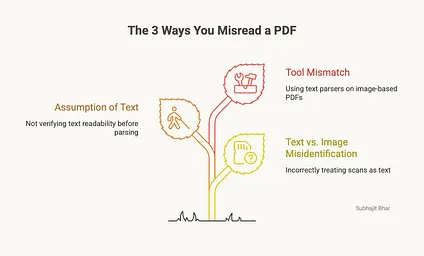
Fastest way to tell if a PDF is real text or just a picture of text:
Try to pull the text with pdfplumber.
Characters back means it's machine-readable. An empty string means it's a scan and you're in OCR territory.
That one check decides your entire approach.
Machine-readable means PDFplumber or PyMuPDF, and you're done in an afternoon. A scan means Tesseract, image cleanup, and a much longer week.
Run the check first. Don't assume. Half the "this library is broken" complaints are someone running a text parser at a photo.
Know which problem you have before you pick the tool.
What tripped you up first, text or scans?
#DocumentAI #ProductionAI
1
2
83

Jun 2
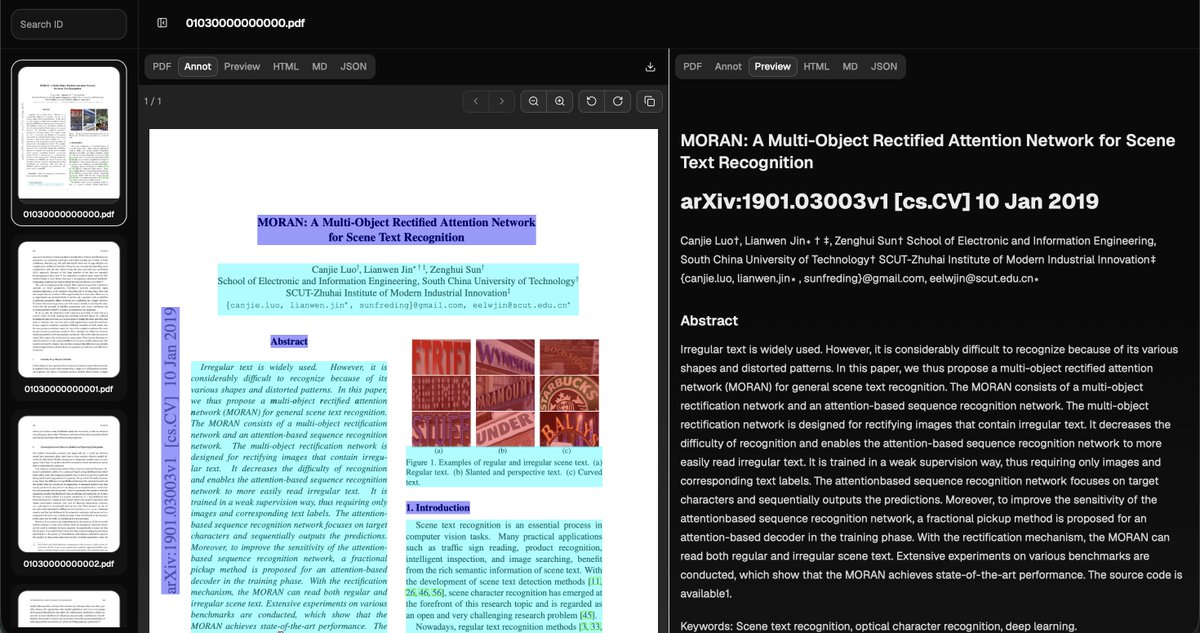
Bro I am surely gonna add OpenDataLoader PDF v2.0 in my AI apps.
PDF was built for printing, not for AI.
Wrong reading order. Broken tables. Lost structure. No accessibility tags.
Your RAG pipeline is cooked before you write a single line of code.
The tool you pick is 90% of the battle.
Most people are using marker or pymupdf. Let's be honest they git a trash output and take more time.
OpenDataLoader runs at 0.05 seconds. CPU only. No GPU. 100 pages per second with batching.
Ranked #1 on accuracy. 0.90 overall, 0.93 on tables. Bounding boxes on every element. Prompt injection filtering built in.
AI-ready output. Markdown for chunking, JSON with bounding boxes for citations, native LangChain integration.
1
4
119

Haha. I'll see about the case study but... one example is our PredictRLM document redaction example.
That example was built to use PyMuPDF (IIRC) and was supposed to use that package to edit the PDF.
We got it running quickly, and it was quite impressive: it used the predict construct with dspy.Image, then added black rectangles over the PII content. It was one of the first examples we tried, and we focused more on the main library than on the example itself, so we mostly checked the output and not the traces (which can be quite long).
It was only weeks later, while preparing for a demo, that I looked more closely at it since we hadn't run it in a while. Turns out PyMuPDF never actually loaded properly because of some JSPI/Deno interaction.
So how was the example working?
The RLM had reverted to editing the PDF like pure XML and did the job properly.
1
4
267

May 31
Much harder than it looks. Agreed. Even using pymupdf the text placement just sux.

I designed a new test specifically for multimodal models: fill out a paper form. And it's much harder than it sounds.
This isn't typing into an electronic field that captures your text. The form is just an image. The model has to place each form element: text, checkmarks — at the correct pixel position on the canvas itself.
Results:
🟢 Kimi K2.6 → done in 3:45, 16.7k output tokens
🟡 Step 3.7 Flash → half the fields, 57k output tokens
🔴 Gemini 3.5 Flash → 489k output tokens, never finished. I had to kill it.
Gemini burned ~29x more output tokens than Kimi on the exact same task, and Kimi's was the only form that actually looked filled out.
The test, a mocked application form, contains some challenging parts, such as one-character-per-box fields.
I provided every model the same set of tools:
> get canvas size
> drop probe markers to find coordinates
> add text
> add checkmarks
> move elements
> take a screenshot anytime to check their own work
> ... etc
So it's vision spatial reasoning tool use long context, all at once. Small models (Qwen, Gemma) can't really complete this test, so I skipped them.
What happened:
> Kimi nailed name, DOB, ID, gender, marital status, nationality, email, phone, address, postal code — placement slightly loose, but content correct. 15 turns. Clean.
> Step got maybe half right — fields dropped, "United States" landed in the email line, data floating outside boxes. Burned 1.24M input tokens doing it (81 turns of re-reading the canvas).
> Gemini almost got there visually... then spiraled. By turn 40 it was issuing a delete_elements call wiping element IDs 365–425, basically erasing its own work. 31 minutes, 489k output tokens, still streaming. Terminated.
The takeaway isn't "Gemini bad." This test is indeed difficult. But token efficiency is capability now. A model that needs 30x the tokens and still can't converge is going to be 30x the cost in production.
Kimi K2.6 just quietly did the thing.
1
3
288