
20 Feb 2025
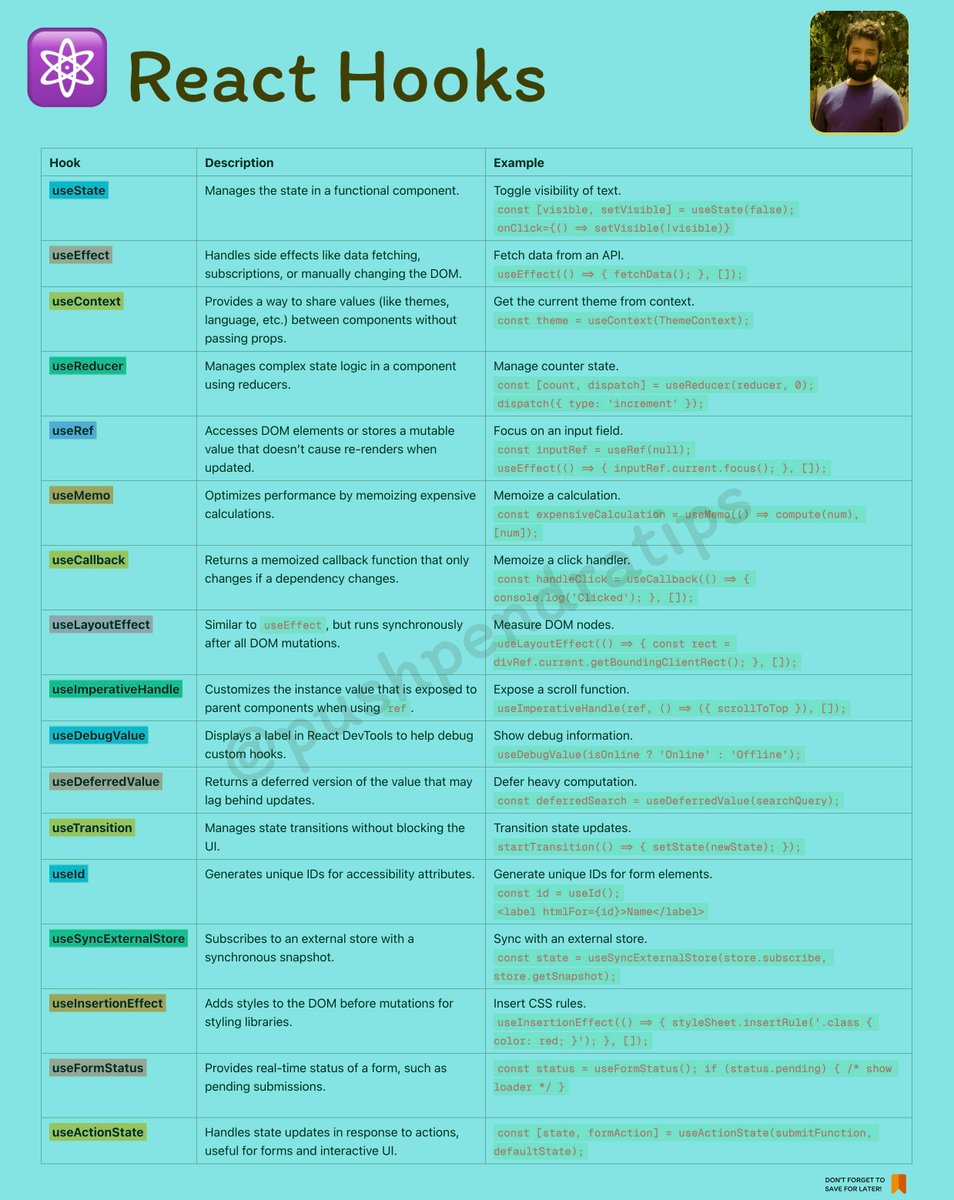
When to Use Which React Hook 🪝 (99% Time You'll Use These) ⚛️
1️⃣ useState – When You Need to Store & Update Values 🏦
Use this for component-level state like toggles, form inputs, and counters.
2️⃣ useEffect – When You Need Side Effects ⚡
Perfect for API calls, subscriptions, and syncing with external systems.
3️⃣ useRef – When You Need a Persistent Value Without Rerenders 🔍
Great for DOM manipulation and storing previous values.
4️⃣ useMemo – When You Need to Optimize Performance 🚀
Use it to avoid expensive recalculations.
5️⃣ useCallback – When You Need Stable Functions 🔗
Helpful for passing functions to child components without unnecessary re-renders.
6️⃣ useContext – When You Need Global State 🌍
Best for avoiding prop drilling in small-scale apps.
Rarely Used Hooks (But Good to Know) 🎩
🔸 useReducer – For complex state logic
🔸 useLayoutEffect – Like useEffect, but runs before the browser paints
🔸 useImperativeHandle – Exposes methods from a ref
🚀 99% of the time, you’ll use useState, useEffect, and useRef.
#ReactJS #ReactQuiz #ReactMCQ #ReactInterview #ReactJSQuiz #ReactJSQuestions #ReactTest #LearnReact #ReactJSBeginner #ReactAdvanced #ReactJSChallenge #ReactDeveloper #ReactCoding
#ReactMultipleChoice #ReactForBeginners #ReactJSTrivia #JavaScriptQuiz #FrontendQuiz #ReactJSPractice #WebDevQuiz #react
30
5
45
1,968

10 Jun 2024
Testing Made Easy
Unit and Integration Tests:
React components can be tested with tools like Jest.
Testability:
Encourages the creation of testable and maintainable code.
Reliable:
Ensures that components function as expected.
Additional Insights for Frontend Developer Interview Preparation
JavaScript:Component Architecture: Understand the component-based architecture of React.
JSX: Familiarize yourself with JSX syntax and its advantages.
HTML/CSS:Component Styling: Learn how to style React components efficiently.
DOM Manipulation: Understand the role of the virtual DOM in rendering.
ReactJS:Lifecycle Methods: Know the component lifecycle and how to manage state and props.
SSR: Understand the benefits of server-side rendering for performance and SEO.
Testing: Use testing libraries like Jest for writing unit and integration tests.
MDN Resources:Explore MDN Web Docs on JavaScript for comprehensive guides and resources.
React's advantages make it a top choice for building dynamic and performant web applications, crucial knowledge for frontend developers!
#JavaScriptInterview #ReactJSQuestions #FrontEndDevelopment #CodeInterview #WebDevQuestions #JSDevInterview #ReactInterview #TechInterview #ProgrammingQuestions #CSSPreprocessors #FrontEndSolutions #DevTips #CodeChallenge #ReactDevelopers #WebDevelopmentQA
4
5 Apr 2024
💼🌐 Web Developer Interview Question 💻
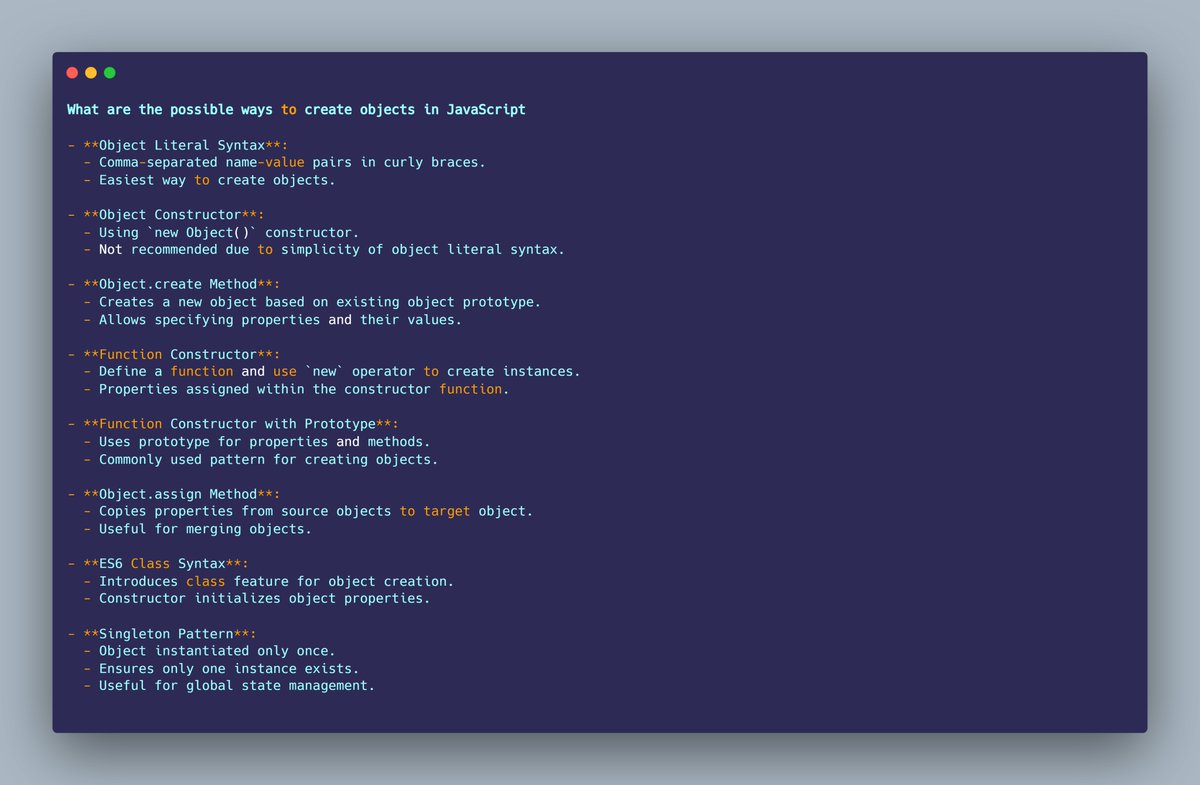
What are the possible ways to create objects in JavaScript
- Object Literal Syntax:
- Comma-separated name-value pairs in curly braces.
- Easiest way to create objects.
- Object Constructor:
- Using `new Object()` constructor.
- Not recommended due to simplicity of object literal syntax.
- Object.create Method:
- Creates a new object based on existing object prototype.
- Allows specifying properties and their values.
- Function Constructor:
- Define a function and use `new` operator to create instances.
- Properties assigned within the constructor function.
- Function Constructor with Prototype:
- Uses prototype for properties and methods.
- Commonly used pattern for creating objects.
- Object.assign Method:
- Copies properties from source objects to target object.
- Useful for merging objects.
- ES6 Class Syntax:
- Introduces class feature for object creation.
- Constructor initializes object properties.
- Singleton Pattern:
- Object instantiated only once.
- Ensures only one instance exists.
- Useful for global state management.
#JavaScriptInterview #ReactJSQuestions #FrontEndDevelopment #CodeInterview #WebDevQuestions #JSDevInterview #ReactInterview #TechInterview #ProgrammingQuestions #CSSPreprocessors #FrontEndSolutions #DevTips #CodeChallenge #ReactDevelopers #WebDevelopmentQA
19
21 Feb 2024
💼🌐 Web Developer Interview Question 💻
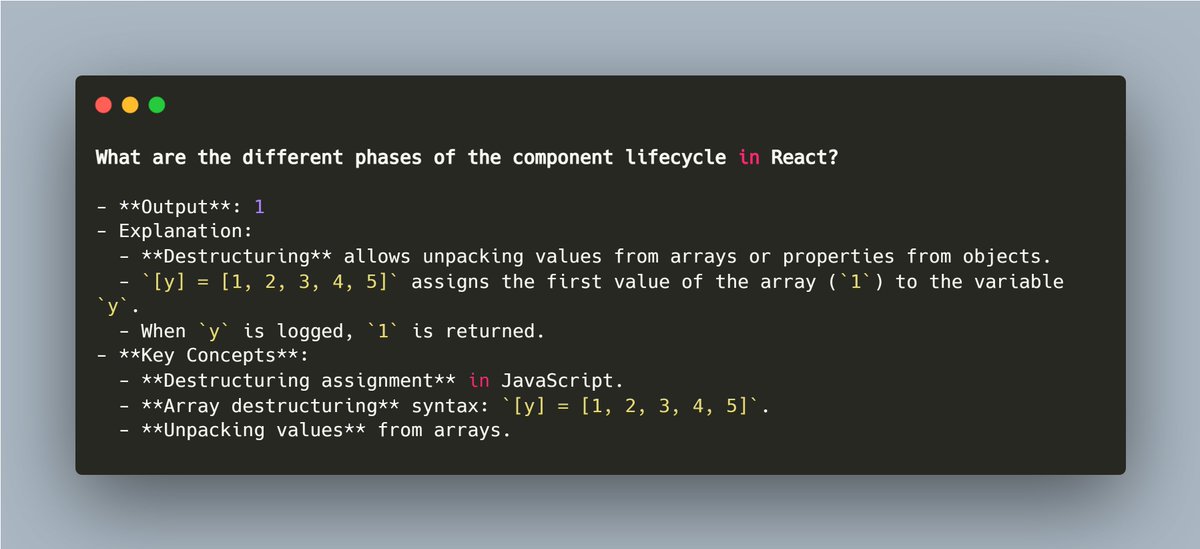
What are the different phases of the component lifecycle in React?
- Output: 1
- Explanation:
- Destructuring allows unpacking values from arrays or properties from objects.
- `[y] = [1, 2, 3, 4, 5]` assigns the first value of the array (`1`) to the variable `y`.
- When `y` is logged, `1` is returned.
- Key Concepts:
- Destructuring assignment in JavaScript.
- Array destructuring syntax: `[y] = [1, 2, 3, 4, 5]`.
- Unpacking values from arrays.
#JavaScriptInterview #ReactJSQuestions #FrontEndDevelopment #CodeInterview #WebDevQuestions #JSDevInterview #ReactInterview #TechInterview #ProgrammingQuestions #CSSPreprocessors #FrontEndSolutions #DevTips #CodeChallenge #ReactDevelopers #WebDevelopmentQA
3
25
21 Feb 2024
💼🌐 Web Developer Interview Question 💻
What are the lifecycle methods in React?
- Lifecycle Methods in React:
- getDerivedStateFromProps:
- Executed before rendering on the initial mount and all updates.
- Used to update state based on changes in props.
- Rare use cases, like tracking component animations.
- Returns an object for new state or null to update nothing.
- componentDidMount:
- Executed after first rendering.
- Used for AJAX requests, DOM or state updates, and eventListeners setup.
- shouldComponentUpdate:
- Determines if the component will be updated.
- Returns true by default.
- Improves performance by preventing unnecessary rerenders.
- getSnapshotBeforeUpdate:
- Invoked after render but before `componentDidUpdate`.
- Return value passed to `componentDidUpdate`.
- componentDidUpdate:
- Used to update the DOM in response to prop or state changes.
- componentWillUnmount:
- Used to clean up tasks, like canceling network requests or removing event listeners.
- componentDidCatch:
- Used in error boundaries to catch JavaScript errors.
- Allows logging errors and displaying error UI.
- Key Concepts:
- React Lifecycle methods manage component creation, update, and destruction.
- Each method serves a specific purpose in different phases of a component's lifecycle.
- Understanding lifecycle methods helps in managing component behavior and optimizing performance.
#JavaScriptInterview #ReactJSQuestions #FrontEndDevelopment #CodeInterview #WebDevQuestions #JSDevInterview #ReactInterview #TechInterview #ProgrammingQuestions #CSSPreprocessors #FrontEndSolutions #DevTips #CodeChallenge #ReactDevelopers #WebDevelopmentQA
2
10
10 Feb 2024
💼🌐 Web Developer Interview Question 💻
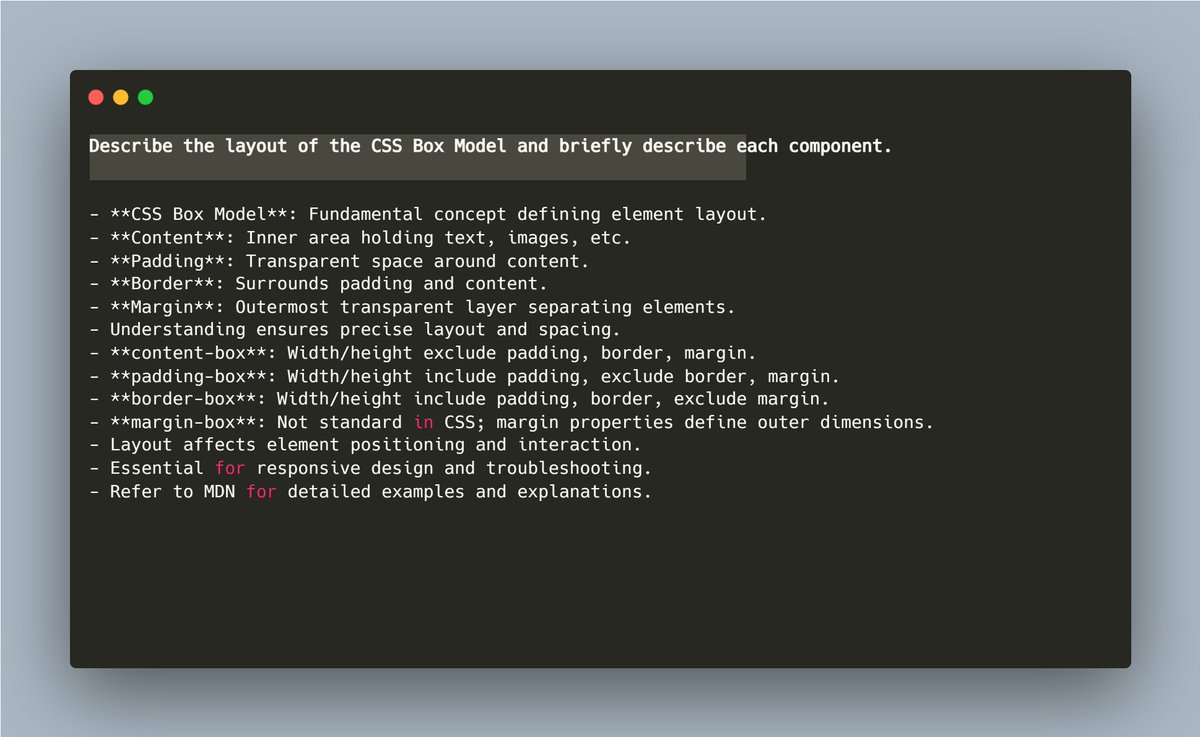
Describe the layout of the CSS Box Model and briefly describe each component.
- CSS Box Model: Fundamental concept defining element layout.
- Content: Inner area holding text, images, etc.
- Padding: Transparent space around content.
- Border: Surrounds padding and content.
- Margin: Outermost transparent layer separating elements.
- Understanding ensures precise layout and spacing.
- content-box: Width/height exclude padding, border, margin.
- padding-box: Width/height include padding, exclude border, margin.
- border-box: Width/height include padding, border, exclude margin.
- margin-box: Not standard in CSS; margin properties define outer dimensions.
- Layout affects element positioning and interaction.
- Essential for responsive design and troubleshooting.
- Refer to MDN for detailed examples and explanations.
#JavaScriptInterview #ReactJSQuestions #FrontEndDevelopment #CodeInterview #WebDevQuestions #JSDevInterview #ReactInterview #TechInterview #ProgrammingQuestions #CSSPreprocessors #FrontEndSolutions #DevTips #CodeChallenge #ReactDevelopers #WebDevelopmentQA
2
40
9 Feb 2024
💼🌐 Web Developer Interview Question 💻
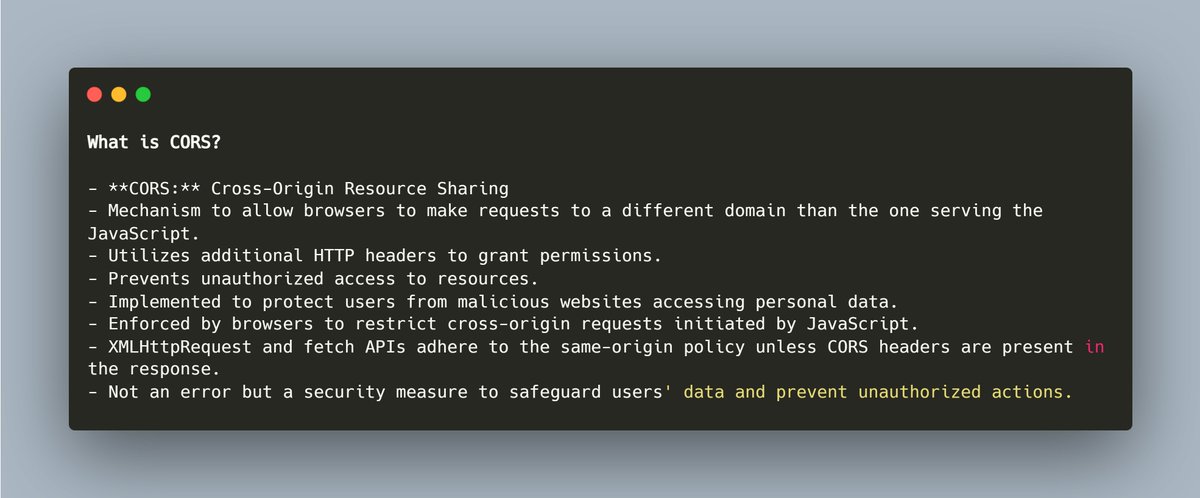
What is CORS?
- CORS: Cross-Origin Resource Sharing
- Mechanism to allow browsers to make requests to a different domain than the one serving the JavaScript.
- Utilizes additional HTTP headers to grant permissions.
- Prevents unauthorized access to resources.
- Implemented to protect users from malicious websites accessing personal data.
- Enforced by browsers to restrict cross-origin requests initiated by JavaScript.
- XMLHttpRequest and fetch APIs adhere to the same-origin policy unless CORS headers are present in the response.
- Not an error but a security measure to safeguard users' data and prevent unauthorized actions.
#JavaScriptInterview #ReactJSQuestions #FrontEndDevelopment #CodeInterview #WebDevQuestions #JSDevInterview #ReactInterview #TechInterview #ProgrammingQuestions #CSSPreprocessors #FrontEndSolutions #DevTips #CodeChallenge #ReactDevelopers #WebDevelopmentQA
2
16
1 Feb 2024
💼🌐 Web Developer Interview Question 💻
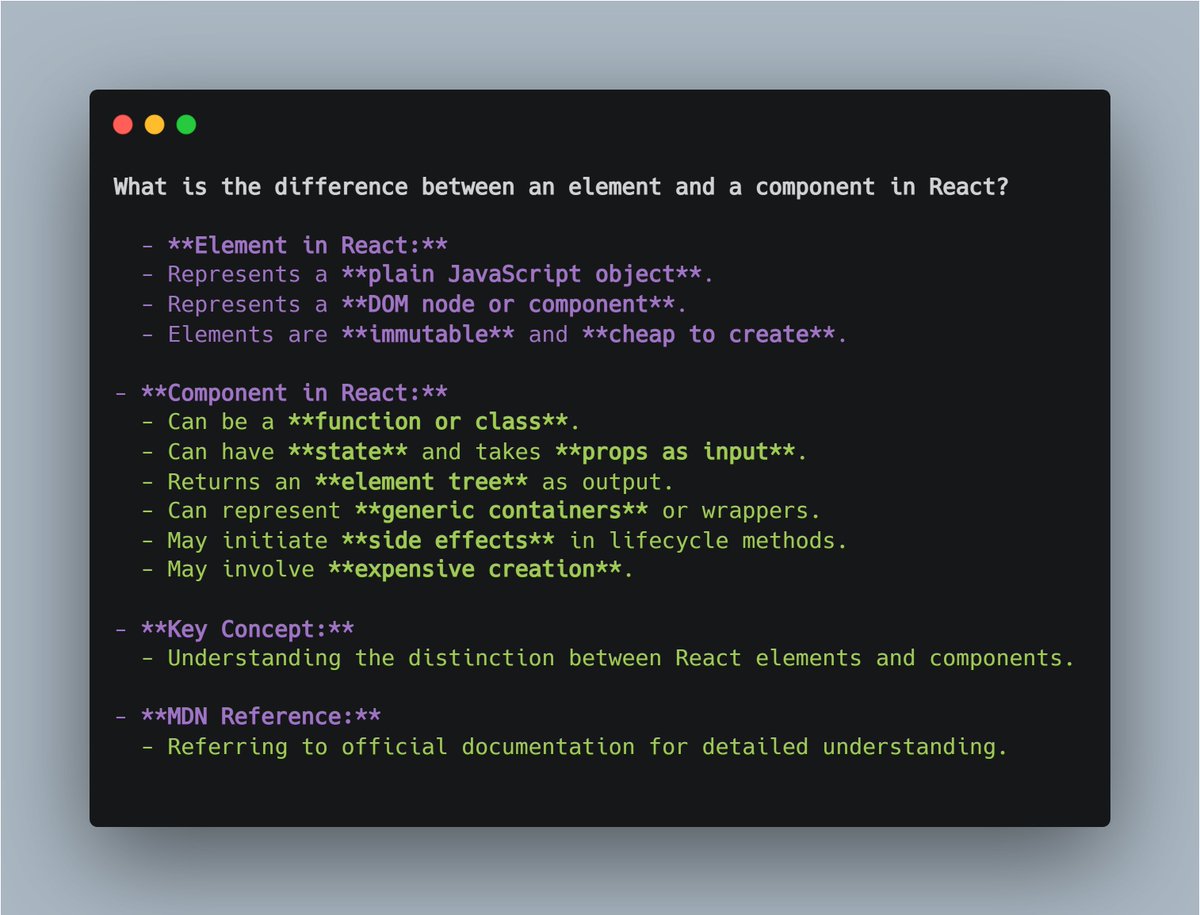
What is the difference between an element and a component in React?
- Element in React:
- Represents a plain JavaScript object
- Represents a DOM node or component
- Elements are immutable and cheap to create
- Component in React:
- Can be a function or class.
- Can have state and takes props as input
- Returns an element tree as output.
- Can represent generic containers or wrappers.
- May initiate side effects in lifecycle methods.
- May involve expensive creation.
- Key Concept:
- Understanding the distinction between React elements and components.
- MDN Reference:
- Referring to official documentation for detailed understanding.
#JavaScriptInterview #ReactJSQuestions #FrontEndDevelopment #CodeInterview #WebDevQuestions #JSDevInterview #ReactInterview #TechInterview #ProgrammingQuestions #CSSPreprocessors #FrontEndSolutions #DevTips #CodeChallenge #ReactDevelopers #WebDevelopmentQA
48