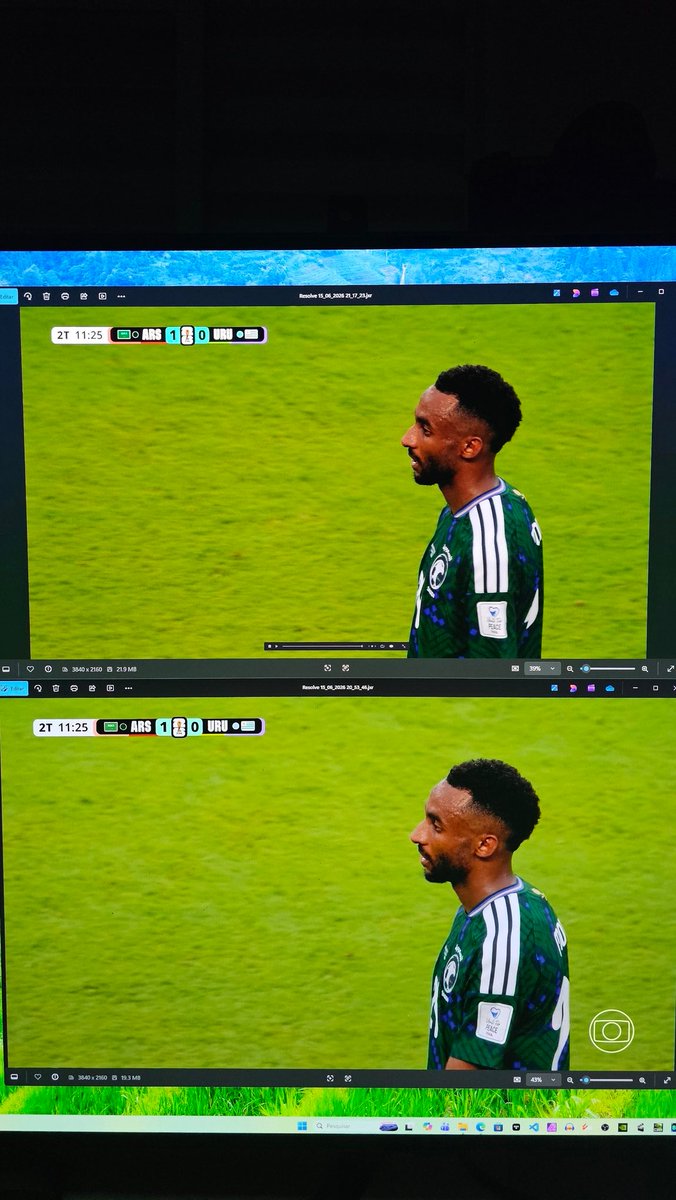
Consegui em fim comparar sportv4k e globo dtv . As imagens sao bem semelhantes. A unica coisa que muda é o placar. O placar do sportv4k ta em HDR Rec2020 entao as cores ficam fortes. O placar da globo dtv está em SDR Rec709 entao fica mais escuro relativo ao fundo da imagem.
6
59
4,984

Jun 14
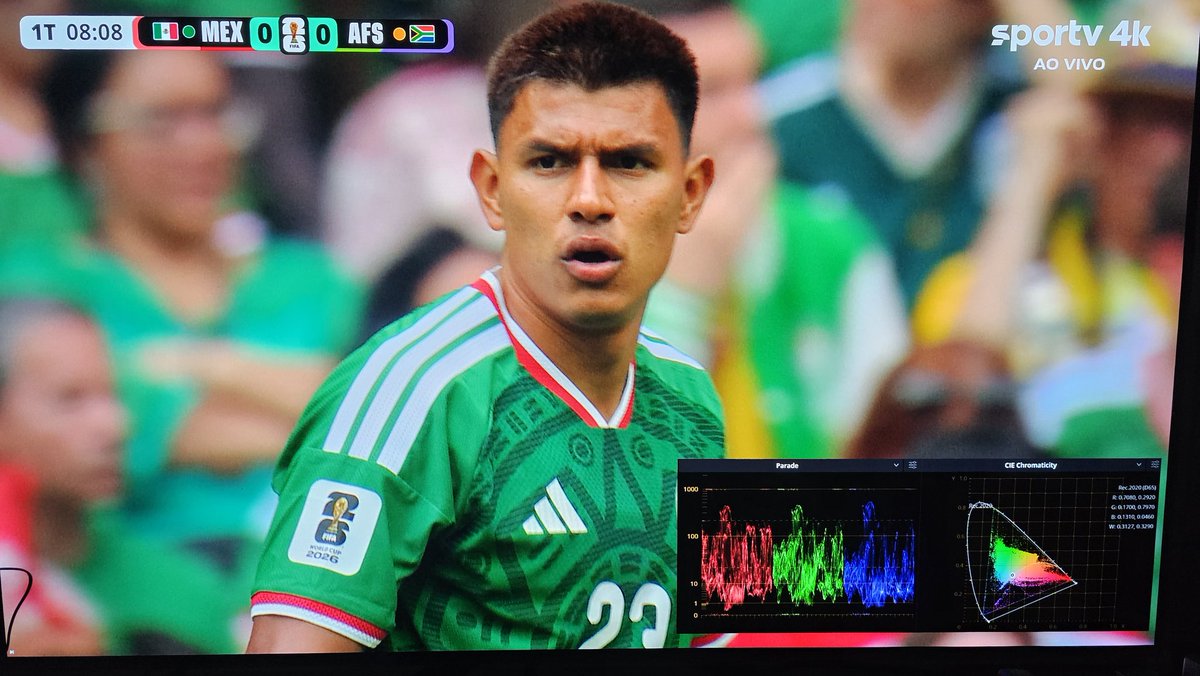
Eu gravei o primeiro jogo (arquivo .TS em 4k HLG) e passei na ferramenta de colorimetria do davinci resolve e ta correto. Luminosidade chega na area HDR e a paleta de cor aproveita bem o Rec2020. Só que qd o ze botao esquece de trocar o sinal, ai manda sdr. Fica lavado e escuro.
2
4
434


Jun 9
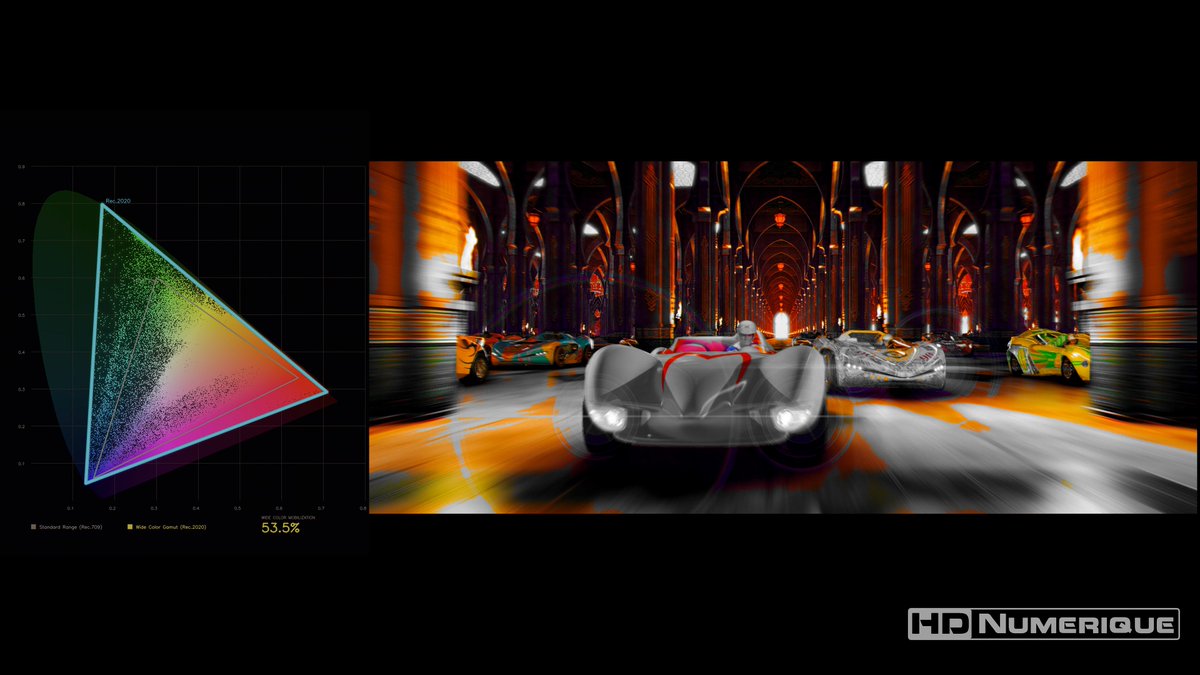
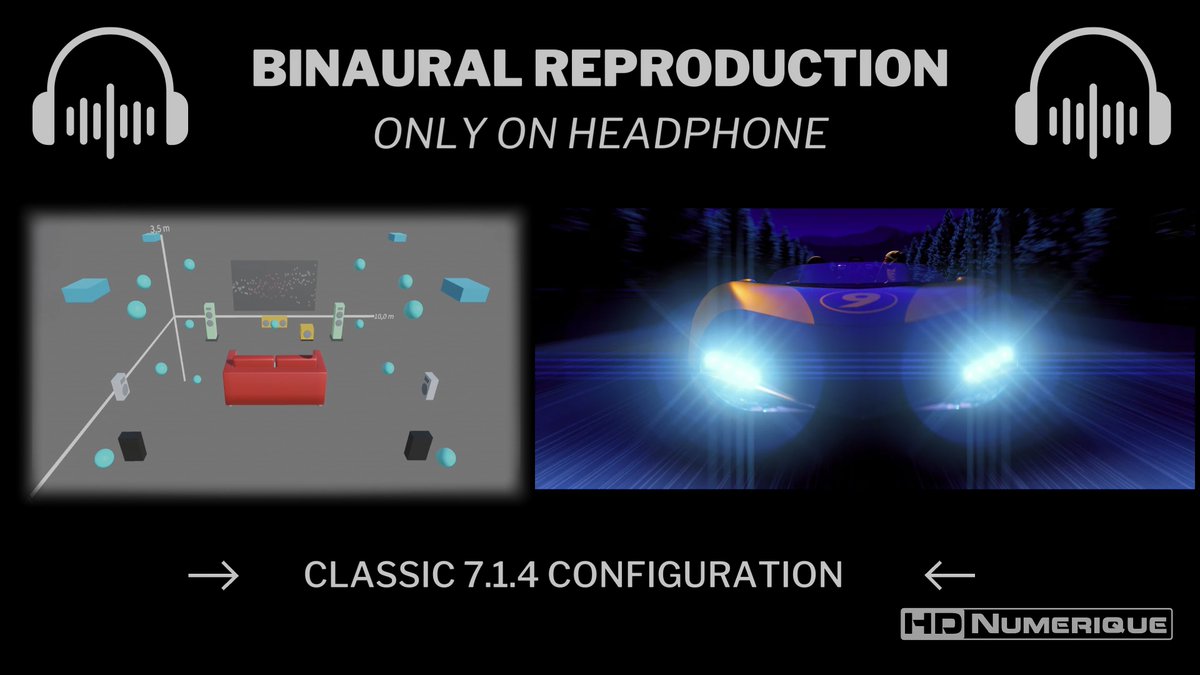
🌈Go, #SpeedRacer, Go ! 🚦On est de retour pour une nouvelle salve de TESTS #4K #UltraHD #Bluray !
👁️TEST : hdnumerique.com/dossiers/140…
🏎️Notre chronique de Speed Racer est en ligne 🎬 : le titre PARFAIT pour reprendre, puisqu'il tire tout son avantage d'une approche HDR sans concession. #4000nits #rec2020
📝Les problèmes de transcodage #HDR YouTube qui nous ont freinés ces derniers mois sont au placard (pour de bon, on espère 🤞).


2
8
595

Jun 9
27U165D
27" 4K165 matte IPS RGB miniLED (1100 zn)
550nit
95% rec2020
$650
63
Jun 9
youtu.be/VIa-DFj24_I
32U165VD
32" 4K165 glossy VA RGB miniLED (1500 zn)
1000nit SDR/1400nit HDR
99%Rec2020
$900
coming Q4 this year or Q1 next year?
1
179

May 31
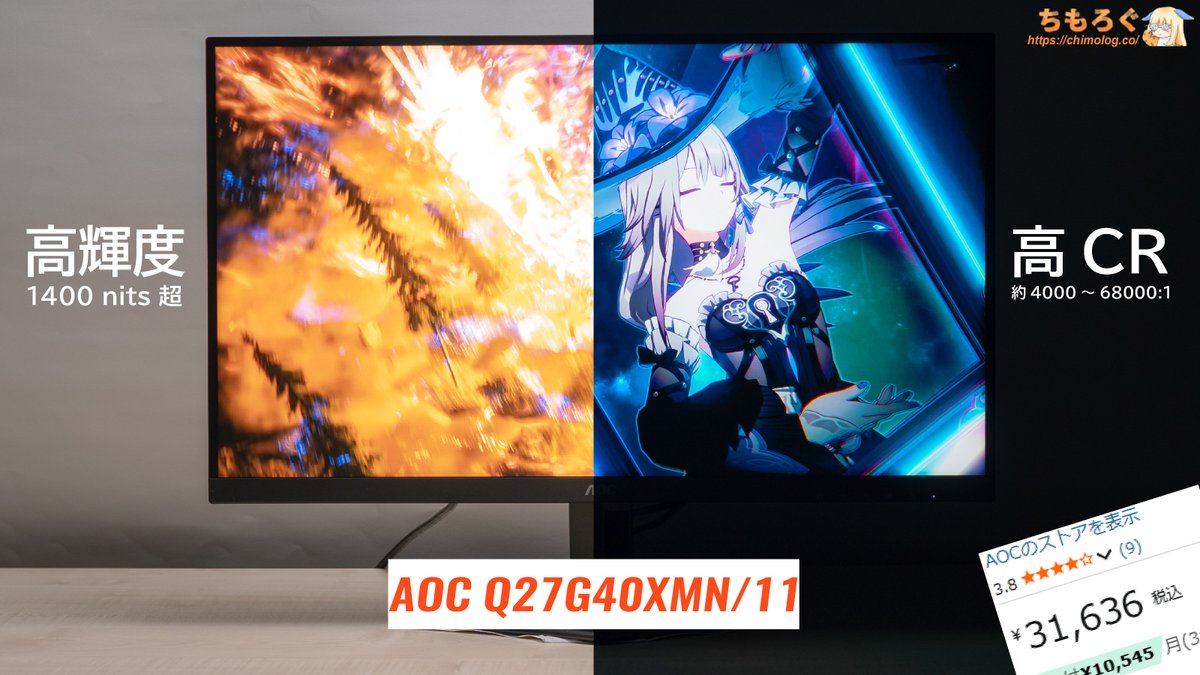
久々にコスパがぶっ壊れてるWQHDゲーミングモニター見つけたから共有します
【購入レビュー】
chimolog.co/aoc-q27g40xmn/
【Amazon】
➡ amzn.to/4o0JrUm
こちら31600円で・・・
✅FastVAパネル(実測2.9ミリ秒)
✅直下型MiniLED(1152個)
✅量子ドット(Rec2020:84%)
✅HDR1400相当
✅黒すごい(ピーク時68000:1)
✅HDR精度が割とあってる
✅OSDソフト対応
✅3年保証
有名メーカーが未だに3万円台でEdgeLEDなんて旧世代パネルを売りつけてる中、なんでコレ3万円なの?
3
69
446
152,479

May 16
My plan is to rent a Canon EOS C300 Mark ii, which could shoot a format that would allow HDR and Wide Color Gamut (DCI-P3 or Rec2020) which would accurately capture all the colors produced by the tube which are outside of the smaller HD gamuts (Rec709, sRGB) and the camera has an external sync option that would allow you to sync the CRT and Camera together perfectly.
That would be much easier to do with a professional CRT as well. A Sony PVM 1341, 1351, 14M2, or 14L2 all have similar gamuts to domestic Japanese CRTs, and have line outs for both composite video and external sync if using RGBs from the MegaDrive. There's still video editing workflow issues I expect to arise... but I might be able to get some help if I can get the capture correct.
2
7
324

PS5 can pass on the full Rec2020 color if a game outputs it.
PS5 and PS5 Pro only has a 32 gbs HDMI 2.1 bandwith. Thats enough for full 4.4.4 chroma at 60hz. Its only at 120hz the bandwith becomes and issue. Here PS5 uses 4.2.2, so it uses color compression. But thats not the same as color space / colume or Reg2020.
HDR is more than color volume. Its also about up to 10.000 nits brightness no matter the color space. That brightness you get even in reg709 or P3 color space.
HDR also has more steps in color, so it has much less banding.
And HDR allocates more steps to shadows than SDR.
So HDR makes a lot of sense even if reg2020 is not used. Its not in most games.
Also remember P3, is also considered HDR color space.
5
1,419
Apr 28
Is it just me, or does HDR not make sense without the Rec2020 color gamut?
Has anyone actually attempted to make a proper UHD videogame? 4K HDR WCG ? Does the PS5 even have the HDMI bandwidth for that?
3
2
1,530


Apr 18
I'd say it bears reference in the sense that because Rec709's industrial standard reference in 100 nits, we're functionally stuck there. The big (in terms of industry standardization) benefit of Rec2020 encoding is that it moves things from a relative white point to a fixed one.
2
2
72
Apr 18
Agreed on that count. There are a number of things that make them impossible to compare 1:1, but the fact remains that neither is aesthetically determinative outside of edge cases in which HDR/Rec2020 is capable of displaying things that SDR/709* doesn't.
[Asterisk incoming...]
2
2
98

Apr 16
55 inch is also a new model!
Rec2020 varies with bigger sizes
2
2
11
364

Apr 16
Why is the ΔE~3, last Vision 9 model ΔE ~1.71 and Rec2020 81% and this is just 70%? and also the why Peak brightness drop of 100 nits from previous model ? Is it due to a high refresh rate, or is there another reason?
1
6
1,110
Apr 16
Why is the ΔE~3, last Vision 9 model ΔE ~1.71 and Rec2020 81% and this is just 70%? and also the why Peak brightness drop of 100 nits from previous model ? Is it due to a high refresh rate, or is there another reason?
1
6
583

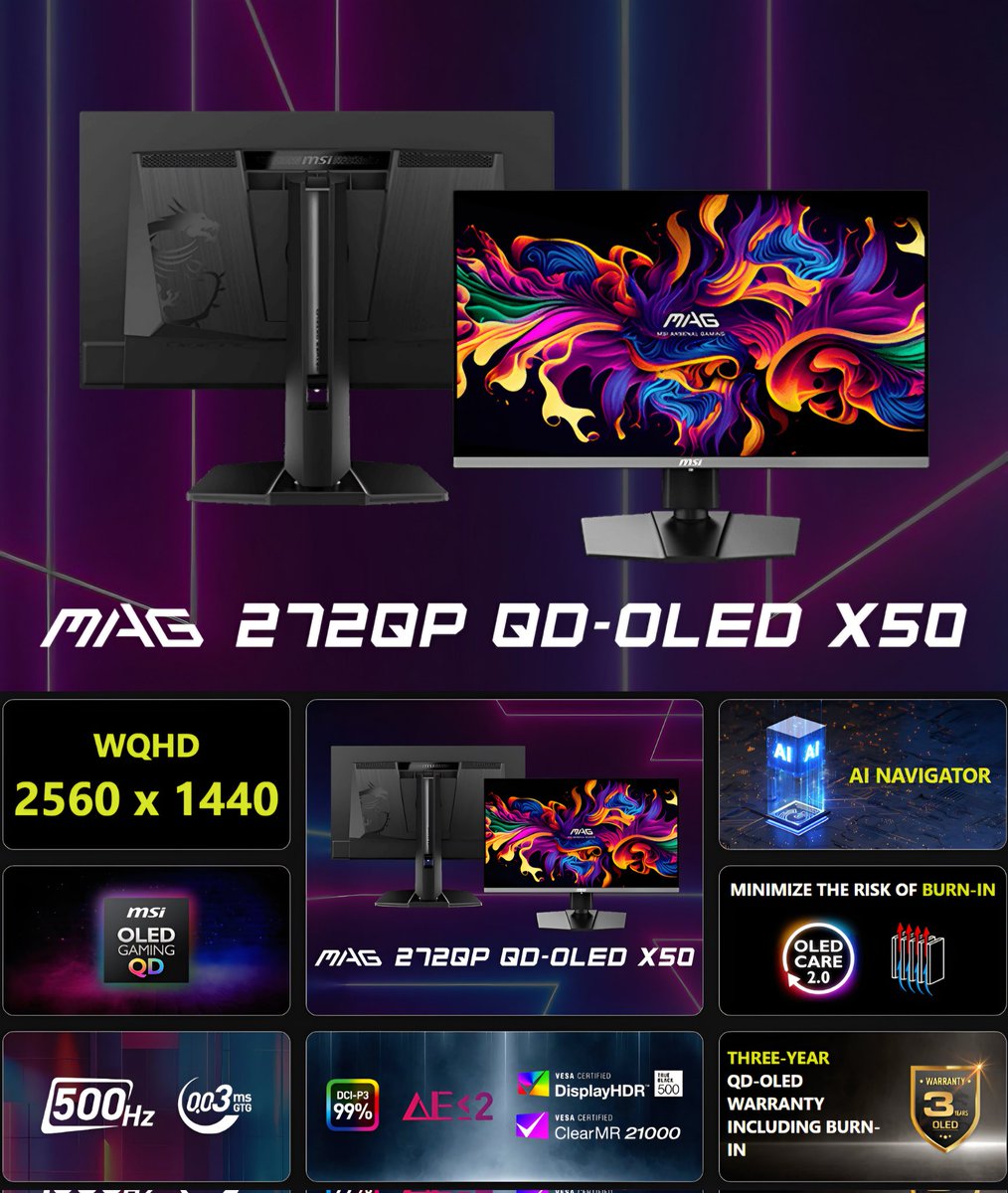
عرض على شاشة QD-OLED و 500Hz من MSI:
الاسم: MSI MAG 272QP QD-OLED X50
الحجم: 27"
الدقة: 1440p
معدل التحديث: 500Hz
البانل: QD-OLED Gen 4
طبقة البانل: Glossy
عمق الالوان: 10Bit
مساحة الالوان: DCI-P3 99% و Rec2020 80%
المنافذ: DP1.4a & HDMI2.1 & Type-C 15W DP alt
السعر: ٢٨٩٩ريال 🔥👍🏻
البائع طبيب الكمبيوتر محلي مع ضمان ✅️
🔸️هل تستاهل؟
اذا انت محترف او مهتم بالعاب السرعة والشوتر وتبي تاخذ افضل نعومة ممكنة راح تكون خيار جبار بسعر ممتاز
🔸️طيب 500Hz ملحوظة للعين؟
ايه نعم 500Hz ملحوظة للعين مقارنة بالـ 240Hz وعشان توضح الصورة اكثر بيكون الفرق تقريبا كانك انتقلت من 144Hz الى 240Hz
لكن تحتاج جهاز قوي يقدر يشغل 2k 500fps ⚠️
مكتوب في صفحة MSI انها Gen 3 لكن هي Gen 4 او بانل 2025 اللي يجي بـ HDR TrueBlack 500 والسطوع صار يوصل 300Nits 👌🏻
رابط الشاشة: amzn.to/3Okmjmm
15
3
81
29,667
Mar 30
The CRTs themselves don't usually need much more than white balance with a colorimeter. Depending on if you want to use Composite, SVideo, or Component YPbPr, you may also benefit from adjustments performed with an oscilloscope.
My additional inquiries into the colorspace of various Japanese formulas of P22/B22 color phosphors are important when emulating old games on modern equipment.
Having the exact RGB chromaticity coordinates would mean not only emulating the game hardware, but also emulating the differing color tones based on any given set of CRT phosphors.
All CRTs perform a colorspace conversion to conform to their own tube... but different tubes use different shades or red, green, blue so the results are different depending on the CRT used.
Being able to actively select from different color sets will be an important option going forward. I helped to some degree with the colorspace conversion options in the RetroTink4K but we don't have a lot of historically accurate documentation to base various options on.
So that's my quest... to create a situation where a user in the future can play a game with a choice in accurate color reproduction based on different CRT colorspaces.
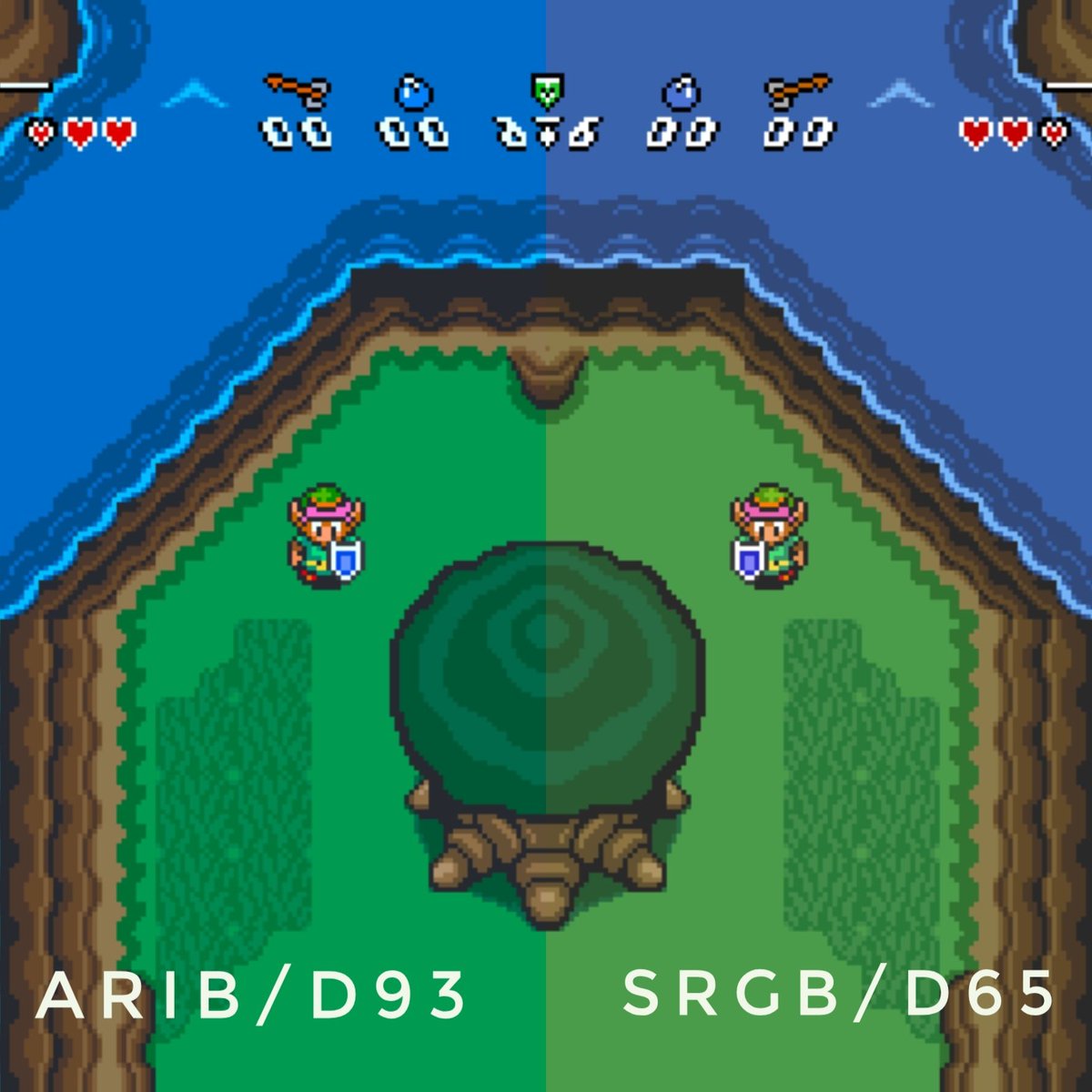
Pictured below is the difference for "A Link To The Past" on a typical American PC monitor using sRGB color and D65 white, vs coordinates based on ARIB/MUSE HiVision color and D93 white that was used before SMPTE-C was largely adopted for High Definition monitors in Japan.
It's obvious, side-by-side, that the water is purple and the grass is yellow when using a monitor typical in America, which definitely doesn't look right.
Simulating the Japanese chromaticity coordinates and changing the white transforms the game into something that looks closer to what was likely the intended image.
Unfortunately these transformations have to be done with a UHD monitor because many of the Japanese color sets have colors well outside the sRGB/Rec709 colorspace and need to be done in Rec2020.
1
4
329
Mar 30
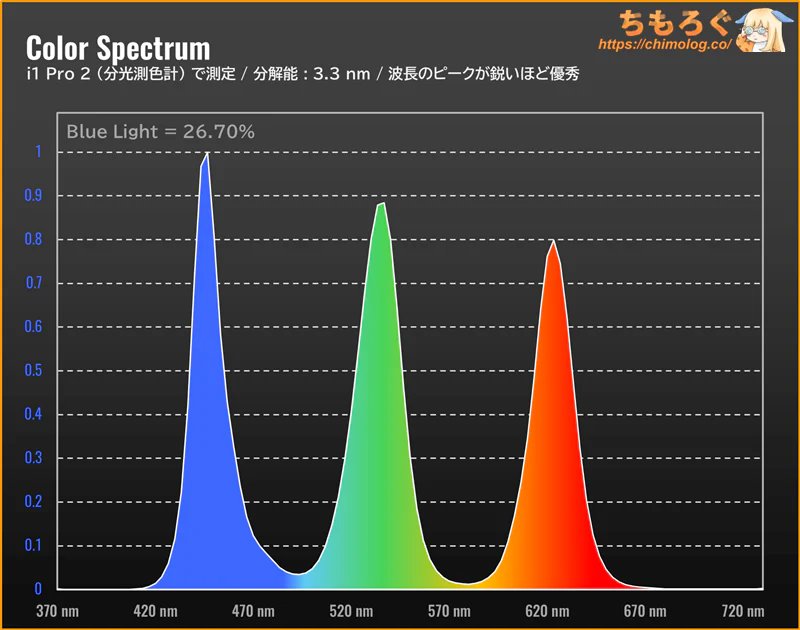
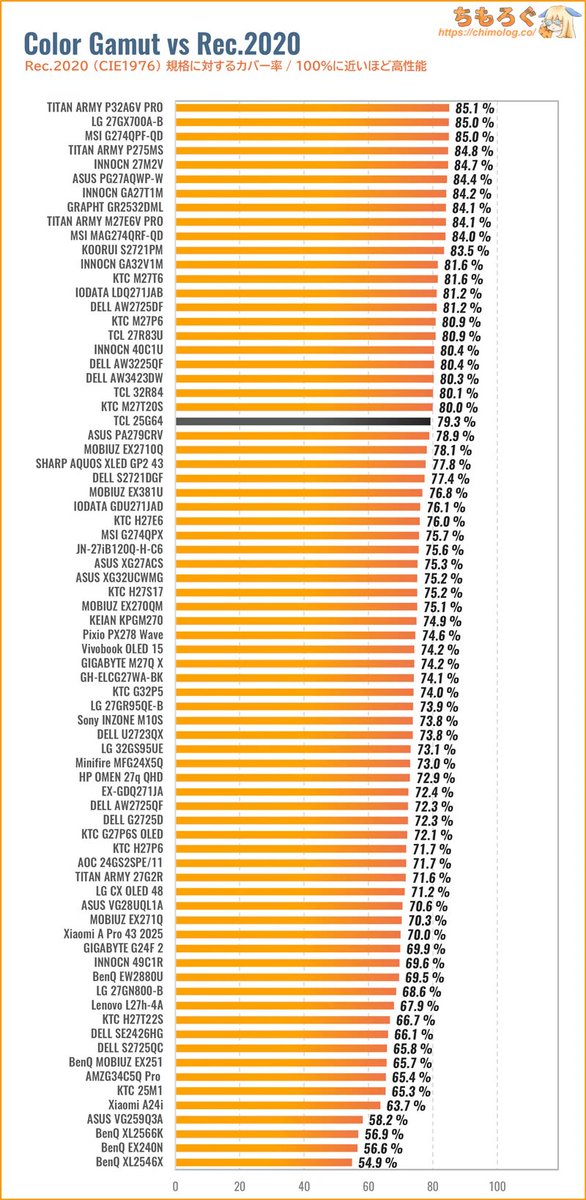
TCL CSOTといえば「なんちゃって量子ドット」や「微量の量子ドット」を警戒するかもですが、なぜかこの激安モニターはちゃんと "本物の量子ドット" です
フルHDで過去最高となる「DCI P3:97%」「Rec2020:79%」を記録しました
WQHD~4Kモニターで当たり前の水準にようやく追いついてきた感ある
Mar 30

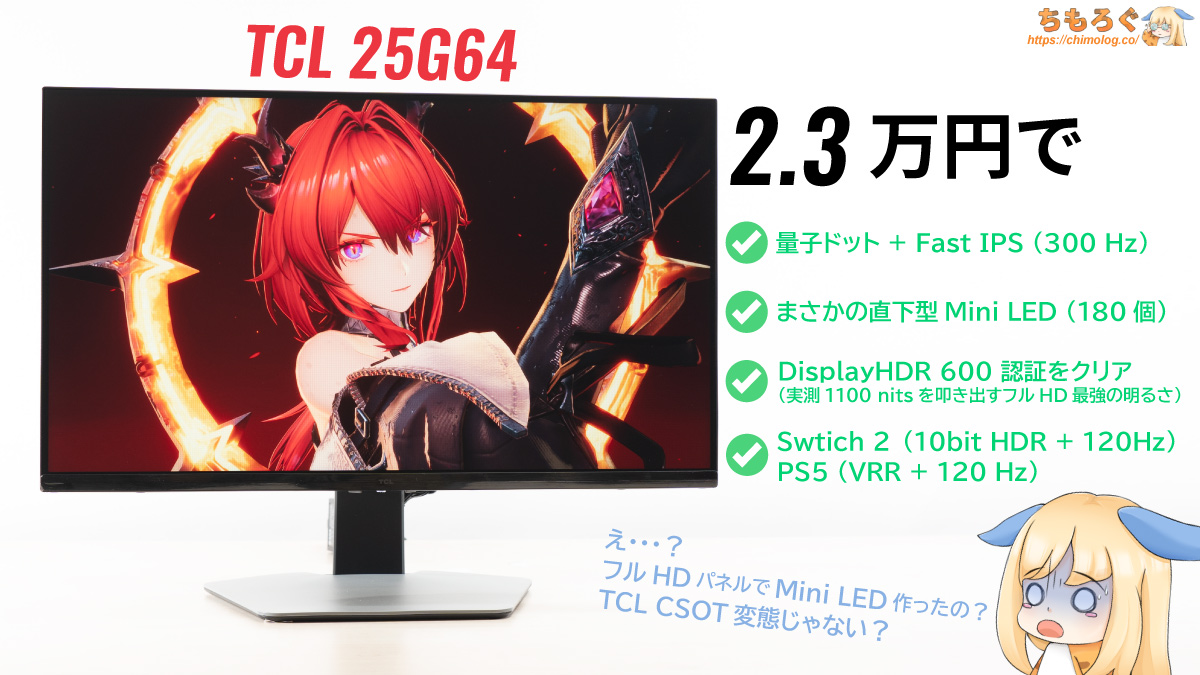
フルHDでMini LED!?😨
TCL製「25G64」を買ってレビュー
➡ chimolog.co/tcl-25g64/
Amazonはこっち
▶ amzn.to/4sLs3o4
フルHDで超珍しい「量子ドット Mini LED」ゲーミングモニターです。今まで評価したフルHDで最高の画質でした。フルHDだからPS5やNintendo Switch 2用におすすめ
1
26
159
44,703
Mar 27
Are we all overreacting to a trailer for a show in HDR and either Rec2020 or DCI-P3 color getting mutilated by YouTube and Twitter and internet sRGB/SDR default video encoding and then getting displayed on phone screens with literally no standards for color accuracy?
5
7
4,195