

May 29
ConstraintLayout was never faster than either a FrameLayout, LinearLayout, or nested LinearLayouts.
The only time ConstraintLayout is "faster" is if you have "multiple levels of nested weights", and nobody does that.
But it's more reliable than RelativeLayout, in 99% of cases.
1
4
255

May 6
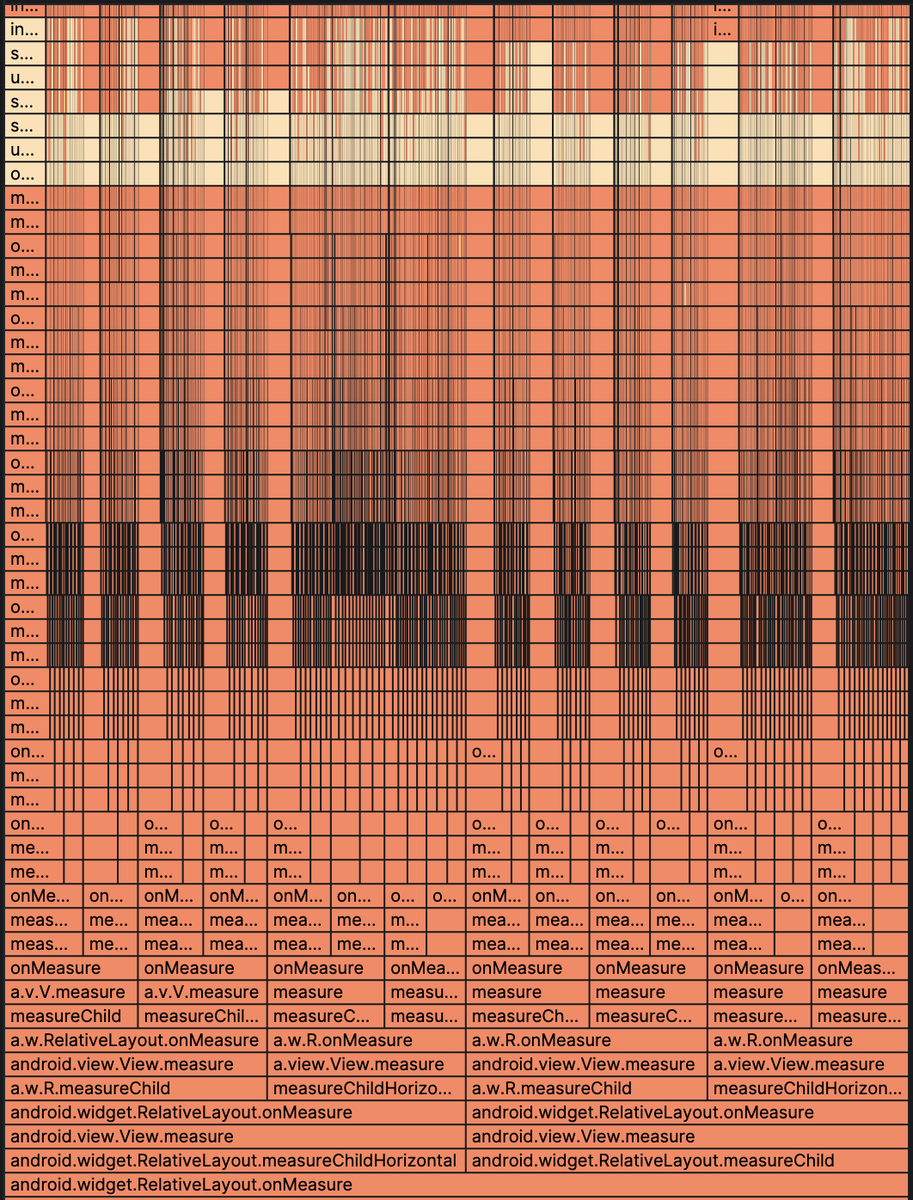
SwiftCrossUI's AndroidBackend has been hanging for a few hundred milliseconds after each view update, so Beberka collected a flame graph to investigate.
It turns out, Android's RelativeLayout view measures each child twice per measure pass, taking exponential time when nested!
1
3
87

Apr 13
XTrace:用 ART 原生接口在生产环境做高性能、无侵入的 Android 动态追踪
Ghost Bug(幽灵问题)是线上稳定性保障的最大难题——只在特定用户、特定场景、特定时刻出现,常规日志看不到上下文,重现困难,定位周期动不动就是几天到几周。根本矛盾在于:静态插桩发版太慢,Frida 类动态 Hook 改的是 ART 内部不公开的 volatile 数据结构,在字节跳动这样日活数亿的产品里用不起。
XTrace 的核心思路是从"虚拟机公共接口"绕路:利用 ART 本身提供的 instrumentation 机制(MethodEntered/UpdateMethodsCode 等公开 API),而不是去内存里直接改 ArtMethod 结构体。但这还不够——ART 原生方案有两个坑:一是全局开启导致所有类加载时都自动插桩,静态开销巨大;二是所有 tracing 统一走解释器路径(JIT 编译的方法也要 deopt),运行时开销翻倍。
XTrace 做了两个关键优化:一是定向注入(Targeted Injection),只在运行时配置需要追踪的目标方法,对其余代码完全零侵入,消融实验证明禁用后冷启动延迟从 6.5ms 暴涨 64 倍到 418ms;二是自适应执行模式,根据方法当前编译状态动态选择最优路径,已 JIT 编译的方法直接走快速执行路径。实测结果:冷启动额外延迟仅 6.5ms(Frida 的 1/13),CPU 占用 <1%(Frida 的 1/6),单次方法调用 <0.01ms(Frida 的 1/10)。
大规模生产验证:108M 日活用户 A/B 测试一个月,Crash User Rate 和 ANR Rate 均无统计显著差异(p > 0.05),且成功诊断超 11 起线上 Crash。案例显示:某 FrameDisplayEventListener 触发后 View.measure 每帧被调用 3 次的冗余问题(导致 UI 帧率下降 25.95%),Perfetto 只能定位到 Choreographer 超时和 measure 阶段瓶颈,但 XTrace 能打通从上层 UI 事件到具体 RelativeLayout 实例的完整因果链。
为什么值得读:
这篇论文对做性能分析和线上诊断的 Android 工程师来说是教科书级别的工程实践:它不仅提出了方案,更深入剖析了为什么现有工具(Perfetto 的预置 tracepoint Frida 的侵入式内存修改)各有局限,并给出了量化的消融实验证明每个设计决策的必要性。尤其是"Ghost Bug 根因定位从数天缩短到小时"这个结果,对 MTK/OPPO 那些要处理大量线上问题的团队来说,直接价值很高。
核心观点:
• 字节跳动团队提出"非侵入式代理"(Non-Invasive Proxying)新范式:借助 ART 公共 instrumentation 接口(不修改内部 volatile 结构)实现方法拦截,108M 日活 A/B 测试验证 Crash/ANR 无显著影响(p > 0.05)
• 定向注入(Targeted Injection)将冷启动额外延迟控制在 6.5ms,是 Frida 的 6-10%,禁用后暴涨 64 倍,证明"按需开启"是性能可控的必要条件
• 自适应执行模式(Adaptive Execution Mode)根据 JIT/AOT 编译状态选择最优路径,单次方法调用延迟 <0.01ms(禁用后上升 13 倍),对高频方法追踪至关重要
• XTrace 解决了 Perfetto"tracepoint 盲区"问题:能同时追踪高层 UI 事件(FrameDisplayEventListener.ru…)和低层 View.measure,打通完整因果链,这是系统级工具的核心局限
• 实际案例:FrameDrop 问题根因定位从 Perfetto 的"measure 阶段超标"精确到同一个 RelativeLayout 实例每帧被 measure 调用 3 次,A/B 测试帧率下降率改善 25.95%
对 Android 性能优化的启示:
当 Perfetto/Systrace 只能给出"某帧超时在 measure 阶段"这类粗粒度结论时,借鉴 XTrace 的定向追踪思路:同时在 Choreographer.doFrame 入口和可疑 View 的 onMeasure/onLayout 设置定向 Tracing,打通从上层 UI 事件到具体 View 实例的完整因果链。这对高爷做的滑动流畅度优化直接可复用。
设计性能数据采集任务时,应避免"全局 Hook 所有方法",改为根据预分析结果(如发现某类 View measure 超时)动态开启定向采集,用完即关。这比 Frida 的全量 Hook 在生产环境可行得多,对用户体验基本无感知。
2
318
Feb 18
Back in 2013, when I was taking a university course on "Software Development for the Android Platform", during the finals, I had to write AsyncTask and layout XML on paper with a pen 😁
You had to know how to write the XML params of LinearLayout, FrameLayout and RelativeLayout.
1
7
706

29 Oct 2025
LayerLink is an awesome thing. I was thinking about RelativeLayout in android just a couple of days ago and thinking it'd be nice if flutter had something similar
2
191

5 Aug 2025
A View in Android is basically a single UI element—think of it like a building block, so a TextView or a Button is one View.
But there are also special Views called ViewGroups (like LinearLayout or RelativeLayout) that can contain multiple other Views inside them, letting you group things together and build up your UI with more complex layouts.
1
1
19

22 Mar 2025
Android Development Roadmap (Weekly Breakdown)
1. Week 1-2: Introduction to Android Development & Java/Kotlin Basics
├── Understanding Android Ecosystem
│ ├── Android versions & architecture
│ ├── Setting up Android Studio
│ ├── Creating your first Android project
├── Java/Kotlin Basics
│ ├── Variables, Data types, Operators
│ ├── Control flow (If-Else, Loops, Switch)
│ ├── Functions and OOP (Classes, Objects, Inheritance)
│ ├── Exception Handling
2. Week 3-4: Android UI & Layouts
├── Views & Layouts
│ ├── LinearLayout, ConstraintLayout, RelativeLayout
│ ├── RecyclerView & ListView
│ ├── Fragments & Navigation Components
├── UI Components
│ ├── Buttons, TextViews, ImageViews, EditTexts
│ ├── Custom Views & Themes
├── Material Design Basics
│ ├── Styling with XML
│ ├── Dark Mode & Theming
3. Week 5-6: Activities, Fragments & Intents
├── Activity Lifecycle
├── Passing Data Between Activities
├── Implicit & Explicit Intents
├── Fragment Lifecycle & Transactions
4. Week 7-8: Data Storage & Databases
├── SharedPreferences (Simple Key-Value Storage)
├── Internal & External Storage
├── Room Database (SQL-based local storage)
├── Working with Firebase Realtime Database
5. Week 9-10: Networking & APIs
├── REST API Basics
├── Retrofit Library for API Calls
├── Handling JSON Data with Gson/Moshi
├── WebSockets & Push Notifications (FCM)
6. Week 11-12: Dependency Injection & Architecture Patterns
├── MVC, MVP, MVVM Architectures
├── ViewModel & LiveData
├── Dependency Injection (Dagger/Hilt)
├── Kotlin Coroutines & Flow
7. Week 13-14: Advanced UI & Jetpack Components
├── Jetpack Compose (Modern UI Toolkit)
├── Animations & Transitions
├── WorkManager (Background Tasks)
├── Paging Library for Large Data
8. Week 15-16: App Performance Optimization & Security
├── Memory Management & Profiling
├── Reducing APK Size
├── Securing APIs & Authentication (OAuth, JWT)
├── Encrypted SharedPreferences & Secure Storage
9. Week 17-18: Testing & Deployment
├── Unit Testing with JUnit & Mockito
├── UI Testing with Espresso
├── Crash Reporting (Firebase Crashlytics)
├── App Store Deployment (Google Play Store)
10. Week 19-20: Final Project & Career Preparation
├── Build a Complete Android App
├── Implement Clean Architecture
├── Optimize for Production
├── Prepare for Android Developer Interviews & Certifications
This roadmap helps you become a proficient Android Developer in 5 months.
60 Days of Frontend development Notes Ebook PDF; codewithdhanian.gumroad.com/…
4
22
147
7,663

15 Jan 2025
Yep, found the culprit. I don’t know why people still use RelativeLayout when ConstraintLayout can achieve the same things without any of the headaches.
15 Jan 2025

Felt like a god writing this implementation from memory only for the dots indicator to stump me by not showing for some reason
TBH, the first part isn’t impressive either. At my level of experience, that’s expected. Still for my AI autocomplete addled brain, it has been a while
1
7
263

16 Oct 2024
RelativeLayout performance nya lebih baik dari ConstraintLayout?
1
2
104

21 Sep 2024
RelativeLayoutの使い方が変わってる???今まで使えたやり方が使えなくなってるみたいだなぁ…広告だけにしたら表示できた。とりあえず広告ライブラリは無事組み込めて動作はするっぽい。ゲーム画面に表示すると例外出て落ちるwあとは後日調べるか。もう5時か眠い…。
3
196


12 Jan 2024
#AndroidDev
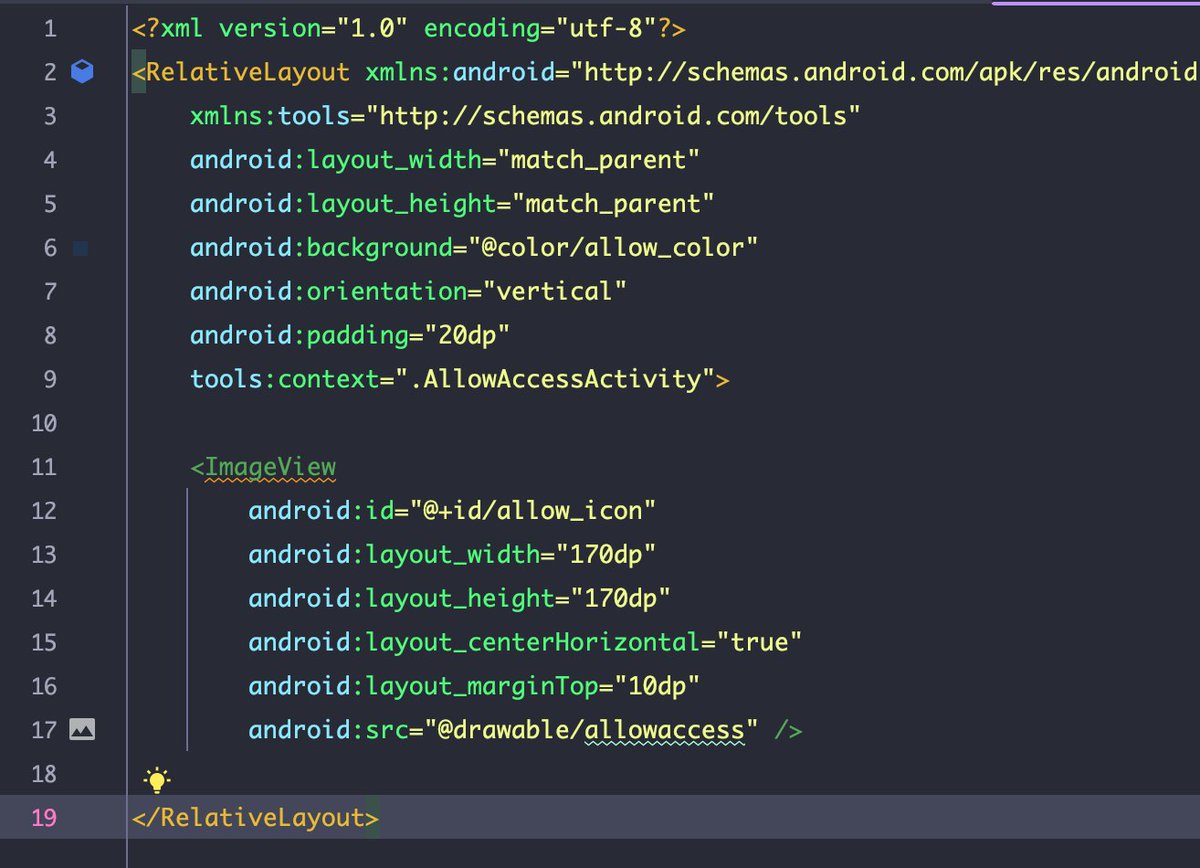
Honestly, I still don't know why some devs use RelativeLayout to craft a view, when we have contrainst layout.
Joining a project and I add to recreate stuffs 😩
3
4
560

1 Dec 2023
ConstraintLayout in RecyclerViews are a nightmare for performance, even RelativeLayout is more perfomant than ConstraintLayout in this case
2
1
6
1,135
30 Aug 2023
It was an upgrade to RelativeLayout, it was not a replacement for FrameLayout/LinearLayout especially in terms of performance.
The idea that "all layouts should be ConstraintLayout" was a myth. People attribute the simplicity of Row/Column/Box to Compose, but Views had this too.
1
7
431

16 Jul 2023
I bitched about ContrastLayout a lot, but today I almost never use RelativeLayout. I guess writing three extra lines of code to center UI elements wasn't a major issue, after all.
Frankly, I should've seen that because several lines of code don't matter in general.
3
2
21
4,012

16 Jun 2023
今日は、RelativeLayoutの学習。
qiitaの記事が参考になりました。
次はbitmapを使ってcanvasに描いたものを保存していきたいです。
隙間時間→Code for funさんの記事でインプット!
2
79

23 May 2023
Day 7 of #100DaysOfCode.
Started practicing
Android Layout Basic 😅 ->
{
▫️ ViewGroups and Layout Editor
▫️ The View Hierarchy
▫️ Sizes, Margins, and Padding
▫️ RelativeLayout
▫️ LinearLayout
▫️ FrameLayout
}
#androidstudio
3
36
21 Apr 2023
No, FrameLayout/LinearLayout are essential viewgroups that you can use any day, although RelativeLayout is typically superceded by ConstraintLayout.
In this case, the custom Dialog worked only after using RelativeLayout. If something works well for a usecase, time to use it 😁
1
2
105
21 Apr 2023
Even after doing Android dev for quite a while, some of these ancient tips can be surprising, but useful.
In this case, customizing Dialog working only if the root is a RelativeLayout, but not if it's a FrameLayout or a LinearLayout.
stackoverflow.com/a/15594269…
2
2
38
2,648