
May 23
Access ALL prompts for stunning animated websites in one click: motionsites.ai
**PROMPT:**
Build a single-page hero section for a creative agency called "Axion Studio" using React, TypeScript, Tailwind CSS, lucide-react for icons, and the `shaders` npm package (`shaders/react`) for WebGL background effects.
The page is a single full-viewport hero with no other sections. Use the system default sans-serif font (Tailwind's default). No Google Fonts needed.
---
## DEPENDENCIES
```json
"lucide-react": "^0.344.0",
"shaders": "^2.5.124"
```
Icons used from lucide-react: `ArrowRight`, `Clock`, `Menu`, `X`.
Shader components used: `Shader`, `ChromaFlow`, `FilmGrain`, `FlutedGlass`, `Swirl` -- all imported from `shaders/react`.
---
## COLOR PALETTE
- Page background: `#EFEFEF`
- Primary accent (CTA buttons): `#F26522` with hover `#e05a1a`
- Text: `gray-900` (near-black) for headings and body, `gray-600` for secondary text, `gray-500` for hover states
- Nav background: white (`bg-white`)
- Dark button backgrounds: `gray-900` with hover `gray-800`
- Partner badge icon color: `#E8704E`
- Badge shadow: `shadow-[0_2px_8px_rgba(0,0,0,0.08)]` with hover `shadow-[0_4px_16px_rgba(0,0,0,0.12)]`
---
## SHADER BACKGROUND (CRITICAL -- THIS IS THE HERO'S VISUAL IDENTITY)
A `<Shader>` component is positioned `absolute inset-0 z-10 pointer-events-none` over the entire hero container. It contains 4 layered effects in this exact order:
1. **Swirl** -- creates a subtle white marble texture base
- `colorA="#ffffff"`, `colorB="#f0f0f0"`, `detail={1.7}`
2. **ChromaFlow** -- adds interactive orange color blobs that follow the cursor
- `baseColor="#ffffff"`, `downColor="#ff5f03"`, `leftColor="#ff5f03"`, `momentum={13}`, `radius={3.5}`, `rightColor="#ff5f03"`, `upColor="#ff5f03"`
3. **FlutedGlass** -- adds a ribbed/frosted glass distortion overlay
- `aberration={0.61}`, `angle={31}`, `frequency={8}`, `highlight={0.12}`, `highlightSoftness={0}`, `lightAngle={-90}`, `refraction={4}`, `shape="rounded"`, `softness={1}`, `speed={0.15}`
4. **FilmGrain** -- subtle analog grain texture
- `strength={0.05}`
---
## LAYOUT STRUCTURE
Everything is wrapped in a `<>` fragment. The main container is `min-h-screen bg-[#EFEFEF] relative overflow-hidden`. Max width is `max-w-[1440px] mx-auto` applied to inner containers (nav wrapper and hero content), NOT the outer wrapper.
---
## NAVIGATION BAR
A pill-shaped white navbar pinned to the top. The nav wrapper has `relative p-2 sm:p-3 z-20 max-w-[1440px] mx-auto` (z-index changes to `z-[60]` when mobile menu is open). The `<nav>` itself is `flex items-center justify-between px-[5px] py-[5px] bg-white rounded-full`.
**Left side:**
- An inline SVG logo (32x32 rendered, viewBox 0 0 40 40) with classes `w-8 h-8 sm:w-9 sm:h-9`. The SVG is a geometric circular abstract mark with `fill="black"`. The exact SVG path data is:
```
M20 0C25.3043 4.00466e-07 30.3919 2.10669 34.1426 5.85742C34.8157 6.53058 35.4354 7.24719 36 8H20C16.8174 8 13.7651 9.26421 11.5146 11.5146C9.26421 13.7651 8 16.8174 8 20H20L36.9102 9.31934C38.1656 11.3074 39.0611 13.5027 39.5547 15.8027L32 20H40L39.9941 20.4971C39.8669 25.6213 37.776 30.5092 34.1426 34.1426C30.3919 37.8933 25.3043 40 20 40C14.6957 40 9.60815 37.8933 5.85742 34.1426C5.18426 33.4694 4.56459 32.7528 4 32H20C23.1826 32 26.2349 30.7358 28.4854 28.4854C30.5952 26.3755 31.8383 23.5608 31.9854 20.5947L32 20H20L3.08984 30.6787C1.83452 28.6906 0.941002 26.4951 0.447266 24.1953L8 20H0C8.00931e-07 14.6957 2.1067 9.60815 5.85742 5.85742C9.60815 2.1067 14.6957 -5.79361e-10 20 0Z
```
- 4 nav links (hidden below `md`): "Projects", "Studio", "Journal", "Connect" -- `text-[14px] text-gray-900 hover:text-gray-500 transition-colors duration-300`, spaced with `gap-6`.
**Right side (desktop, hidden below `md`):**
- Availability text (hidden below `lg`): "Taking on projects for Q1 2026" -- `text-[13px] text-gray-600`
- Live clock showing London time (HH:MM format, updates every second via `setInterval`): Clock icon (size 14) `{time} in London` -- `text-[13px] text-gray-600`
- CTA button: "Book a strategy call" -- dark pill button (`bg-gray-900 text-white text-[13px] font-medium pl-5 pr-2 py-2 rounded-full`). Has a **text scroll animation on hover**: the button text is duplicated vertically inside an `overflow-hidden h-[20px]` container. On `group-hover`, the inner flex column translates `-translate-y-1/2` over `duration-500` with `ease-[cubic-bezier(0.25,0.1,0.25,1)]`. A white circle (w-6 h-6) on the right contains an ArrowRight icon (size 12) that rotates `-45deg` on hover with the same easing.
**Mobile menu button (visible below `md`):**
- Shows "Menu" or "Close" text Menu/X icon. `bg-gray-900 text-white text-[13px] font-medium pl-4 pr-3 py-2 sm:py-2.5 rounded-full`.
---
## MOBILE MENU OVERLAY
A `fixed inset-0 z-50` overlay that fades in/out with `transition-opacity duration-300`. Contains:
- A dark backdrop (`bg-black/60`) that closes the menu on click.
- A bottom sheet (`mt-auto mx-3 mb-3 bg-white rounded-2xl px-6 pt-6 pb-8`) that slides up with `transition-transform duration-500 ease-[cubic-bezier(0.32,0.72,0,1)]` (translates from `translate-y-full` to `translate-y-0`).
- Inside: time badge "London" label, then 4 nav links at `text-[28px] sm:text-[32px] font-medium`, then a "Start a project" dark pill button with arrow icon that rotates on hover.
---
## HERO CONTENT
Positioned `relative z-20 px-5 sm:px-8 lg:px-12 flex flex-col min-h-[calc(100vh-60px)] pb-14 sm:pb-16 lg:pb-20 max-w-[1440px] mx-auto`. Content is **bottom-aligned** using `flex-1` spacer at the top.
1. **Eyebrow text**: "Axion Studio" -- `text-[13px] sm:text-[14px] text-gray-900 mb-5 sm:mb-8 tracking-wide`
2. **Headline**: "We craft digital experiences for brands ready to dominate their category online." -- `text-[clamp(1.75rem,7vw,4.2rem)] sm:text-[clamp(2.5rem,5vw,4.2rem)] font-medium leading-[1.08] tracking-[-0.03em] text-gray-900 w-full`. Line breaks use `<br />` with `<span className="sm:hidden"> </span>` fallback spaces for mobile.
3. **CTA row** (`flex flex-col sm:flex-row items-start sm:items-center gap-4 sm:gap-5 mt-8 sm:mt-12`):
a. **Orange pill button** "Start a project": `bg-[#F26522] text-white text-[13px] sm:text-[14px] font-medium pl-5 sm:pl-6 pr-2 py-2 rounded-full`. Same text-scroll hover animation as the nav CTA. White circle (w-7 h-7 sm:w-8 sm:h-8) with orange ArrowRight icon (size 14) that rotates -45deg on hover.
b. **Partner badge**: A white card with `rounded-[4px]` (NOT rounded-full). Contains an inline SVG of a starburst/asterisk icon (viewBox 0 0 100 100, `fill-current text-[#E8704E]`, `w-5 h-5 sm:w-6 sm:h-6`), then "Certified Partner" text (`text-[13px] sm:text-[14px] font-medium text-gray-900`), then a "Featured" tag (`text-[10px] sm:text-[11px] font-medium bg-gray-900 text-white px-1.5 sm:px-2 py-0.5 rounded`). The card has a subtle shadow that increases on hover with 500ms transition.
---
## ANIMATION PATTERN (REUSED THROUGHOUT)
All hover transitions use `duration-500 ease-[cubic-bezier(0.25,0.1,0.25,1)]`. The **text scroll effect** pattern:
```jsx
<span className="overflow-hidden h-[20px]">
<span className="flex flex-col transition-transform duration-500 ease-[cubic-bezier(0.25,0.1,0.25,1)] group-hover:-translate-y-1/2">
<span className="h-[20px] flex items-center">{text}</span>
<span className="h-[20px] flex items-center">{text}</span>
</span>
</span>
```
The **arrow rotation** pattern: a white circle containing `<ArrowRight>` with `transition-transform duration-500 ease-[cubic-bezier(0.25,0.1,0.25,1)] group-hover:rotate-[-45deg]`.
---
## RESPONSIVE BREAKPOINTS
- Mobile-first (default): stacked layout, smaller text sizes
- `sm` (640px): slightly larger text, horizontal CTA row
- `md` (768px): desktop nav links visible, mobile menu button hidden
- `lg` (1024px): availability text visible, larger padding
---
## CSS (index.css)
Standard Tailwind directives plus `.liquid-glass` and `.liquid-glass-strong` utility classes for glassmorphism effects (defined but not actively used in the hero -- kept for future sections). These use `backdrop-filter: blur()`, gradient border masks, and `background-blend-mode: luminosity`.
---
## STATE
Two pieces of React state:
- `time` (string): London time, updated every second via `useEffect` `setInterval` using `toLocaleTimeString('en-GB', { timeZone: 'Europe/London', hour: '2-digit', minute: '2-digit' })`
- `mobileMenuOpen` (boolean): toggles mobile menu overlay
---
## CRITICAL DETAILS
- The shader layer is z-10, nav is z-20, hero content is z-20, mobile menu is z-50/z-60 -- this stacking order ensures the shader renders BEHIND clickable elements while still being visually present.
- The shader `pointer-events-none` is essential so the ChromaFlow still tracks cursor movement through the shader layer.
- All text sits ON TOP of the shader effect, creating a frosted-glass-meets-interactive-color aesthetic.
- The `max-w-[1440px]` is applied to the nav wrapper and hero content div independently, NOT the outer container (which must remain full-width for the shader background to fill the screen).
- The partner badge starburst SVG path data is a complex asterisk/spark shape (included inline in the JSX).
1
4
43
7,130
May 16
Access the second prompt, as well as 200 other prompts for stunning animated websites in one click: motionsites.ai
First Hero Prompt
626f6c742d63632d6167656e74Here is the complete prompt to recreate this hero section exactly:
---
**Prompt:**
Build a full-screen dark hero section landing page using React, TypeScript, Vite, Tailwind CSS, lucide-react for icons, and the `shaders` package (from npm) for the background effect. Use Inter (Google Fonts, weights 400/500/600/700) as the primary font.
---
**1. Background Shader**
Place a full-screen `<Shader>` component (from `shaders/react`) as an absolutely positioned background (`absolute inset-0 z-0 w-full h-full`). Compose these layers inside:
- A hidden `Circle` with `id="idmoz4cglxvtm21v60i"` that tracks the mouse cursor (`center: { type: "mouse-position", originX: 0.5, originY: 0.5, momentum: 0.35, smoothing: 0.2 }`), `softness={0.5}`, `visible={false}`. This is used as a mapping source only.
- A `HexGrid` with `id="idmoz40cq9qk5jrget0"`, `colorA="#00000000"`, `visible={true}`, and `thickness` dynamically mapped from the Circle's alpha channel (`type: "map", source: "idmoz4cglxvtm21v60i", channel: "alpha", inputMin: 0, inputMax: 1, outputMin: 0.4, outputMax: 3`).
- A `RadialGradient` centered at `{ x: 0.5, y: 1 }` (bottom center), `colorA="#121221"`, `colorB="#080808"`, `radius={1.4}`.
- `Ripples` with `colorA="#052b69"`, `colorB="#111114"`, `frequency={11.7}`, `maskSource="idmoz40cq9qk5jrget0"`, `softness={1.8}`, `thickness={0}`.
- `ChromaFlow` with `baseColor="#5d9bf5"`, `downColor="#2633ff"`, `leftColor="#570aff"`, `rightColor="#7d7dfa"`, `upColor="#00c3ff"`, `maskSource="idmoz40cq9qk5jrget0"`, `momentum={15}`, `radius={3.5}`.
- `Glow` with `intensity={21}`, `size={6}`, `threshold={0.1}`.
- `FilmGrain` with `strength={0.05}`.
---
**2. Liquid Glass CSS**
In `index.css`, under `@layer components`, define two utility classes:
`.liquid-glass`:
- `background: rgba(255, 255, 255, 0.01)`, `background-blend-mode: luminosity`
- `backdrop-filter: blur(4px)` (with -webkit prefix)
- `border: none`, `box-shadow: inset 0 1px 1px rgba(255, 255, 255, 0.1)`
- `position: relative`, `overflow: hidden`
- `::before` pseudo-element with `inset: 0`, `border-radius: inherit`, `padding: 1.4px`, a vertical linear-gradient border effect (`rgba(255,255,255,0.45)` at 0%/100%, fading to transparent in the middle), using `-webkit-mask` with `content-box` XOR composite to create a border-only gradient overlay. `pointer-events: none`.
`.liquid-glass-strong` (for CTA buttons):
- Same background/blend-mode as above but `backdrop-filter: blur(50px)`
- `box-shadow: 4px 4px 4px rgba(0,0,0,0.05), inset 0 1px 1px rgba(255,255,255,0.15)`
---
**3. Navbar**
- Absolutely positioned at top (`absolute top-0 left-0 right-0 z-50`), flex row with `justify-between`, padding `px-5 py-4 lg:px-10 lg:py-6`.
- Left: site name "axentra" in white, `text-xl font-semibold tracking-tight`, Inter font.
- Center (desktop only, hidden on mobile): a pill-shaped nav container (`rounded-full px-2 py-1.5`) with the `liquid-glass` class applied. Contains links: "Platform", "How it works", "AI Defense", "Connections", "Insights". Each link is `text-white/80 hover:text-white text-sm px-4 py-1.5 rounded-full hover:bg-white/10 transition-all duration-200`.
- Right: a white CTA button "Join the wait" (`rounded-full text-sm font-medium px-5 py-2 bg-white text-black hover:opacity-80`), hidden on mobile. On mobile, show a hamburger toggle button.
---
**4. Mobile Menu**
- Hamburger button: a 36px circle that toggles between Menu and X icons (lucide-react) with rotation/scale animations using `cubic-bezier(0.23, 1, 0.32, 1)` easing.
- Backdrop: fixed fullscreen `z-30`, `backdrop-filter: blur(12px)`, `background: rgba(0,0,0,0.6)` when open.
- Panel: slides down from top (`max-height` animation, `0.5s cubic-bezier(0.23, 1, 0.32, 1)`), `z-40`, dark background `rgba(8,8,8,0.97)` with a subtle bottom border. Contains the same nav links stacked vertically with staggered fade-in animations (50ms offset per item), and a full-width white "Join the wait" button at the bottom separated by a divider. Escape key closes the menu.
---
**5. Hero Content**
- Positioned bottom-left: `flex flex-col items-start justify-end text-left h-full px-5 sm:px-8 lg:px-10 pb-16 md:pb-20`, `z-20`.
- Heading: `text-white font-normal leading-[1.12] tracking-tight max-w-3xl`, font-size `clamp(1.75rem, 5vw, 2.6rem)`, Inter. Text: "When strategy meets its spark / and thought reshapes what lies ahead" (line break on `sm `).
- Subtitle: `mt-5 md:mt-6 text-sm md:text-base leading-relaxed max-w-xs sm:max-w-sm md:max-w-md`, Courier New monospace, `letter-spacing: 0.01em`, color `rgba(255, 255, 255, 0.6)`. Text: "a fluid channel - where deep resolve / and neural insight dissolve as one".
- CTA button: `mt-7 md:mt-8`, white pill button with text "See it in motion" and an ArrowRight icon (15px) that shifts right on hover. `text-sm font-medium px-5 py-2.5 rounded-full bg-white text-black hover:opacity-80`.
---
**6. Global Styles**
- Import Inter from Google Fonts (400, 500, 600, 700).
- Apply `-webkit-font-smoothing: antialiased` and `-moz-osx-font-smoothing: grayscale` globally.
- Root container: `relative w-full h-screen overflow-hidden bg-black`.
---
**Dependencies:** `react`, `react-dom`, `lucide-react`, `shaders`, `tailwindcss`, `postcss`, `autoprefixer`, `vite`, `@vitejs/plugin-react`, `typescript`.
1
15
4,849

8 Dec 2025
🍆この術式のコードはこちら↓
<!DOCTYPE html>
<html lang="ja">
<head>
<meta charset="UTF-8">
<meta name="viewport" content="width=device-width, initial-scale=1.0">
<title>虚式「茈」滞留ver</title>
<style>
body { margin: 0; background-color: #050505; overflow: hidden; font-family: 'Helvetica Neue', Arial, sans-serif; color: white; }
#canvas-wrapper { position: relative; width: 100vw; height: 100vh; }
canvas { position: absolute; top: 0; left: 0; width: 100%; height: 100%; }
#three-canvas { z-index: 1; }
#debug-canvas { z-index: 2; pointer-events: none; opacity: 0; transition: opacity 0.3s; }
#ui {
position: absolute; top: 30px; left: 0; width: 100%; text-align: center;
z-index: 10; pointer-events: none; text-shadow: 0 0 15px black;
display: flex; flex-direction: column; align-items: center;
}
/* タイトル装飾 */
h1 { margin: 0; font-size: 28px; font-weight: 900; letter-spacing: 1px; line-height: 1.4; }
.blue { color: #0088ff; text-shadow: 0 0 10px #0088ff; }
.red { color: #ff0055; text-shadow: 0 0 10px #ff0055; }
.purple { color: #d946ef; text-shadow: 0 0 20px #d946ef; font-size: 32px; }
.connector { color: #aaa; font-weight: normal; margin: 0 10px; }
.mode-badge {
display: inline-block; padding: 8px 20px; border-radius: 30px;
background: rgba(0,0,0,0.7); border: 2px solid #555;
margin-top: 20px; font-weight: bold; transition: all 0.3s; font-size: 14px;
}
.instruction { font-size: 14px; margin-top: 10px; color: #ccc; line-height: 1.6; }
.highlight { color: #ffdd00; font-weight: bold; }
.controls { pointer-events: auto; margin-top: 20px; opacity: 0.7; hover: opacity: 1; }
button {
background: #222; color: #aaa; border: 1px solid #444;
padding: 8px 12px; cursor: pointer; border-radius: 4px;
font-size: 12px; transition: all 0.2s;
}
button:hover { background: #444; color: white; }
button.active { background: #4ade80; color: black; border-color: #4ade80; }
#loading {
position: absolute; inset: 0; background: #000; z-index: 100;
display: flex; flex-direction: column;
align-items: center; justify-content: center; color: #d946ef;
}
.spinner {
width: 60px; height: 60px; border: 6px solid #333;
border-top-color: #d946ef; border-radius: 50%;
animation: spin 1s linear infinite; margin-bottom: 25px;
}
@keyframes spin { to { transform: rotate(360deg); } }
</style>
<script type="importmap">
{
"imports": {
"three": "unpkg.com/three@0.160.0/buil…",
"three/addons/": "unpkg.com/three@0.160.0/exam…",
"@mediapipe/tasks-vision": "cdn.jsdelivr.net/npm/@mediap…"
}
}
</script>
</head>
<body>
<div id="loading">
<div class="spinner"></div>
<div style="letter-spacing: 2px; font-weight: bold;">術式展開中...</div>
</div>
<div id="ui">
<h1>
<span class="blue">術式順転「蒼」</span><span class="connector">+</span><span class="red">術式反転「赫」</span><br>
<span class="connector">=</span><span class="purple">虚式「茈」</span>
</h1>
<div id="mode-text" class="mode-badge" style="color:#aaa; border-color:#aaa;">術式対象を探索中</div>
<div class="instruction">
<div>左右の手でサイズ操作: <span class="highlight">つまむ(小)</span> / <span class="highlight">パー(大)</span></div>
<div>両手を合わせ「茈」を生成し、<span class="highlight">両手を握って</span>発動せよ</div>
</div>
<div class="controls">
<button id="btn-debug" onclick="toggleDebug()">👁 術式開示 (SKELETON)</button>
</div>
</div>
<div id="canvas-wrapper">
<canvas id="three-canvas"></canvas>
<canvas id="debug-canvas"></canvas>
</div>
<video id="webcam" autoplay playsinline style="display:none; transform: scaleX(-1);"></video>
<script type="module">
import * as THREE from 'three';
import { FilesetResolver, HandLandmarker } from '@mediapipe/tasks-vision';
// --- 設定 (物理演算を微調整) ---
const CONFIG = {
particleCount: 40000,
smoothFactor: 0.1,
mergeDist: 3.5,
// 爆発・滞留設定
explodeForce: 2.0, // 初速 (かなり強く設定して一気に広げる)
drag: 0.95, // 摩擦係数 (1未満にすることで急減速し、滞留させる)
turbulence: 0.015, // 乱気流 (フワフワ漂う動きの強さ)
explodeDuration: 10000,// 滞留時間 (10秒)
// サイズ設定
scalePinch: 0.5,
scaleNormal: 1.0,
scaleOpen: 1.5,
scaleMerge: 2.0
};
const COLOR_LEFT = new THREE.Color('#0088ff'); // 蒼
const COLOR_RIGHT = new THREE.Color('#ff0055'); // 赫
const COLOR_MERGE = new THREE.Color('#d946ef'); // 茈
// --- グローバル変数 ---
let scene, camera, renderer, particles, geometry;
let positionsOriginal;
let velocities;
let handLandmarker;
let video = document.getElementById('webcam');
let debugCanvas = document.getElementById('debug-canvas');
let debugCtx = debugCanvas.getContext('2d');
let showDebug = false;
// --- 状態管理 ---
const targetState = {
left: { x: -10, y: 0, visible: false, pinch: false, open: false },
right: { x: 10, y: 0, visible: false, pinch: false, open: false },
isMergedTrigger: false,
centerX: 0, centerY: 0
};
const currentProps = {
leftPos: new THREE.Vector3(-10, 0, 0),
rightPos: new THREE.Vector3(10, 0, 0),
leftScale: 0,
rightScale: 0,
leftColor: new THREE.Color(),
rightColor: new THREE.Color(),
};
let appMode = 'NORMAL';
async function init() {
initThree();
await initMediaPipe();
startCamera();
animate();
}
function initThree() {
const canvas = document.getElementById('three-canvas');
scene = new THREE.Scene();
scene.fog = new THREE.FogExp2(0x050505, 0.002);
camera = new THREE.PerspectiveCamera(60, window.innerWidth / window.innerHeight, 0.1, 100);
camera.position.z = 14;
renderer = new THREE.WebGLRenderer({ canvas: canvas, antialias: true, alpha: true });
renderer.setSize(window.innerWidth, window.innerHeight);
renderer.setPixelRatio(window.devicePixelRatio);
positionsOriginal = new Float32Array(CONFIG.particleCount * 3);
const currentPositions = new Float32Array(CONFIG.particleCount * 3);
const colors = new Float32Array(CONFIG.particleCount * 3);
velocities = new Float32Array(CONFIG.particleCount * 3);
for (let i = 0; i < CONFIG.particleCount; i ) {
const r = 2.5;
const theta = Math.random() * Math.PI * 2;
const phi = Math.acos((Math.random() * 2) - 1);
const x = r * Math.sin(phi) * Math.cos(theta);
const y = r * Math.sin(phi) * Math.sin(theta);
const z = r * Math.cos(phi);
positionsOriginal[i * 3] = x;
positionsOriginal[i * 3 1] = y;
positionsOriginal[i * 3 2] = z;
currentPositions[i] = 999;
}
geometry = new THREE.BufferGeometry();
geometry.setAttribute('position', new THREE.BufferAttribute(currentPositions, 3));
geometry.setAttribute('color', new THREE.BufferAttribute(colors, 3));
const material = new THREE.PointsMaterial({
size: 0.08, vertexColors: true, blending: THREE.AdditiveBlending,
transparent: true, opacity: 0.8, depthWrite: false
});
particles = new THREE.Points(geometry, material);
scene.add(particles);
const handleResize = () => {
camera.aspect = window.innerWidth / window.innerHeight;
camera.updateProjectionMatrix();
renderer.setSize(window.innerWidth, window.innerHeight);
debugCanvas.width = window.innerWidth;
debugCanvas.height = window.innerHeight;
};
window.addEventListener('resize', handleResize);
handleResize();
}
async function initMediaPipe() {
const vision = await FilesetResolver.forVisionTasks("cdn.jsdelivr.net/npm/@mediap…");
handLandmarker = await HandLandmarker.createFromOptions(vision, {
baseOptions: {
modelAssetPath: `storage.googleapis.com/media…`,
delegate: "GPU"
},
runningMode: "VIDEO",
numHands: 2
});
document.getElementById('loading').style.display = 'none';
}
function startCamera() {
navigator.mediaDevices.getUserMedia({ video: { width: 640, height: 480 } })
.then(stream => video.srcObject = stream)
.catch(e => console.error(e));
}
function animate() {
requestAnimationFrame(animate);
updateHandDetection();
updatePhysics();
renderParticles();
}
// 1. 認識
function updateHandDetection() {
targetState.left.visible = false;
targetState.right.visible = false;
if (showDebug) debugCtx.clearRect(0, 0, debugCanvas.width, debugCanvas.height);
if (handLandmarker && video.readyState >= 2) {
const results = handLandmarker.detectForVideo(video, performance.now());
if (showDebug && results.landmarks) drawSkeleton(results.landmarks);
for (let i = 0; i < results.landmarks.length; i ) {
const lm = results.landmarks[i];
const handedness = results.handedness[i][0].categoryName;
const cx = (lm[0].x lm[9].x) / 2;
const cy = (lm[0].y lm[9].y) / 2;
const sx = (cx - 0.5) * -18;
const sy = (cy - 0.5) * -14;
const spread = (Math.hypot(lm[8].x-lm[0].x, lm[8].y-lm[0].y)
Math.hypot(lm[12].x-lm[0].x, lm[12].y-lm[0].y)
Math.hypot(lm[16].x-lm[0].x, lm[16].y-lm[0].y)
Math.hypot(lm[20].x-lm[0].x, lm[20].y-lm[0].y)) / 4;
const isOpen = spread > 0.3;
const pinchDist = Math.hypot(lm[4].x - lm[8].x, lm[4].y - lm[8].y);
const isPinch = pinchDist < 0.05;
if (handedness === "Right") {
targetState.left.x = sx; targetState.left.y = sy;
targetState.left.visible = true;
targetState.left.open = isOpen;
targetState.left.pinch = isPinch;
} else {
targetState.right.x = sx; targetState.right.y = sy;
targetState.right.visible = true;
targetState.right.open = isOpen;
targetState.right.pinch = isPinch;
}
}
if (targetState.left.visible && targetState.right.visible) {
const dist = Math.hypot(targetState.left.x - targetState.right.x, targetState.left.y - targetState.right.y);
if (dist < CONFIG.mergeDist && targetState.left.open && targetState.right.open) {
targetState.isMergedTrigger = true;
targetState.centerX = (targetState.left.x targetState.right.x) / 2;
targetState.centerY = (targetState.left.y targetState.right.y) / 2;
} else {
targetState.isMergedTrigger = false;
}
} else {
targetState.isMergedTrigger = false;
}
}
}
// 2. 物理 & ロジック
function updatePhysics() {
const lerp = (c, t) => c (t - c) * CONFIG.smoothFactor;
if (appMode === 'EXPLODING') {
// 爆発中
} else if (targetState.isMergedTrigger) {
appMode = 'MERGED';
} else if (appMode !== 'MERGED') {
appMode = 'NORMAL';
}
if (appMode === 'MERGED') {
if (targetState.left.visible && targetState.right.visible &&
!targetState.left.open && !targetState.right.open) {
startExplosion();
}
if (!targetState.left.visible || !targetState.right.visible) {
appMode = 'NORMAL';
}
}
const badge = document.getElementById('mode-text');
if (appMode === 'MERGED') {
badge.innerText = "虚式「茈」生成完了 - 発動待機";
badge.style.color = "#d946ef"; badge.style.borderColor = "#d946ef"; badge.style.boxShadow = "0 0 15px #d946ef";
} else if (appMode === 'EXPLODING') {
badge.innerText = "術式発動!!";
badge.style.color = "#ffdd00"; badge.style.borderColor = "#ffdd00"; badge.style.boxShadow = "0 0 25px #ffdd00";
} else {
badge.innerText = "術式対象を探索中";
badge.style.color = "#aaa"; badge.style.borderColor = "#555"; badge.style.boxShadow = "none";
}
if (appMode !== 'EXPLODING') {
currentProps.leftPos.x = lerp(currentProps.leftPos.x, targetState.left.x);
currentProps.leftPos.y = lerp(currentProps.leftPos.y, targetState.left.y);
currentProps.rightPos.x = lerp(currentProps.rightPos.x, targetState.right.x);
currentProps.rightPos.y = lerp(currentProps.rightPos.y, targetState.right.y);
let tScaleL = 0;
if (targetState.left.visible) {
if (targetState.left.pinch) tScaleL = CONFIG.scalePinch;
else if (targetState.left.open) tScaleL = CONFIG.scaleOpen;
else tScaleL = CONFIG.scaleNormal;
}
currentProps.leftScale = lerp(currentProps.leftScale, tScaleL);
let tScaleR = 0;
if (targetState.right.visible) {
if (targetState.right.pinch) tScaleR = CONFIG.scalePinch;
else if (targetState.right.open) tScaleR = CONFIG.scaleOpen;
else tScaleR = CONFIG.scaleNormal;
}
currentProps.rightScale = lerp(currentProps.rightScale, tScaleR);
currentProps.leftColor.lerp(COLOR_LEFT, 0.1);
currentProps.rightColor.lerp(COLOR_RIGHT, 0.1);
}
if (appMode === 'MERGED') {
currentProps.leftPos.x = lerp(currentProps.leftPos.x, targetState.centerX);
currentProps.leftPos.y = lerp(currentProps.leftPos.y, targetState.centerY);
currentProps.rightPos.x = lerp(currentProps.rightPos.x, targetState.centerX);
currentProps.rightPos.y = lerp(currentProps.rightPos.y, targetState.centerY);
currentProps.leftColor.lerp(COLOR_MERGE, 0.15);
currentProps.rightColor.lerp(COLOR_MERGE, 0.15);
currentProps.leftScale = lerp(currentProps.leftScale, CONFIG.scaleMerge);
currentProps.rightScale = lerp(currentProps.rightScale, CONFIG.scaleMerge);
}
}
function startExplosion() {
appMode = 'EXPLODING';
for(let i=0; i<CONFIG.particleCount; i ) {
const ix = i*3;
// 初速を強力に(画面全体に広げるため)
const vx = (Math.random() - 0.5) * CONFIG.explodeForce * 5;
const vy = (Math.random() - 0.5) * CONFIG.explodeForce * 5;
const vz = (Math.random() - 0.5) * CONFIG.explodeForce * 2 1.0;
velocities[ix] = vx; velocities[ix 1] = vy; velocities[ix 2] = vz;
}
setTimeout(() => { appMode = 'NORMAL'; }, CONFIG.explodeDuration);
}
// 3. 描画
function renderParticles() {
const positions = geometry.attributes.position.array;
const colors = geometry.attributes.color.array;
const time = Date.now() * 0.0015;
const half = CONFIG.particleCount / 2;
for (let i = 0; i < CONFIG.particleCount; i ) {
const ix = i * 3;
if (appMode === 'EXPLODING') {
// --- 爆発物理 (滞留ver) ---
positions[ix] = velocities[ix];
positions[ix 1] = velocities[ix 1];
positions[ix 2] = velocities[ix 2];
// 摩擦で減速させる(これが滞留の鍵)
velocities[ix] *= CONFIG.drag;
velocities[ix 1] *= CONFIG.drag;
velocities[ix 2] *= CONFIG.drag;
// 乱気流(フワフワさせる)
velocities[ix] = (Math.random() - 0.5) * CONFIG.turbulence;
velocities[ix 1] = (Math.random() - 0.5) * CONFIG.turbulence;
velocities[ix 2] = (Math.random() - 0.5) * CONFIG.turbulence;
continue;
}
// 通常時
const ox = positionsOriginal[ix];
const oy = positionsOriginal[ix 1];
const oz = positionsOriginal[ix 2];
const isLeft = i < half;
let tx, ty, tz, r, g, b;
if (isLeft) {
const s = currentProps.leftScale;
const rx = ox * Math.cos(time) - oz * Math.sin(time);
const rz = ox * Math.sin(time) oz * Math.cos(time);
tx = rx * s currentProps.leftPos.x;
ty = oy * s currentProps.leftPos.y;
tz = rz * s;
r=currentProps.leftColor.r; g=currentProps.leftColor.g; b=currentProps.leftColor.b;
} else {
const s = currentProps.rightScale;
const rx = ox * Math.cos(-time) - oz * Math.sin(-time);
const rz = ox * Math.sin(-time) oz * Math.cos(-time);
tx = rx * s currentProps.rightPos.x;
ty = oy * s currentProps.rightPos.y;
tz = rz * s;
r=currentProps.rightColor.r; g=currentProps.rightColor.g; b=currentProps.rightColor.b;
}
if (appMode === 'MERGED') {
const vib = 0.2;
tx = (Math.random()-0.5)*vib;
ty = (Math.random()-0.5)*vib;
tz = (Math.random()-0.5)*vib;
if(Math.random()>0.90) { r=1; g=1; b=1; }
}
positions[ix] = tx; positions[ix 1] = ty; positions[ix 2] = tz;
colors[ix] = r; colors[ix 1] = g; colors[ix 2] = b;
}
geometry.attributes.position.needsUpdate = true;
geometry.attributes.color.needsUpdate = true;
renderer.render(scene, camera);
}
function drawSkeleton(hands) {
debugCtx.lineWidth = 3; debugCtx.strokeStyle = "#4ade80"; debugCtx.shadowBlur = 10; debugCtx.shadowColor = "#4ade80";
const connections = [[0,1],[1,2],[2,3],[3,4],[0,5],[5,6],[6,7],[7,8],[5,9],[9,10],[10,11],[11,12],[9,13],[13,14],[14,15],[15,16],[13,17],[17,18],[18,19],[19,20],[0,17]];
hands.forEach(lm => {
debugCtx.beginPath();
connections.forEach(([i, j]) => {
debugCtx.moveTo((1-lm[i].x)*debugCanvas.width, lm[i].y*debugCanvas.height);
debugCtx.lineTo((1-lm[j].x)*debugCanvas.width, lm[j].y*debugCanvas.height);
});
debugCtx.stroke();
});
}
window.toggleDebug = () => {
showDebug = !showDebug;
const btn = document.getElementById('btn-debug');
if (showDebug) {
debugCanvas.style.opacity = 0.6; btn.classList.add('active');
} else {
debugCanvas.style.opacity = 0; btn.classList.remove('active');
}
};
init();
</script>
</body>
</html>
おまけ🎁
会社員をしながら合計9,163,797円を稼いだ僕が、
これからAI事業でマネタイズしたい人に向けて、
1本の極秘ノウハウ動画を公開しました。
また、今回はAIで累計3億円以上マネタイズしている
某アカウントの方とコラボ動画になっております。
この動画を72時間限定で配布します。
動画を見て頂いた方には総計165個の豪華プレゼントをご用意しています!
0円で見たい方はこちら↓
bit.ly/nasubeeey
8
249

16 Feb 2024
No, I don't &yes it should b marked. Since I found whatever it was in an open forum where it was posted I have no idea. I really think anyone can just say it & they remove the tweet & lock your account. My 1st painting signed MLKing got me locked 😂 I guess I'm not the rightcolor
1
3
63

4 Apr 2023
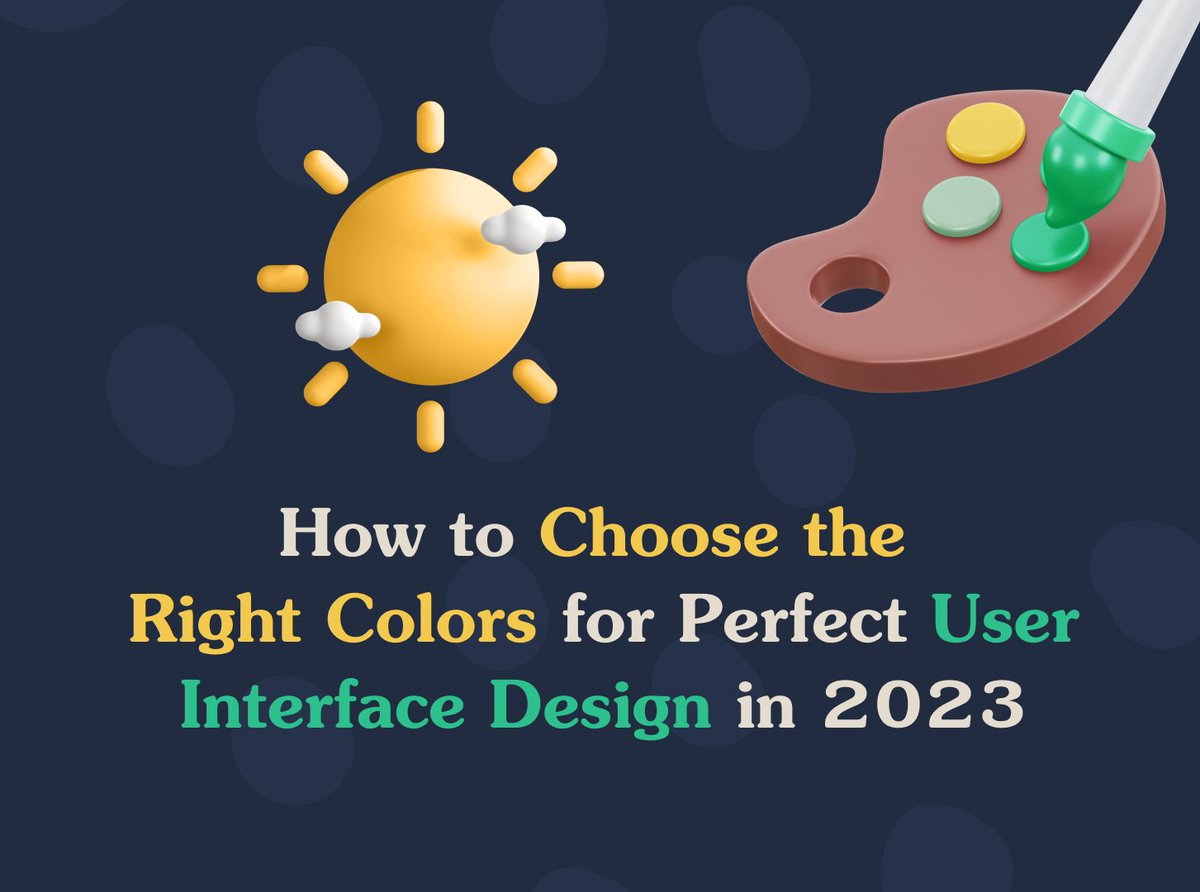
How to Choose the Right Colors for Perfect User Interface Design in 2023
medium.com/@designpicko/how-…
#pickorightcolor #colortips #colordesign #colorpsychology #colorpalette #colorchoose #colortips #rightcolor #uidesign #uxdesign #colorinspiration #designpicko
2
2
32

6 Jul 2022
See the true color of the world around you with high CRI OPPLE LED lights, offering excellent color rendering!
#HighCRI #TrueColor #RightBrightness #ColorRendering #CRI #ActualColor #Color #RightColor #LEDs #Lights #Led
2


19 Oct 2021
And didn't another player from another league also do it? And everyone else thought...that player was HILARIOUS! #RightColor
nbcsports.com/bayarea/sharks…
1
1
1

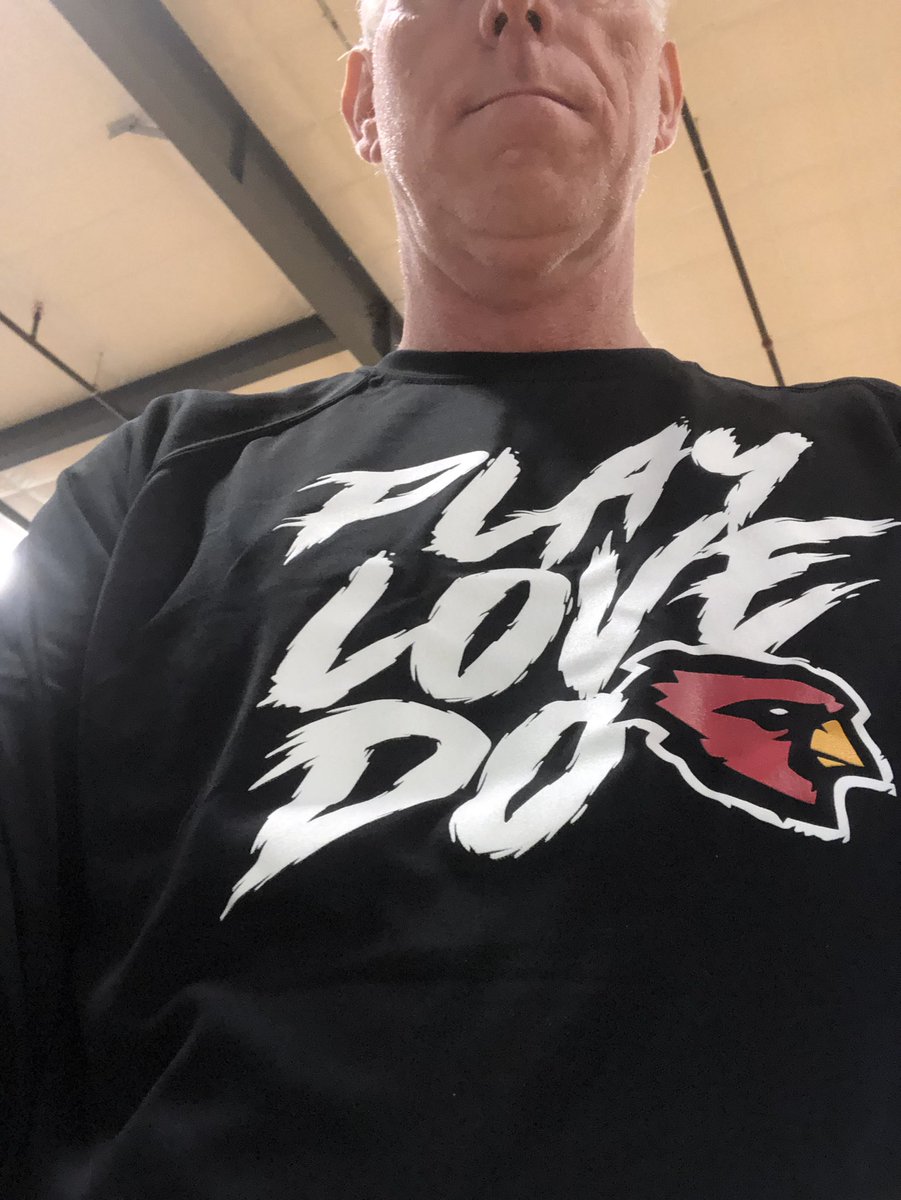
You look best in Cardinal Red. #rightcolor #rightbird
26 Aug 2021

Flying High with the Cardinals today. @bball_shs @CSDavisHSPN #ECbuzz @lighthousencusa @BartowBasketbal
2

24 Jun 2020
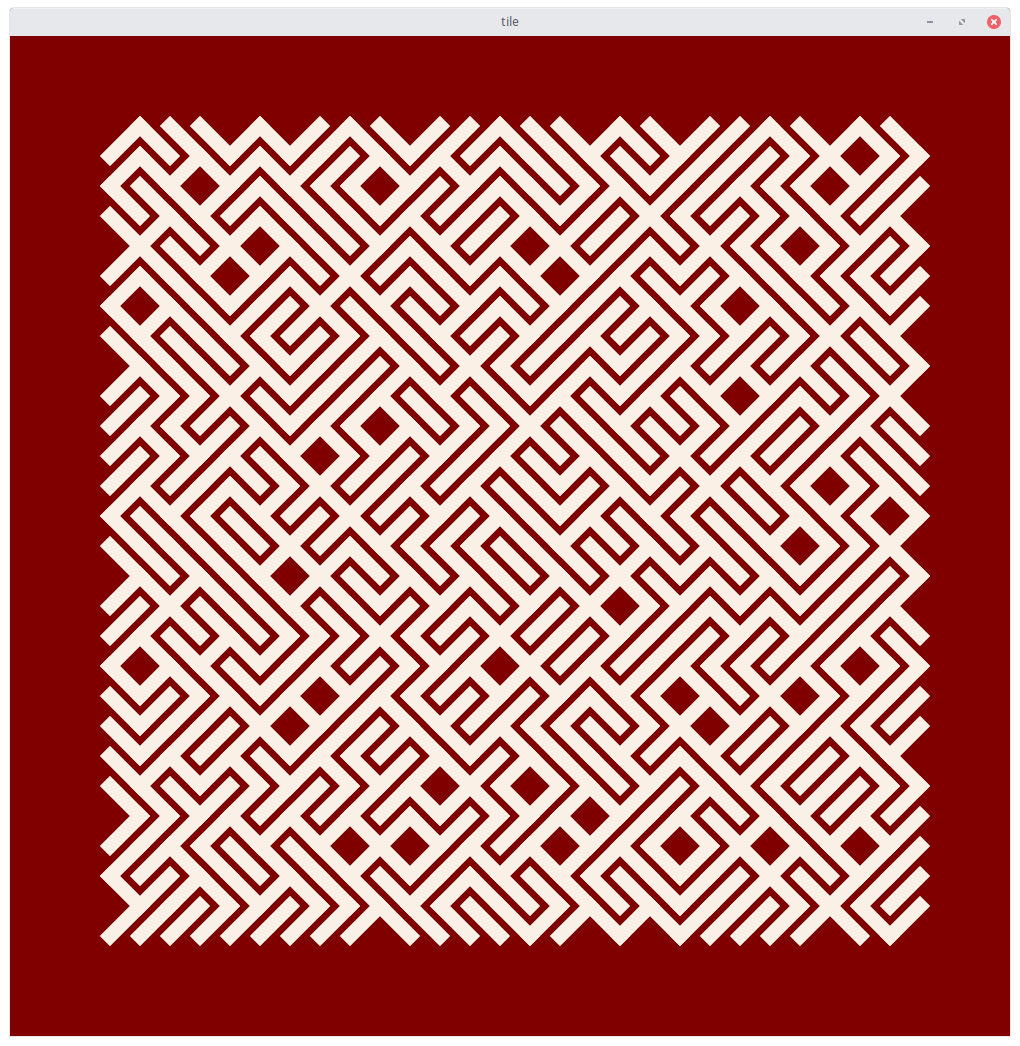
$ tile -step 3 -linewidth 1 -bgcolor maroon -leftcolor=linen -rightcolor=linen

10 Dec 2019
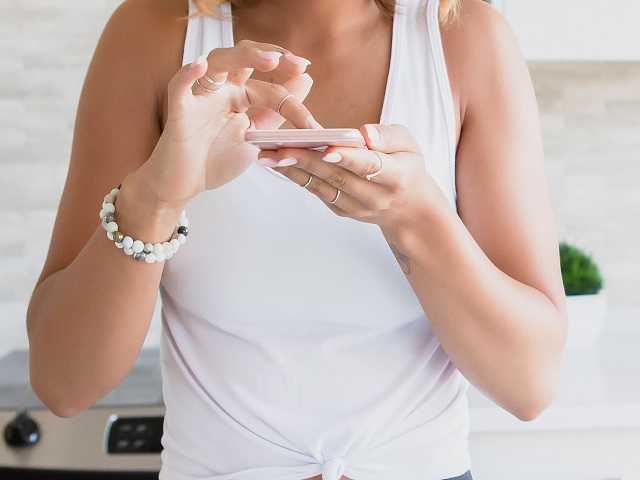
The way we dress tends to change. However, the stereotype is that the older a woman gets, the less fashionable she becomes. I want to challenge this stereotype! 🙏🌸❤️
#fabulous50s #rightcolor #skintone
fabulous50s.co/choose-the-ri…
3

21 Sep 2019
6
20

7 Jan 2019
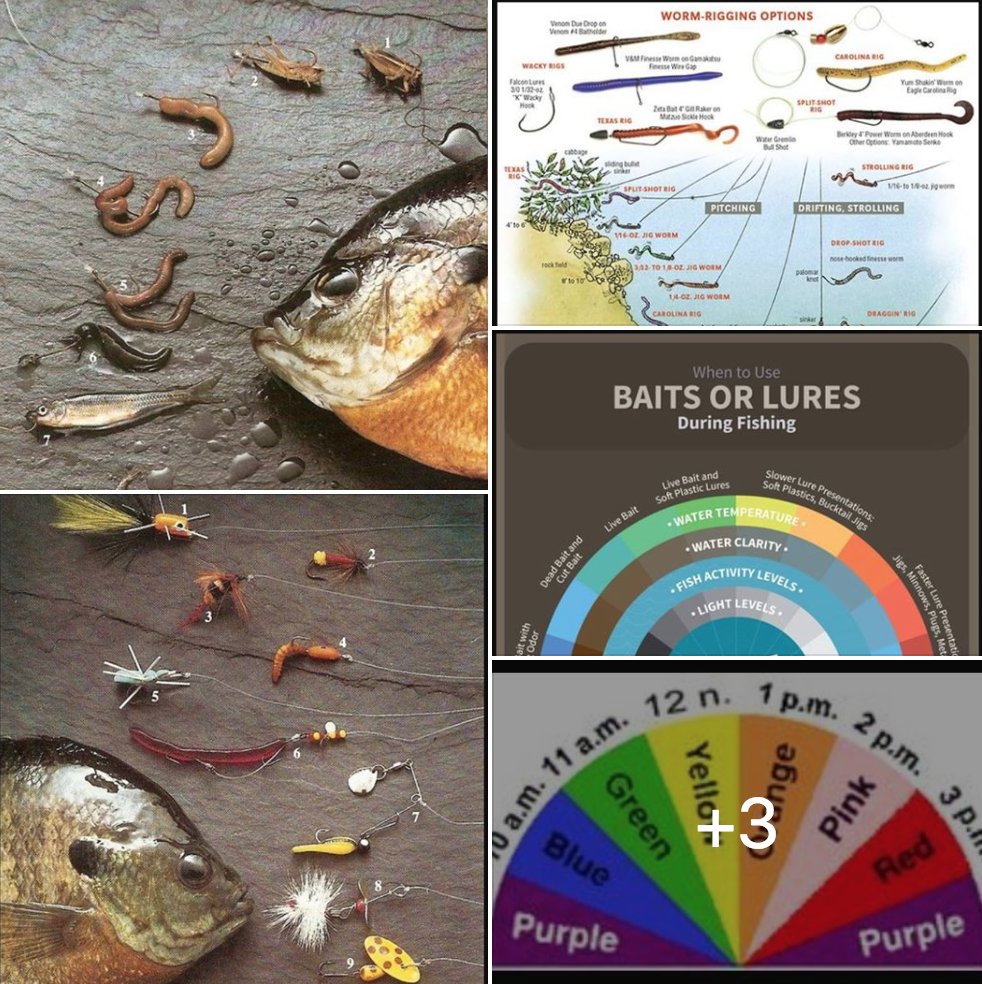
How to Pick the Right Fishing Lure for the Right Time of Day and Season
Read more: buff.ly/2sf3djW
#OffGridHomes #OffGridCabins #OffGridSheds #OffGridLiving #LivingOffGrid #FrontPagePR #HowTo #Fish #Fishing #Lures #RightColor #Day #Season #LunarCalendar
1
2

27 Jul 2018
SUCCESS IS JUST ONE STEP CLOSER TO A SMART SHOPPER
#smartshopping #shopping #personalshopping #personalstyle #saleseason #savemoney #buyright #goforquality #lookforquality #avoidquantity #fits #saleseason2018 #rightcolor #Bangalore #koramangala #enzoleague
goo.gl/Q9Kedr
3

29 Nov 2017
1


13 Oct 2017
1



10 Dec 2016
when crack was doing this. The headline was not as benign. #exclusion #inclusion #rightCOLOR sendyhis2theblack1 lbvs
3