
Jun 11
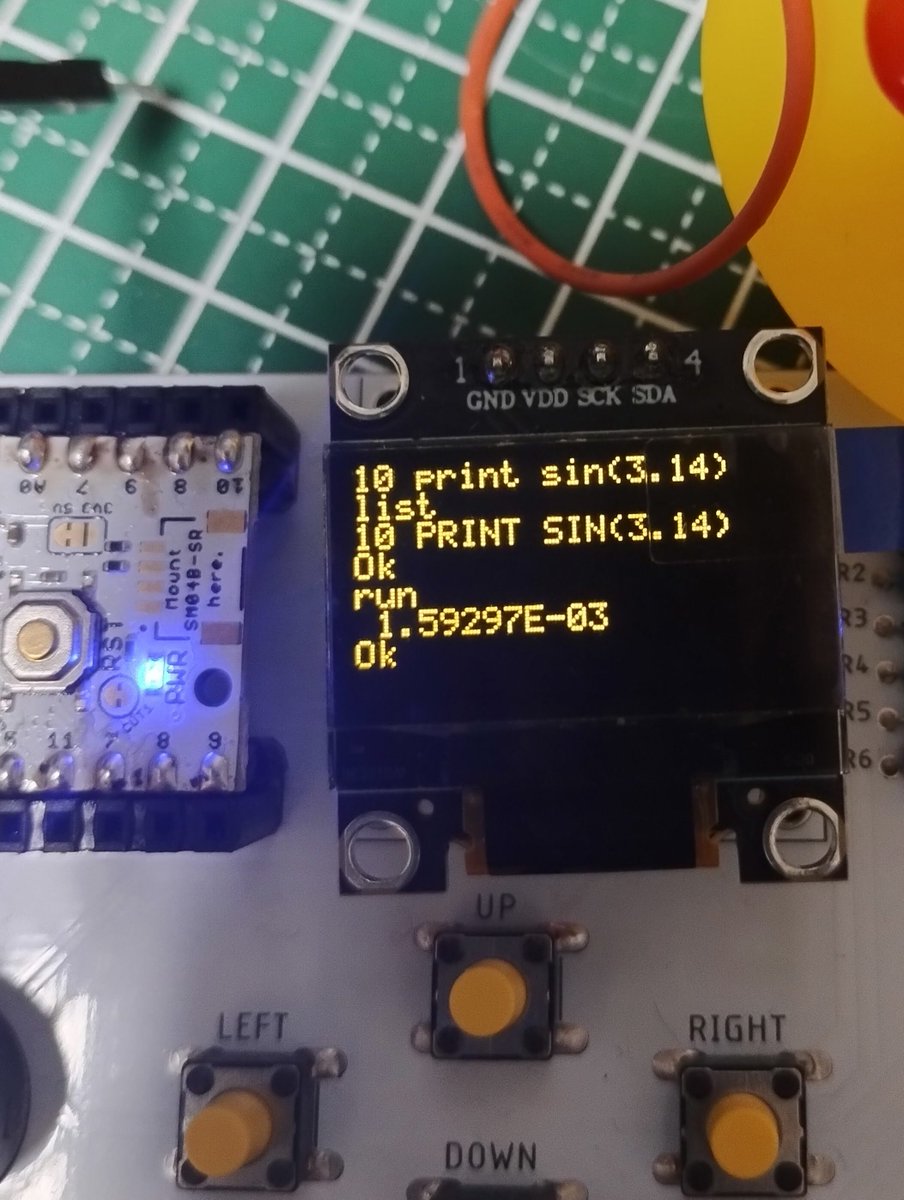
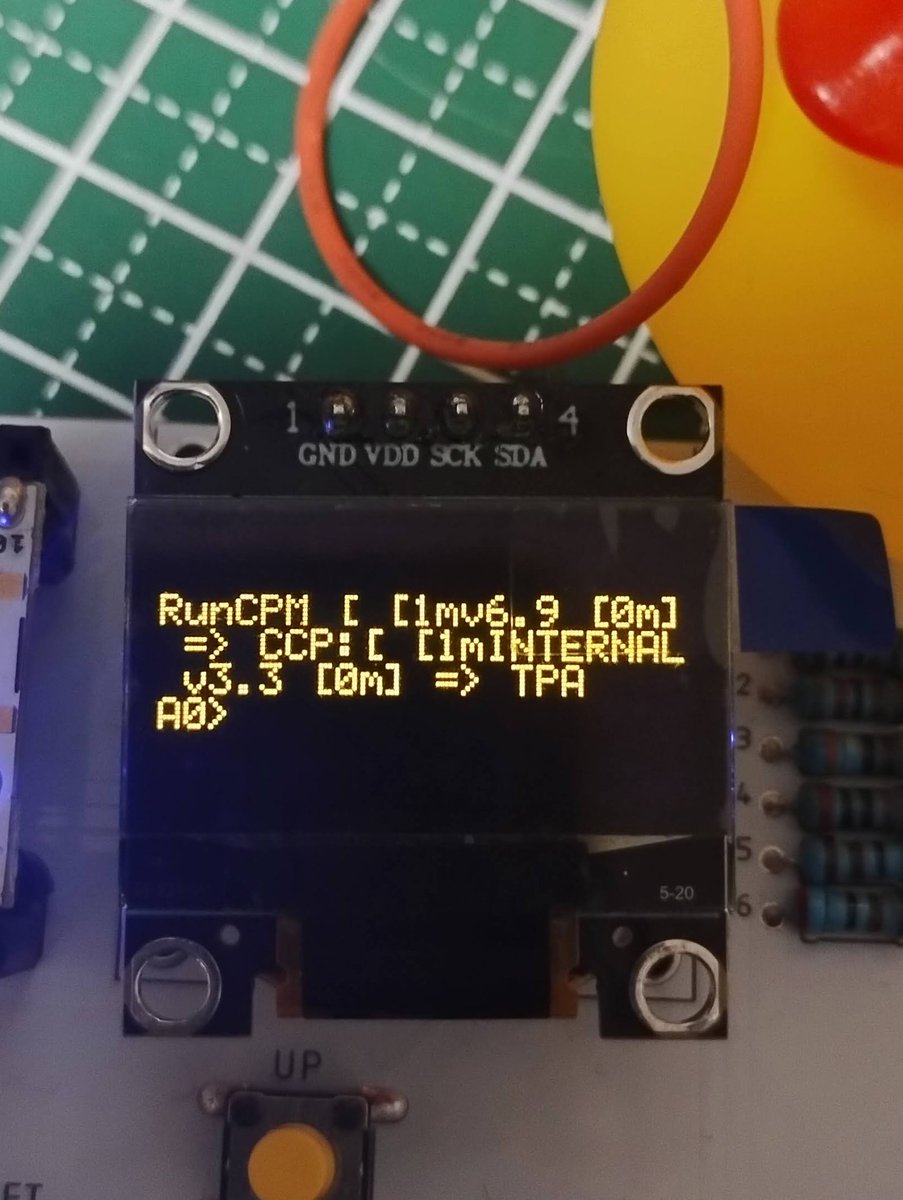
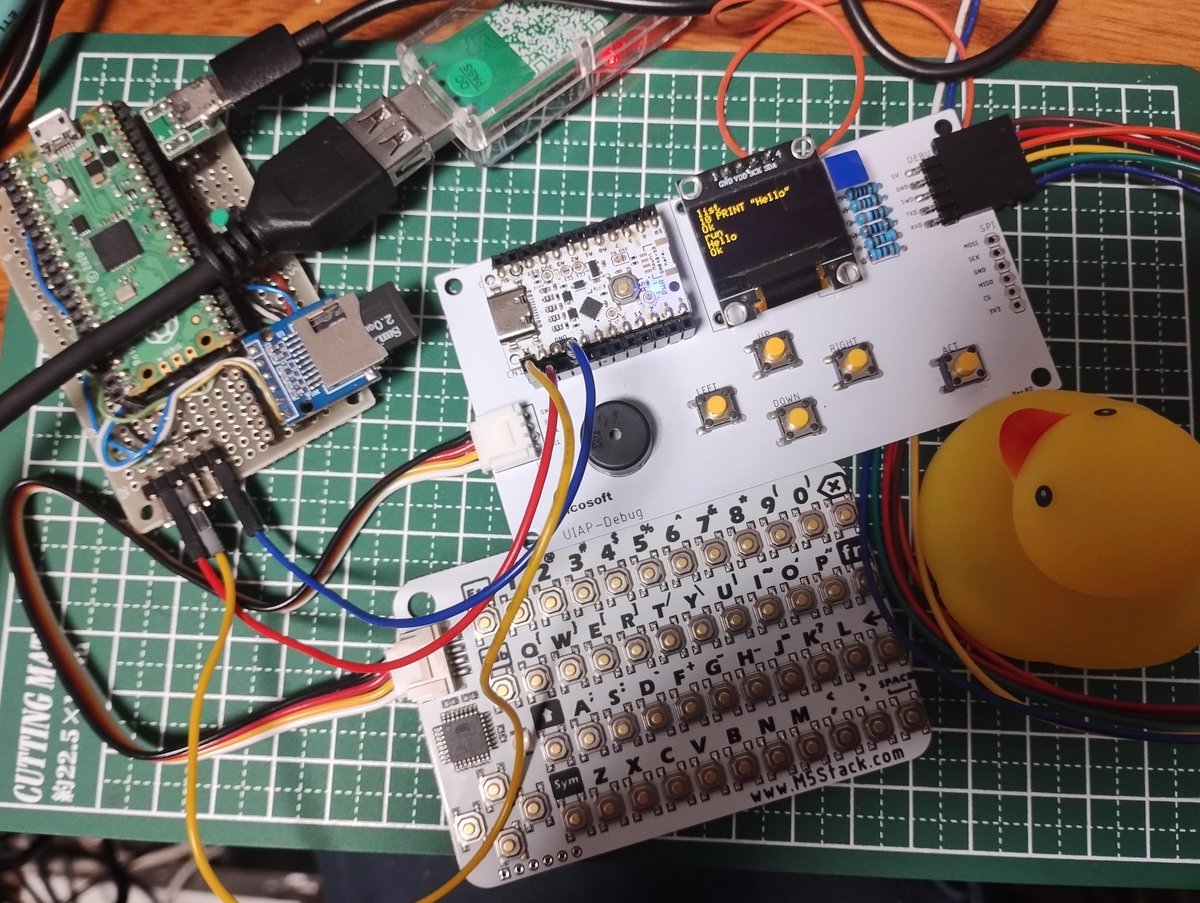
◆UIAPduino OLED+CardKBでRunCPMシリアルコンソール
・RunCPMからMBASICを起動😃
・画面スクロールにSSD1306Asciiというライブラリを使いました。
・RunCPM(Pico)は、シリアル通信をUSBからピン(Serial1)に変更しています。
1
4
22
499

May 22
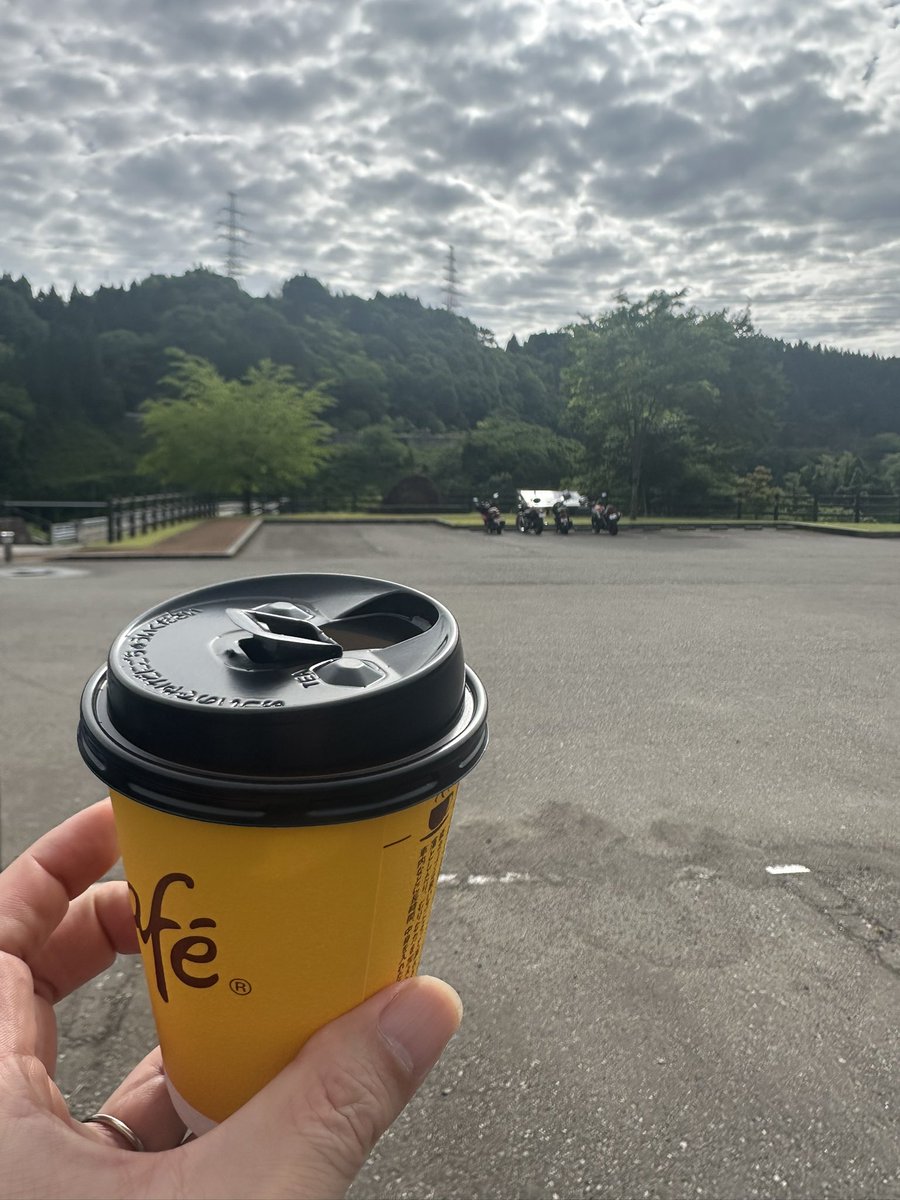
スタバ朝活、M5StackChan.hにavatar組み合わせてみた。
Serial1をPortCに割り当てたらサーボが動かなかったからサーボ制御に使っているっぽいな。Serial2ならPortCで通信できそう。
#スタックチャン
1
9
934

Apr 15
find hobbies irl
and frens
frens r inportant
specialy if they revolve around le hobbies
/init
# CLAUDE.md
## Project Overview
Folding-fin stabilized model rocket system with three components that communicate over UDP (port 4444) via WiFi:
1. **Rocket ESP32** (`Firmware/ROLLstabilization.txt`) — Onboard flight computer. Uses MPU6050 gyro for roll-axis stabilization via a PD controller driving 4 servo-actuated fins. Creates its own WiFi AP ("RocketLink_Telemetry"). PID gains and gyro calibration are persisted to ESP32 NVS flash. State machine: IDLE → LAUNCHING (waits for 1.6g accel threshold for 50ms) → FLIGHT (fins active).
2. **Launcher ESP32** (`Firmware/launcher.txt`) — Ground-side relay and sensor hub. Creates WiFi AP ("ROCKET_LAUNCHER"). Communicates with the rocket over Serial2 (115200 baud, pins 16/17) and with the dashboard over UDP. Manages arming sequence (physical switch button with 1s hold), GPS (TinyGPS on Serial1, pin 4), BMP180 barometer (EMA-filtered altitude), and QMC5883L compass for heading fusion. State machine: SAFE → ARMING → READY → IGNITING. Halts on boot if no GPS NMEA data within 5s.
3. **Dashboard** (`Firmware/DASHBOARDpython.txt`) — Python tkinter ground control station. Receives telemetry via UDP, displays real-time roll/rate/servo graphs (matplotlib FuncAnimation), GPS status (3-state indicator), live PID values, and environment data. Supports remote gyro calibration, PID upload, digital launch command, and full-flight graph export.
## Communication Protocol
All messages are UTF-8 over UDP port 4444:
- **Telemetry (Launcher→Dashboard):** `T,<millis>,<roll>,<rate>,<servo_output>`
- **Status (Launcher→Dashboard):** `STATUS:<state>,<Kp>,<Kd>,<skew>`
- **Environment (Launcher→Dashboard):** `ENV,<lat>,<lon>,<alt>,<gpsState>` (gpsState: 0=no NMEA, 1=searching, 2=fix)
- **Fusion (Launcher→Dashboard):** `[FUSION] Hdg: <heading> | Pitch: <pitch>` (currently ignored by dashboard)
- **Commands (Dashboard→Launcher):** `launch`, `calibrate`, `PID,<Kp>,<Kd>`, `HELLO` (keepalive)
- **Rocket serial (Launcher↔Rocket):** `DATA,<ax>,<ay>,<az>,<roll>,<rate>,<out>,<state>,<kp>,<kd>,<skew>`, `ARM`, `CALIBRATE`, `IGNITE`, `READY`, `IGNITED`, `ALIVE`
## Hardware Pin Mapping
**Rocket ESP32:** Servos — UP=27, DOWN=14, RIGHT=26, LEFT=25. MPU6050 on I2C (21/22).
**Launcher ESP32:** Serial2 RX/TX=16/17, GPS RX=4, Switch=5, Button=18, LED=23, Buzzer=2 (active LOW), Launch servo=19 (ON=170°, OFF=55°), I2C SDA/SCL=21/22.
## Calibration & Test Utilities
- `Firmware/Calibration & Test Code/Fin Calibration.txt` — Interactive serial tool to find servo center angles (A/B/C/D to select, /- to adjust)
- `Firmware/Calibration & Test Code/I2Cworks.txt` — I2C bus scanner BMP180/QMC5883L health check
- `Firmware/Calibration & Test Code/ROLLstabilization.txt` — Standalone roll stabilization (earlier version, creates its own AP, no launcher relay)
## Development Notes
- All firmware files use `.txt` extension but contain Arduino/ESP32 C code (PlatformIO or Arduino IDE)
- Dashboard requires: `tkinter`, `matplotlib`, `numpy`, `socket` (stdlib)
- Run dashboard: `python DASHBOARDpython.txt` (or rename to `.py`)
- Magnetometer calibration offsets are hardcoded in `launcher.txt` (MAG_OFFSET_X/Y/Z, MAG_SCALE_X/Y/Z)
- Servo center angles are hardcoded in `ROLLstabilization.txt` (LEFT=115, RIGHT=80, UP=80, DOWN=115) with MAX_DEFLECTION=15°
- The launcher WiFi AP IP is 192.168.4.1 (ESP32 SoftAP default), hardcoded in dashboard as `LAUNCHER_GATEWAY`
## Other Files
- `CAD Files/` — Fusion 360 designs (.f3z) for the folding rocket, launcher platform, and rocket nozzle
- `Simulation/` — OpenRocket simulation file (.ork) and stability analysis screenshots
7
1
48
5,009

maybe printing smtg....
/init
# CLAUDE.md
## Project Overview
Folding-fin stabilized model rocket system with three components that communicate over UDP (port 4444) via WiFi:
1. **Rocket ESP32** (`Firmware/ROLLstabilization.txt`) — Onboard flight computer. Uses MPU6050 gyro for roll-axis stabilization via a PD controller driving 4 servo-actuated fins. Creates its own WiFi AP ("RocketLink_Telemetry"). PID gains and gyro calibration are persisted to ESP32 NVS flash. State machine: IDLE → LAUNCHING (waits for 1.6g accel threshold for 50ms) → FLIGHT (fins active).
2. **Launcher ESP32** (`Firmware/launcher.txt`) — Ground-side relay and sensor hub. Creates WiFi AP ("ROCKET_LAUNCHER"). Communicates with the rocket over Serial2 (115200 baud, pins 16/17) and with the dashboard over UDP. Manages arming sequence (physical switch button with 1s hold), GPS (TinyGPS on Serial1, pin 4), BMP180 barometer (EMA-filtered altitude), and QMC5883L compass for heading fusion. State machine: SAFE → ARMING → READY → IGNITING. Halts on boot if no GPS NMEA data within 5s.
3. **Dashboard** (`Firmware/DASHBOARDpython.txt`) — Python tkinter ground control station. Receives telemetry via UDP, displays real-time roll/rate/servo graphs (matplotlib FuncAnimation), GPS status (3-state indicator), live PID values, and environment data. Supports remote gyro calibration, PID upload, digital launch command, and full-flight graph export.
## Communication Protocol
All messages are UTF-8 over UDP port 4444:
- **Telemetry (Launcher→Dashboard):** `T,<millis>,<roll>,<rate>,<servo_output>`
- **Status (Launcher→Dashboard):** `STATUS:<state>,<Kp>,<Kd>,<skew>`
- **Environment (Launcher→Dashboard):** `ENV,<lat>,<lon>,<alt>,<gpsState>` (gpsState: 0=no NMEA, 1=searching, 2=fix)
- **Fusion (Launcher→Dashboard):** `[FUSION] Hdg: <heading> | Pitch: <pitch>` (currently ignored by dashboard)
- **Commands (Dashboard→Launcher):** `launch`, `calibrate`, `PID,<Kp>,<Kd>`, `HELLO` (keepalive)
- **Rocket serial (Launcher↔Rocket):** `DATA,<ax>,<ay>,<az>,<roll>,<rate>,<out>,<state>,<kp>,<kd>,<skew>`, `ARM`, `CALIBRATE`, `IGNITE`, `READY`, `IGNITED`, `ALIVE`
## Hardware Pin Mapping
**Rocket ESP32:** Servos — UP=27, DOWN=14, RIGHT=26, LEFT=25. MPU6050 on I2C (21/22).
**Launcher ESP32:** Serial2 RX/TX=16/17, GPS RX=4, Switch=5, Button=18, LED=23, Buzzer=2 (active LOW), Launch servo=19 (ON=170°, OFF=55°), I2C SDA/SCL=21/22.
## Calibration & Test Utilities
- `Firmware/Calibration & Test Code/Fin Calibration.txt` — Interactive serial tool to find servo center angles (A/B/C/D to select, /- to adjust)
- `Firmware/Calibration & Test Code/I2Cworks.txt` — I2C bus scanner BMP180/QMC5883L health check
- `Firmware/Calibration & Test Code/ROLLstabilization.txt` — Standalone roll stabilization (earlier version, creates its own AP, no launcher relay)
## Development Notes
- All firmware files use `.txt` extension but contain Arduino/ESP32 C code (PlatformIO or Arduino IDE)
- Dashboard requires: `tkinter`, `matplotlib`, `numpy`, `socket` (stdlib)
- Run dashboard: `python DASHBOARDpython.txt` (or rename to `.py`)
- Magnetometer calibration offsets are hardcoded in `launcher.txt` (MAG_OFFSET_X/Y/Z, MAG_SCALE_X/Y/Z)
- Servo center angles are hardcoded in `ROLLstabilization.txt` (LEFT=115, RIGHT=80, UP=80, DOWN=115) with MAX_DEFLECTION=15°
- The launcher WiFi AP IP is 192.168.4.1 (ESP32 SoftAP default), hardcoded in dashboard as `LAUNCHER_GATEWAY`
## Other Files
- `CAD Files/` — Fusion 360 designs (.f3z) for the folding rocket, launcher platform, and rocket nozzle
- `Simulation/` — OpenRocket simulation file (.ork) and stability analysis screenshots
2
6
787
Mar 30
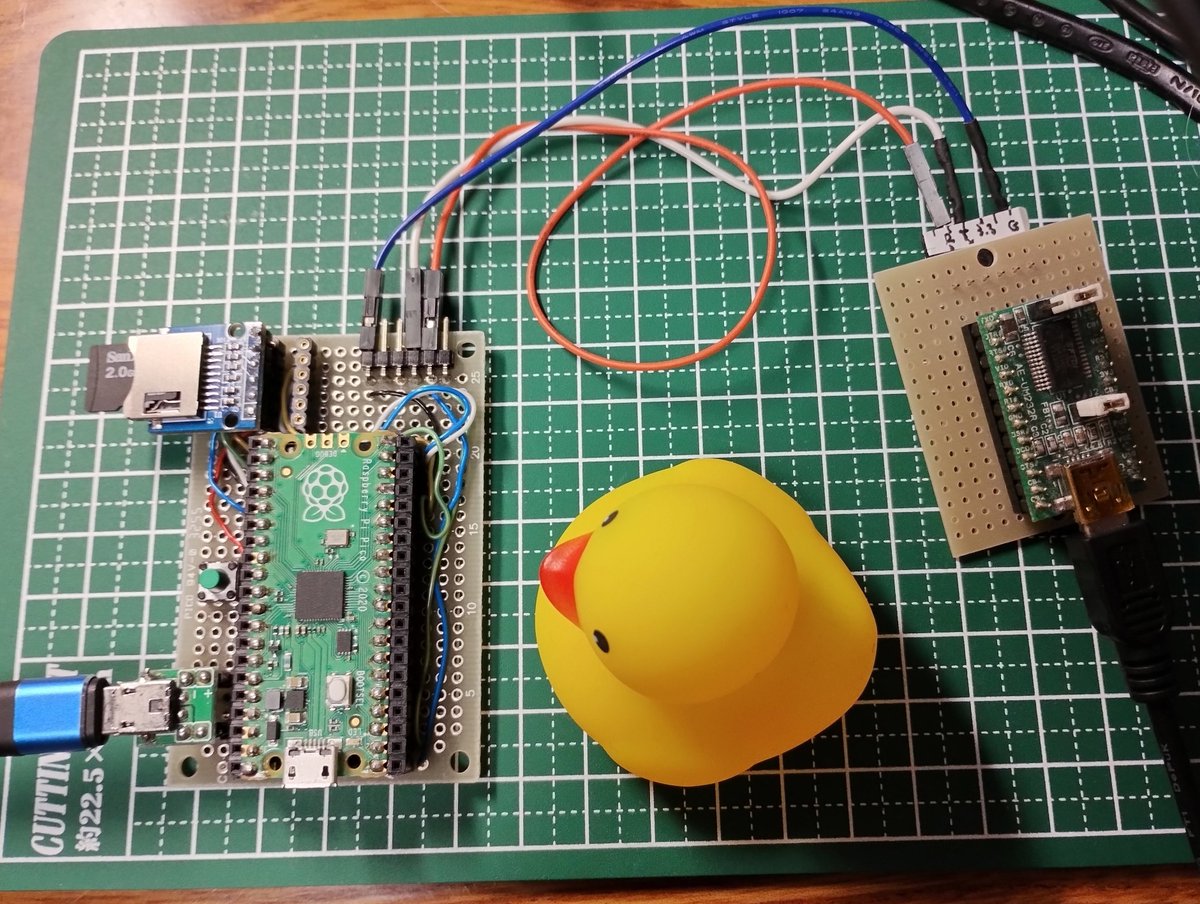
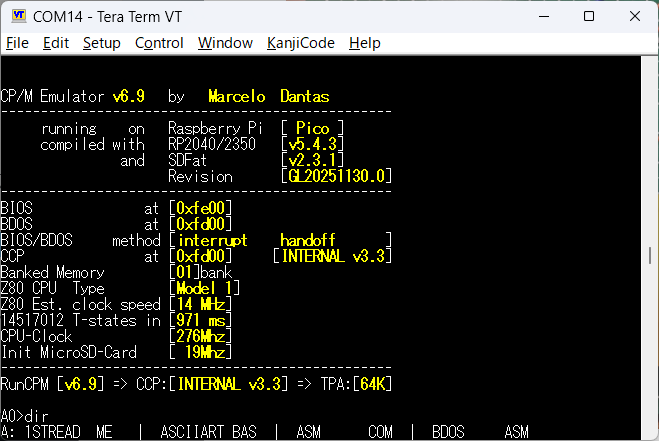
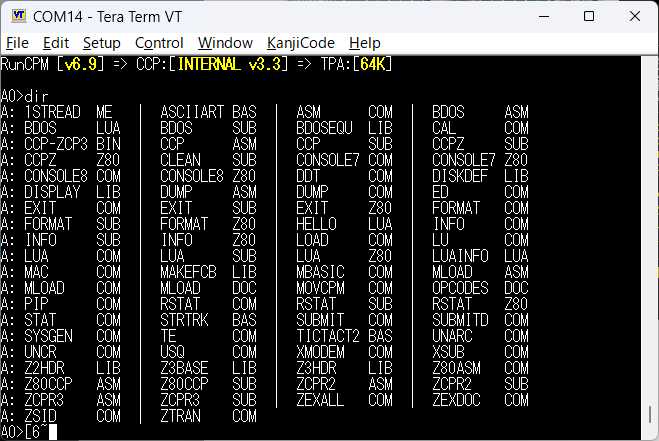
◆UART端子接続でPicoのRunCPM
・Arduino IDEでコンパイル。
・Serial.~をSerial1.~に修正してみました。
・Tx : GPIO0, RX : GPIO1から出力
1
9
264
Mar 4
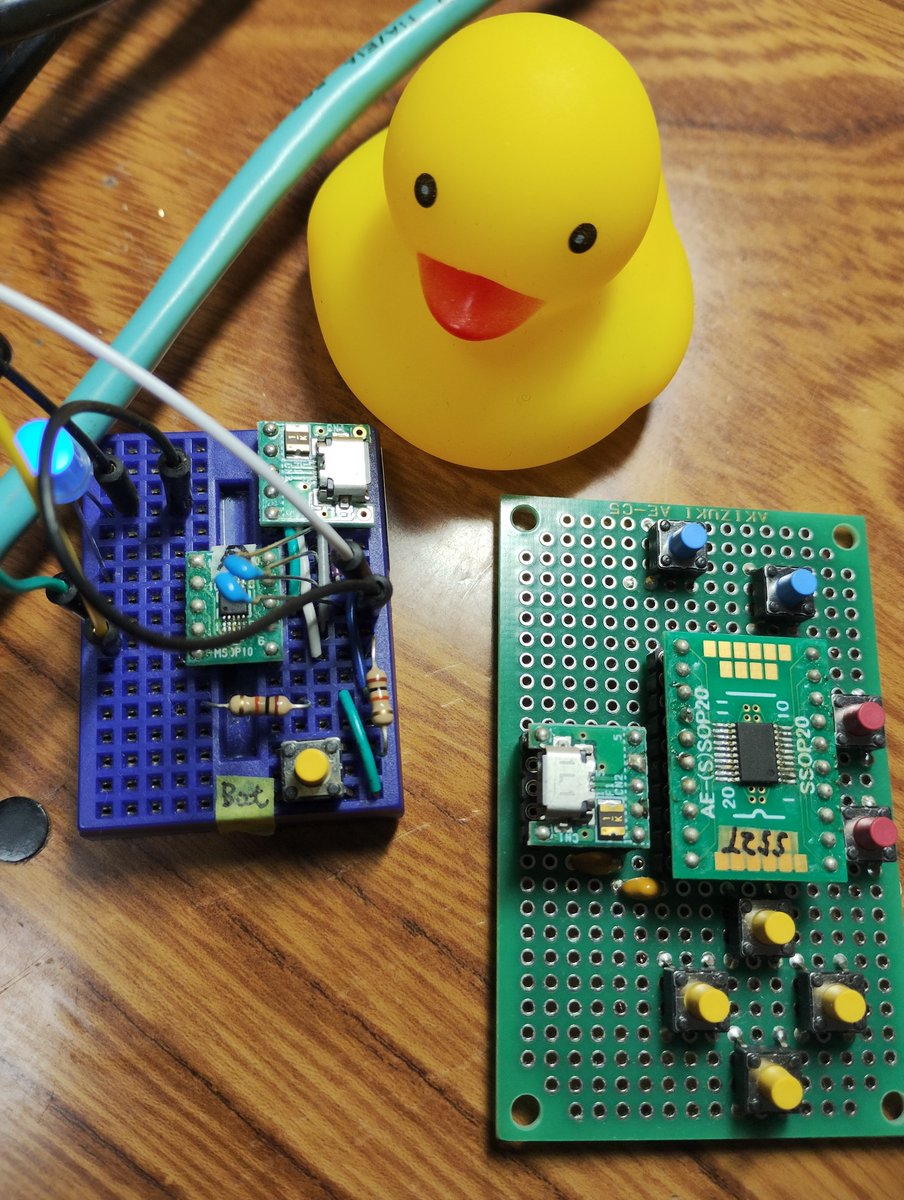
◆CH552でArduino((ch55xduino)
・キーボードデバイスになれるマイコン、今度はCH552を出してきました。
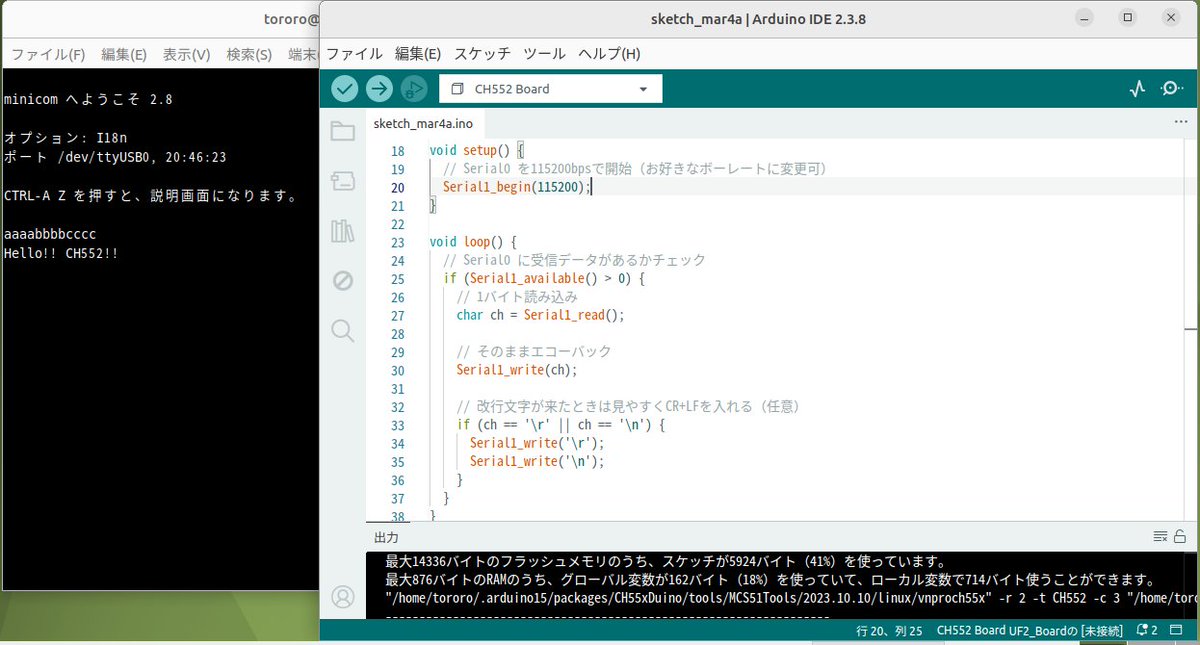
・まずは、Arduino IDEでエコーバック。
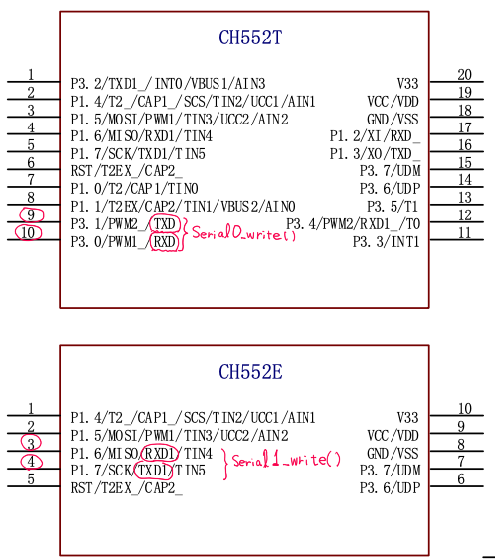
・デフォルトで552TはSerial0、552EはSerial1がピンに出ているみたいです。
・16kBのメモリーにシリアル・キーボードのコードが収まるかな🤔
1
4
204

Feb 11
#unoQ #x11 #Arduino #ILI9341 #embedded #STM32
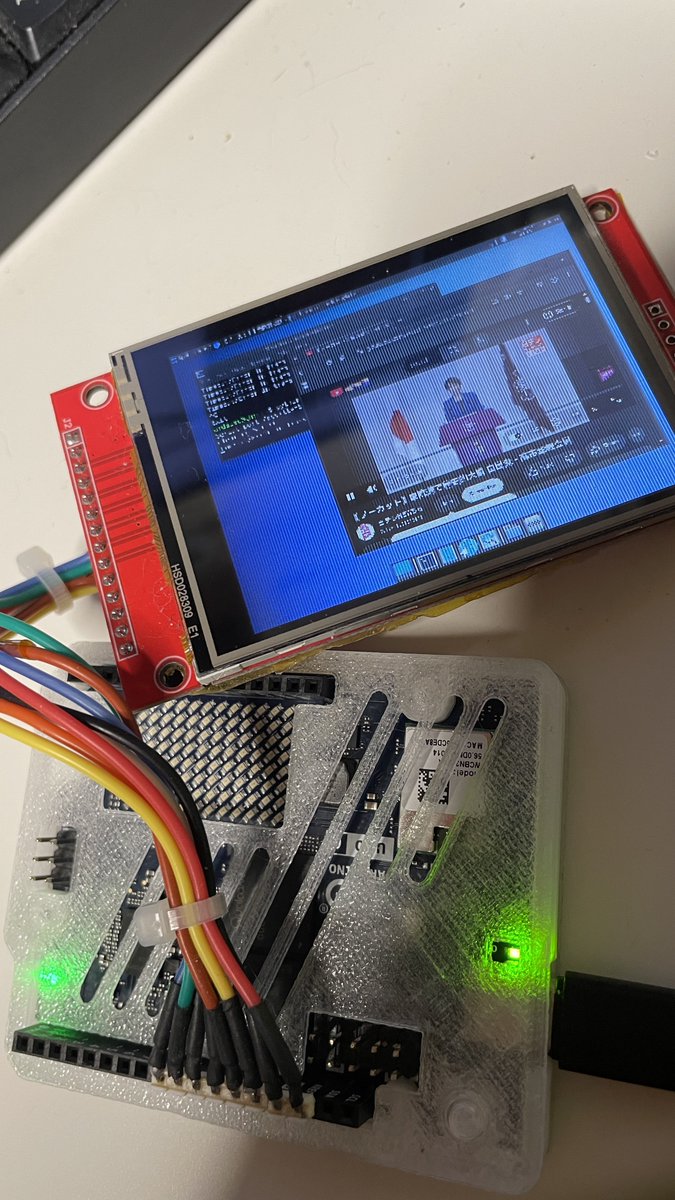
Arduino Uno Q でフルX11デスクトップをILI9341にライブ表示!
マウスヌルヌル動く理由判明 → **Windows描画と同じdirty rectangle方式**!!!
- QRB2210 (Debian/X11)側:変更された矩形ブロックのみ検出 → PythonでUART送信
- STM32U585側:自作ILI9341ドライバ Serial1受信 → 差分矩形だけ即描画
- これでUART低帯域でもリアルタイム更新可能!(フルフレームじゃなく動いた部分だけ転送)
4時間格闘の核心ここに…公開事例ゼロ、世界初ほぼ確定!!!
詳細(dirty rect検出方法? 矩形数上限? 圧縮有無? ボーレート?)待機中!
RT&いいねで教えて〜💕
#リナちゃんは特別な訓練を #LinuxOnMCU #UART #Python #TFT #dirtyrects
1
10
503
6 Oct 2025
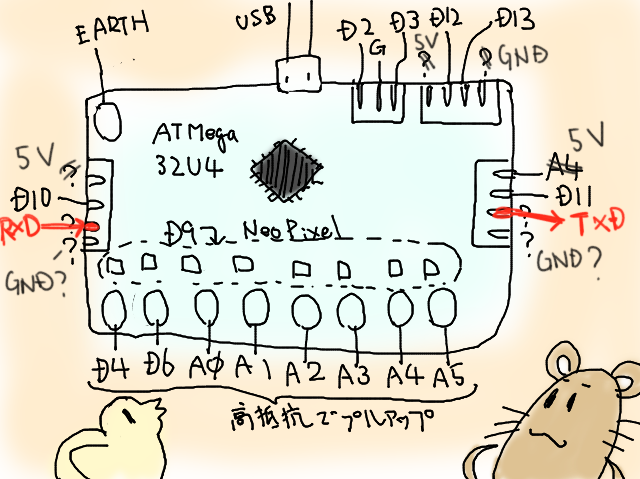
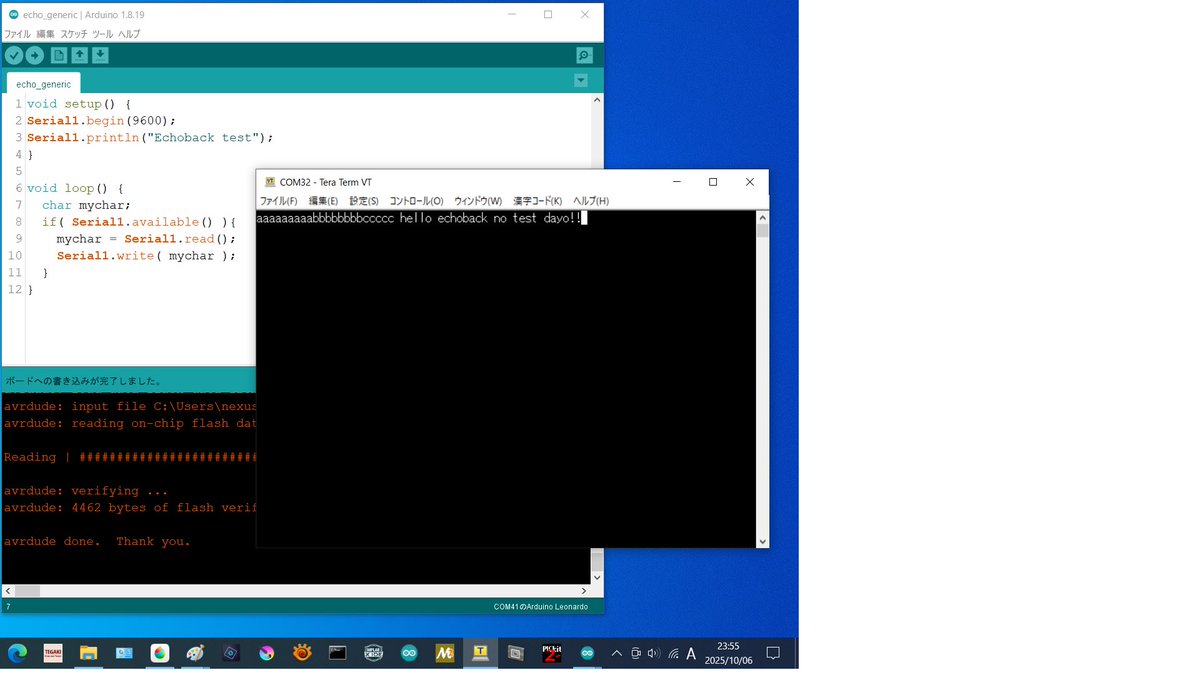
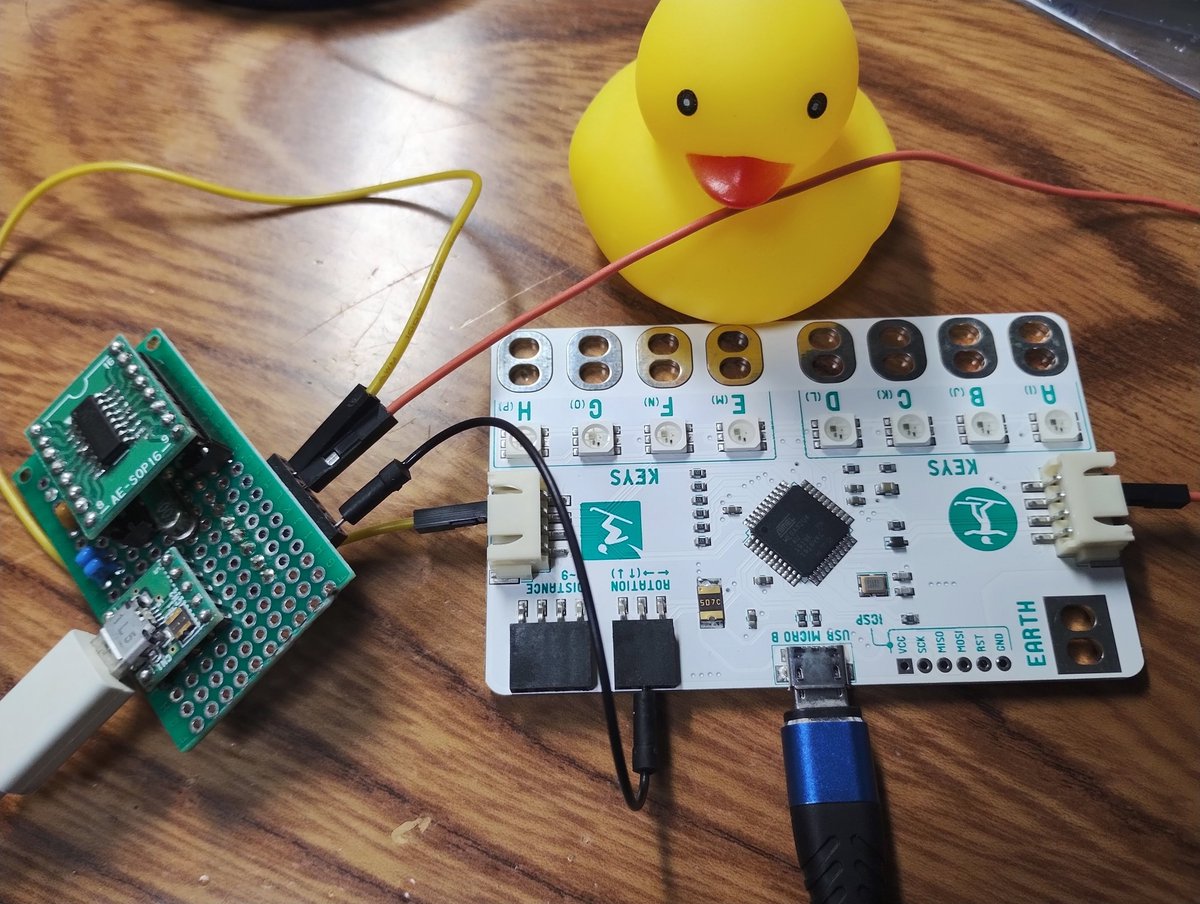
◆Key Touchのシリアルポートを発見
・USBとは別のシリアルポートです。
・おそらく本来は2台のKey Touchをつなぐために使用。
・Arduino IDEでは、"Serial1"
・エコーバックしてみました。
・このボード、かなり気に入ってしまいました😃
1
1
6
578

14 Sep 2025
ちなみに、Serial書き込みは普通にできる。
つまり
SWD書き込み設定にして、プログラム内に
Serial1…..って書くとエラーが出て、
その上にハードウェアシリアル設定すると直って普通にできる。
1
2
387
14 Sep 2025
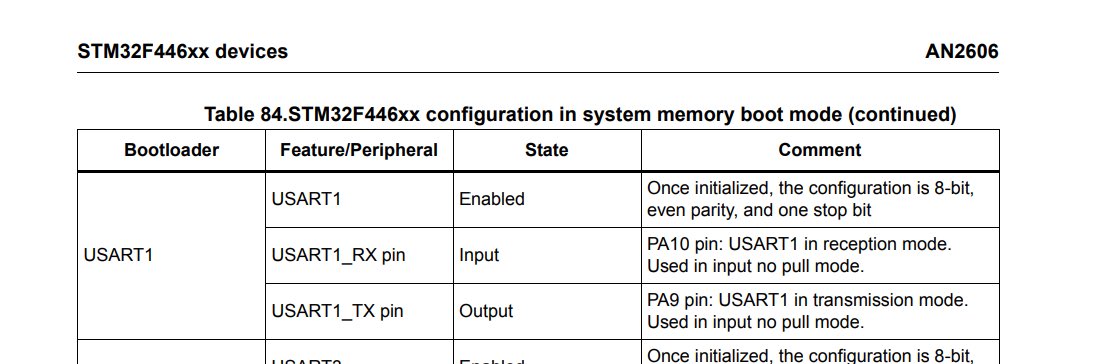
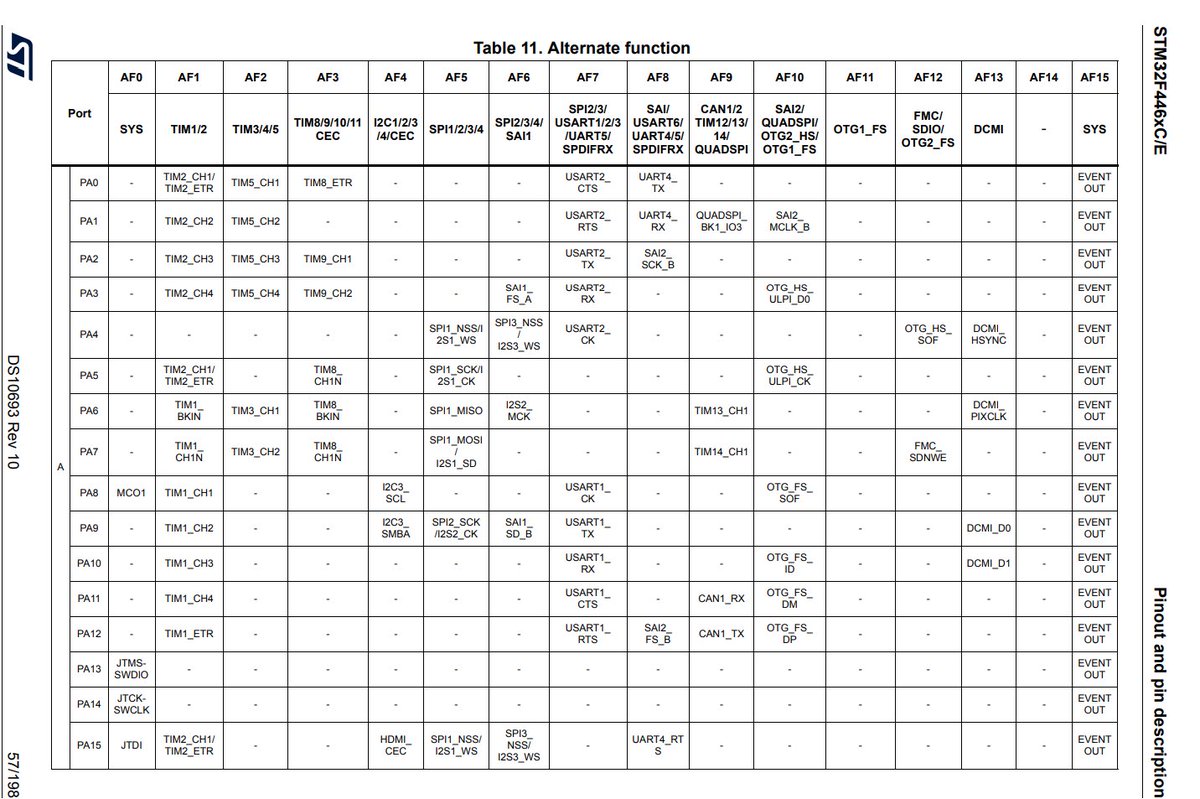
STM32F446REのPA9 PA10番ピンにはUART1が機能としてあると思うんだけど、これはUART書き込みとして使うポートだからHardwareSerial()設定をしないとpcと通信できないの?
書き込みはSWD、読み込みをシリアル変換をつけてSerial1でやっててこれだと、シリアルポートがないって言われる。
1
6
724


23 Jul 2025
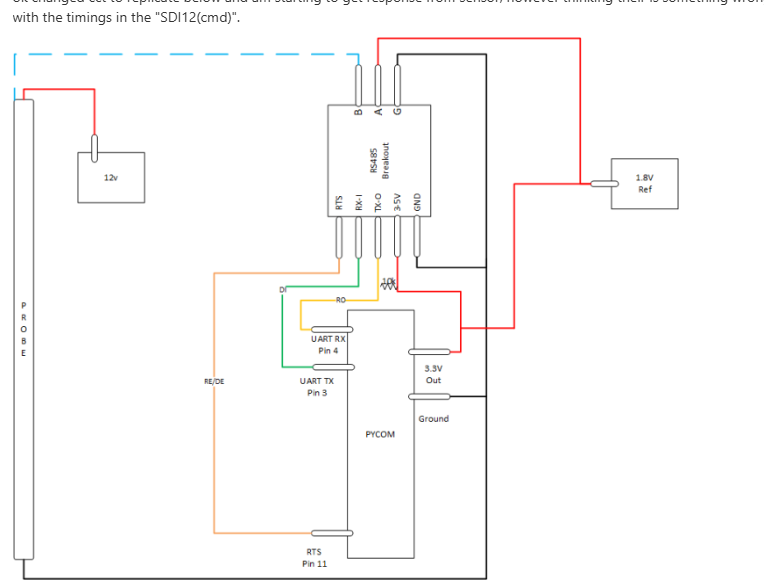
作ってみてようやくわかった Enableの時にRefが全然動かせなくてなんでや、となったが、Enable時にはドライバからドライブされてるからなんだな RXにすると、中点基準でもう片方がドライブされてインバート入力ができる これは部品数少なくて便利だ
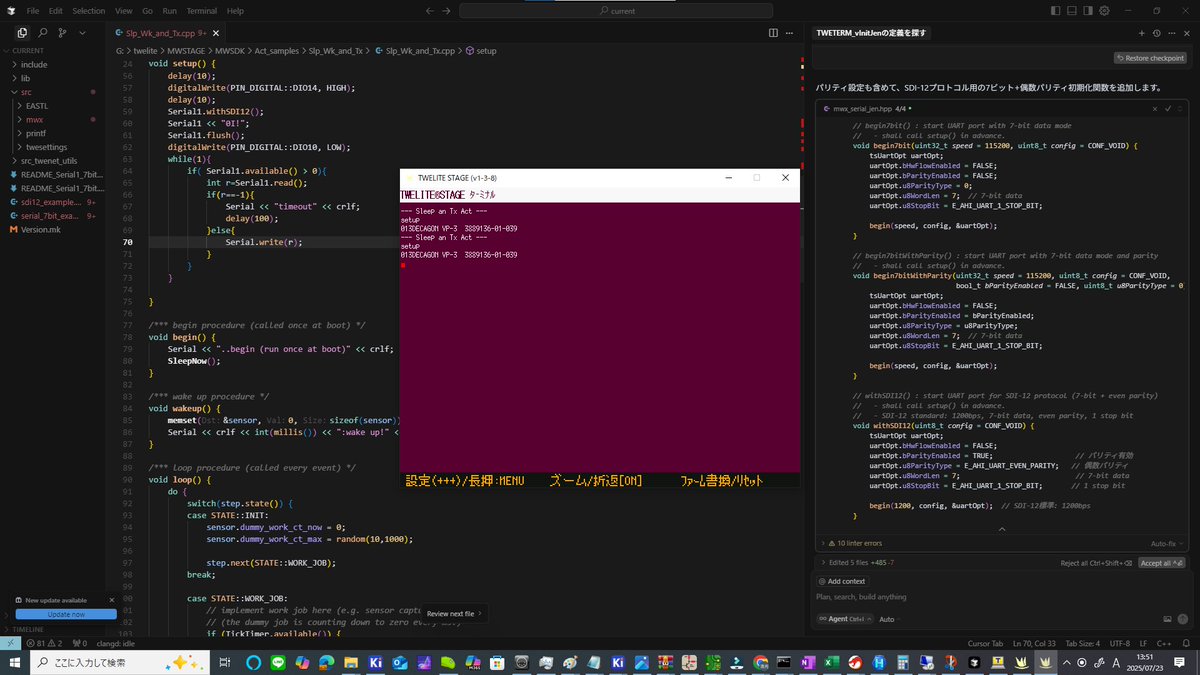
TWELiteのSerial1が 7bit Even設定が省略されてたのをCursorに直してもらって、TWELITEでSDI12センサをハンドルできるようになった
22 Jul 2025

で、突然斜め上の、RS-485ドライバを使って受信時のZを実装しつつ、差動の片側を中点電位に固定して電圧を振る回路を見つけた きもい 485バッファは腐るほどあるのでこれは試してみたい きもい
1
1
4
2,043


24 Jun 2025
UARTのピン設定を変更するか、ピン設定を変更せずともSerial1ではなくSerial2を使うようにすればArduino IDE等でも動くと思います。(PlatformIOのiniでピン変更設定しているため)
1
1
69

6 Jun 2025
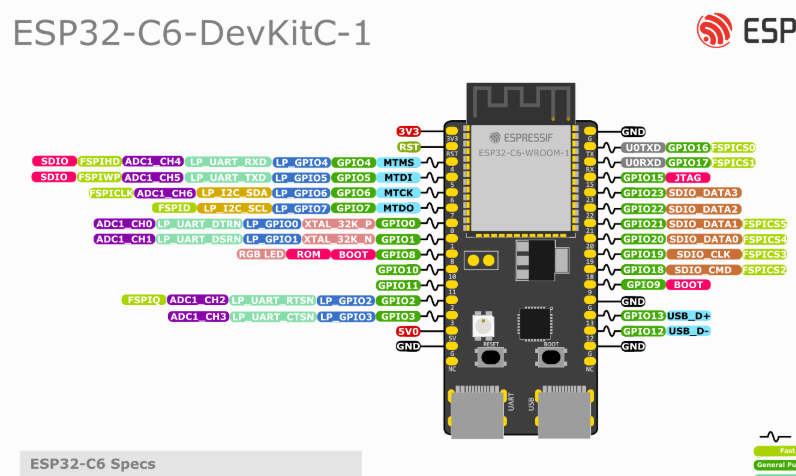
ESP32-C6をお試し中。
Espressif ESP32 Arduino Core v3以上が必須で、従来とはledc関数が変わってるので注意必要ですね。
ledc, neopixelwrite, serial, serial1(4&5)確認OK!
1
3
247



13 Feb 2025
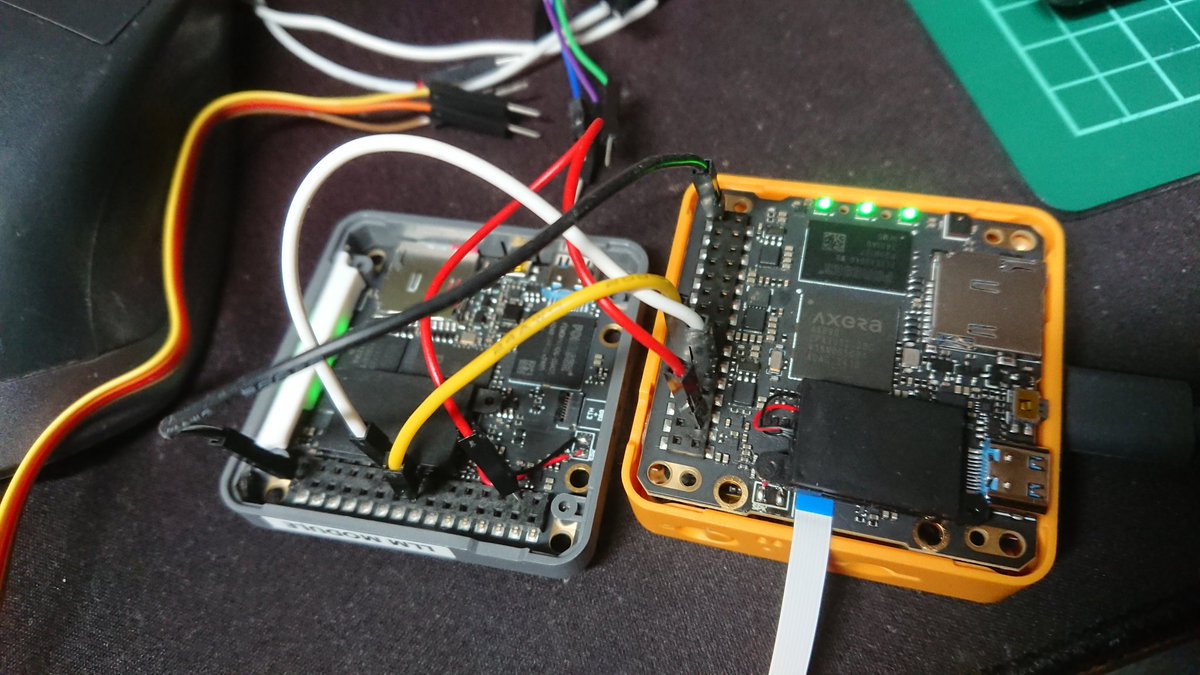
こんな感じで1枚目を13,14でSerial1、2枚目を27,19でSerial2として通信出来るのは確認。
ESP32はHardwareSerial2がリマッピングできたので両方HardwareSerial使用。
ESP3SoftwareSerialはいまいち使い方がわからなかったので保留です
2
1
4
574

遊びたい方用に gist に置いときます
Core S3 で遊びました。
Serial1.begin(115200, SERIAL_8N1, 44, 43);
です
gist.github.com/devemin/b798…
1
1
14
347

5 Feb 2025
Itsellä on toinen Serial1 menossa ja neljäs sähkö pyörä muuten. Akun kestävyyttä ei ole päässyt testaamaan kun piripäät ja muu sosioekonomisesti harmaalla alueella toimiva aines on pitänyt minut uuden pyörän syrjässä kiinni pakko kierrättämällä vanhat laitteeni. Melko raskasta.
2
8