
Parents never see the session. They see the week around it. 👀 Less phone. The desk set before the session, not during. The checklist ticked. That visible rhythm is why a parent renews instead of going quiet. bizstim.com/a/b2tg4 #SmartLearn #TutoringBusiness #Bizstim

2
1
Two tools carry Organize inside Bizstim. ✅ The Checklist Builder turns a strategy into a ritual the student actually runs. The Log and Tracker remembers what worked. Organize is where the loop starts to remember. bizstim.com/a/b2tg4 #SmartLearn #Bizstim #OPIR

1
23

A stronger academic system. A stronger student support network.
A stronger HESA.
The HESA Blueprint delivers through the No Trail Initiative, Learn2Lead Academy, SmartLearn & Knowledge Vault, Support360 Desk, and the Safety Net & Boafo Fund.
This is a vision backed by action.
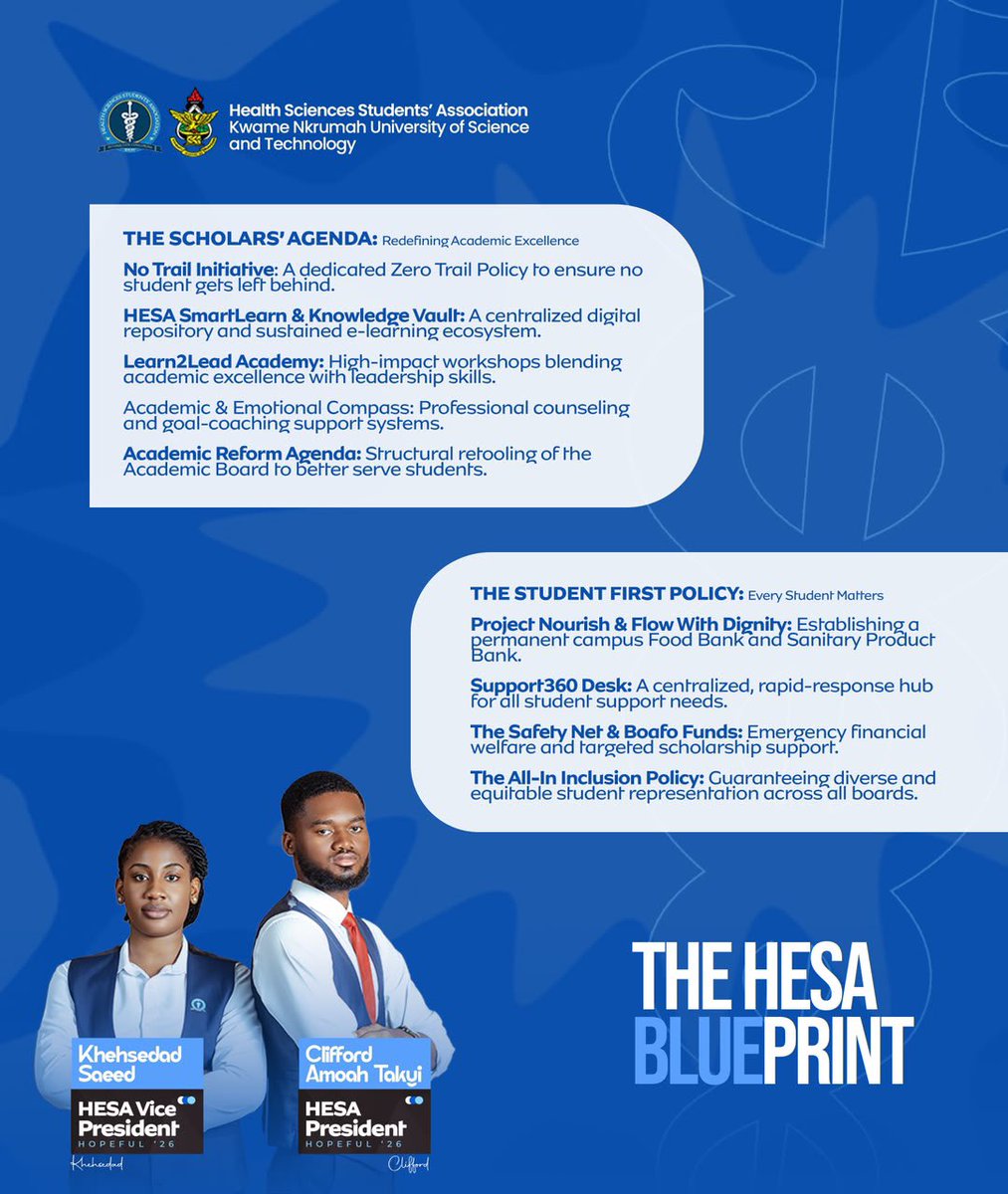

THE PERFECT PAIR
THE SHARED VISION
THE RESURGENCE. ♻️
Leadership is not built on promises alone, but on service, experience, and the courage to deliver.
Together, Clifford Amoah Takyi and Khehsedad Saeed stand ready to champion the interests of every Health Sciences student.

10
15
859
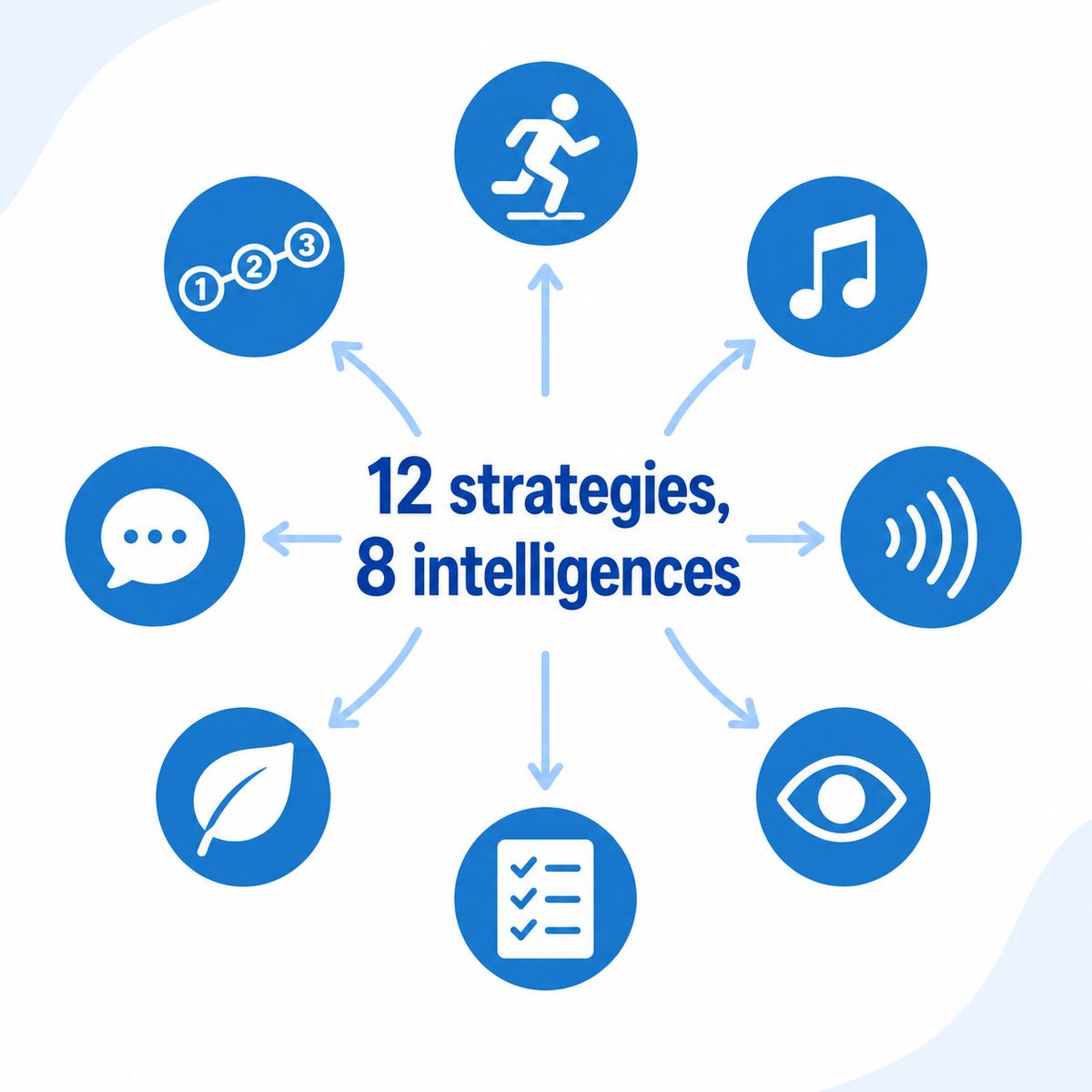
Twelve Organize strategies. Eight intelligences. 🧩 A movement routine for the kinesthetic student. A sensory setup for the neurodivergent one. Smart Learn picks the right fit automatically, per student. bizstim.com/a/b2tg4 #SmartLearn #MultipleIntelligences #OPIR
1
12
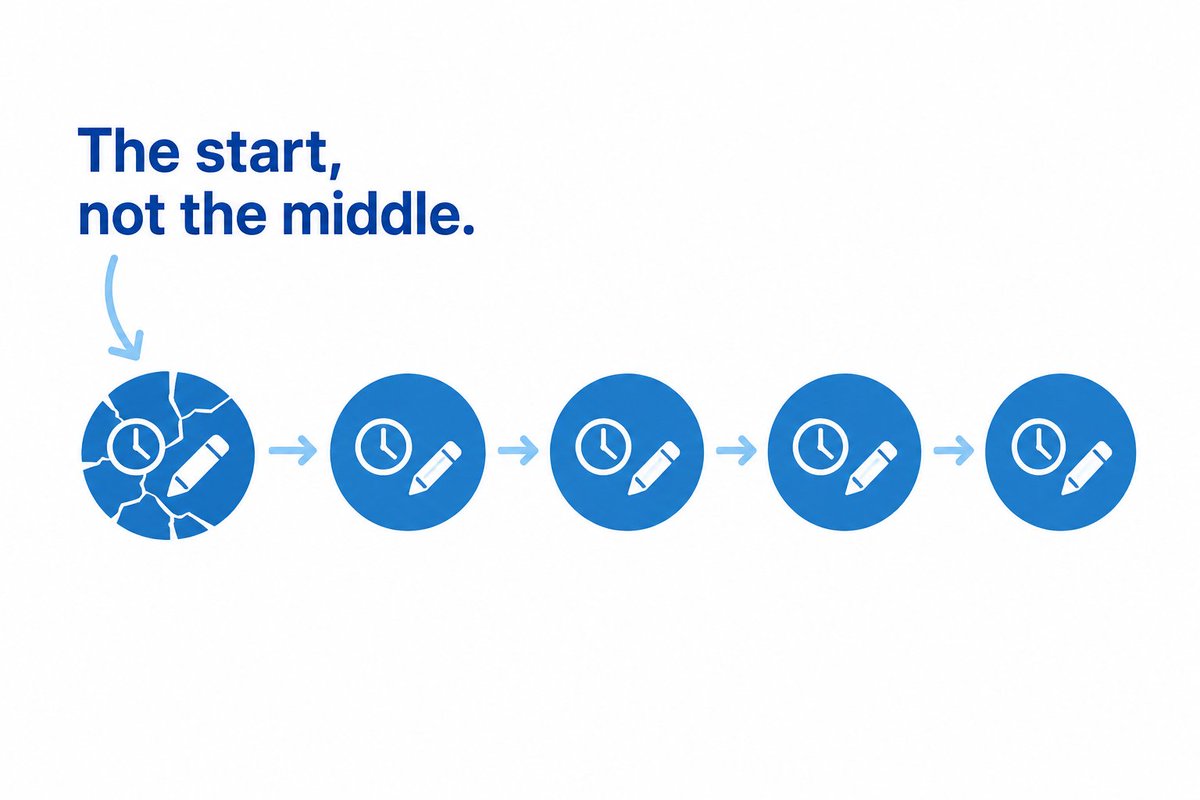
Bad study sessions do not fall apart in the middle. They fall apart at the start. 🧠 A scattered brain spends its first 15 minutes hunting for a pencil instead of learning. Organize hands that focus back. ⏳ bizstim.com/a/b2tg4 #SmartLearn #OPIR #StudentSuccess
1
7
Late. Textbook forgotten. Phone in hand. 📱 Your tutor burns the first quarter of every session getting the student ready to learn. Across 100 sessions a week, that is billed time that never becomes teaching. ⏳ bizstim.com/a/b2tg4 #SmartLearn #Tutoring #EdTech

1
11

24 Nov 2025
This is the demo video for SmartLearn which I built during the @Codematic_io hackathon 2025
SmartLearn is a comprehensive e-learning platform designed to revolutionize online education through AI-powered features and seamless learning experiences.
I utilized @googlecloud services, Google AI (@GeminiApp) and @pipeopshq while building this product.
Please drop your reviews about this product in the comments, and also what features would you like me to add in the future?
#GoogleCloud #BuildWithCodematic #BuildWithGoogle #BuildWithAhiakwoJohn
18
7
108
2,285
23 Nov 2025
Day 28 of @Codematic_io Build with Google Cloud Hackathon
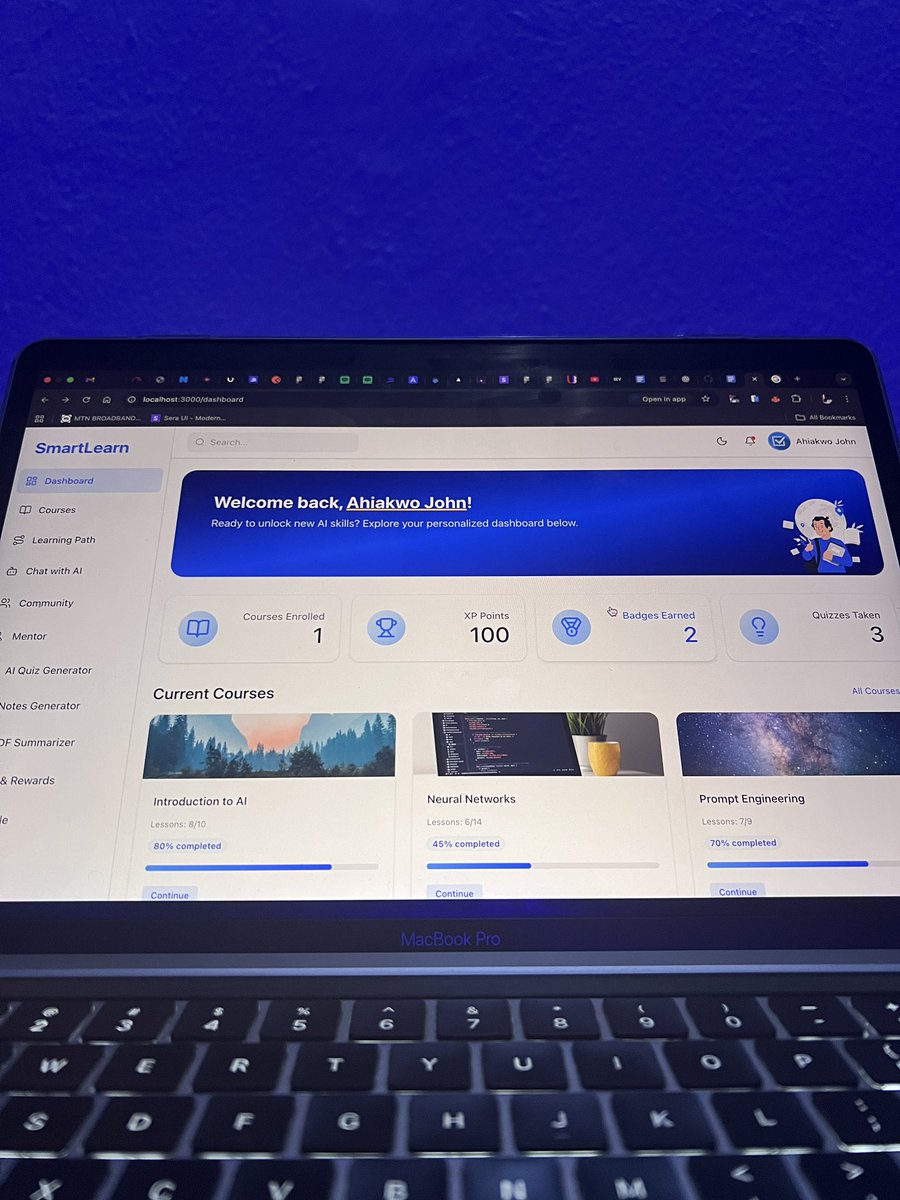
These past few weeks of building SmartLearn, my AI-powered learning platform, have been an incredible journey.
I’ve learned so much while working hands-on with Google Cloud and AI, and each day has pushed me to think differently and build smarter. I’ve been sharing more daily progress and lessons for other developers for the past few weeks.
The hackathon today ends today, with submissions closing tomorrow, so today was all about polishing, fixing final issues, and making sure SmartLearn is ready to shine.
Thanks for following me throughout this build in public process and for all the reviews and encouragement, looking forward to building more amazing products.
I’ll be dropping a demo video of Smartlearn tomorrow. Stay tuned.
#GoogleCloud #BuildWithCodematic #BuildWithGoogle #BuildWithAhiakwoJohn
7
2
54
1,405
22 Nov 2025
Day 27 @Codematic_io Build with Google Cloud Hackathon 2025
I've been building Smartlearn, a robust ai-powered learning platform for students, with the goal of helping get access to education and learn faster.
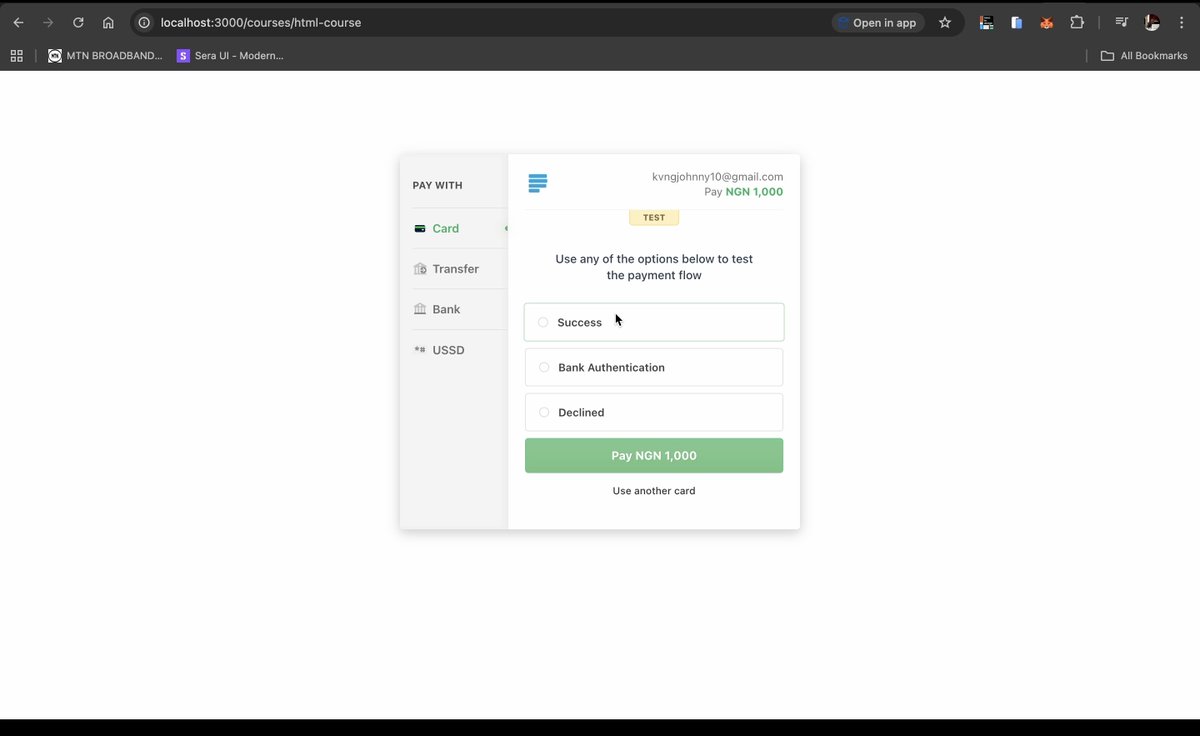
Today, I implemented the payment checkout for purchasing courses and mentor bookings on Smartlearn using @paystack.
This feature allows users/learners to purchase courses and mentor sessions on Smartlearn.
Daily Tasks Accomplished:
👉 Implement paystack for payments
👉 Integrated @Firebase firestore storage on my backend to keep track of payments.
#GoogleCloud #BuildWithCodematic #BuildWithGoogle #BuildWithAhiakwoJohn
4
19
459
21 Nov 2025
Day 26 @Codematic_io Build with Google Cloud Hackathon 2025
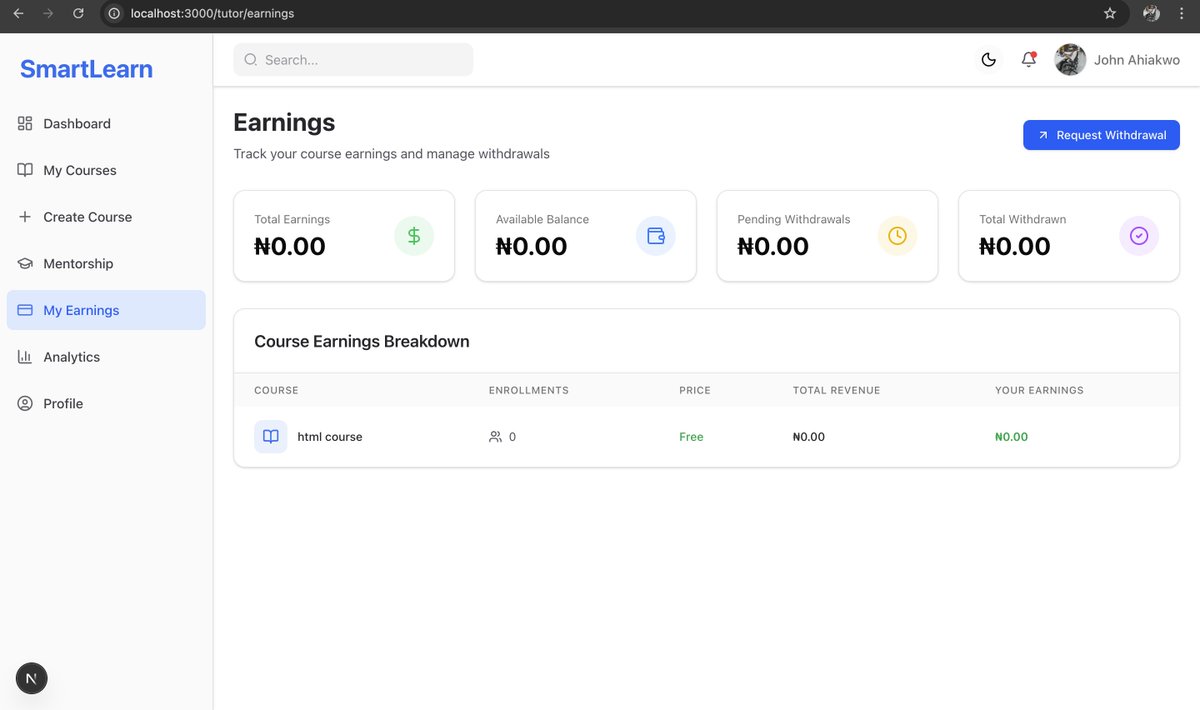
Today, I built the tutor earnings page for SmartLearn, a fully functional interface where tutors can track the earnings they’ve made from each of their courses.
At the top of the page, I added analytics cards that give tutors a quick snapshot of their financial performance. I also implemented a “Request Withdrawal” button, allowing tutors to initiate payout requests. These requests are sent to the backend and stored in Firestore through the connected APIs.
This feature brings more transparency and financial clarity to the tutor experience and connects seamlessly with the backend logic.
Daily Tasks Accomplished:
👉 Built the full Tutor Earnings page UI.
👉 Added analytics cards for quick financial insights.
👉 Created withdrawal request functionality connected to the backend.
👉 Integrated @Firebase firestore storage for all withdrawal requests and earnings.
#GoogleCloud #BuildWithCodematic #BuildWithGoogle #BuildWithAhiakwoJohn
5
1
28
828
20 Nov 2025
Day 25 @Codematic_io Build with Google Cloud Hackathon 2025
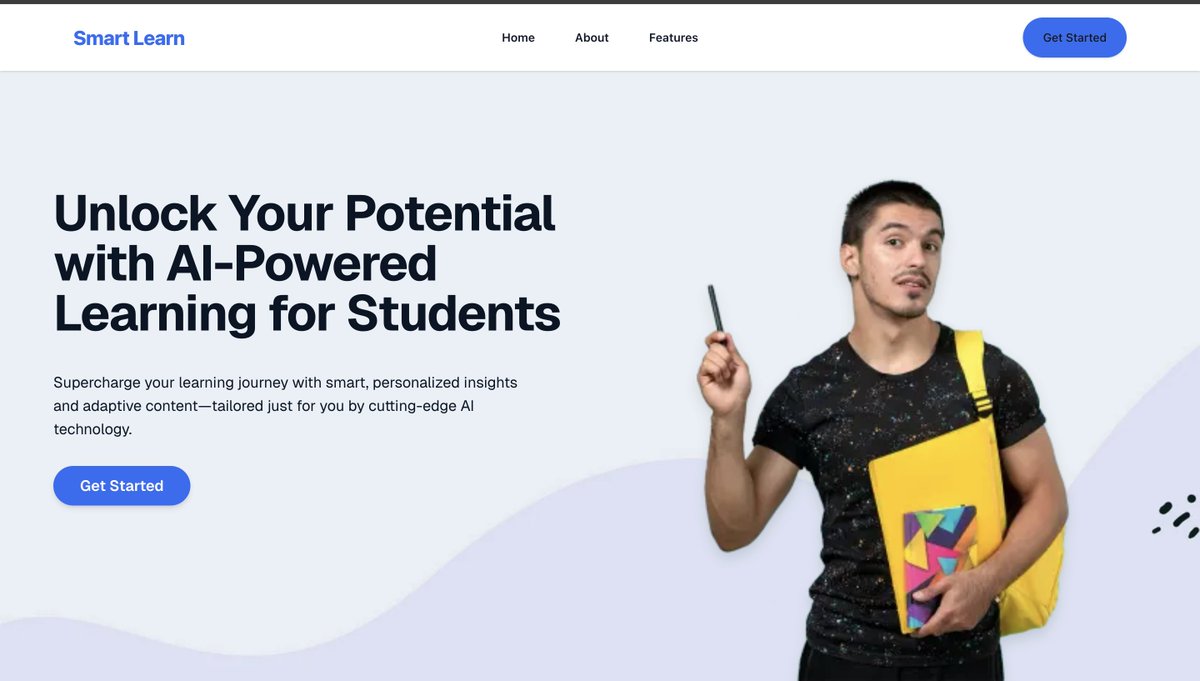
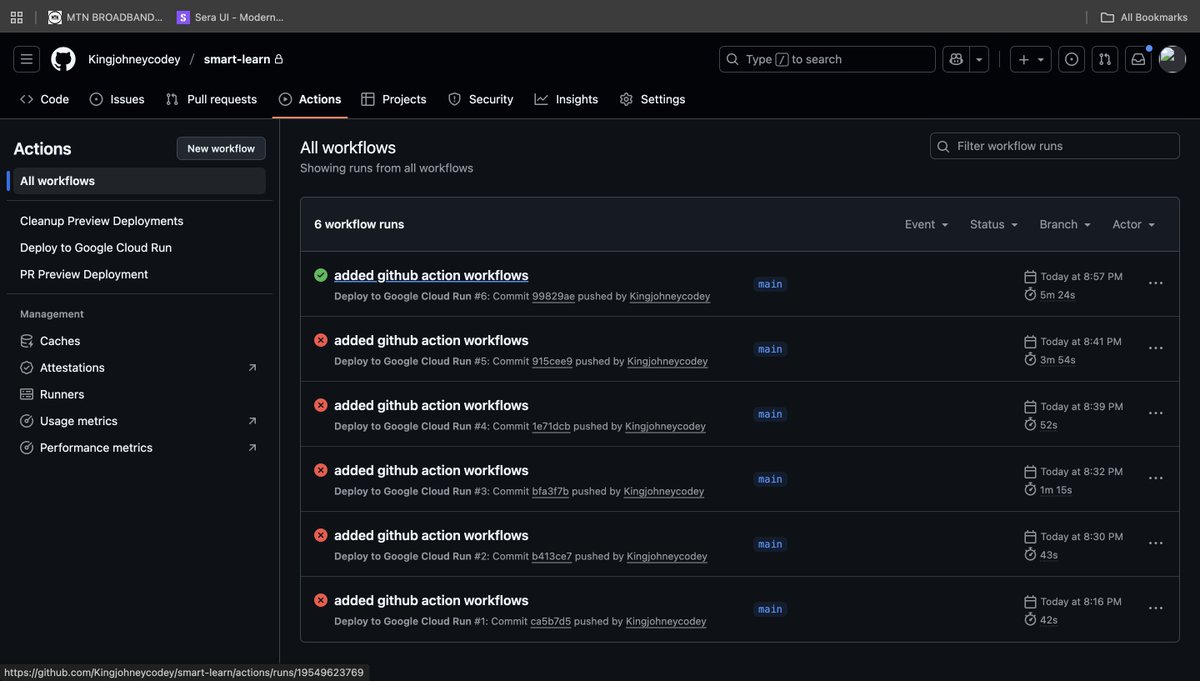
Today, I focused on taking SmartLearn fully live on @googlecloud by deploying both the backend and frontend to Google Cloud Run. I also set up GitHub Actions for automatic deployments, ensuring every push updates the live environment seamlessly.
To streamline configuration and environment management, I used @pipeopshq new devops tool, which made the entire deployment workflow faster, clearer, and more reliable.
The journey wasn’t without challenges, I ran into a couple of deployment issues, but I pushed through, debugged the configs, refined the workflows, and eventually everything deployed successfully.
Huge shoutout to Google Cloud for the powerful developer tooling and to PipeOps for making environment setup and CI/CD configuration smooth and stress-free.
Lessons Learned
👉 Cloud Run deployment becomes effortless once your build and environment configs are properly structured.
👉 GitHub Actions is extremely powerful for automation, removing manual steps improves developer speed and consistency.
👉 @pipeopshq drastically reduces setup time; managing environments manually would have taken much longer.
Daily Tasks Accomplished
👉 Deployed SmartLearn backend to Google Cloud Run.
👉 Deployed SmartLearn frontend to Google Cloud Run.
👉 Configured GitHub Actions for continuous deployment.
👉 Used PipeOps to prepare environment variables and deployment configs.
Tips for Other Developers
👉 Automate early, CI/CD saves you countless hours long-term.
👉 Use tools like PipeOps to manage configs instead of juggling them manually.
👉 For Cloud Run, triple-check service accounts, permissions, and runtime configurations.
Finally I can't share the live deployed link now until after the hackathon, which is ending soon, its been a long journey and I'll keep pushing 🚀
Do you think you'll like to try out @pipeopshq and @googlecloud for deployments?
#GoogleCloud #BuildWithCodematic #BuildWithGoogle #BuildWithAhiakwoJohn
6
3
44
1,133
19 Nov 2025
Day 24 @Codematic_io Build with Google Cloud Hackathon 2025
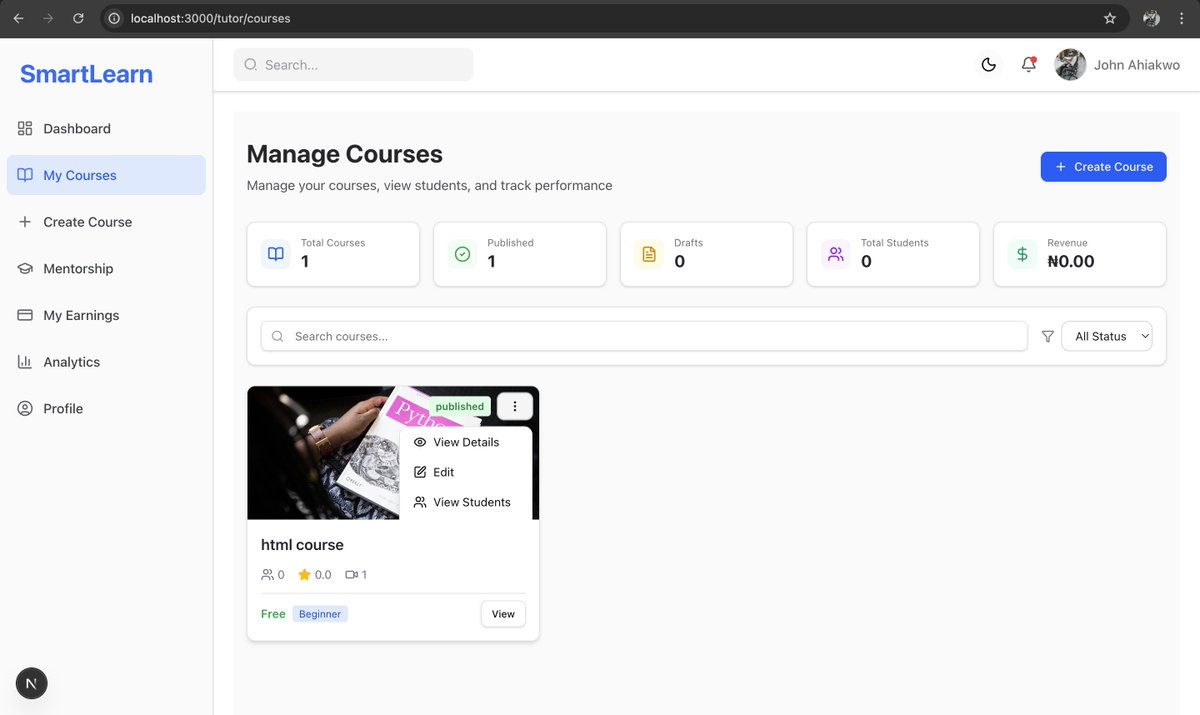
Today, I worked on the tutor course management for SmartLearn, this gives tutors full control over their courses, student engagement, and content structure. Everything works with my backend thats integrated with Google @Firebase.
Some key features are
👉 Analytics Overview: displays key stats at a glance:
Total Courses, Published, Drafts, Archived, Total Students, Revenue
👉 Course Listing
👉 Course Management Tools
👉 Edit Course
👉 Delete Course
👉 Learner Management
Daily Progress Summary
I focused on building an interface that gives tutors complete visibility and control, while keeping everything clean and intuitive.
#GoogleCloud #BuildWithCodematic #BuildWithGoogle #BuildWithAhiakwoJohn
1
1
32
704
18 Nov 2025
Day 23 @Codematic_io Build with Google Cloud & AI Hackathon 2025
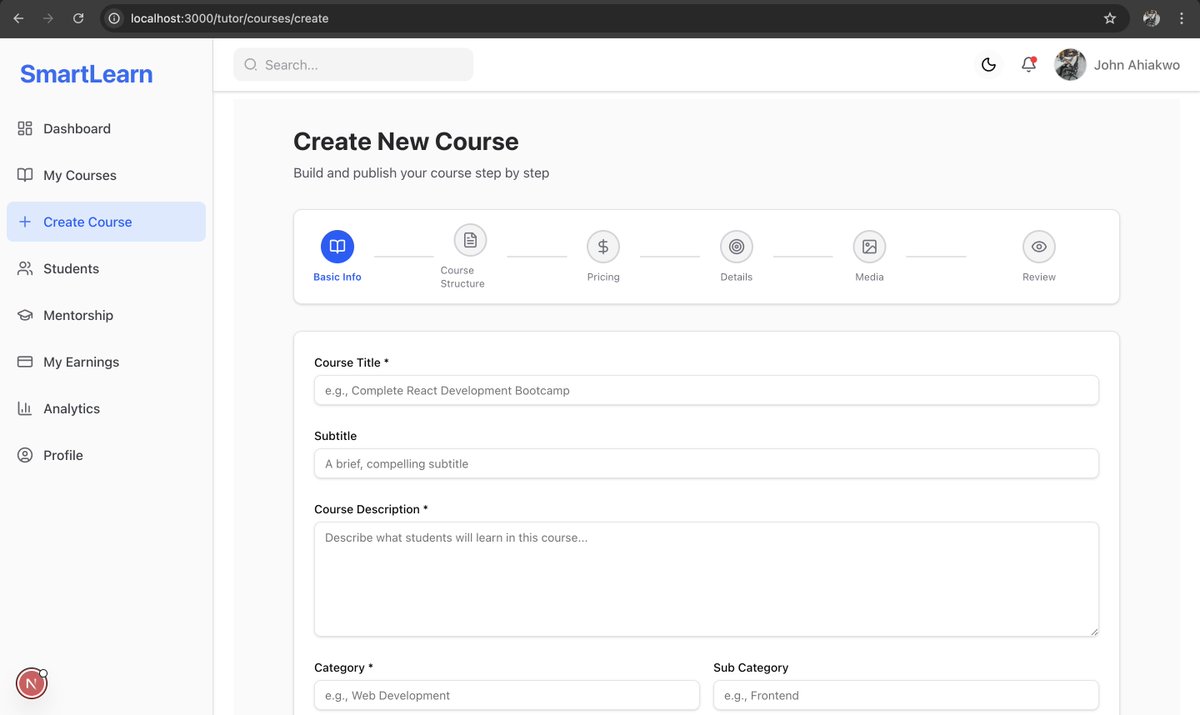
Today, I focused on the course creation dystem for SmartLearn, specifically building the full create course page that tutors will use to design, organize, and publish their learning materials.
This feature plays a huge role in the tutor experience because it gives them a complete and intuitive workflow to structure high-quality courses from start to finish. All data is managed securely through @Firebase, ensuring smooth uploads, real-time syncing, and reliable storage.
The page is powered by a detailed multi-step form that guides tutors through each phase of creating a course, from general details to pricing, structure, requirements, and media assets.
The goal is to make the creation process clean, flexible, and fully optimized for modern digital learning. Tutors can organize lectures, attach videos or documents, define learning objectives, and prepare their course for thousands of learners.
Daily Tasks Accomplished:
👉 Built the full multi-step course creation flow with six sections.
👉 Added form fields for title, subtitle, descriptions, tags, level, category, and language.
👉 Implemented course structure logic for sections, lectures, and resource uploads.
👉 Added pricing configuration including free, paid, and discount options.
👉 Integrated media upload features for thumbnails and promo video URLs.
👉 Built the final review page where tutors can confirm all details before submitting.
Tips for Other Developers:
When working on large content creation flows, break the UI into clear, manageable steps. It improves user experience, reduces clutter, and makes your data structure cleaner, especially when preparing for AI-powered features down the line.
#GoogleCloud #BuildWithCodematic #BuildWithGoogle #BuildWithAhiakwoJohn
2
1
24
657
17 Nov 2025
Day 21 of @Codematic_io Build with Google Cloud & AI Hackathon 2025
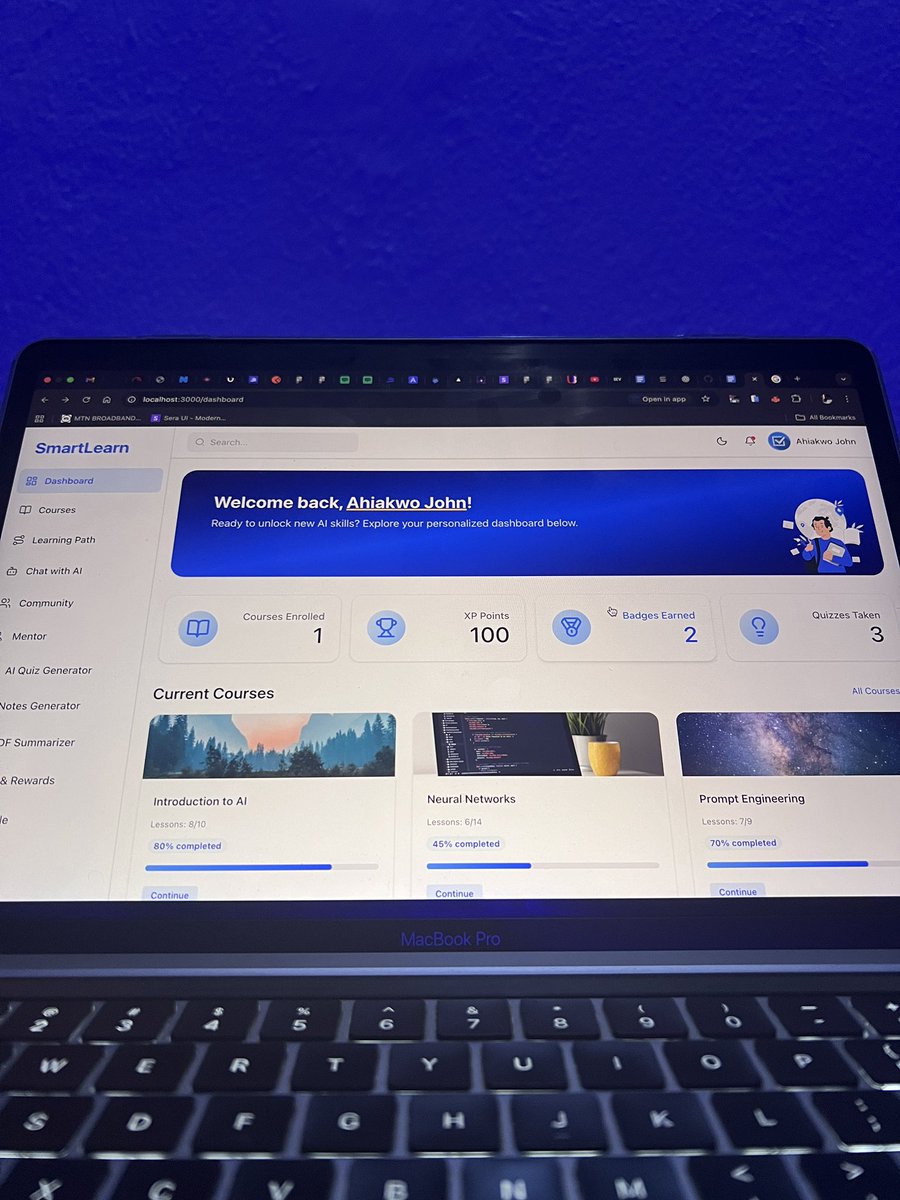
Yesterday I reviewed the project progress and features that have been implemented and also made plans for this week.
This week I’ll be implementing the final set of features for Smartlearn and deploying the project to Google Cloud Run.
Then I’ll also carry out testing to ensure the project is ready for production.
What’s your favorite feature on Smartlearn and what feature will you want me to add?
#GoogleCloud #BuildWithCodematic #BuildWithGoogle #BuildWithAhiakwoJohn
1
21
641
15 Nov 2025
I’m still building Foodey but Smartlearn is for a hackathon
1
5
119
14 Nov 2025
Day 19 @Codematic_io Build with Google Cloud & AI Hackathon 2025
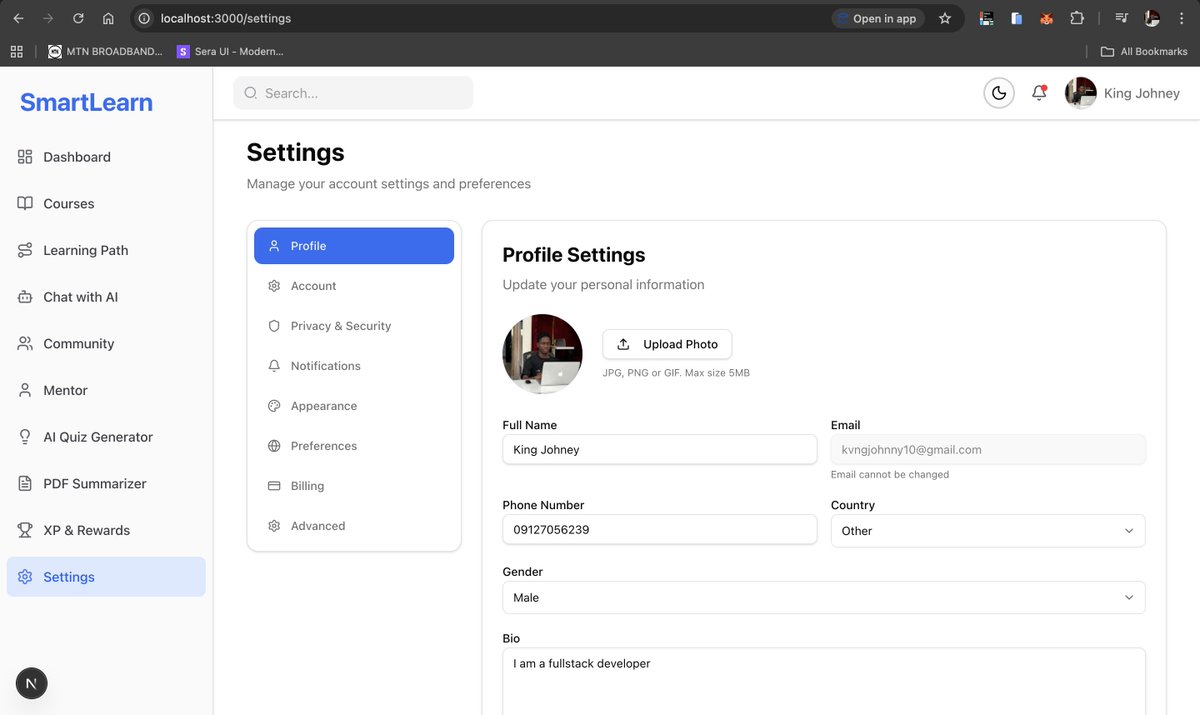
Today, I focused on building out the full settings page for SmartLearn, one of the most important parts of the user experience. I created a structured settings page with 8 categories, clean side navigation, and deeply configurable options that give users full control over their account, preferences, security, and appearance.
Here’s what I completed:
✔ Profile Settings
✔ Account Settings
✔ Privacy & Security
✔ Notifications
✔ Appearance
✔ Preferences
✔ Billing & Subscription
✔ Advanced - Delete account with confirmation flow
Lessons Learned:
👉 Large settings systems need careful organization to avoid overwhelming users.
👉 Breaking settings into categories improves usability dramatically.
Tips for Other Developers:
👉 Keep sensitive actions like account deletion behind confirmation steps.
👉 Use modular components so new settings can be added easily without breaking the layout.
#GoogleCloud #BuildWithCodematic #BuildWithGoogle #BuildWithAhiakwoJohn
1
2
54
651
14 Nov 2025
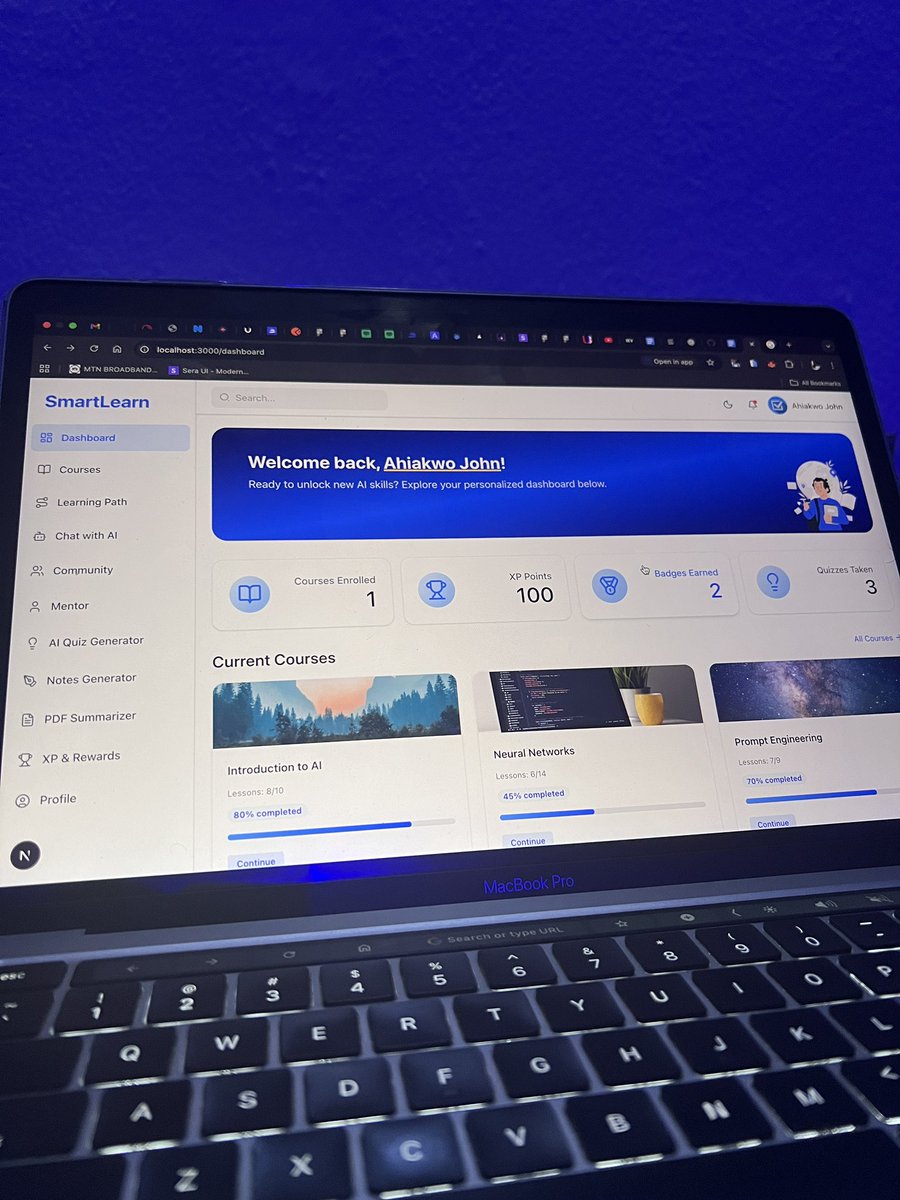
Gm everyone,
I’m building Smartlearn, and AI powered learning platform for Students
The platform gives you access to a lot of courses, allows you connect with mentors/tutors and helps you learn faster with a lot of AI powered tools and features powered by @GeminiApp and @googlecloud.
What feature will you like me to add to this product?
8
27
1,096
13 Nov 2025
Day 18 @Codematic_io Build with Google Cloud & AI Hackathon 2025
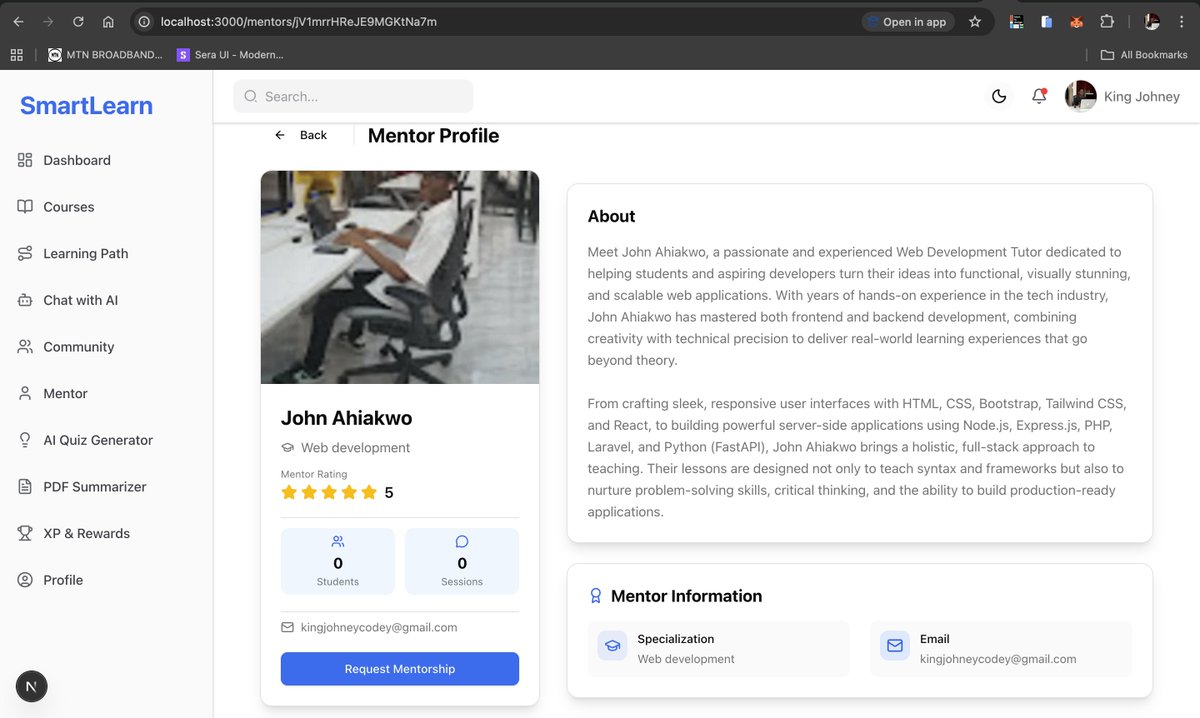
Today, I worked on the Mentorship feature for SmartLearn, building the page where users can discover mentors, view their profiles, and send mentorship requests. All data is stored in @Firebase .
This feature is designed to connect learners with experienced tutors seamlessly, creating a bridge between learning and personalized guidance. Each mentor profile displays key details like expertise, experience, and availability, making it easier for users to find the right match.
Next, I’ll be working on an exciting AI Mentor Pairing functionality, which will use Gemini AI to automatically match learners with suitable mentors based on their learning goals, performance, and interests.
Daily Tasks Accomplished:
👉 Built the mentor view all mentor pages .
👉 Built the search for mentors feature.
👉 Built the mentor profile pages.
Tips for Other Developers:
Always plan your feature roadmap with AI in mind, it’s easier to integrate when the structure is ready.
#GoogleCloud #BuildWithCodematic #BuildWithGoogle #BuildWithAhiakwoJohn
18
446
11 Nov 2025
Day 16 @Codematic_io Build with Google Cloud & AI Hackathon 2025
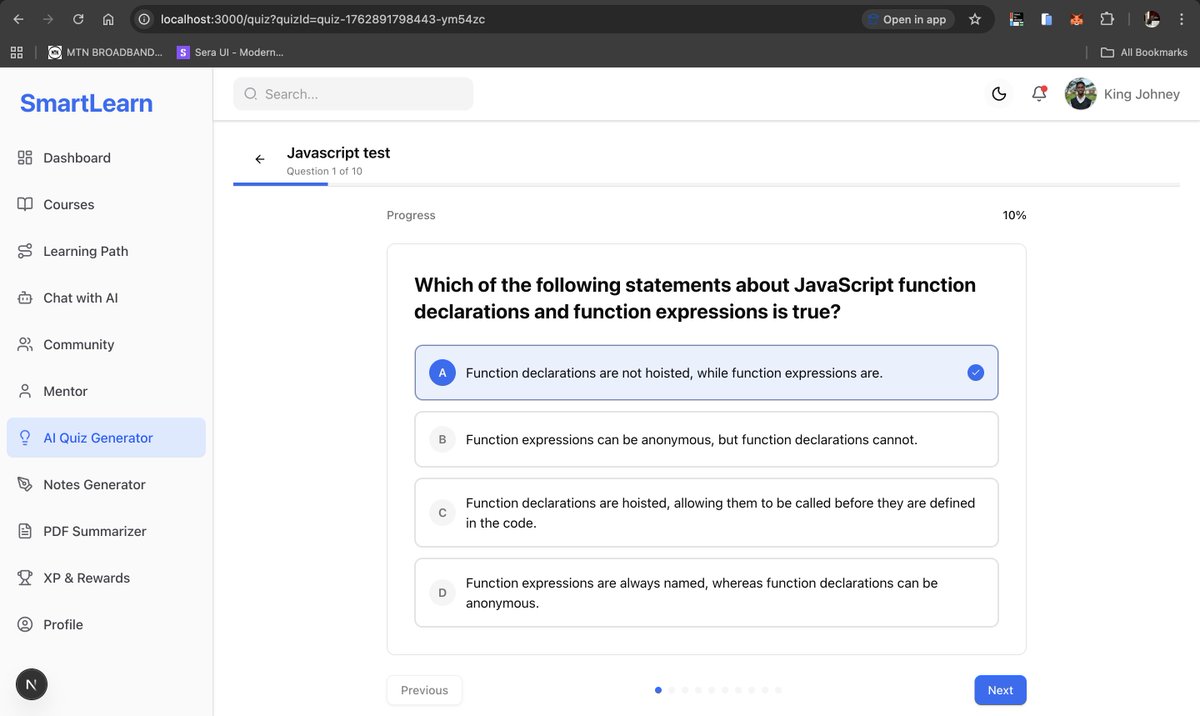
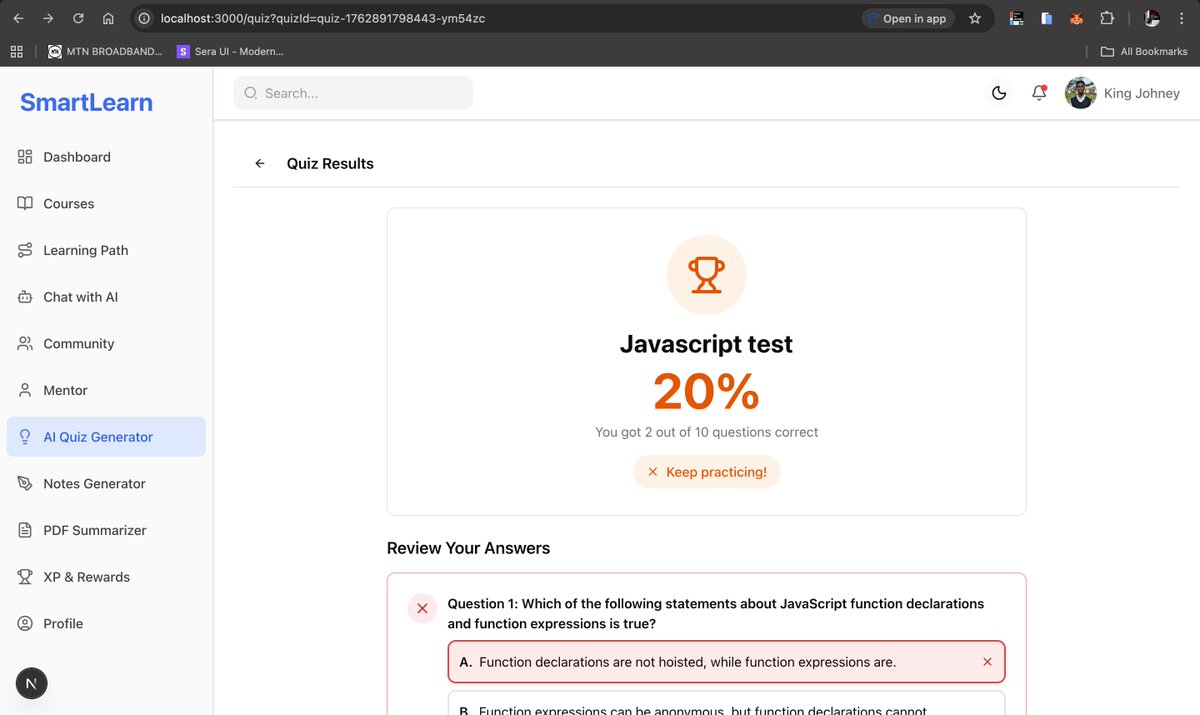
Today, I built the AI Quiz feature for SmartLearn, and it has turned out to be a powerful addition to the platform. The feature allows students to interact with intelligent, auto-generated quizzes in a clean, real quiz interface.
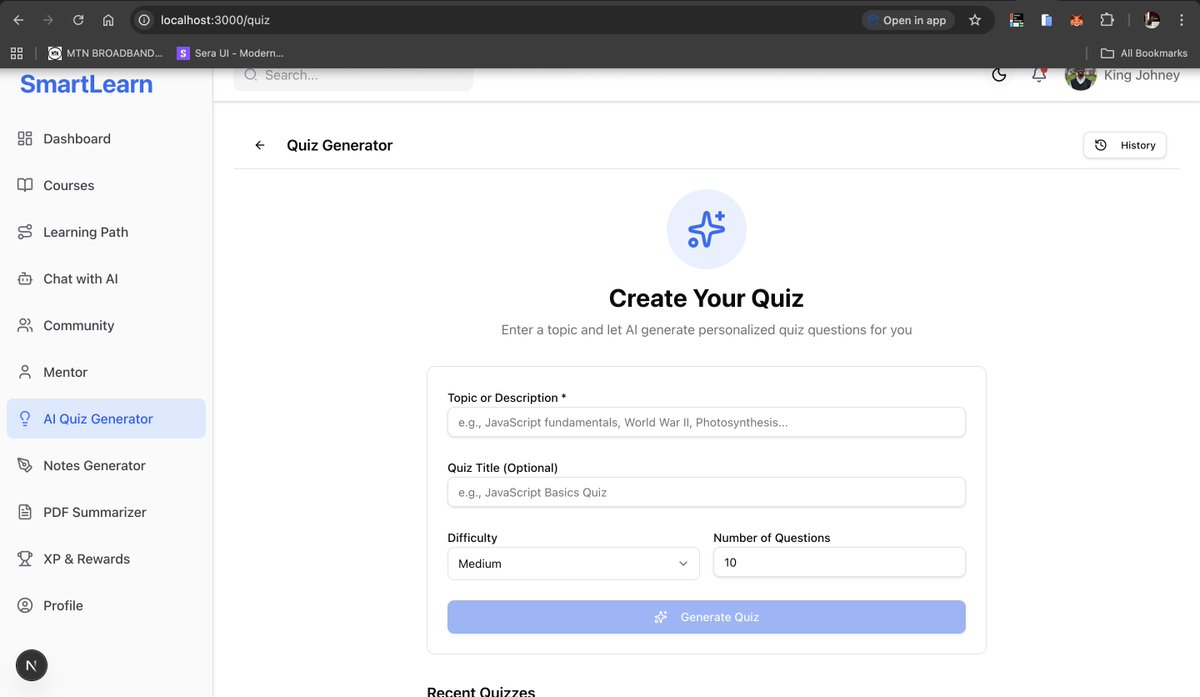
I also implemented the AI Quiz Generator workflow. Users can now enter any topic or short description, and the backend uses Gemini to automatically generate well-structured quiz questions and answers.
The generated quizzes come with multiple-choice options, and users can select answers just like a real CBT. At the end, the system provides a clear summary of their performance.
All the major logic runs on the backend. It:
👉 Integrates Gemini AI to generate the quiz content.
👉 Calculates results and feedback.
👉 Stores quiz attempts and records in Firebase for future tracking and analytics.
Lessons Learned:
👉 @GeminiApp AI is extremely effective for generating structured educational content when prompts are well-defined.
👉 Centralizing all intelligence and processing on the backend ensures consistency and easier maintenance.
👉 @Firebase provides fast, reliable storage for continuous quiz activity and performance data.
Daily Tasks Accomplished:
👉 Completed the AI Quiz feature.
👉 Implemented the full AI Quiz Generator including question creation, answer evaluation, and scoring.
👉 Connected the frontend quiz interface to the backend. and added Firebase storage for results and analytics.
Next Focus / Tasks:
👉 Build the Notes generator feature powered by @GeminiApp AI.
Tips for Developers:
👉 Let your backend handle all AI operations for full control over logic and data flow.
👉 When working with Gemini, structure your prompts to reduce unwanted response variations.|
What do you think about this quiz feature and how do i make it better?
4
34
881
10 Nov 2025
Day 15 @Codematic_io Build with Google Cloud & AI Hackathon 2025
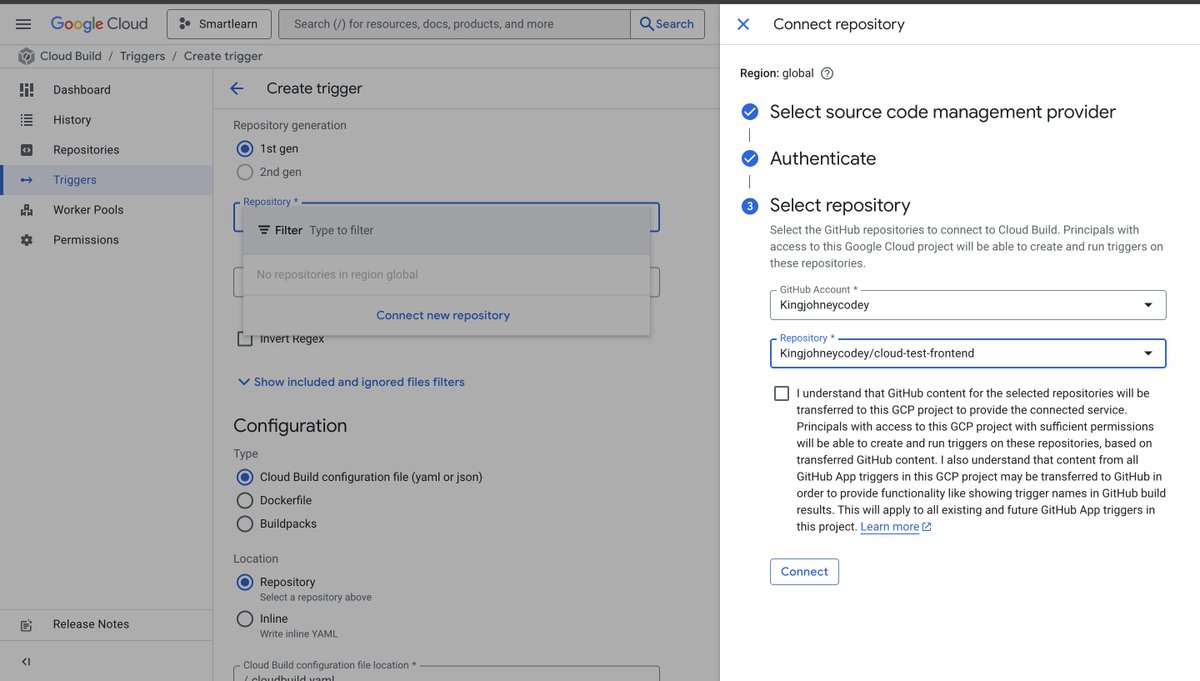
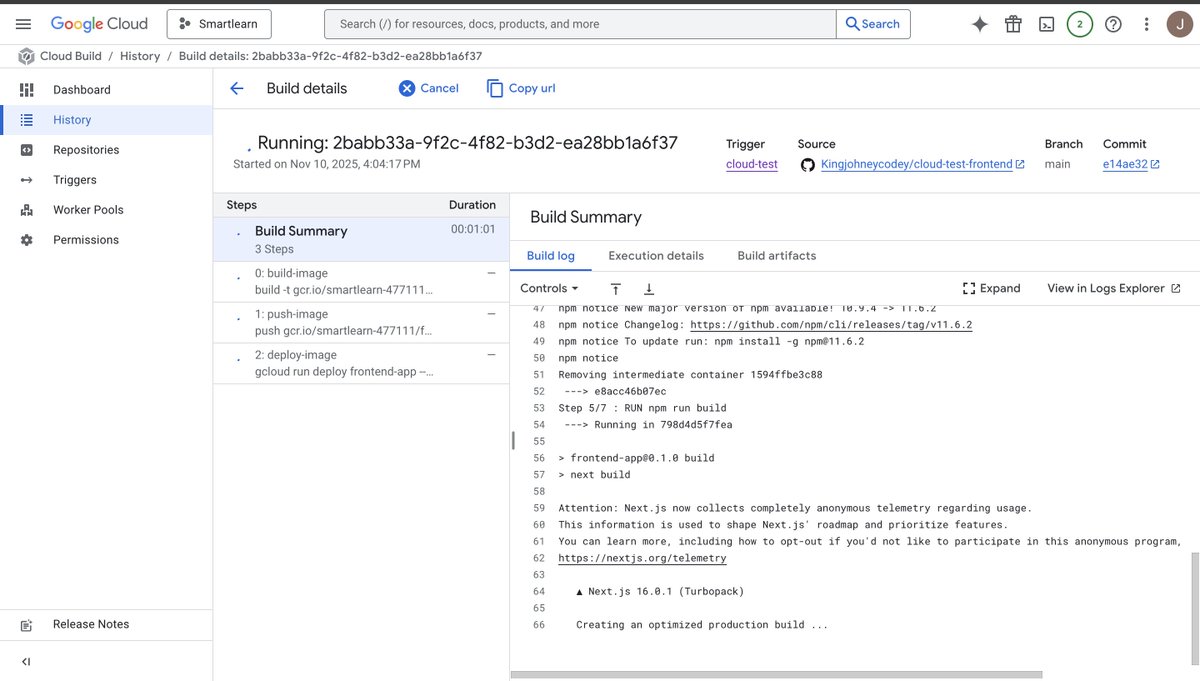
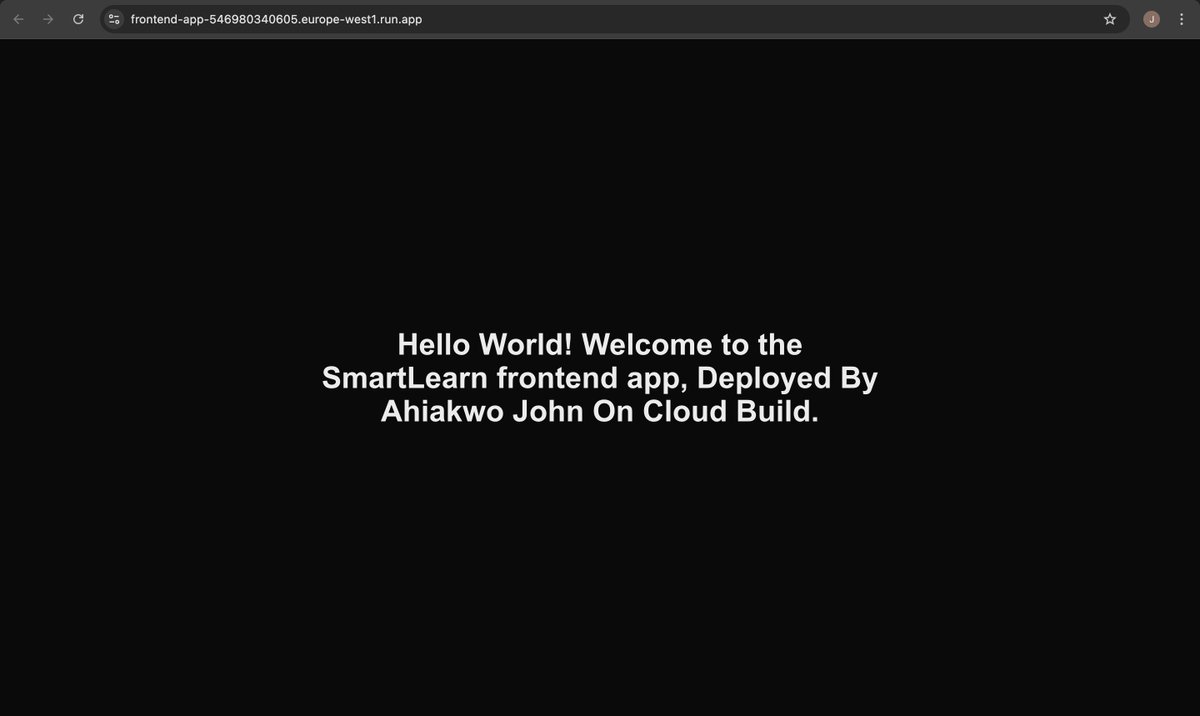
Today, I focused on mastering application deployment with @googlecloud Build. I successfully deployed a basic Next.js application and also set up triggers for Cloud Run, so future changes automatically deploy—making the workflow fully automated!
I ran into a build configuration issue about logging. After some research, I fixed it by updating the deployment configurations to align the service account and logging options correctly.
Lessons Learned:
👉Configuring Cloud Build with a service account requires careful attention to logs and permissions.
👉Setting up automatic deployment triggers with Cloud Run streamlines CI/CD workflows.
👉Error messages are often highly informative—reading them carefully can save hours.
Tasks Accomplished ✅:
Deployed a Next.js application using Google Cloud Build. Configured automatic deployment triggers for Cloud Run.
Next Task:
Integrating @pipeopshq into my workflow to accelerate CI/CD processes, streamline deployments, and monitor build and deployment logs efficiently. I'll be deploying the real smartlearn application later on for public testing.
Tips for Other Developers:
Always verify service account permissions and logging settings before deploying.
Use triggers for automatic deployments—it saves time and reduces errors.
2
30
518