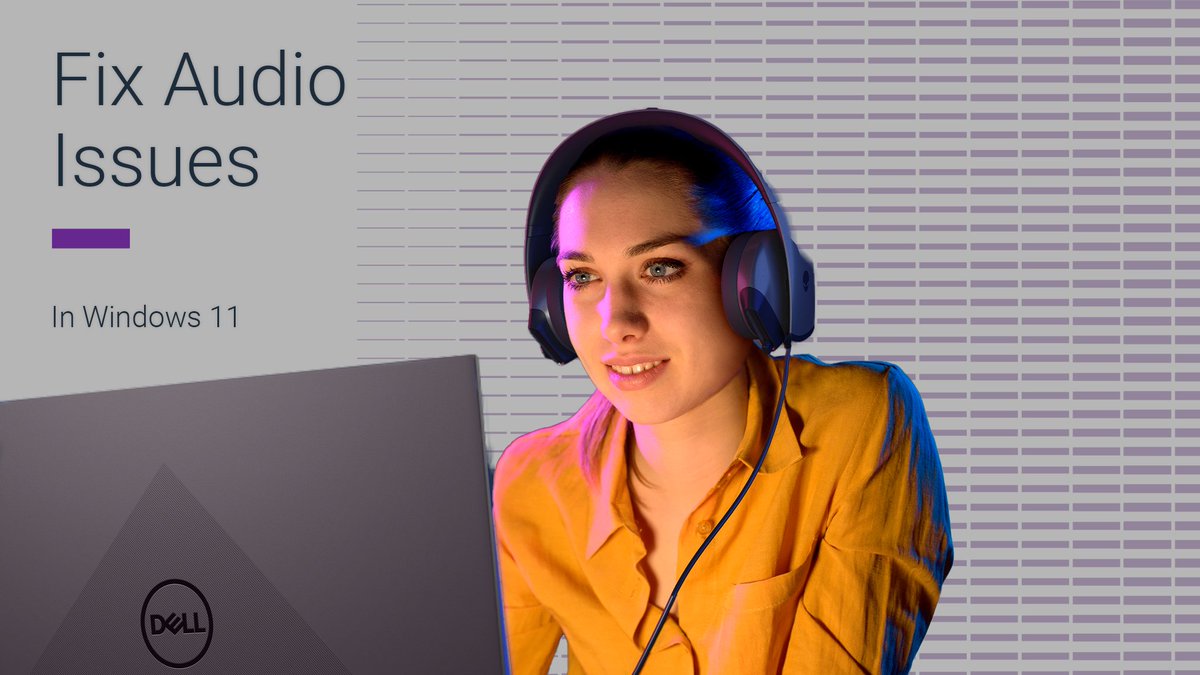
🎼No sound when playing music or watching a movie? It could be your audio driver! Make sure it’s up to date for the best experience.
⏬Learn how to check your driver details in #Windows11.
💡 Found this helpful? ❤️ Like to help others discover it too #DellTips! #SoundFix
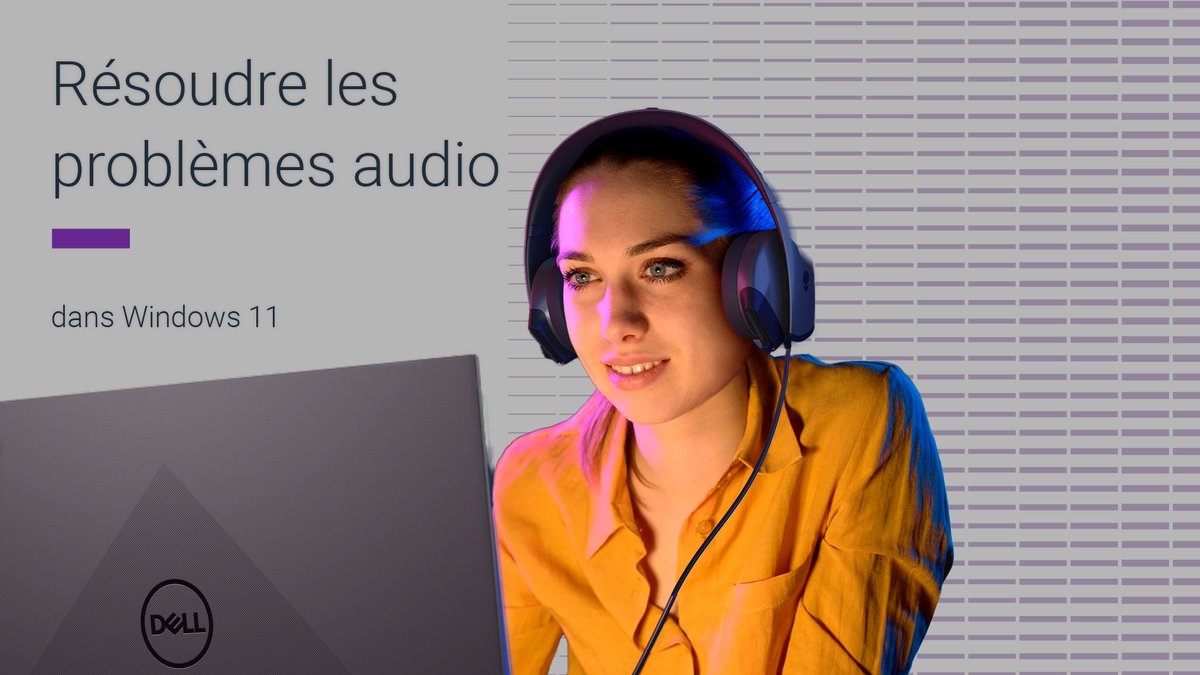
🔊Did you know #Windows11 has a built-in sound troubleshooter? No more silent meetings or audio issues.
Scroll through the images to follow the steps del.ly/6015BBg3wR
👉 Follow us for daily #DellTips and quick fixes that make your digital life easier!
#SoundFix
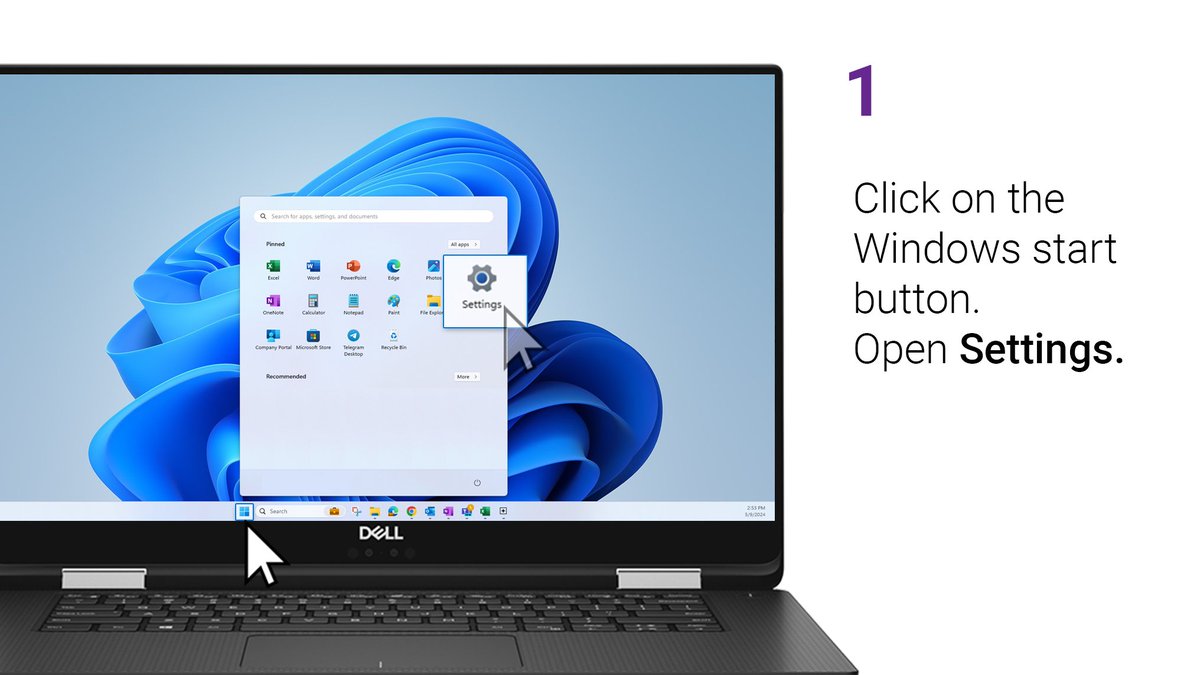
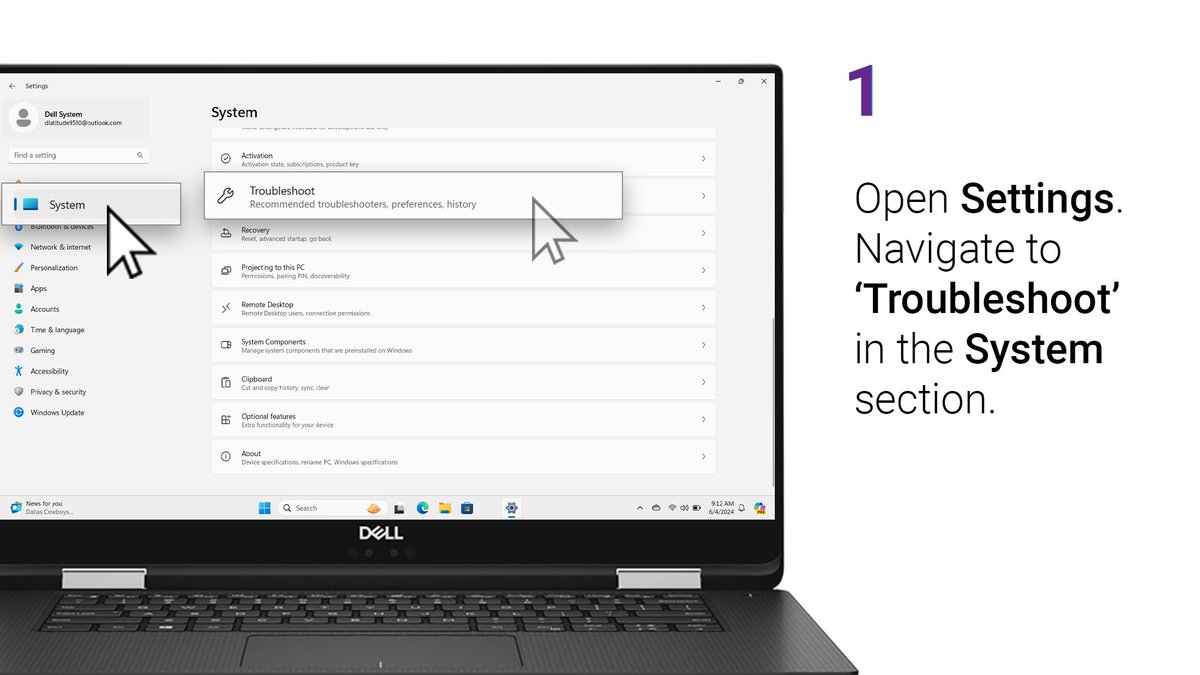
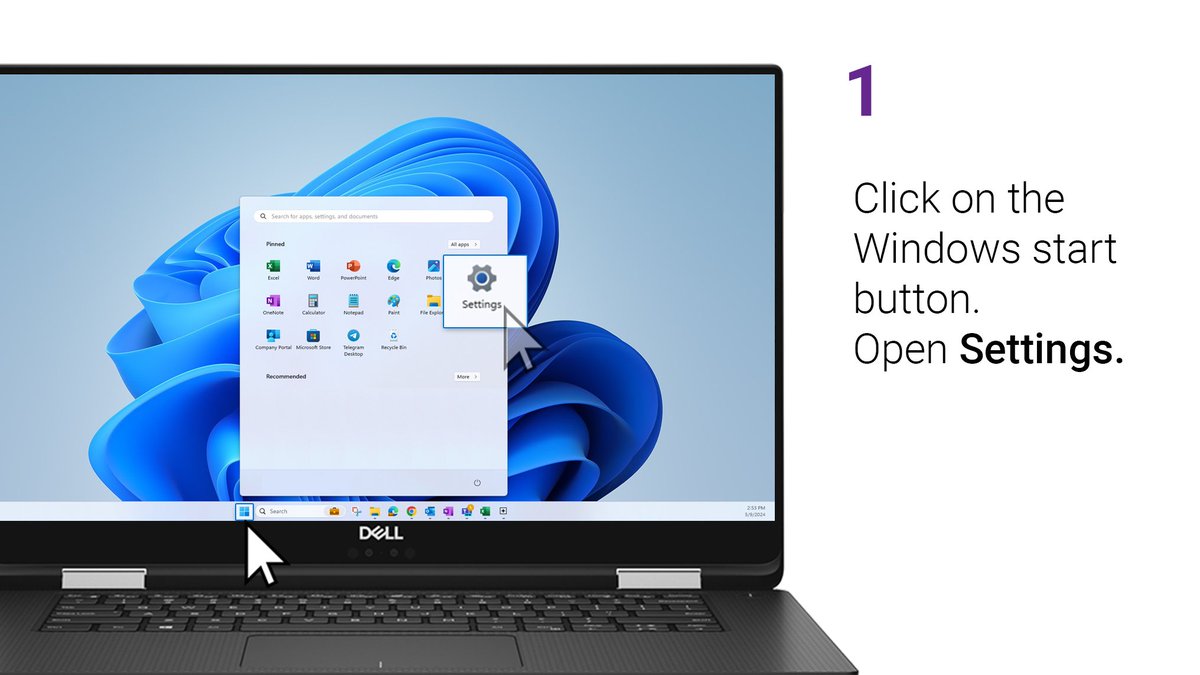
ALT Step 1: Click on the Windows start button and open 'Settings'.
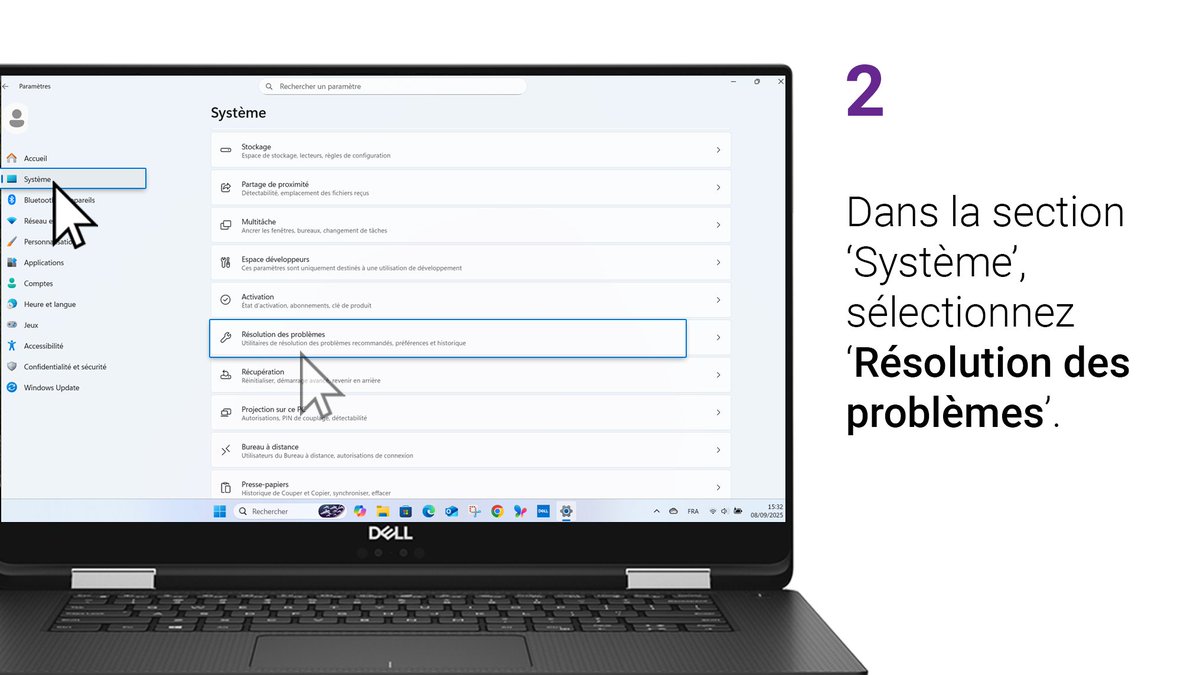
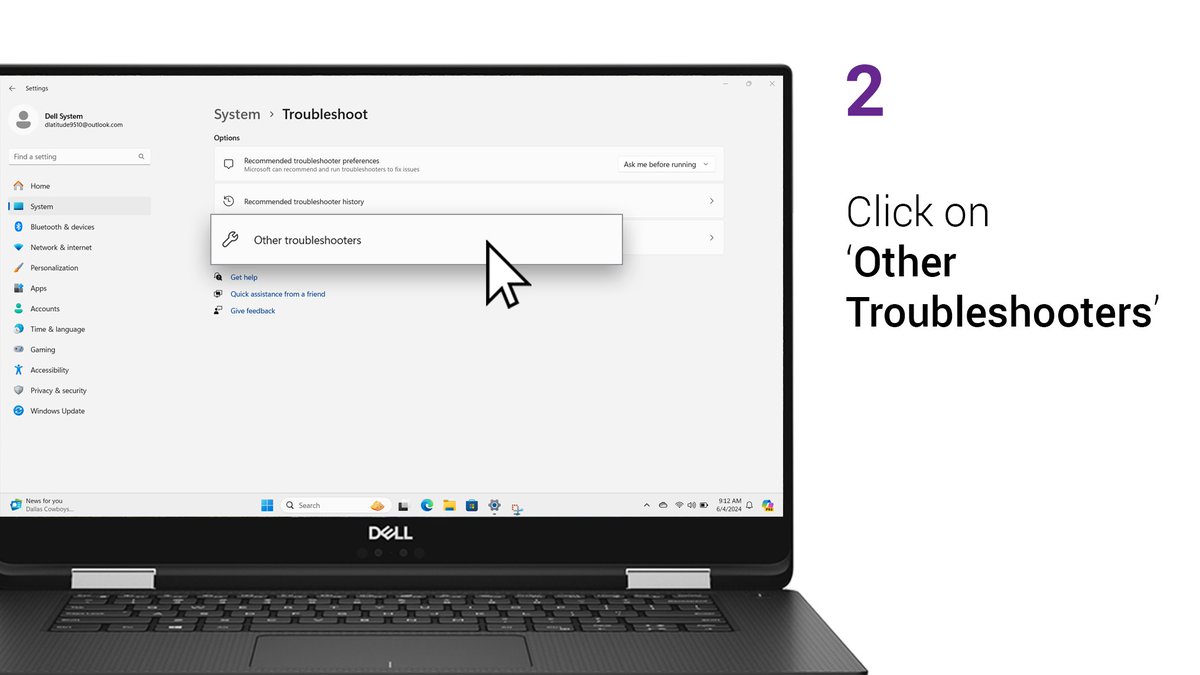
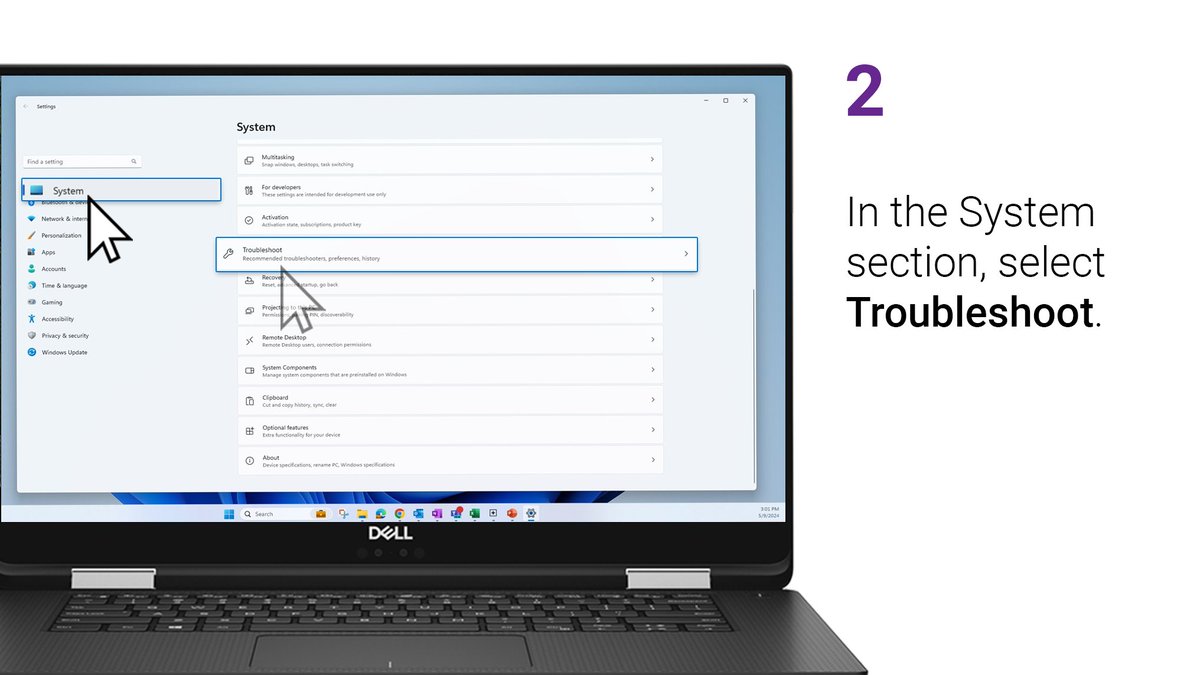
ALT Step 2: In the System section, select 'Troubleshoot'.
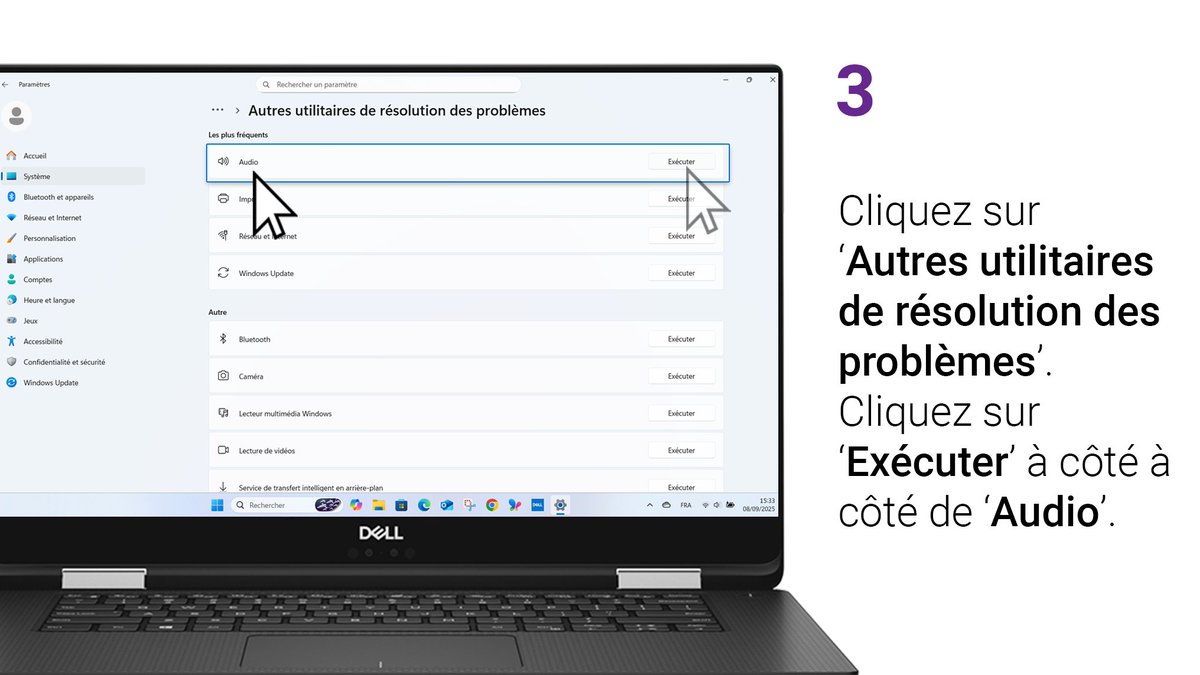
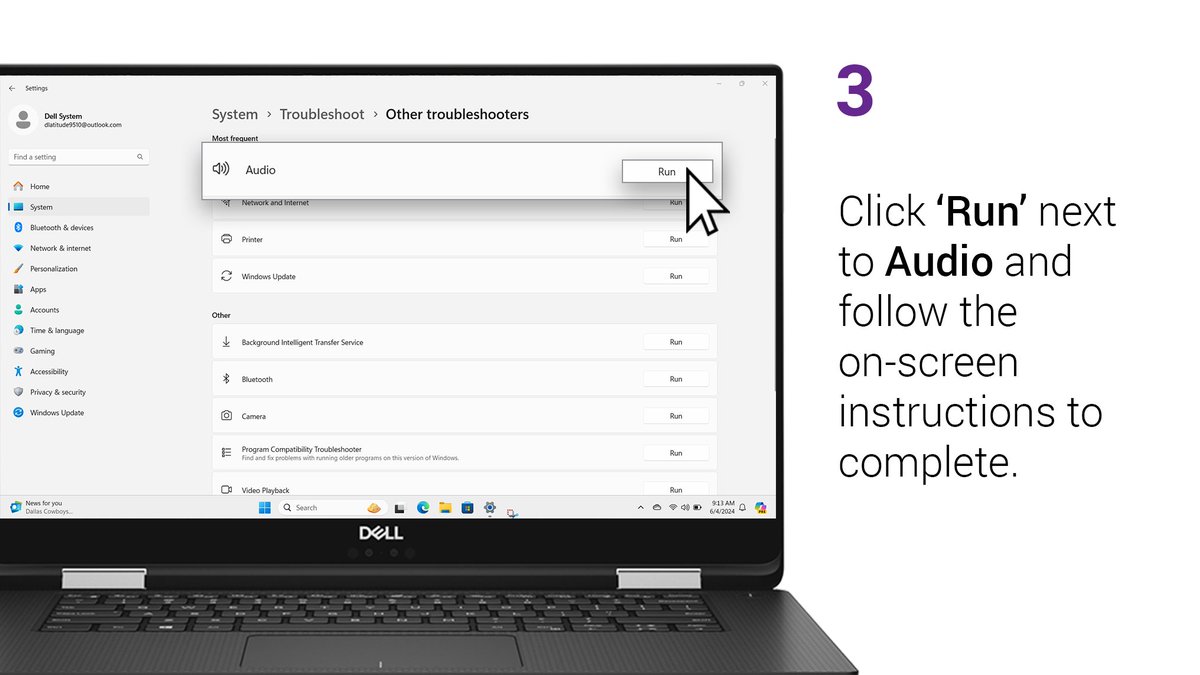
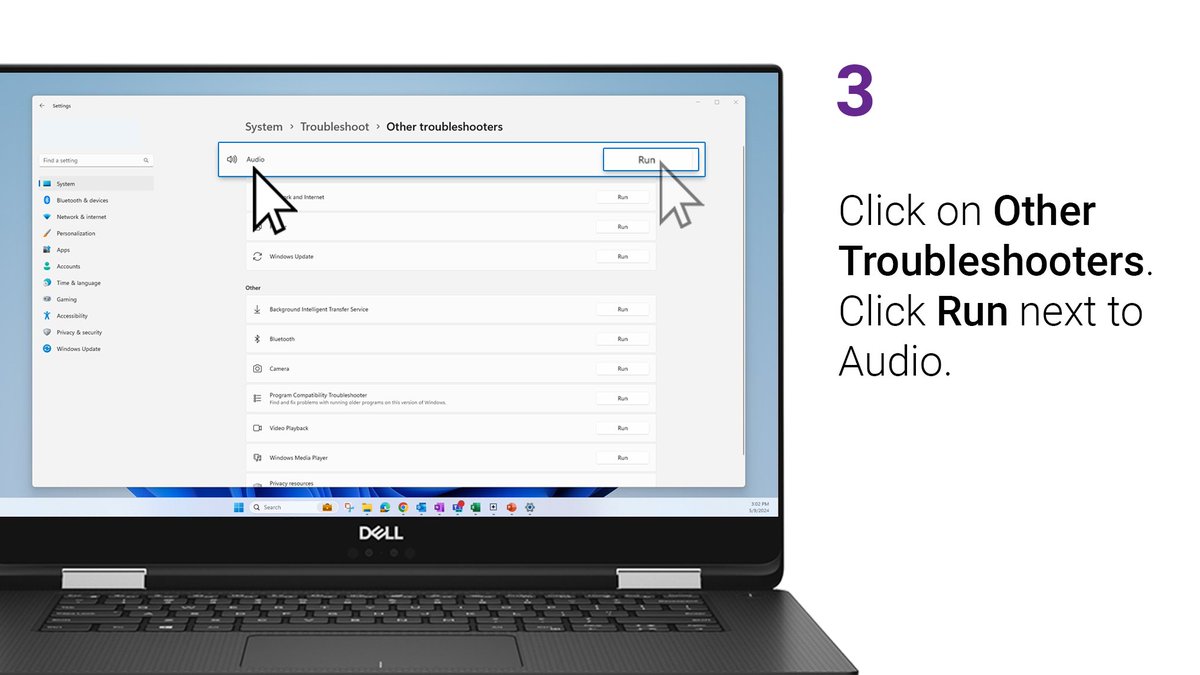
ALT Step 3: Click on 'Other Troubleshooters'. Click 'Run' next to audio.
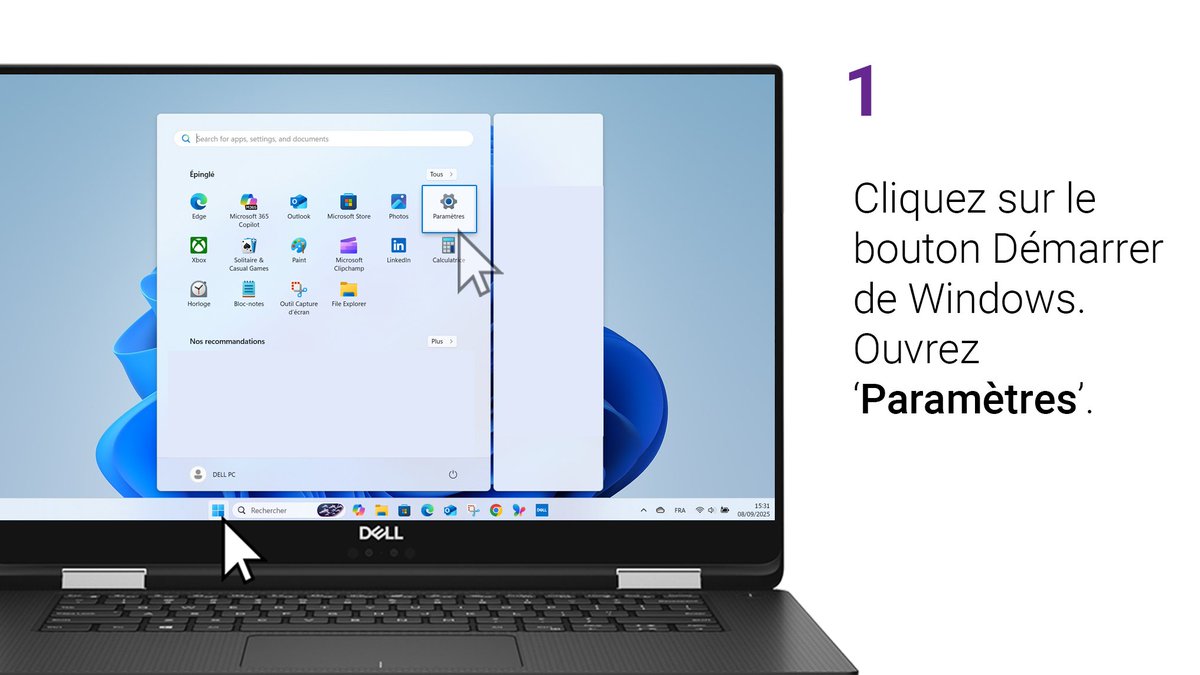
🔊 #Windows11 possède un dépanneur audio intégré. Dites adieu aux réunions sans son !
Suivez les étapes ici : del.ly/6010B6gu3M
👉 Pour plus de #DellAstucess et d’astuces rapides, suivez nous ! #SoundFix
🔇No sound coming from your speakers? We’ll walk you through how to fix it in just a few steps!
⬇️Here’s how to get your audio back.
❤️ If this helped you out, give it a like so others can find it too! #SoundFix#DellTips
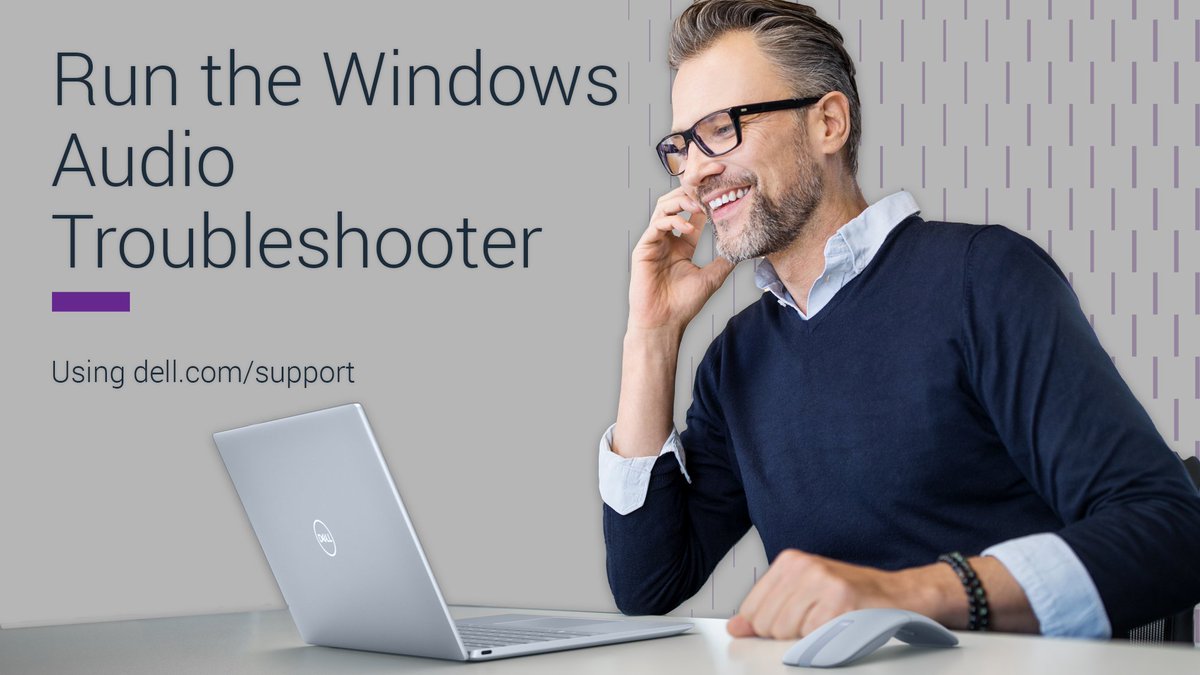
ALT Run the Windows Audio Troubleshooter using dell.com/support.
ALT Step 1: Open Settings. Navigate to 'Troubleshoot' in the System section.
ALT Step 2: Click on 'Other Troubleshooters'.
ALT Step 3: Click 'Run' next to Audio and follow the on-screen instructions to complete.
🎼No sound when playing music or watching a movie? It could be your audio driver! Make sure it’s up to date for the best experience.
⏬Learn how to check your driver details in #Windows11.
💡 Found this helpful? ❤️ Like to help others discover it too #DellTips! #SoundFix
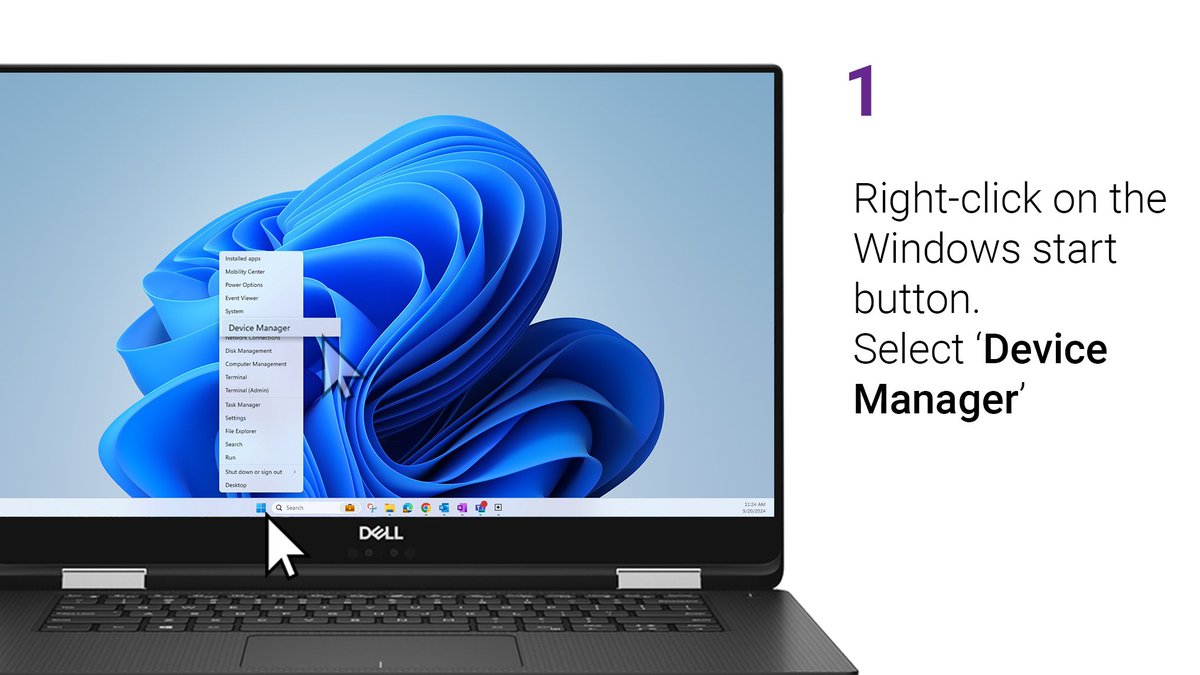
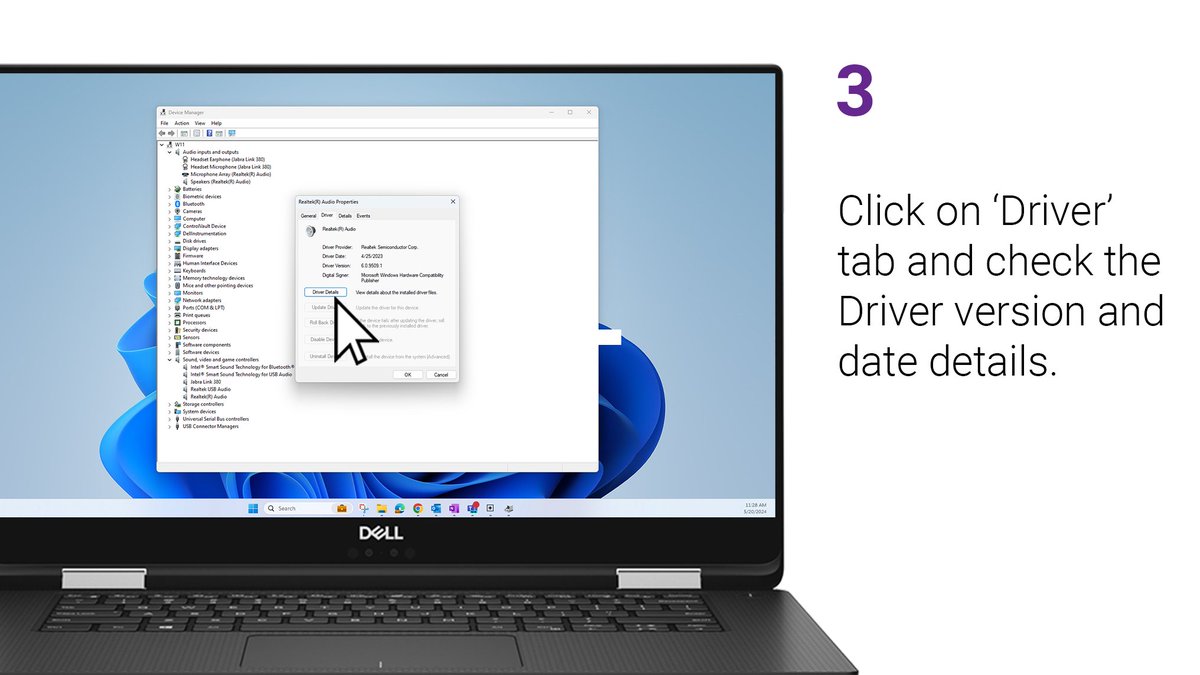
ALT Check Audio Driver Version
ALT Step 1: Right click on the Windows start button. Select 'Device Manager'.
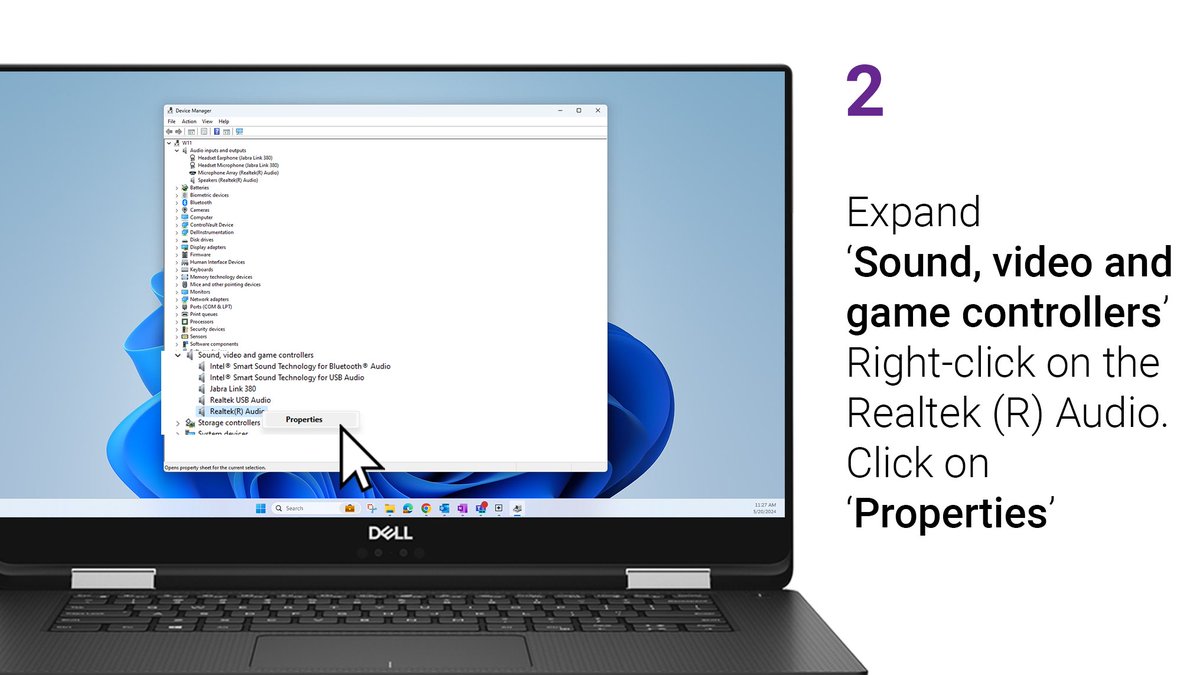
ALT Step 2: Expand 'Sound, video, and game controllers'. Right-click on the Realtek (R) Audio. Click on 'Properties'.
ALT Step 3: Click on the 'Driver' tab and check the driver version and date details.
🔊Did you know #Windows11 has a built-in sound troubleshooter? No more silent meetings or audio issues.
Scroll through the images to follow the steps del.ly/60187EQFq
👉 Follow us for daily #DellTips and quick fixes that make your digital life easier!
#SoundFix
ALT Step 1: Click on the Windows start button and open 'Settings'.
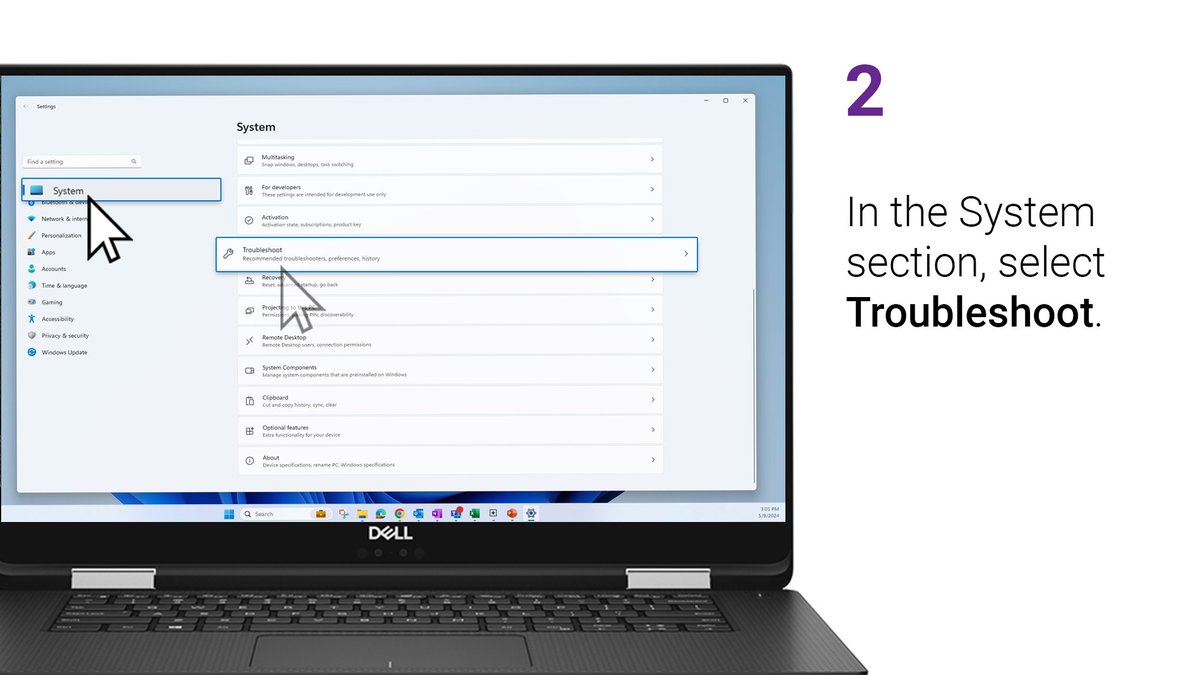
ALT Step 2: In the System section, select 'Troubleshoot'.
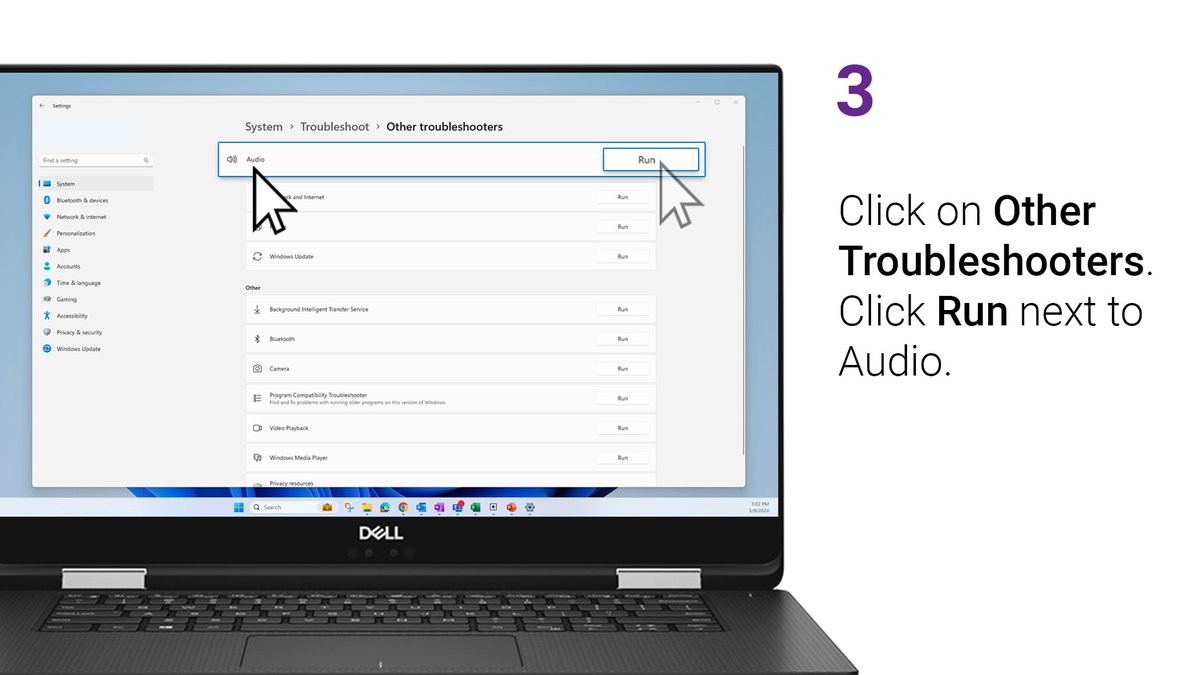
ALT Step 3: Click on 'Other Troubleshooters'. Click 'Run' next to audio.
Halloween und Wetter wird bestimmt wahren des Podcast live geschaltet.
Aber kein Soundfix usw. ist sad aber irgendwie erwartet.
Das größte w meiner Meinung ist das entfernen der Killa Quest, Interchange könnte wieder ein cooler Ort werden.
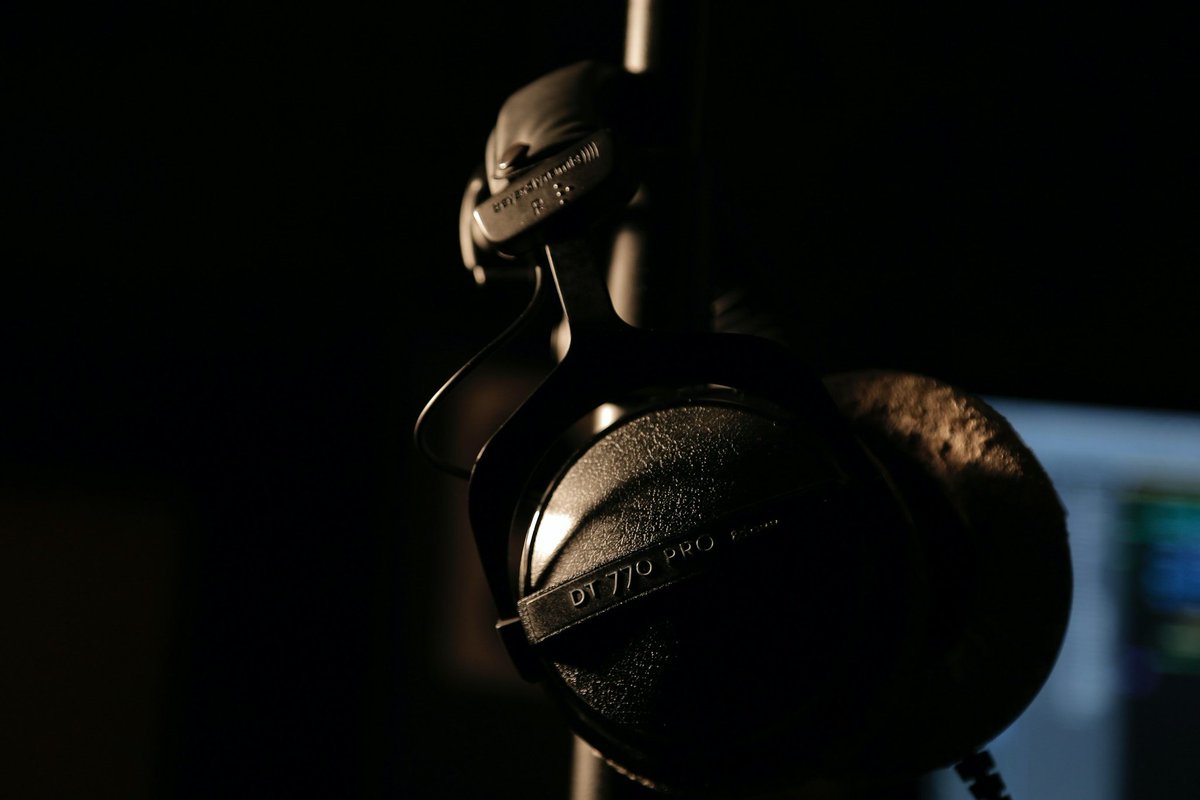
Desde hace décadas, usuarios profesionales de todo el mundo confían sus grabaciones, mezclas y mastering en los audífonos de Beyerdynamic.
En nuestro centro de servicio Soundfix tus equipos estarán en manos expertas y con refacciones originales.
#SoundFix#SoundfixByBlackvolt
Various places. Amazon was a very good friend to me lol. Then Screwfix, B&Q, Toolstation, and Wickes. The toughened triple glazed windows were custom made by a local company to me, and the tiles inside from soundfix 😊