
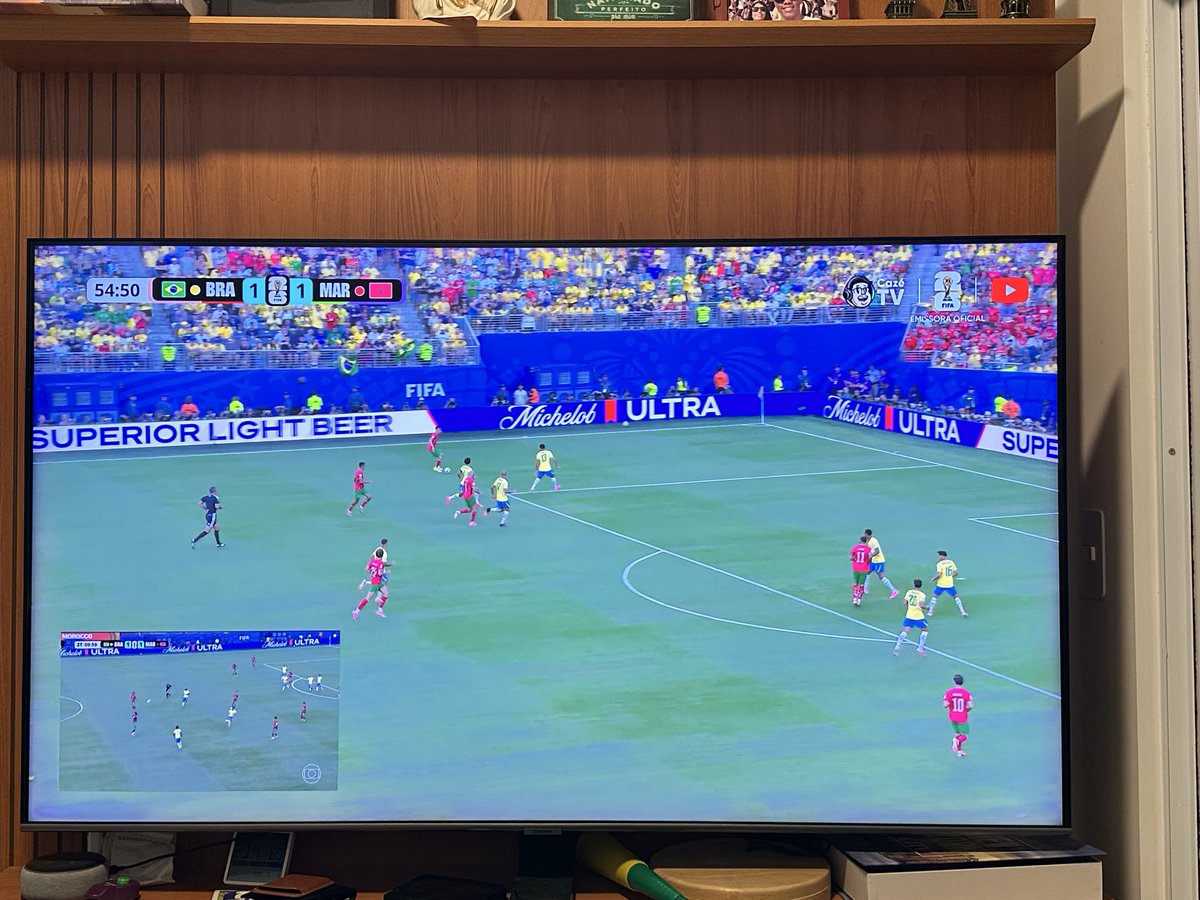
Eu to vendo na cazetv que tem uma qualidade de imagem MUITO SUPERIOR mesmo em full hd e coloquei um splitview na tv pra nao sofrer com o delay, com a globo pequena ali de canto somente no jogo do Brasil.
40

X(Twitter)iPad版Appのハッシュタグフリーズ/クラッシュバグまだ直らないんだ
前も書いたけどiPadなら横置き「Safari SplitViewハーフ 50%縮小表示」オススメ
SafariならiCloudプライベートリレー(Cloudflare/Fastly/Akamai経由)効いてIPかISP対象の「画像のロードが重い」も回避できるし
1
432

Jun 11
It’s sad that we really have to spend $2000 just to have splitview and pinned apps on one screen with the ultra would be great to watch the World Cup and text on whatsapp or check my bank account at the same time to see if I have enough money while browsing your website on iOS 27
85

SplitView™ is now available on NOGGIN® GPR systems!
Watch the video to see SplitView in action.
Learn more: sensoft.ca/products/noggin/o…
6
Vladimir Ikryanov retweeted

Jun 11
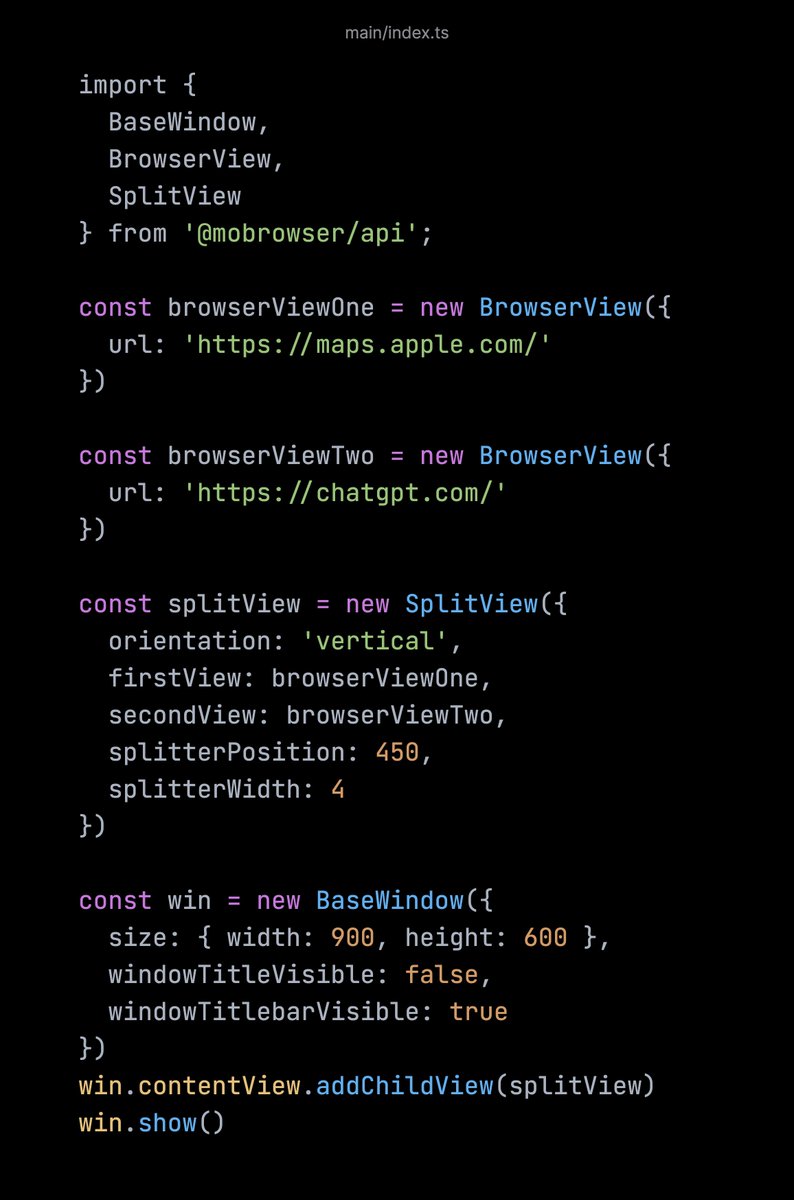
In MōBrowser 2.10.0, we introduce the `SplitView` class that allows you to arrange two child views separated by a draggable splitter:
1
1
2
25

Jun 10
Apple should offer users a way to roll back to iPadOS 18, because iPadOS 26 is just shit. Removing SplitView is one of the worst decisions they’ve ever made.
iPadOS 18 is on the other hand solid and can serve as the LTS for the next years.
Jun 10

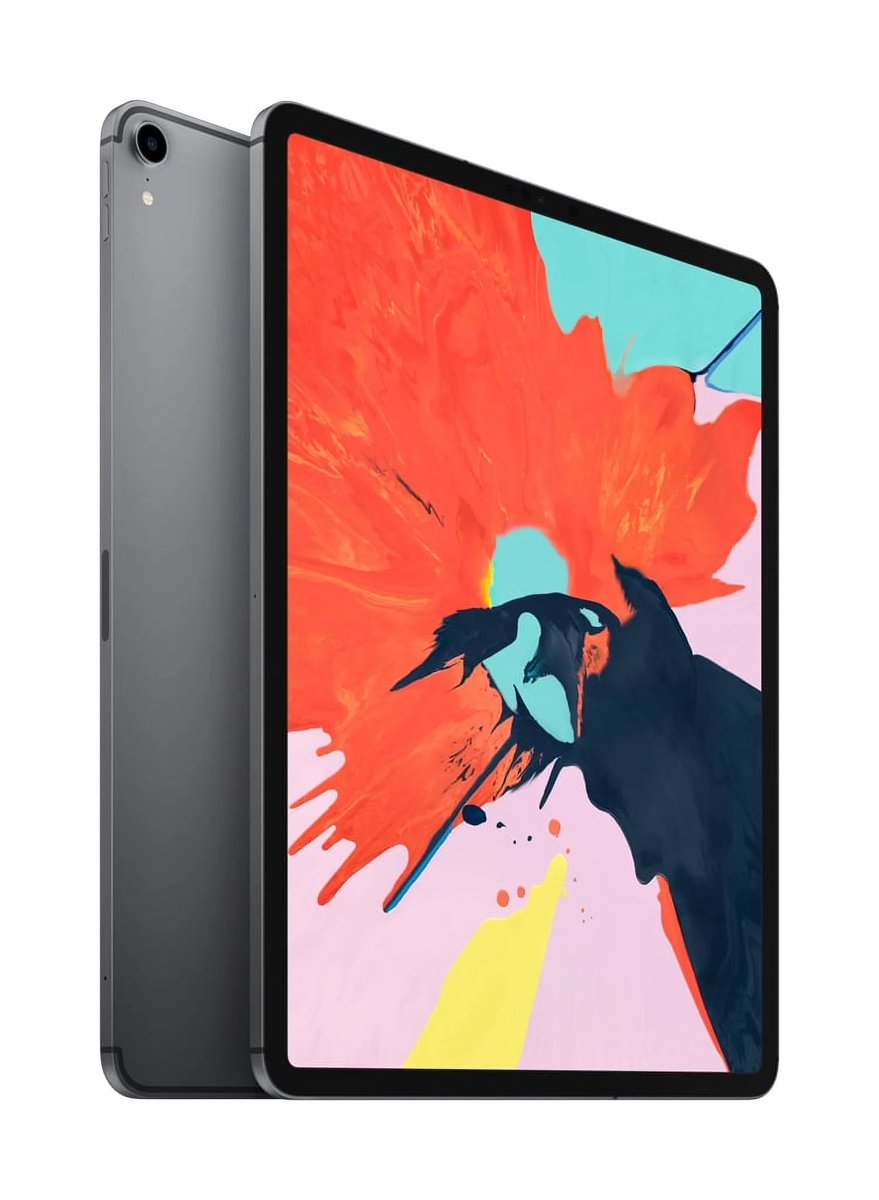
2018 iPad Pro deserved a better final update. Leaving it on iPadOS 26 is brutal, not because it lacks new features, but because it’s incredibly buggy and slow compared to iPadOS 27.
2020 Model gets iPadOS 27 despite having the exact same chip. The only real difference is 2GB more RAM, but that’s a weak excuse since iPadOS 27 supports other older devices with even less memory.
There is absolutely no technical limitation here. I know the 2018 model is old and had a great run, but leaving such a capable device stranded on a terrible, unoptimized version of software is just SAD.
83
Jun 10
iPadOS 27が出るらしいけど、いい加減SplitViewは治ったんか。NotabilityがマジでOS 27対応しきれてないし、毎日のように課金しろってポップアップが出てくるから乗り換えたい。
Geminiベースのないの。
1
279

2: Blink Shell for iOS delivers desktop-grade terminal on iPhone/iPad with Mosh/SSH, fast rendering, always-on connections, and full configurability. Features: full terminal suite, gesture-driven UI, SplitView, customizable keys, and easy build/deploy. github.com/blinksh/blink
16

Jun 7
bring back splitview for iPad or else I curse you with acid reflux and IBS for eternity

All systems glow. Join us for WWDC26 on June 8 at 10 a.m. PT.
Tap the ❤️ and we’ll send you a reminder on event day.
1
367
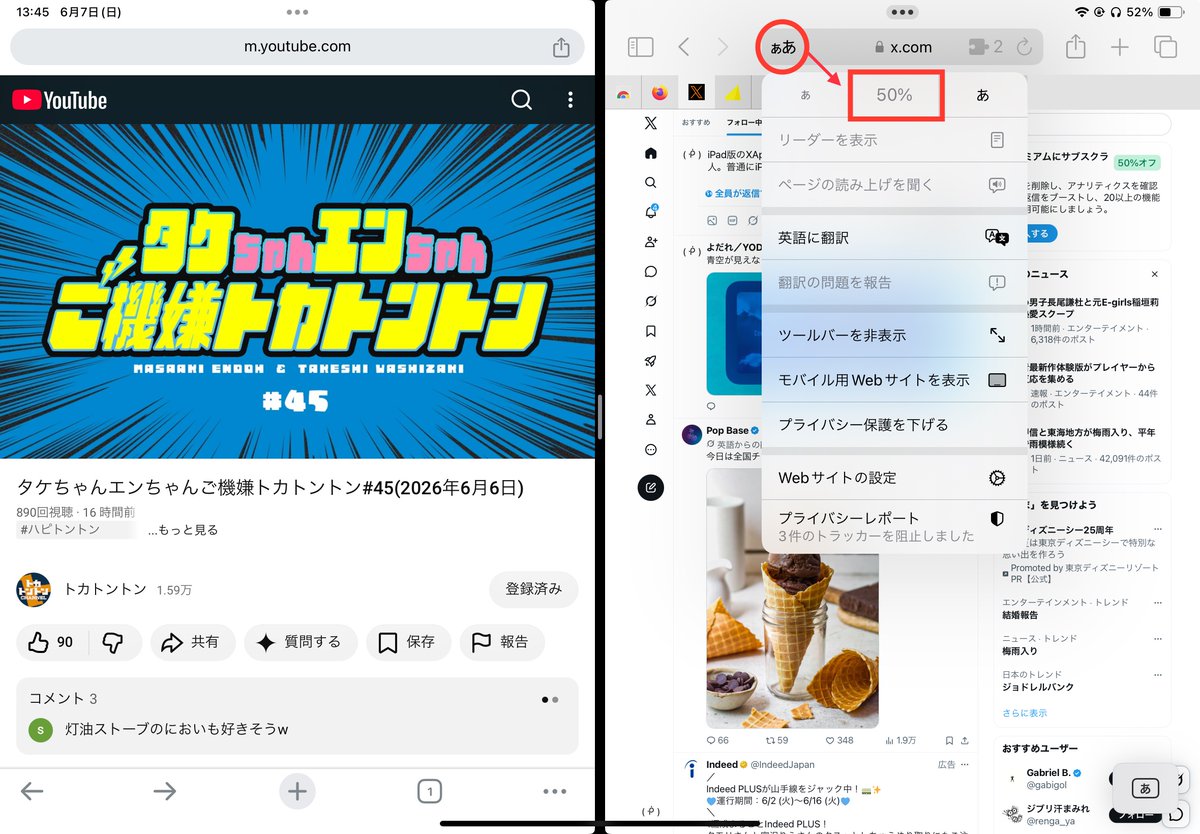
iPad版のXAppで「ハッシュタグタップするとフリーズするバグ」
iPadはSafari閲覧おすすめ。SplitViewで半分にして「ぁあ」から50%表示するとこうなる
iOS16~18ならうちの拡張「Badges: New Color」の「Bookmarklet版」も使えるし(🥽検索)検索の「ブロック/ミュート貫通と被ブロック貫通も消せます
919

May 30
61. Rulers can “show in all layers”, right click ruler to get this option
62. Symmetry ruler for mirrored lines, parallel for parallel lines
63. Try Special rulers for radial lines concentric circles
64. Color code layers for layer management
65. Too many layers to view? -> Layer splitview
66. For darker UI: Preferences -> Interface -> adjust density
67. To lock UI: Window-> Palette dock-> Fix Width
68. To toggle hide UI-> Tab
69. Duplicate folder/layers before merging so you can do edits
70. Set keybind for locking/unlocking transparent pixels for quick edits
71. Alt L. Click eyeball icon to visually isolate layer
72. Pureref (Free software) to display refs on the side
73. To change linework width: Filter->Correction-> Adjust line width
74. Can correct specific parts using “Correct Line” brush
75. Make pen pressure curve into logarithmic curve, less force used for bigger lines
76. Hair linework: white pen-> layer properties -> black border effect, then Edit -> Convert Brightness to Opacity.
77. Brighten whites and darken blacks by using Edit->tonal correction->level correction
78. Any tonal correction can be done as a separate layer in Layer->New Correction Layer
79. Apply colors to grayscale: Edit-> Tonal Correction-> Gradient Mapping
80. Undock Color Wheel window to be close to your hand
1
2
36
7,554


May 23
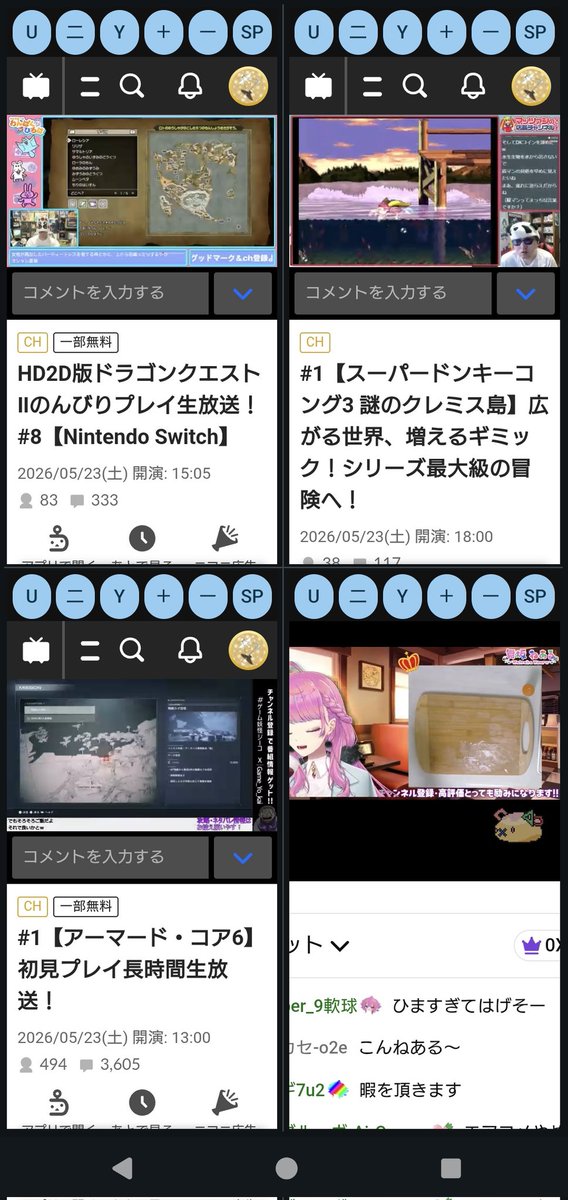
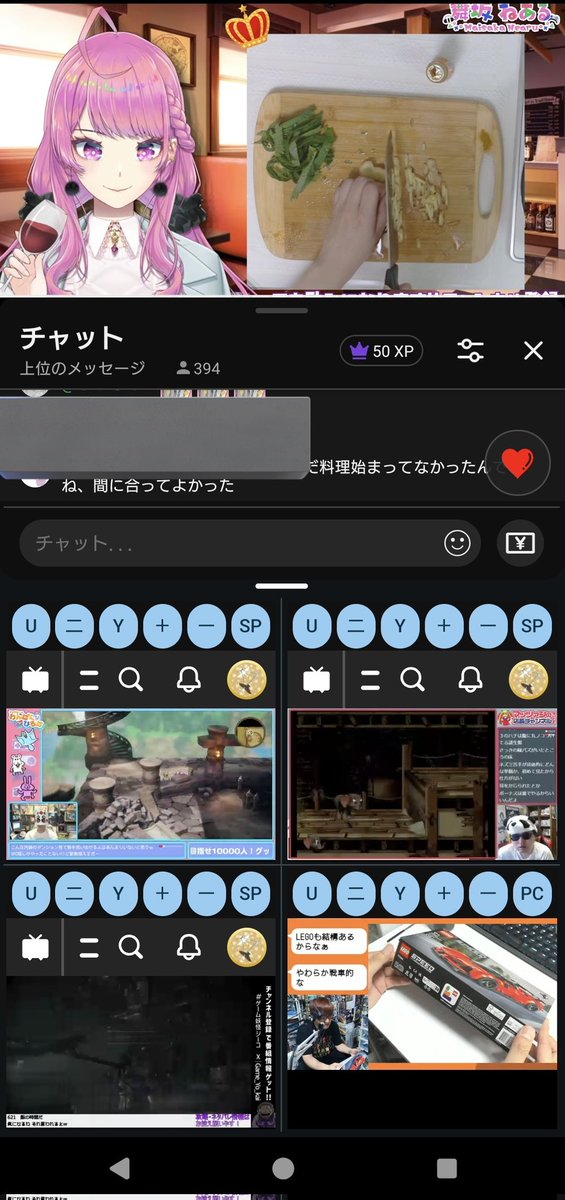
勢いで自分専用のandroidスマホ用Youtube、ニコニコ生放送同時視聴アプリを作ってしまいました😳
4画面同時再生ができてSplitViewを使うと最大5画面💡
OSの仕様上、音声はどれか一つしか出せませんが、私好みのなかなか良いものができました😊
これで出先でも好きな配信を諦めず見られます😀
15
243

eu achei esse splitview aqui mt maneiro, fui implementar no app aqui
parecia fazer sentido, mas no final gerei uma interface que na pratica nao ficou legal pro meu caso, o usuario não sabe no que focar
May 21

Draggable Split layout built with @expo ✨
Polished UI animations can make a UI feel dynamic and engaging.
Source code: reactnativecomponents.com/co… w/ @rncomponents
1
15
1,993

macOSのSwiftUIでSplitViewは許容できないほどバグり倒しているのでどうぞこちらを使ってください。
github.com/1amageek/mac-comp…
2
305

.@kayosports app on Apple TV, SplitView still doesn’t work when tvOS audio source is anything but the TV.
Numerous attempts at raising this with Kayo. they don’t even bother acknowledging it.
Absolute cunts.
i have since cancelled kayo and pirate live streaming sports for a 5th of the price and more reliable service.
2
4
1,055

May 16
SplitView works so well for the wallet home screen 🤌

First HeroUI Native Pro template is out! 🚀
Crypto Wallet:
💼 SplitView home, draggable wallet token list (unique concept)
📈 Press-to-scrub asset chart with crosshair indicator
🔁 Slide-to-swap with on-screen keypad
🪙 Buy/Sell segmented flow with token picker sheet
📱 iOS, Android — Light / Dark / System
Link below ↓
13
1,236

First HeroUI Native Pro template is out! 🚀
Crypto Wallet:
💼 SplitView home, draggable wallet token list (unique concept)
📈 Press-to-scrub asset chart with crosshair indicator
🔁 Slide-to-swap with on-screen keypad
🪙 Buy/Sell segmented flow with token picker sheet
📱 iOS, Android — Light / Dark / System
Link below ↓
8
7
247
19,241