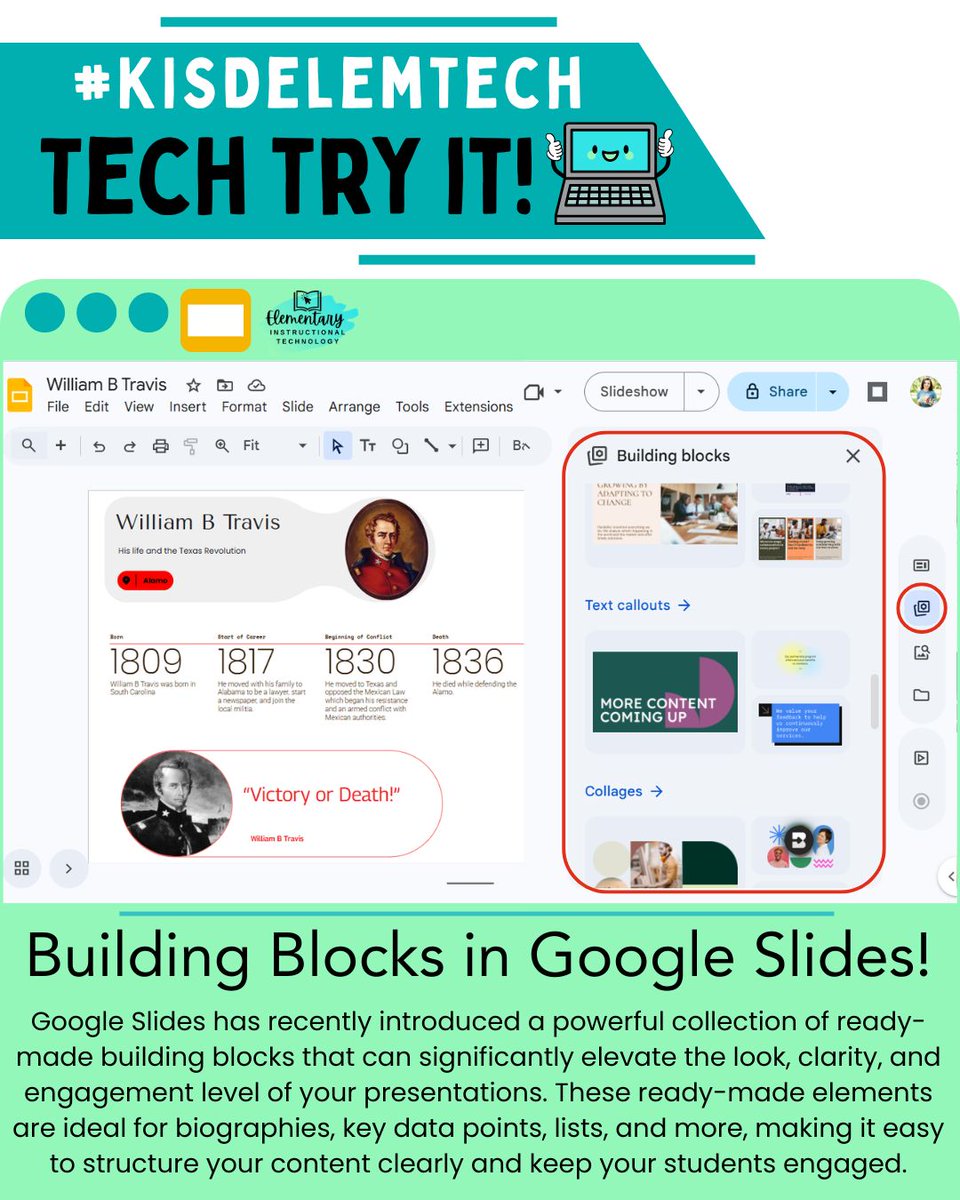
#TechTryIt: Building Blocks in Google Slides help teachers & students create organized & engaging presentations🛠️✨ #KISDelemtech
Check out this article from Ditch That Textbook for creative ideas that make the most of these tools!💡
🔗tinyurl.com/slidesblocks
1
2
46
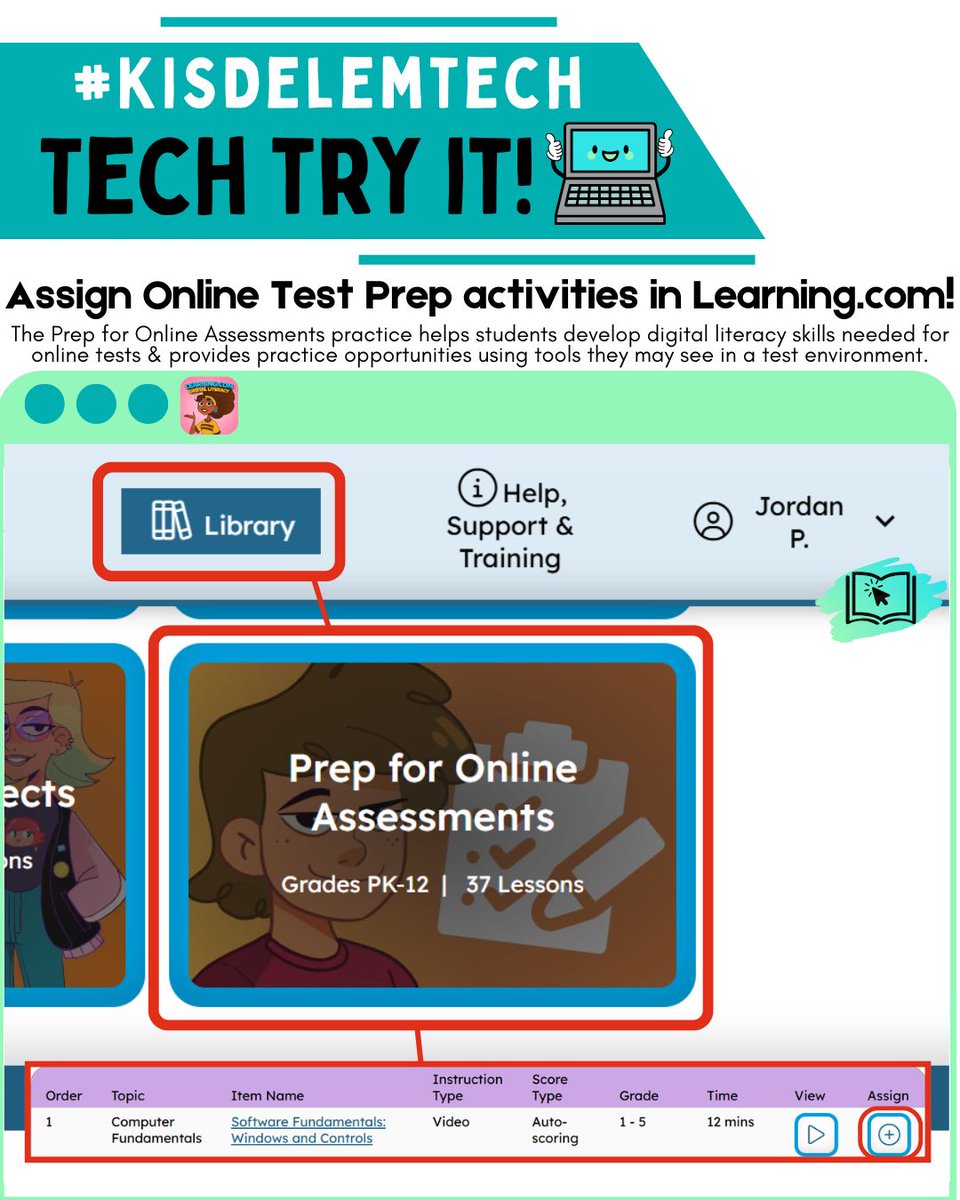
#TechTryIt: Learning.com’s Prep for Online Assessments activities build students’ digital literacy skills and gives them hands-on practice with the tools they’ll use on online tests, so they’re confident and prepared on test day!🤓 Assign them today! #KISDelemtech
1
1
47
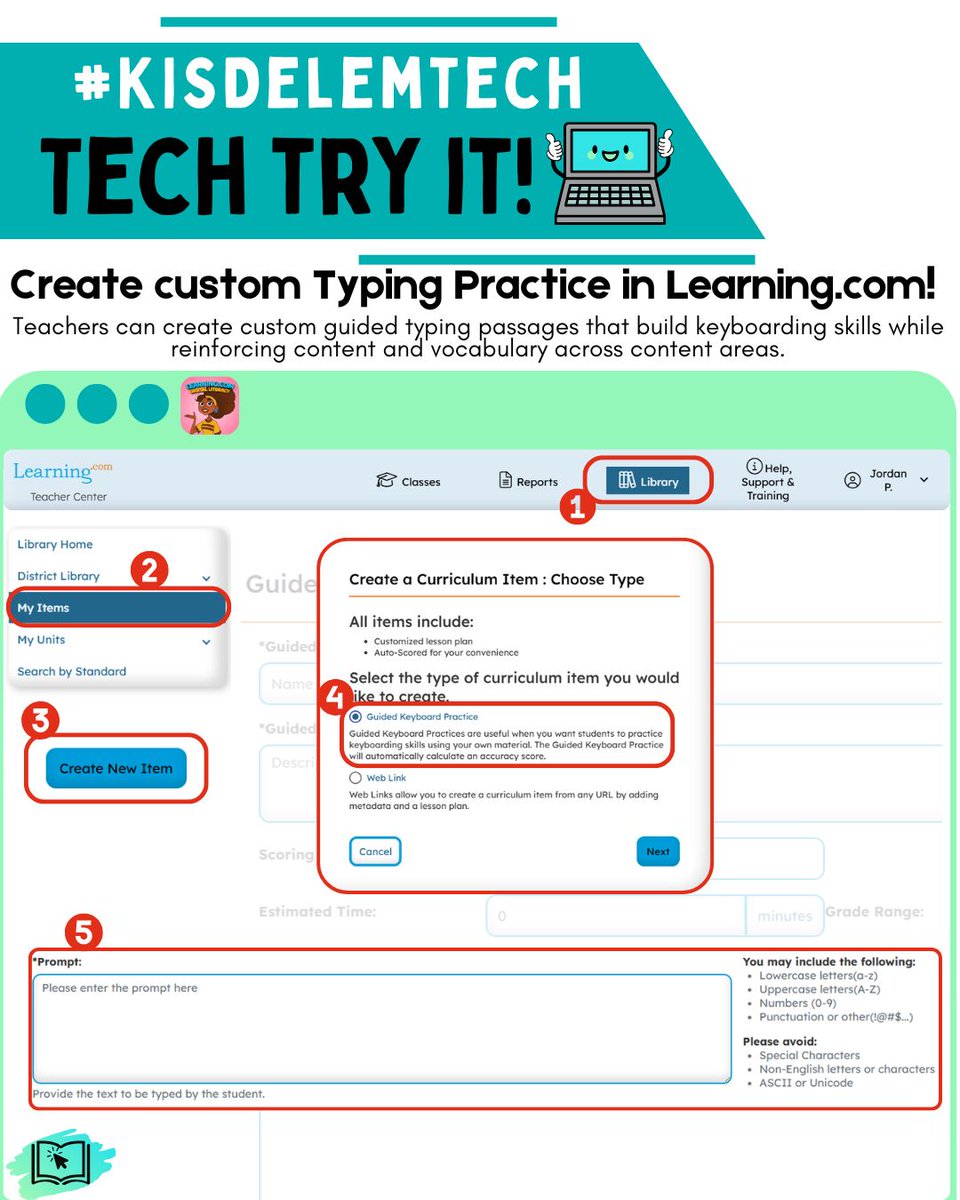
#TechTryIt: Teachers can use Learning.com to create custom typing practice that reinforces content, reviews key ideas, and builds vocabulary 🚀 boosting keyboarding fluency and academic understanding at the same time. ⌨️📚 #KISDelemtech
1
2
38
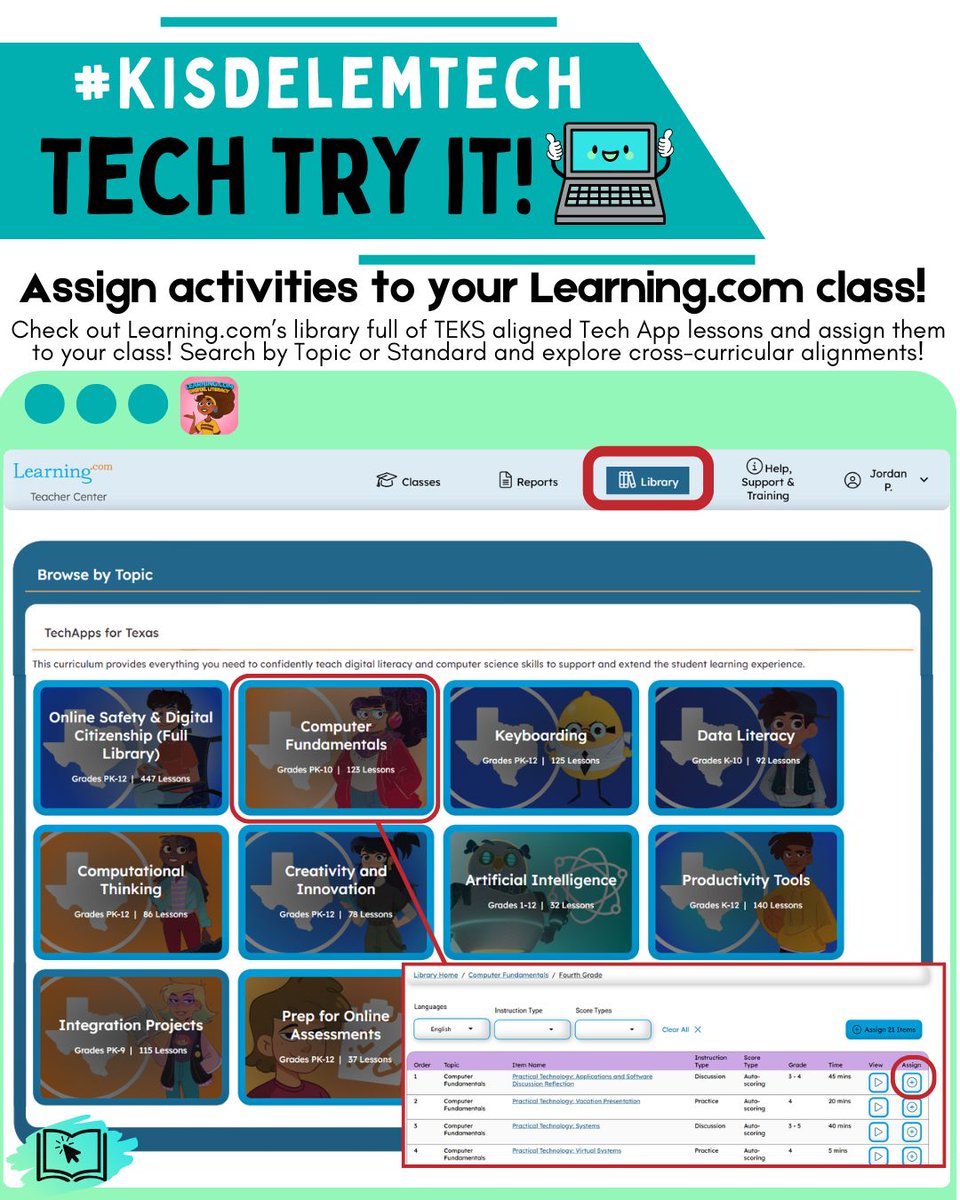
#TechTryit: Explore the Library in Learning.com to find TEKS-aligned, Tech Apps activities that support digital skills & core classroom content. In just a few clicks, you can preview and assign activities!
ℹ️Learn more on Katy 1Source or ask your CTD! #KISDelemtech
1
1
69
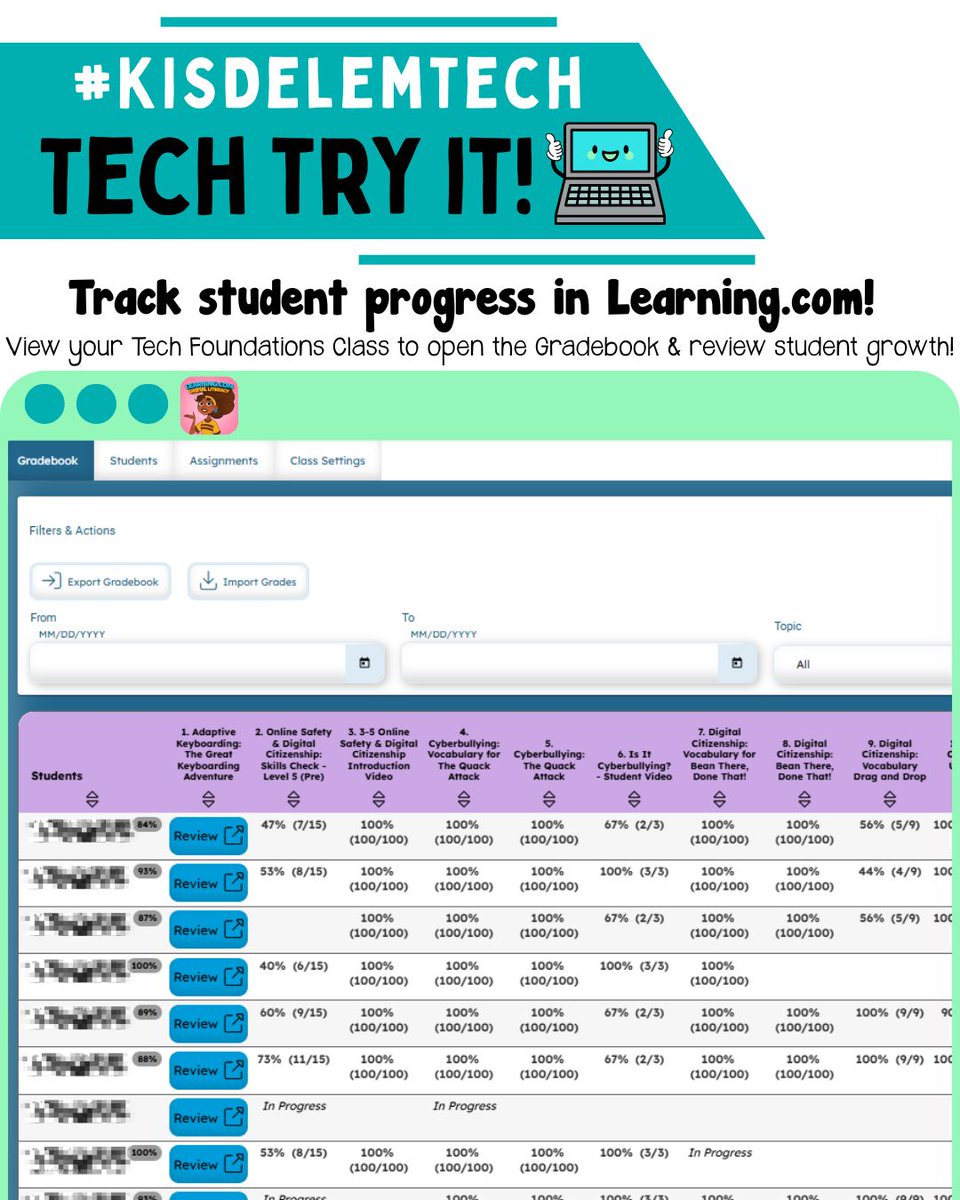
#TechTryIt: Check out the Tech Foundations Class Gradebook in learning.com to see growth in essential tech skills like online safety, responsible tool use, keyboarding, and digital habits- all in one easy snapshot📈 Available to ELA teachers! #KISDelemtech
1
2
59
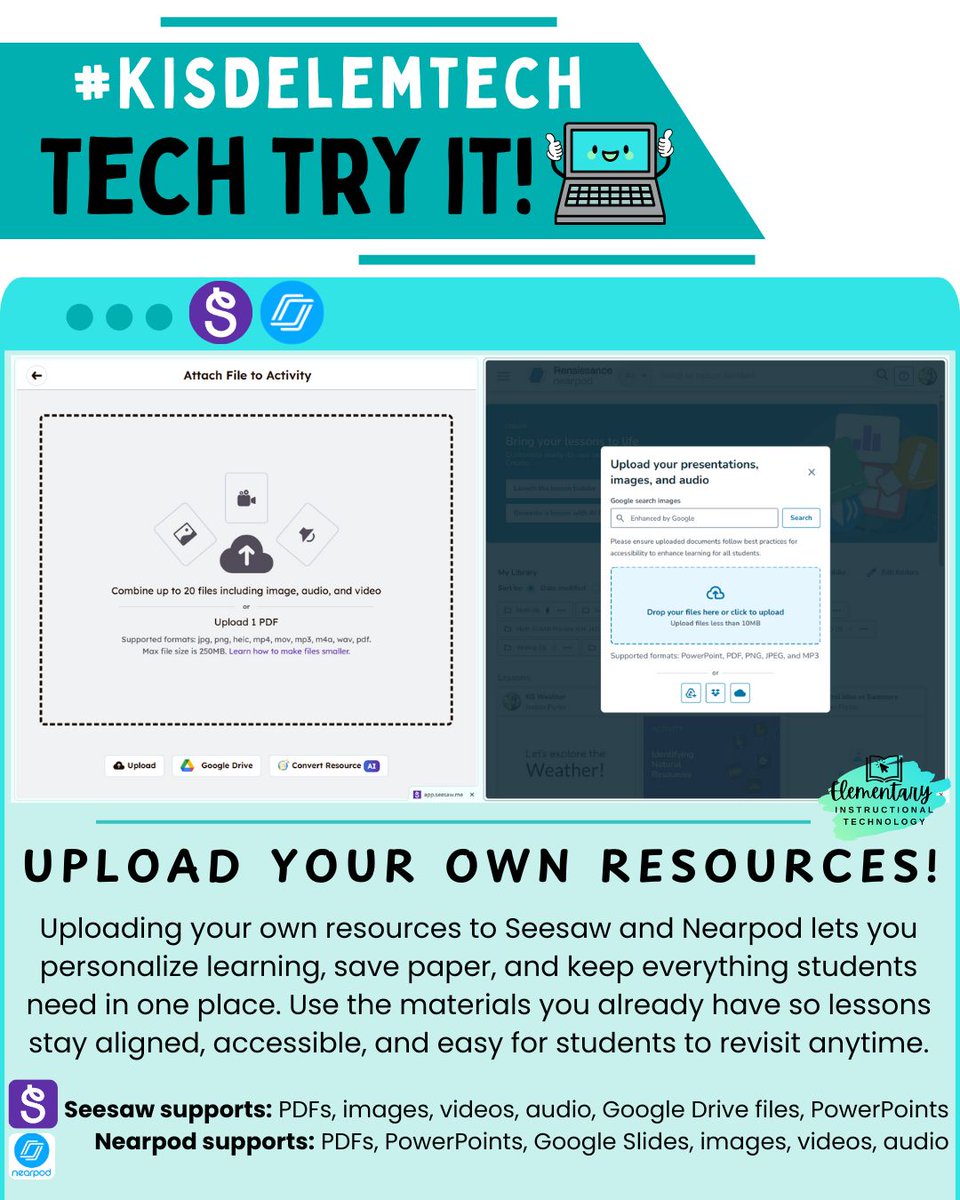
#TechTryIt: Uploading activities/resources to Seesaw (PK-2) & Nearpod (3-5) saves time and paper by keeping everything digital and organized in one place. Teachers can review student work✅, give feedback💬, and track progress📊 without juggling stacks of papers! #KISDelemtech
3
1
82
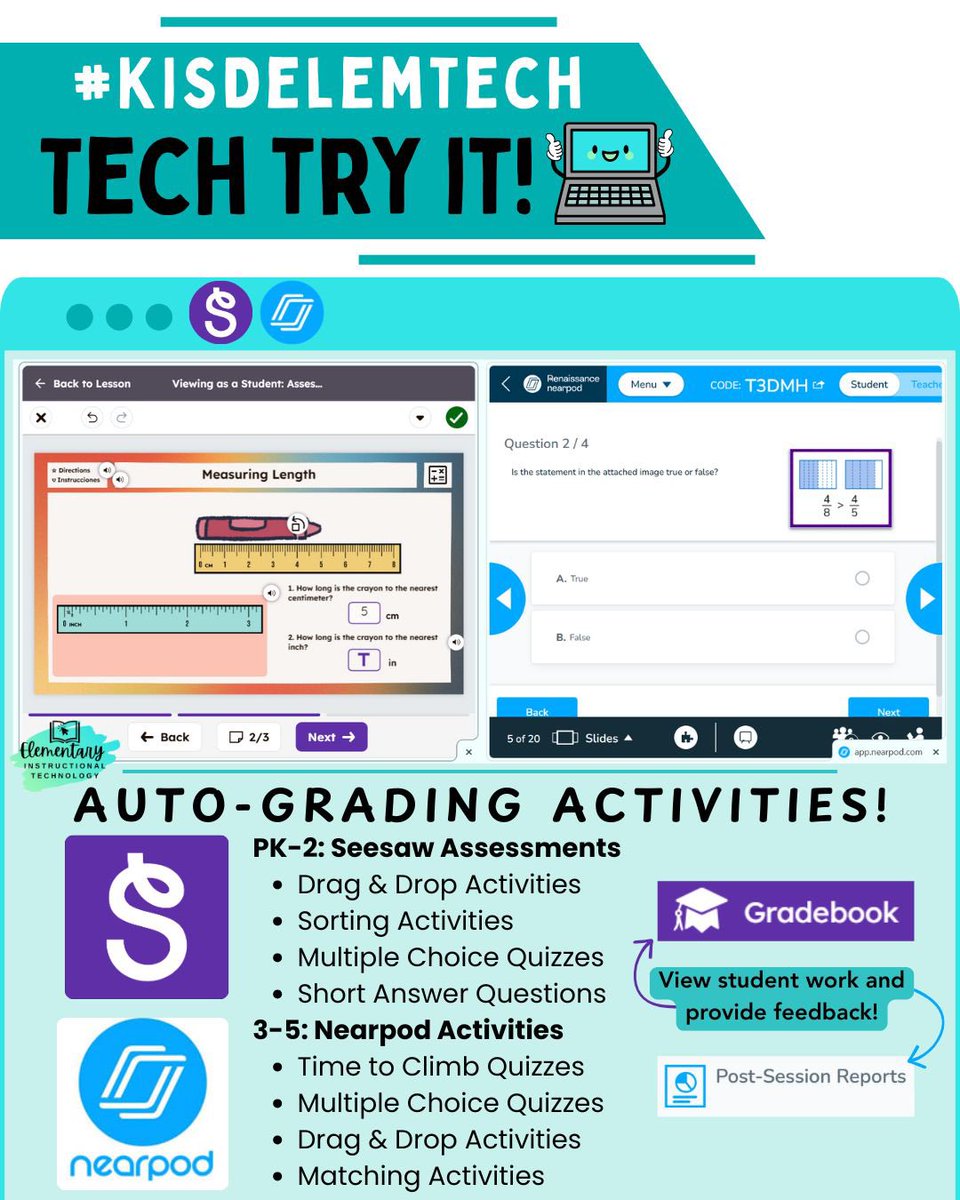
#TechTryIt: Auto-grading in Seesaw (PK-2) & Nearpod (3-5) saves teachers time with instant scoring and data in one place! Faster, meaningful feedback = students reflect and improve right away💡📊 Engage students & gather data by assigning an auto-grading activity! #KISDelemtech
5
5
143
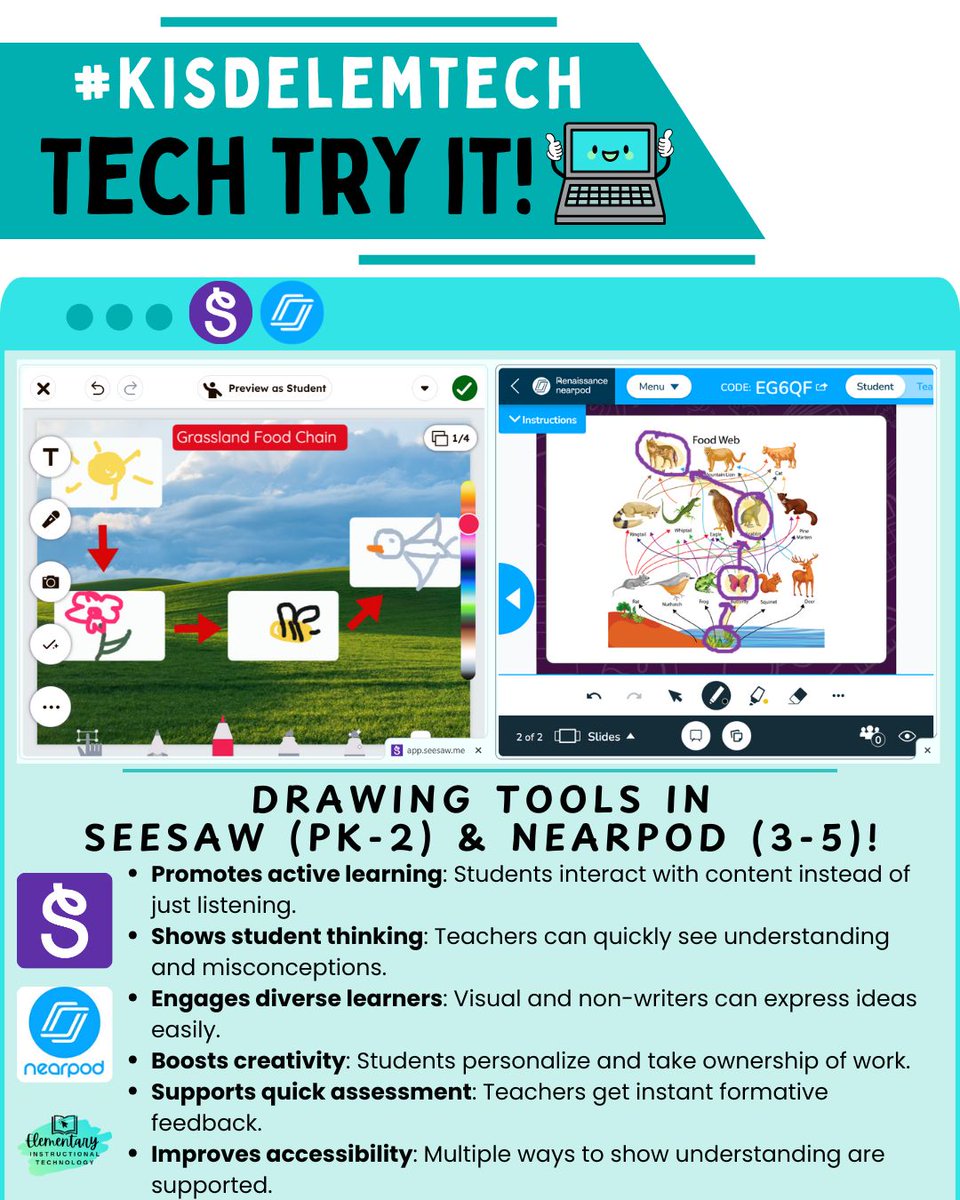
#TechTryIt: Drawing tools in Seesaw (PK–2) & Nearpod (3–5) boost engagement and turn students into active learners 🎨✏️ Students interact with content, make thinking visible, & share ideas, all while teachers get quick insights for formative assessment & feedback! #KISDelemtech
2
2
61
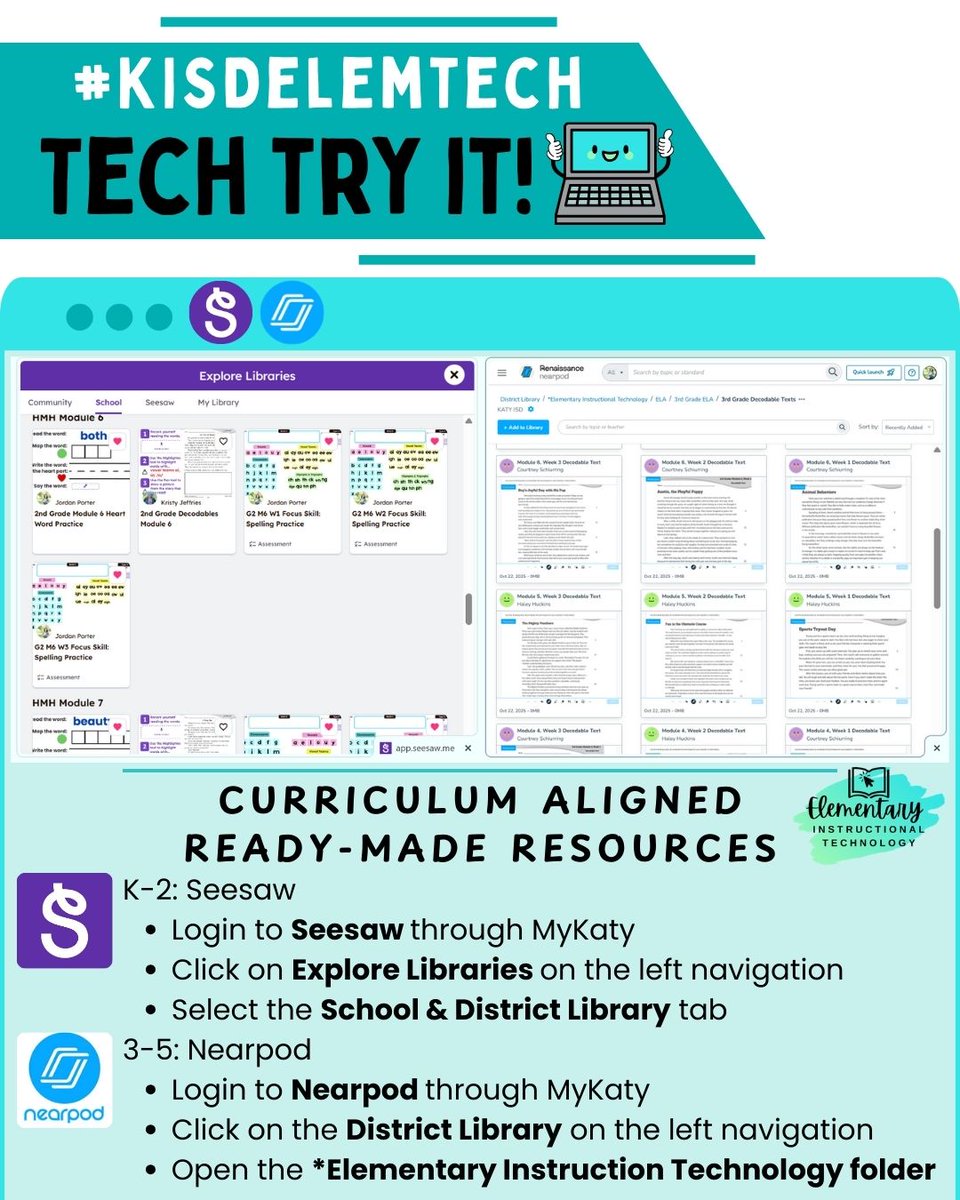
#TechTryIt: Teachers, explore ready-made, CTD created activities in Seesaw (K-2) & Nearpod (3-5) in our District Libraries!
✅TEKS aligned
✅Content-rich
✅Engaging & Purposeful
✅Meaningful Feedback
Ask your CTD how you can get started with Seesaw or Nearpod TODAY! #KISDelemtech
2
1
59

4 Dec 2025
#TECHmas is HERE!🎄🎉💻
On the 1st day of #TECHmas, we’re getting delightfully tacky! Design your Ugly Sweater in Adobe Express and let the digital glitter fly✨🧥
Click the link🔗 to complete & share the activity with students: bit.ly/techmasdays
#KISDelemtech #TechTryIt

1
2
5
130
21 Nov 2025
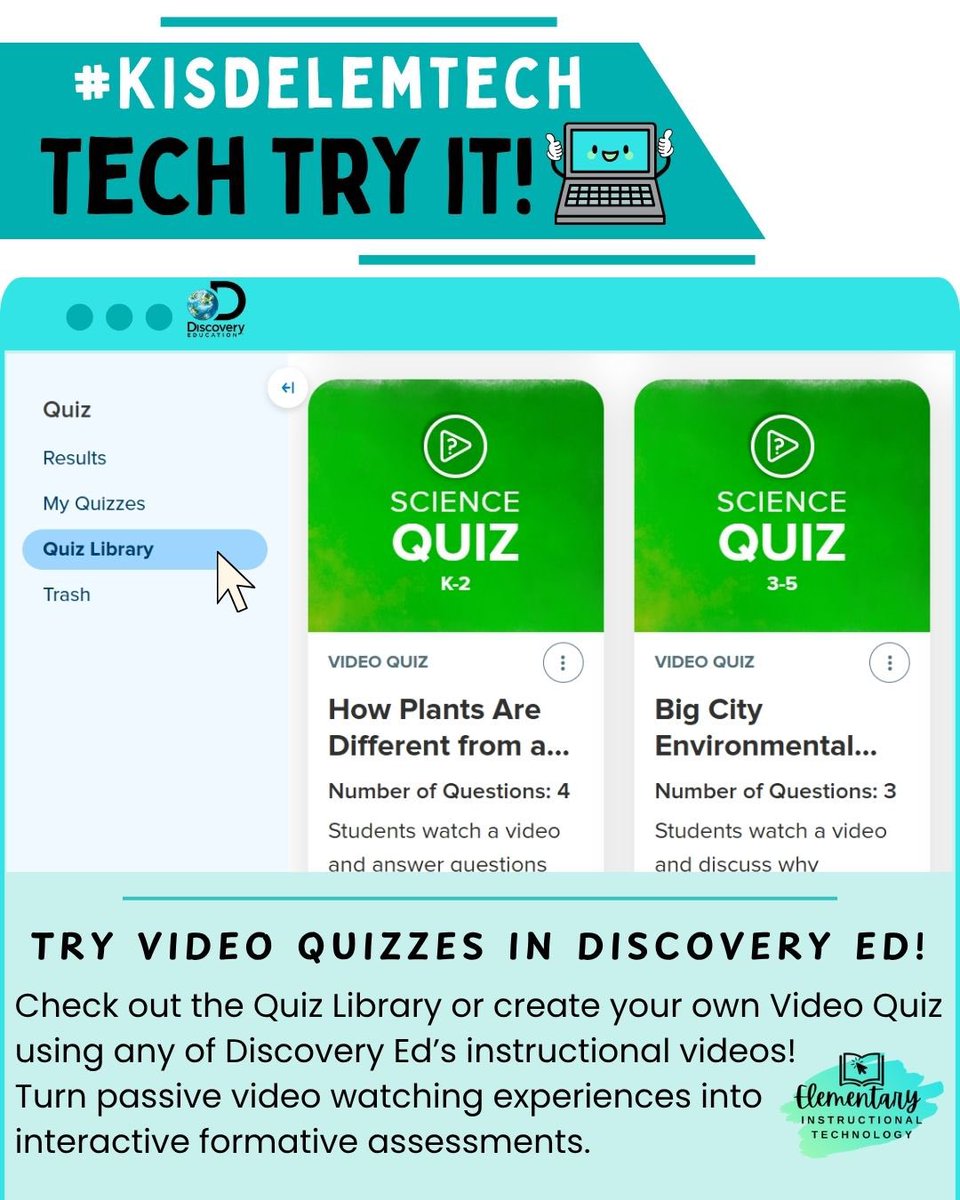
#TechTryIt: Want to boost engagement during your lessons?🚀 Try Discovery Ed’s Video Quizzes! Instead of passively watching videos, students interact with built-in questions that check understanding, spark discussion, and keep everyone focused🤩 #KISDelemtech
1
2
3
90
13 Nov 2025
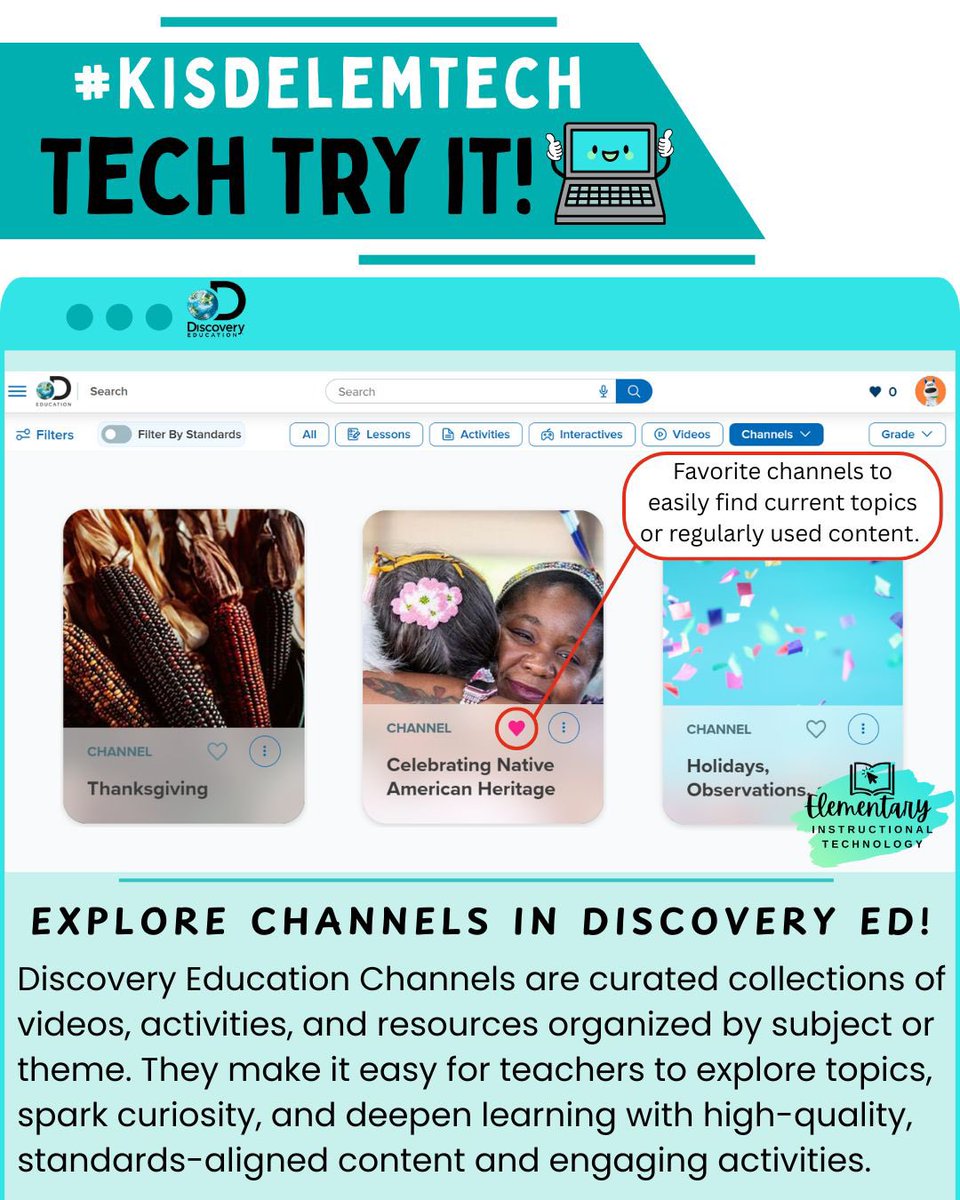
#TechTryIt: Teachers — make your Discovery Education experience even better! 👀Explore & ❤️Favorite your go-to DE channels to quickly find engaging videos, activities, and lessons that inspire learning every day! 🎥📚 #KISDelemtech
2
3
84
10 Nov 2025
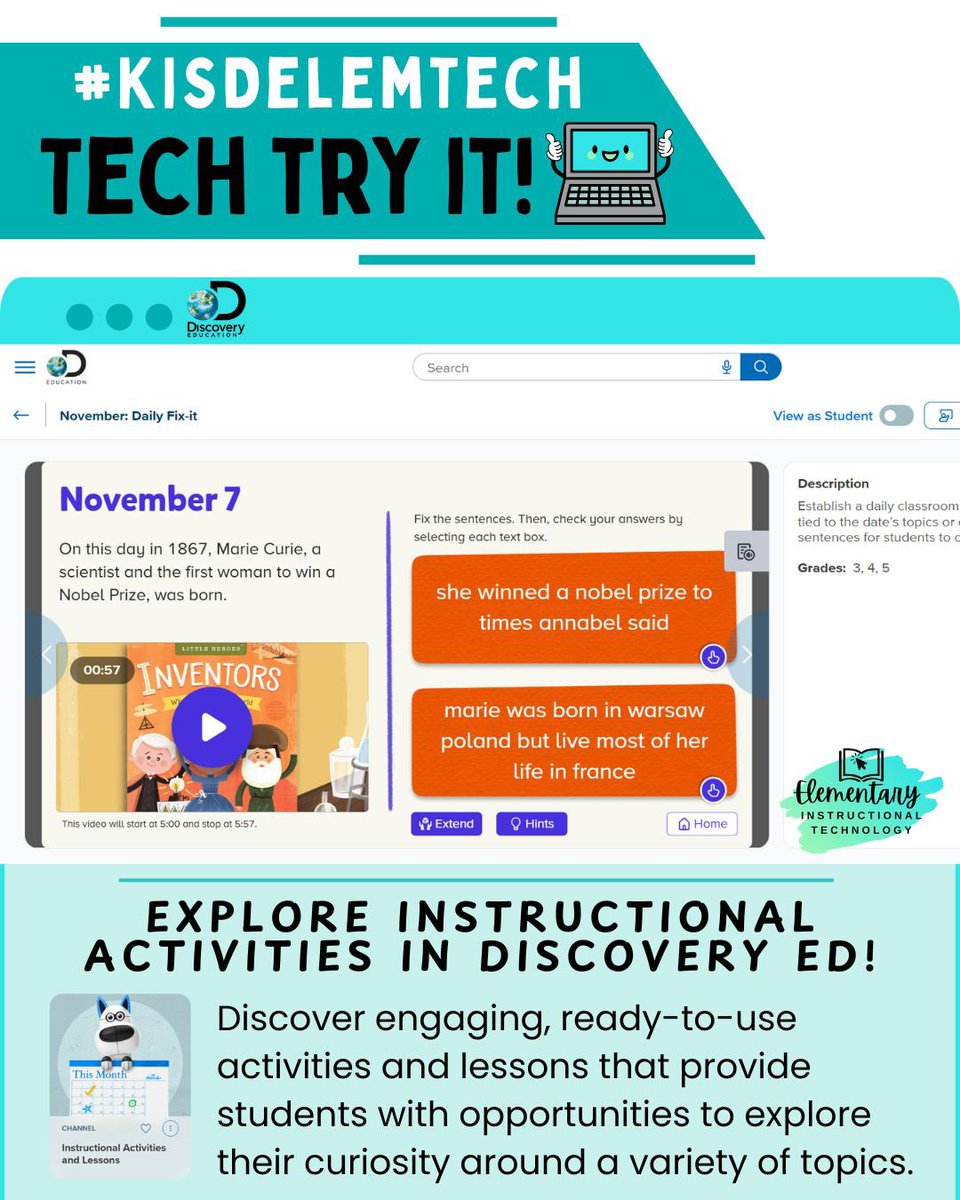
#TechTryIt: Bring interactive learning to life—try Discovery Education’s ready-to-use, standards-aligned Instructional Activities that blend multimedia content with guided tasks to boost student engagement, inquiry, and skill practice🚀
#KISDelemtech
1
4
3
113
31 Oct 2025
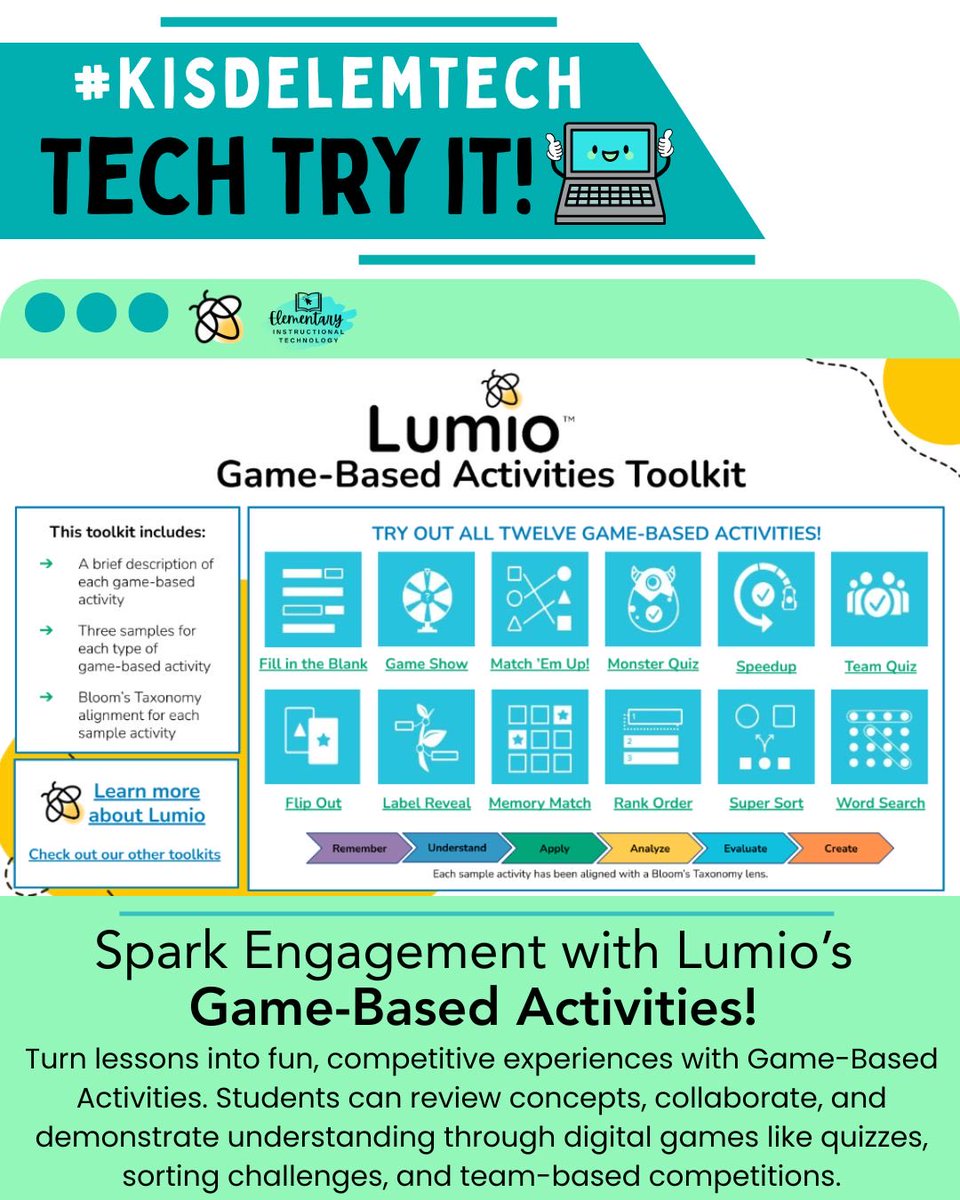
#TechTryIt Thursday: Add a Lumio game-based activity to your next lesson! Pick an interactive quiz, sorting activity, or collaborative game & try it in your classroom to engage students🤩, spark collaboration💖, and make learning more interactive and memorable🥳! #KISDelemtech
2
2
76
23 Oct 2025
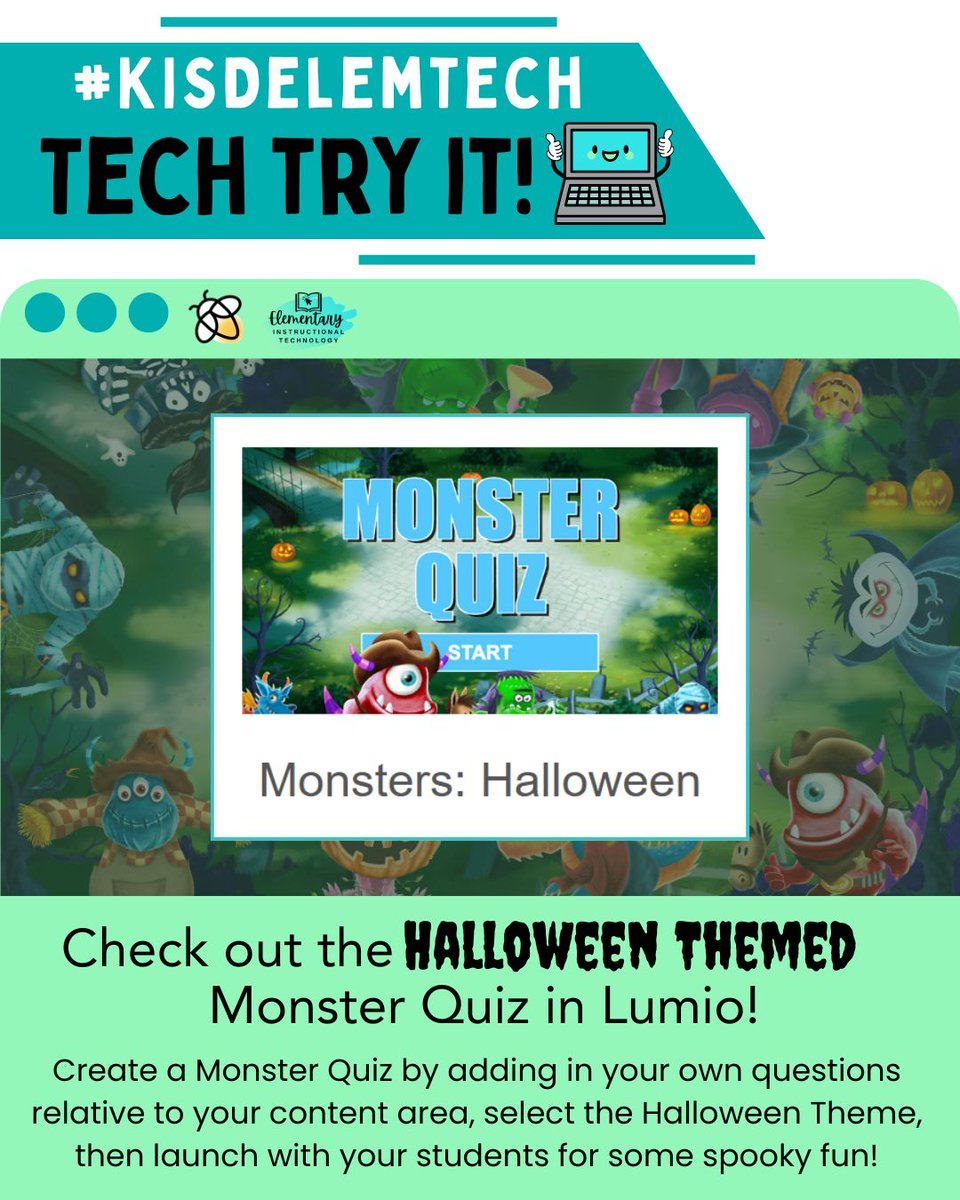
#TechTryIt Thursday: Bring some SP👀KY fun to your classroom with Lumio’s new Halloween-themed Monster Quiz! It’s an engaging way to review content, spark teamwork, and add a little frightful excitement to your lessons. Are you brave enough to try?🎃👻
#KISDelemtech
4
3
133
16 Oct 2025
#TechTryIt Thursday: Save paper and time with Lumio’s individual handouts! ✍️💻 Upload & share digital activities with each student, view work in real time, give instant feedback, and everything saves automatically.
Easy assignment management engaged learners!🤩 #KISDelemtech
6
4
128
9 Oct 2025
#TechTryIt: Can you find a Lumio Lesson in our Tech Integration Library (linked in MyKaty) and try it out this week?🌟
Find and save a CTD-made lesson to your Lumio Library and launch it with students! Let’s see those interactive lessons in action!✨
#KISDelemtech
3
1
106
2 Oct 2025
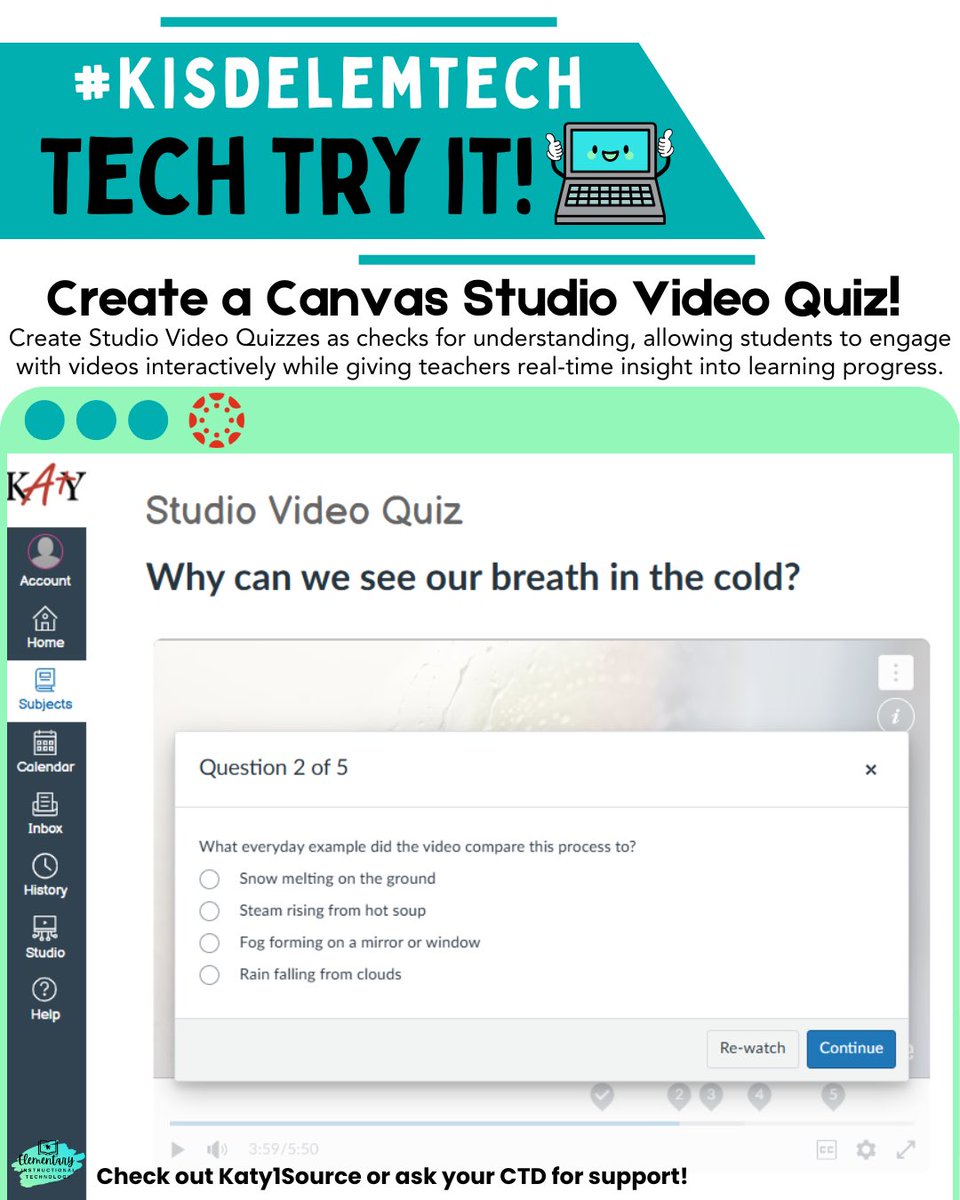
#TechTryIt: Create a Canvas Studio Quiz to embed questions into your lesson videos! Transform a passive viewing experience into an interactive learning opportunity, keeping students engaged while giving you insight into their understanding of the video’s content! #KISDelemtech
2
1
82
25 Sep 2025
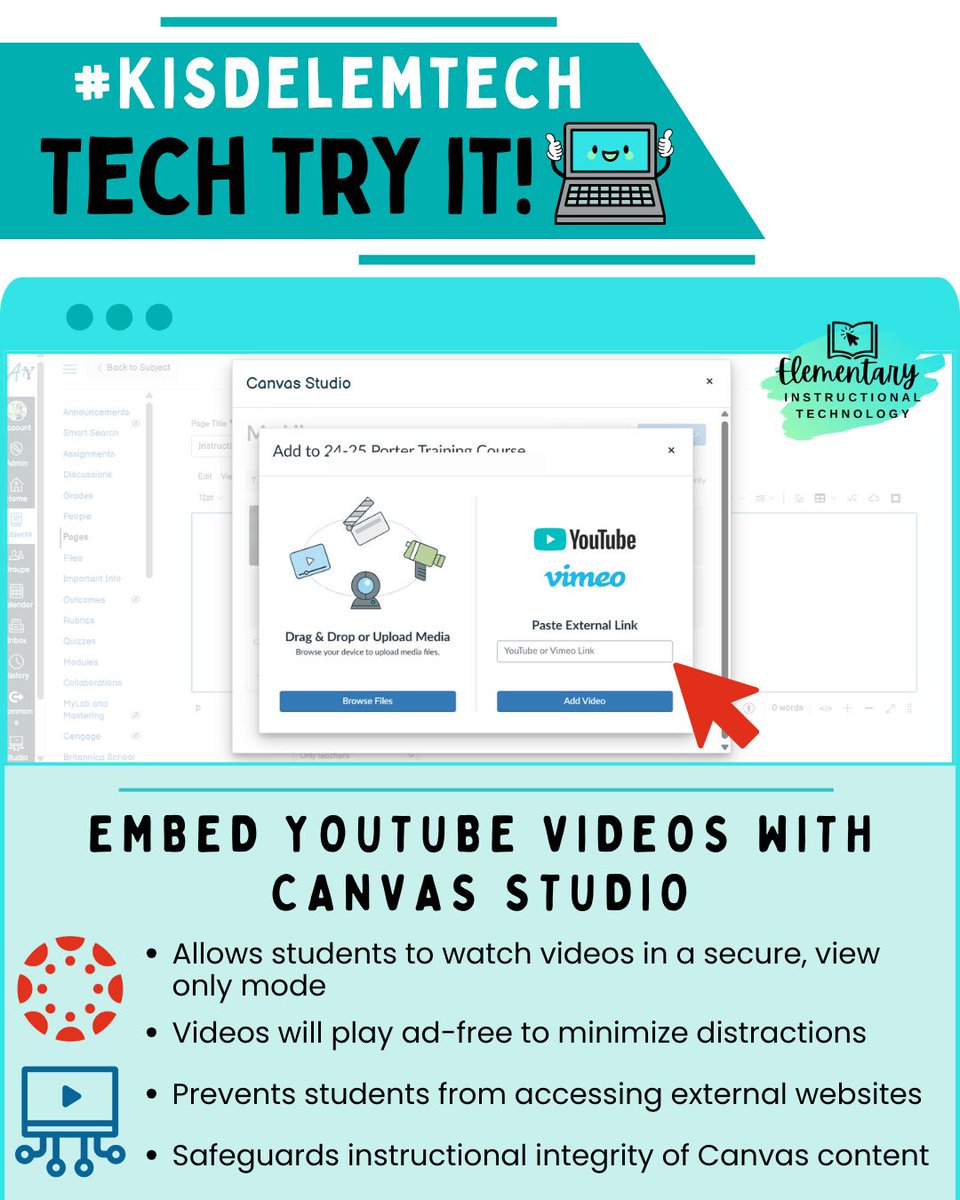
#TechTryIt Thursday: Embed a YouTube video with Canvas Studio! Open Studio in Canvas, click “ Add Media” to paste a YouTube link, then embed it into a page or assignment.
✅Students can view videos safely and ad-free!
❓Check 1Source & Contact your CTD for help
#KISDelemtech
5
3
212
18 Sep 2025
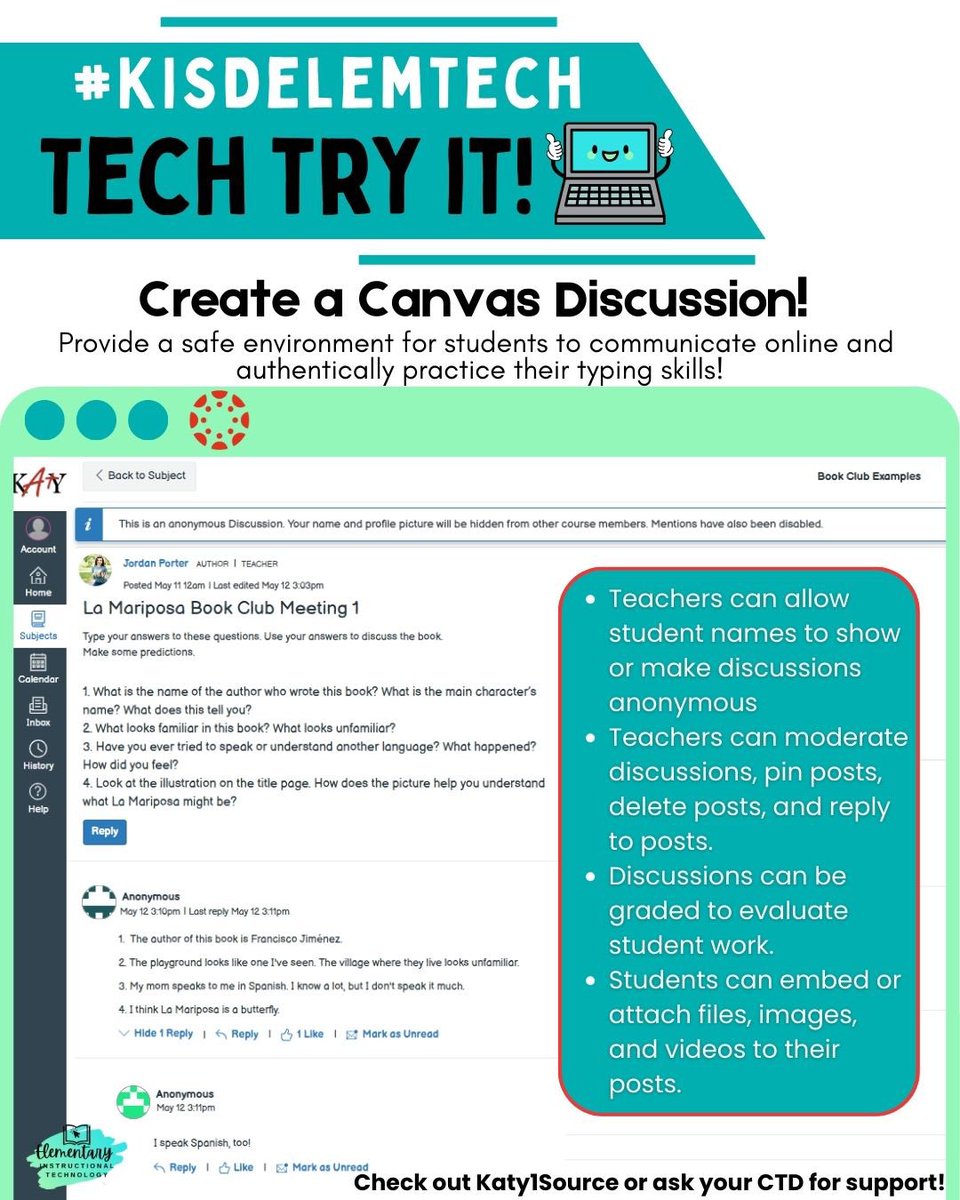
#TechTryIt Thursday: Create a Canvas Discussion for your students!
💡 Explain thinking & ideas
💬 Digital dialogue with peers
⌨️ Authentic typing practice
What discussion prompt will spark your students’ voices this week?✨
#KISDelemtech
5
3
157