
AIエージェントがExcelVBAを自律開発する時代が来た。
VBEを開かず、自然言語の指示だけでテトリスや株価ダッシュボードを作る。
これ、地味だけど本質的な変化だと見ている。
なぜなら、VBAは「AIと相性最悪」だったから。エラーがGUIダイアログで出る、Debug.Printが読めない、UserFormがコード管理できない。この壁を全部潰してきた。
📌 ポイント
- 巨大マクロ資産をAIだけで解析・改善し、処理速度を250倍に高速化した実例が出ている。
- UserFormをYAMLで定義できるようになり、Git管理しづらかったGUI資産が
1
89

I've built the USERFORM using VBA now the codes are the issue here but let's see if it could get resolved soon.

Let's build USERFORM for a prospect.
I would share DETAILS soon
4
96
Let's build USERFORM for a prospect.
I would share DETAILS soon
2
145

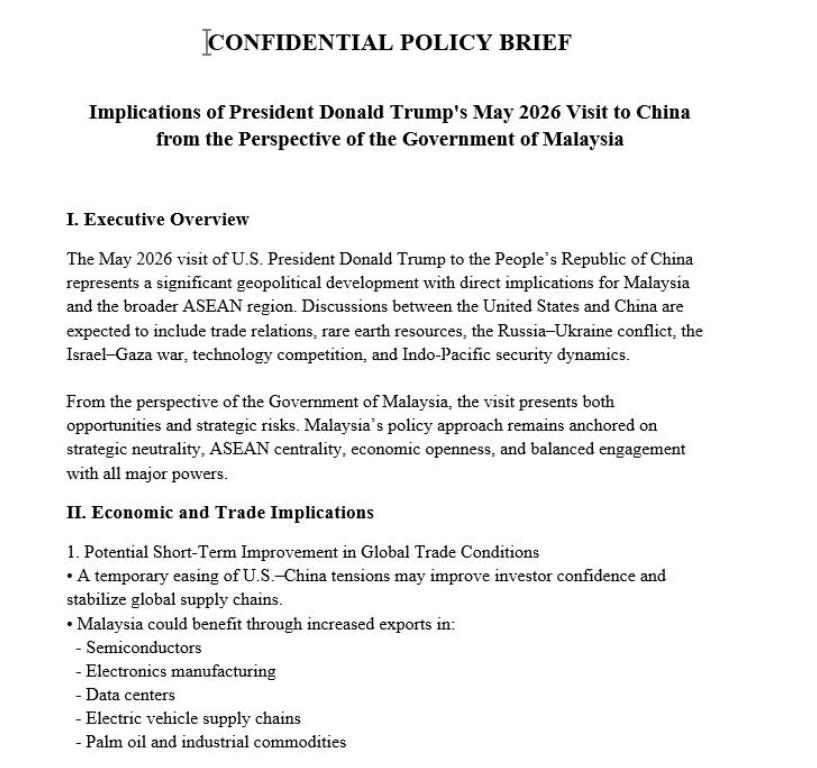
We analyzed a Sharp Dragon APT chain targeting Malaysian government officials
A weaponized Word document posing as a US-China policy brief. Same actor. New campaign. New geography.
The document is convincing, formatted as a legitimate diplomatic policy brief titled “Malaysia Policy Brief: Trump China Visit”, with a professional structure clearly designed for senior officials tracking US-China-ASEAN relations.
The payload is a VBA macro that hides the embedded binary across 15 Form TextBox objects in the document’s UserForm. Nothing is dropped to disk until execution.
Execution chain:
VBA macro decodes the 15 TextBox chunks at runtime → assembles and drops a loader disguised as OneNote.exe → custom AES-128-ECB LZ4 decompression, intentionally avoiding CryptoAPI → Download_s.dll beacon → HTTP GET to /microsoftonline/common/oauth2/authorize.php impersonating Microsoft → NtMapViewOfSection into rundll32.exe → Stage 4 delivered
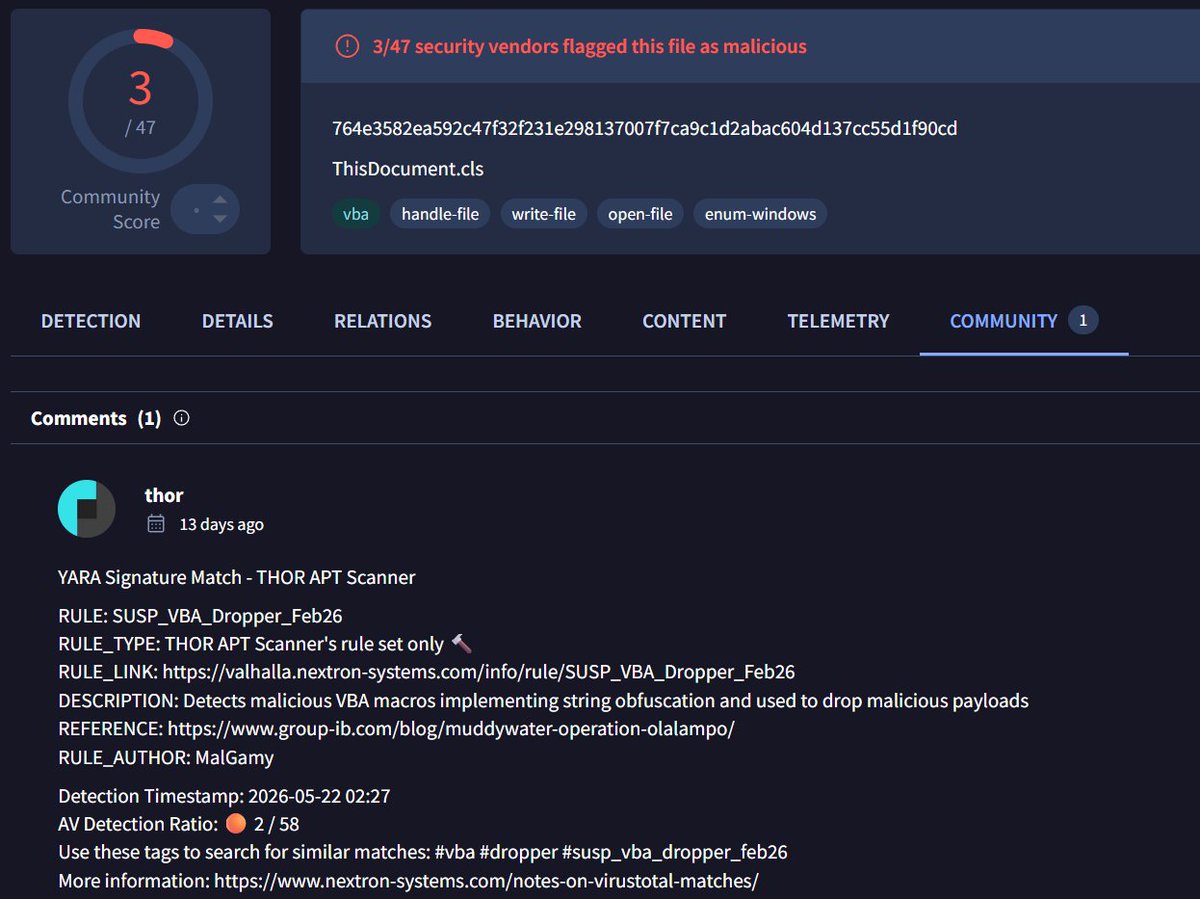
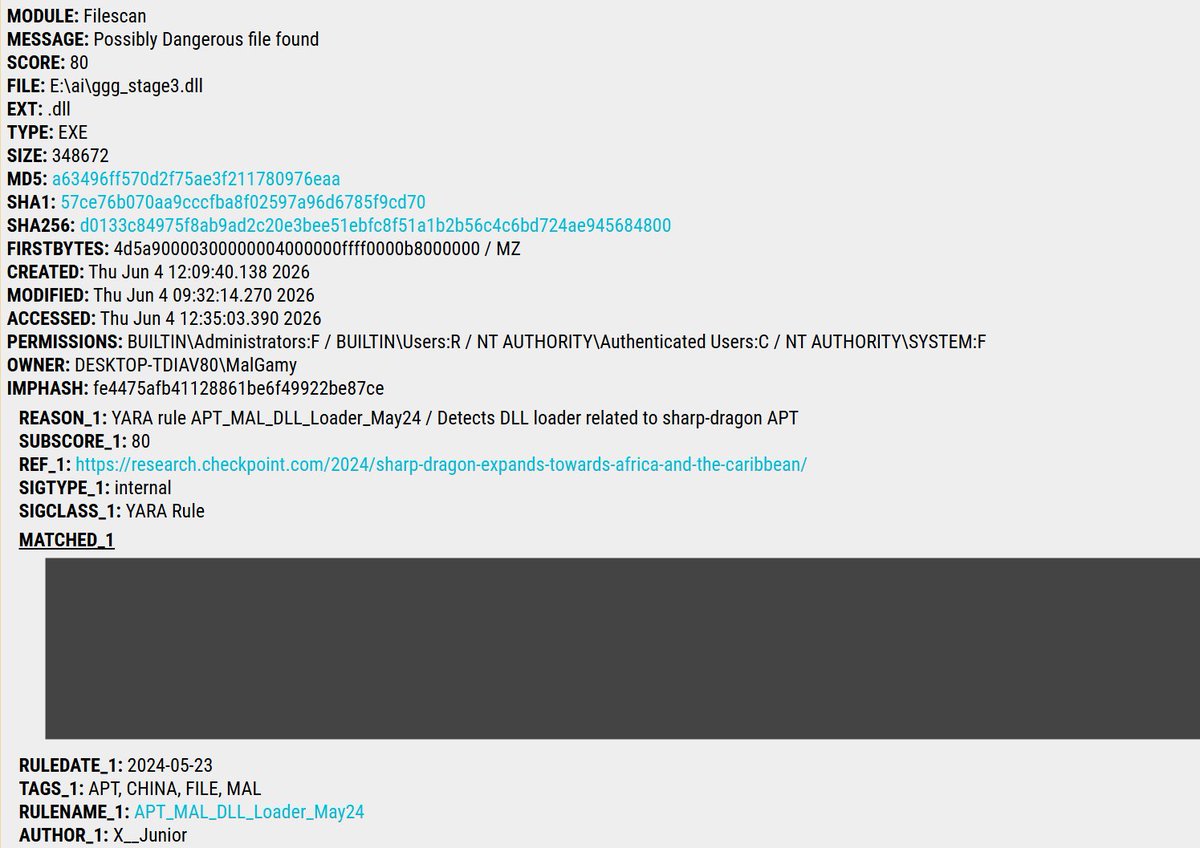
Our @thor_scanner run produced the following YARA hits:
SUSP_VBA_Dropper_Feb26
valhalla.nextron-systems.com…
APT_MAL_DLL_Loader_May24
valhalla.nextron-systems.com…
Doc sample (2/62)
virustotal.com/gui/file/88b9…
Second stage
virustotal.com/gui/file/dccb…
Downloader (stage3) sample
virustotal.com/gui/file/d013…
1
20
50
5,576

May 7
ถ้าเป็นสูตร ยกให้ XLOOKUP คือ The best
แต่ถ้าถามว่า Excel Skills อะไรที่รู้สึกว่าคุ้มต่อการเรียนมากที่สุดคงเป็น Macro (VBA) และ Userform เพราะช่วยให้เราทำงานกับ Non-Tech ได้ง่ายขึ้นมากกก ไฟล์ไม่พัง
ประหยัดเวลาและพลังงานด้วย
May 6

ขอหน่อย เตรียมตัวจดสูตรก่อน ใช้ Excel เป็นแล้วชีวิตจะง่ายขึ้นเยอะนะครับน้อง ๆ

897
1,243
94,452

May 2
セルズ台帳の公文書DL自動化ツール完成!
・「審査終了」公文書を自動で一括保存
・保存フォルダ名を 会社名_手続_内容 にリネーム
・コメントがある場合は自動保存
・資格取得は台帳に被保険者番号等を自動反映
・社保XMLはPDF変換(外字PDFはリネームのみ)
・「An error has occurred」は自動回避
Python pywin32 uiautomation でExcel VBA UserFormを完全自動操作。Claude Codeが5500 行書いてくれました。
6
1
91
7,824

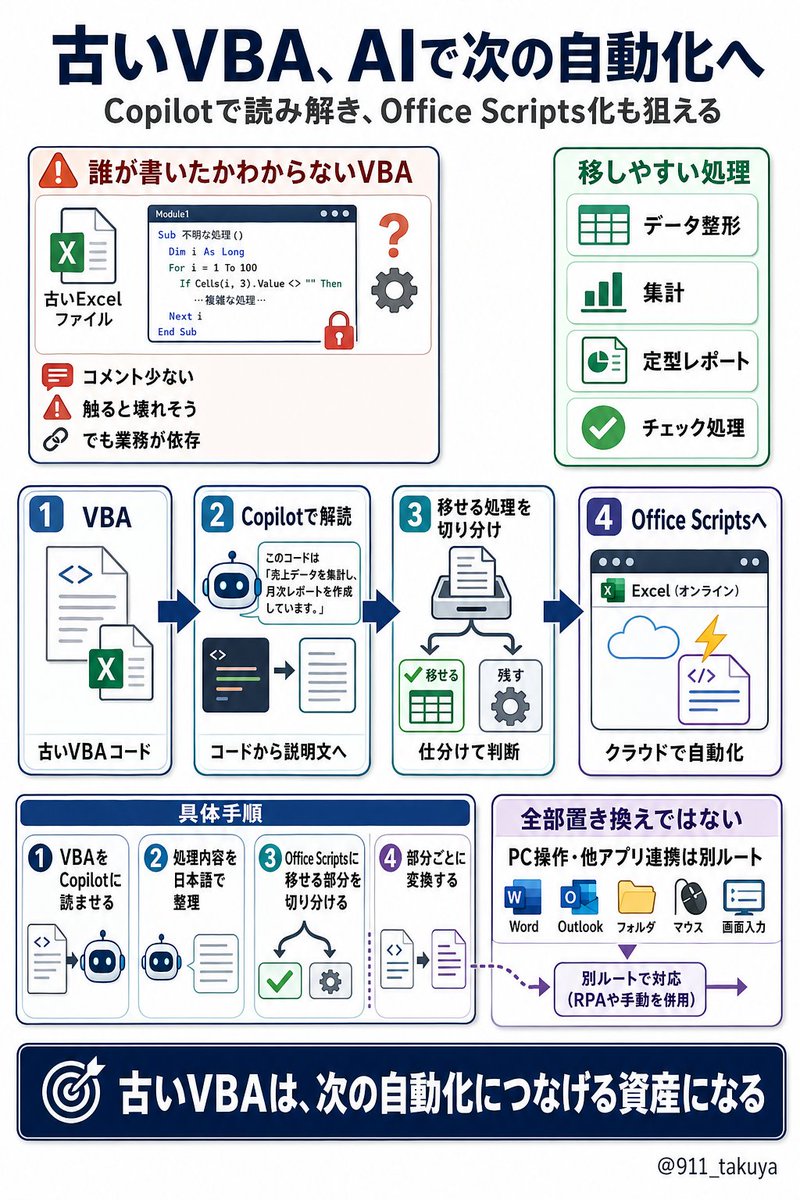
「このVBA誰が書いたの」って聞ける人がもう社内にいない。でも毎日このマクロは動いてる。
コードを開いてみてもコメントなし、変数名はaとかtmpとかで何やってるか全然わからない。下手に触ると壊れるから誰も手を出せない。でも業務はそのマクロに依存してる。
で、ここからが本題なんですけど
CopilotにそのVBAコードを貼り付けて「何をやってるか説明して」と頼むと、日本語で処理を解説してくれます。
実はもう一歩先があって、「このVBAをOffice Scriptsに書き換えて」って頼むと、それなりの精度で変換してくれるんですよね。
僕も実際に試してみたんですが、データ集計系のVBAならかなり形になります。もちろん手直しは要るんですけど、ゼロから書くよりはかなり速い。
Office Scriptsを知らない人のために補足すると、ざっくり言えば「ブラウザ版Excelで動く自動化の仕組み」です。
VBAが昔からあるExcel自動化だとしたら、Office Scriptsは今のMicrosoft 365環境に合わせた新しい自動化の選択肢、くらいに捉えるとわかりやすいです。
コードの中身はJavaScriptに近い書き方なんですが、ここもCopilotにかなり助けてもらえるので、最初から全部理解してなくても触り始められます。
VBAとの大きな違いは2つ。
1つ目は、ブラウザのExcelでも動くこと。
VBAは基本的にデスクトップ版Excelの世界なので、オンライン化が進んでる会社だとここが地味に詰まるんですよね。
2つ目は、Power Automateとつなげやすいこと。
「毎朝7時にこの集計スクリプトを自動で走らせてTeamsに通知」
みたいな連携が組めます。
変換を頼むときのコツも書いておきます。
まずVBAコードをそのまま全部貼って、いきなり変換させない。
最初は
「このVBAが何をしているか、日本語で処理の流れを説明して」
と聞く。
ここで全体像をつかみます。
次に
「この処理をOffice Scriptsで再現するなら、どういう構成になりますか?」
と聞く。
最後に
「ではこの部分だけOffice Scriptsに変換してください」
と分けて頼む。
ここがかなり大事です。
長いVBAを一気に変換させると、途中の処理が抜けたり、Excelの操作前提がズレたりします。
でも、
・シートを開く
・不要行を削除する
・列を整える
・集計する
・表として出力する
みたいに処理単位で分けると、かなり現実的になります。
ただし、VBAとOffice Scriptsは完全互換ではありません。
UserFormのような画面入力、PC内ファイルの直接操作、WordやOutlookをVBAから動かすような連携、このあたりはそのままOffice Scriptsに置き換えるものではないです。
だから「VBAを全部捨てろ」って話じゃないんですよね。
移せるものから順に移す。
これが現実的です。
データ整形、集計、定型レポート作成、表の加工、チェック処理みたいなものはOffice Scriptsに移しやすい。
逆に、PC操作や他アプリ連携が絡むものは、VBAのまま残すか、Power Automateや別の仕組みと組み合わせた方がいいです。
前任者のVBA資産を「触れないまま放置」してるのは、ぶっちゃけリスクです。
Excelのアップデートで突然動かなくなることもあるし、直せる人がいない。
でも今は、Copilotで中身を読み解いて、移行できる部分をOffice Scripts化する道があります。
全部を一気に変える必要はありません。
まずは1本だけでいいので、
「このVBAは何をしているのか」
「Office Scriptsに移せる部分はどこか」
「残すべき処理はどこか」
ここをAIと一緒に分解してみる。
古いVBAをただの負債にするか、次の自動化につなげる資産にするか。
ここ、これからかなり差が出ると思ってます。
2
36
2,160

Apr 13
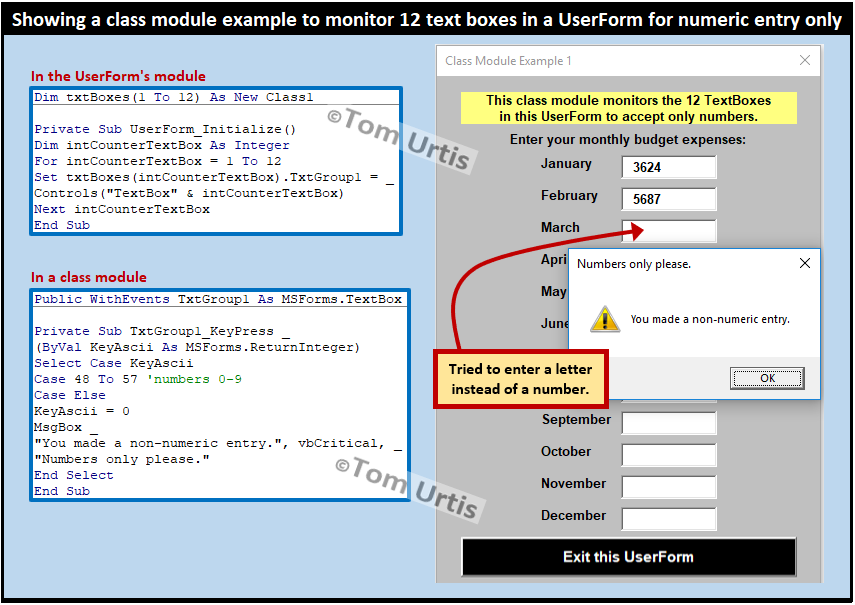
Learn how to restrict a VBA UserForm TextBox to numbers only using the VBA KeyPress event and KeyAscii argument. Negative numbers and decimals are also allowed.
wellsr.com/vba/2017/excel/vb…
2
31

Mar 29
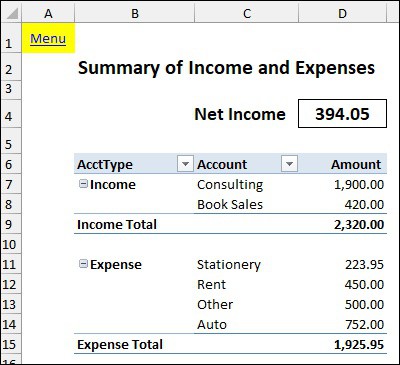
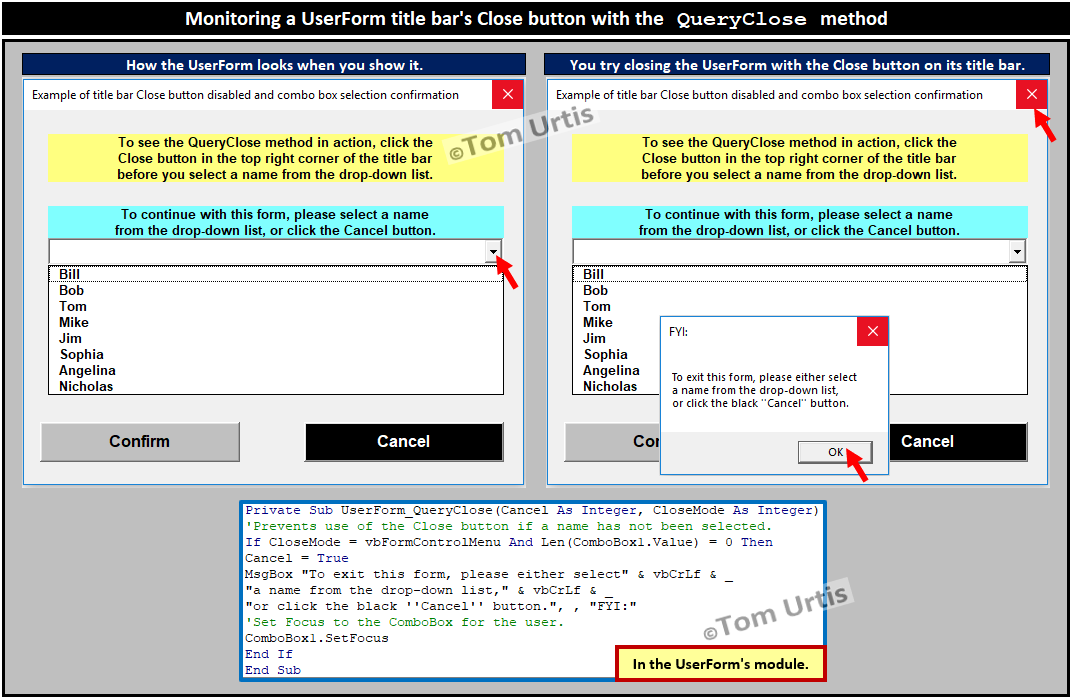
Use this Excel UserForm to add, view, edit and search transaction records
Read more 👉 lttr.ai/Apofc
3
89

Feb 21
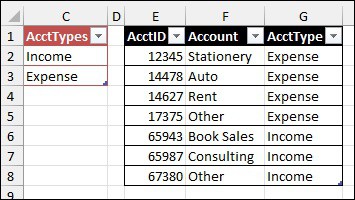
Use this Excel UserForm to add, view, edit and search transaction records
Read more 👉 lttr.ai/AobLZ
3
95


Jan 28
第2步:在PowerPoint中添加代码
- 打开PowerPoint,进入'选项'
- 选择'自定义功能区'并勾选'开发者'
- 点击'开发者' > 'Visual Basic'
- 插入'Userform'
- 点击'模块',粘贴代码并运行
- 设计你的模板
1
2
2,066

Jan 20
第2步:在PowerPoint中添加代码
- 打开PowerPoint,进入'选项'
- 选择'自定义功能区'并勾选'开发者'
- 点击'开发者' > 'Visual Basic'
- 插入'Userform'
- 点击'模块',粘贴代码并运行
- 设计你的模板
1
1
957


Jan 17
Step 2: Add the Code in PowerPoint
Open PowerPoint and go to Options
Select Customize Ribbon and enable Developer
Click Developer → Visual Basic
Insert a UserForm
Click Modules, paste the code, and run it
Customize and design your presentation template
1
1
37

Jan 17
第2步:在PowerPoint中添加代码
- 打开PowerPoint,进入'选项'
- 选择'自定义功能区'并勾选'开发者'
- 点击'开发者'>'Visual Basic'
- 插入'Userform'
- 点击'模块',粘贴代码并运行
- 设计你的模板
1
2
853

Jan 16
Step 2: Add Code in PowerPoint
- Open PowerPoint, go to 'Options'
- Choose 'Customize Ribbon' and check 'Developer'
- Click 'Developer' > 'Visual Basic'
- Insert 'Userform'
- Click 'Modules', paste code, and play
- Design your template
1
4
33
14,460
