
I’m partnered with Elgato so do with that what you will. I’ve had xlr pro for several weeks now and have had a great experience with it. Now in my use case I’m in a single pc and console setup, but based on prior experience and what I know, it’ll do a much better job vs wavecast
2
47

Jun 9
@elgato Genuine question - maybe it's cause I'm weird but I don't know...
Using your Wave XLR Pro, Loving the ideas behind it, but I'm not understanding some of the decisions in how mixes are displayed.
I'm using Headphone 1 for my sound rather than the PC's audio out. When I check my Output Devices for the PC system, Windows doesn't show "Headphone 1 for Wave XLR Pro" but it shows all of the left column things like 'System', 'Browser', 'Game', 'SFX', & 'Voice Chat'. It doesn't show "Personal Mix", or "Stream Mix"... I get that I need to click on Personal Mix to actually hear what's being produced, & I know that the top row mixes are what will get send over Wavecast. Currently, I have Discord set to 'Voice Chat', but if I set Discord's received audio to 'Voicechat, I hear nothing. Instead, it only works on 'Browser' which kinda defeats the point?
So like, my PC system is defaulted to 'Browser' as the output, in order to hear Discord, which should be showing up on 'Voice chat'. I'm just like "Why is it doing this?" while troubleshooting my audio channels again. I gotta be doing something wrong, but I'm not seeing what's causing the mismatch.
120

May 14
@elgato @ElgatoSupport yet ANOTHER stream where Wave Cast completely sputtered out on me. Before stream I made sure that the old version of wavecast was installed but unfortunately y'all updated wavelink today and therefore it has caused issues with the old version of wavecast.
1
2
14

全国に沢山ファンがいるんだから
もうハナタレもおにぎりも全国放送にしてあげて欲しい
私はたまたま実家が北海道だからwavecastとか機械駆使してここでも北海道のテレビ観られるけど
7
171

Feb 3
Anyone out there using Wavecast? If I have my mic setup on my gaming PC, and I capture card out to my laptop to stream via OBS, is the latency so low that my words will sync with my lips in OBS?
Can I use this to output my desktop audio as well, like multi-channel desktop audio? Or is everything through a single channel like my capture card already does? Would like to stop using voicemeter if I can.
Its $50, kinda want to know if it works before I buy... unless @ElgatoSupport will offer me a refund after testing if I'm not satisfied.

Dual PC users, here's how Wave Cast makes audio easy:
✨ One-click pairing
🎮 Route any app or everything
🔄 Control from either PC
⚡ Ultra-low latency
🎯 Send to any output
4
744

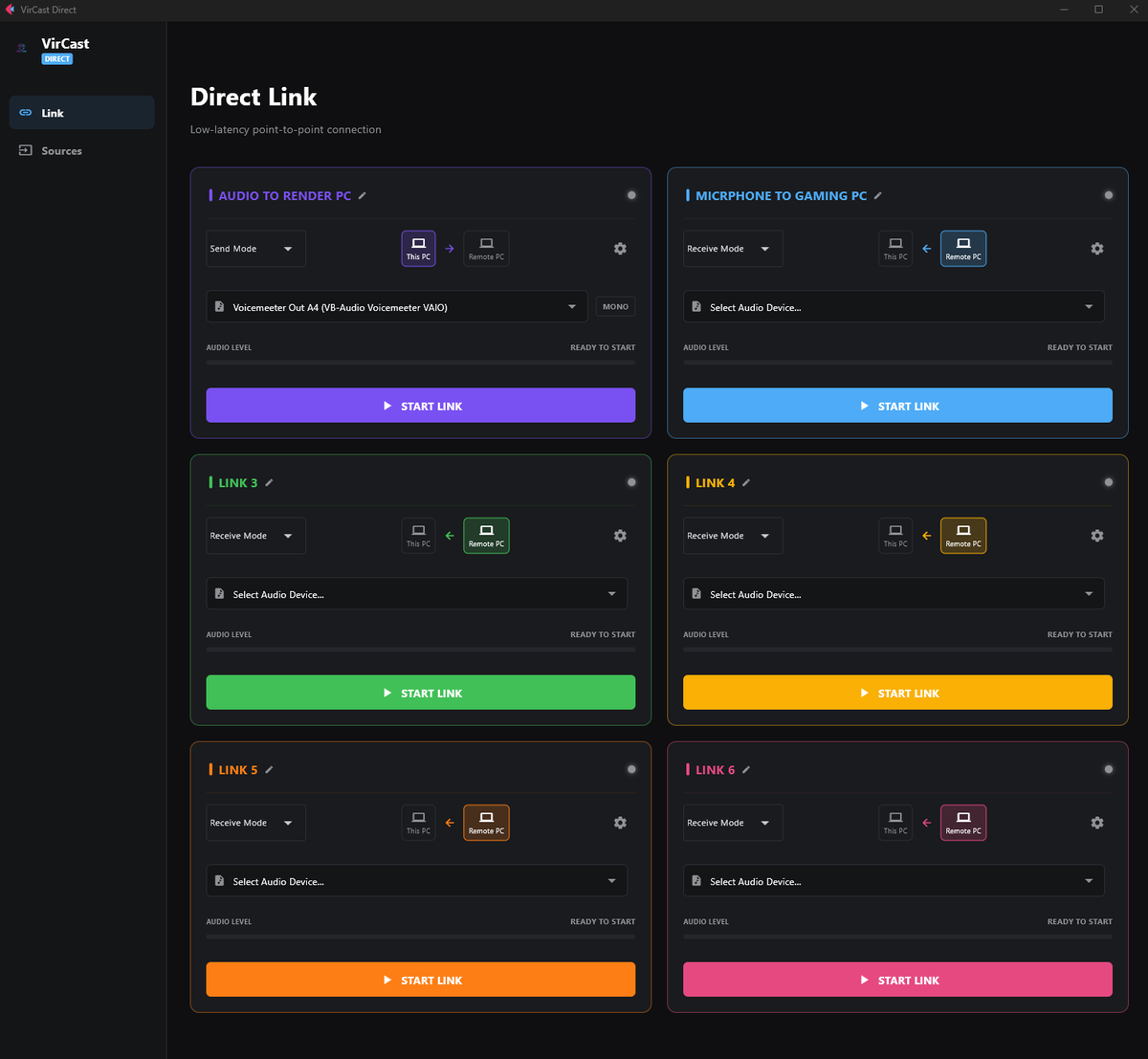
I'm pretty known for being scuff when it comes to being a Vtuber, and instead of waiting on updates on my software I use.. I kind of just rage and build my own tools due to them not existing for my use case. Would anyone out there be interested in something like this?
I called it VirCast Direct, it's a stupid simple easy to understand 2 PC Audio channel w/ 6 channels that is bi directional, and allows you to send audio over your local network, and send it back and forth. I know there is others out there but nothing stupid simple so I built it.
I'm still working out UI bugs here and there, but I've been using it in my stream for 3 months sending VNyan audio and Wavecast 3 audio between the 2 PCs without audio loss. (It's not shown here but I also added a Mono Interface local channel for microphones). So no stupid windows settings for single channel audio, the software is meant to be stupid simple... Thoughts?
1
3
89

24 Oct 2025
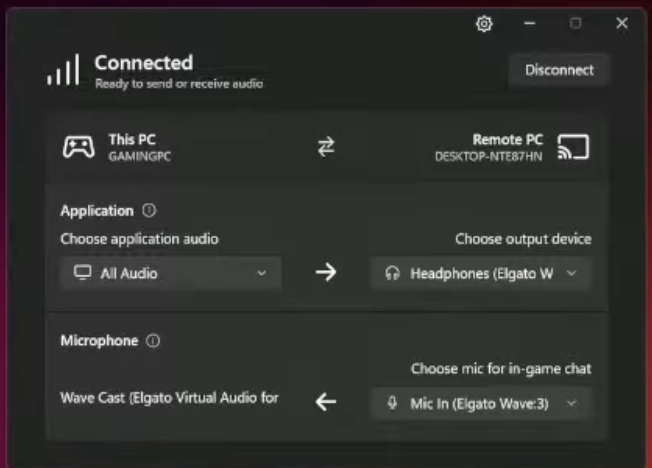
For $49 USD Elgato WaveCast will connect audio over your network for dual PC setups
24 Oct 2025

Elgato WaveCast (paid software) will simplify dual PC setups with audio over network
1
6
1,564

24 Oct 2025
Elgato WaveCast (paid software) will simplify dual PC setups with audio over network
1
2
1,753

20 Oct 2025
Home & back to the grind
1⃣ Locking in on almost final tweaks to the BF6 tune. 75% of the way.
2⃣ Wavelink 3.0/Wavecast from Elgato needs testing
3⃣ Black Ops 7 tune & easily switchable shortcut based profiles
35 likes & I'll throw up a makeup Q&A stream today
5
4
105
7,309


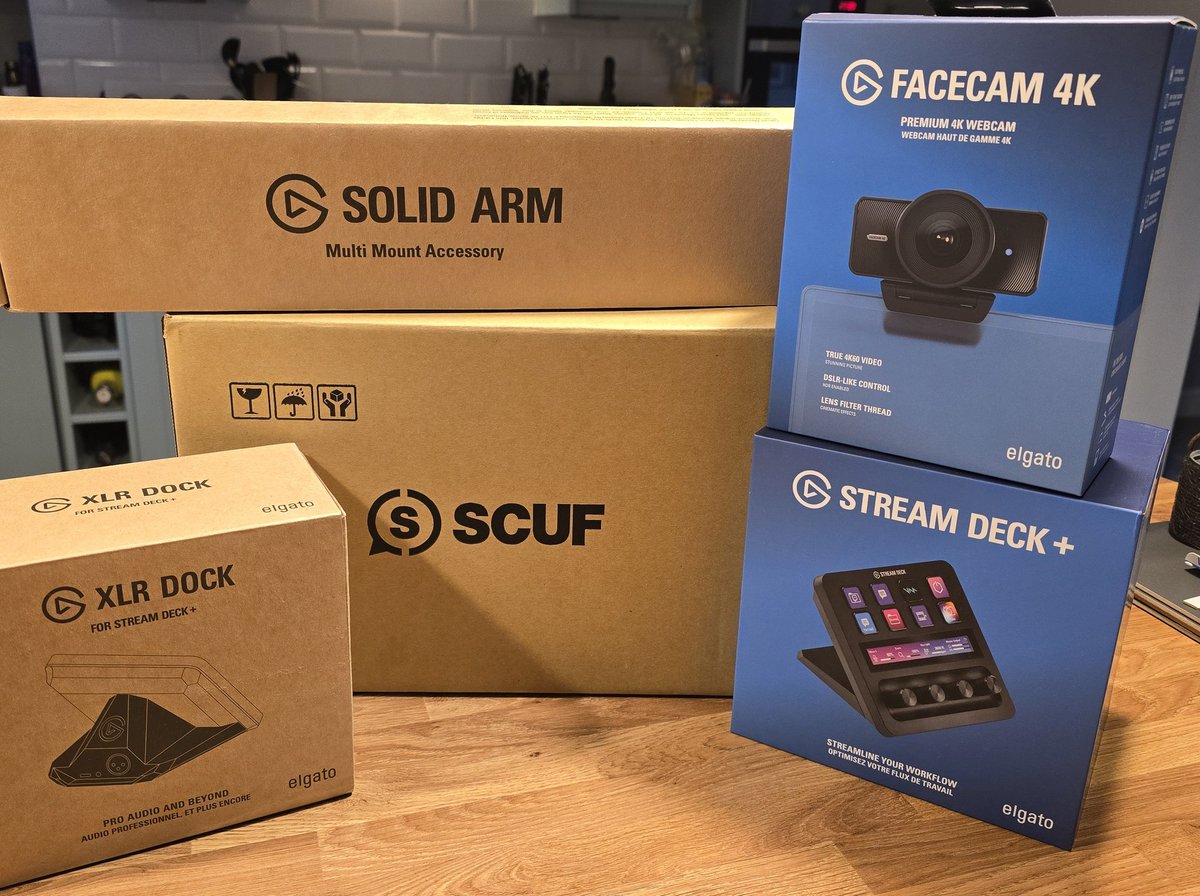
Streamlining my audio process for my dual PC setup effortlessly with @elgato's WaveCast & VST that recently dropped also adding an extra camera for portrait streams too.
Also had a gifted care package from @ScufGaming land today too!
Big thanks to the @CORSAIR family!
2
4
27
2,654

The beta expired today, but you can use the code 'elgato-wavecast-2025' for 25% off for a limited time until October 21, 2025, at 18:00 UTC.
Learn more: elgato.com/explorer/products…
1
4
342

7 Oct 2025
WaveCastも正式公開か。ベータで試したときはちょっと安定性が微妙だったけど、そのあたりはさすがに改善されたかな?
2PC配信する人は導入するといろいろ便利。
Introducing Wave Cast.
Simplify your dual PC audio setup:
✨ Auto pairing, no hardware needed
🎮 Route any app or everything
🔄 Control from either PC
Now available: e.lga.to/WaveCast
1
1
12
2,070

12 Aug 2025
I will be doing a video on Wavecast by @elgato this week. If you don't know what I'm referring to, here you go: elgato.com/us/en/explorer/pr…
1
3
199

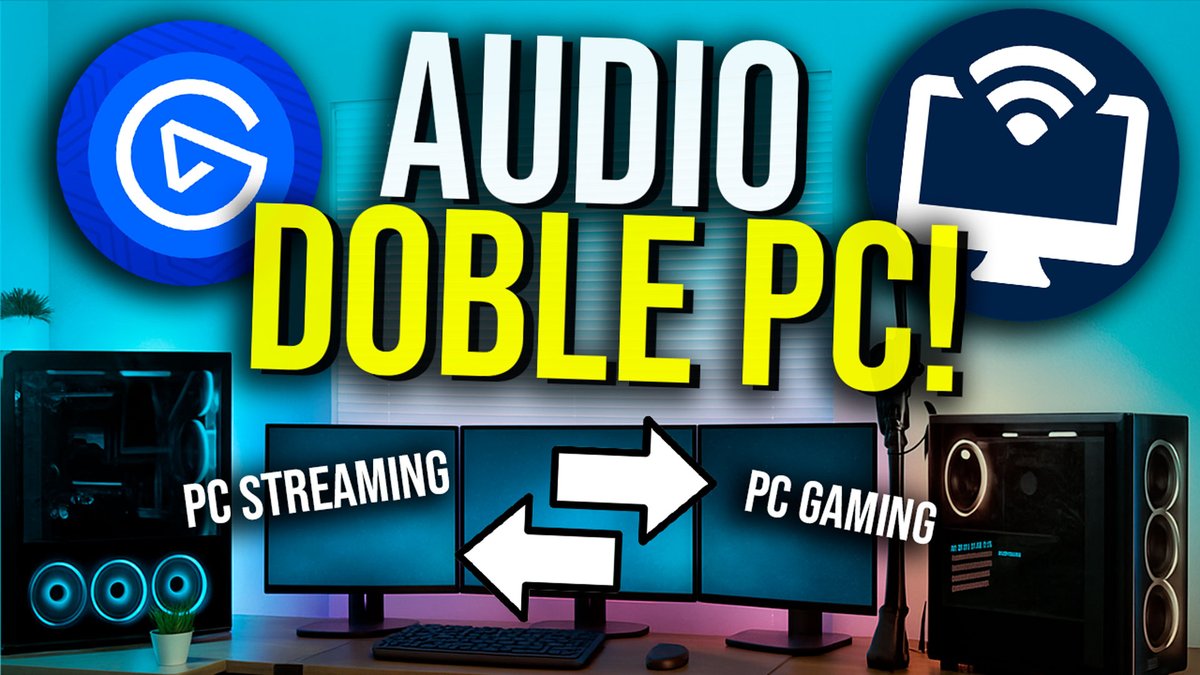
NUEVO VIDEO!!
Audio para doble PC facil y rapido con Wavecast de @elgatoES !! Una app sumamente sencilla de utilizar para comunicar tus 2 computadoras entre si.
youtu.be/LnPlVnxDUT4
Like y RT me ayudan mucho!
2
4
8
2,916

23 Jun 2025
I'm using Wave Link on my gaming PC and sending the stream mix through the capture card and I'm using #WaveCast to send the streaming PC's audio/alerts back to the gaming PC using the Aux 1 track.
For a future version, something I’d like to see is an integration with Wave Link where I could select WaveCast as the Stream Mix output, and add it as a filter to the Music track to send the VOD track separately. I’d also like to be able to send audio back from the streaming PC (alerts) to AUX 1 or to its own dedicated track.
2
5
244


19 Jun 2025
🚨 Elgato’s at it again!
Dual PC streaming just got way easier.
With Wave Cast, you can now stream your main PC’s audio to a second machine over the internet.
It’s in beta right now, so grab it early:
👉 elgato.com/wavecast
#WaveCast #DualPC #Elgato @elgato
3
147

18 Jun 2025
BTW - You don't need Elgato hardware to use the new Wave Cast. In fact, you don't need any specific hardware at all. It's hardware agnostic, and if your audio sources show up in the windows mixer, you can interact with WaveCast.
Honestly? Unexpected. But VERY appreciated.
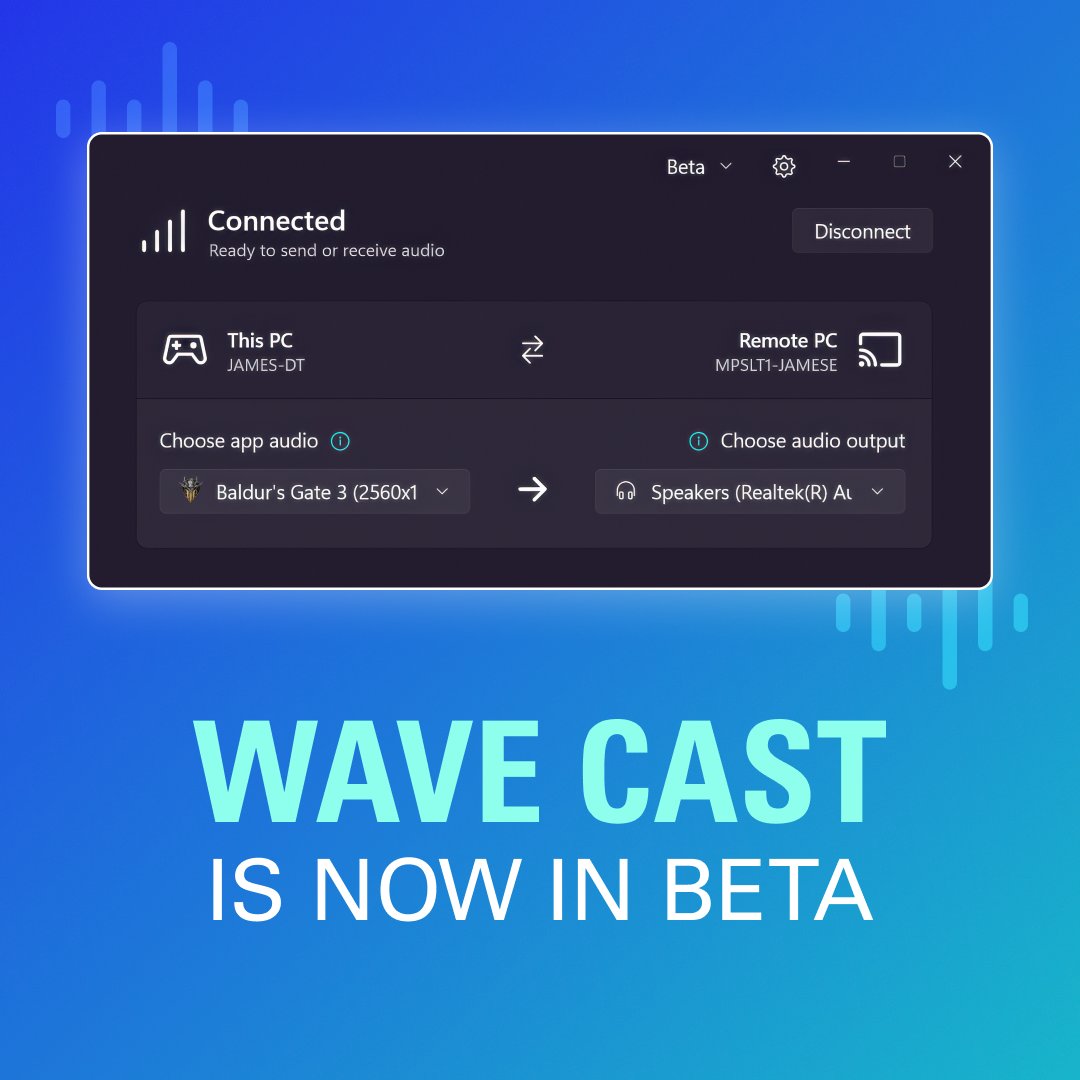
We're looking for dual PC users to beta test Wave Cast!
Wave Cast makes dual PC audio simple:
✨ One-click pairing
🎮 Route any app or everything
🔄 Control from either PC
⚡ Ultra-low latency
🎯 Send to any output
Get free access during testing: reddit.com/r/elgato/comments…
2
9
42
2,224