
11 Jun 2025
🌐 What Happens When You Visit a Website? – The Internet’s Secret Journey! 🚀
Ever wondered what goes on behind the scenes when you type a URL and press enter? It’s a digital rollercoaster ride through multiple steps before the webpage appears! Let’s break it down (with some humor, of course! 😉)
💻 Step 1: Enter a URL
🔹 You type pcdoctorsnet.com and hit ENTER. Boom—your browser jumps into action like a detective on a mission! 🕵️♂️
🔍 Step 2: DNS Lookup
🔹 Your browser asks, “Hey DNS, where is pcdoctorsnet.com?”
🔹 DNS responds, “Oh, here’s its IP address!”—because computers talk in numbers, not words! 🤓
🔗 Step 3: Browser Connects to Server (TCP/IP)
🔹 Your browser now knocks on the website’s server door like, “Hey, I’m here!” 🚪
🔹 The server responds, “Hold on, let’s set up a secure handshake!” 🤝
📡 Step 4: Sending the HTTP Request
🔹 The browser politely asks, “Give me all your cool content!” 📩
🔹 The server takes the request and starts processing…
🖥️ Step 5: Server Processes the Request
🔹 The server runs through databases, code execution, and caching like a chef prepping your digital meal! 🍽️
📤 Step 6: Server Sends the Response
🔹 “Here you go! HTML, CSS, JavaScript… enjoy!” Server sends the data packets flying through the internet highway! 🚀
🎨 Step 7: Browser Renders the Page
🔹 Your browser takes all those ingredients and starts assembling your website! (Like a pizza maker crafting the perfect pie! 🍕)
👀 Step 8: Page Appears to You
🔹 BOOM! The website loads, and you’re officially browsing! 🖥️🎉
💡 Can We Make This Faster? Absolutely!
🚀 Use Content Delivery Networks (CDN) – Reduces request time by serving data from servers closest to you!
🔄 Enable Browser Caching – Stores website elements so they load instantly on repeat visits!
⚡ Optimize Images & Code – Smaller file sizes mean faster loading times!
🔗 Reduce HTTP Requests – Fewer resources keep things snappy!
🔥 Your website’s speed matters—because waiting isn’t fun! Optimize your site today!
#WebSpeedOptimization #WebsiteLoadingProcess #DNSLookup #HTTPRequests #PageRendering #UserExperience #WebPerformance #WebsiteSpeed #OptimizeYourSite #WebDevelopment #OnlineExperience #DigitalEfficiency #texas #usa #UnitedStates #pcdoctorsnet #canada #newyork #india
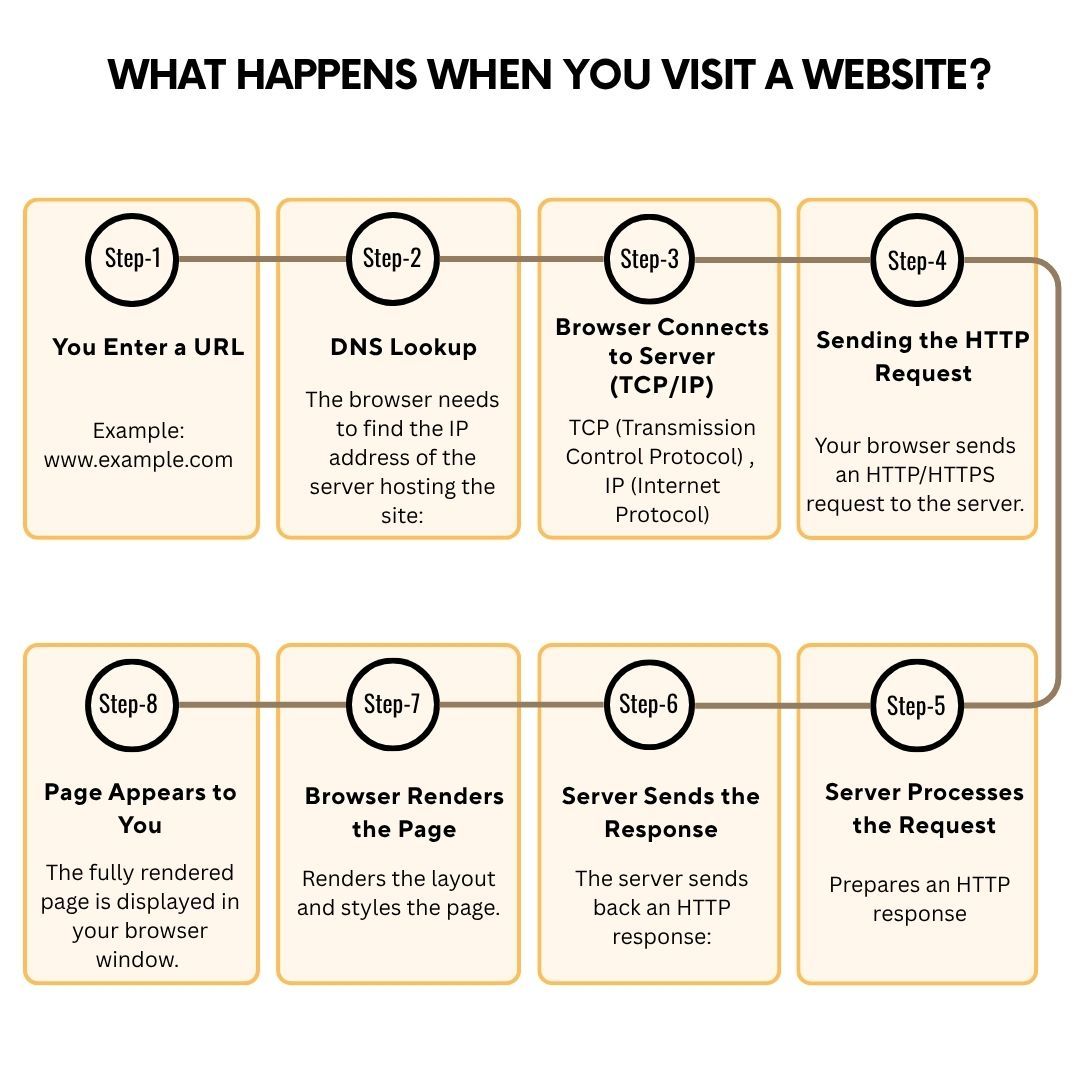
ALT When you visit a website, multiple background processes occur before the page appears. From DNS lookups, server connections, HTTP requests, and data rendering, each step plays a role in website loading speed. This infographic from PC Doctors NET breaks down the 8-step journey of website access, explaining how businesses can speed up their site with caching, CDNs, optimized code, and reduced requests. PC Doctors NET specializes in website performance optimization, ensuring lightning-fast user experiences. Visit pcdoctorsnet.com or call 1 (346) 355-6002 for expert guidance.
1
2
18

16 Nov 2020
If you are looking for a professional WordPress developer to increase your business then visit the link.
-
Profile link: fiverr.com/amarweb96?
-
#WordPress #WebSpeedOptimization
#websites #OnPageSEO #BillGates #Hillary

3

4 Apr 2020
Check out my services on #fiverr, You will definitely like the quality & prize of my services
Website Design ( Divi ): fiverr.com/share/o8NkEb
Custom Website ( Elementor ): fiverr.com/share/P271Lo
#divi #elementor #webdesigner
#wordpress #website #webspeedoptimization #webdesign
1
2

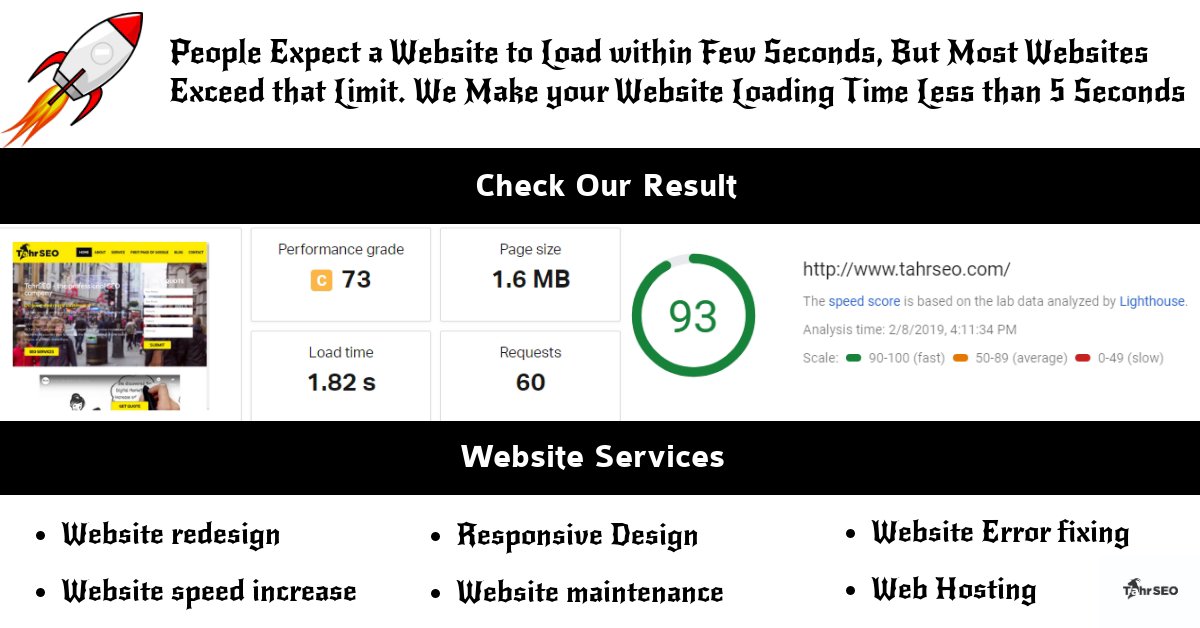
Is a slow website harming your business? Our team will speed it up & fix it for you - bit.ly/2I2Ua0a
#websiteOptimization #websiteredesign #websitespeed #webspeed #webspeedoptimization #Website #websitebuilder #websitemaintenance #webhosting #redesign #responsivedesign
1
2

10 Jun 2016
Website speed optimization by INFOZUB.
#Websitespeedoptimizationservice #Webspeedoptimization
infozub.com/services/page-sp…
2