
Your first website needs CSS fundamentals 💪
Learn:
- CSS basics explained
- Inline vs internal vs external CSS
- How styling actually works
Perfect for beginners & #100DaysOfCode
🎥 Watch now
youtu.be/XXjAgltLRLk
#CSSBasics #FrontendDevelopment #Coding #SoftwareDev

1
1
2
103

7 Sep 2025
Day 4/100 🚀
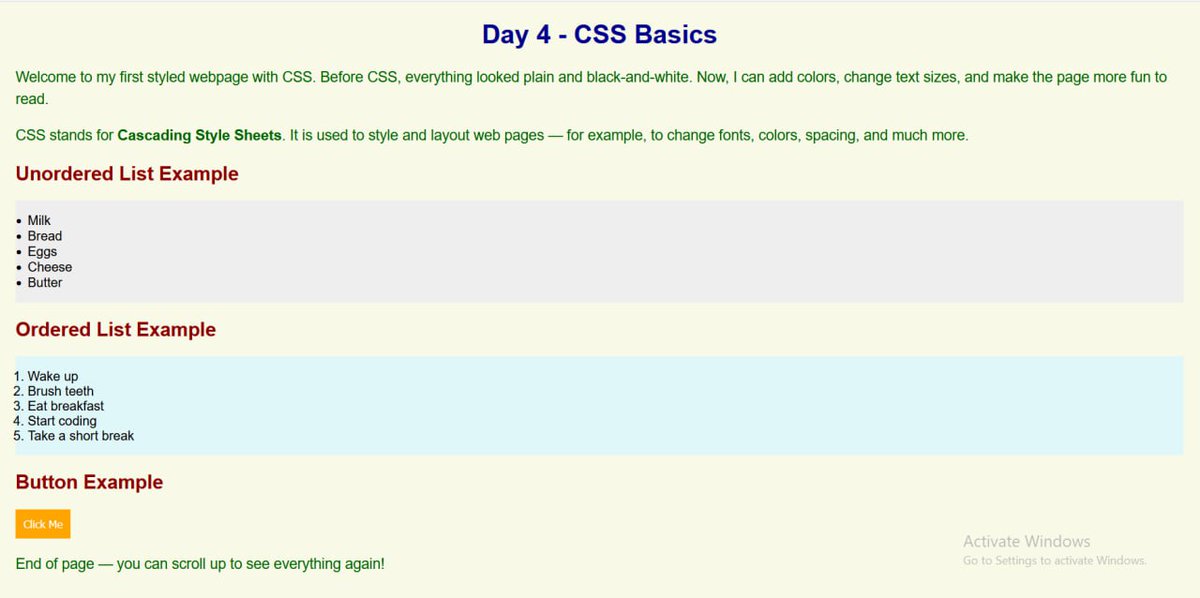
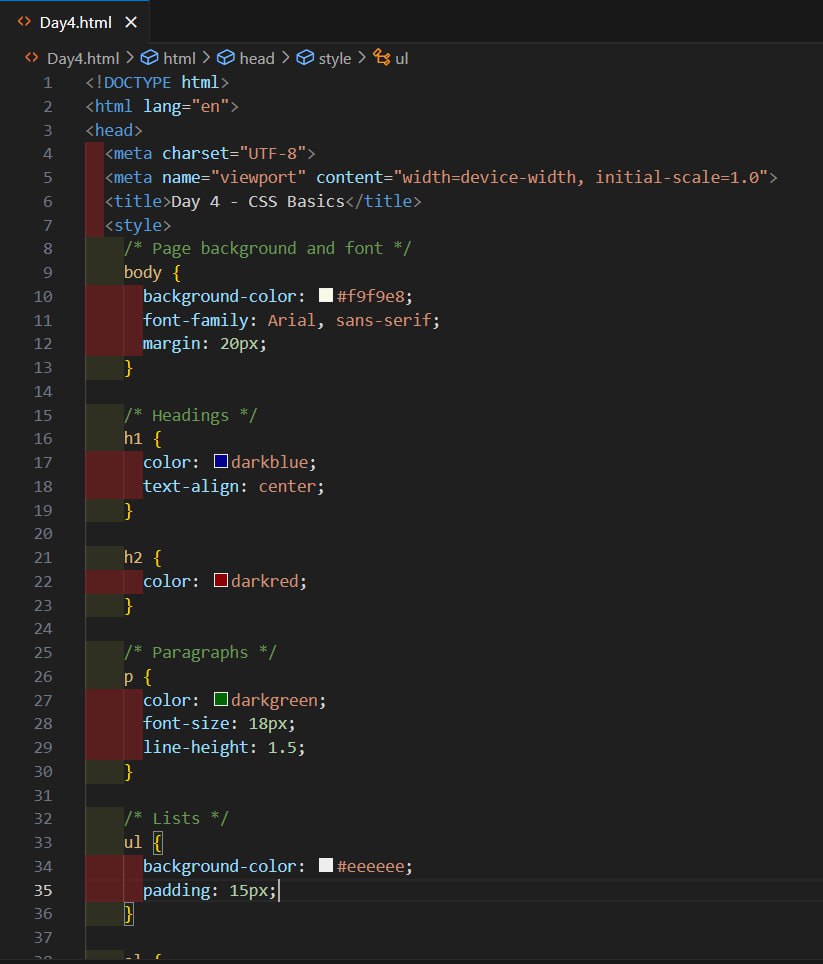
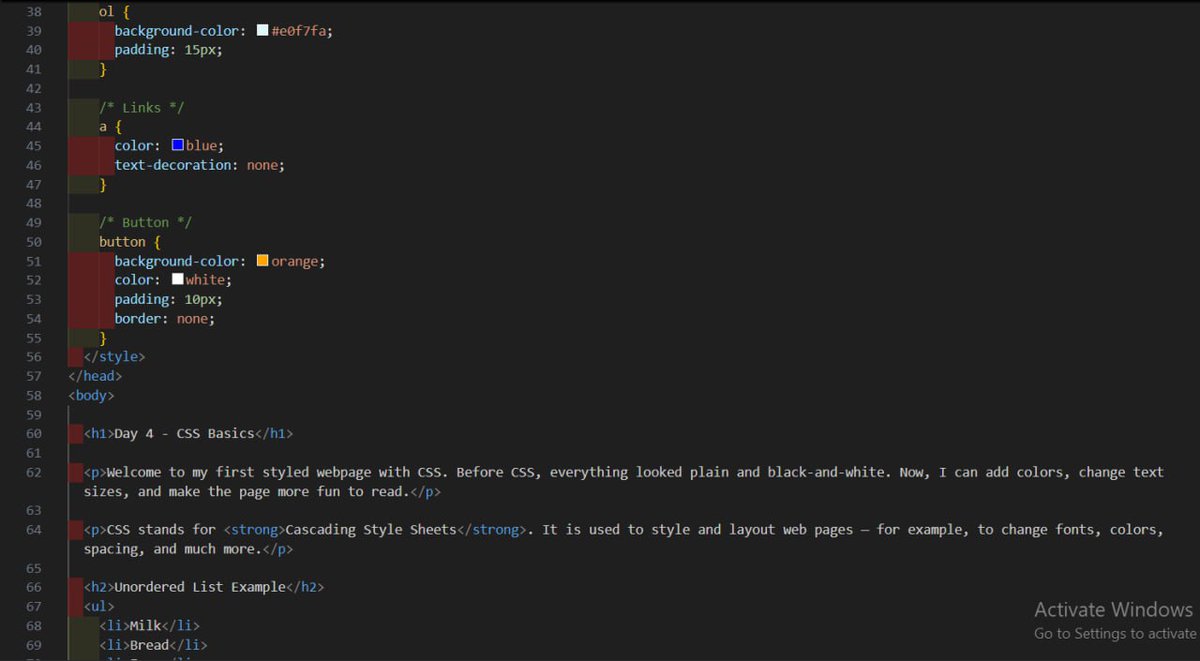
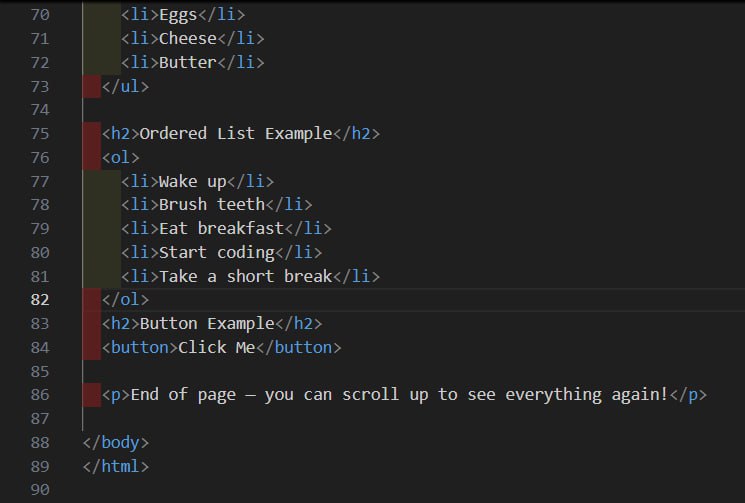
Started learning CSS today. Practiced backgrounds, colors, fonts, lists, links, and buttons. My page finally has some style and no longer looks plain. Excited to keep building from here! 🎨✨
#100DaysOfCode #WebDevelopment #CSSBasics
1
1
4
39

25 Jul 2025
Day 11 :
Just wrapped up today's CSS lesson!
• Learned how to align text, add shadows, decorations & change text case.
• Also got the hang of using px and % for responsive text sizing.
Improving steadily in CSS
#CodeNewbie #CSSBasics #WebDevelopment #100DaysOfCode
1
3
74

19 Jun 2025
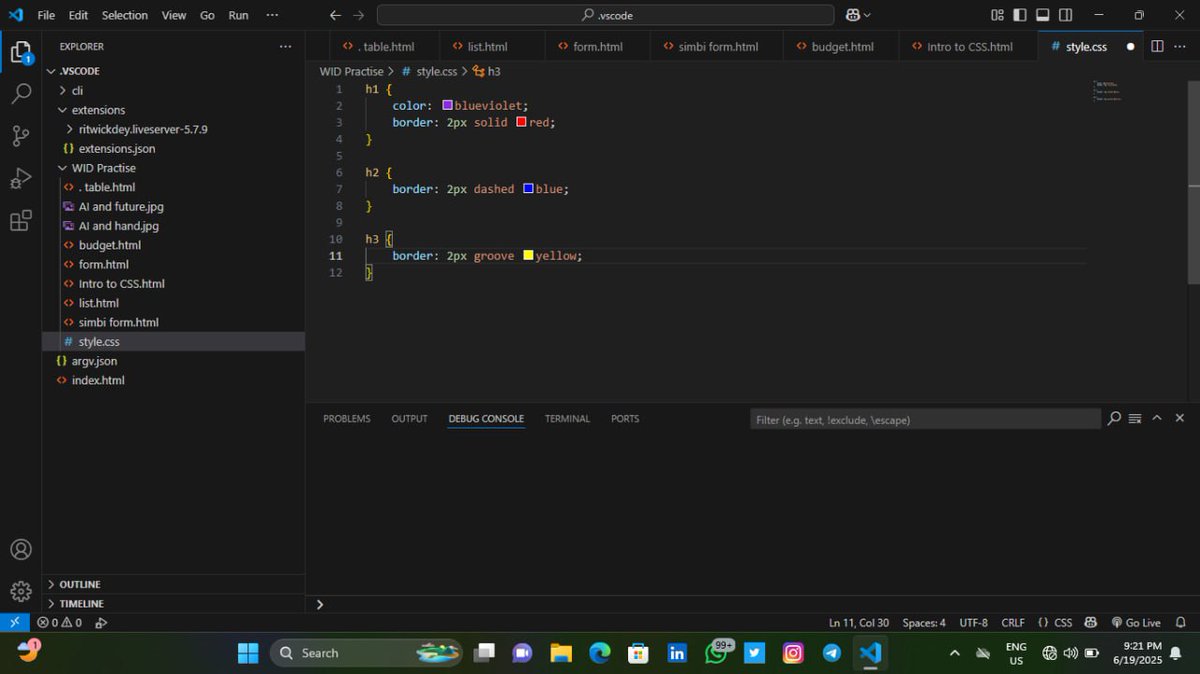
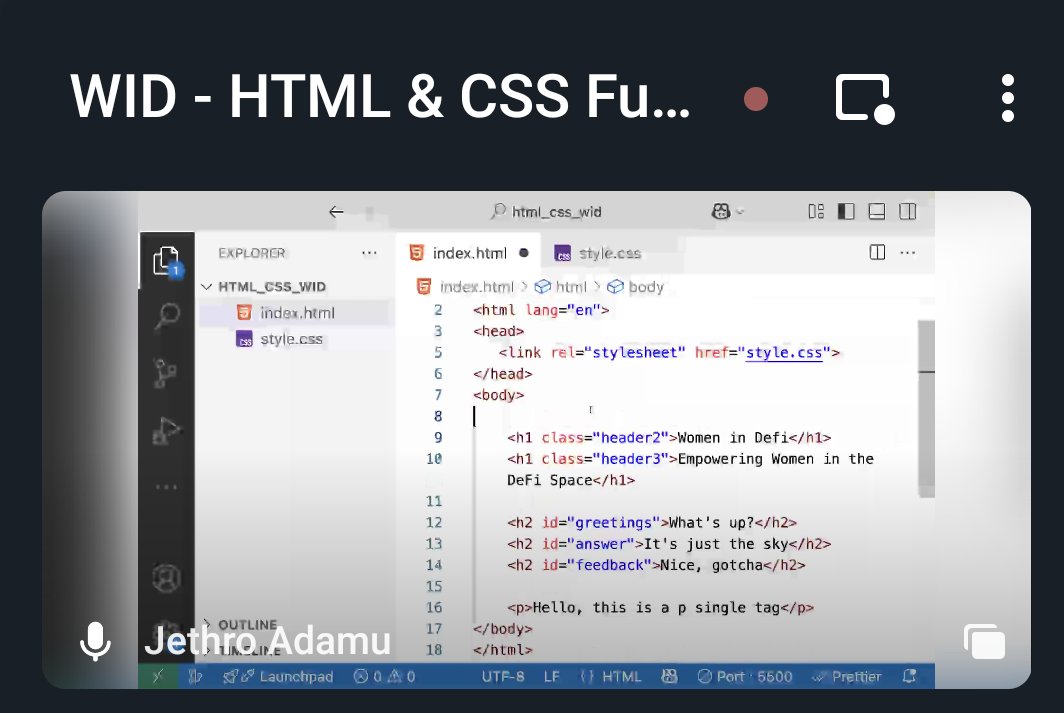
Today’s CSS basics class turned into a full-on mind-opener 🤯. Huge thanks to @jaykosai and @womenindefi_org for making it all make sense!
Still actively learning!
#WebDevJourney #CSSBasics
1
10
109

1 May 2025
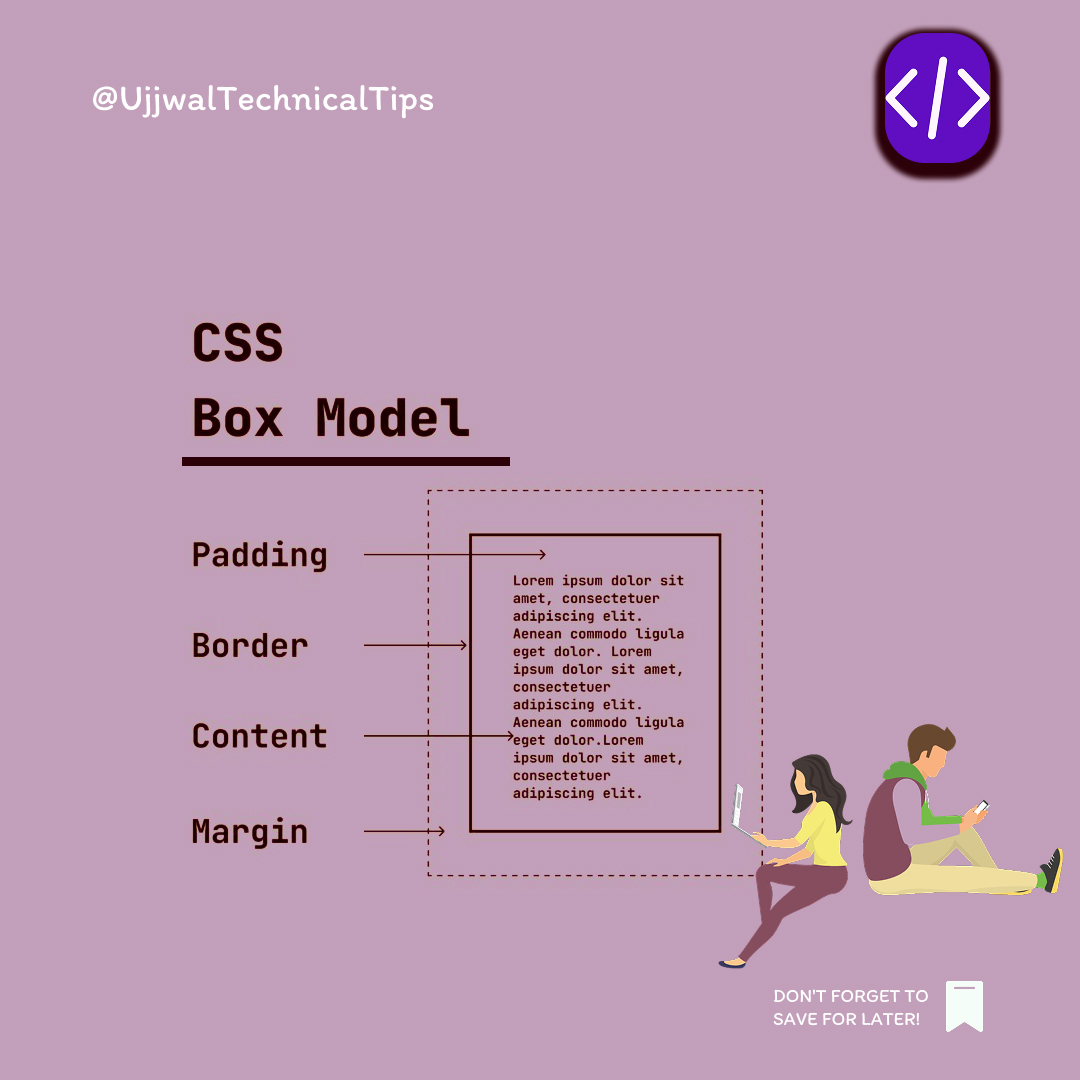
🧱 CSS BOX Model
#CSSBoxModel #CSSBasics #WebDevelopment #FrontendDev #LearnCSS #CSSLayout #WebDesign #HTMLCSS #UIUXDesign #CodingTips #DeveloperLife
31
27
120
5,203

24 Apr 2025
Day 6 of my Front-end Development Journey✅
#buildinpublic #CSS #frontendjourney
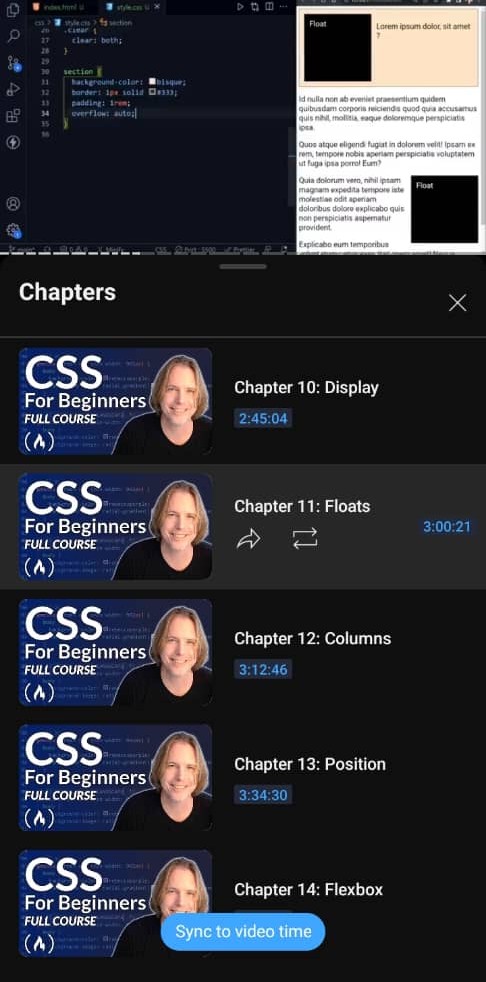
🔳 I learnt about some CSS display property value:
◻️Block
◻️In-line
◻️In-line block
◻️Flow-root
🔳 I also learnt about CSS Float and clear property.
See you tomorrow 😊
#freecodecamp #cssbasics
1
1
9
133
20 Mar 2025
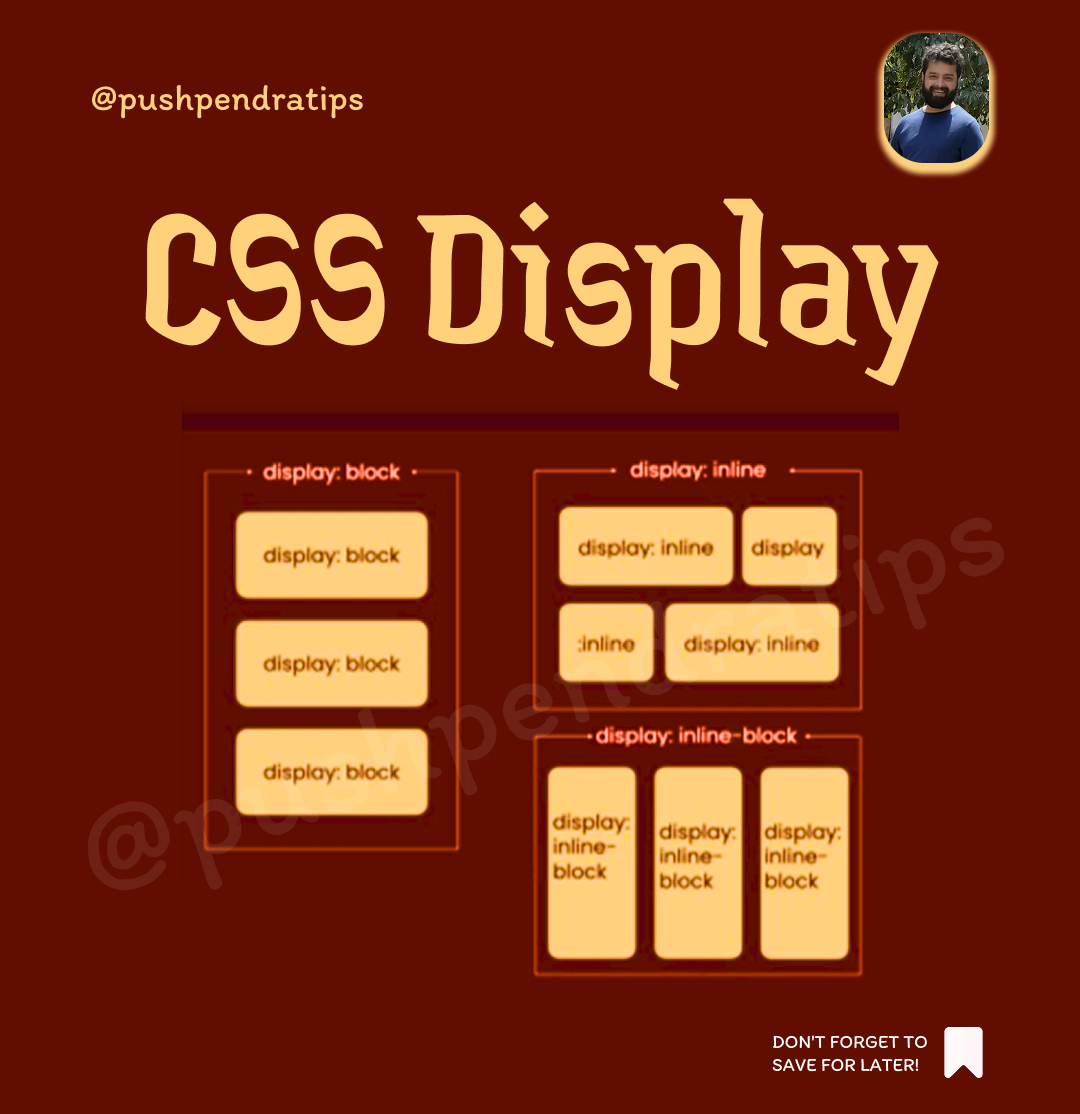
What is display in CSS? 🎨
The display property in CSS defines how an element is displayed on the webpage, meaning it controls the layout behavior of an element.
Common display values:
block🧱
The element takes up the full width available.
Starts on a new line.
Example: <div>, <p>, <h1>
inline🧩
The element takes up only as much width as needed.
Does not start on a new line.
Example: <span>, <a>
inline-block🏗️
Behaves like inline but allows you to set width & height.
none🕳️
Hides the element from the page (it will not take up any space).
flex🤹
Makes the element a flex container.
Used to easily align and distribute space between items.
grid🗺️
Makes the element a grid container.
Used for building grid-based layouts.
inline-flex 🎯
Same as flex but behaves like inline.
inline-grid🗺️
Same as grid but behaves like inline.
Example:
div {
display: flex;
}
This will make the <div> a flex container, and its children will follow flexbox rules.
#CSS #CSS3 #CSSTutorial #LearnCSS #CSSAnimations #CSSFlexbox #CSSGrid #ResponsiveDesign #WebDesign #WebDevelopment #Frontend #FrontendDevelopment #HTMLCSS #CSSBasics #Coding #Programming #WebDev #Tech #Developer #code #coding #pushpendratips
41
12
58
1,231
29 Dec 2024
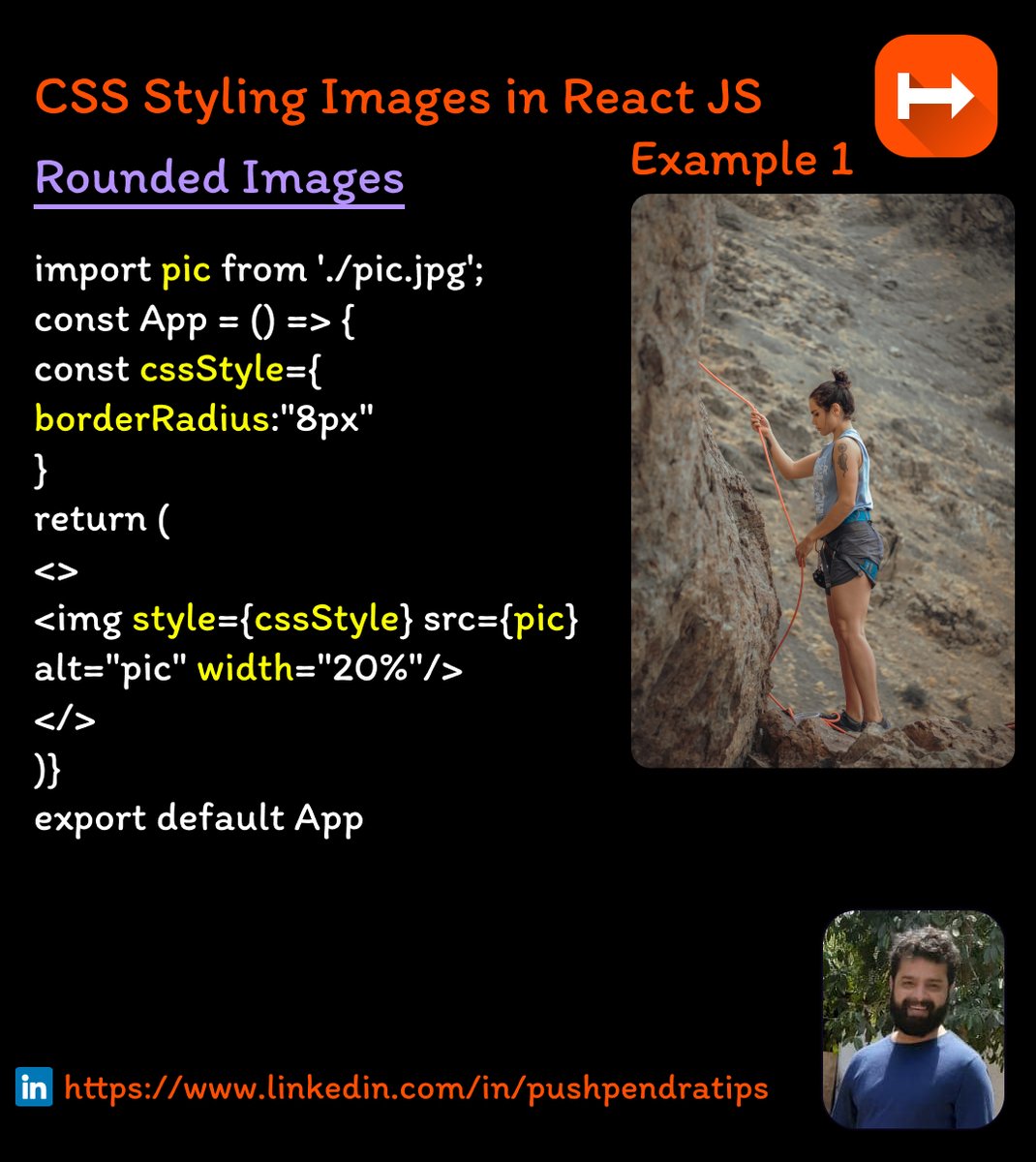
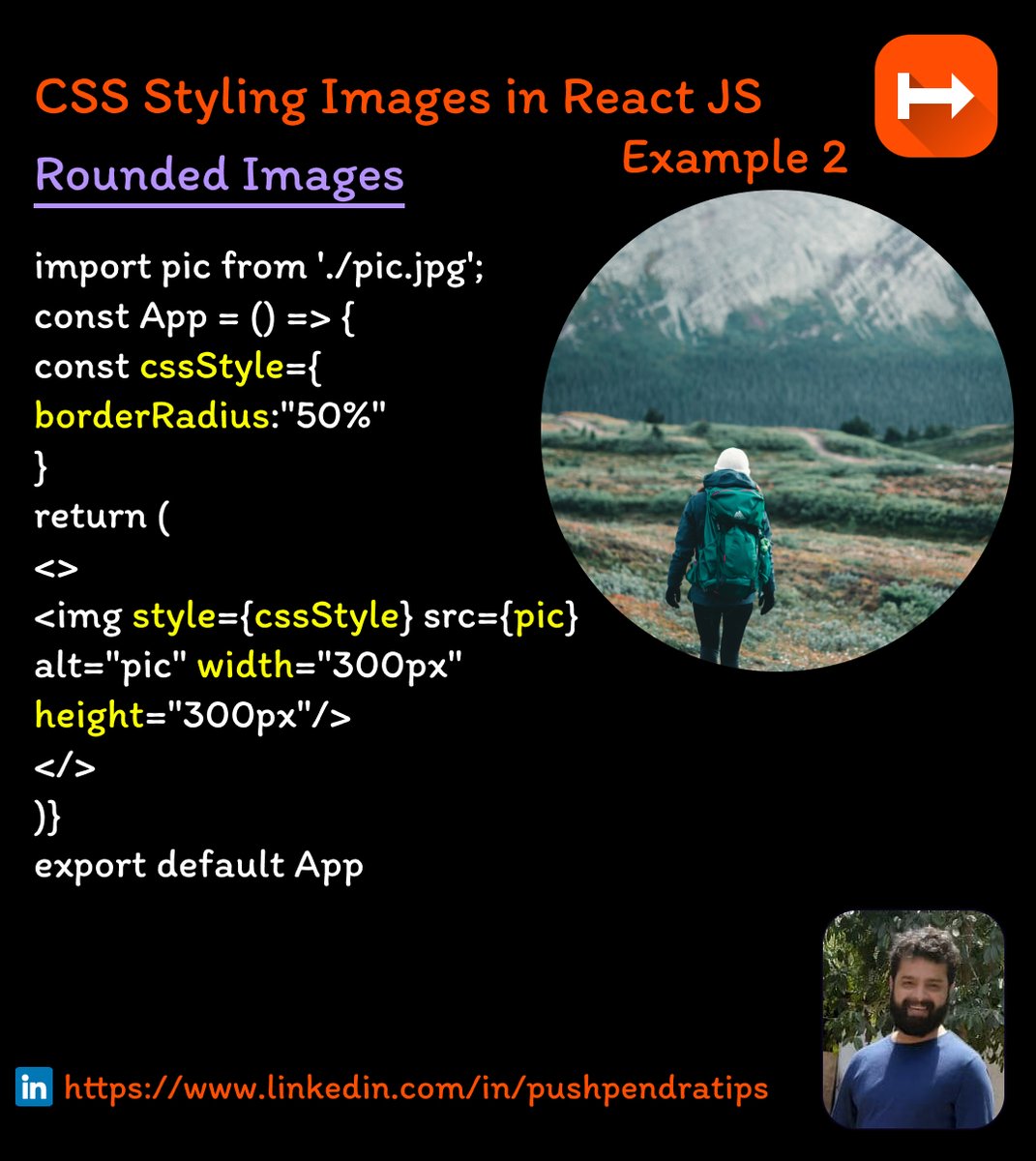
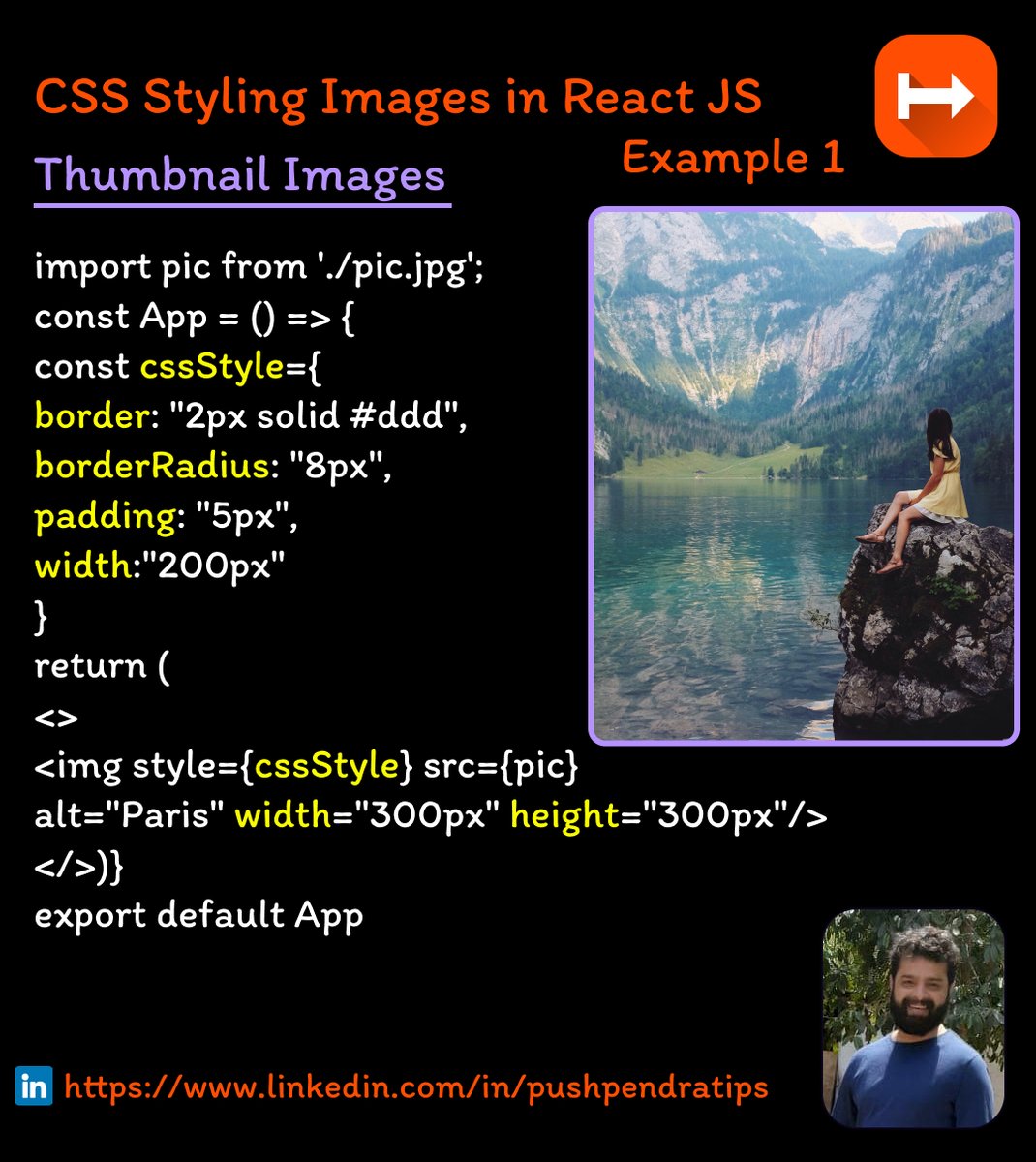
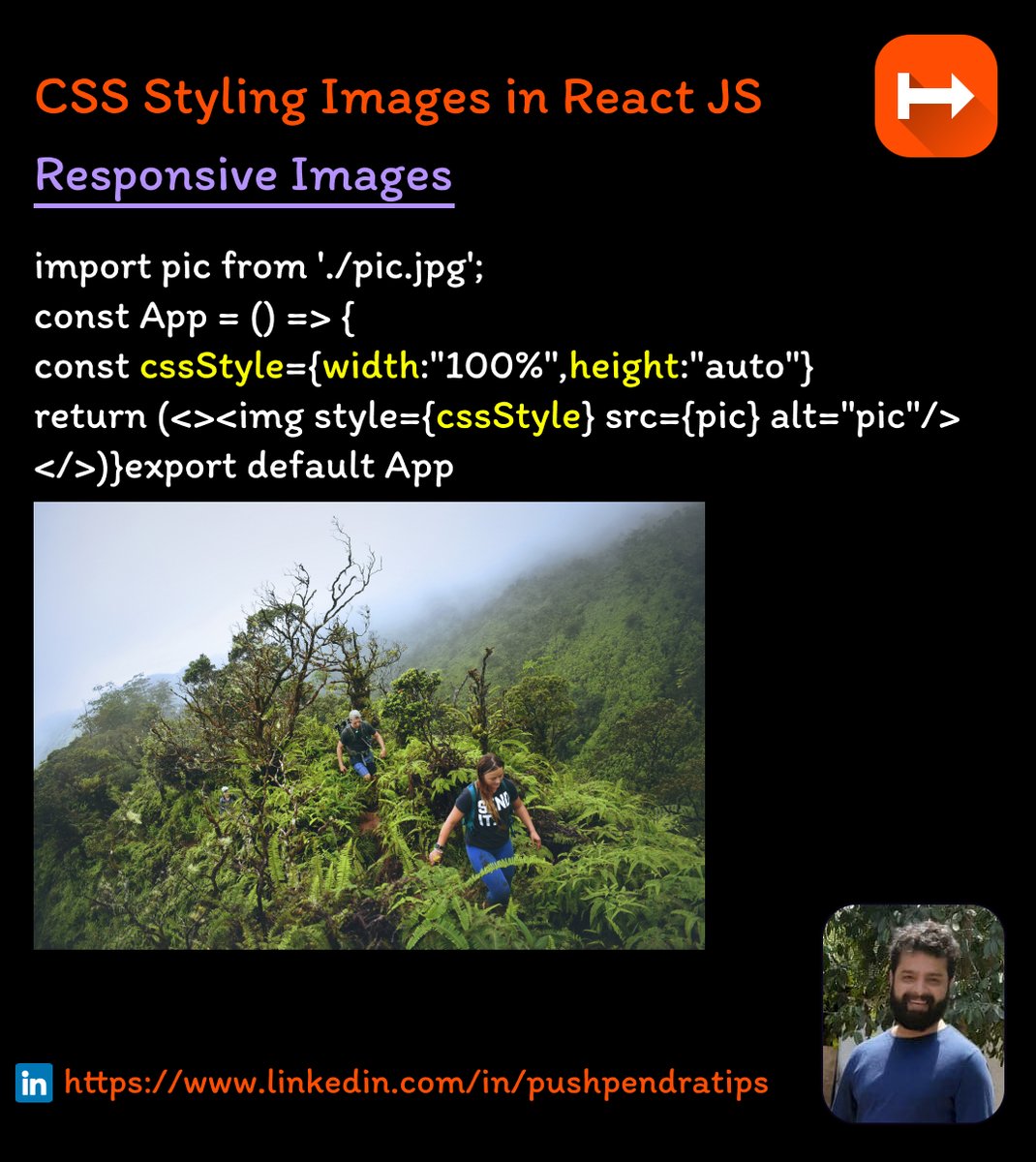
𝐂𝐒𝐒 𝐒𝐭𝐲𝐥𝐢𝐧𝐠 𝐈𝐦𝐚𝐠𝐞𝐬 𝐢𝐧 𝐑𝐞𝐚𝐜𝐭 𝐉𝐒 🎉
#CSSForBeginners #WebDesignTutorial
#FrontendCoding #CSSBasics
#LearnCSSForBeginners #CSSAnimationTutorial
#CSSStyleGuide #WebDevelopmentSkills
#CSSForWebDesigners #WebDevTutorials
#HTMLCSSTutorial #CSSTricksAndTips
2
6
172

16 Nov 2024
Day 9: Building a website is like building a house—HTML is the foundation, CSS is the design! Today, we’re making things beautiful. 🏠🎨 #Day9 #WebDesign #CSSBasics #Codeflex2024
3
7
64

20 Oct 2024
🔍 Preview: CSS Selectors
Tomorrow, we’ll dive into CSS selectors, which are used to target specific HTML elements. You’ll learn how to style individual elements, groups of elements, and even classes and IDs. Stay tuned!
#CSSSelectors #WebDevelopment #CSSBasics
1
1
4
46
20 Oct 2024
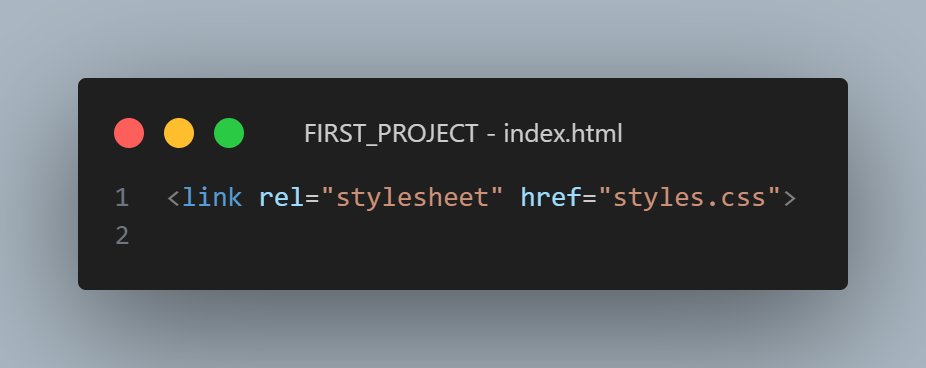
📄 Linking an External CSS File
To link a CSS file, use the <link> tag in the <head> section of your HTML file👇👇👇
Make sure you’ve created a separate styles.css file, where you’ll write all your CSS code!
Ready to style your first webpage?
#CSSBasics #WebDevelopment
1
1
3
38

9 Aug 2024
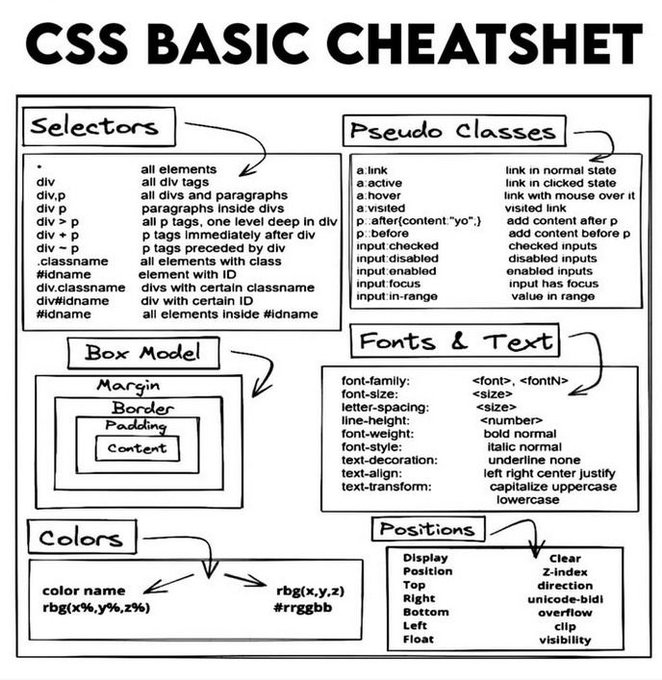
[#Infographic]: Discover the basic #CSS cheatsheet!
#WebDesign #CSSBasics #FrontEndDevelopment #WebDevelopment #CSSTips #CodingTips #WebDesignTools #WebDesignTips
cc: @BetaMoroney @Nicochan33 @enilev @mvollmer1 @sallyeaves
1
5
142

1 Aug 2024
VS Code: The Ultimate Coding Editor for Beginners | Setup and Benefits
Follow on Youtube: lnkd.in/d7Q_XYbR
Follow on Tiktok: lnkd.in/dxSxRGBB
#CSS #HTML #WebDevelopment #CodingForBeginners #CSSBasics #WebDesign #FrontEndDevelopment #LearnCSS #vscode
1
6
8
673

28 Jan 2024
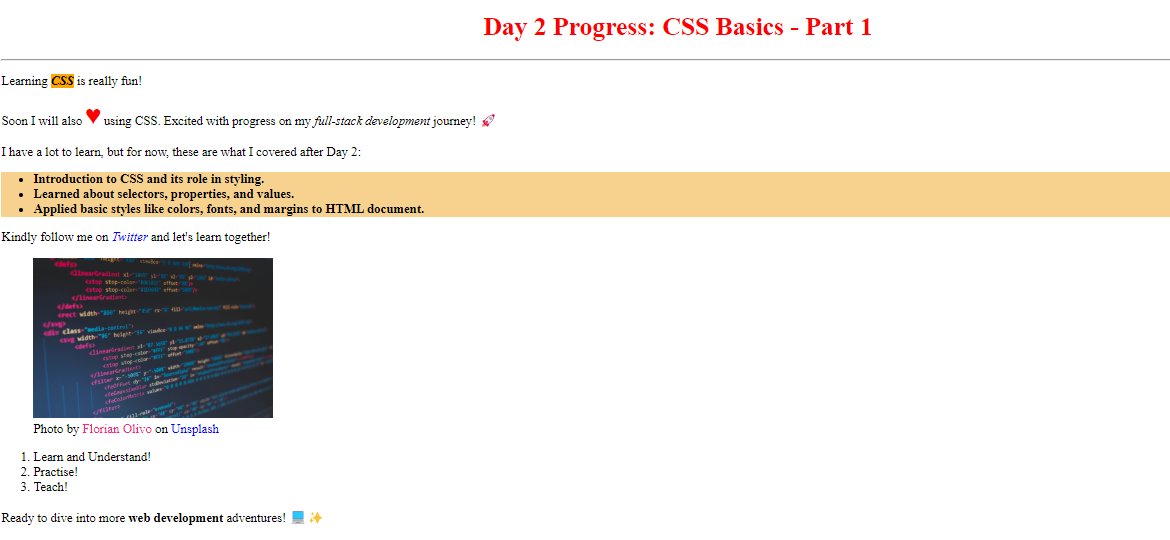
🎉Day 2 Triumph! 🚀 Mastered CSS Basics - Part 1: Selectors, Properties, Colors, Fonts, and Margins. My HTML doc got a stylish makeover! 🌈 Ready to elevate my web skills! #HTMLBasics #CSSBasics #CodeNewbie #WebDevelopment #100DaysOfCode #ProgressUpdate 🚀🎨
1
1
55

18 Dec 2023
𝗥𝗲𝗮𝗱𝘆 𝘁𝗼 𝗹𝗲𝘃𝗲𝗹 𝘂𝗽 𝘆𝗼𝘂𝗿 𝘄𝗲𝗯 𝗱𝗲𝘃𝗲𝗹𝗼𝗽𝗺𝗲𝗻𝘁 𝘀𝗸𝗶𝗹𝗹𝘀? 𝗙𝗲𝗲𝗹 𝗳𝗿𝗲𝗲 𝘁𝗼 𝗮𝘀𝗸 𝗾𝘂𝗲𝘀𝘁𝗶𝗼𝗻𝘀, 𝘀𝗵𝗮𝗿𝗲 𝘆𝗼𝘂𝗿 𝗶𝗻𝘀𝗶𝗴𝗵𝘁𝘀, 𝗮𝗻𝗱 𝗹𝗲𝘁'𝘀 𝗿𝗼𝗰𝗸 𝘁𝗵𝗲 𝗰𝗼𝗱𝗶𝗻𝗴 𝗷𝗼𝘂𝗿𝗻𝗲𝘆 𝘁𝗼𝗴𝗲𝘁𝗵𝗲𝗿!👩💻👨💻
P.C: @w3docs
#CSSBasics
2
15

27 Nov 2023
🌟 Good day, web enthusiasts! Over the next two weeks we’re diving into the world of Web Development with a focus on CSS.
Today we begin with what is CSS? CSS stands for Cascading Style Sheets. It’s a cornerstone technology used alongside HTML and JavaScript to create visually appealing and well-structured web pages.
🎨 CSS is all about style. It allows you to apply styles like colors, fonts, and layouts to your HTML. Imagine it as the outfit that dresses up your web page’s content.
🌐 Why is CSS important? Without it, web pages would be plain text without any distinct layout or design. CSS brings life to the web by enabling a multitude of visual enhancements.
Stay tuned for more insights into CSS! #WebDevelopment #CSSBasics #LearnCSS
2
1
17
760
29 Oct 2023
CSS Basics: Colors, Fonts, and Spacing 🎨🖋️📏
This evening, let’s delve into some basic CSS properties that can drastically change the look of your HTML pages.
Colors in CSS can be specified by the following methods:
name (red 🟥),
HEX (#FF0000 🎨),
RGB (rgb(255, 0, 0) 🌈),
or HSL (hsl(0, 100%, 50%) 🎨).
For instance, body {color: red;} will make the text color red.
Fonts can be changed using the font-family property 🖋️, and the size can be adjusted with font-size 📏.
For example: body {font-family: Arial, sans-serif; font-size: 16px;} will set Arial as the font with a size of 16 pixels.
Spacing is controlled through properties like margin (space outside elements ➡️), padding (space inside elements ⬅️), and border (outline of elements 🔄).
For instance, p { margin: 20px; padding: 10px; border: 2px solid black;} will style all paragraph elements with specified margin, padding, and border.
Stay tuned as we dive deeper into CSS and further our web development adventure over the next two weeks! #WebDevelopment #CSSBasics #CodingBeginner #html #coding #react #javascript
7
145

10 Oct 2023
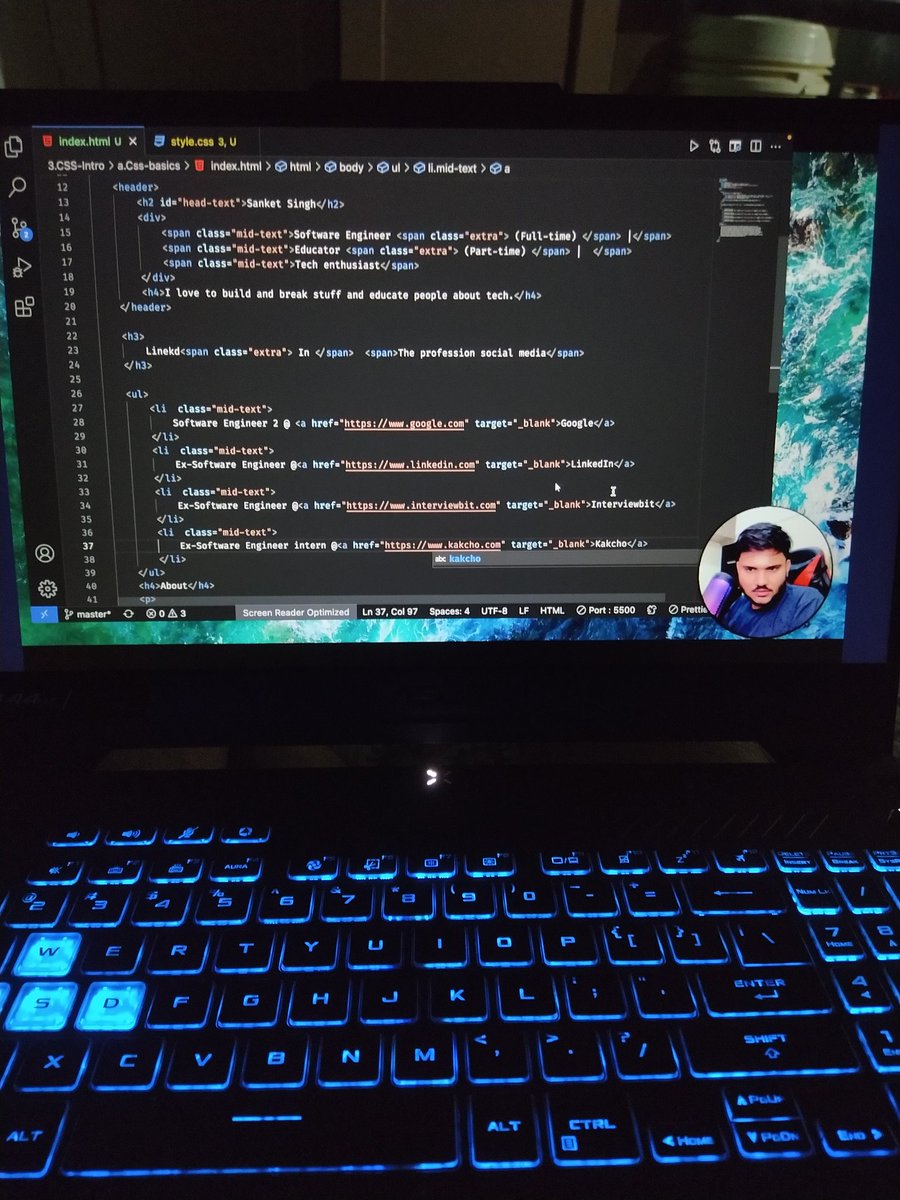
🎨 Just wrapped up the basics of CSS! 💻 Excited to add some style to my web development skills. Thanks to @isanketsingh and @riyabansal1998 for their fantastic guidance. Onward to the next challenge! 🚀 #CSSBasics #WebDevelopment #LearningJourney #AlgoCamp
1
4
642

3 Oct 2023
Essential CSS Knowledge Every Front-End Developer Must Grasp 🌟🖋️
1. Ways to include CSS:
a. Inline CSS
b. Internal CSS
c. External CSS
d. Using @Import
2. CSS Priority Order:
Inline CSS > Internal CSS > External CSS > @import
3. !important: Use with caution to ensure CSS rules aren't overridden.
4. CSS Position Property:
- static
- absolute
- relative
- fixed
- sticky
5. Display Property:
- Convert inline elements to block, flex, or vice versa.
- Remove elements from the DOM.
- Control layout (Grid/Flex/Table-cell).
6. Z-Index: Manage the stack of views; higher values cover lower ones.
7. Overflow: Control content behavior when it exceeds container size.
8. Box-Model: Understand padding, margin, and border properties.
9. Background: Set background colors or images for HTML elements.
10. Cursor: Customize the mouse cursor style.
11. pointer-events: Control element clickability and interaction.
12. Layout Management: Know how to manage layouts (flex, grid).
13. Pseudo Classes: Style elements based on user interactions (hover, visited, focus).
14. Pseudo Elements: Decorate elements without additional tags (::before, ::after).
15. Border: Add visible borders to elements.
16. Border Radius: Create rounded corners for elements.
17. Opacity: Control element visibility (0 to 1) for effects and animations.
18. box-sizing: Manage element size when applying padding and borders.
CSS is a versatile tool for web design—keep exploring and experimenting! 🌟 #WebDesign #CSSMastery #FrontEnd #CSSBasics
2
91

25 Aug 2023
🚀 Day 19 of #100DaysOfCode:
🎨 Explored fundamental CSS properties like color, fonts, margin, and padding and gave my webpage a stylish makeover.🌈
#CSSBasics #CodingJourney #iwritecode #buildinpublic
6
2
66
2,461