
Jan 26
え〜と確認です 1)本件原因の恐喝被害少年に対し少年①が性懲りなく恐喝・(今回は1.4万円、PayPayで)巻き上げですか? 2)スクショのやり取りは誰と誰の会話でしょうか?(お母様と恐喝被害少年?)PayPayの送信画面をスクショ+送信履歴をCSVfileでダウンロード→お母様に→警察&学校へ通報で
1
7
1,422

9 Jul 2025
"import csv
with open('anak2_pacil.csv', newline='', encoding='utf-8') as csvfile:
reader = csv.DictReader(csvfile)
for row in reader:
name = row.get('Name', '').strip()
prodi = row.get('Prodi', '').strip()
print(f"{name} {prodi}")"
ahh naming
1
3
201

7 Apr 2025
Will Lua read my CSV file if I say 'please' in multiple languages?
Source: devhubby.com/thread/how-to-r…
#DevCommunity #SoftwareDevelopment #CodeTutorial #Lua #csvfile #files

4
9
77

18 Feb 2025
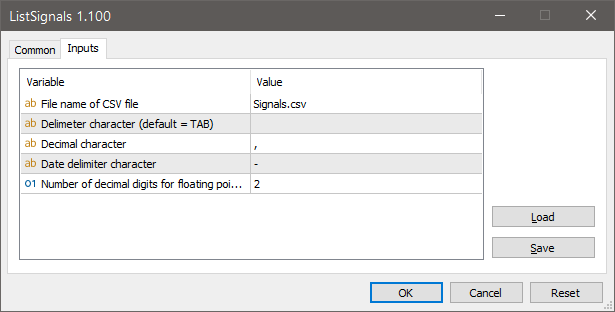
A script is available to generate a CSV file containing all MQL5 Trade Signals' properties. This CSV can be opened with spreadsheet software like Excel for sorting and analysis to facilitate copy trading decisions. The script covers MT5 signals and includes up to 1000 entries. For comprehensive data, ensure the Signals tab is open in the terminal, enabling data download. The generated file is located in the terminal's MQL5\Files folder. To access, navigate via MetaTrader's File menu to Open Data Folder. Note, code publications are accessible in the Public Projects tab of MetaEditor under FMIC.
#MQL5 #MT5 #script #CSVfile
mql5.com/en/code/39071?utm_s…
3
3
316
8 Feb 2025
In the Hadoop vs. CSV column staring contest, who blinks first?
Source: devhubby.com/thread/how-to-r…
#Coding #CloudComputing #DataPipeline #MapReduce #hadoop #csvfile

3
28

1 Oct 2024
【本件解決済】
ChatGPTのAPIに詳しい人はいませんか?
コードかけない人間なのでGPTの暴力で組んでいるのですが
"gpt-4o-mini"が使えるコードができません。
ウェブサイトのURLを読み込ませて、そこから答えさせあるのは難しいのですが
現在の最新のopenaiを使って、gpt-4o-miniを使うにはどう修正すればよろしいでしょうか?
今のコードはここです
====以下コード====
import openai
import csv
import time
import os
# 1. OpenAI APIキーの設定
openai.api_key = 'APIHERE'
# 2. Link.txt のパスを指定
link_file_path = 'Link.txt'
# Question1,Question2等各行に質問がかいてある
# 3. Link.txt が存在するか確認
if not os.path.exists(link_file_path):
raise FileNotFoundError(f"'{link_file_path}' が見つかりません。ファイルのパスを確認してください。")
# 4. Link.txt からリンクを読み込む
with open(link_file_path, 'r', encoding='utf-8') as file:
links = [line.strip() for line in file if line.strip()]
# 5. レスポンスを保存するリスト
responses = []
# 6. 各リンクに対してAPIリクエストを送信
for index, link in enumerate(links, start=1):
print(f"Processing {index}/{len(links)}: {link}")
messages = [
{"role": "system", "content": "You are a helpful assistant."},
{"role": "user", "content": f"Please provide me Answer of the question\n{link}"}
]
try:
# ChatCompletionを使用してリクエストを送信
response = openai.ChatCompletion.create(
model="gpt-4", # または "gpt-3.5-turbo" を使用可能
messages=messages,
max_tokens=500,
temperature=0.7,
)
# レスポンスを取得
text_response = response.choices[0].message['content'].strip()
# コンソールにレスポンスを出力
print(f"Response for {link}:\n{text_response}\n")
# リストに追加
responses.append((link, text_response))
except Exception as e:
print(f"Error processing link {link}: {e}")
responses.append((link, f"Error: {e}"))
# レート制限を考慮して1秒待機
time.sleep(1)
# 7. 結果をCSVファイルに書き込む
output_csv_path = 'output.csv'
with open(output_csv_path, 'w', newline='', encoding='utf-8') as csvfile:
writer = csv.writer(csvfile)
writer.writerow(['Link', 'gptResponse'])
writer.writerows(responses)
print(f"処理が完了しました。結果は '{output_csv_path}' に保存されています。")
1
3
1,294

15 Sep 2024
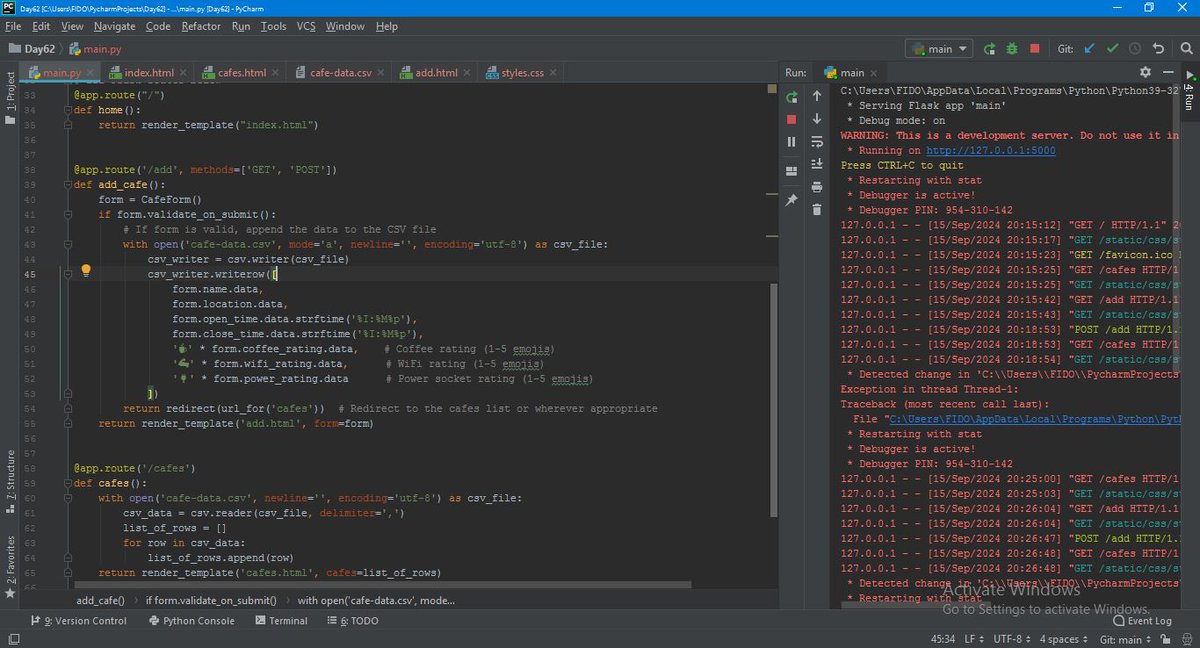
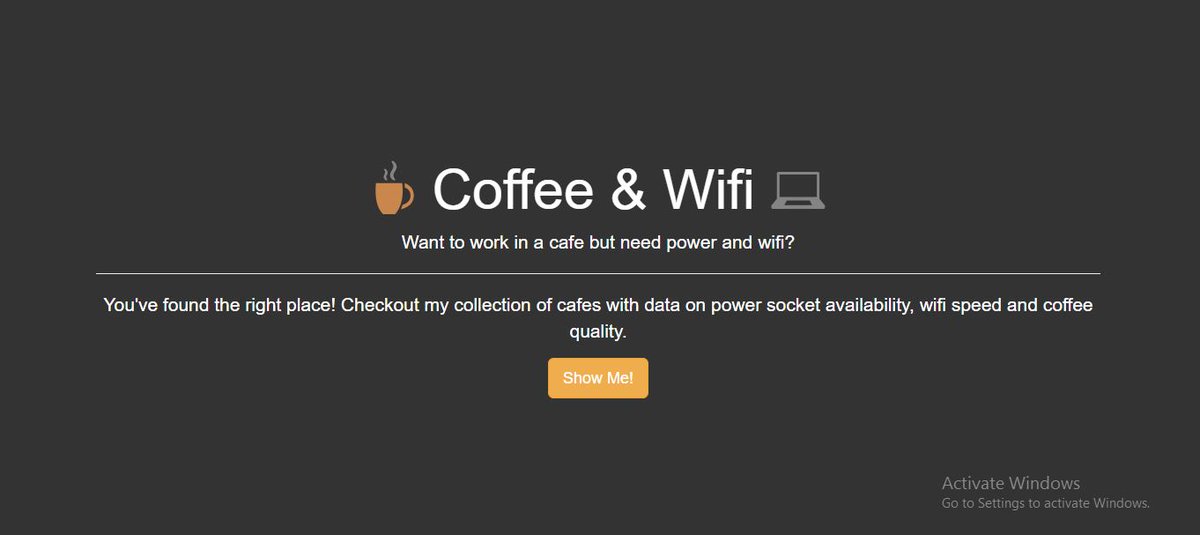
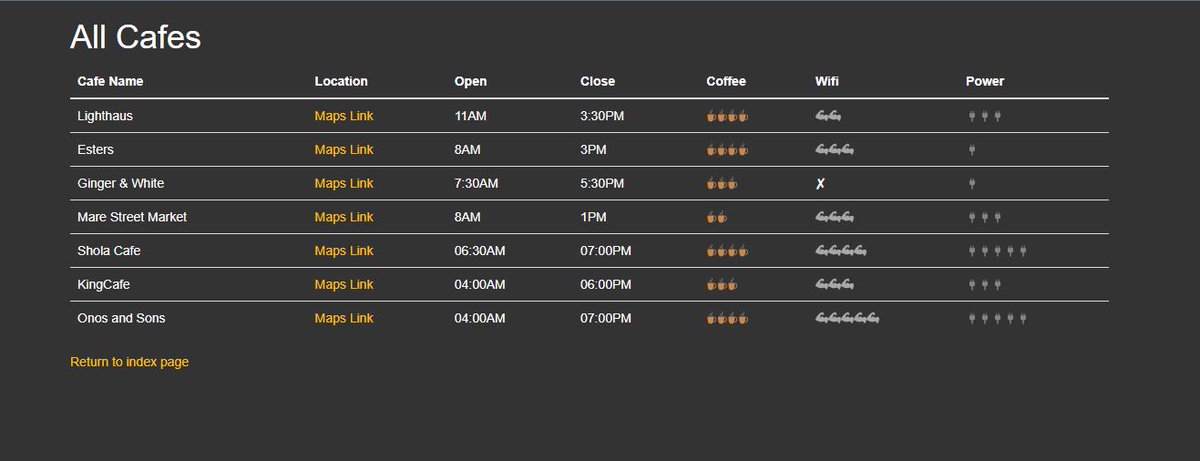
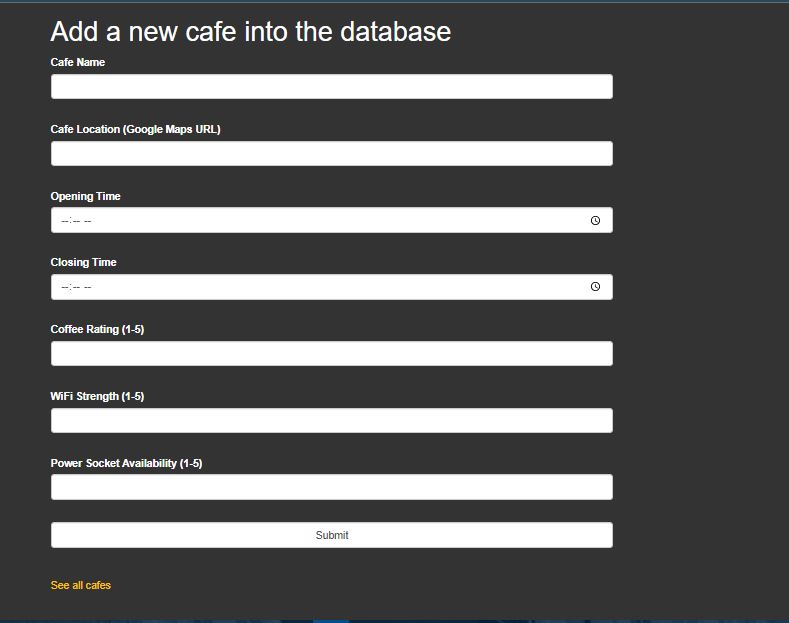
Day 62 of #100DaysOfCode
I guess I'm back on track after many hurdles, ones beyond control...Let's finish what we started
Advanced -#Python Flask, WTforms, Bootstrap and reading and saving to csvfile.
And here's what we got
3
54

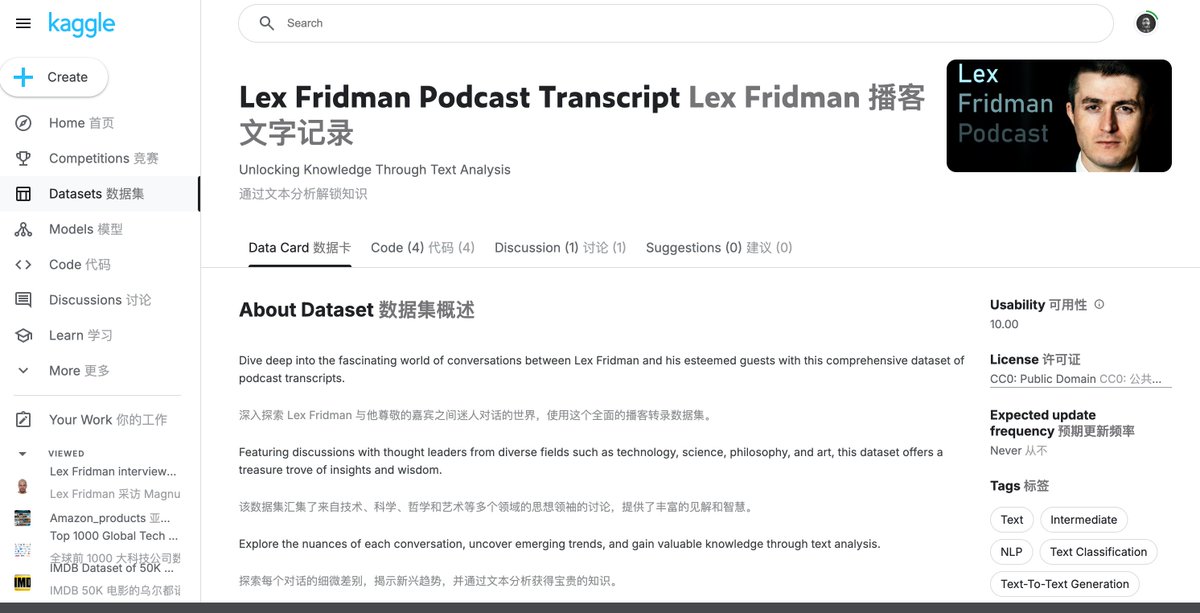
Lex Fridman的播客经常会采访一些大牛,搜到个Kaggle上的数据集,有300多期访谈CSV文件。
kaggle.com/datasets/rajneesh…
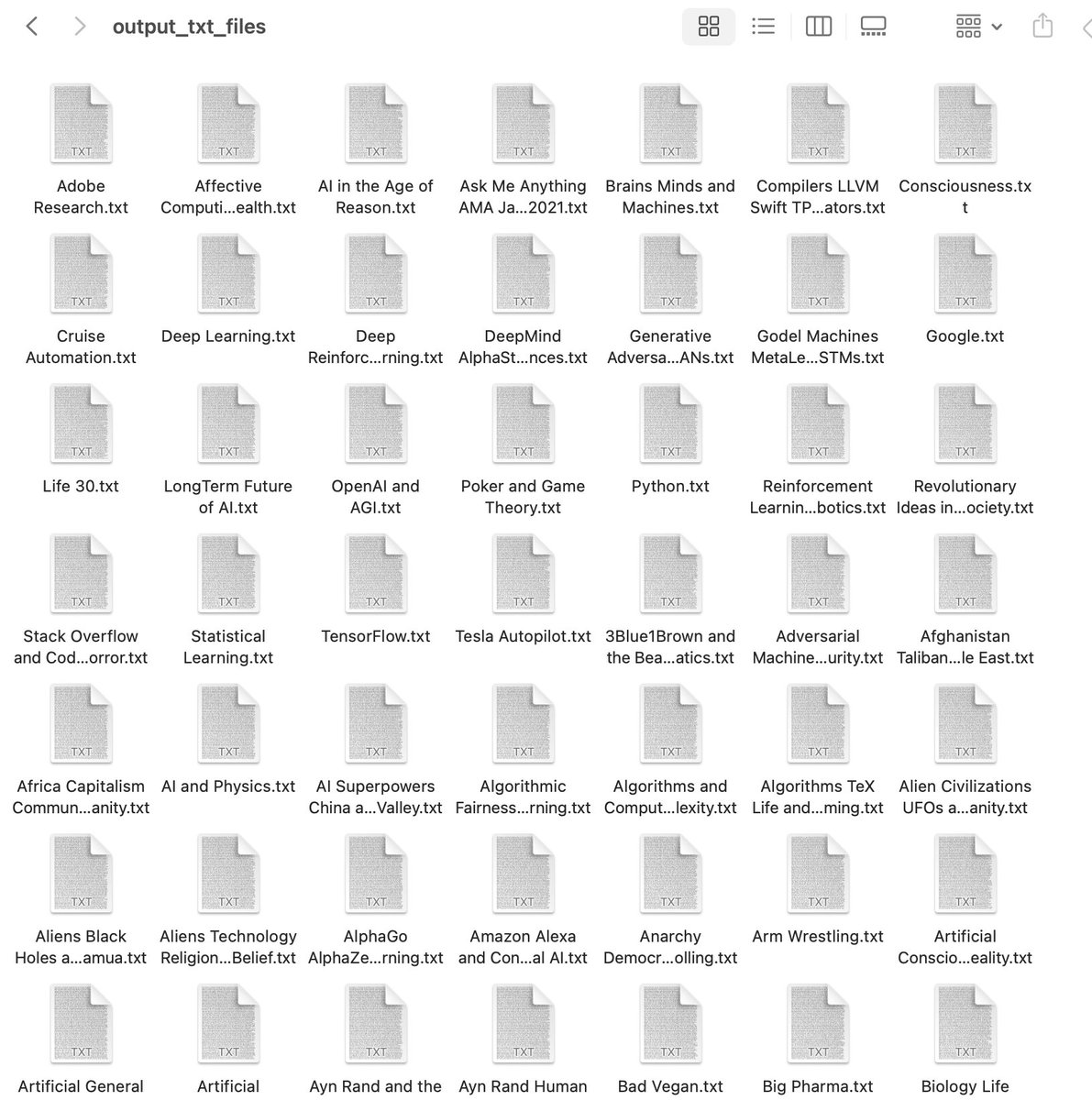
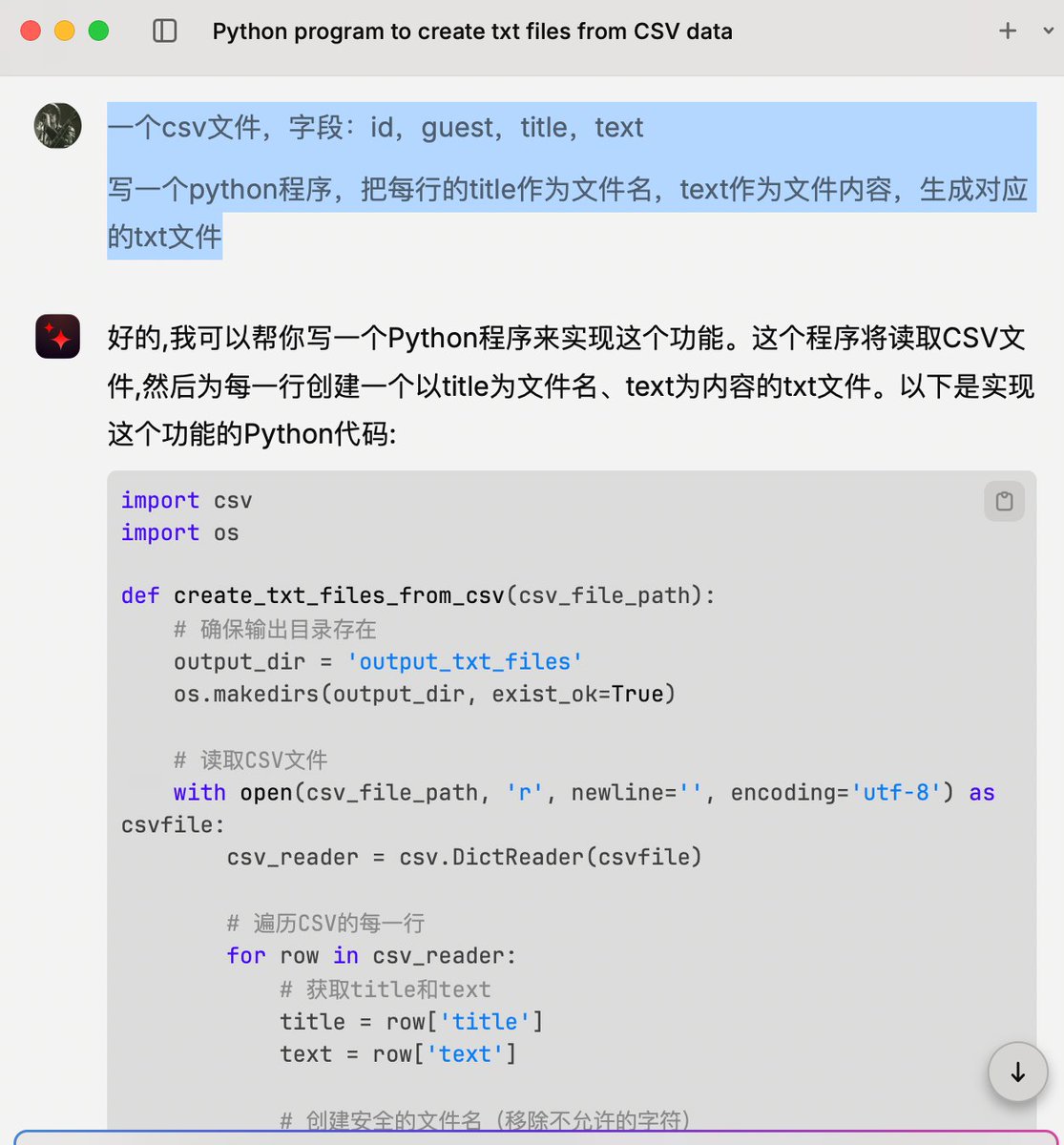
下载后让Claude写个Python程序生成300个txt文件,传到notebookLM使用。
生成文件Python代码:
import csv
import os
import sys
# 增加CSV字段大小限制
csv.field_size_limit(sys.maxsize)
def create_txt_files_from_csv(csv_file_path):
# 确保输出目录存在
output_dir = 'output_txt_files'
os.makedirs(output_dir, exist_ok=True)
# 读取CSV文件
with open(csv_file_path, 'r', newline='', encoding='utf-8') as csvfile:
csv_reader = csv.DictReader(csvfile)
# 遍历CSV的每一行
for row in csv_reader:
# 获取title和text
title = row['title']
text = row['text']
# 创建安全的文件名(移除不允许的字符)
safe_title = "".join([c for c in title if c.isalpha() or c.isdigit() or c==' ']).rstrip()
# 如果文件名为空,使用id作为文件名
if not safe_title:
safe_title = f"file_{row['id']}"
# 创建文件路径
file_path = os.path.join(output_dir, f"{safe_title}.txt")
# 写入文本文件
with open(file_path, 'w', encoding='utf-8') as txtfile:
txtfile.write(text)
print(f"Created file: {file_path}")
# 使用函数
csv_file_path = 'podcastdata_dataset.csv' # 替换为你的CSV文件路径
create_txt_files_from_csv(csv_file_path)
25
109
12,910

24 Aug 2024
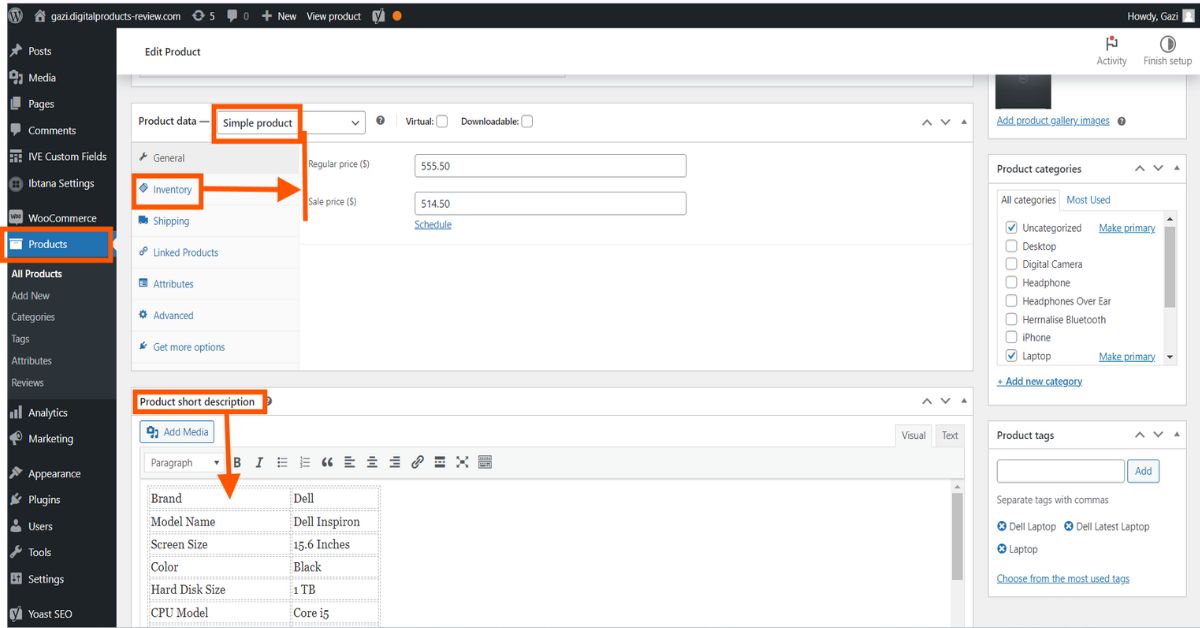
Product Listing a very important part of any ecommerce website. #Productlistinng #Productupload #Ecommercewebsite #Ecommercestore #Webstore #CSVfile #Addproduct
fiverr: fiverr.com/s/2K7opdQ
WhatsApp: wa.link/85q61n
1
2
12
24 Aug 2024
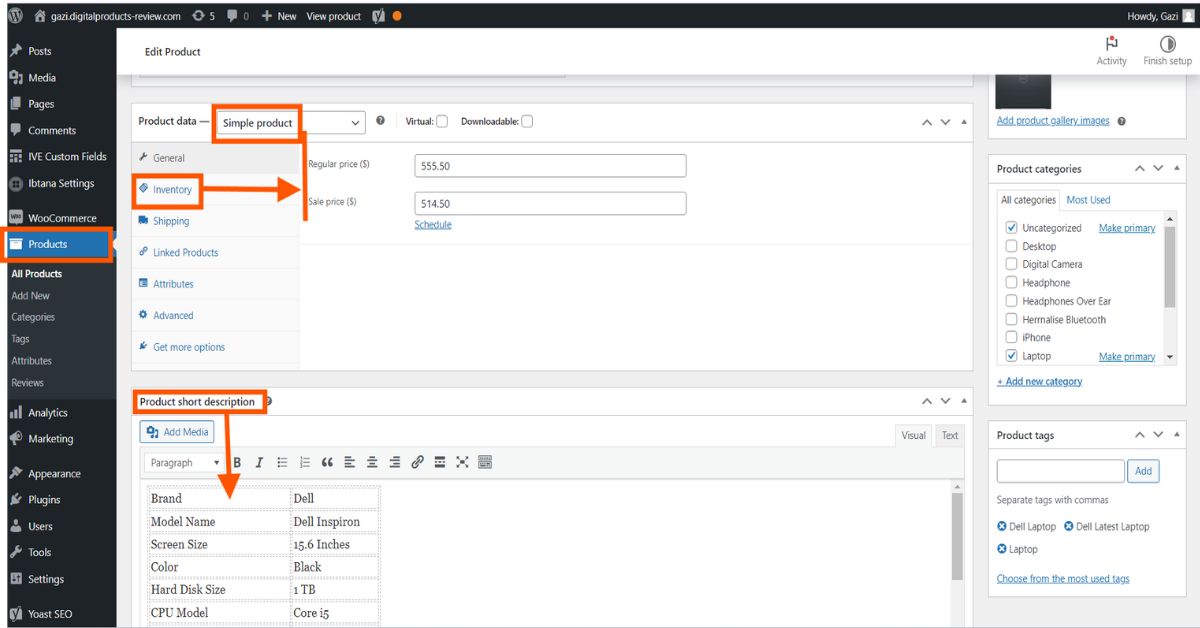
Product Listing a very important part of any ecommerce website. #Productlistinng #Productupload #Ecommercewebsite #Ecommercestore #Webstore #CSVfile #Addproductfiverr: fiverr.com/s/2K7opdQWhatsApp: wa.link/85q61n
2
9
19 Aug 2024
Product Uploading Image SEO Service
#Productlistinng
#Productupload
#ecommerceercestore
#Webstore
#CSVfile
#Addproduct
#follower
#highlights
#everyone
#everyonefollowers
#inventoryupdate
Visit Here: fiverr.com/s/qDkVlbp
WhatsApp: wa.link/85q61n

2
13
17 Aug 2024
Product uploading services are specialized platforms that assist businesses in creating and managing product listings on various online marketplaces, such as Amazon, eBay and more.
#Productupload
#Productlisting
#Inventory
#CSVfile
#Addproduct
fiverr: fiverr.com/s/m5d6LqP

3
22

11 May 2024
エラーハンドリング、スッキリ書けた気がする!
関数内の失敗時はreturn 1を返すようにしてあげて、
||と{}を組み合わせたらシンプルに書けた気がする!!
```
while read -a array; do not
func1 || { echo "${err_msg}"; continue; }
func2
done < <(tail -n 2 "${csvfile}")
```
2
2
669

10 Apr 2024
Finance tip: to find where your biggest expenses are, try randomly sampling them proportional to the expense. E.g. this Python script processes a csv exported from a banking website:
import csv
import random
rows = []
with open('expenses.csv', newline='') as csvfile:
reader = csv.reader(csvfile, delimiter=',', quotechar='|')
for row in reader:
try:
net = float(row[1])
if net < 0:
rows.append((-net, row))
except:
pass
total_expense = sum(expense for expense, _ in rows)
probabilities = [expense / total_expense for expense, _ in rows]
for i in range(20):
# Sample a row based on the probabilities
sampled_row = random.choices(rows, weights=probabilities)[0][1]
print(sampled_row)
2
3
24
1,842

16 Nov 2023
I can't believe that my prof just made an activity about csv and what he puts in the csvfile was rick roll, genshin, and gawr gura 💀😆
1
9
785

🎥📝 I just created a complete video tutorial on how to make a CSV file in simple steps. This is an essential first step in creating your NFT collection on the @Apillon platform. 🚀💡
Join me and learn the easy process of preparing your CSV file for NFT creation. Let's unlock the world of digital assets together! 💪🌐
Check out the tutorial here: youtu.be/gact2jGrY6I
#Tutorial #CSVFile #NFTCreation #ApillonPlatform #DigitalAssets #LearnWithApillon #NFTs
6
15
249

5 Apr 2023
import requests
import csv
from datetime import datetime, timedelta
# Twitter APIの認証情報
bearer_token = "YourAPIKEY"
# ツイートID
tweet_id = "1643445901015531522"
# Twitter API v2のエンドポイント
retweets_url = f"api.twitter.com/2/tweets/{tweet_id}/retweeted_by"
retweeted_tweet_url = f"api.twitter.com/2/tweets/{tweet_id}"
user_tweets_url = "api.twitter.com/2/users/{}/tweets"
headers = {
"Authorization": f"Bearer {bearer_token}",
"Content-Type": "application/json"
}
def get_tweets(url, params=None):
response = requests.get(url, headers=headers, params=params)
if response.status_code != 200:
raise Exception(f"Request returned an error: {response.status_code}, {response.text}")
return response.json()
# リツイートしたツイートの本文を取得
retweeted_tweet_data = get_tweets(retweeted_tweet_url, params={"tweet.fields": "text"})
retweeted_tweet_text = retweeted_tweet_data["data"]["text"][:20]
# リツイートしたユーザーを取得
retweeters_data = get_tweets(retweets_url)
tweet_fields = {"tweet.fields": "created_at"}
# CSVファイルに出力
with open('output.csv', 'w', newline='', encoding='utf-8') as csvfile:
csv_writer = csv.writer(csvfile)
csv_writer.writerow(['Username', 'Tweet Text', 'Tweet URL'])
for retweeter in retweeters_data["data"]:
user_id = retweeter["id"]
# ユーザーのツイートを取得
user_tweets_data = get_tweets(user_tweets_url.format(user_id), params={**tweet_fields, "max_results": 100})
rt_time = None
for tweet in user_tweets_data["data"]:
if retweeted_tweet_text in tweet["text"]:
rt_time = datetime.fromisoformat(tweet["created_at"].replace("Z", " 00:00"))
break
if rt_time:
for i, tweet in enumerate(user_tweets_data["data"]):
tweet_time = datetime.fromisoformat(tweet["created_at"].replace("Z", " 00:00"))
if rt_time < tweet_time:
next_tweet_time = datetime.fromisoformat(user_tweets_data["data"][i 1]["created_at"].replace("Z", " 00:00"))
# リツイート直後のツイートが3分以内で、リツイートでない場合、そのツイートのユーザー名、本文、URLをCSVに出力
if (next_tweet_time - rt_time <= timedelta(minutes=3)) and ("retweeted_status" not in tweet):
username = retweeter['username']
tweet_text = tweet["text"]
tweet_url = f"twitter.com/{username}/status/{tweet['id']}"
csv_writer.writerow([username, tweet_text, tweet_url])
import csv
# CSVファイルからURLを読み込む
tweet_urls = []
with open('output.csv', 'r', newline='', encoding='utf-8') as csvfile:
csv_reader = csv.reader(csvfile)
next(csv_reader) # ヘッダー行をスキップ
for row in csv_reader:
tweet_urls.append(row[2])
# ツイート埋め込みコードを生成する
embed_html = ""
for url in tweet_urls:
embed_html = f'<blockquote class="twitter-tweet"><a href="{url}"></a></blockquote>\n'
# Twitterウィジェットのスクリプトタグを追加
embed_html = '<script async src="platform.twitter.com/widgets…" charset="utf-8"></script>'
# HTMLファイルに出力
with open('embedded_tweets.html', 'w', encoding='utf-8') as html_file:
html_file.write(embed_html)
2
6
22
3,998

2 Apr 2023
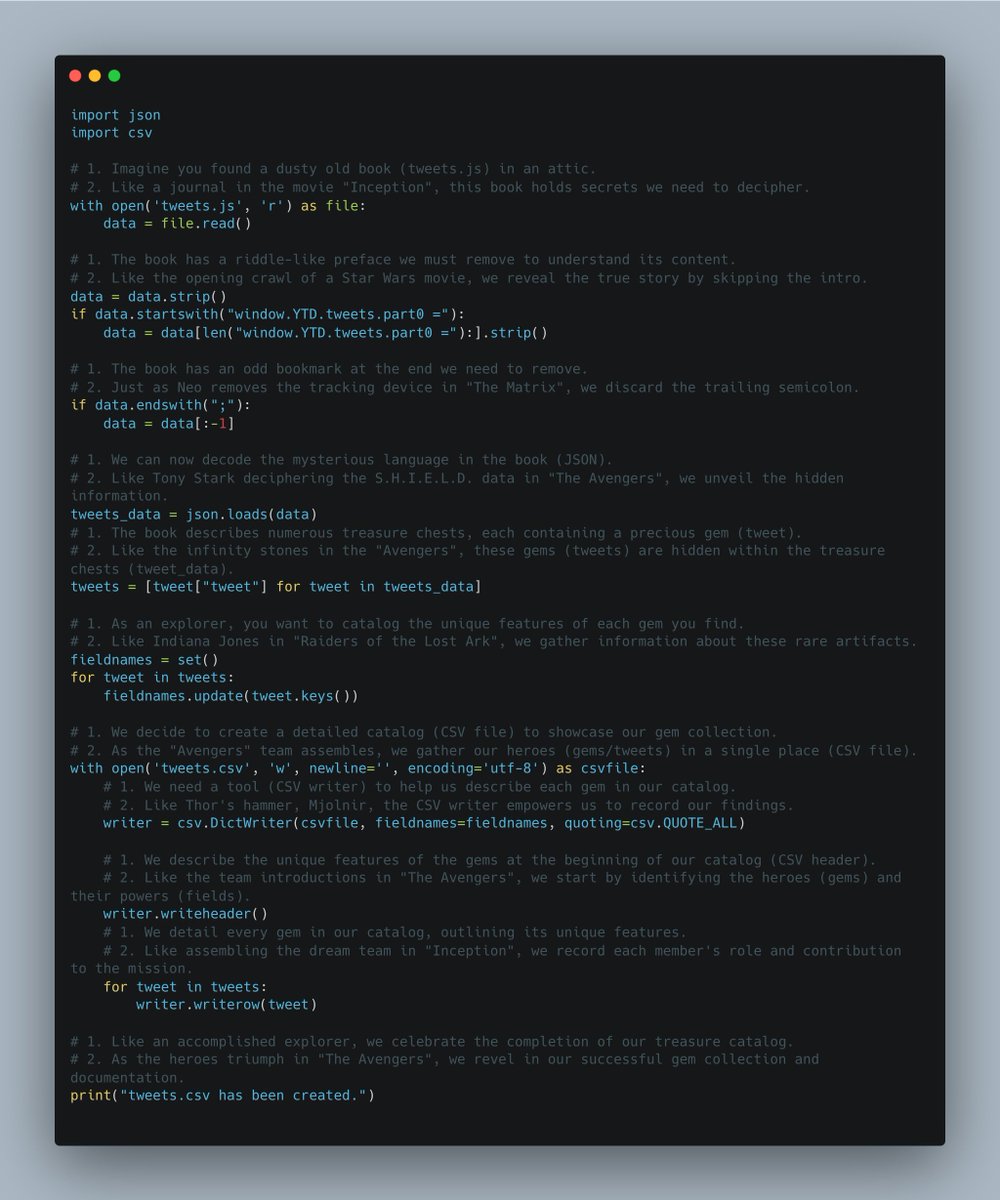
So I asked GPT4 to rewrite the code for exporting tweet js file to csv with 2 types of comments
1.
Real life analogy
2.
Movie analogy
it found references to matrix, inception etc.
it is not amazing
but it is something
what a fun time to learn programming
isn't it
e.g.
Like Thor's hammer, Mjolnir, the CSV writer empowers us to record our findings.
writer = csv.DictWriter(csvfile, fieldnames=fieldnames, quoting=csv.QUOTE_ALL)
1
10
2,401

31 Mar 2023
learning python when ChatGPT is available is really weird... I have an idea and then ChatGPT gives me the code in a few seconds with good notes on it :
------
import ipaddress
import csv
# Read the input CSV file
with open('input_ips.csv') as csvfile:
reader = csv.reader(csvfile)
ip_list = [row[0] for row in reader]
# Convert the list of IP addresses to a list of IP objects
ip_objects = [ipaddress.ip_address(ip) for ip in ip_list]
# Sort the list of IP objects
sorted_ips = sorted(ip_objects)
# Group the IP addresses into CIDR ranges
cidr_blocks = ipaddress.summarize_address_range(sorted_ips[0], sorted_ips[-1])
# Write the output CSV file
with open('output_cidr_blocks.csv', 'w', newline='') as csvfile:
writer = csv.writer(csvfile)
for cidr in cidr_blocks:
writer.writerow([str(cidr)])
---
2
1
6
374

LitCommerce can help you import a CSV file to eBay within 4 steps:
Step 1️⃣: Add the CSV Feed file
Step 2️⃣: Connect with eBay
Step 3️⃣: Import & Link Products
Step 4️⃣: Enable Inventory Sync and Price Sync
👉 Start for FREE: litcommerce.com/automated-eb…
#LitCommerce #CSVfile #ebay

3
34