
MW2019 ZoneTool Custom map Dev-Progress Part 8
I’ve successfully gotten Foliage-type XModels rendering, the kind that serve as essential ground decorations in level design.
Because of how the CoD engine is designed, every XModel requires different adjustments depending on its assigned Techset, so tweaking the GfxImages was pretty laborious.
But now that this is working, the overall visuals are starting to come together nicely, and the atmosphere for custom maps feels like it’s improved a lot.
For this video, I recorded the whole process: creating a custom map in real time with CoD4’s Radiant tool, converting it on the spot for MW19, and loading it directly in-game.
One of the really nice features of MW19 is that you don’t have to close the game, you can just modify the fast files and hot-reload them instantly.
Thanks to that design, there’s no need to rebuild the client code every time, and I can swap fast files and test custom maps at runtime. It’s been incredibly helpful for ZoneTool development.
Also, as you can see in the video, I’ve now managed to get the classic numBones 2 FX (gfx_missing_fx) rendering properly.
FX XModels displayed with MW2019’s Techset have very clean and sharp surface rendering, which makes them much easier to work with.
Slightly off-topic from the video, but back when I was in the BodHQ community, they had an even more advanced Demonware Emulator.
It supported full network emulation for every modern CoD title from MW19 all the way to BO6, accurately replicating the ranking system, friends list, level statistics, and everything else.
I don’t think anything has surpassed BodHQ in the last few years.
Even though it’s been shut down, its technology is still alive.
#ZoneTool #x64zt #CoD #CallOfDuty #CoDMW #IW8 #MW19 #MW2019 #CustomMap #CoD4 #IW3 #CustomCamo #FastFile
5
60
1,862
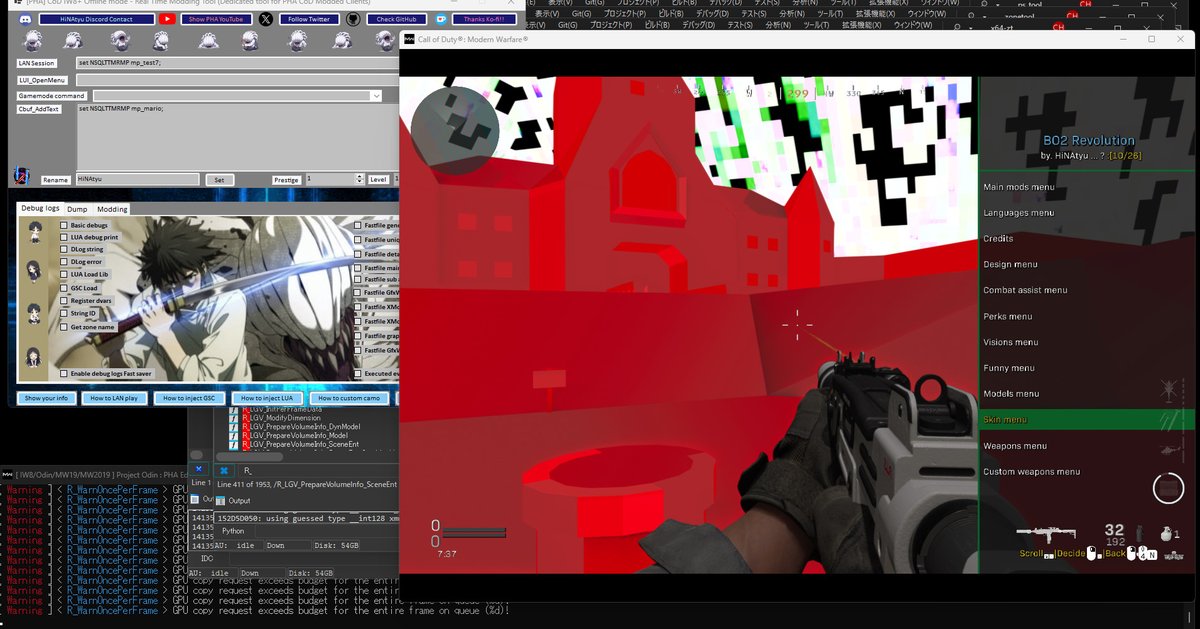
I tried loading a Mario map in MW19 to test ZoneTool’s current conversion features lol
Techset mapping isn’t perfect yet, but it looks like the MapEnts-related crashes that were happening during early development have improved quite a bit
The changes in the engine structure for Triggers are pretty tough to deal with
I’ll keep making adjustments to fully restore the IW3 visuals, including all of these things
#ZoneTool #x64zt #CoD #CallOfDuty #CoDMW #IW8 #MW19 #MW2019 #CustomMap #CoD4 #IW3 #FastFile #Mario
3
36
1,513
MW2019 ZoneTool Progress Part 7
This time I tried playing around with it after making sure XModel (SModel) shapes are rendered accurately
Since this is my first time making a ZoneTool, I was pretty nervous, but I’m starting to feel like the map conversion process is heading in the right direction
I expanded the Bsp Surface size compared to before, so it’s now much easier to test placing and scaling large objects
It’s not a full custom map yet, but I’ll continue implementing other asset conversions so that porting maps becomes possible step by step
Being able to display XModels from older titles on MW19 is a really good result
#ZoneTool #x64zt #CoD #CallOfDuty #CoDMW #IW8 #MW19 #MW2019 #CustomMap #CoD4 #IW3 #CustomCamo #FastFile
2
42
1,469

MW2019 ZoneTool Progress Part 6
I finally managed to spawn an XModel on the map
I used the CoD4 Radiant Tool to place various 3D models on the mp_test map for testing, but the IW8 engine’s rendering structure is seriously complicated and tough to work with
The model isn’t rendering properly yet, but I’ve at least succeeded in getting it to appear. From here, I’ll improve the surface handling and carefully check the Techset mapping, so it should keep getting better!
Unlike Unity or Unreal, I don’t have the IW8 Mod Tool’s level design window right in front of me, so choosing the right Techset isn’t easy at all lol
But overcoming these challenges is what makes it a true iw8-mod
Any IW8 that doesn’t have ZoneTool is basically just an iw8-rat at that point
By the way, I recently updated the design of the RTM Tool
It has a design that boys would probably like, right? lol
I personally prefer the pink design more, but this one isn’t bad either
#ZoneTool #x64zt #IW8 #MW19 #MW2019 #CustomMap #CoD4 #IW3 #CustomCamo #FastFile
6
48
1,732
MW2019 ZoneTool Progress Part 5
alright, I’m gradually starting to understand MW2019’s Materials and Techsets
previously, the material sorting for the ground and sky wasn’t working properly, but now I’ve managed to cleanly separate the rendering between the sky and the ground
I also changed the floor texture to a slightly more realistic block texture
once I finish adjusting things like decals a bit more, I’m planning to start adding XModels as well🤍
#ZoneTool #x64zt #IW8 #MW19 #MW2019 #CustomMap #CoD4 #IW3 #CustomCamo
16
345
18,345
MW2019 ZoneTool Progress Part 4
“shes not special”
That’s what I was apparently called on some server somewhere.
Maybe it’s true that I’m not special.
And honestly, I don’t even remember ever saying anything like that myself.
I’ve simply loved development ever since I was a kid.
And after revisiting and fixing the Material and Techset implementation this time, I finally succeeded in getting GfxImage to render properly.
Now I know that IW3 `.iwi` image files can still be loaded by the IW8 engine.
I’m still not sure why the sky texture isn’t showing as `sky_sp_airplane`, but at least the completely dark skybox is finally gone.
Sure, custom camos are cool, but ZoneTool gives you the freedom to port maps and generate any color or geometry you want, which makes it an incredibly flexible tool.
Thinking that we’ll be able to play CoD4 maps in MW19 in 2026 is seriously exciting.
Rather than being a copy-paster who abuses stolen custom camo code from someone else’s DLL just to replace skyboxes, learning ZoneTool from scratch and being able to convert fastfiles properly is far more educational and rewarding.
I truly love Call of Duty, and I love this modding culture.
I rarely play normally these days, but from a development standpoint, it’s an incredibly fulfilling game.
I will continue developing the IW8 ZoneTool.
#ZoneTool #x64zt #IW8 #MW19 #MW2019 #CustomMap #CoD4 #IW3
21
163
7,657
MW2019 ZoneTool 進捗 Part 3
あれから約二週間、シャドウTechsetしか読み込まれない暗闇と戦い続けた結果、ようやくWorld surfaceが見えた!
Material、Techset仮とはいえ正確にマッピングしなきゃいけなかったし、しかもGfxImage書き込んでいるのに反映されてないからPreloadの闇は深いよ...
でも大方GfxWorldの値は正確に埋めたから、後はMaterial周り調整すれば見栄え良くなると思う
(横に比較で出した変換元のIW3のmp_test4より若干マップサイズ小さい気もするから32bitと64bitの計算間違えたかも)
#zonetool #iw8 #mw19 #mw2019 #custommap #cod4
6
39
1,839

May 4
Hello everyone! even though i dont think many will see this, but my Husband made a map in Bloons TD 6!
i suggested to share it here in case some of you all do play the game and want to give this hard map a try!
(feedback too)
join.btd6.com/Map/ZFUCVPF
#btd6 #custommap #difficult
1
10
329


Mar 18
Could you pass this feedback along to the devs? It would be an absolute game changer if we could custommap the 'instant', 'thinking', and 'pro' models ourselves. For example, letting me set 'instant' to GPT4.5, and mapping both 'thinking' and 'pro' to GPT-5.4. That would be dope!
1
2
488

Feb 17
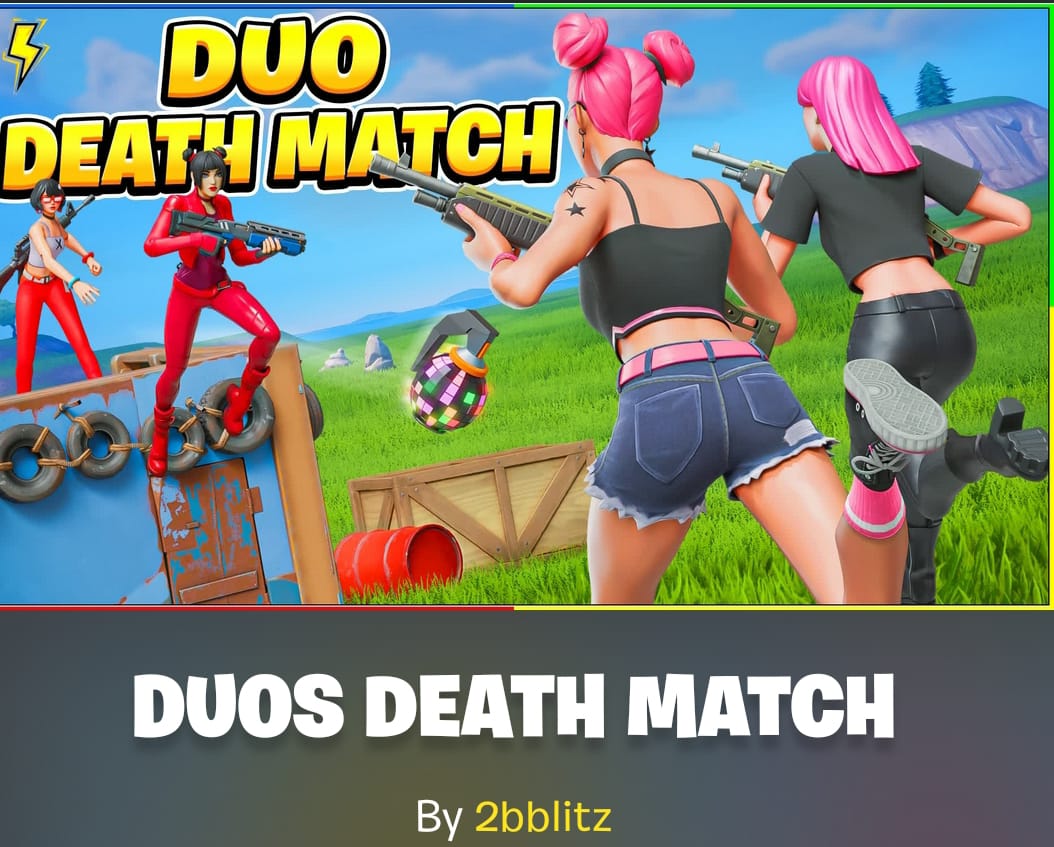
Thumbnail change for my Duo Death Match map
Code: 9128-4683-9489
fortnite.gg/creator?name=2bb…
#Fortnite #FortniteCreative #UEFN #DuoDeathMatch #FortniteMap #FortniteMaps #FortniteCreator #EpicGames #CreativeMap #BattleRoyale #Gaming #CustomMap #CreatorCode #CreatorSearchInsights
1
1
7
730
Feb 17
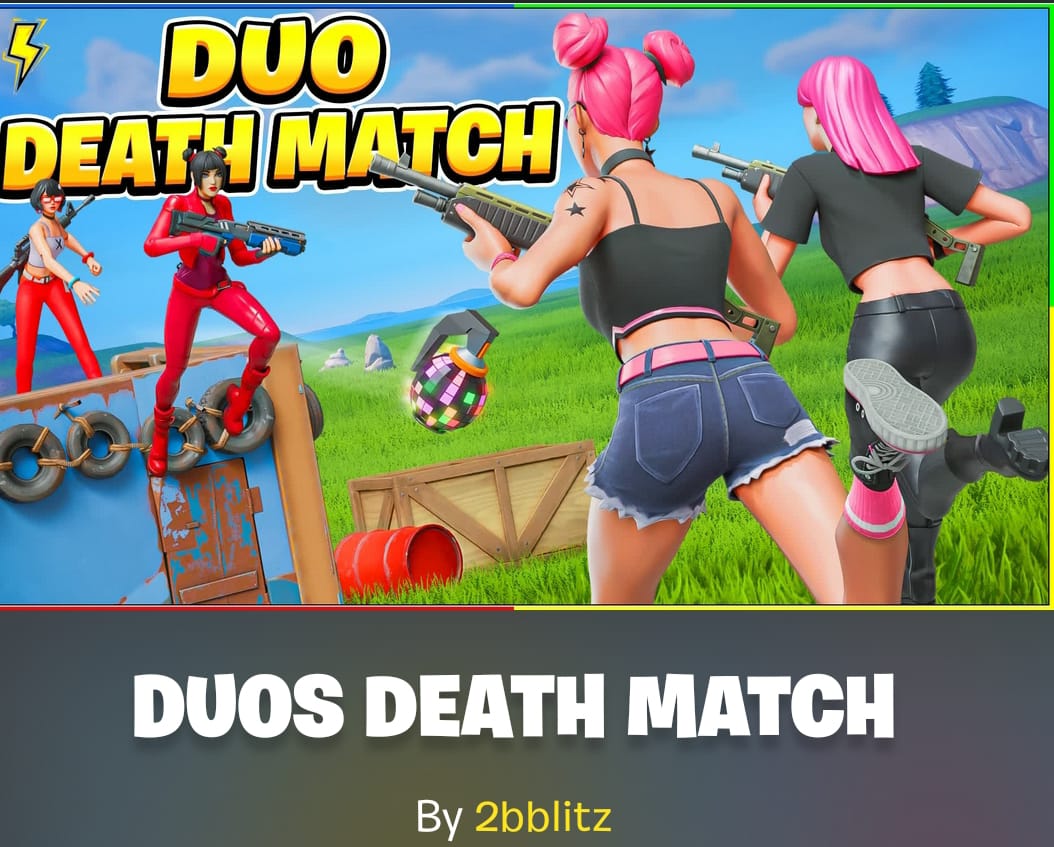
Thumbnail change for my Duo Death Match map
Code: 9128-4683-9489
fortnite.gg/creator?name=2bb…
#Fortnite #FortniteCreative #UEFN #DuoDeathMatch #FortniteMap #FortniteMaps #FortniteCreator #EpicGames #CreativeMap #BattleRoyale #Gaming #CustomMap #CreatorCode #CreatorSearchInsights
1
6
268

Jan 2
CustomMAPを使った時のBoss Monsterのプラグイン設定が分からぬ。。
BOSSは湧いてるから物自体に不具合はないのだが、設定したとこに湧いてくれぬ。
2
81

30 Dec 2025
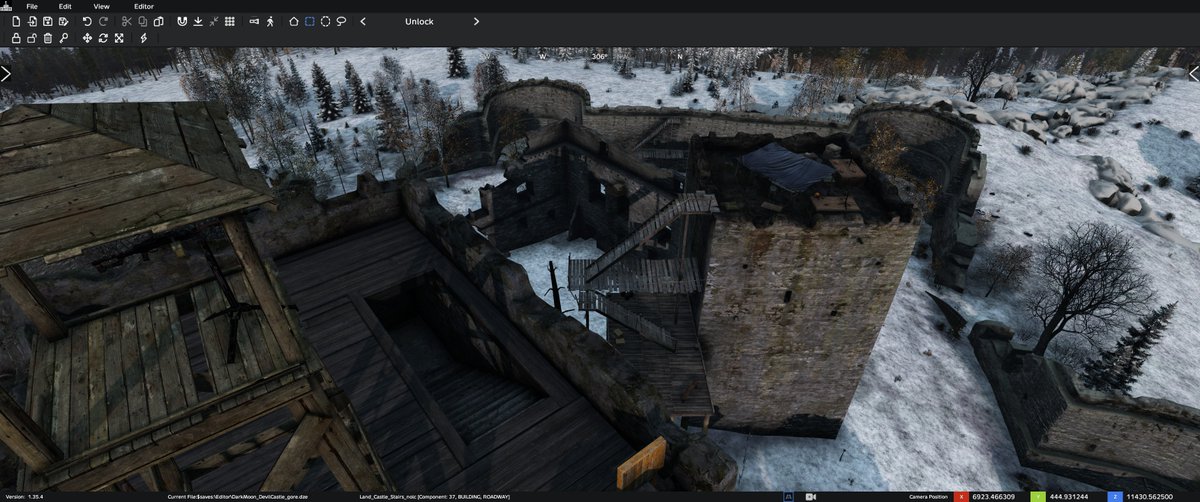
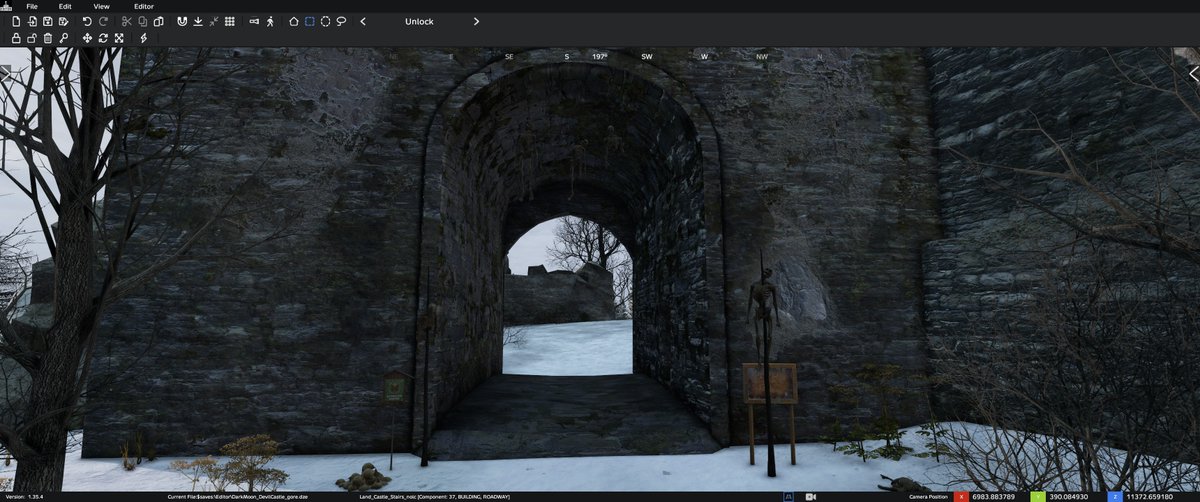
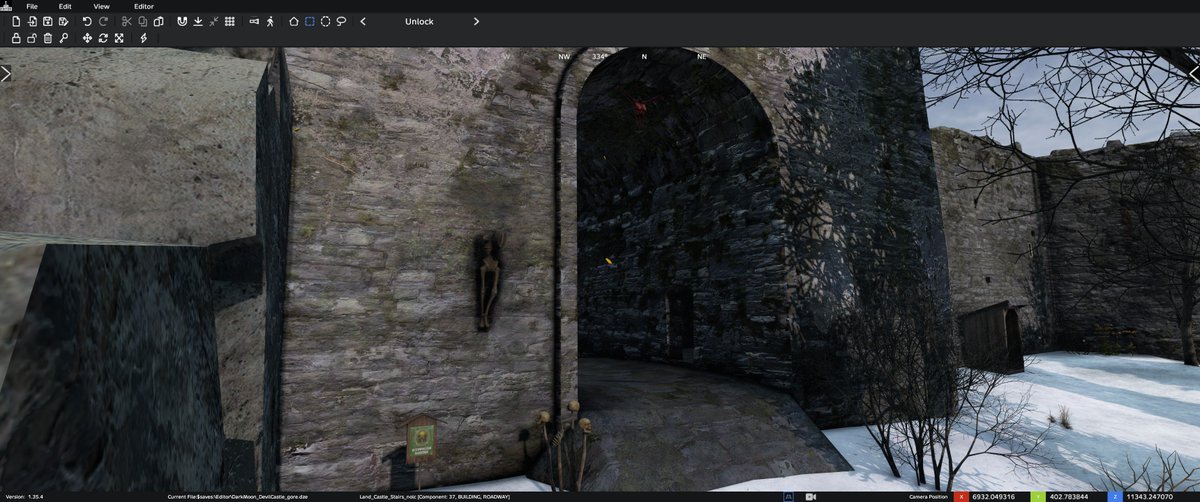
Devil’s Castle is no longer abandoned.
A ruined military outpost.
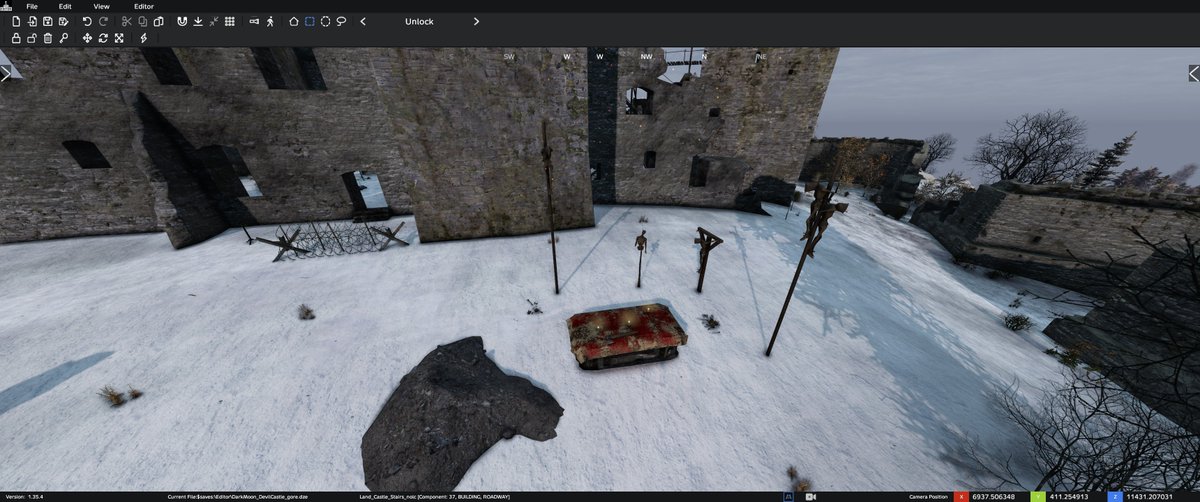
Bodies scattered across the courtyard.
No signs of retreat. No radio logs. Only silence.
Whatever happened there wasn’t a battle — it was a massacre.
Supplies remain among the corpses… but the deeper you go, the darker it gets.
They weren’t guarding the castle.
They were trying to contain something inside.
🩸 Now live on the DarkMoon #DayZ server.
Enter at your own risk.
#mapping #modding #mods #custommap
1
8
313

Wishing you a Merry Christmas with a custom themed map for Bedrock Edition 🎅
🔗 Download:
@CurseForge: curseforge.com/minecraft-bed…
@MCPEDL: mcpedl.com/wans-xmas-crysis/
Art by @isimsizege
#MerryChristmas #Minecraft #CustomMap #MinecraftMod #MinecraftArt #Blockbench #MinecraftCreator

1
3
55
2,474

17 Oct 2025
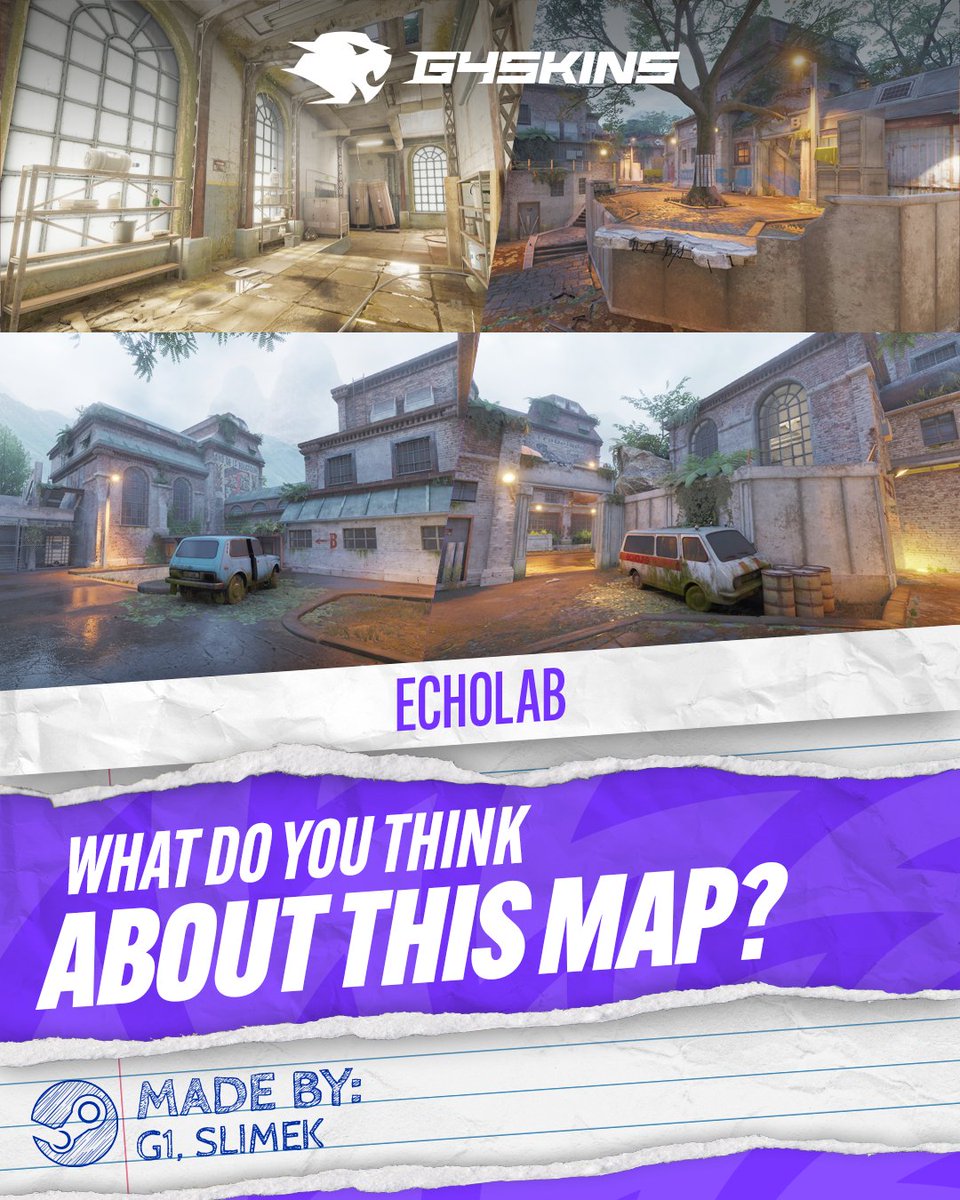
Looks like a mix of gritty industrial vibes and eerie abandoned spaces 👀 What do you think about it?
#CS2 #counterstrike2 #g4skins #CSGO #csgomap
#custommap #echolab #CS #Counterstrike #workshop
4
1
9
2,488

3 Oct 2025
Showing off a little ❄️Ice Magic ❄️
Working on a Mod/Modpack/ResourcePack/CustomMap combo.
Overhauls all the gameplay in Minecraft. All new mobs, weapons, mechanics, crafting, exploration, combat, etc.
Tentatively called Pebble's Expeditions.
13
18
215
8,179

26 Sep 2025
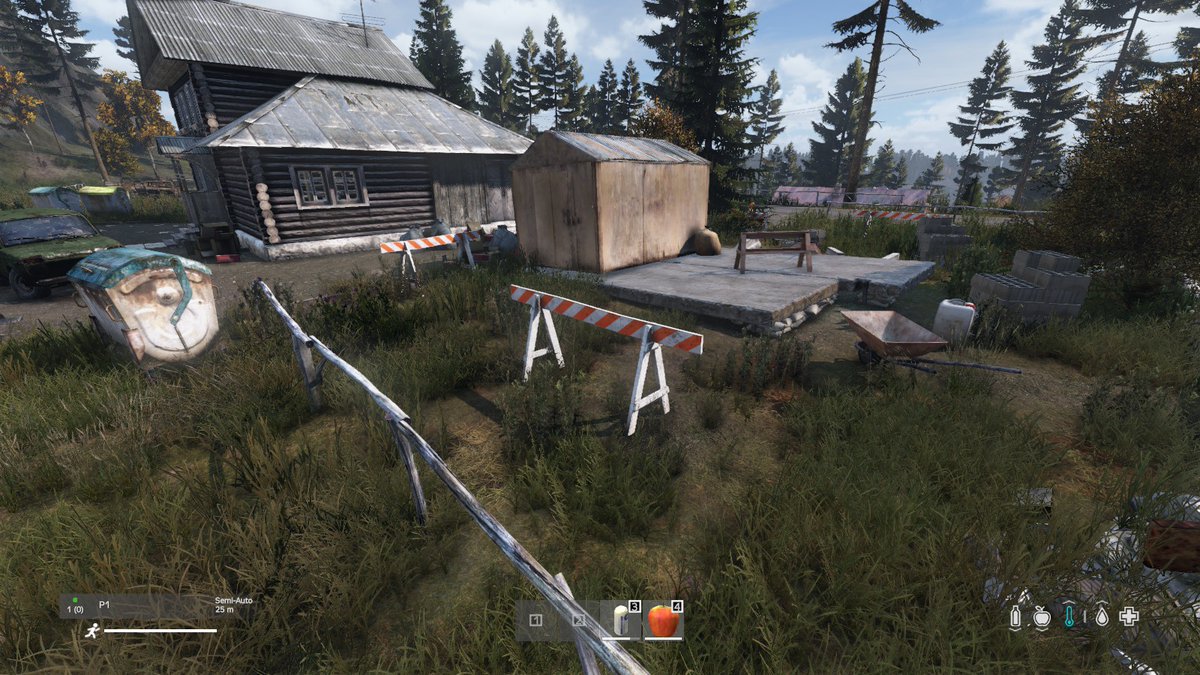
a breach of planning permissions - the ground was too soft, the business owner will receive a fine.
The maintenance team have done some fixes and will return after the outbreak.
#Novikostok #CustomMap #NewMap #Dayz 🧟♀️🧟♂️🌄
1
3
304
