
1 Dec 2023
⚡️ Web Performance Tip: Get free instant page nav with the browsers' bfcache... if you don't block it!
Let's test bfcache with DevTools! New video frm @jecfish @tunetheweb 👉🏽 goo.gle/dtt-bfcache
#DevToolsTip #ChromeDevTools #webperf #debugging
1
13
41
10,961
2 Oct 2023
New #DevToolsTip! "It works on my machine!" 😆 Let's see how @oliverdunk_ and @jecfish debug and fix their Chrome extension.
Watch 📹: youtu.be/Ta-YTDhiBIQ?si=ZZaI…
1
2
13
8,420

6 Sep 2023
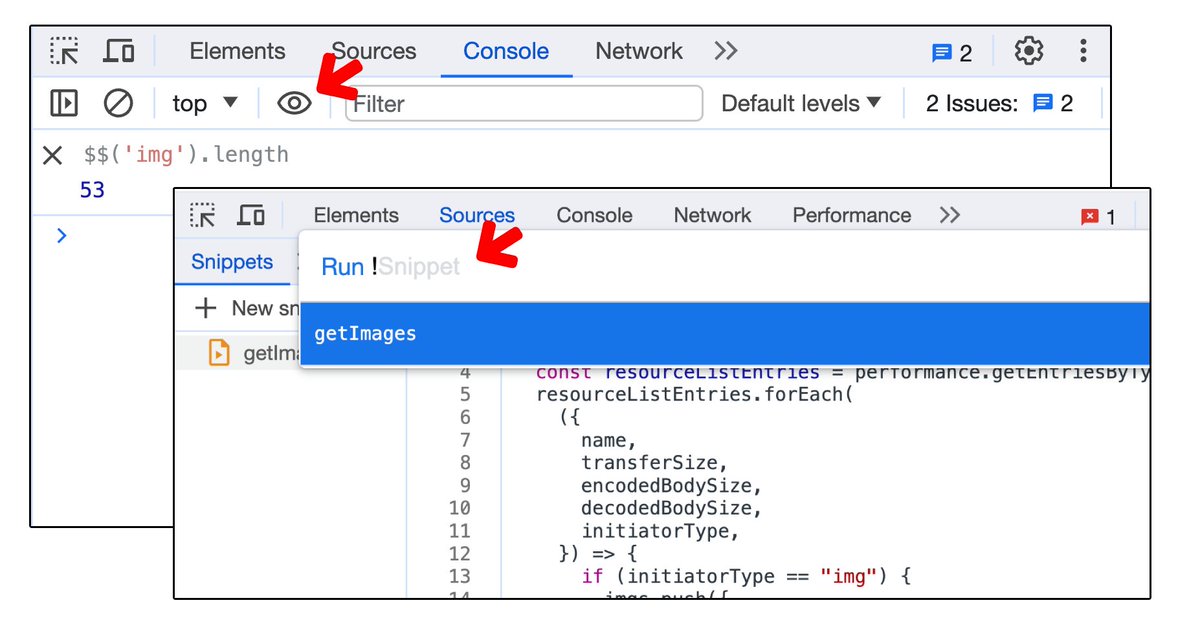
#DevToolsTip: Use Snippets and Live Expressions to save & run code repeatedly instead of keep typing them. 💪
Watch my new video to get started: youtu.be/zW9ibQbYJNE
#ProductivityBoost #ChromeDevTools #JavaScript
1
1
13
2,277
5 Apr 2023
What are source maps and how does it work? 🤨
Follow @jecfish in this #DevToolsTip episode to find out more!
📺 youtu.be/FIYkjjFYvoI
📜 web.dev/source-maps/

1
12
43
12,854
30 Dec 2022
🌟 New #DevToolsTip!
Explore the powerful web APIs and learn how to debug them with our fish masters @tomayac and @jecfish! 🐡
👉 youtu.be/7ma_ZyfrgYM
4
21
7,017
7 Dec 2022
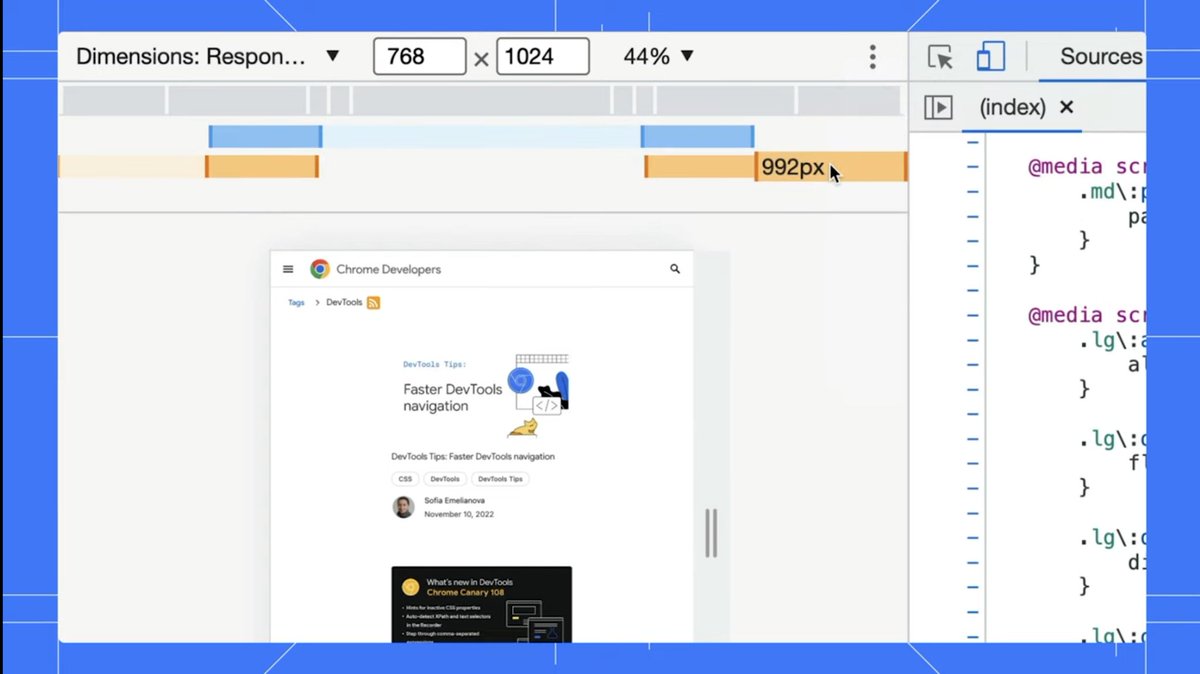
✨ New #DevToolsTip - How do you simulate mobile devices and toggle between the different sizes?
In this video, @jecfish shows us 4 ways to test your website in device mode!
📺 youtu.be/f7kokNyRe7U
📃 goo.gle/devtools-device-mode
5
11
2 Nov 2022
"7 ways of open Chrome DevTools, you won't believe the last one!" 😱
-- @GoveAaron and I thought about using this click bait title for this #DevToolsTip video, haha. Should we?
📺 youtube.com/watch?v=X65TAP8a…
1
1
5
3 Dec 2021
Customize your own keyboard shortcuts! You can add one or more shortcuts to an action or match it with Visual Studio Code.
@ChromeDevTools #DevToolsTip
3
3 Dec 2021
Dislike the Styles pane / Debugger pane auto-rearrangement when changing the windows size? Fix it with the panel layout settings!
@ChromeDevTools #DevToolsTip
1
5
44
3 Dec 2021
CTRL SHIFT P is your best buddy. Easy access to almost any commands in DevTools.
From opening a panel to emulate blurred vision to switch DevTools to dark theme.
CMD SHIFT P for 🍎 MacOS.
@ChromeDevTools #DevToolsTip
1
1
4
3 Dec 2021
Press Escape to open the drawer and use the 3-dot menu to access to more “hidden” DevTools tabs - like the Emulations, Sensors, Animations tab and more.
@ChromeDevTools #DevToolsTip
1
1
3
3 Dec 2021
Let me break this down to a thread of #DevToolsTip. 👇🏼
3 Dec 2021

TGIF! 😎Here are some quick tips, shortcuts and settings to set you up for quicker DevTools navigation!
📺 youtu.be/xHusjrb_34A
#DevToolsTips @JecelynYeen
2
12
35

29 Jan 2016
#DevToolsTip
You can pause, modify current scope, and continue executing with the new local/global variables. x.com/mattdesl/status/693156…
9

15 Jul 2015
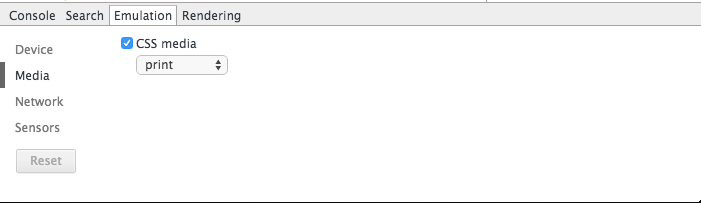
#DevToolsTip: You can emulate a printing CSS media query and debug your print stylesheets in the Emulation tab!
3

10 Feb 2014
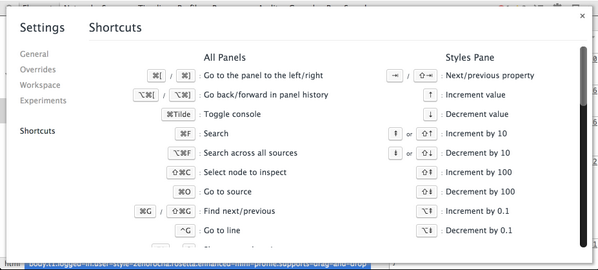
#DevToolsTip: You can same time by using some of the built-in shortcut keys. Find them at: Settings ➜ Shortcuts
2