
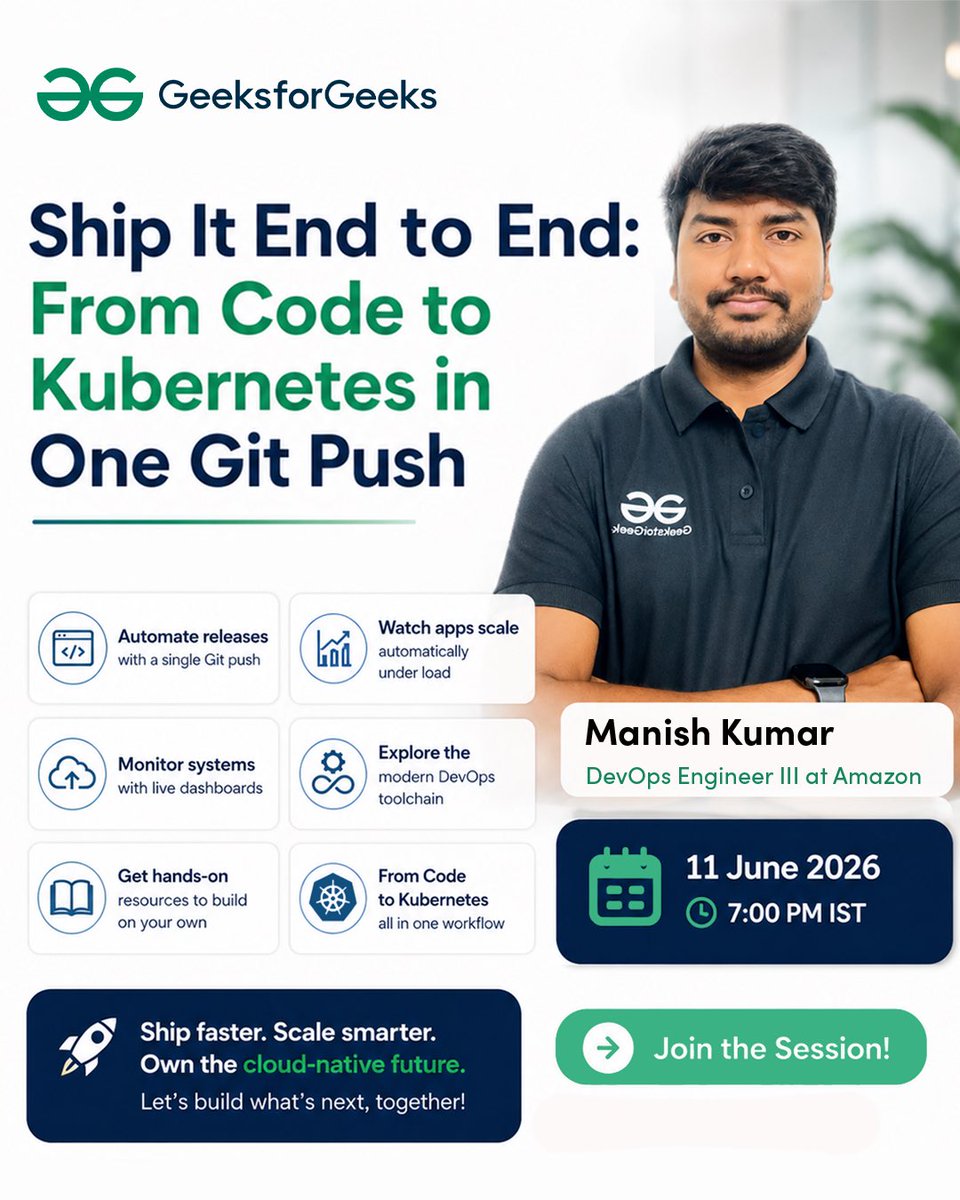
The best code creates impact only when it reaches users 😵💫
If you want to understand what happens after the code is written this session is for you!
Learn how modern engineering teams build deploy monitor and scale applications using DevOps and Kubernetes.
Featuring Manish Kumar
📅 11 June 2026
⏰ 7 PM IST
Register NOW👇
__geeksforgeeks.org/meet/ship-…
.
.
.
.
.
#DevOps #GitPush #Kubernetes #docker #placements
3
336

Jun 8
Current structure for my VPS and summarized below
This has helped immensely with a variety of projects. Would explore it with either codex or claude code. Then install either on your VPS. I have both. Which can work on your phone, desktop, laptop etc. and means you have access to the same virtual machine wherever. Every project is now connected to my overall knowledge source that constantly grows and improves. With research that can be done overnight if you set it up correctly. This is the ingest process. It also include my AI council which I've posted about before as I have my openclaw also on it that is connected to Codex.
Sky's the limit
I've been using @Vultr . Will include a link that will will get you $250 in credits vultr.com/?ref=9905573-9J
AI VPS Knowledge System Blueprint
This VPS is set up so AI coding agents do not rely on chat history as memory. Instead, they use a Git-backed knowledge wiki plus small agent-specific memory files.
Core Idea
There are two memory layers:
1. Agent instructions and session memory
- Global behavior rules for each AI agent.
- A current handoff file for “resume here” context.
- A small persistent memory index for durable gotchas.
2. Knowledge wiki
- A private Git repo that stores project facts, hypotheses, rules, decisions, raw research, changelogs, and wiki articles.
- This is the source of truth.
Recommended Folder Layout
~/knowledge/
CLAUDE.md # operating manual for agents using the wiki
INDEX.md # list of domains/projects
CHANGELOG.md # append-only activity log
decisions/ # dated decision journal
quality/ # quality gates/checklists
syntheses/ # larger cross-topic analyses
tools/ # docs for local tools/scripts
meta/
sources-of-truth.md # which file wins when facts conflict
project-a/
knowledge.md # confirmed durable facts
hypotheses.md # unconfirmed patterns to test
rules.md # proven default rules
articles/ # wiki-style explanations
raw/ # immutable source material
project-b/
knowledge.md
hypotheses.md
rules.md
articles/
raw/
Agent Startup Routine
At the start of meaningful work, the agent reads:
~/knowledge/CLAUDE.md
~/knowledge/INDEX.md
~/knowledge/CHANGELOG.md
~/knowledge/{project}/rules.md
~/knowledge/{project}/knowledge.md
~/knowledge/{project}/hypotheses.md
If resuming prior work, it also reads:
~/.agent/HANDOFF.md
Knowledge Rules
Use these rules to prevent drift:
- raw/ is the immutable source layer.
- knowledge.md stores confirmed facts.
- hypotheses.md stores plausible but unconfirmed patterns.
- rules.md stores things agents should do by default.
- decisions/ stores choices that affect future work.
- CHANGELOG.md records what happened.
- Existing knowledge files should be append-only unless a specific section is being updated.
- If two files conflict, the source-of-truth map decides which one wins.
Ingest Flow
External info should not go straight into rules. It should move through this pipeline:
source document / research / transcript
-> project/raw/
-> compile/extract
-> knowledge.md or hypotheses.md
-> rules.md only after repeated confirmation
Sync Flow
The wiki should be a private Git repo:
~/knowledge/
-> commit
-> push to private GitHub/GitLab repo
-> other machines pull from that repo
Optional compatibility mirror:
canonical knowledge repo
-> mirror repo
-> desktop/laptop/sandbox pulls mirror
Automation To Add
Useful scripts/hooks:
session-end hook # auto-commit and push knowledge changes
daily compile cron # compile new raw files
sync health check # alerts if pushes or pulls are stale
backup script # encrypted offsite backups
secret guard # blocks agents from reading credentials
Security Rules
Never put these in the knowledge repo:
.env files
SSH keys
API keys
OAuth tokens
cloud credentials
database passwords
backup passphrases
private auth JSON files
Use placeholders in docs:
<server-user>
<your-domain>
<github-user>
<project-name>
<service-name>
<backup-bucket>
<secret-store>
Shareable Diagram
flowchart TD
User[User] --> Agent[AI Agent Session]
subgraph AgentMemory[Agent Memory Layer]
GlobalRules[Global Instructions]
Handoff[Current Handoff]
SmallMemory[Persistent Agent Memory]
end
Agent --> GlobalRules
Agent --> Handoff
Agent --> SmallMemory
subgraph KnowledgeWiki[Private Git-Backed Knowledge Wiki]
Manual[CLAUDE.md / Operating Manual]
Index[INDEX.md]
Changelog[CHANGELOG.md]
Rules[project/rules.md]
Facts[project/knowledge.md]
Hypotheses[project/hypotheses.md]
Articles[project/articles/]
Raw[project/raw/]
Decisions[decisions/]
Quality[quality/]
end
Agent --> Manual
Agent --> Index
Agent --> Changelog
Agent --> Rules
Agent --> Facts
Agent --> Hypotheses
Agent --> Quality
Agent --> Work[Code / Research / Operations Work]
Work --> NewLearning[New Facts, Decisions, or Patterns]
NewLearning --> Changelog
NewLearning --> Facts
NewLearning --> Hypotheses
NewLearning --> Articles
NewLearning --> Decisions
subgraph IngestPipeline[Ingest Pipeline]
Source[External Source]
Ingest[Ingest Script]
Compile[Compile / Extract Script]
end
Source --> Ingest
Ingest --> Raw
Raw --> Compile
Compile --> Facts
Compile --> Hypotheses
subgraph Automation[Automation Layer]
StopHook[Session-End Hook]
AutoCompile[Daily Auto-Compile]
GitPush[Verified Git Push]
Backups[Encrypted Offsite Backup]
HealthChecks[Sync / Cron Health Checks]
end
Agent --> StopHook
StopHook --> GitPush
AutoCompile --> Compile
KnowledgeWiki --> GitPush
KnowledgeWiki --> Backups
GitPush --> RemoteRepo[(Private Git Repo)]
subgraph OtherMachines[Other Machines / Sandboxed Agents]
Laptop[Laptop / Desktop Clone]
Sandbox[Sandboxed Agent]
SyncScript[Sync Script]
IngestEndpoint[Private Ingest Endpoint]
end
Sandbox --> SyncScript
SyncScript --> IngestEndpoint
IngestEndpoint --> Raw
Short Version
The system is a private wiki for AI agents. Agents read it before work, update it after work, file raw sources into
raw/, compile them into facts or hypotheses, and promote only proven patterns into rules. Git, hooks, cron jobs, and backups keep the whole thing synced and durable
3
1
6
823

May 8
Day 52 & 53 of code till internship:
> clg assignments
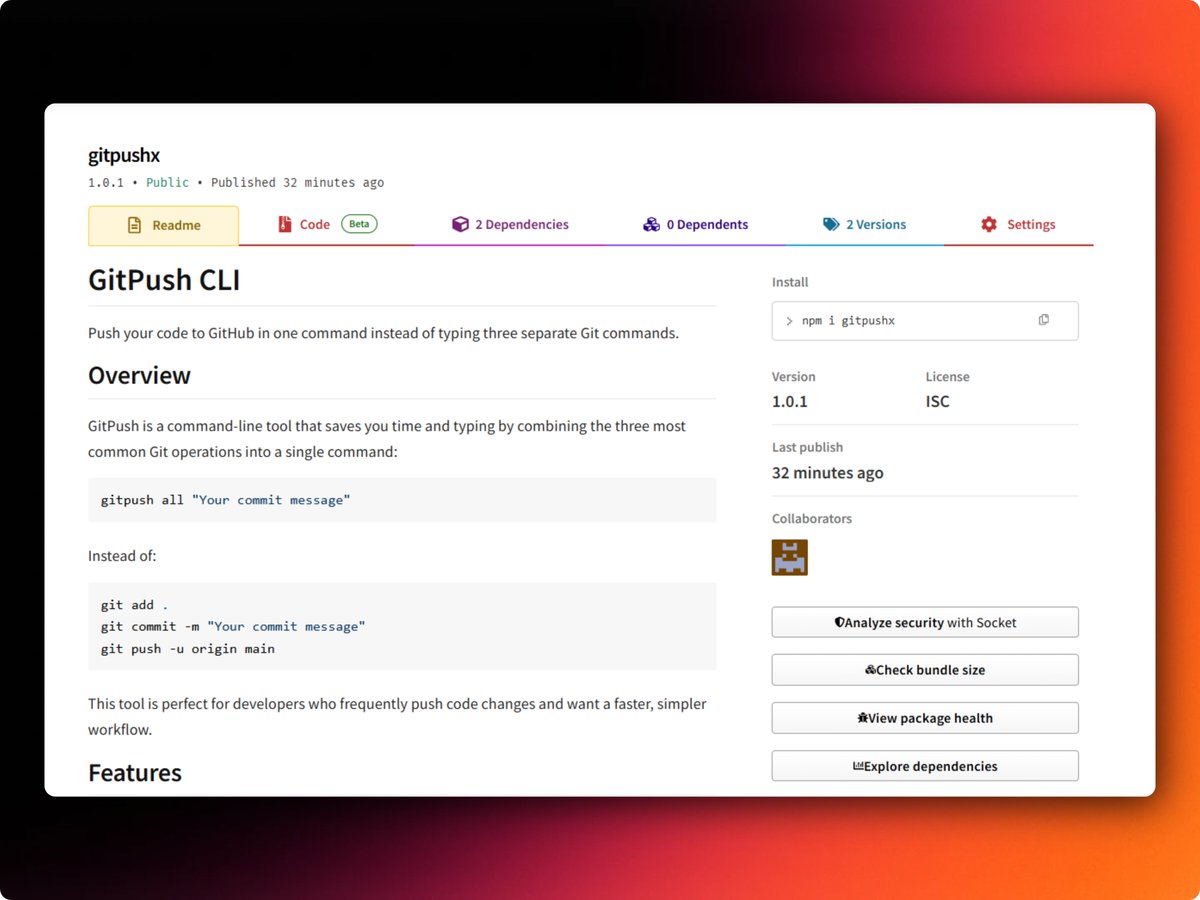
>Build a CLI called gitpush that lets you add, commit, and push your code with a single command instead of manually running multiple Git commands every time.
try it : npmjs.com/package/gitpushx
4
68

May 4
Reached out to authorities and some dm’ed me.
No one is paying for your ideation stage without you shipping anything.
Your investors wants to see the stage you’re in before they commit to your gitPush.
Build and start scaling and see more users afterwards.

1
2
46

Apr 8
me when i notice claude code is running a rm -rf on sum random files:
cd..gitadd.gitcommit-m"latest"gitpush

13
337


Feb 26
Two devs, one GitHub account, both hitting git push 😅 Chaos ensues: overwritten code, merge conflicts, broken builds.
Branch. Pull. Review. Don’t repaint the same wall. 🚀
#GitHub #GitPush #MergeConflict #DevLife #PitrixTechnologies
1
3
24


Jan 30
🔥 NEW DEV TOKEN JUST LAUNCHED! 🔥
$GITPUSH - Push Your Life
For developers who git push their gains! 💻🚀
📊 CA: EMo6rbUntzv2MUuTc8Tghyh4Z7cXNzqEvcvYrnxrpump
🔗 pump.fun/coin/EM06rBUntz2MUu…
💬 t.me/githubpush
🌐 danino93.github.io/git-push
Fair launch | No presale |
6
3
22
Jan 30
🚀 GITPUSH IS LIVE! 🚀 Push Your Life - The memecoin for devs who push code AND gains 💻💰 ✅ Fair Launch on @pumpdotfun ✅ No presale, No team tokens ✅ Community driven "git push origin moon" 🌙 📊 CA: EMo6rbUntzv2MUuTc8Tghyh4Z7cXNzqEvcvYrnxrpump 🔗 pump.fun/coin/EM06rBUntz2MUu…
19
20
388


15 Dec 2025
わしもやることをやる(ง ˙-˙ )ง
とりあえず今日のデイリーをこなしてgitの構成組んで設計書テンプレート配置してgitpushまでが今日の目標(ง ˙-˙ )ง
2
9

24 Nov 2025
Day21 11/24 バージョン管理について①
git 変更履歴(箇所、作業者)を記録すること
●Githubに保存する手順
1 Githubに新しいリポジトリを作る
2 エクスプローラーで作成したファイルの保存フォルダを開き、Githubにコピーするファイルを選択
3 GithubのAddfile-Uploadfilesにドラッグ&ドロップで完了
●Githubから戻す手順 *1
1 GithubのCode-DownloadZIPからZipフォルダをダウンロード
●GithubDesktop
1 Github上に空のリポジトリを作る ←gitclone
2 空のリポジトリをPCにダウンロードする *1
3 空のリポジトリにHTMLやCSSのファイルを保存する
4 保存したファイルはGithubに連携できる commitしてpush
5 GithubからPCに戻せる pull *複数台での作業時の差分確認等
(git)commit 変更記録の保存 必要な記録を残す
GitPush Githubに戻すこと
GitAdd どのファイル、変更履歴を保存するか選ぶ
#sunabaco #すなばこ2025冬
2
114

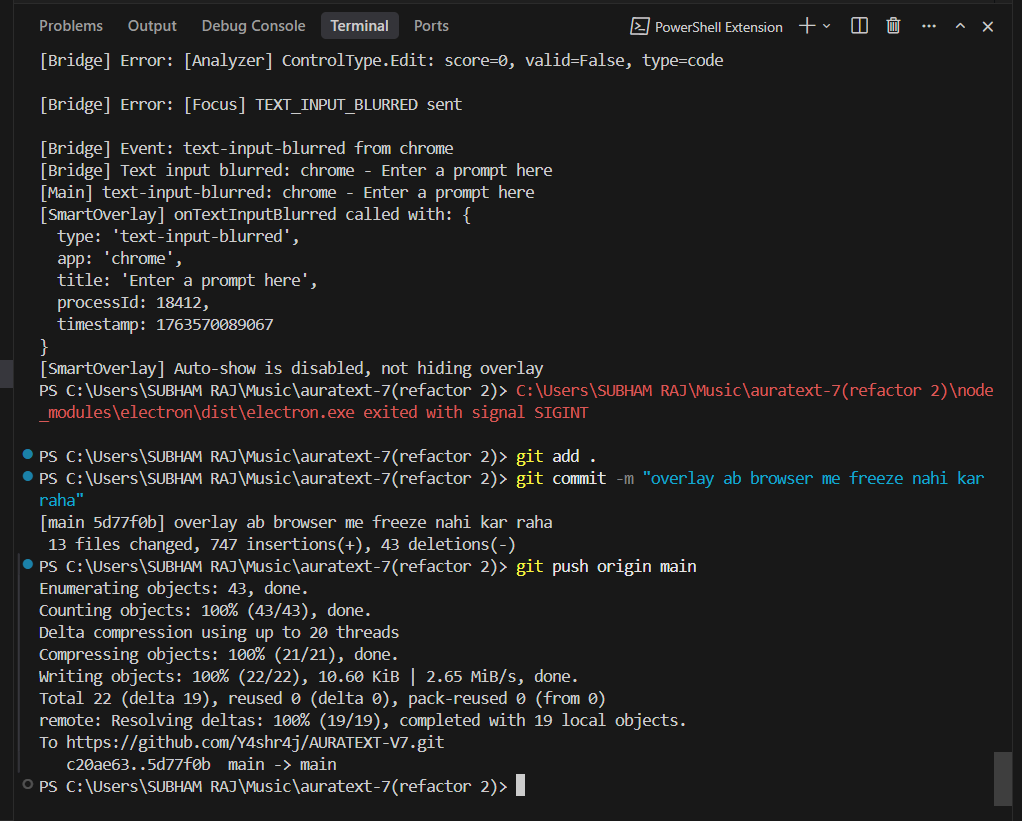
Just fixed the biggest pain in the ass, guys. Finally I can sleep peacefully. My overlay app was freezing all the time—now it's responsive for life! Phew...
#buildinpublic @auratext #gitpush #commit #overlaydontfreezeanymore #goodsleep
ALT screenshot of the terminal
1
6
91

14 Nov 2025
最近、GitPushもAIに頼むほどだらけてまして。。。。
考えてみたら『GitPushお願い』って頼むよりGitPushって打ったほうが文字数短いし早いじゃん!って
今更気づくもうボケジジイです
1
43

22 Oct 2025
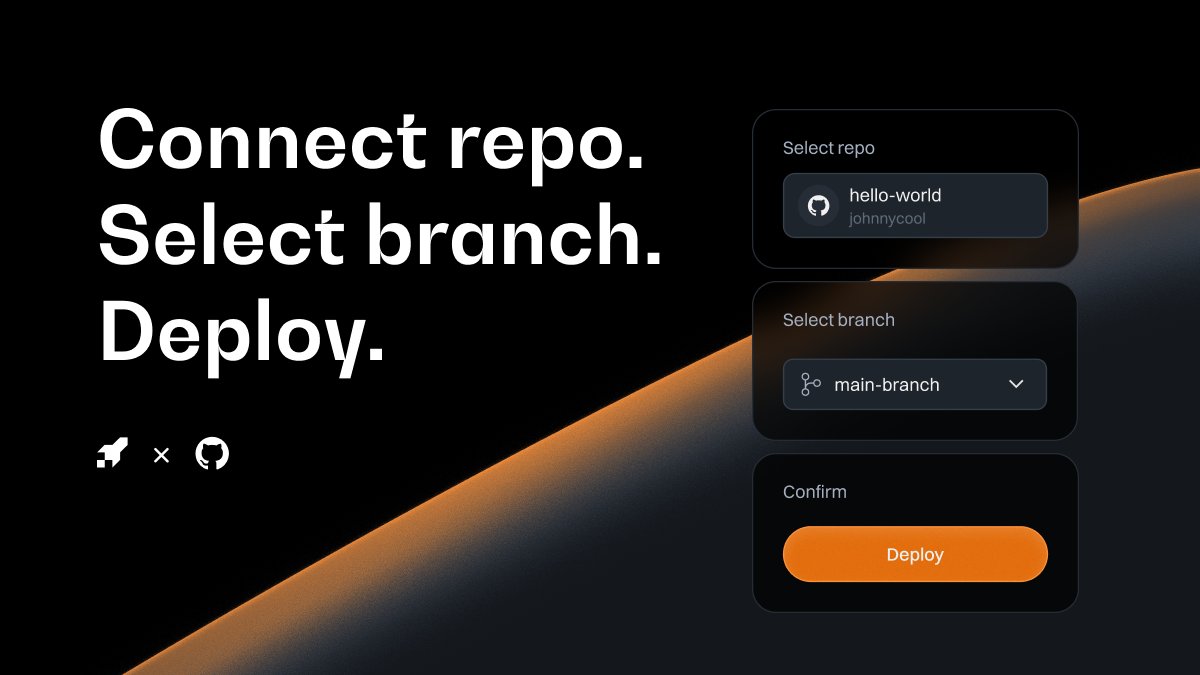
🚀 New: We’ve just launched Shuttle’s @github Integration
Code where you always do.
Deploy where it’s fastest.
✅ Connect your repo
✅ Deploy instantly from a Shuttle-ready repo or template
✅ Or auto-deploy on #GitPush when you update your code
Shuttle turns your GitHub repo into a deployment pipeline.
Connect. Push. Deploy. ⚡
👉 Link below
P.S. We’d love to see what you build - tag us with your first deploy 👇
ALT Shuttles new github integration
3
2
13
802


30 Sep 2025
Sunucu paneli önerisi istemiştim geçen haftalarda ve Dokploy ile Coolify arasında kalmıştım.
Vercel CEO'su da ağır saçmalayınca alternatif arayanlar için naçizane deneyimlerimi uzunca yazayım. Bir Türk girişimcinin harika panelinden de bahsedeceğim.
Özetle: Cloudpanel kullanıyordum ama docker destekli ve hızlı deploy yapabileceğim panel arayışım vardı.
✅Dokploy: Tercihim Dokploy'dan yana oldu.
- Arayüzü harika ve insanı yormuyor.
- Şablon galerisi çok zengin.
- Çoklu proje ve çoklu ekip için çok iyi kurgulanmış. Coolify da bu yönüyle gayet iyi ama Dokploy'da kullanıcı ve organizasyon bazlı yetkilendirme çok daha çeşitli kombinleyebiliyorsunuz.
- Projelerimde yer alacak yazılımcı arkadaşlarım da CI/CD entegrasyonu ve gitpush ile otomatik deploy tarafını çok sevdiler.
- Aslında iki yıldır hobi olarak Docker ile uğraşıyorum :) ve iş bireysel birden fazla sunucum vardı. Olur da ilerde lazım olur, node yönetimi için swarm desteği olması harika.
- Küçük çaplı bir stres testi yaptık, Coolify'dan daha verimli kaynak yönetimi var. Boştayken iki panel de aynı yüzdelikte kaynak kullanıyor ama birkaç deploy test sonunda Dokploy çok daha iyi bu konuda.
❌Eksileri:
- Dökümantasyon zayıf, bazı şeyleri araştırmak ve çözüm bulmak size düşüyor.
- Topluluk tarafı Coolify kadar güçlü değil ama iş görüyor.
- Ücretsiz ve açık kaynak olmasına rağmen lisans konusunda çeşitli çekinceler var.
- Uzak sunucu izleme için ücretli paket almanız lazım. Eksi midir tartışılır.
✅ Coolify:
- Bence yeni başlayacaklar için Dokploy'a nazaran daha kolay kullanımı var.
- Özellikle WordPress'in çeşitli varyantlarını kuracaksanız hali hazırda hepsi var diyebilirim (WordPress Mariadb Redis gibi) Dokploy'da compose kodlarını modifiye etmeniz gerekiyor.
- Çoklu sunucu desteği gayet güzel ve problemsiz çalışıyor fakat swarm desteği yok. Swarm da lazım olur mu? Olursa zaten milyonluk iş yapıyorsunuzdur :) size kalmış bu kriter.
- Topluluk çılgın. Gayet hızlı çözüm buluyorsunuz. Dökümantasyon çok iyi. Kaynak çok fazla var. Kaynak bolluğuna bağlı AI araçları da Coolify ile ilgili sorularınıza çözüm sunabiliyor. Dokploy'da bu imkan zayıf şu an.
❌ Eksileri:
- Dokploy'dan sonra arayüzü beni yordu.
- Proje ve client arttıkça kaynak tüketimi Dokploy'a göre -18 arası fazla oluyor. Başlarda çok problem değil bana göre ama stres testinde gözüme çarptı.
✅ Stormkit: Türk yazılımcı ve girişimci Savaş Vedova tarafından geliştirilmiş bir panel.
Öncelikle muhteşem bir ürün ve kesinlikle desteklenmesi gerekiyor. Kurulumu diğer paneller kadar basit ve test için 16 saat denemem oldu.
Lakin bana göre fazla üst seviye bir panel. Teknik bilgi gerekiyor. Enterprise projelerde düşünülebilir.
4
8
168
67,603