
3 Feb 2025
If you set text-rendering to optimizeLegibility, you tell the browser to emphasize legibility over rendering speed, which will likely enable ligatures.
On the contrary, the optimizeSpeed value will tell the browser to focus on rendering speed and not to use ligatures.
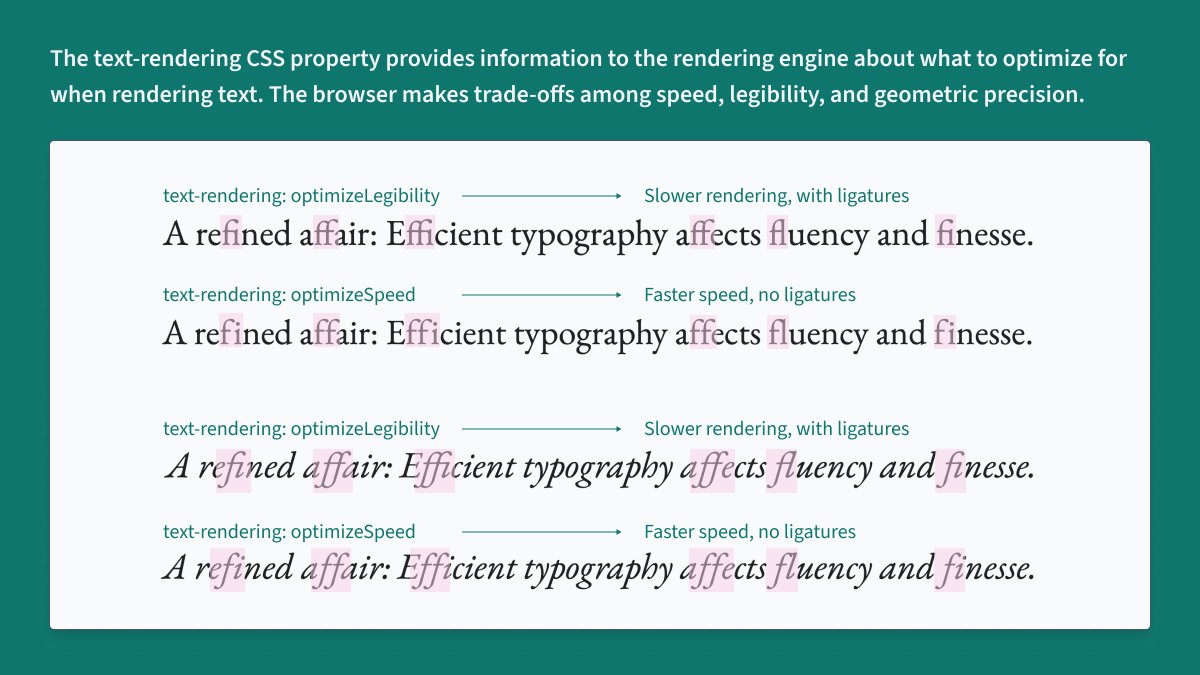
ALT An example of text rendered by browser in different modes with highlighted ligatures
3
624


7 Jul 2022
CSS check!
text-rendering: optimizeSpeed vs optimizeLegibility
Do you see a difference?
A quick test here (firefox/chrome/safari) gives me the impression that only Safari applies optimizeSpeed.
Test case 👇🏿
developer.mozilla.org/en-US/…
1

23 Mar 2022
Is it a css thing?
image-rendering: optimizeSpeed;
image-rendering: -moz-crisp-edges;
image-rendering: -o-crisp-edges;
image-rendering: -webkit-optimize-contrast;
image-rendering: optimize-contrast;
-ms-interpolation-mode: nearest-neighbor;
1
2

10 Sep 2021
#今日の積み上げ
✅#codeups 下層ページ
✅読書
swiper矢印表示されない問題がやっと解決😂
reset.cssのtext-rendering: optimizeSpeed;を削除したら表示された💦
ここ数日悩んでたからめっちゃ嬉しい🥰
#駆け出しエンジニアと繋がりたい
1
39

1 Aug 2021
text-rendering:プロパティはテキスト全体の読み込み方針を変えるプロパティ
developer.mozilla.org/ja/doc…
速さ(optimizeSpeed)、読みやすさ(optimizeLegibility)、位置の正確さ(geometricPrecision)の3つの方針を選べるらしい
#今日の積み上げ #プログラミング初心者と繋がりたい
1
8

1 Jan 2021
WordPress website design get discount up to 50% off
Hire me: fiverr.com/share/ed8jzg
#wordpress #website #woocommerce #businesswebsite #landingpagedesign #speedoptimization #wordpress #optimizespeed #elementor #bugfix #web #harrystyles #USA

ALT wordpress website design by kazi shakil
2

27 Nov 2020
Day 3 of #100DaysOfCode
* Today tried to create sliding sidenav using flexbox and grid. It's sliding but layout getting break working on that one.
* Read about css property
``text-rendering : optimizeSpeed```
Is it really create any impact on speed of website ?
1
1


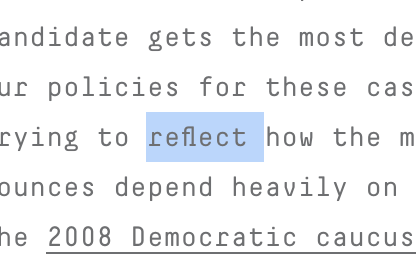
Bizarre: Chrome is rendering “fl” (two characters) as a one-character ligature despite the text appearing in a monospaced font (DecimaMono) on @FiveThirtyEight. (CSS `text-rendering: optimizeSpeed;` fixes this, but that feels hacky). Unclear to me if this is a font or Chrome bug
2
5

16 Oct 2019
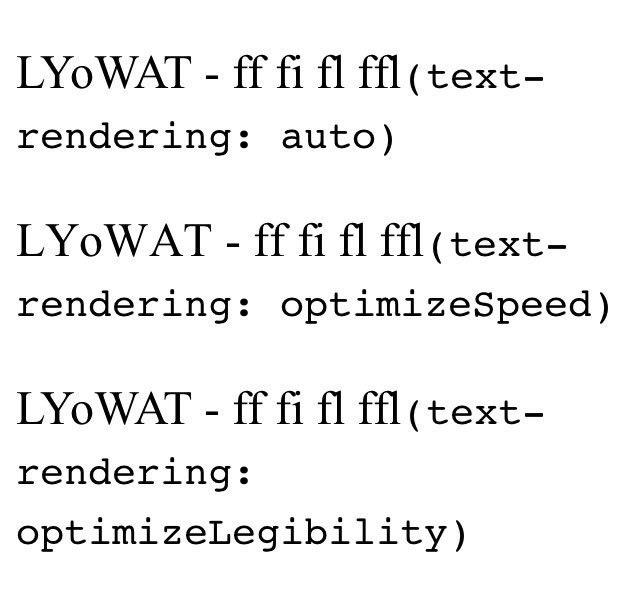
CSS { text-rendering: optimizeSpeed } 속성을 사용하면 사파리 브라우저(Mac, iOS 동일)는 자간을 보정하지 않아서 결국 문자열 길이가 달라집니다. 초기값(auto)으로 놔 두는 게 좋아 보여요. codepen.io/naradesign/pen/ab…
1
14 Oct 2019
CSS 흥미로운 코드 리뷰. `scroll-behavior: smooth`는 앵커 사이를 부드럽게 스크롤. t.ly/9KG8e `text-rendering: optimizeSpeed` 글꼴 가독성/정밀도보다 속도 최우선. t.ly/ljwDk
```
body {
scroll-behavior: smooth;
text-rendering: optimizeSpeed;
}
```
9
11

4 Apr 2018
@Kobo helped me discover that the culprit was an ancient (c. 2011) EPUB hack: adobe-text-layout: optimizeSpeed, which forces an old version of RMSDK. #eprdctn
4 Apr 2018

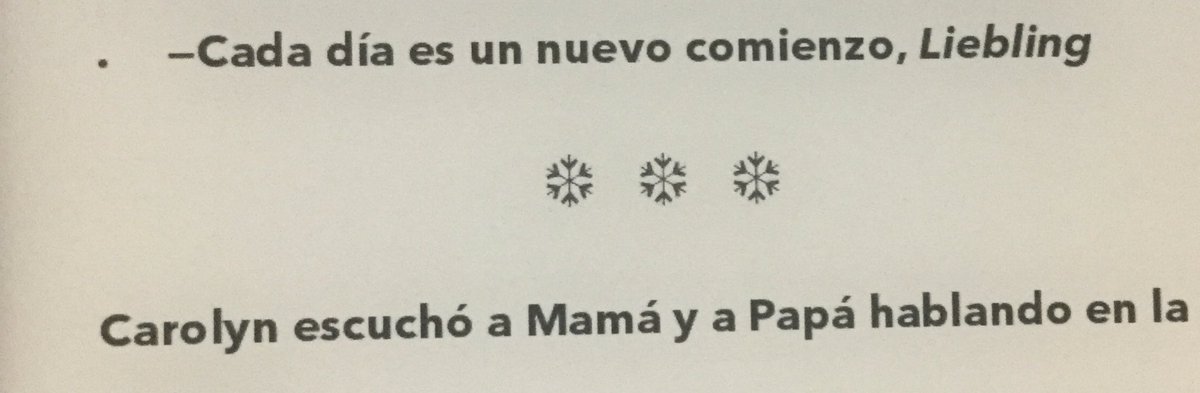
Got a new @Kobo Aura for #eprdctn purposes. Looks like it’s displacing periods that come between an italic word and the end of a paragraph to the left margin. Anyone seen this before?
1
1
3

27 Sep 2017
Oops : ) Maybe try with text-rendering:optimizeLegibility; since Safari uses optimizeSpeed by default

25 Sep 2017
img {
image-rendering: optimizeSpeed;
-moz-crisp-edges
-webkit-optimize-contrast;
optimize-contrast;
nearest-neighbor;
pixelated; } 👾
1
2

23 May 2015
Nerd nugget of the day...
For mobile breakpoints: text-rendering: optimizeSpeed
For desktop breakpoints: text-rendering: optimizeLegibility
1

5 Feb 2015
Inkscape 0.91 でビットマップを埋め込むと、SVG の image 要素に style="image-rendering:auto/optimizeSpeed/optimizeQuality" preserveAspectRatio="none" という属性がつく。
3
1