


I spent a week finding the 10 Obsidian plugins that actually matter.
There are 2,700 in the community store. These are the only ones you need.
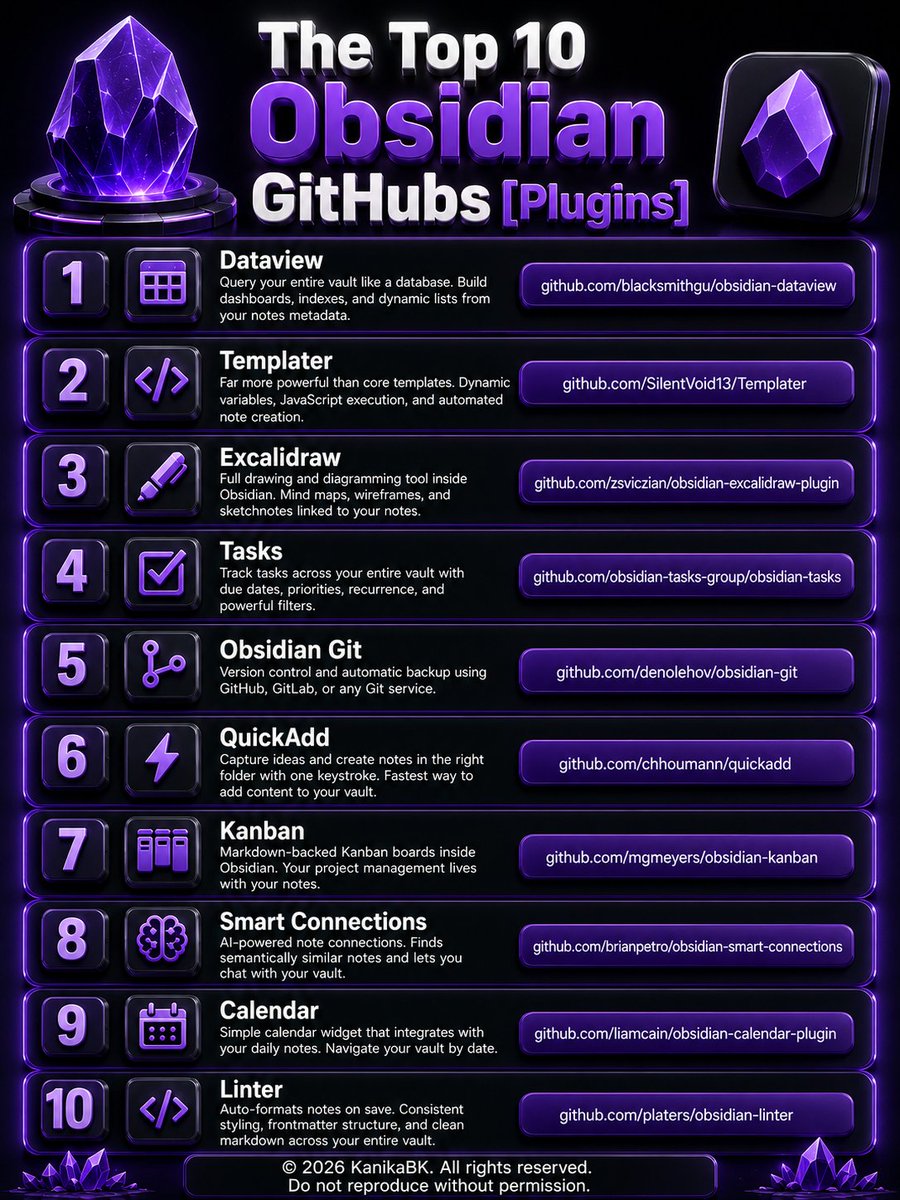
Here are the Top 10 Obsidian GitHub repos worth bookmarking:
1. Dataview
github.com/blacksmithgu/obsi…
Query your entire vault like a database. Build dashboards, indexes, and dynamic lists from your notes metadata.
2. Templater
github.com/SilentVoid13/Temp…
Far more powerful than core templates. Dynamic variables, JavaScript execution, and automated note creation.
3. Excalidraw
github.com/zsviczian/obsidia…
Full drawing and diagramming tool inside Obsidian. Mind maps, wireframes, and sketchnotes linked to your notes.
4. Tasks
github.com/obsidian-tasks-gr…
Track tasks across your entire vault with due dates, priorities, recurrence, and powerful filters.
5. Obsidian Git
github.com/denolehov/obsidia…
Version control and automatic backup using GitHub, GitLab, or any Git service.
6. QuickAdd
github.com/chhoumann/quickad…
Capture ideas and create notes in the right folder with one keystroke. Fastest way to add content to your vault.
7. Kanban
github.com/mgmeyers/obsidian…
Markdown-backed Kanban boards inside Obsidian. Your project management lives with your notes.
8. Smart Connections
github.com/brianpetro/obsidi…
AI-powered note connections. Finds semantically similar notes and lets you chat with your vault.
9. Calendar
github.com/liamcain/obsidian…
Simple calendar widget that integrates with your daily notes. Navigate your vault by date.
10. Linter
github.com/platers/obsidian-…
Auto-formats notes on save. Consistent styling, frontmatter structure, and clean markdown across your entire vault.
All free. All open source. All actively maintained in 2026.
19
60
278
13,978


Jun 3
PEOPLE INSTALL 30 PLUGINS, BUILD 15 FOLDERS, AND NEVER OPEN OBSIDIAN AGAIN AFTER DAY 1.
They build a system for an imaginary version of themselves.
If capturing a thought takes more than 10 seconds, it does not happen.
The fix is 4 folders only. Inbox for everything unprocessed.
5 plugins worth installing :
> Templater for consistent formatting
> Dataview to query notes like a database
> Calendar for daily note navigation
> QuickAdd to capture from anywhere
> Obsidian Git for automatic backups to GitHub.
The weekly review is where the system compounds.
20 minutes every Sunday. Process inbox, open 3 random notes and ask what they connect to, plan next week.
That single habit turns a vault from an archive into a thinking partner.

20
7
77
5,350


My wife’s probably out there just sitting and waiting for me to find her off Snapchat Quickadd #truelove
6
3
249
6,723

May 26
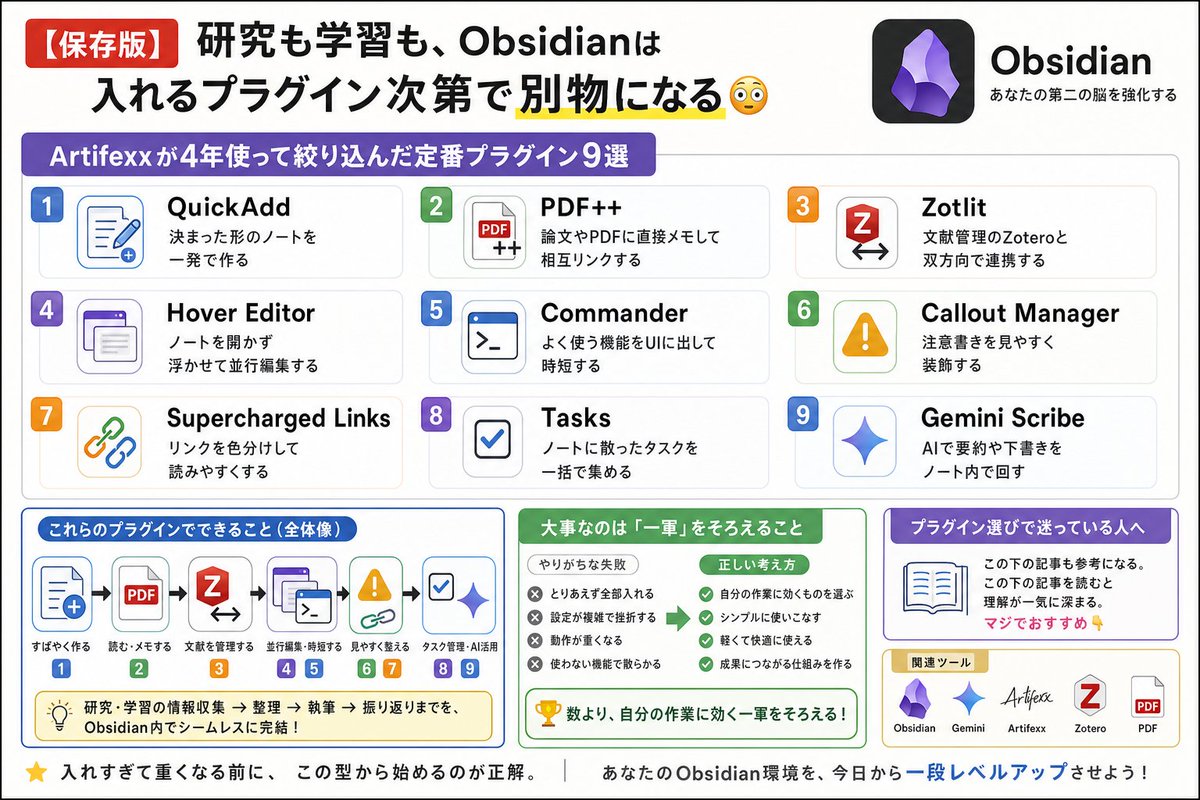
【保存版】
研究も学習も、Obsidianは入れるプラグイン次第で別物になる😳
Artifexxが4年使って絞り込んだ定番リストが参考になりすぎた👇
・QuickAdd 決まった形のノートを一発で作る
・PDF 論文やPDFに直接メモして相互リンクする
・Zotlit 文献管理のZoteroと双方向で連携する
・Hover Editor ノートを開かず浮かせて並行編集する
・Commander よく使う機能をUIに出して時短する
・Callout Manager 注意書きを見やすく装飾する
・Supercharged Links リンクを色分けして読みやすくする
・Tasks ノートに散ったタスクを一括で集める
・Gemini Scribe AIで要約や下書きをノート内で回す
つまり大事なのは数より、自分の作業に効く一軍をそろえること。
入れすぎて重くなる前に、この型から始めるのが正解。
プラグイン選びで迷っている人は、この下の記事も参考になる。
この下の記事を読むと理解が一気に深まる。マジでおすすめ👇

1
7
36
3,592

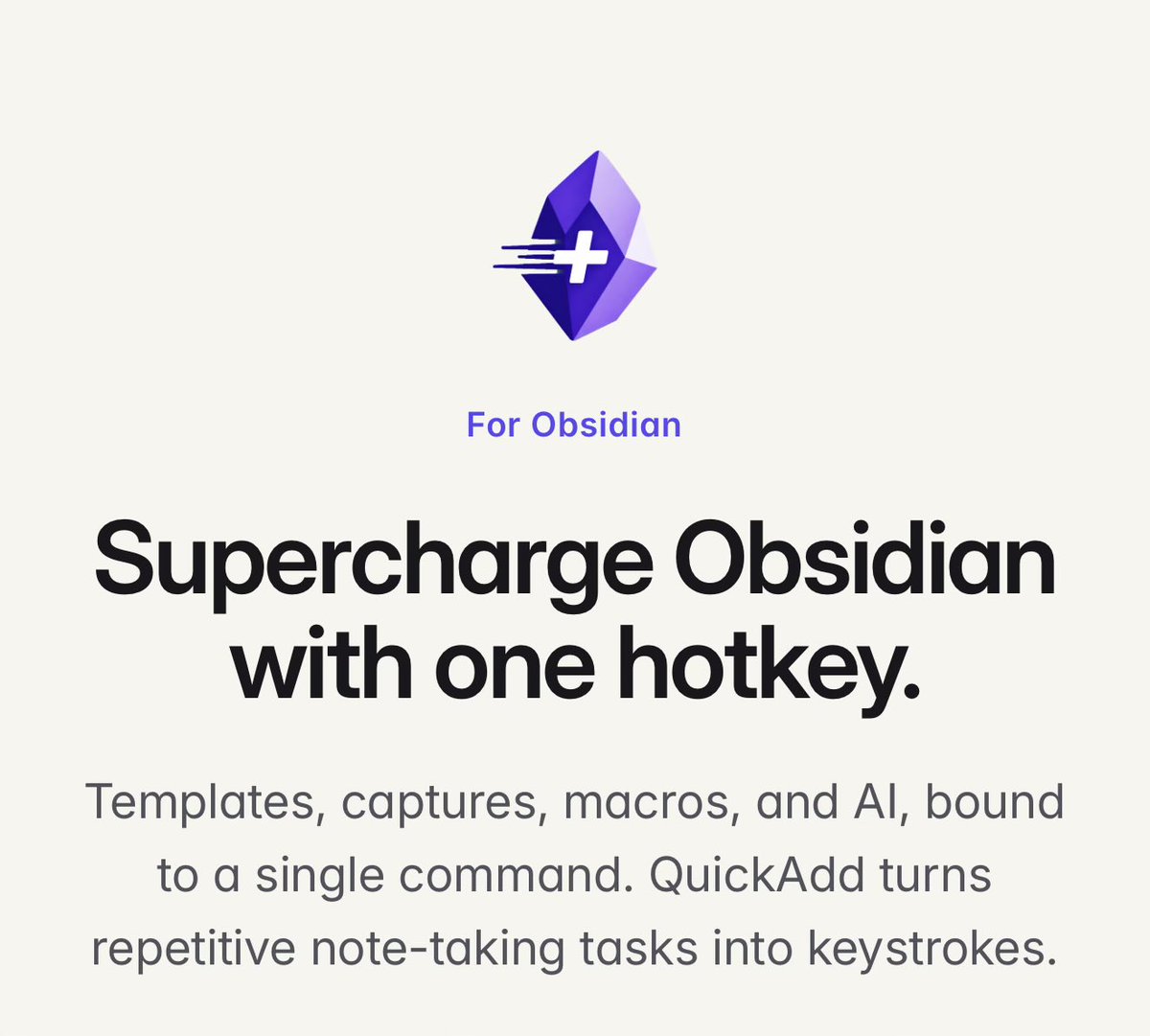
QuickAdd for Obsidian has been greatly debloated.
And since it’s now below the 5mb file limit, it will now actually sync across devices with Obsidian Sync!
And tons of fixes and polish. Feedback is welcome as always!
9
519


Just got someone reccomended to me in snapchat quickadd because they used my grandmas old phone number to sign up ☹️☹️☹️
2
89

May 17
Obsidian 新手只装这 7 个就够了:
1️⃣ Calendar — 日记/复盘入口,点日期直接跳
2️⃣ QuickAdd — 快捷键抓灵感,不用手动建文件
3️⃣ Templates — 读书笔记/周报,结构一键套用
4️⃣ Dataview — 给笔记加状态标签,自动汇总视图
5️⃣ Excalidraw — 脑子里的想法,画出来再说
6️⃣ Claudian — 把 Claude 塞进知识库,AI 就在旁边
7️⃣ Git — 删错了?回滚。多设备?同步
装完这 7 个,比 99% 的笔记 app 都好用。
5
454