
May 28
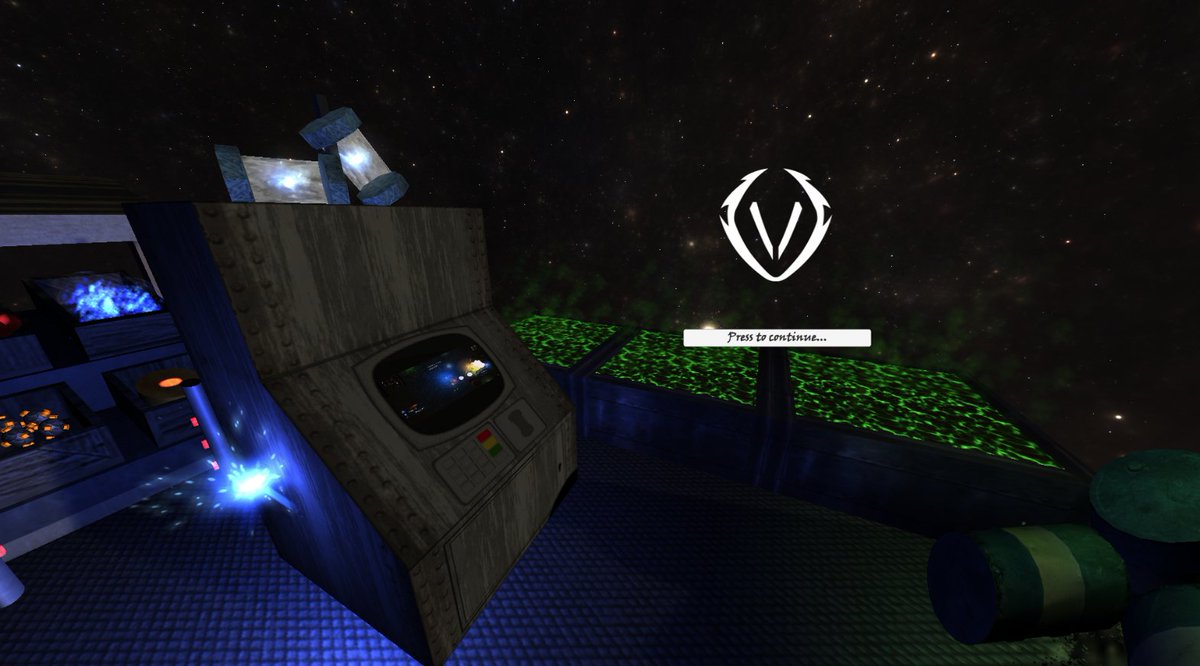
I've been silent some time, recovering an old game I started 16y ago (I dreamed it #truestory then learned Unity, since then I'm a passionate #gamedev; with 1 goal, have my own steam game published) , made in #unity3d 5 so imagine rewriting it UnityScript to C# 🥵
#indiegamedev
1
6
83

Mar 31
かつてUntiyさんにはUnityScript, Boo, C#の選択肢があったけれど、メンテナンスコストやパフォーマンスの都合で1本になれたよね
一方でUEさんはC , BP, (一部)PythonにVerseが加わるけれど、ニンゲンさんはレイをオフしたよね
メンテナメンとかどうしはるんやろか
3
8
50
8,114

Muita gente deve saber que a Unity usa C#, alguns até sabem que ela já teve UnityScript (que era basicamente C# só que Js), mas só os de verdade sabem que ela já suportou Boo tb (unica que nn mexi)
Feb 13

🇧🇷 BRAZIL:
• Bend (2024-2025): AI*, GPU/TPU
• Lua (1993): World of Warcraft, Angry Birds, Roblox, Adobe Lightroom,
• Elixir (2012): Discord, Pinterest, Whatsapp Business,
Others: • Portugol (~1986), • Boo (2003),• Potigol (2010s), • Egua (2020) e • BIRL (meme 🤣)
2
87

Feb 4
One of my first Unity projects, from the era when UnityScript (JS) was still a thing
#gamedev #madewithunity #unity3d #indiedev
1
20
1,110

7 Dec 2025
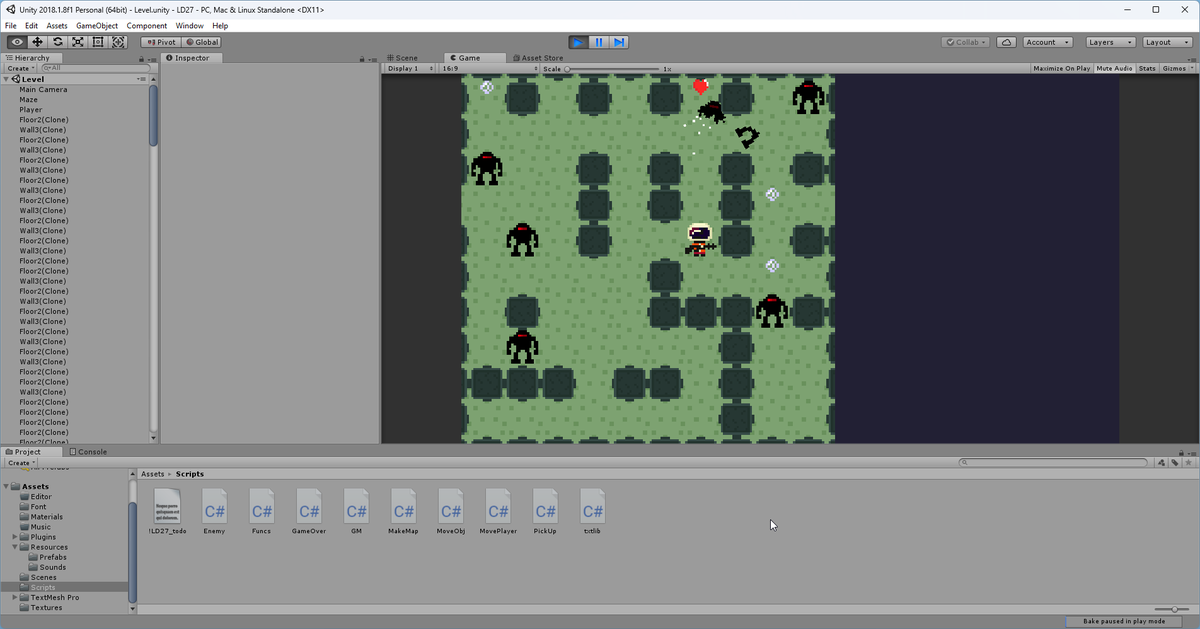
Been working on porting my jam games to C# and remastering them a bit. I'd been working in one a few days but in UnityScript. Just got it compiling and replaced sprite/text gui systems.
But it was time to port from UnityScript to C#. I decided to try ChatGPT. I just copy/pasted the script in and asked it "In Unity 2018, I need this file converted from UnityScript to C#. Keep all my comments in place. Make it a 1:1 port, line by line".
It worked great first time just on standard free GPT. I had to do things like move the C# files to the Plugins directory so they would compile first and the UnityScript files could "see" them. So I ported one file at a time.
Only issues were things like:
- GPT picked a class name that was improper (vs just being the file name). 5 second fix.
- There were half a dozen cases where I had to prefix an enum or some variable with a class name.
- There were two floats I needed to make an int
This is a small project. 10 files and maybe 3k lines of code but still - in the past I would have spent 2 hours converting these by hand, line by line, making mistakes and doing thousands of keystrokes. This time, it was probably 15-20 minutes of real work, were I to do it again.
Pretty useful.
I will fiddle with this port a bit more and clean it up, but I'm going to come back and remaster it (graphics, design, general polish) after I port two more games. They will all get a new coat of paint...if...I continue with this project.
Most every programmer I know uses AI in some form now and finds a lot of value just doing small things like I just did. Grunt work. AI is great for rote grunt work. I don't think it would be hard to feed all the files into Claude for context and have it refactor code or write new things while I just serve as designer overlord who interjects from time to time. #gamedev
6
1
23
2,144

11 Nov 2025
> Be me, age 13
> Dad has implemented time limit restrictions on wifi
> discover that you can reset the restrictions by turning the TP-Link device off and on again a few times
> Play Pokémon a lot, and curiosity to learn game dev kicks off
> Flight to Japan with mom and little brother
> We discover that the in-flight poker game is fundamentally broken
> Hand reset was free and you could change your bet after you know your hand, so you could basically just go all-in when you have a strong hand
> Spend 10hrs on flight getting inflight poker balance to 10mil in virtual currency in competition with brother
> Age 14, teach myself "UnityScript", this god-awful language very similar to JavaScript to learn game dev in Unity
> Develop some terrible games, learned to import my own hand-draw sprites and make music using FL Studio
> My parents let me use the computer for learning, so I could spend hours writing terrible code from youtube tutorials (thanks Brackeys)
> Age 16, teach myself Python at coding club
> Write some more terrible programs
> Write some basic cellular automata scripts and other hobby projects for a few years.
> Age 20, start Computer Science in uni
> Discover bug bounty because I was kinda techy and I needed money, made some cool friends in the space like @mikey96_bh
> make a few thousand in my first year, enough that I don't need to work part-time anywhere.
> Age 21, start working in security research via bug bounty experience. meet my good friend @rez0__
> Meet this cool guy called @Rhynorater in Def Con in vegas. I watch him pwn a hardware device. super inspiring.
> Age 23, I keep hacking. finish uni, still working, kinda tired of it all.
> I retreat into the mountains in Hokkaido, Japan and quit my job to do bug bounty full time. making enough from bounties to live off the money
> Moved to scotland, much happier. rough few months as I find my footing
> Started writing newsletter
> Age 24, making more money than ever while self employed. 10x Live Hacking Events so far, won an award in 3 of them.
> consulting business pretty stable, bug bounty working out really well, learned a lot. newsletter at over 80 issues
> adopt 2 cats (I love them but man, are they stupid)
> get into AI hacking, discover that I'm actually kinda good at it because of my previous niche skillsets
> meet super cool people like @elder_plinius and @gr3pme and meet James Kettle irl
> Start working on cool startup idea in October
---> YOU ARE HERE <---
8
10
319
47,679


21 Aug 2025
My second game dev language, after learning UnityScript.
I recommend Lua! If Roblox is still using it for their mods, it’s the best place to get into programming.
1
4
784

29 May 2025
GodotのGDScriptはPythonとまったく関係ないのと(共通点はインデントの仕方くらい)、往年のUnityScriptとかとは立ち位置が違うTier1のドメイン特化言語なのをみんなに伝えなきゃ
5
15
2,761

14 May 2025
Somnia Network @Somnia_Network utilizes WebAssembly (WASM) to enable the execution of smart contracts and decentralized applications (dApps) on Somnia platform. Here are some ways Somnia Network leverages WASM:
Benefits of WASM:
- Platform Agnosticism: WASM allows Somnia Network to support smart contracts and dApps written in various programming languages, making it a platform-agnostic solution.
- Performance: WASM enables fast and efficient execution of smart contracts and dApps, reducing latency and improving overall performance.
- Security: WASM provides Somnia Network with a secure sandboxed environment for executing smart contracts and dApps, protecting the network from potential vulnerabilities.
Somnia Network uses WASM to execute smart contracts, enabling developers to write contracts in languages like Rust, C , and Assembly Script. WASM allows developers to build and deploy dApps on Somnia Network, leveraging languages like JavaScript, TypeScript, and Kotlin.
Somnia Network use of WASM enables the creation of immersive gaming experiences, with support for languages like C , Rust, and UnityScript.
WASM enables the development of decentralized finance (DeFi) applications, such as lending protocols, decentralized exchanges, and stablecoins.
Integration with Somnia Network:
- WASM Runtime: Somnia Network integrates a WASM runtime environment, allowing for the execution of WASM modules on the network.
- Compiler Support: Somnia Network supports various compilers, including wasm pack, wasm bindgen, and AssemblyScript, to facilitate the development and deployment of WASM modules.
- Development Tools: Somnia Network provides development tools and resources, including tutorials, documentation, and SDKs, to support WASM development on the network.

16
3
49
1,178
20 Feb 2025
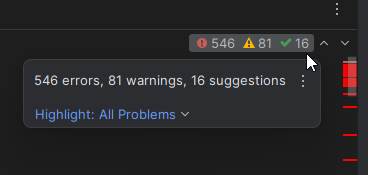
This is called "headphones work" when porting a file from UnityScript to C#. Grind it out.
3
25
1,167
20 Feb 2025
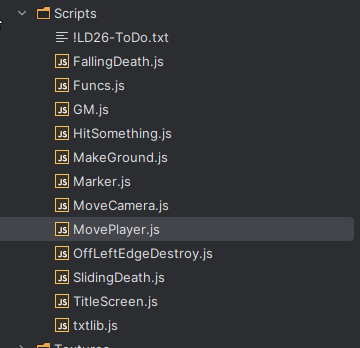
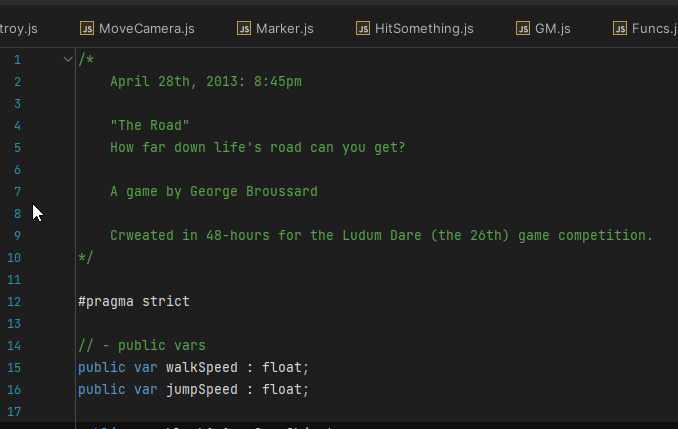
I've been resurrecting my old Ludum Dare game jam games. These were games made in the 2012-2014-ish era, on Unity 3 and 4, and no longer are able to be built in a modern Unity version. They were written in UnityScript (javascript) and some of the external assets used are gone and no longer compile (sprites, text, etc). It's been a process to figure out the best path to resurrecting them.
I could just let them go and let them be lost to the Sands of Time but that just fucking bothers me, frankly. They aren't amazing, but I made them in short periods of time and under the 48 hour constraint I'm proud of them.
So far I'm just deleting the deprecated assets and commenting out all sprite/text code until the game runs (in UnityScript, in Unity 2018 (the last version supporting UnityScript)).
Then I go into the prefabs and insert Unity Sprite Renderer and get things displaying. Then I weed through the code and delete as much Unity Script as I can (I'm also a much better coder now than then), so the c# port process is as little as possible.
In some cases I will convert all the colliders/physics to their 2D counterparts from the older 3D versions that existed before 2D. This is fiddly work.
Then once in c# and on a modern Unity version, I can re-add back the menus, title screens, and whatever text.
Then I will sweep through a game and improve art, gameplay mechanics, etc, and basically re-master them. They will still be smallish games, but with better production values, and maybe some better design (or just make the games a bit longer (some just ended after a few levels)). They were originally made in 48 hours after all and the struggle was with development and implementation more than design and art, both of which suffered being done last!
Of 13 games, about 6 were in this deep old Unity busted state. The last 7 were all made on modern Unity versions (2017 ) in c# and have no major issues running. They will all get art and design polish though, and some level extensions to make them longer to play.
The goal would be to bundle them into a single app with a launcher screen to let you play the games. We'll see if I actually have the interest to complete it or not! I could well lose interest but I'm trying not to.
It could be that I just have a burst of energy because it's freezing in Dallas and this is a good distraction, but I'm fully motivated and into it and porting the first game was 3 days, so that propels me to the next. Onward!
#gamedev #programming #gamedesign
3
27
1,549

17 Feb 2025
I remember some old Unity versions did auto-convertion from UnityScript to C#. AFAIK it was in 2017.
You can try to open your project in older unity version and wait for built-in auto-coverter.
1
2
101
17 Feb 2025
I'll Google for options, but does anyone using Unity know of a really great UnityScript -> C# convertor? Looking to resurrect a half dozen old gamejam games that were in UnityScript. I've converted some by hand in the past and it isn't awful. They are short, a couple thousand lines of code, and it takes a couple hours to do the base pass on it and get it compiling. But, if something "just works" that would be great. #unity3d #gamedev
4
4
1,327

10 Feb 2025
Just saw an old post on Unity Discussions, the answers were in the old UnityScript. Brought back some nice memories.
I miss Boo too!
1
5
396

13 Nov 2024
I miss Plum Nut, my 2nd Unity game & a victim of #GamePreservation challenges, no longer on App Stores due to updates, and written in UnityScript before support ended, making it tough to rebuild. It’s surreal seeing a game you worked so hard on vanish. Hope to revive it someday❤️
1
9
675

6 Oct 2024
For sure. I’ve built fully functional 2D UI systems in Unity and Godot that are still used in like 200 mini games and I can’t even move widgets on screen 😂 I started using Unity back in 2011, and Verse reminds me of UnityScript. Raw and new, but hoping we get better tools soon!
2
110

26 Aug 2024
Seems to be writing pretty good code to me!
Certainly, I'll provide you with a basic character collider script for Unity 3D in both C# and JavaScript (UnityScript). These scripts will handle basic collision detection for a character, which you might use for a player or an NPC in your game.
### C# Script
```csharp
using UnityEngine;
public class CharacterCollider : MonoBehaviour
{
// Layer mask for what the character should collide with
public LayerMask collisionMask;
// The radius of the sphere used for collision detection
public float collisionRadius = 0.5f;
// How high above the ground the character should be
public float maxStepHeight = 0.5f;
// How far to move the character when not grounded
public float pushForce = 5f;
private Vector3 moveDirection = Vector3.zero;
private CharacterController controller;
void Start()
{
controller = GetComponent<CharacterController>();
if (controller == null)
{
Debug.LogError("CharacterCollider requires a CharacterController component!");
enabled = false;
}
}
void Update()
{
// Basic movement input for testing
float moveHorizontal = Input.GetAxis("Horizontal");
float moveVertical = Input.GetAxis("Vertical");
moveDirection = new Vector3(moveHorizontal, 0, moveVertical);
moveDirection = transform.TransformDirection(moveDirection);
moveDirection *= 5; // Speed adjustment
// Apply gravity
if (!controller.isGrounded)
moveDirection.y -= 9.8f * Time.deltaTime;
// Move the controller
MoveCharacter(moveDirection * Time.deltaTime);
}
void MoveCharacter(Vector3 move)
{
// Perform a sphere cast to check for collisions
RaycastHit hitInfo;
if (Physics.SphereCast(transform.position, collisionRadius, move.normalized, out hitInfo, move.magnitude, collisionMask))
{
// If we hit something, move to the point of collision
move = hitInfo.point - transform.position;
}
// Move the controller
controller.Move(move);
// Check if we're grounded
if (controller.isGrounded)
{
// Reset vertical velocity if grounded
moveDirection.y = 0;
}
else
{
// Push character upwards if not grounded to prevent falling through platforms
controller.Move(Vector3.up * pushForce * Time.deltaTime);
}
}
}
```
### JavaScript (UnityScript) Script
```javascript
#pragma strict
var collisionMask : LayerMask;
var collisionRadius : float = 0.5;
var maxStepHeight : float = 0.5;
var pushForce : float = 5.0;
private var moveDirection : Vector3;
private var controller : CharacterController;
function Start () {
controller = GetComponent.<CharacterController>();
if (!controller) {
Debug.LogError("CharacterCollider requires a CharacterController component!");
enabled = false;
}
}
function Update () {
// Basic movement input for testing
var moveHorizontal : float = Input.GetAxis("Horizontal");
var moveVertical : float = Input.GetAxis("Vertical");
moveDirection = Vector3(moveHorizontal, 0, moveVertical);
moveDirection = transform.TransformDirection(moveDirection);
moveDirection *= 5; // Speed adjustment
// Apply gravity
if (!controller.isGrounded)
moveDirection.y -= 9.8 * Time.deltaTime;
// Move the controller
MoveCharacter(moveDirection * Time.deltaTime);
}
function MoveCharacter(move : Vector3) {
// Perform a sphere cast to check for collisions
var hitInfo : RaycastHit;
if (Physics.SphereCast(transform.position, collisionRadius, move.normalized, hitInfo, move.magnitude, collisionMask)) {
// If we hit something, move to the point of collision
move = hitInfo.point - transform.position;
1
608

23 Aug 2024
I was able to use a tool to convert all the Lily's Day Off scripts from unityscript to c#. But now I've been going through every object in every scene to re-attach scripts.
5
98

21 Aug 2024
Lily's Day Off sadly uses Unityscript. And to target the newer API levels google wants me to, I have to update to newer versions of Unity, which no longer support Unityscript, meaning I have to convert the entire game to C#. Whether using a tool, or by hand, idk.
1
7
305