Blessed Foundation retweeted

Jun 8
#usingNotesClaw 👇
Q:
Who is actually creating the strategies?
How does the AI determine when to buy or sell?
Can I customize them?
A:
This is a question many people are concerned about. Essentially, what you’re asking is: “Am I using a ‘black box’?”
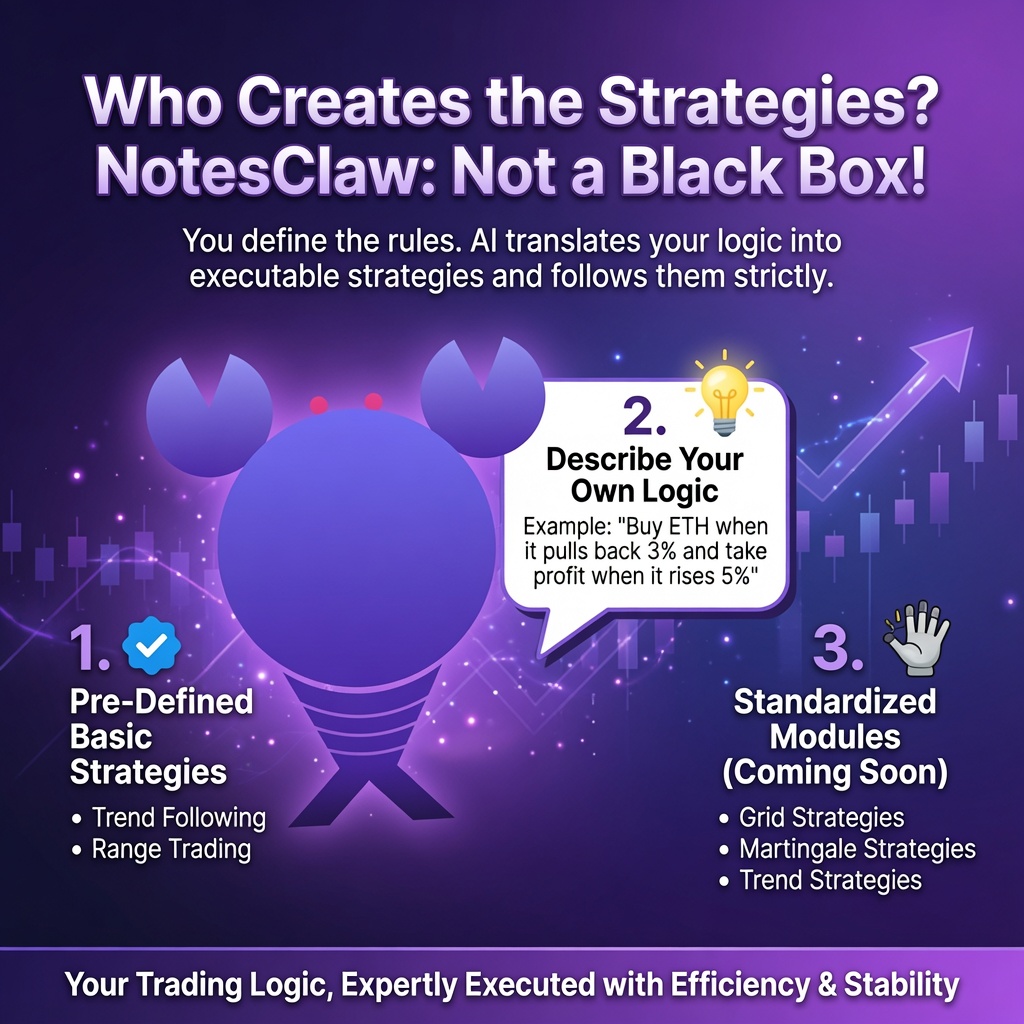
Our current model is not a complete black box. NotesClaw is an AI agent whose core capability is not to “make decisions for you,” but rather to translate your trading logic into executable strategies and strictly follow them.
Currently, there are three main sources for strategies: 1️⃣The first is a set of pre-defined basic strategies that have been market-tested, such as trend following and range trading.
2️⃣The second allows users to describe their own trading logic by conversing with NotesClaw. For example, you can say, “I want to buy ETH when it pulls back 3% and take profit when it rises 5%,” and it will convert that into a strategy for you.
3️⃣The third is a more standardized strategy module that we will prioritize launching in the future, such as grid strategies, Martingale strategies, and trend strategies. Users can directly call upon or copy these for use.
So, fundamentally, it’s not about AI making random judgments—it’s about you defining the rules, with A helping you execute them, and doing so with greater efficiency and stability. #openclaw #AI
1
1
5
120
Jun 8
#usingNotesClaw 👇
Q:
Who is actually creating the strategies?
How does the AI determine when to buy or sell?
Can I customize them?
A:
This is a question many people are concerned about. Essentially, what you’re asking is: “Am I using a ‘black box’?”
Our current model is not a complete black box. NotesClaw is an AI agent whose core capability is not to “make decisions for you,” but rather to translate your trading logic into executable strategies and strictly follow them.
Currently, there are three main sources for strategies: 1️⃣The first is a set of pre-defined basic strategies that have been market-tested, such as trend following and range trading.
2️⃣The second allows users to describe their own trading logic by conversing with NotesClaw. For example, you can say, “I want to buy ETH when it pulls back 3% and take profit when it rises 5%,” and it will convert that into a strategy for you.
3️⃣The third is a more standardized strategy module that we will prioritize launching in the future, such as grid strategies, Martingale strategies, and trend strategies. Users can directly call upon or copy these for use.
So, fundamentally, it’s not about AI making random judgments—it’s about you defining the rules, with A helping you execute them, and doing so with greater efficiency and stability. #openclaw #AI
4
80
Jun 4
#usingNotesClaw 👇
Q: Why should users use NotesClaw rather than trading themselves manually?🤔
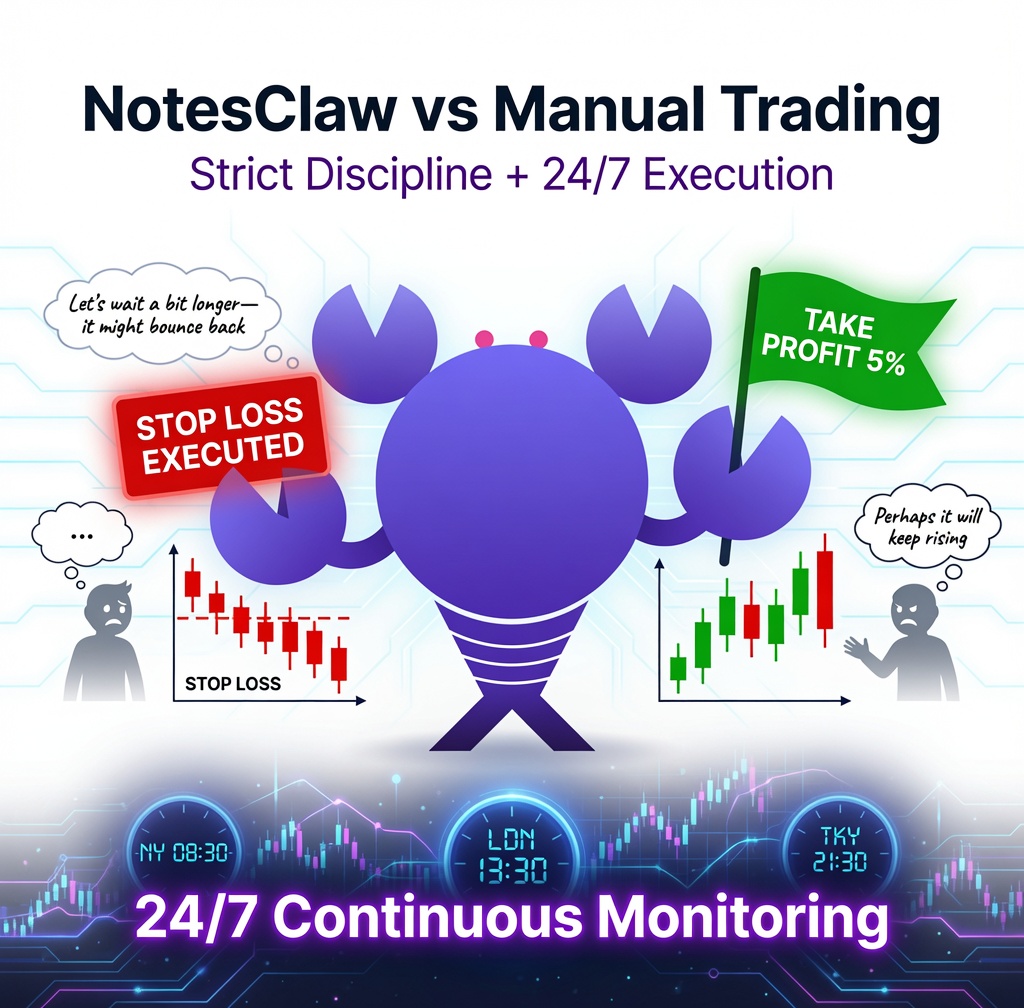
A: Because the biggest problem with manual trading isn’t that you don’t know how to click ‘buy’ or ‘sell’, but that it’s very difficult for people to maintain discipline consistently over the long term. 👉For example, even if you’ve set a stop-loss, when the price drops to that level, you might think, ‘Let’s wait a bit longer—it might bounce back’; as a result, your losses keep growing.
Or,👉 for instance, you might plan to exit once you’ve made a 5% profit, but when the price reaches that level, you think, “Perhaps it will keep rising,” only for the market to pull back and wipe out your profits. These are all examples of emotional trading😫
This is where NotesClaw’s value lies. You set the rules in advance, and the AI Agent strictly enforces them. It won’t chase prices higher out of greed, nor will it panic-sell out of fear. It functions more like an execution system, helping you put your trading discipline into practice.
Furthermore, the crypto market operates 24 hours a day, and a person can’t be online constantly. NotesClaw can continuously monitor the market, which is one of its greatest advantages over manual trading🫡#Web3 #AI
6
91
May 28
#usingNotesClaw 👇
Q:
1️⃣How exactly do users get started with NotesClaw?
2️⃣How do I use spot trading and futures trading, respectively?
A:
If this is your first time using the service, please follow these steps:
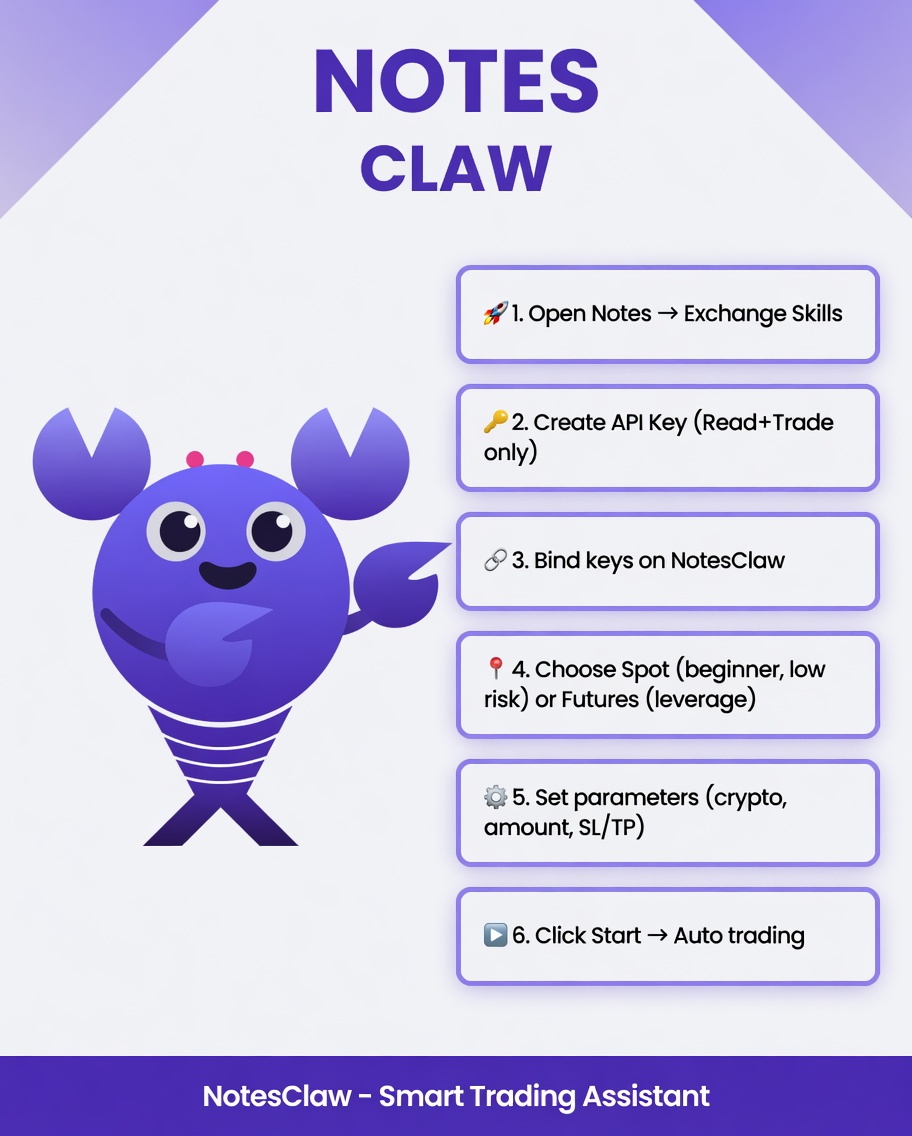
1️⃣First, go to Notes and click on the ‘Exchange Skills’ option in the Notesclaw dialogue box.
2️⃣Second, go to your exchange’s dashboard to create an API key, selecting only ‘Read’ and ‘Trade’ permissions; do not select ‘Withdrawal’.
3️⃣Step 3: Copy the API Key and Secret Key generated by the exchange, along with any passphrase required by OKX, into the exchange binding page on Notesclaw. After submission, the system will verify whether the connection has been established successfully.
4️⃣Step 4: Select a trading mode: Spot trading is more suitable for beginners, primarily involving the buying and selling of real assets, and carries relatively lower risk; Futures trading is more suitable for experienced users, allowing for long and short positions and the use of leverage, but carries higher risk.
5️⃣Step 5: Set your trading parameters, including the cryptocurrency, the amount of funds per trade, the maximum allowable loss, take-profit and stop-loss levels, and the maximum position size.
6️⃣Step 6: Once you have confirmed the parameters, click ‘Start’. Notesclaw will then begin monitoring the market in real time and executing trades automatically.
Spot trading is suitable for beginners, as the risks are manageable; for futures trading, we recommend starting with low leverage (3–5x) and small positions to test the system, then adjusting these settings once you are familiar with how it works.
#Web3 #Ai #cryptonewsdaily #NotesClaw
2
2
7
246
May 21
#usingNotesClaw 👇
Q:
1️⃣How does NotesClaw connect to exchanges like Binance and OKX?
2️⃣What precautions should you take when linking the API?
3️⃣And is it secure?
A:
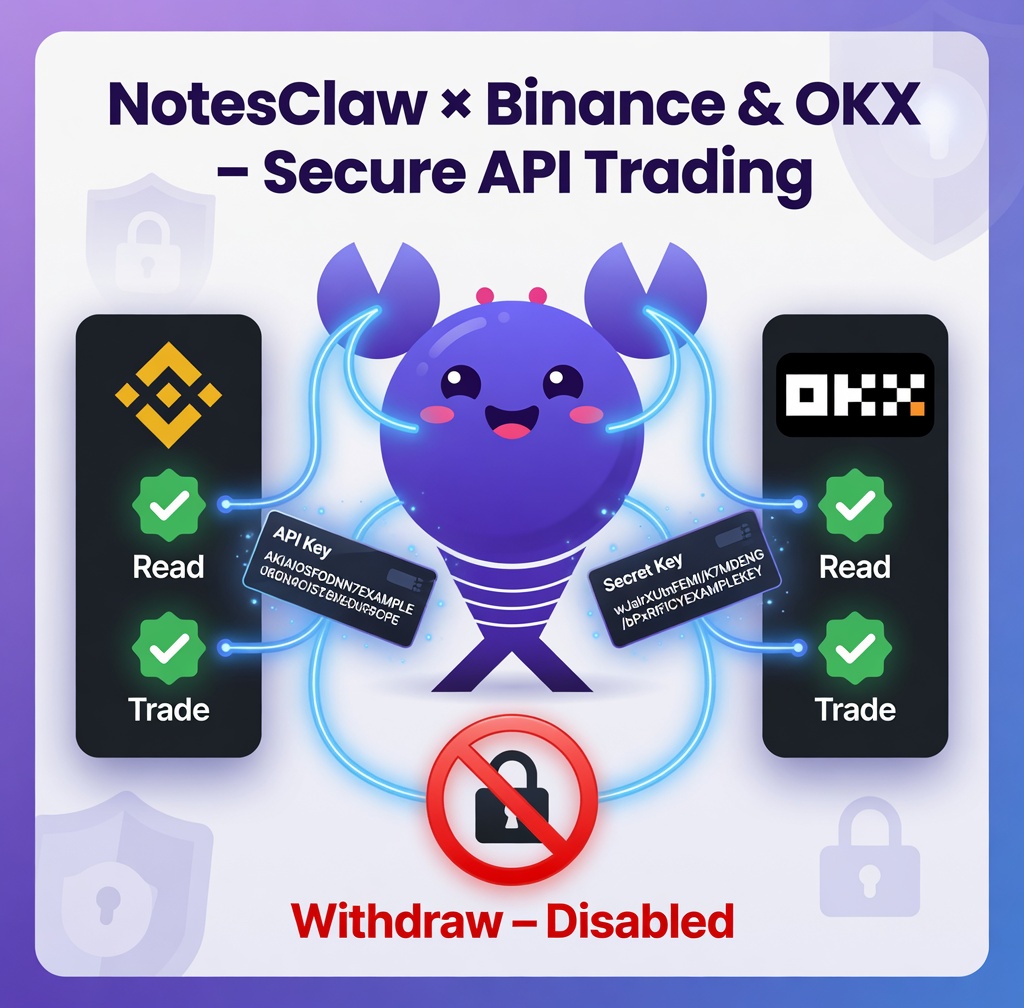
🦞NotesClaw integrates with major exchanges such as Binance and OKX exclusively through their official APIs — essentially a secure, permissioned gateway that the platforms themselves provide to users. You generate an API key directly in your Binance or OKX account dashboard, then bind those credentials to NotesClaw. Once connected, the tool can act on your behalf within the exact boundaries you authorize.
Crucially, an API key is not your account login password and carries no inherent withdrawal rights. The golden rule — and one that applies to any trading tool or bot — is to enable only the “Read” and “Trade” permissions while explicitly disabling “Withdraw.”
This setup allows NotesClaw to fetch real-time market data, check your account balances, and execute buy/sell orders, but it can never move funds out of your exchange account.
💪Following this principle is the single most important security practice when using any third-party trading assistant.
Here’s the typical workflow for Binance:
1️⃣Log in to your Binance account and navigate to the API Management section.
2️⃣Create a new API key and give it a clear label (e.g., “NotesClaw Trading Assistant”).
3️⃣Binance will generate an API Key (your public identifier) and a Secret Key (used for signing requests).
4️⃣Copy both keys and paste them into the corresponding fields in NotesClaw’s dashboard to complete the binding.
The process on OKX is nearly identical. During setup, always double-check the permission toggles: restrict access to reading and trading only. If the exchange offers IP whitelisting, enable it — this adds an extra layer of protection so that even if your keys were somehow compromised, they would be unusable from unauthorized IP addresses.
🔐From a security standpoint, NotesClaw never takes custody of your assets. Your funds remain fully under your control inside your Binance or OKX account at all times.
The platform simply issues trade instructions on your behalf, strictly within the limited permissions you’ve granted. This non-custodial architecture keeps your capital isolated from any external platform risk while still delivering automated trading functionality.
1
6
195
May 19
Starting today, I’m launching a short series to answer your questions about #usingNotesClaw!🥳
If you have any other questions regarding its use, feel free to post them in the comments section 🙋
Q: How does NotesClaw actually work? What is its underlying operational principle?
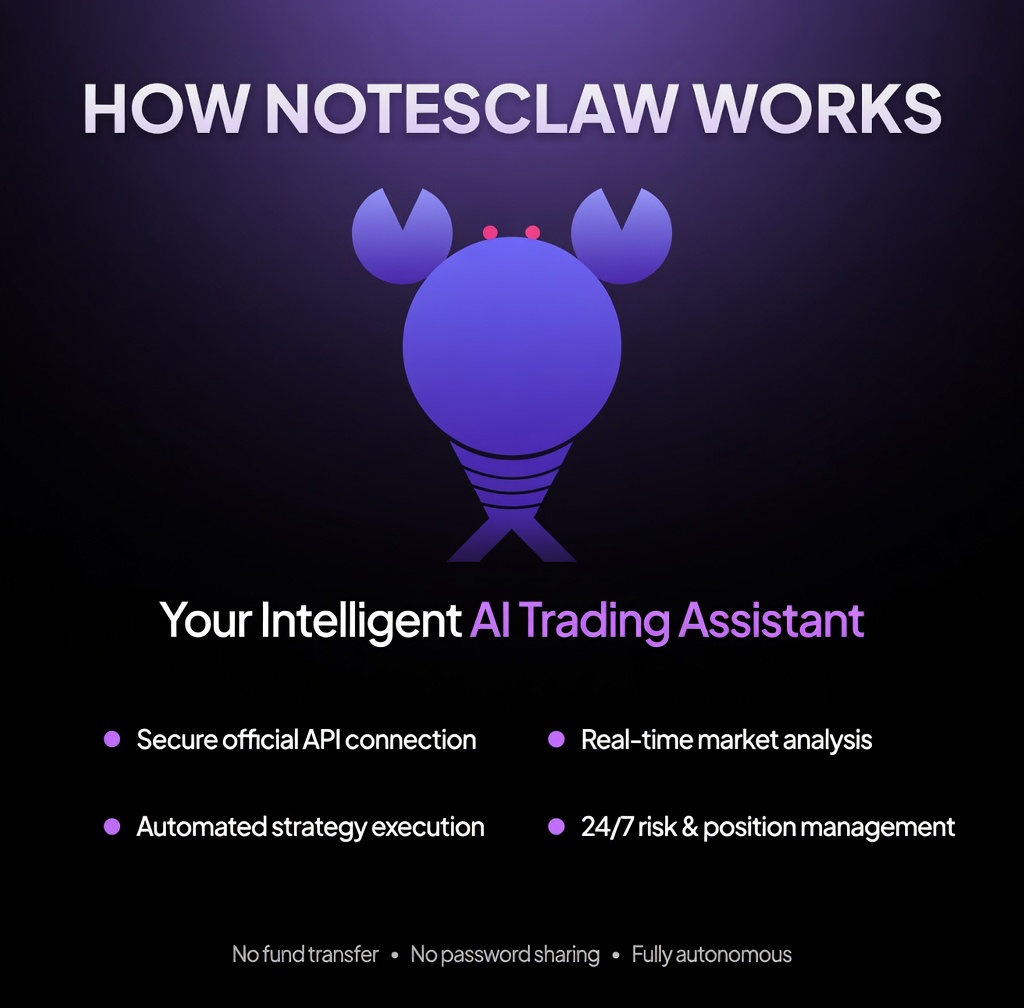
A: At its core, NotesClaw is an AI Agent purpose-built for Web3 trading environments—an intelligent, autonomous trading execution assistant. It neither transfers funds into any external platform nor requires you to surrender your exchange credentials. Instead, it connects directly and securely to your Binance, OKX, or other supported accounts exclusively through the exchanges’ official API interfaces.
Its operational logic unfolds in a precise, sequential workflow:
1️⃣First, it ingests real-time market intelligence—price movements across BTC, ETH, or any designated trading pairs, alongside volume dynamics, volatility metrics, and directional trend signals.
2️⃣Second, leveraging your pre-selected strategy parameters and risk tolerance settings, it evaluates whether actionable trading opportunities exist.
3️⃣Third, once strategy conditions are satisfied, it issues precise order commands via the exchange API—executing market or limit orders to open long or short positions, close trades, or deploy take-profit and stop-loss instructions.
4️⃣Fourth, it maintains continuous surveillance of open positions and evolving market conditions. Should prices reach predefined profit or loss thresholds, or if the underlying trend shifts according to the strategy, it automatically triggers the next sequence of actions.
In essence, NotesClaw does not magically generate profits from thin air. Rather, it systematically automates the entire manual trading lifecycle—market monitoring, opportunity assessment, order placement, risk management, and position oversight—that traders would otherwise perform themselves.
Its key advantages lie in superior execution velocity, complete elimination of emotional bias, and relentless 24/7 operation. This makes it especially valuable for individuals who lack the time for constant chart watching, are prone to psychological pressures, or prefer a disciplined, rules-based approach to trading.
#Web3 #NotesClaw #AI
10
192