

Jan 6
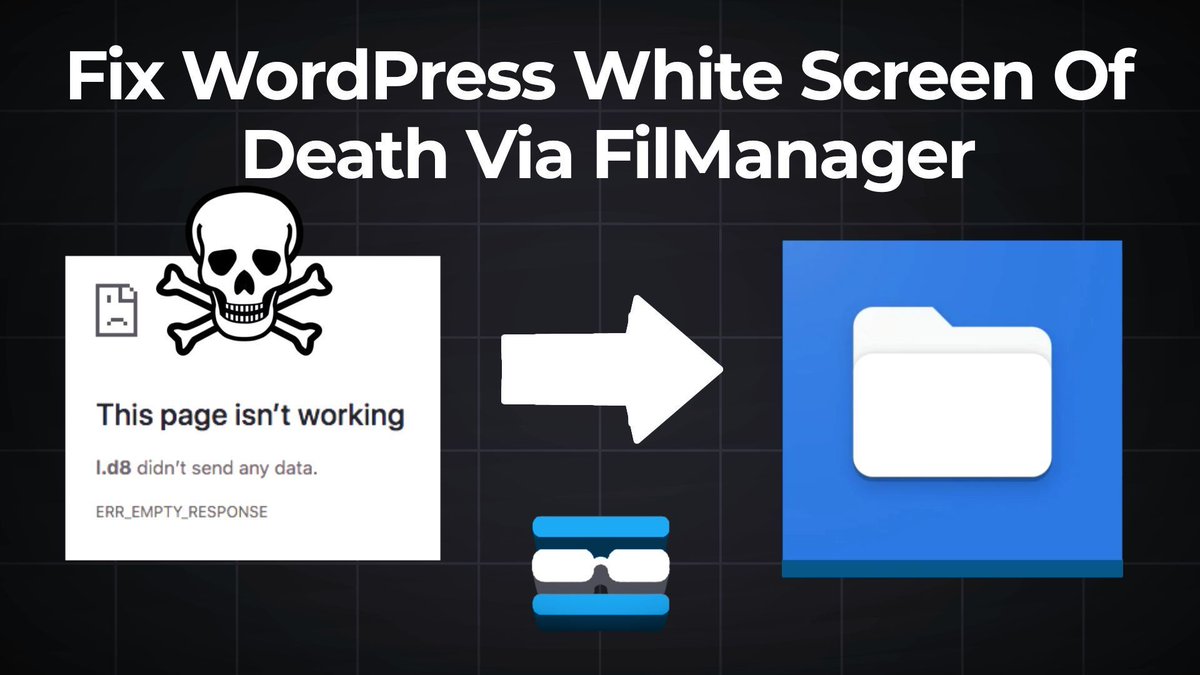
🎥 New Episode on RackNerdTV! ✅💻 How to Fix WordPress White Screen of Death via File Manager. 🌐▶ WATCH HERE: youtu.be/retaO2q8I98
🛒 ORDER CPANEL HOSTING racknerd.com/shared-hosting
#RackNerd #WordPress #cPanel #FileManager #WPtutorial #WebHosting #WebsiteFix #WhiteScreen
1
145

Jan 4
7

Como verificar e atualizar a versão do PHP no WordPress. #PHP #WordPress #WPTutorial #HospedagemHost
wptutorial.com.br/como-verif…
15

11 Dec 2025
🚀 Launch your site in minutes.
This DreamHost guide shows you how to install WordPress (1-click or manual!)
🔗 shorturl.at/f8lBQ
#WPTutorial #DreamHost #InstallWordPress #Wordpress

12
11 Dec 2025
🚀 Launch your WordPress site on HostGator in minutes!
One-click or manual install — both explained here →
🔗 shorturl.at/rNDAW
#WebsiteSetup #WPTutorial #WebHosting #Wordpress

135
9 Dec 2025
Installing WordPress on One.com?
Follow this beginner-friendly guide & launch your site in minutes 💡
🔗 shorturl.at/8NKge
#WPBeginner #OneComHosting #WebDevTips #HostingHelp #WPTutorial

5
9 Dec 2025
Launch a WordPress site on AWS EC2 in 10 steps ⚙️
💡 No dev experience required
🔗 shorturl.at/jB0mW
#WordPressSetup #WPTutorial #AWS #WordPressHosting #CloudWP
24
25 Aug 2025
Como verificar e atualizar a versão do PHP no WordPress. #WPTutorial #Tutorial #WordPress
wptutorial.com.br/como-verif…
12
14 Aug 2025
Como adicionar ícones de menu ao WordPress.
#WPTutorial #WordPress #Tutorial
wptutorial.com.br/como-adici…
9

13 Aug 2025
If there is a desing flaw in any of the website, I have open with wordpress. I can fixt it. Then you can inbox me.#WordPress #Website #WordPressTips #WebsiteDesign #WPTutorial #WordPressGuide
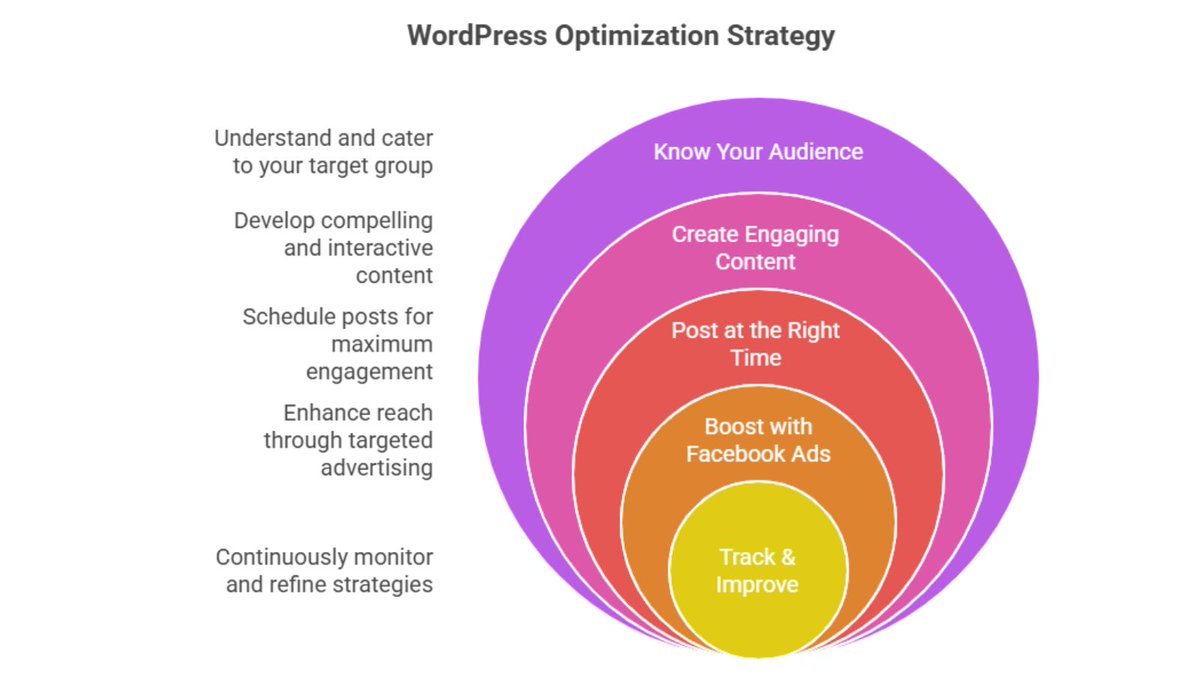
ALT Boost your WordPress website’s speed, SEO, and overall performance with these essential optimization tips. From image compression to caching, database cleanup, and using lightweight themes small changes can make a big difference. A fast, optimized site not only ranks higher in search engines but also keeps your visitors happy and engaged. Start optimizing today and watch your traffic, conversions,and user experience improve
36

10 Aug 2025
🚀 Showcase client feedback like a pro
Learn how to create a dynamic testimonial section in #WordPress using Elementor Pro ACF
Save time. Boost trust. Impress visitors.
👉 youtu.be/AdK-cSEKYoI?si=6XGK…
#WordPress #Elementor #ACF #WebDesign #TestimonialSlider #WPTutorial

2
87

29 Jul 2025
🚀 WordPress 6.9 Is Coming – Here’s Everything You Need to Know!
WordPress 6.9 is on its way, and it's packed with exciting new features that will enhance how we build, manage, and collaborate on websites. Scheduled for release on December 2, 2025, this update marks the final major WordPress release of the year. Whether you're a developer, designer, or site owner, 6.9 brings tools that make WordPress faster, smarter, and more flexible.
Let’s dive into the most important improvements and what they mean for your workflow. 👇
🧠 Smarter Site Editor: Designed for Everyone
The Site Editor gets a major usability overhaul in WordPress 6.9. The new Simplified Editing Mode makes the editor more beginner-friendly by focusing on content first. Users will be able to write and update pages without being overwhelmed by design options. For advanced users, the full site-editing toolkit will still be available with a single toggle.
Another big leap forward: template management has been revamped. Now you can:
Create and draft templates before publishing.
Preserve custom templates even if you switch themes.
Access and manage templates via the REST API.
These improvements allow for much smoother content staging, testing, and design transitions.
💬 Block-Level Commenting for Collaboration
One of the most anticipated features in 6.9 is inline commenting on individual blocks. This is a game-changer for editorial teams and agencies. Instead of communicating feedback over email or chat, collaborators can now leave comments right on specific parts of the content.
Imagine suggesting changes to a pricing table or image gallery directly within the block—no confusion, no back-and-forth. This feature makes remote team collaboration much more efficient.
🙈 Hide Blocks Without Removing Them
Sometimes you want to hide content temporarily without deleting it—whether you’re running A/B tests, planning a product launch, or staging seasonal content. WordPress 6.9 introduces the ability to hide individual blocks from the frontend while keeping them in the backend.
This means you can design entire sections, save them in drafts, and make them visible only when you’re ready. It’s like version control for content—without needing a plugin.
⚡ Performance & Frontend Enhancements
WordPress 6.9 continues the push toward faster, smarter frontends. The new Interactivity API improves how scripts are loaded and how pages behave. You’ll see:
Instant filtering on product lists or blog categories.
Smooth content loading without full page refreshes.
CSS and JavaScript that loads only when a block needs it.
Another exciting addition is the Command Palette, now available throughout the dashboard. With a simple keyboard shortcut, you can navigate between posts, open settings, or trigger specific actions—like using Spotlight Search on Mac or Command Palette in VS Code.
👩💻 Developer Tools Galore
WordPress 6.9 is packed with tools for developers and power users. Some highlights:
Abilities API
This new system provides a unified way to define who can do what in WordPress. It will be useful for roles, permissions, AI-driven features, and custom dashboards. Developers can hook into it to add fine-tuned access controls.
DataViews & DataForm Updates
You can now use new field types like media, arrays, and boolean, and new filters like contains, between, and before/after. This makes building custom dashboards, user directories, and data-driven content a breeze.
Block Bindings API
WordPress continues to support dynamic content inside blocks. In 6.9, you’ll find it easier to connect blocks to custom fields, external APIs, or database queries—without needing to write complex PHP or JS. Perfect for headless builds and WooCommerce developers.
🔬 Experiments & Future-Proofing
Not everything being worked on will ship in 6.9, but some features are being tested as canonical plugins. These include:
Real-time collaboration (like Google Docs for WordPress)
Inline block notes for editorial use
Expanded DataViews with reusable data templates
WordPress is slowly laying the groundwork for native AI integration. Many of these tools will interact with future generative AI workflows, content scoring, and smart editing assistants.
🔒 Security, Speed & Quality
Another major step forward is the proposed integration of PHPStan, a static analysis tool that improves code quality in themes and plugins. Expect stricter coding standards, better plugin reviews, and fewer bugs in the ecosystem.
There won’t be a new default theme in 6.9, as block-based themes are now the norm. However, theme devs can expect updated documentation and best practices to support this modern approach.
🛠️ What You Should Do Now
Plugin developers: Start testing with nightly builds to ensure compatibility.
Site owners: Set up a staging site and preview the changes.
Agencies: Prepare your teams for the block-commenting workflow and templating upgrades.
Theme devs: Update your themes to support the new template system and hiding functionality.
If your site is mission-critical, consider delaying the upgrade until January or February 2026, once initial bugs are ironed out.
🚀
WordPress 6.9 is more than just a routine update—it’s a glimpse into the future of how we’ll manage websites, collaborate on content, and create faster, more powerful user experiences.
With tools like the Interactivity API, block-level commenting, and deeper developer controls, WordPress continues to stay ahead of the curve—while remaining true to its open-source roots.
#WordPress69 #WordPressUpdate #WPDev #GutenbergEditor #BlockEditor #SiteEditor #WPCollaboration #OpenSource #PHPStan #WordPressDesign #HeadlessWordPress #InteractivityAPI #WordPressPerformance #WordPressSEO #WPTutorial #WPForBeginners #WPThemeDev #WPPluginDev #WebDesign #WP2025 #WordPressNews #WordPressRelease #WPCore #FutureOfWordPress #WebDevelopment #ContentCreation #WPAccessibility #DataViews #AbilitiesAPI #WPCommunity
25
5 Jul 2025
🚀 Ready to Launch Your Online Store Without Coding?
Building a beautiful eCommerce site has never been easier! 💻🛍️
🔗 Read the full guide here: wordpressved.com/how-to-buil…
With Themify Shoppe, you get powerful drag-and-drop tools, stunning skins (Fashion, Jewellery, Electronics & more), WooCommerce integration, and mobile optimization—all in one theme! 📱✨
💡 Whether you’re a complete beginner or a small business owner, this step-by-step guide shows you exactly how to set up, customize, and launch your store from scratch—no tech skills needed!
✅ From choosing hosting to importing demo skins
✅ Setting up WooCommerce & adding products
✅ Customizing layouts with Themify Builder
✅ SEO, security & promotion tips included!
#Themify #ThemifyShoppe #WordPressThemes #WooCommerce #eCommerceWebsite #OnlineStore #ShoppeTheme #DragAndDropBuilder #WordPressGuide #ThemifyBuilder #OnlineSelling #DigitalBusiness #EntrepreneurTips #SideHustle #WPSupport #WebDesign #FashionStore #JewelleryShop #WooCommerceTips #SellOnline #BuildAStore #WPBeginner #WebDevelopment #BusinessTools #PassiveIncome #SEOForEcommerce #OnlineMarketing #WPTutorial #WebsiteBuilder #ProductLaunch
1
21

Want your own WordPress plugin but can't code? No problem! Our guide shows how to use Kairos WP for custom no-code features. Your first plugin in minutes, step-by-step! kairoswp.com/en/blog/create-… #KairosWP #WPTutorial #WordPress #NoCode #CreatePlugins #BeginnersWP
2
15
24 Jun 2025
Unlock Ultra Theme’s Power & Layout Parts 🛠️
1️⃣ Explore Ultra’s multiple skins & layout options
2️⃣ Customize headers, footers & archives globally
3️⃣ Use Layout Parts to build reusable header, footer & sidebar blocks
4️⃣ Assign Layout Parts conditionally on pages or posts
5️⃣ Create a consistent site-wide look & feel effortlessly!
Pro tip: Save time & keep design clean! 🎨💡
#UltraTheme #WebDesign #WordPress #LayoutParts #SiteBuilder #WebDevelopment #WPDev #WordPressDesign #NoCode #ResponsiveDesign #UXDesign #SEO #WebDesignerLife #SmallBusiness #Entrepreneurs #SiteCustomization #DigitalMarketing #WordPressPlugins #SiteLayouts #HeaderDesign #FooterDesign #WPCommunity #BuildYourSite #WPThemes #OnlineBusiness #CreativeDesign #WPTutorial #WebsiteTips #WebsiteBuilder
1
20
Want your own WordPress plugin but can't code? No problem! Our guide shows how to use Kairos WP for custom no-code features. Your first plugin in minutes, step-by-step! kairoswp.com/en/blog/create-… #KairosWP #WPTutorial #WordPress #NoCode #CreatePlugins #BeginnersWP
15
Want your own WordPress plugin but can't code? No problem! Our guide shows how to use Kairos WP for custom no-code features. Your first plugin in minutes, step-by-step! kairoswp.com/en/blog/create-… #KairosWP #WPTutorial #WordPress #NoCode #CreatePlugins #BeginnersWP
14
Want your own WordPress plugin but can't code? No problem! Our guide shows how to use Kairos WP for custom no-code features. Your first plugin in minutes, step-by-step! kairoswp.com/en/blog/create-… #KairosWP #WPTutorial #WordPress #NoCode #CreatePlugins #BeginnersWP
22
Want your own WordPress plugin but can't code? No problem! Our guide shows how to use Kairos WP for custom no-code features. Your first plugin in minutes, step-by-step! kairoswp.com/en/blog/create-… #KairosWP #WPTutorial #WordPress #NoCode #CreatePlugins #BeginnersWP
18