
Helping developers learn SwiftUI visually.
Joined January 2018
- Tweets 16,637
- Following 2,056
- Followers 45,278
- Likes 34,788
4,739 Photos and videos

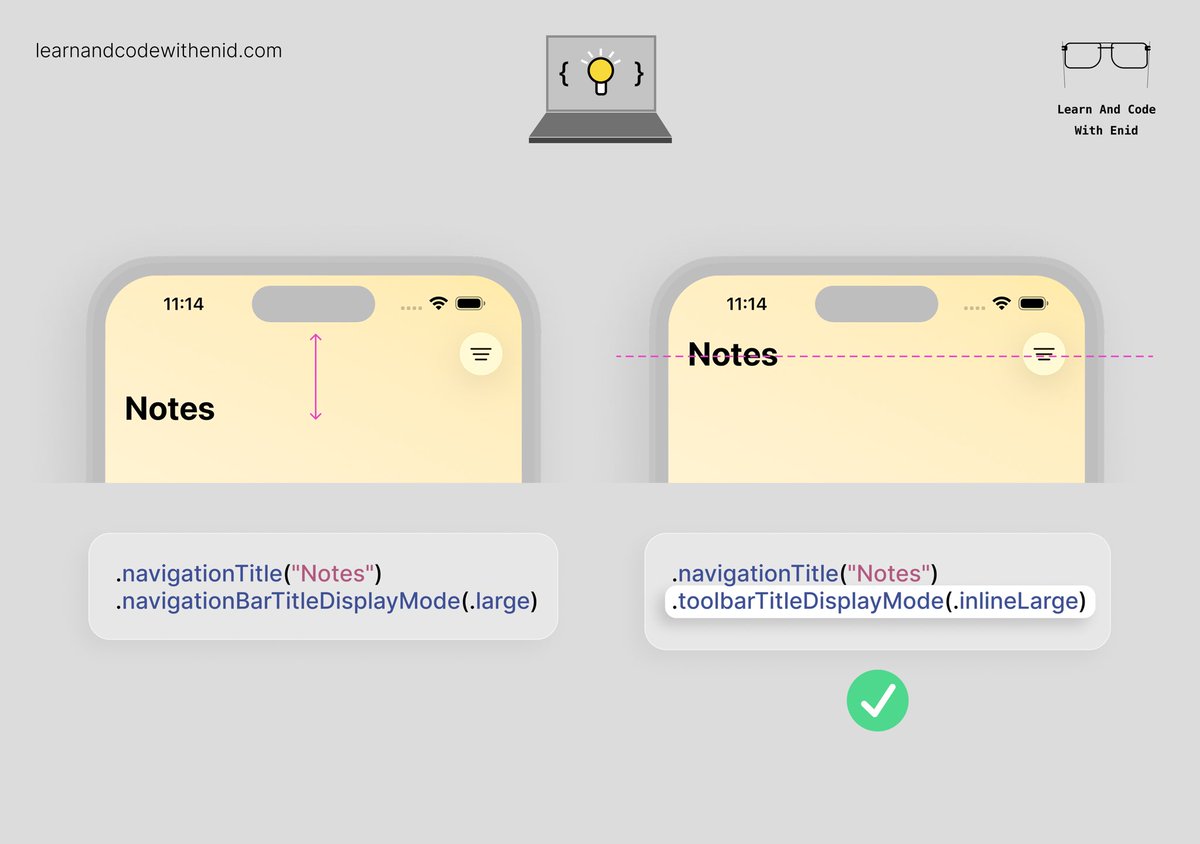
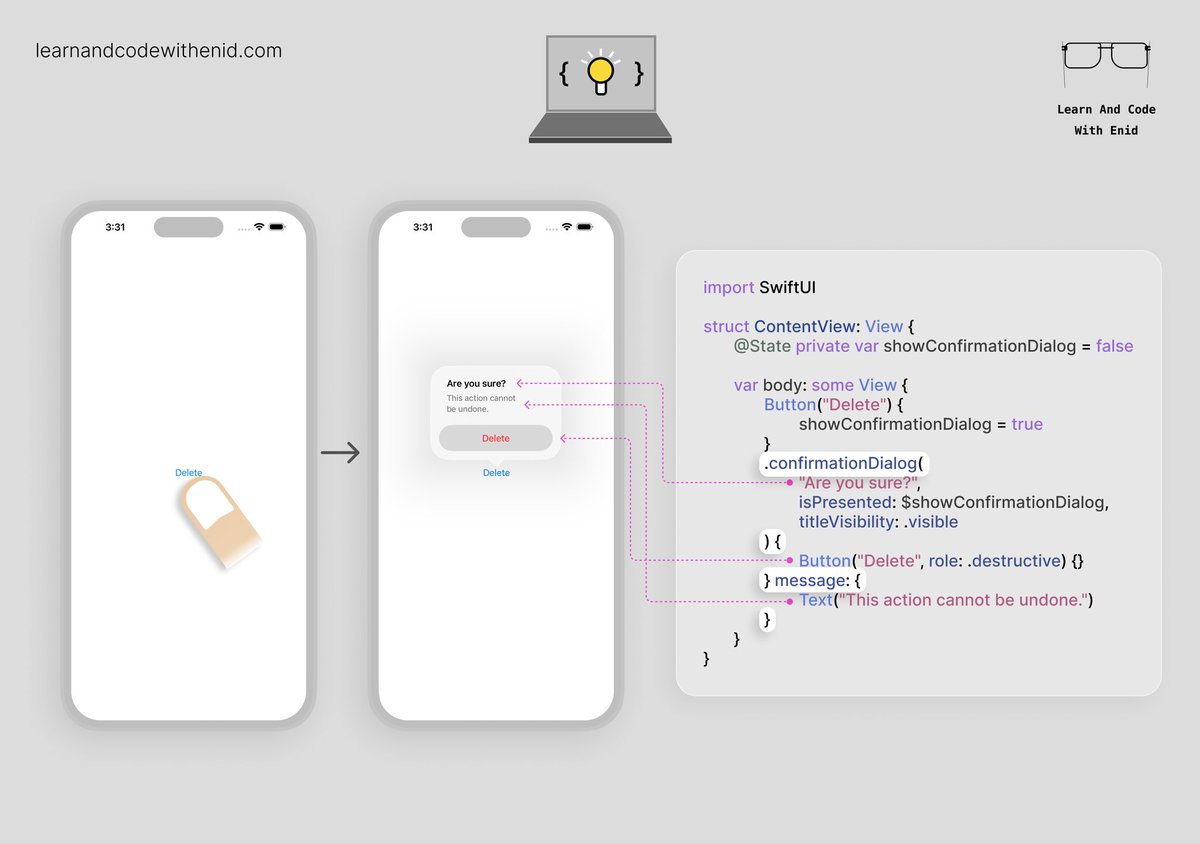

15h
For anyone getting back into iOS development after WWDC:
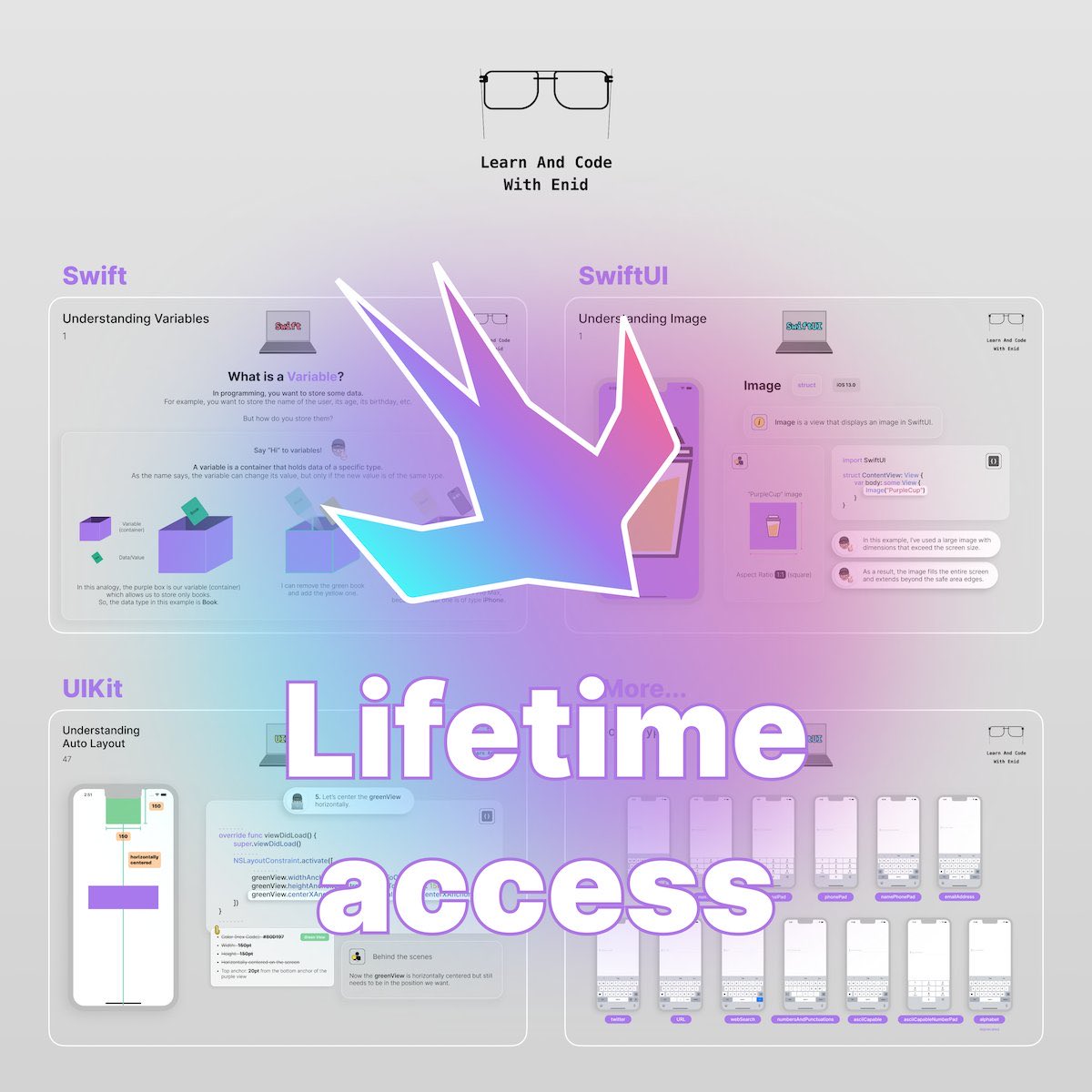
The WWDC sale for my visual iOS course is still live.
👉 Lifetime access is back for a limited time.
👉 Yearly plan is also 50% off.
learnandcodewithenid.com/cou…
5
1,024
21h
SwiftUI Tip 💡
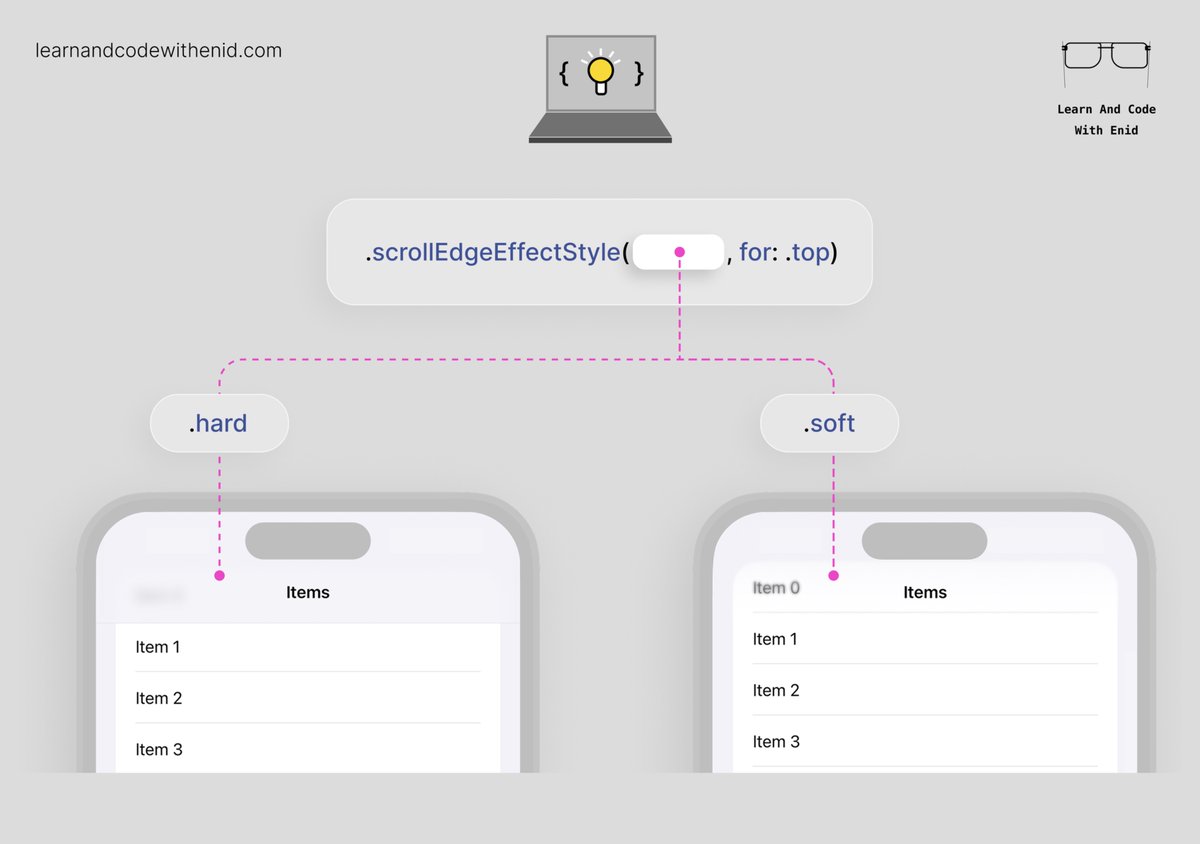
In iOS 26 , use scrollEdgeEffectStyle() to control the scroll edge effect.
In iOS 27, SwiftUI uses the .hard style by default.
To bring back the softer iOS 26-style effect, apply .soft.
4
4
97
3,788
Jun 12
New in SwiftUI 🚀
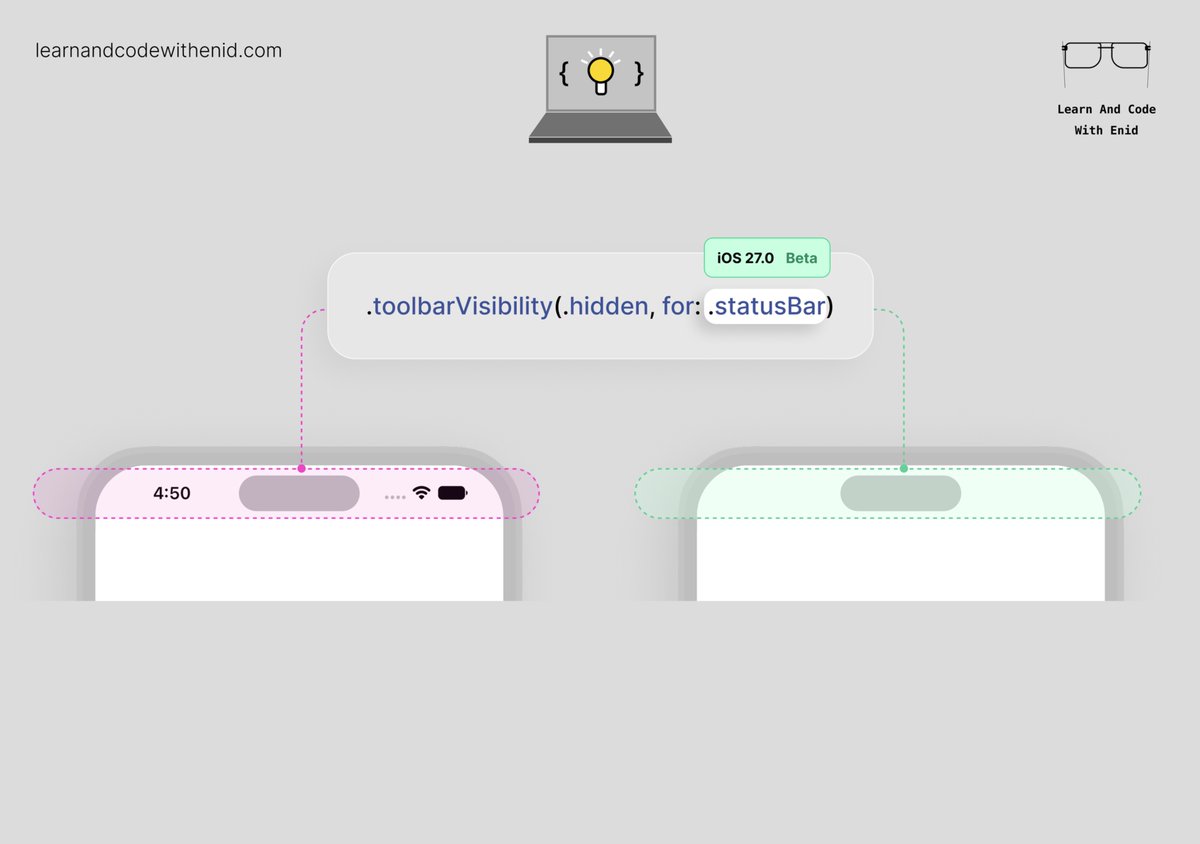
In iOS 27.0 beta, you can hide the status bar using .toolbarVisibility(.hidden, for: .statusBar).
→ learnandcodewithenid.com/cou…
1
10
148
6,795
Jun 11
Big thanks to all the Apple engineers who keep building amazing tools for us developers ❤️
1
10
852
Jun 11
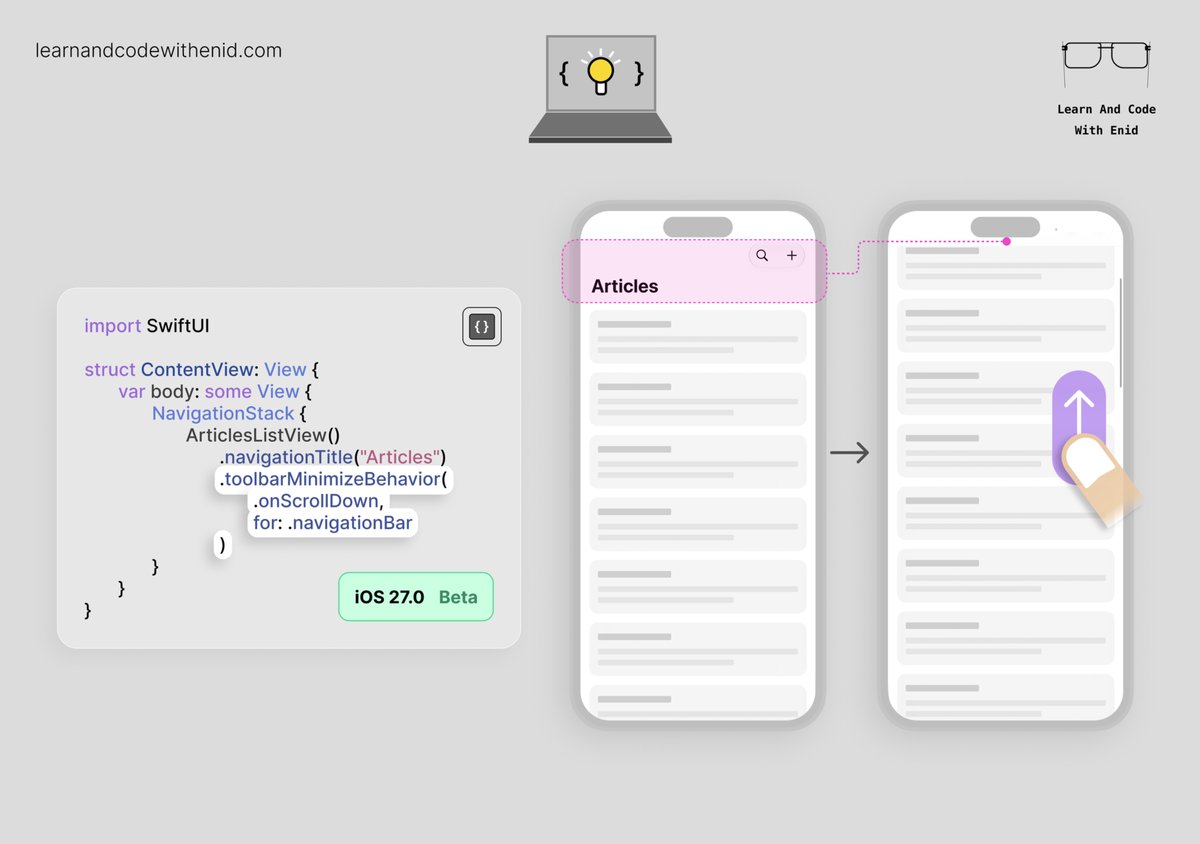
New in SwiftUI 🚀
In iOS 27.0 beta, use toolbarMinimizeBehavior() to make the navigation bar minimize when scrolling down.
→ learnandcodewithenid.com/cou…
2
7
170
6,990
Jun 10
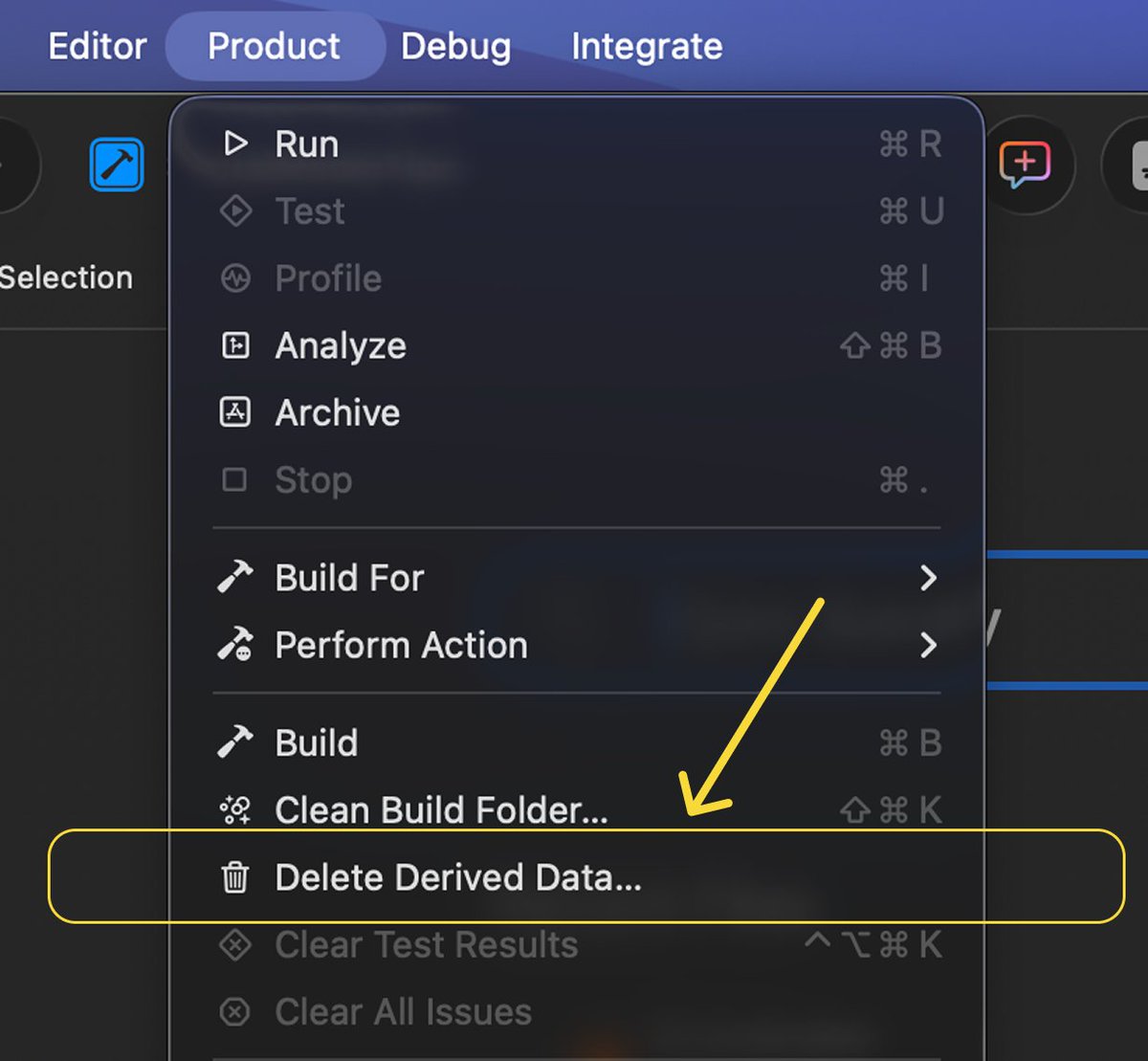
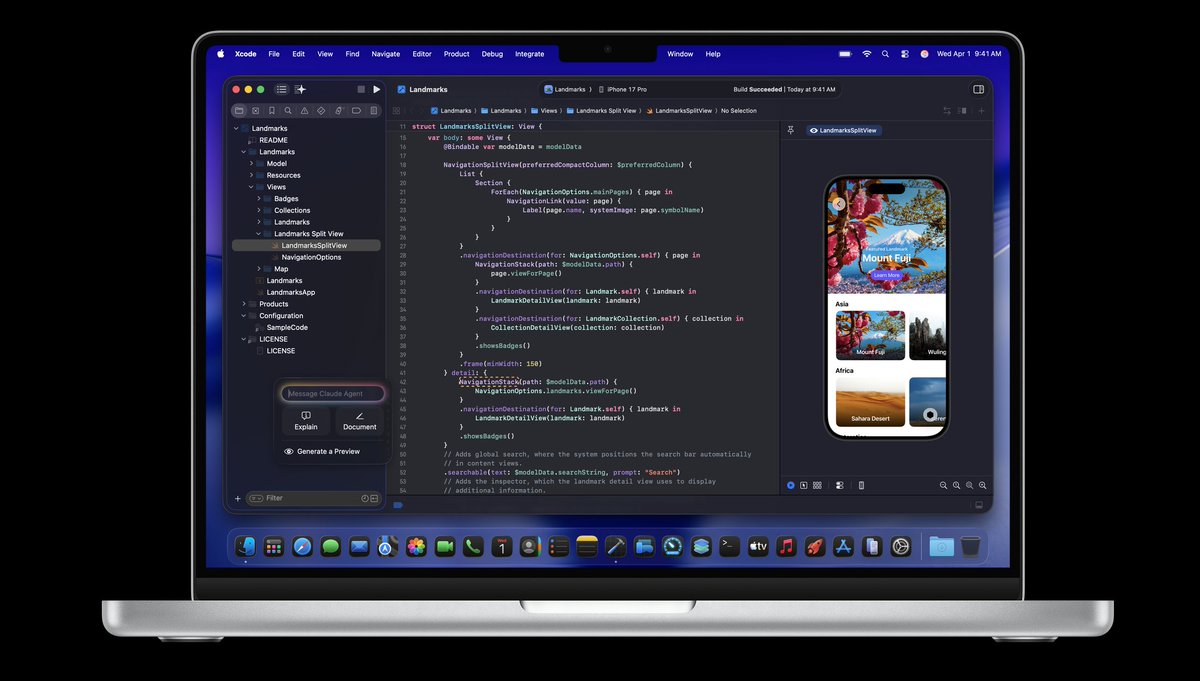
Looks like Xcode 27 has a little gift for us 🙂
The tiny menu item every iOS dev has been waiting for.
23
86
787
43,688
Jun 10
Since it’s WWDC week, I’m running an offer for my visual iOS course:
• 50% off yearly.
• Lifetime access is also back for a limited time
learnandcodewithenid.com/cou…
4
1,828
Enid retweeted

Jun 9
One of my personal favorite features announced at WWDC will I suspect be a sleeper hit: container machines, allowing your Mac to run a lightweight, persistent Linux environment with your home directory and repos automatically mounted: github.com/apple/container/b…
228
815
9,696
727,889
Jun 9
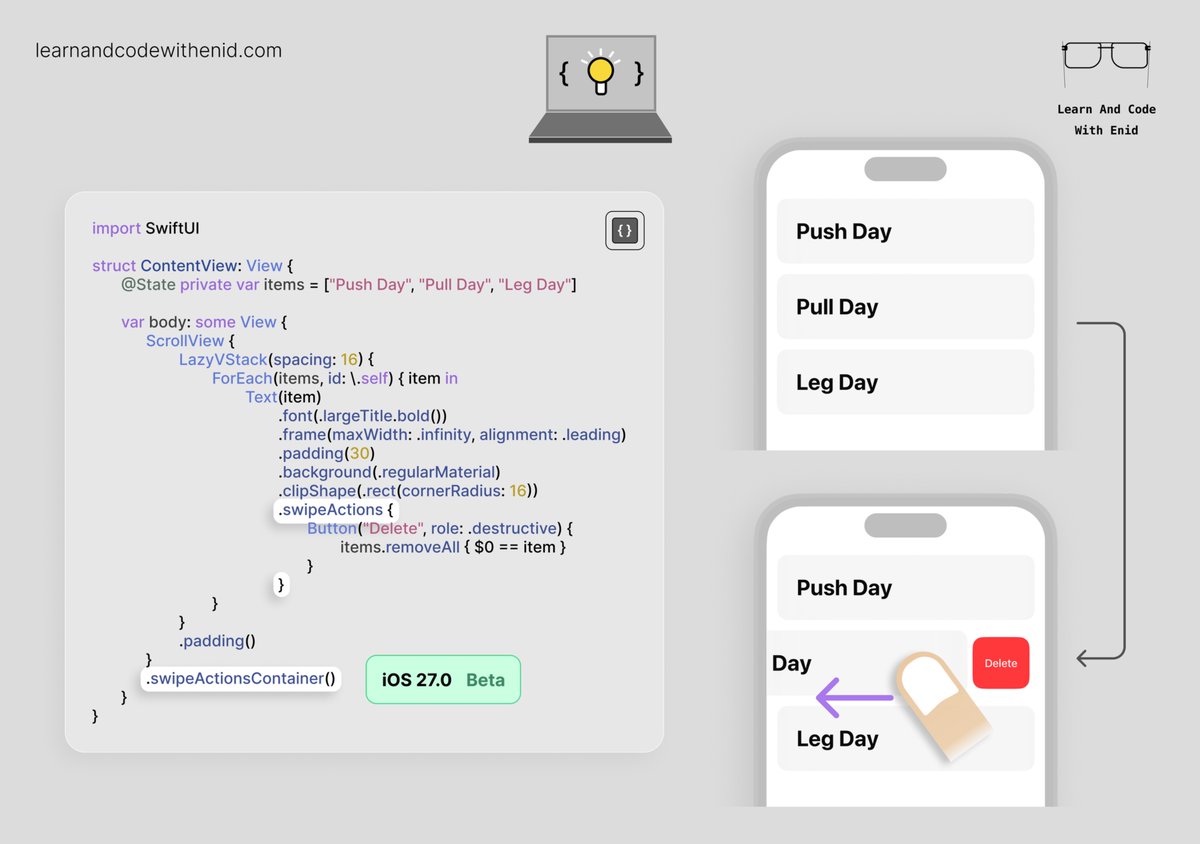
New in SwiftUI 🚀
In iOS 27.0 beta, use swipeActionsContainer() to bring List-style swipe action behavior to custom row layouts.
Useful when building custom rows inside a ScrollView with LazyVStack.
→ learnandcodewithenid.com/cou…
7
10
123
4,288
Jun 9
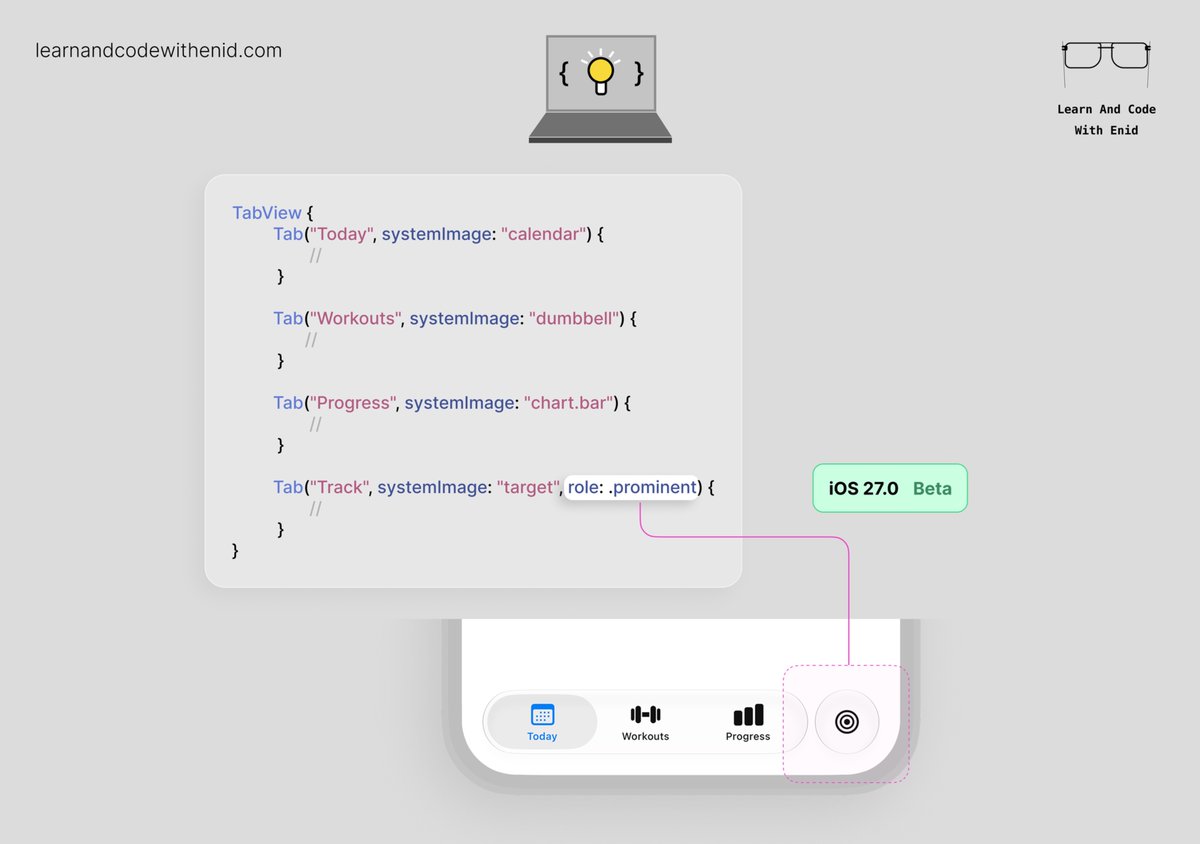
New in SwiftUI 🚀
In iOS 27.0 beta, use role: .prominent to visually separate an important tab in a TabView.
#WWDC
6
10
136
8,793
Jun 8
Today is #WWDC day!
As always, I’ll be following the new APIs and adding new lessons and updates to my visual iOS course.
Also, during the WWDC sale:
👉 Yearly is 50% off.
👉 Lifetime access is back for people who prefer one payment.
learnandcodewithenid.com/cou…
13
1,635
Jun 6
SwiftUI Tip 💡
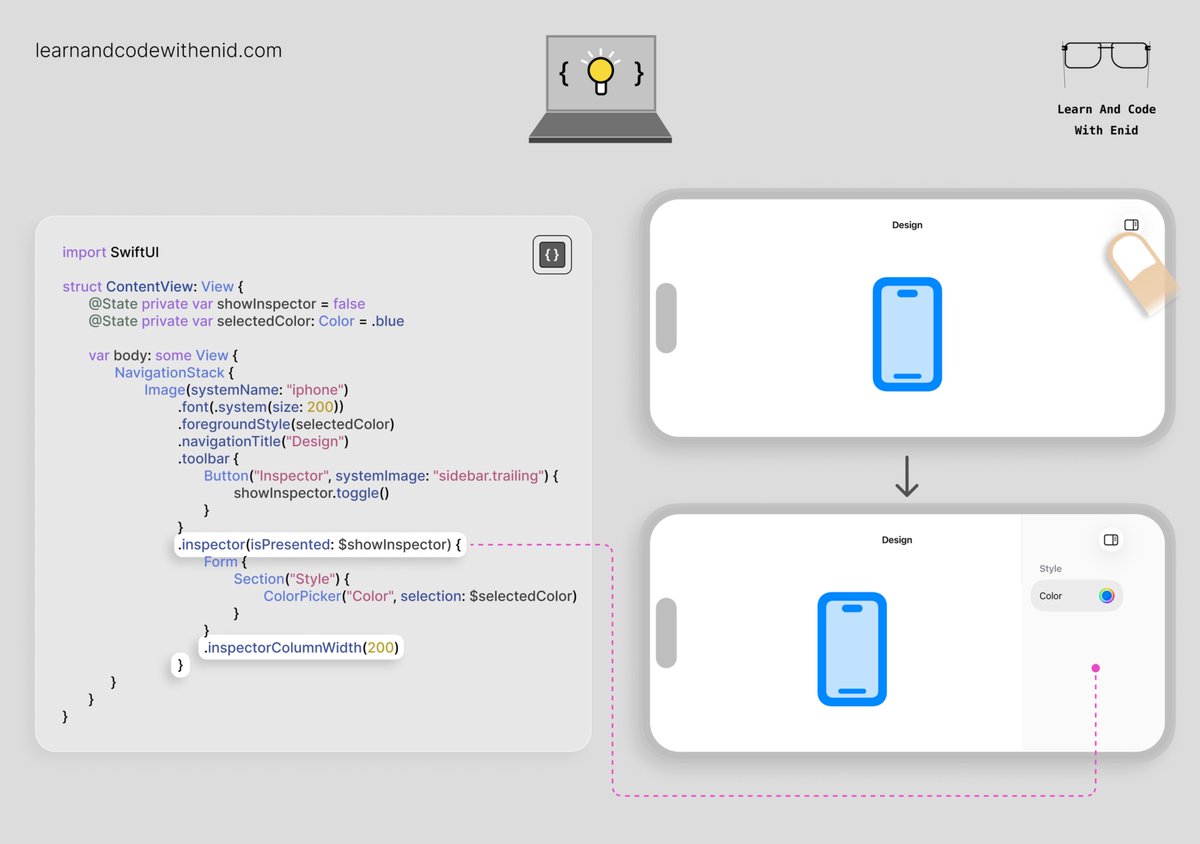
In iOS 17.0 , use inspector() to build an Xcode-like side panel in your app.
It’s useful when users need to select something and edit its properties without leaving the current screen.
→ learnandcodewithenid.com/cou…
2
6
102
5,454
Jun 5
Building iOS apps with AI? 📱
The better the context, the better the output.
That’s why I’m building a growing library of visual SwiftUI examples, categorized tips, and AI-ready reference files.
One-time purchase. Lifetime updates 🚀
learnandcodewithenid.com/age…
15
1,333
Jun 5
SwiftUI Tip 💡
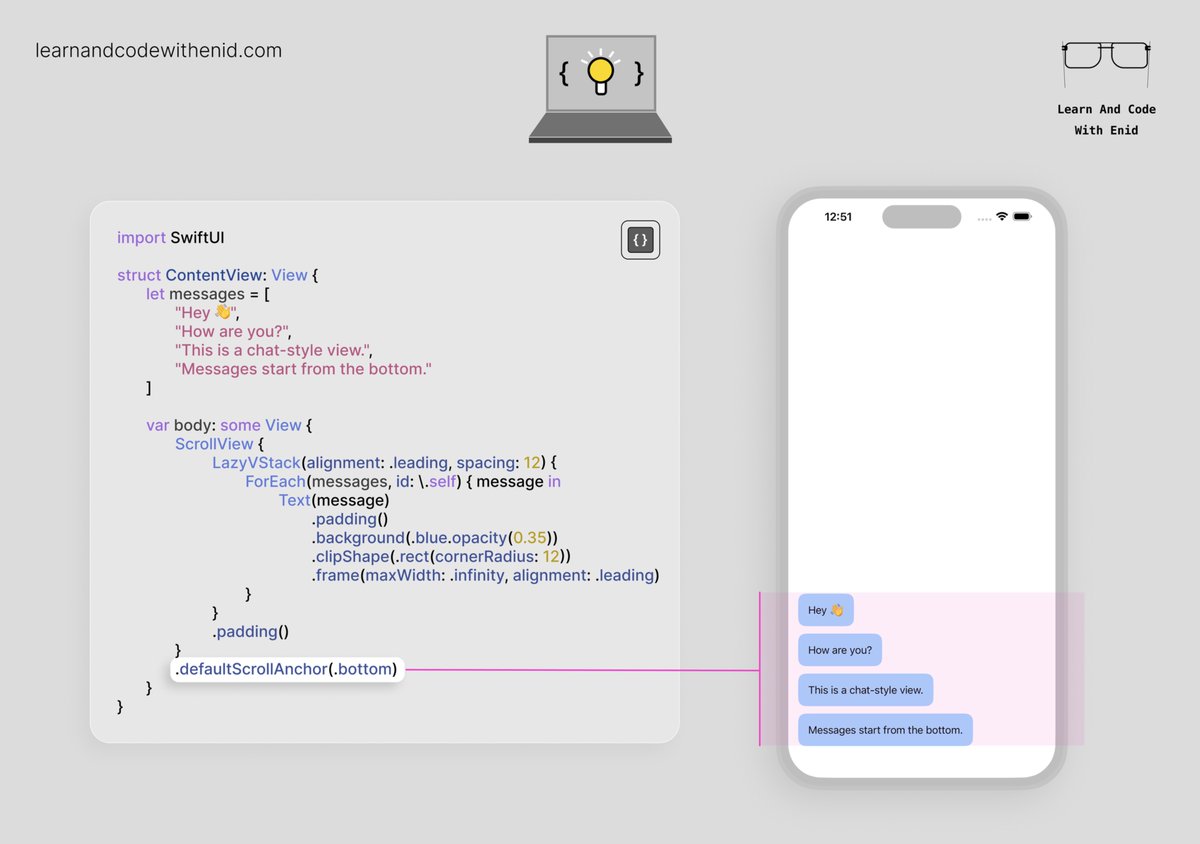
In iOS 17.0 , use .defaultScrollAnchor(.bottom) to make scrollable content start from the bottom.
This is useful for chat-style views where messages should appear near the bottom of the screen.
→ learnandcodewithenid.com/cou…
1
3
77
3,324
Enid retweeted

Jun 4
I've finally released my first open source package PhoneNumberKitSwiftUI, it's a SwiftUI Textfield for phone numbers that updates the formatting as the number is typed using the popular PhoneNumberKit package.
Special thanks to @fatbobman for his blogs which helped me achieve this.

5
10
54
6,127
Jun 3
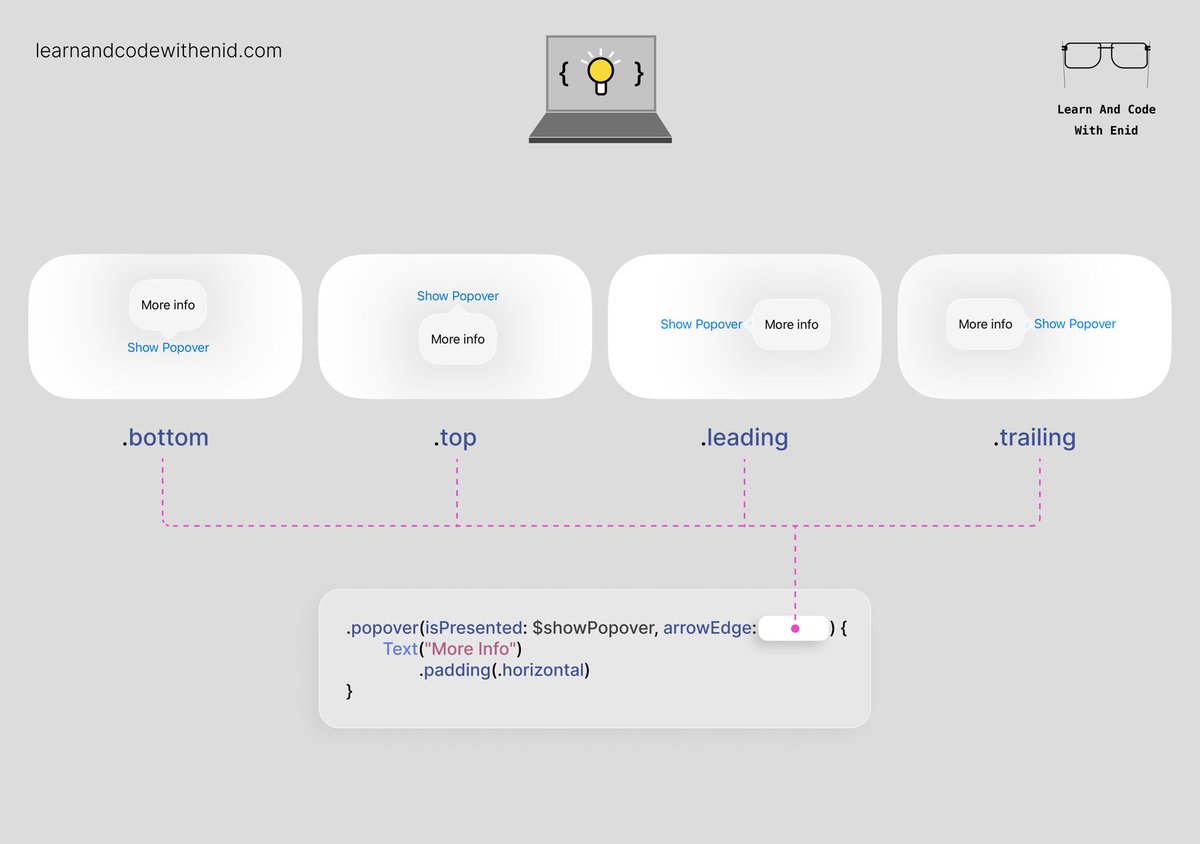
SwiftUI Tip 💡
Want to control where a popover arrow points?
Use the arrowEdge parameter to choose where the popover arrow appears relative to the source view.
→ learnandcodewithenid.com/cou…
2
2
54
2,838