
Joined November 2009
- Tweets 218
- Following 269
- Followers 2,424
- Likes 207
31 Photos and videos


Feb 19
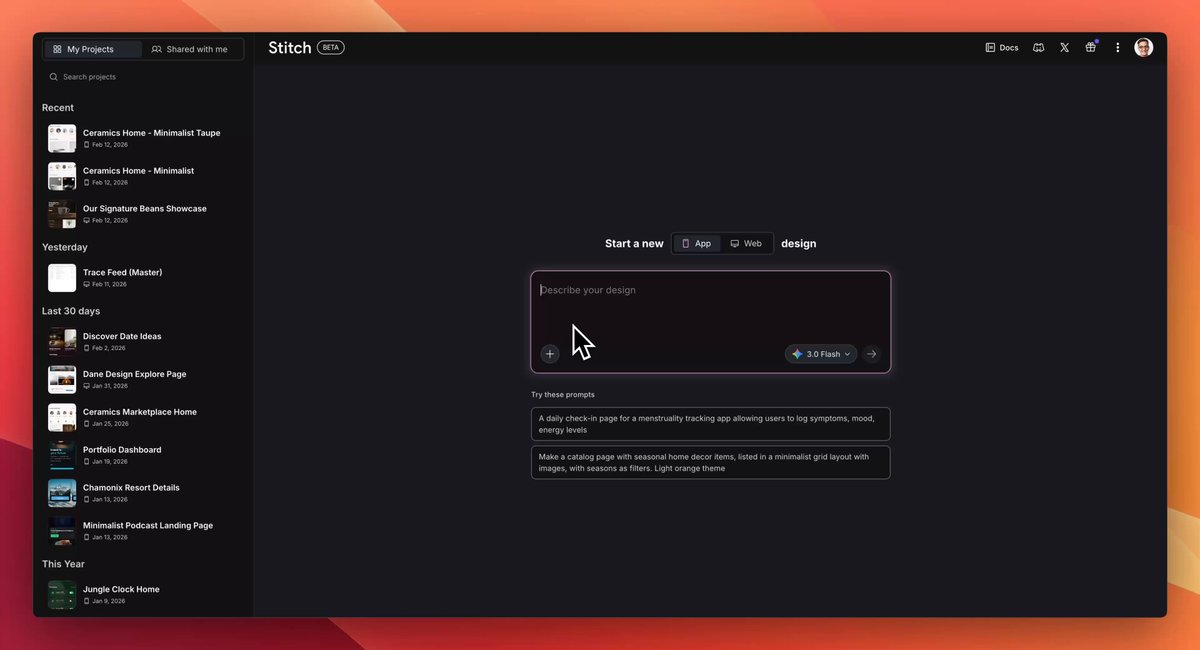
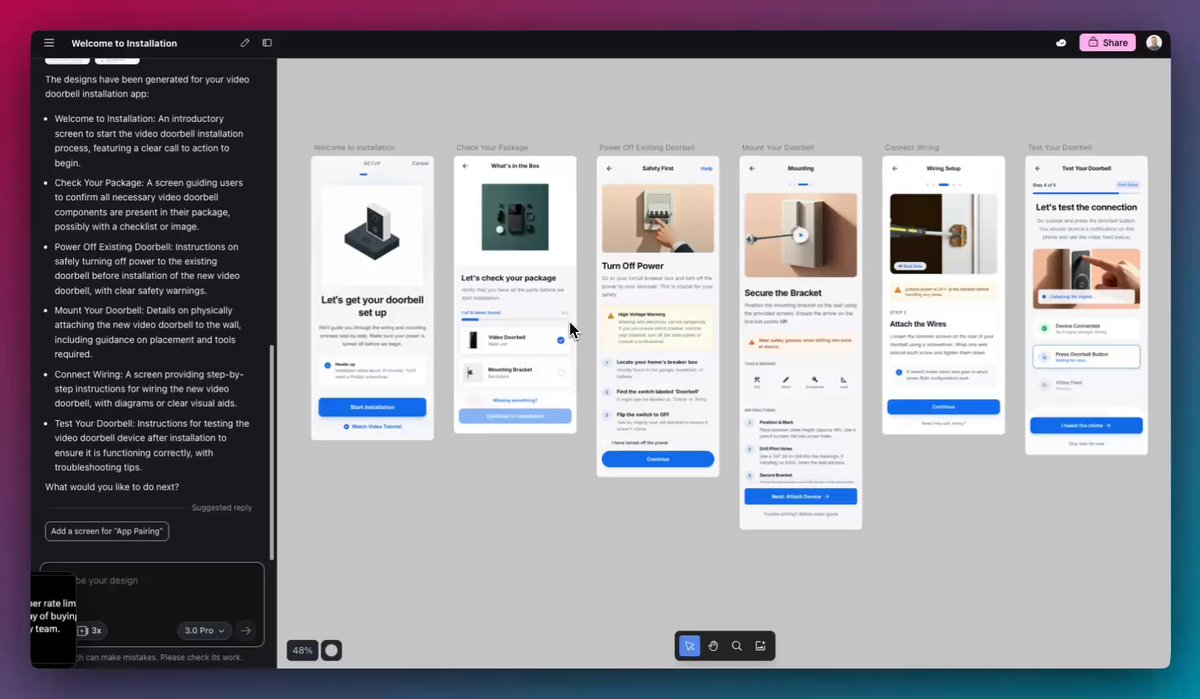
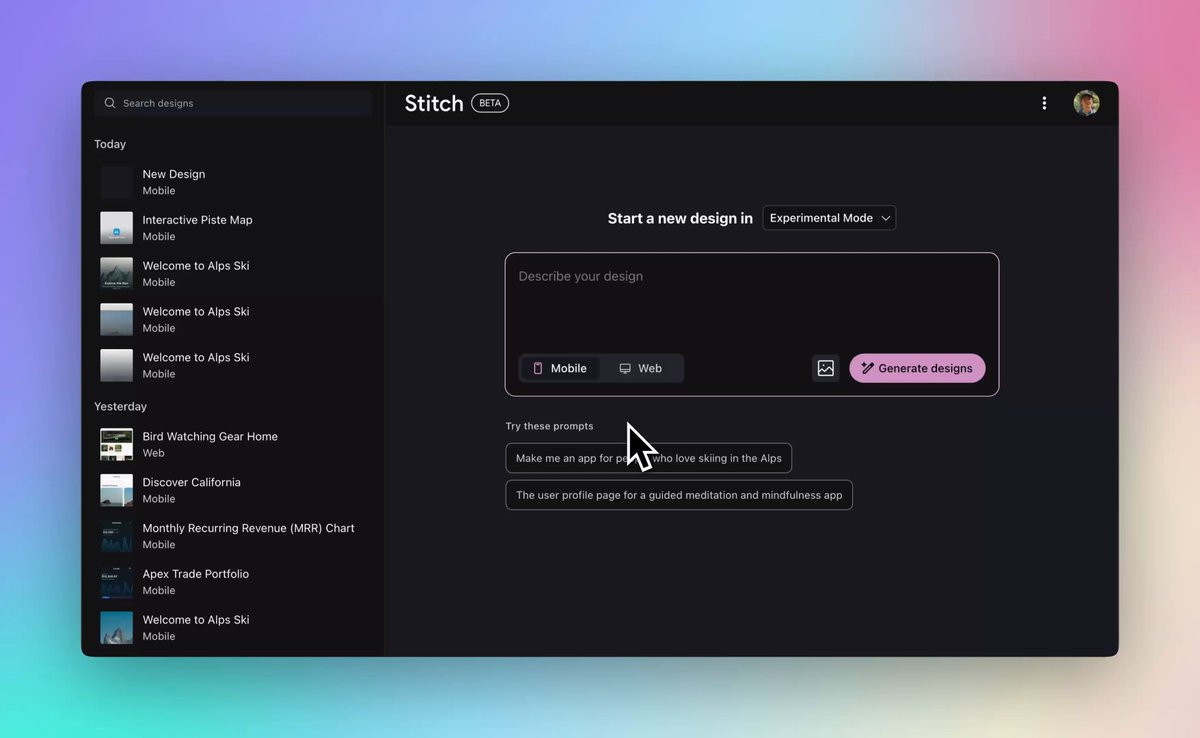
This makes @GoogleLabs vibe design tool @stitchbygoogle 10x more useful.
You know when you're trying to prototype a new feature for an existing product, and it drives you nuts that it just doesn't look like *your* product?
Sure, you can technically show off the idea...but the design is pretty useless if it doesn't match the overall product vibe.
We want to fix that with "design systems" in Stitch.
Create your styles once, apply them everywhere.
Check it out: stitch.withgoogle.com
Happy building!
21
14
257
23,807
Feb 19
We're hiring a senior PM - does this sound like you?
Here in @GoogleLabs we're leaning hard into a "continuous AI" future - a fluid cycle of ideating, building, monitoring, and iterating.
One of my teams focuses on AI coding, and we're making this future real!
We're looking for a senior PM who is excited about enabling a next generation of builders, has technical experience themselves, and is ready to build in an AI-native way.
Pls share with folks you think would be great! google.com/about/careers/app…
24
32
298
76,495
Kelly Schaefer retweeted

Feb 12
Introducing 🎨 Design Systems in Stitch!
Build a single source of truth to keep your screens visually consistent. Create your styles once, then instantly apply them to any new or existing designs.
We’ve got more for design systems coming over the next few weeks, stay tuned! 👀
92
328
3,764
293,487
Kelly Schaefer retweeted
Feb 10
🚨 Our #1 most requested feature is here:
You can now export designs from any Stitch agent directly to Figma as editable layers.
Vibe Design is perfect for exploring many ideas in minutes. But sometimes, you need that final layer of polish.
Now you can move seamlessly between vibe design and polish.
104
280
3,005
259,888
Kelly Schaefer retweeted
Gemini 3 Flash ⚡️ is coming to Stitch!
Faster iteration helps you design better products. You can now explore more ideas at faster speeds with amazing quality. If you need more reasoning power, use Pro.
We find the best results come from trying multiple options quickly, branching out before converging to the perfect design.
Check out the speed difference with Pro
26
84
751
83,251
Kelly Schaefer retweeted
9 Dec 2025
Shipmas Day 2: Bonus Drop. 🚢🎁
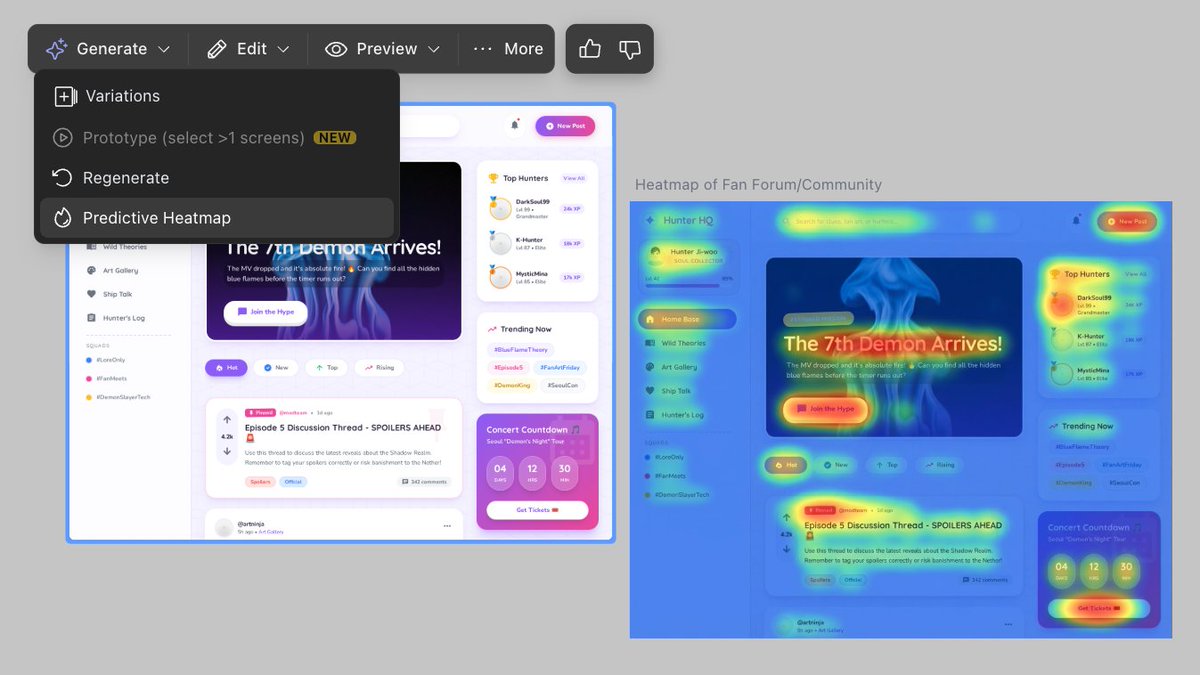
We taught Nano Banana Pro to see like a user. 👀
Introducing Predictive Heatmaps.
Now you can run an instant attention audit on any screen you design. Ensure your users are focused exactly where you want them to be—before you write a line of code and without waiting for data.
Live now in the Generate menu.
62
145
2,156
340,323
Kelly Schaefer retweeted

10 Dec 2025
This has been a major game changer for the Stitch team
10 Dec 2025

Introducing Scheduled Tasks.
Continuous Integration meets Continuous AI.
Set the frequency: nightly package releases, weekly dependency updates, or monthly backlog sweeps. Jules not only can publish the release but can fix any errors while doing it, all in background while you focus on what matters (or get some sleep).
Available to all users today: jules.google.com
2
11
1,119
11 Dec 2025
We're in our Vibe Design era 💃
Our @GoogleLabs product Stitch just launched Prototypes, which lets you build an interactive experience with absolutely no code.
And yes, it's free and uses the amazing Gemini 3 model 💪
You can now select multiple screens and "stitch" them together into a fully functional, clickable user flow. (Get why we called the product Stitch??)
- Create clickable user flows
- Test interactions and animations
- Ask for edits by clicking divs on the screen
- Export the full context to AI Studio or other coding agents
I've tried a *lot* of AI tools, and for me @stitchbygoogle continues to be the easiest way to get from idea --> design...and now, to interactive prototype.
Would love to hear what you think!
(And tell me what you think about the song in this video if you have sound on 😂)
116
235
1,976
125,704
10 Dec 2025
Jules has gone proactive! ✨
Starting today, @julesagent evolves into a partner that helps before you ask.
New features like Suggested Tasks (for Google AI Pro and Ultra subscribers) and Scheduled Tasks, plus a Render integration for self-healing deployments, let Jules work proactively, surfacing vital work and automating fixes.
Congrats to our @GoogleLabs crew on the launches!
3
5
55
3,996
Kelly Schaefer retweeted
8 Dec 2025
Welcome to Shipmas Day 1. 🚢🎁 We have a new ship every day this week and a big launch Wednesday!
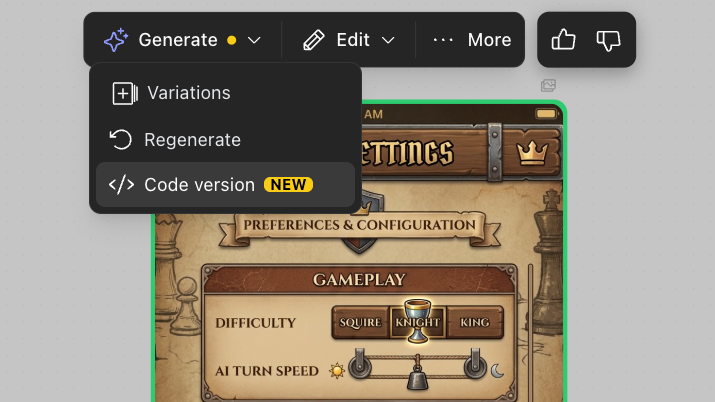
First up: We’re unlocking the Redesign Agent by taking the image output and letting you generate code.
Powered by Nano Banana Pro, our agent has been taking a screenshot of your app and visually reimagining it. We love the creativity, but disliked how you didn’t have access to the code.
Now we’ve added Code Generation. Now you can take those Nano Banana Pro redesigns and convert them into working HTML.
Screenshot ➡️ Redesign ➡️ Code ➡️ AI Studio or Your Coding Agent.
41
109
1,246
265,230
26 Nov 2025
Here's a great way to introduce your extended family to AI over the holiday, especially if you're the person who gets asked all the "tech questions". 💻
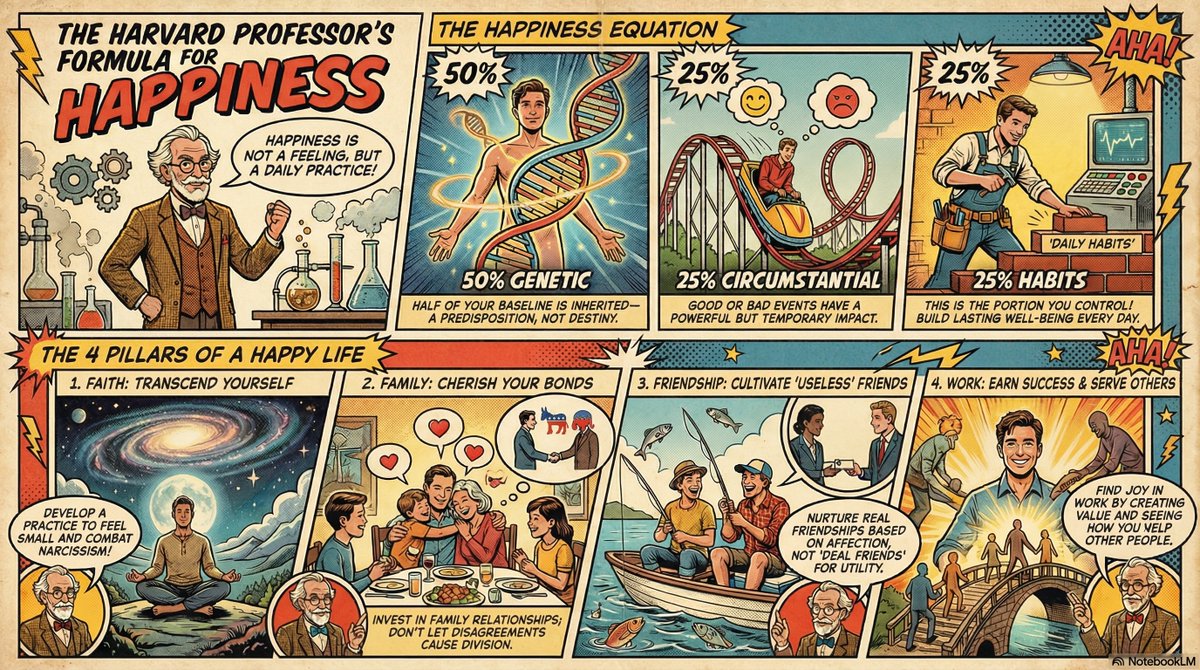
@NotebookLM now lets you make awesome infographics using just a sentence & a source. And yep, you can use it for free.
I made an infographic based on a talk on happiness from HBS Professor @arthurbrooks.
You could make an infographic based on a video like I did, but there are tons of other fun options:
- perhaps your cousin works at a research lab and you link the site, asking for an overview of what her group studies
- maybe you include your Mom's LinkedIn page and have the infographic map our her career journey
- or maybe your niece is obsessed with Minecraft and you add a fan page that explains the basics to your uncle
✨ Here's how to do it:
1. Go to NotebookLM and start a new notebook.
2. Add sources to your notebook - could be YouTube videos, website, content you write, or practically anything else.
3. In the right panel, tap on the pencil icon of Infographics.
4. Type your custom prompt into the box. Mine was: "Give me the main takeaways for becoming a happier person from Arthur Brooks. Include his main points and illustrate it with a retro comic style."
5. Tap Generate.
6. Wait about a minute and voila! Your infographic is ready to check out and download.
Follow me for more ways to make AI useful in your daily life and for sneak peeks of what @GoogleLabs is up to. And enjoy Thanksgiving! 🦃
1
5
322
26 Nov 2025
NotebookLM: notebooklm.google
YouTube video from HBS Professor Arthur Brooks: youtube.com/watch?v=w8a0T5XL…
Fun fact: NotebookLM uses the transcripts of the YouTube videos, but not the video imagery itself. Since I asked for a retro comic look, Arthur Brooks is dolled up as an early 1900s professor instead of his actual look! By the way, Dr. Arthur Brooks has a great newsletter that's worth checking out: arthurbrooks.com/newsletter
369

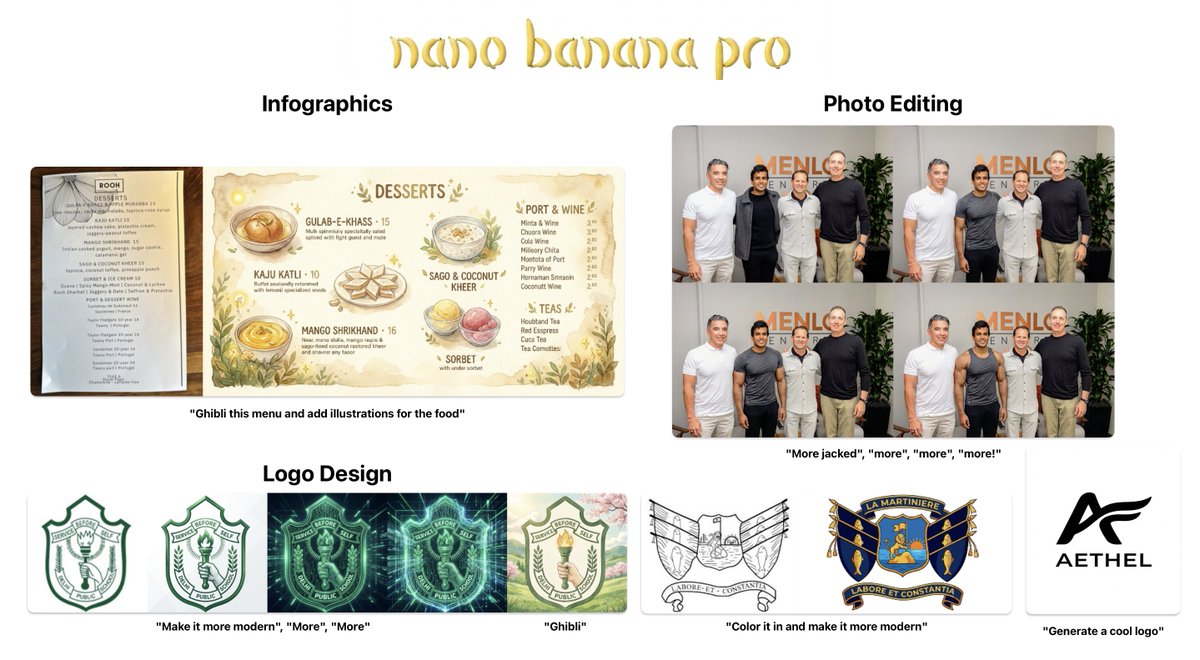
I genuinely can't even begin to explain how good Nano Banana Pro is.
— Infographics: Comic strips, menus, marketing, wedding invites, even fake receipts?!. This one-shots every thing I'd need Canva for.
— Logo Design: It one-shotted every single logo design I threw it. New logos. Resurrecting old logos. I almost cried seeing how good it made my school logo
— Photoshop-like Editing: It's just.. perfect. Make me taller. Make me fitter. Move my hand. Remove background. Change my clothes It nails everything.
It is by far the best image editing model I've ever seen.
67
65
1,261
127,467

Introducing Nano Banana Pro (Gemini 3 Pro Image), our new state-of-the-art image generation and editing model from @GoogleDeepMind. It improves on the original model while adding new advanced capabilities, enhanced world knowledge and text rendering, allowing you to create and edit studio-quality, production-ready visuals.
377
635
4,272
1,896,757
Kelly Schaefer retweeted

20 Nov 2025
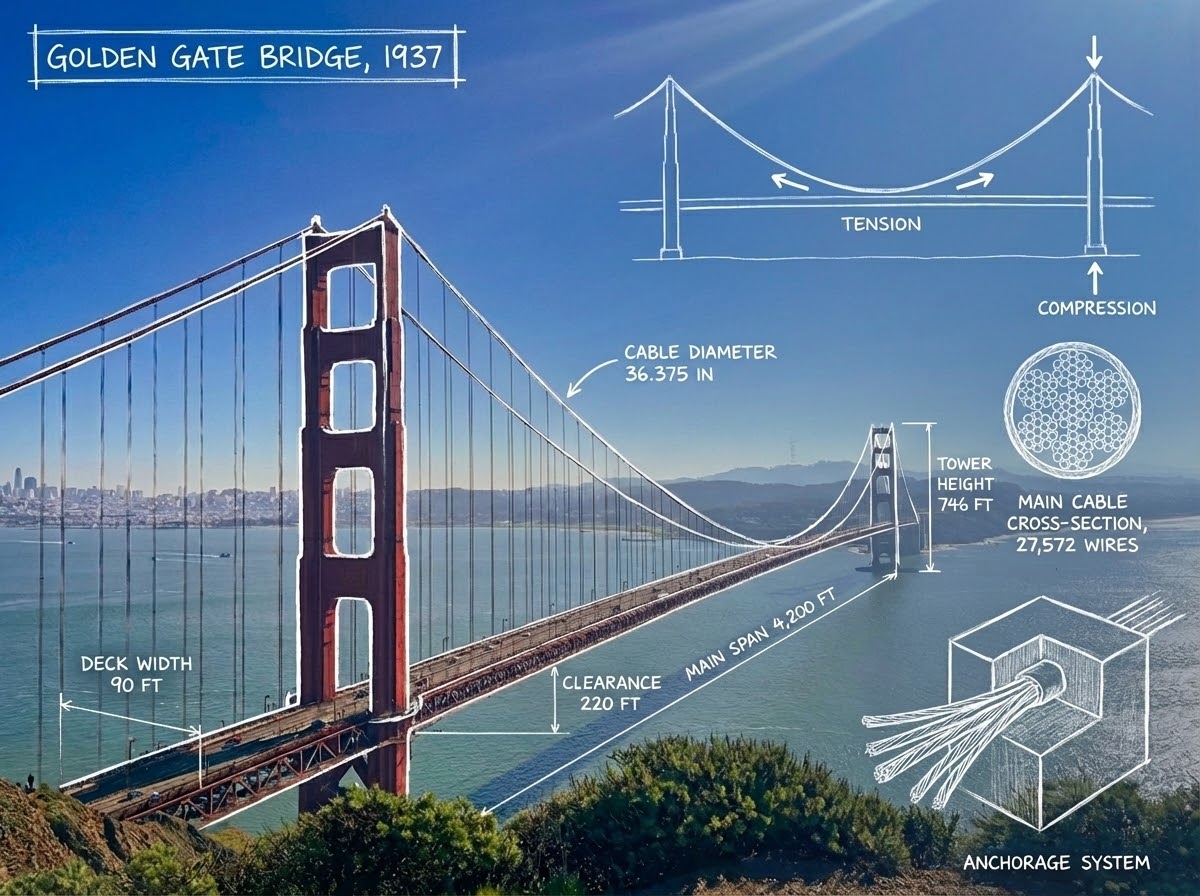
You went 🍌🍌 for Nano Banana. Now, meet Nano Banana Pro.
It’s SOTA for image generation editing with more advanced world knowledge, text rendering, precision controls. Built on Gemini 3, it’s really good at complex infographics - much like how engineers see the world:)
816
1,952
23,545
4,539,264
Kelly Schaefer retweeted
19 Nov 2025
Introducing 1-Click Export to AI Studio. 🚀
No more manual copy-pasting HTML or dragging images. Just hit the export button, and Stitch automatically opens AI Studio with your full context (HTML Screens) attached and ready to go.
Yesterday: AI Studio gets Gemini 3. Today: Stitch gets 1-Click Export to AI Studio. 📅
It's the perfect storm. You can now easily build your beautiful designs with the most capable model available.
It was our most requested feature for a reason. Go build something real, fast.
82
252
2,235
410,096
19 Nov 2025
Thrilled to have Gemini 3 in @Google's autonomous coding agent Jules, now rolling out to paid users.
Congrats to the @julesagent crew - check out our handle for all the details!
19 Nov 2025
State of the art reasoning right within an autonomous agent.
Complex instruction following and advanced coding capabilities from Gemini 3 Pro helps Jules complete more complex tasks in parallel.
Available now for Ultra, Pro coming real soon. 2.5 Pro available to everyone.
2
29
4,823
18 Nov 2025
Gemini 3 from @Google is here!
It's great at vibe coding, multimodal outputs (e.g. images), and so much more. It's now baked into AI mode on Google Search, which means that you'll start getting outputs like interactive visual layouts in your results. Pretty cool!
And it's baked right into @antigravity, Google's new software dev platform. Check it out at antigravity[dot]google. 🚀
1
3
223