
Answer tough financial questions with Maybe, an AI-native financial decision making tool that connects the dots on your data, without a CFO.
Joined July 2011
- Tweets 2,659
- Following 384
- Followers 12,825
- Likes 6,034
209 Photos and videos










Maybe retweeted

9 Sep 2025
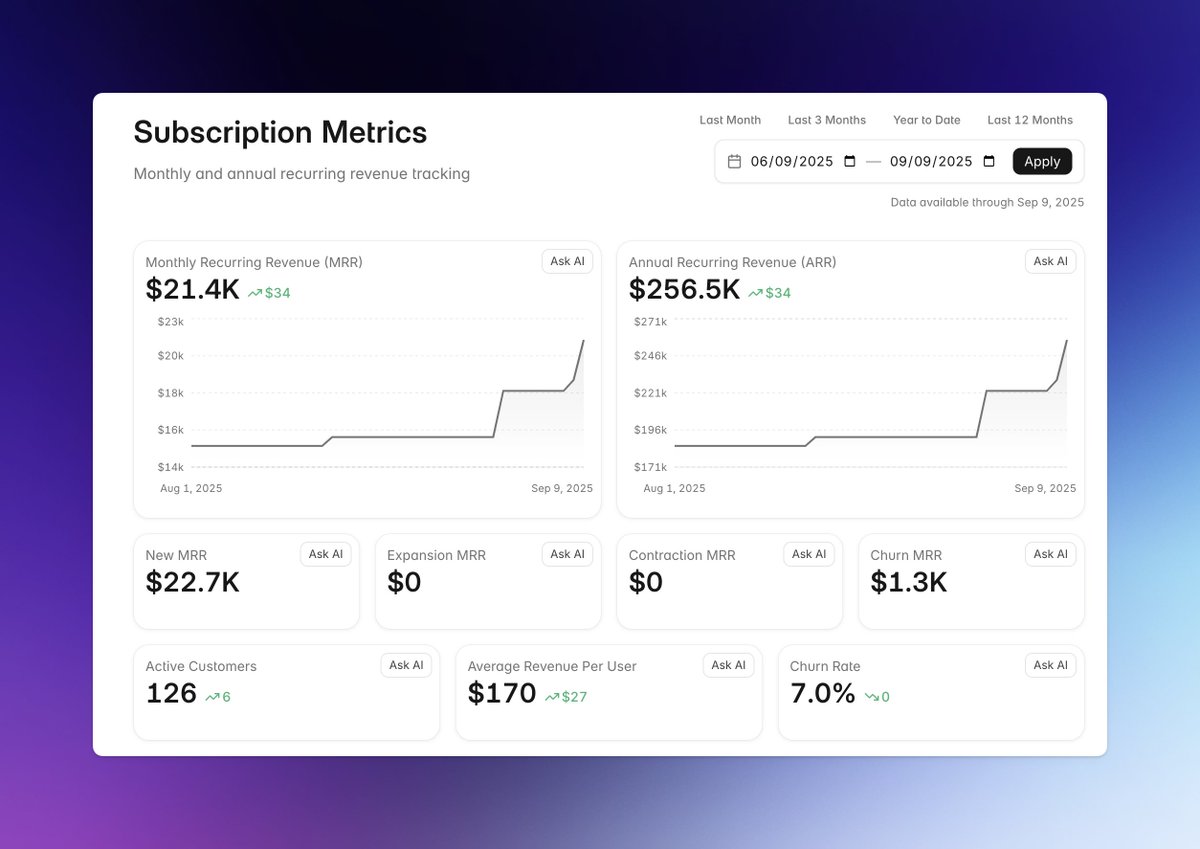
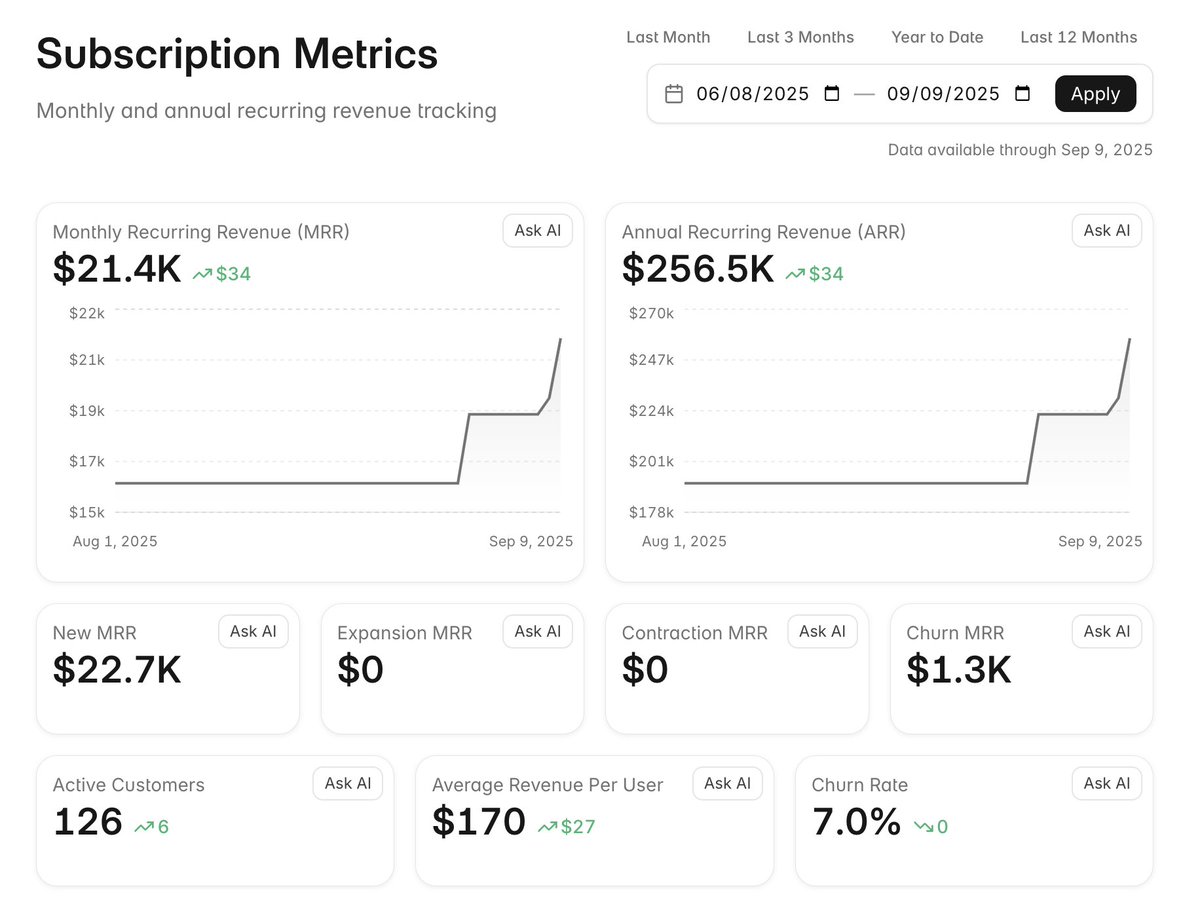
we just launched subscription metrics on @maybe!
connect your @stripe account and then dig deep on any metric with AI chat.
connect your @QuickBooks account and get even deeper insights!
4
3
16
20,246
Maybe retweeted
9 Sep 2025
the upcoming @maybe subscription metrics dashboard is coming along!
2
1
15
10,667
Maybe retweeted
9 Sep 2025
the goal with @maybe is that a single question in the chat should pay for your entire account for the month in time-saved.
now, imagine asking just one question per day and you quickly realize how much of a steal $50/mo is.
3
1
3
8,166
Maybe retweeted
29 Aug 2025
We built up an email list of nearly 20,000 for B2C, personal finance @maybe and now need to start from scratch for the new B2B business insights @maybe.
Subscribe here if you'd like to stay in the loop!
maybe.co/newsletter
5
1
10
7,889
Maybe retweeted
27 Aug 2025
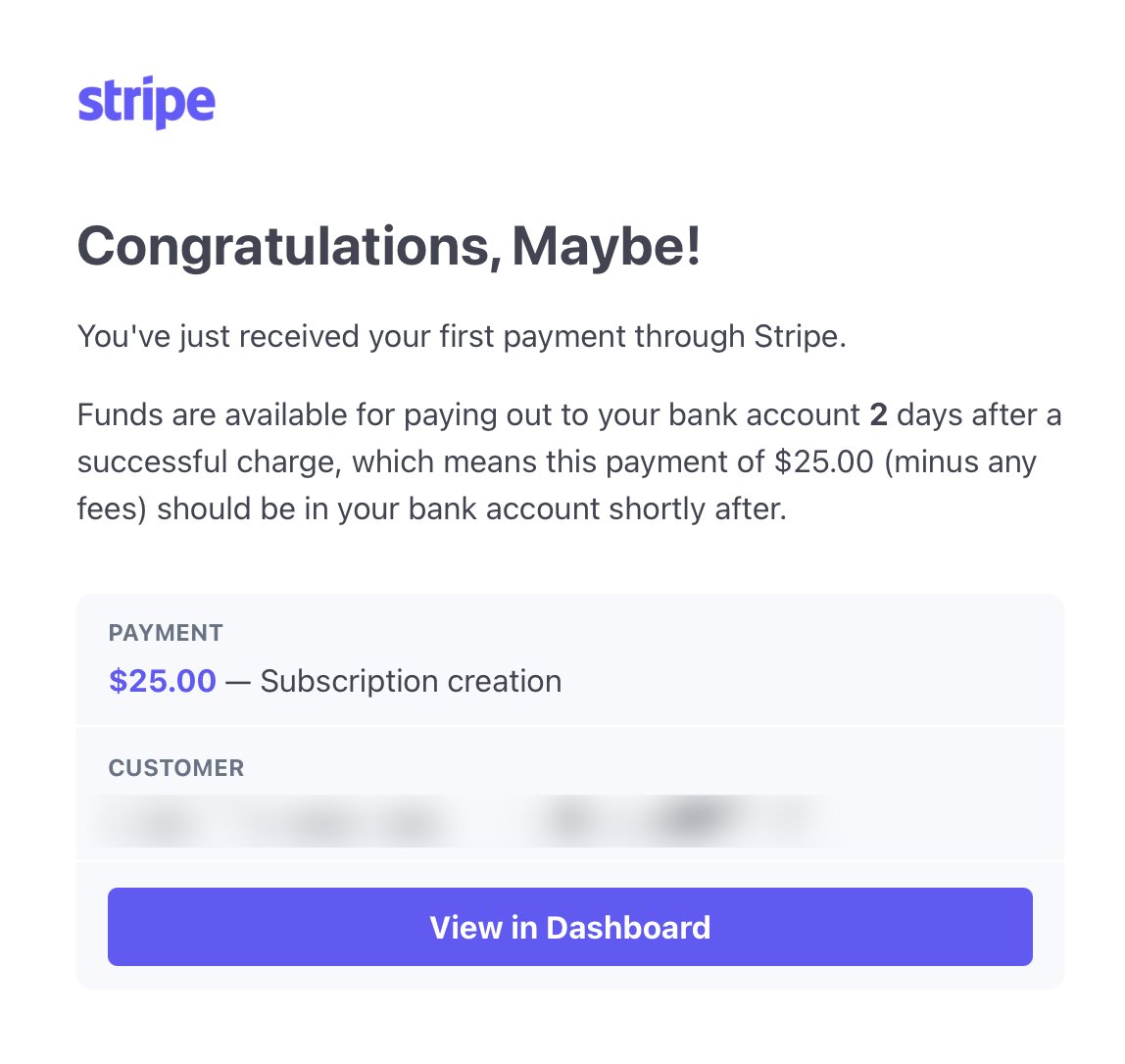
when we made the @maybe pivot last month, I promised our first dollar would come in before end-of-august and by golly...we've done it. 🙂
game on!
11
1
112
13,039
Maybe retweeted
27 Aug 2025
we're ready for our first customers on @maybe!
$25/mo FOR LIFE for the first 5 customers. you'll be locked in as long as you're subscribed.
code: FIRSTFIVE
ultimately we'll be in the $100/mo range for average customers, so this is a massive discount.
maybe.co
4
4
17
7,733

Maybe retweeted
22 Jul 2025
Maybe is making a pivot to B2B
tl;dr @maybe is pivoting towards B2B financial forecasting scenario planning
The Problem
We’re about 6,000 paying customers short of breaking even, with only around 200 paying customers currently, most of whom joined during the beta phases when the cost was significantly lower. We likely need more than 6,000 when you consider that many resources will need to scale up to meet the needs of that many more customers.
The reality is that building a B2C personal finance platform is not only technically very challenging, but incredibly slow to grow, and we can’t tackle those challenges while creating additional features people might be willing to pay for within the next 10-12 months (our current runway).
I no longer believe a B2C personal finance app is our best bet for survival going forward. The market’s needs are too fragmented, and the feature set is too far from becoming valuable for more affluent customers. I believe it either has to be completely bootstrapped for years or have $10’s of millions in funding to sustain and pour into growth.
We’ve got roughly $400,000 left in the bank. So what do we do with that?
The Solution
We sunset the current version of Maybe. Again. No more giant B2C personal finance app. The economics just don’t make sense for us.
We’re pivoting to B2B financial forecasting & scenario planning tools. Specifically, we're focusing on natural-language, generative-UI UX for creating reports and answering questions.
All business financial tools lean heavily on "power", which means lots of formulas, lots of complex interfaces, and spreadsheet inputs...this is why they go up-market, because onboarding requires teaching how to use the platform. This type of tooling typically requires someone with a background in finance to even begin to use them.
But what if the UI were a simple text input? “Forecast runway if we added one new employee in 3 months at a salary of $150,000”. Not a chat input, but natural-language, generative UIs. It's something we’ve actually been working on over the past few months anyways and we’re now going to apply that to a business context.
Anyone on a team will be able to use it because, to obtain the data they want, they simply write it out. Thank you, AI.
The focus is on iterating quickly for a business customer base that will happily spend money to make money. Our thesis here is that the core must be helpful and generate revenue from day one and we’ll be focused on what I call hyperbuilding with that day-one-revenue coming by the end of August.
FAQ
• Why not just keep slow-and-steady working on Maybe v2? — We simply can’t afford to. While there are certainly other personal finance tools out there that are bootstrapped, they’ve spent years slowly building. We don’t have that luxury.
• What about going AI mobile first? — I still think that’s the best move for any new B2C personal finance app and it was something we were heavily pursuing, but we don’t have the runway to pull it off.
• So this is a move to B2B? — Exactly. We’re now a B2B software company building a new B2B product.
• What happens to Maybe v2, Synth and Detangle? — All shut down within 6-8 weeks to save on costs and extend runway.
• What happens to Maybe’s OSS repo? — It will continue on for those that want to maintain it, but we won’t be putting resources towards it as a company in the short term.
• What about paying subscribers? — We'll stop monthly billing and refund everyone's most recent payment.
• How are we qualified to build this new B2B product? — Most of my 20-year professional career has been in B2B. Baremetrics was squarely a business financial app. Travis also works with many businesses on a CFO level, so he has unique perspectives and connections there. Our lead engineer spent years in FP&A at a large financial institution. In addition, all of us have been neck-deep in building financial tooling for many years now.
• What’s the timeline here? — First B2B dollar within a month. We’re moving at hyperspeed.
• What’s the first/core feature? — Runway forecasting & scenario planning.
I know for many investors and customers, this will be both a surprise and a disappointment, as what interested you in the first place was a fresh take on personal finance tools. I'm sorry we won't be able to deliver on that. The road to success has a staggering number of forks in it.
However, I'm personally extremely excited to get back to the B2B space, given my history there, and the team as a whole has a renewed sense of purpose and focus with this move with an optimism about success in a way that we've just not had in a long time.
An annoying number of updates coming soon. 🙂
94
13
429
142,538
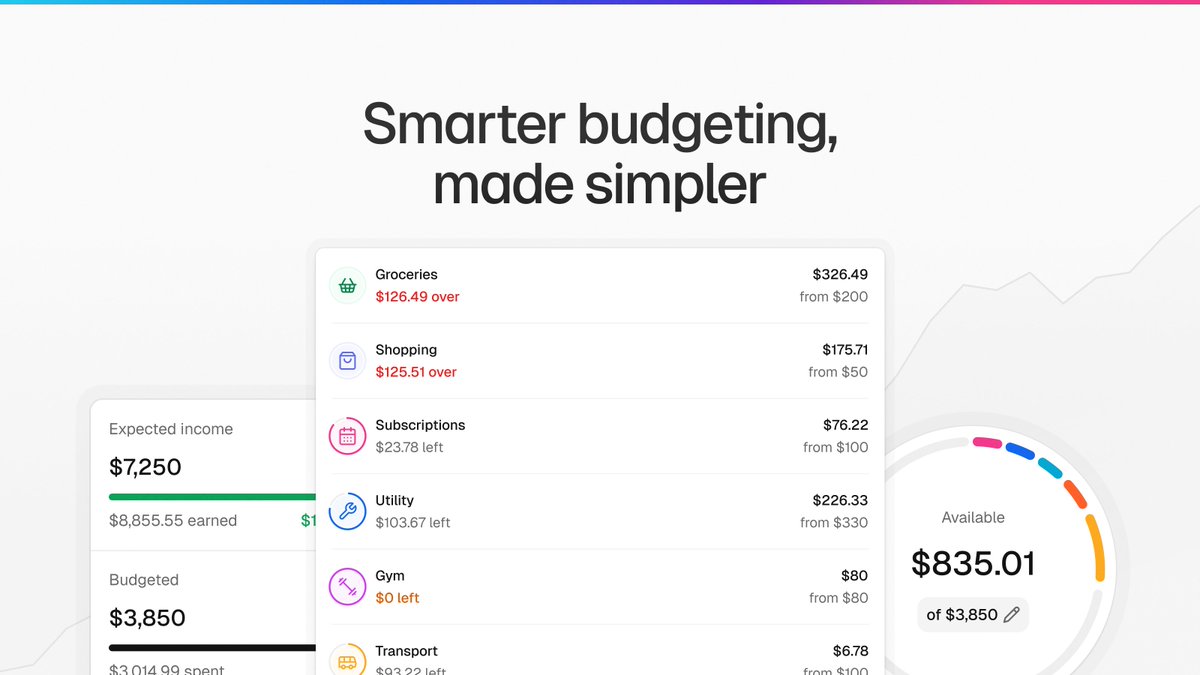
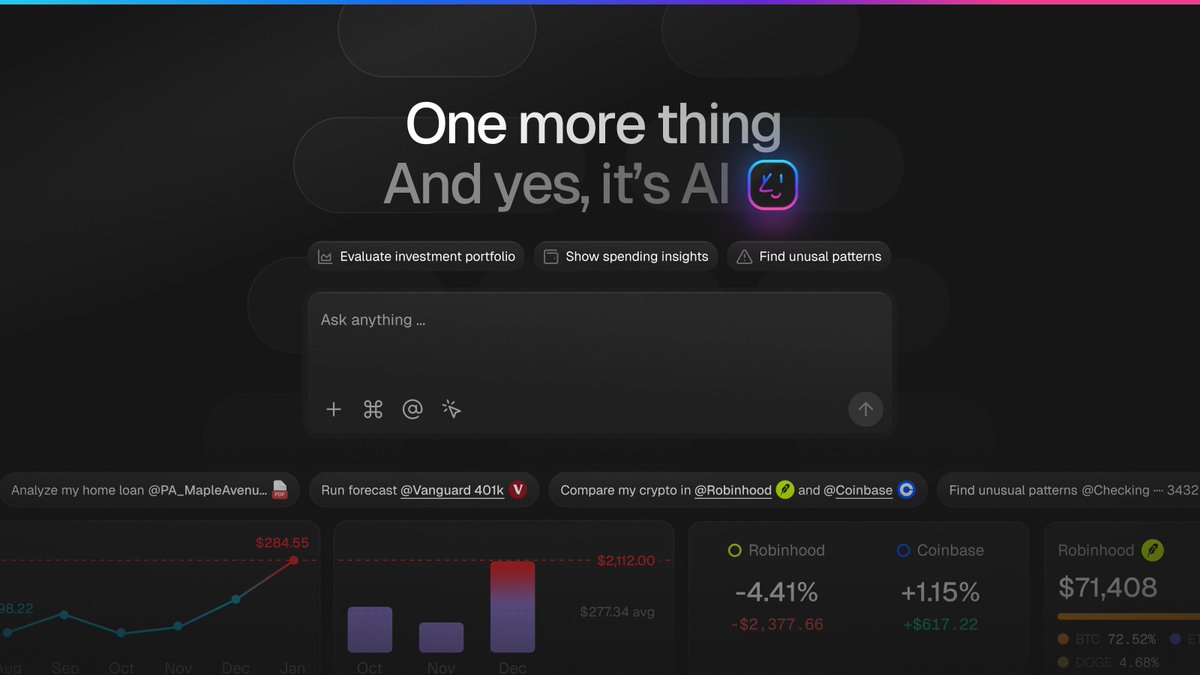
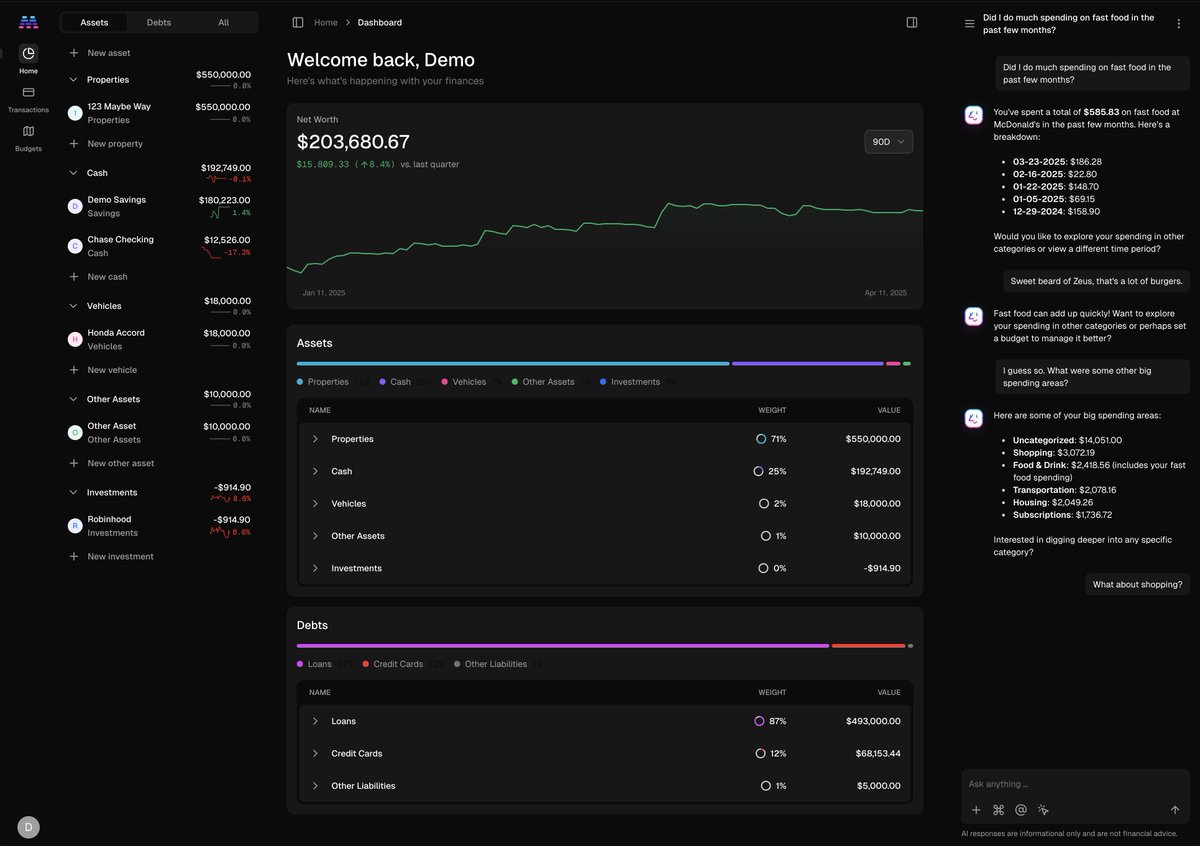
Maybe retweeted
1 Apr 2025
Hey! @maybe has entered its last month of early access! Neat!
We just dropped 100 final early access invites: app.maybefinance.com/early-a…
If you subscribe today you lock in early access price of $50/year (as long as you stay subscribed).
Otherwise will be $90/year at launch. 🎉
3
4
7
11,448
Maybe retweeted
28 Mar 2025
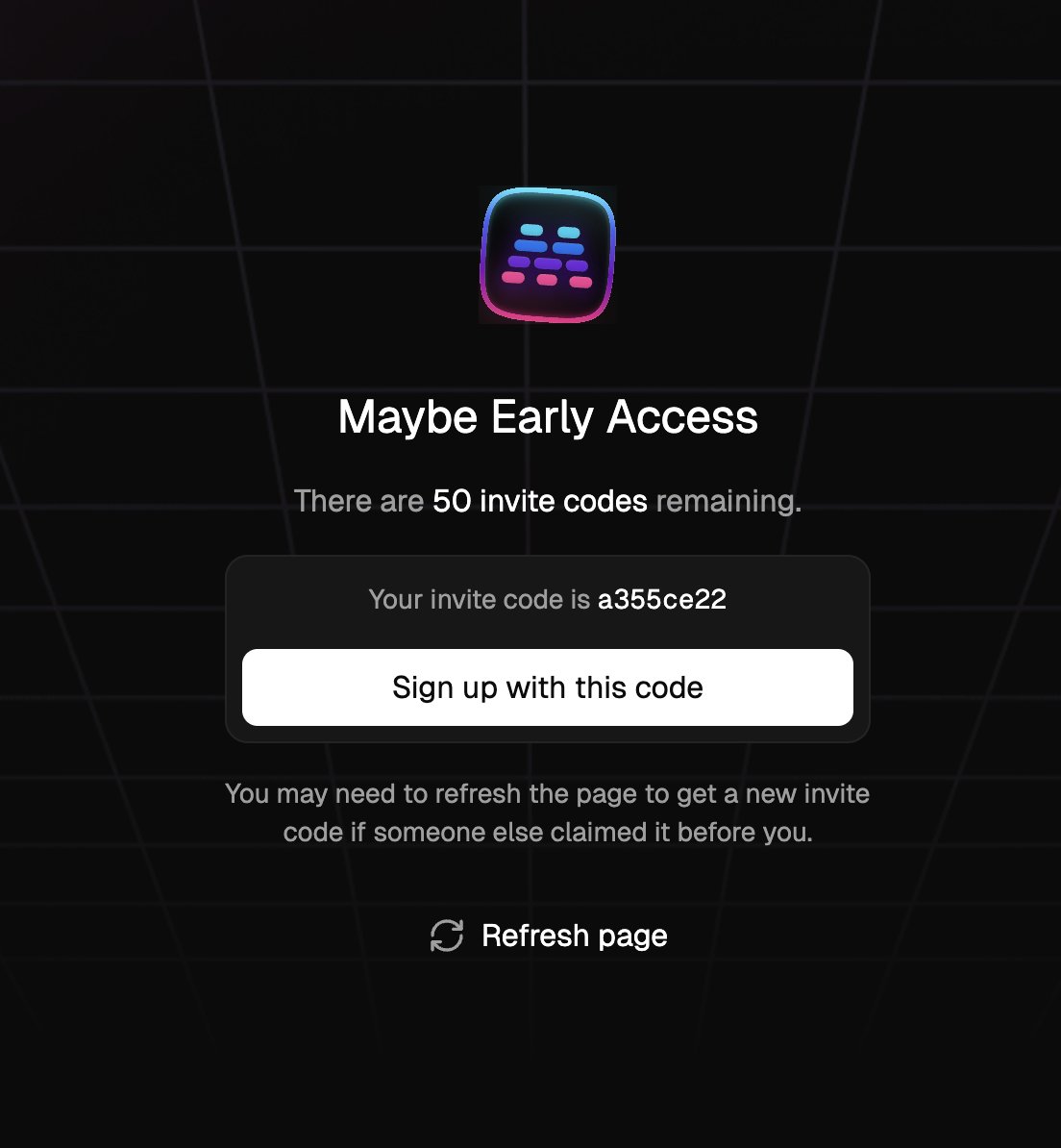
We just dropped 50 more invites to @maybe as well!
app.maybefinance.com/early-a…
28 Mar 2025

we've just rolled out the basic foundation for your very own hyper-personalized financial AI in @maybe!
what's been rolled out today is just the start. we've intentionally kept it basic so we can learn more about *how* folks want to interact with a personal finance AI.
2
2
5
14,412
Maybe retweeted
28 Mar 2025
we've just rolled out the basic foundation for your very own hyper-personalized financial AI in @maybe!
what's been rolled out today is just the start. we've intentionally kept it basic so we can learn more about *how* folks want to interact with a personal finance AI.
8
4
58
27,064
Maybe retweeted
5 Feb 2025
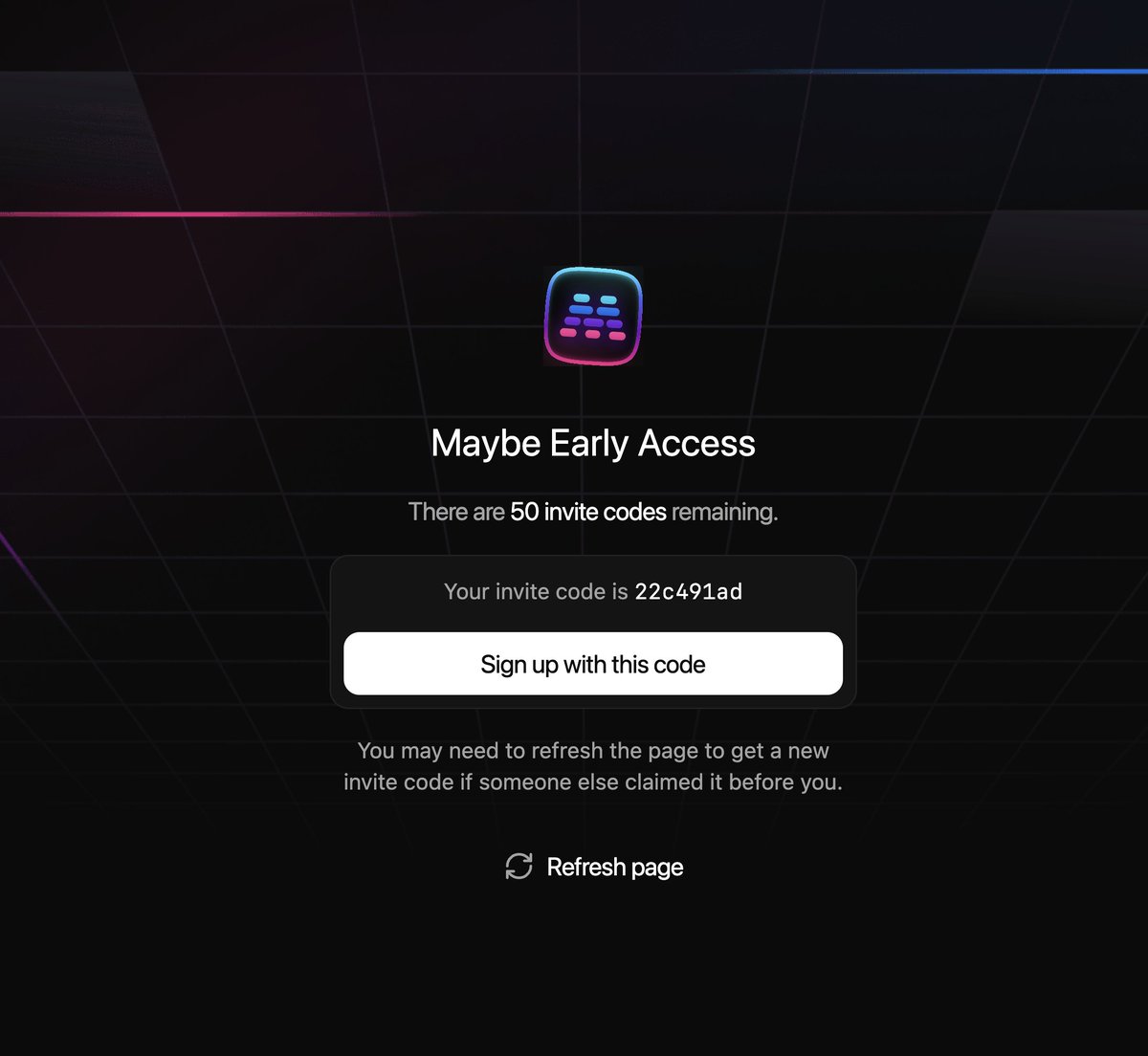
Another day, another round of @maybe early access!
app.maybefinance.com/early-a…
Big addition this time around: EU bank syncing!
6
3
25
14,696
Below is a 30-day plan of quick, self-contained financial “to-dos,” each designed to take 10 minutes or less. Every day offers a simple action step to help you build better money habits.
Day 1: Download and Review Your Bank Statement
• Action: Log in to your bank’s website or app and download your statement for the past month.
• Task: Quickly skim for any unexpected or unauthorized charges.
Day 2: Add Your Bills to a Calendar
• Action: Take note of recurring monthly bills (rent/mortgage, utilities, subscriptions) and mark their due dates on a digital or paper calendar.
• Task: This helps you see due dates at a glance, reducing late fees.
Day 3: Automate a Small Savings Transfer
• Action: Set up a recurring transfer of a modest amount (even $5–$20) from checking to savings each payday.
• Task: This creates a habit of paying yourself first.
Day 4: Check Your Credit Score for Free
• Action: Use a free service or your bank’s app to view your credit score.
• Task: Note any changes or irregularities; if something looks off, put a reminder to investigate.
Day 5: Unsubscribe from One Unnecessary Service
• Action: Look at your subscription list (TV, music, apps, meal kits). Pick one you no longer use or value and cancel.
• Task: Redirect those saved dollars elsewhere or into savings.
Day 6: Compare Insurance Quotes
• Action: Obtain at least one alternative quote for your home or car insurance.
• Task: Even if you don’t change plans immediately, you’ll know if you’re paying too much.
Day 7: Evaluate Your Mobile Plan
• Action: Look at your phone carrier’s plan and data usage.
• Task: If you’re far under (or over) your data limit, call customer service or change plans online to optimize.
Day 8: Sell One Item Online
• Action: Pick a gently-used household item or piece of clothing you no longer need, and list it on a marketplace (eBay, Facebook Marketplace, etc.).
• Task: Turn clutter into cash, even if it’s just a few dollars.
Day 9: Create a “Fun” Budget Category
• Action: Decide on a small monthly amount dedicated to hobbies or treats.
• Task: By capping fun money, you stay in control and avoid guilt.
Day 10: Start Tracking “Cash Flow In” vs. “Cash Flow Out”
• Action: Grab a notepad or an app and quickly note all income (salary, side gigs) and all outflows (bills, daily spending) for a single day.
• Task: Repeat daily for a week (only 1–2 minutes/day) to spot trends.
Day 11: Consolidate Loose Change
• Action: Gather coins stashed around the house or car and deposit them in your bank’s coin machine or a coin jar.
• Task: Regularly depositing coins can become a surprising savings boost.
Day 12: Set a Mini Debt-Reduction Goal
• Action: Choose one debt (credit card, car loan). Decide on an extra amount you can pay off this month (even $10).
• Task: Automate or schedule that extra payment right away.
Day 13: Plan One “No-Spend” Day
• Action: Pick a day next week to spend $0 on discretionary items (no coffee runs or impulse buys).
• Task: That day, observe what triggers you to spend and get creative with alternatives.
Day 14: Update (or Create) an Emergency Contact List
• Action: Make sure you have contact info for bank, insurance, and credit card companies stored in a safe digital file or phone contact list.
• Task: Quick access helps if something unexpected happens.
Day 15: Check Your Employee Benefits
• Action: Skim through your company’s benefits (401k matching, HSA, life insurance).
• Task: Make sure you’re taking advantage of any free or discounted offerings.
Day 16: Pick a Short-Term Savings Goal
• Action: Decide on a small goal—maybe saving $200 for a new appliance or a weekend getaway.
• Task: Write it down or use a savings tracker app; the act of naming it makes it more tangible.
Day 17: “Round Up” Your Payments
• Action: If your bank allows it, enable a feature that rounds up each purchase to the nearest dollar and saves the difference.
• Task: This micro-savings approach grows funds in the background.
Day 18: Split Your Grocery List
• Action: Divide your groceries into “must-haves” and “nice-to-haves.”
• Task: Next time you shop, only buy from the must-have list first, and then decide if you really want the extras.
Day 19: Check for Unused Gift Cards and Store Credits
• Action: Look through old emails or your wallet for store gift cards or returns you never used.
• Task: Spend or sell them if you can, so the value doesn’t go to waste.
Day 20: Evaluate One Recurring Expense
• Action: Pick one recurring payment (gym membership, streaming) and ask: “Is it worth what I’m paying?”
• Task: If not, downgrade or cancel.
Day 21: Shop Around for Bank Accounts
• Action: Compare interest rates on checking or savings accounts via a quick search.
• Task: Jot down a few competitive rates; if the difference is significant, consider moving your money.
Day 22: Bookmark a Personal Finance Site or Podcast
• Action: Find one reputable personal finance site or podcast and bookmark/subscribe.
• Task: Spend a few minutes scanning recent articles or episodes for new money ideas.
Day 23: Check Your Credit Report for Errors
• Action: Use AnnualCreditReport.com (if in the U.S.) or equivalent service to quickly review your report.
• Task: Skim for mistakes or unfamiliar accounts. Dispute anything incorrect.
Day 24: Use a Cashback or Rewards App for Today’s Purchase
• Action: If you plan to buy something today, check a rewards or cashback app (Rakuten, Ibotta, etc.) for potential savings.
• Task: Sign up or log in, then follow the instructions to earn points or cash back.
Day 25: Cancel One Email Newsletter that Tempts You to Spend
• Action: Unsubscribe from a retailer’s mailing list that regularly tempts you into impulse buying.
• Task: This reduces the daily “Buy Now!” urges.
Day 26: Compare Electricity Usage
• Action: Log in to your utility account and see if they offer a usage comparison or energy savings tips.
• Task: Make one small change (like turning off lights or adjusting the thermostat) to lower your monthly bill.
Day 27: Create a Simple Will or Estate Checklist
• Action: Jot down your major assets and where they’re located.
• Task: Consider using an online tool to draft a basic will if you don’t have one.
Day 28: Ask for a Waiver of a Fee
• Action: If you’ve recently incurred a late fee or monthly fee, call the provider and politely request a one-time waiver.
• Task: Even a short call can save you $25–$50.
Day 29: Set Up a Bill-Pay Reminder
• Action: Enable text or email alerts from your bank for upcoming bills or low account balances.
• Task: This helps you avoid overdraft charges or missed payments.
Day 30: Celebrate and Pick Your Favorite Habit
• Action: Look over these 30 days and select one habit that resonated most (e.g., daily expense tracking or “no-spend” days).
• Task: Commit to continuing that habit long-term.
By completing each quick action day by day, you’ll build up a strong set of money-management habits. Adapt and reuse the ones that work best for your lifestyle. Even small, 10-minute steps can yield long-lasting financial benefits!
2
4
21
11,054