
Tailwind CSS for React Native
Joined July 2024
- Tweets 435
- Following 4
- Followers 3,015
- Likes 534
62 Photos and videos











Pinned Tweet

25 Sep 2025
✨ The v5 preview is here!
- Tailwind v4 support
- Simpler setup
- Most complete CSS support for RN
And a lot more...👇
Try it now:
`npx rn-new@next --nativewind`
28
42
623
42,894
Nativewind retweeted

Jun 3
Ride Sharing App template coming very soon. Stay tuned 🚗
native-templates.com/
Lots of fun building this one with @nativewindcss @reactnative @swmansion reanimated and @expo
4
4
95
4,199
Nativewind retweeted

Jun 1
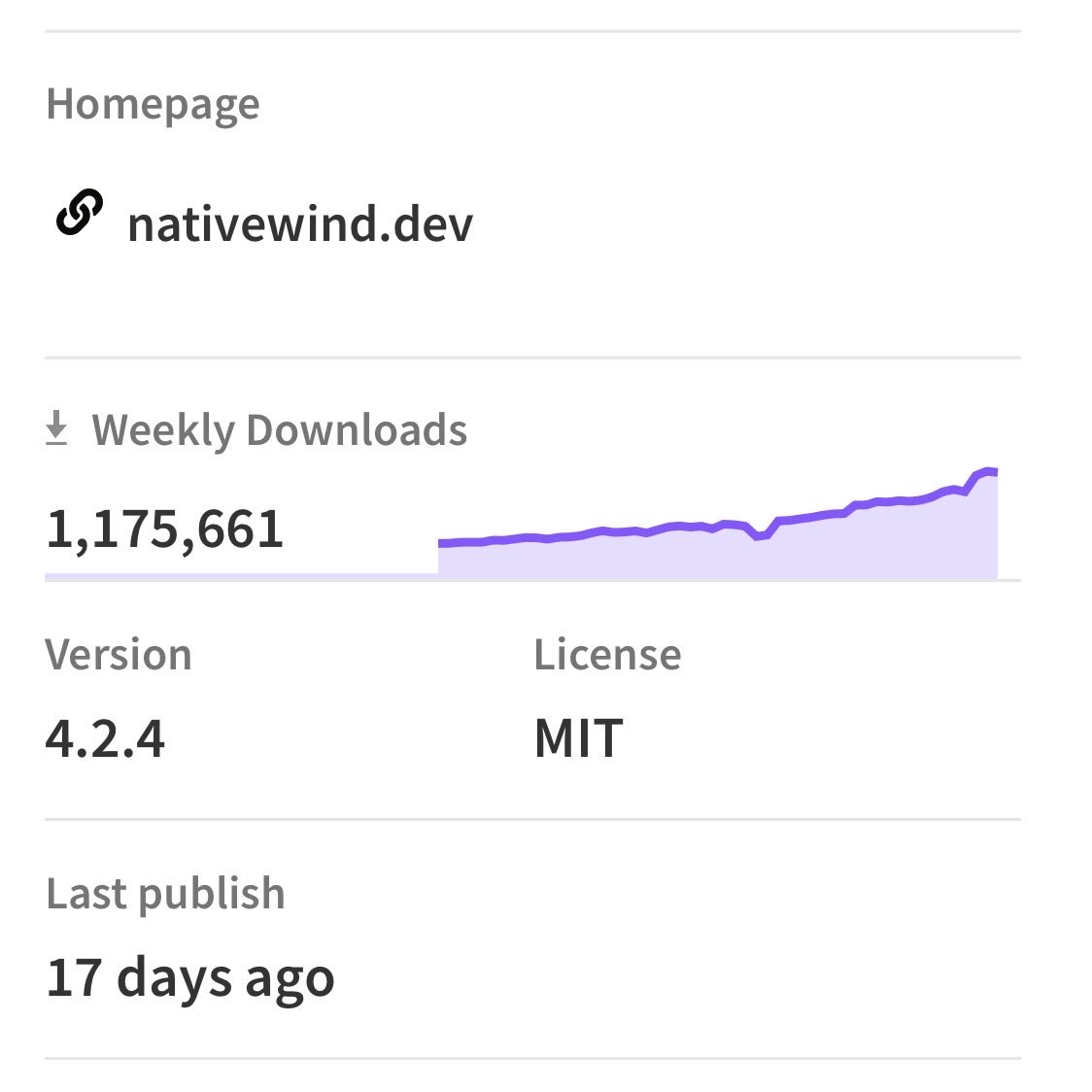
Nativewind has crossed 1 million downloads per week and is about to hit 1.2M!
3
4
87
5,066
Nativewind retweeted
May 5
One year ago I launched Native Templates! 🎂
To celebrate, all templates are on sale this week. native-templates.com
Thanks @expo @nativewindcss @reactnative and @swmansion reanimated for making it possible.
More exciting templates dropping soon!
2
2
39
2,940
Nativewind retweeted
Apr 24
Add to Cart Component from Sneaky template. 🛒
native-templates.com/templat…
Built with @expo @nativewindcss @swmansion
Reanimated and @reactnative
Get 20% discount on all templates bundle with code NAT20 - This weekend only!
Apr 21

Sneaky - Online Store App Template is now available 🚀
native-templates.com/templat…
20 screens, 40 components, dark/light theme, tab and drawer navigation, shop screens, Claude/Cursor rules included.
Built with @reactnative @expo @swmansion reanimated and @nativewindcss
1
4
54
4,375
Nativewind retweeted
Apr 9
State of Nativewind starting a bit later, wrapping something up 👀
1
4
635
Nativewind retweeted
Apr 8
State of @NativewindCSS tomorrow at 2:30pm to discuss latest versions of:
- Nativewind v4
- Nativewind v5
- react-native-css
3
8
839
Nativewind retweeted
Apr 1
Hitting Mount Aconcagua today 🏔️
State of Nativewind tomorrow at 2:30pm PT.
2
2
460
Nativewind retweeted
Mar 30
String Theme Toggle built with Skia, @expo @nativewindcss and @swmansion reanimated 💡
github.com/thomino/expo-play…
3
9
110
12,354
Nativewind retweeted
Mar 26
State of Nativewind starting 15 minutes late. Chat soon!
2:45pm PST
2
5
537
Nativewind retweeted
Mar 25
State of Nativewind is tomorrow at 2:30pm PT
See y’all then!
2
14
608
Mar 24
Long time coming, here’s the custom font guide for v5, way easier in Tailwind v4
nativewind.dev/v5/guides/cus…
6 Aug 2025

Had some issues with @nativewindcss custom fonts through @expo, because it wasn't clear enough for me from the docs how to include them
Here's how I did it:
- download your fonts in .otf or .ttf format if you want universal support accross platforms. OTF render better and have smaller size
- variable fonts don't work so you need to download the weights you want to use
- install them through expo-font library, easier through app.json config file
- add them in tailwind.config.ts under theme.extend.fontFamily with the same name as the file, which should follow the PostScript convention, otherwise it won't work for iOS
example:
{
theme: {
extend: {
fontFamily: {
"inter-black" : ["Inter-Black"],
// ...
}
}
}
}
You can now use them in Nativewind, but need to specify the font name and weight together
className="font-inter-black"
1
2
11
1,830
Nativewind retweeted
Mar 18
Moving the State of @NativewindCSS to tomorrow (2:30pm PT) as I’m a bit tied up today.
Catch y’all then!
2
3
685
Nativewind retweeted
Mar 10
Gooey Expand Button added to my playground. Grab the code below 👇
Built with @reactnative @nativewindcss @expo and Skia.
github.com/thomino/expo-play…
2
6
106
6,958
Nativewind retweeted
Mar 5
I'm in! Big thanks to @AnthropicAI & @claudeai ❤️
This will really help in working on v4 and v5 of @NativewindCSS.
Also, more agentic tooling coming soon!

1
1
9
732
Nativewind retweeted
Mar 5
Built this flight booking app in 15 minutes with @claudeai 🤯
native-templates.com as the base.
Built with @expo @reactnative @nativewindcss and @swmansion reanimated.
12
17
326
25,204