
ideas mercenary - music and rants | marketing @billions_ntwk | prev. @0xPolygon
Joined December 2023
- Tweets 3,056
- Following 731
- Followers 2,188
- Likes 12,129
260 Photos and videos









Ron retweeted

May 14
I'm hiring a PMM for my team at @0xPolygon.
if you've ever wanted to do the best work of your career, the timing on this one is right!
DM me if interested, include your linkedin. link to apply below.
58
17
376
35,769
Ron retweeted

May 1
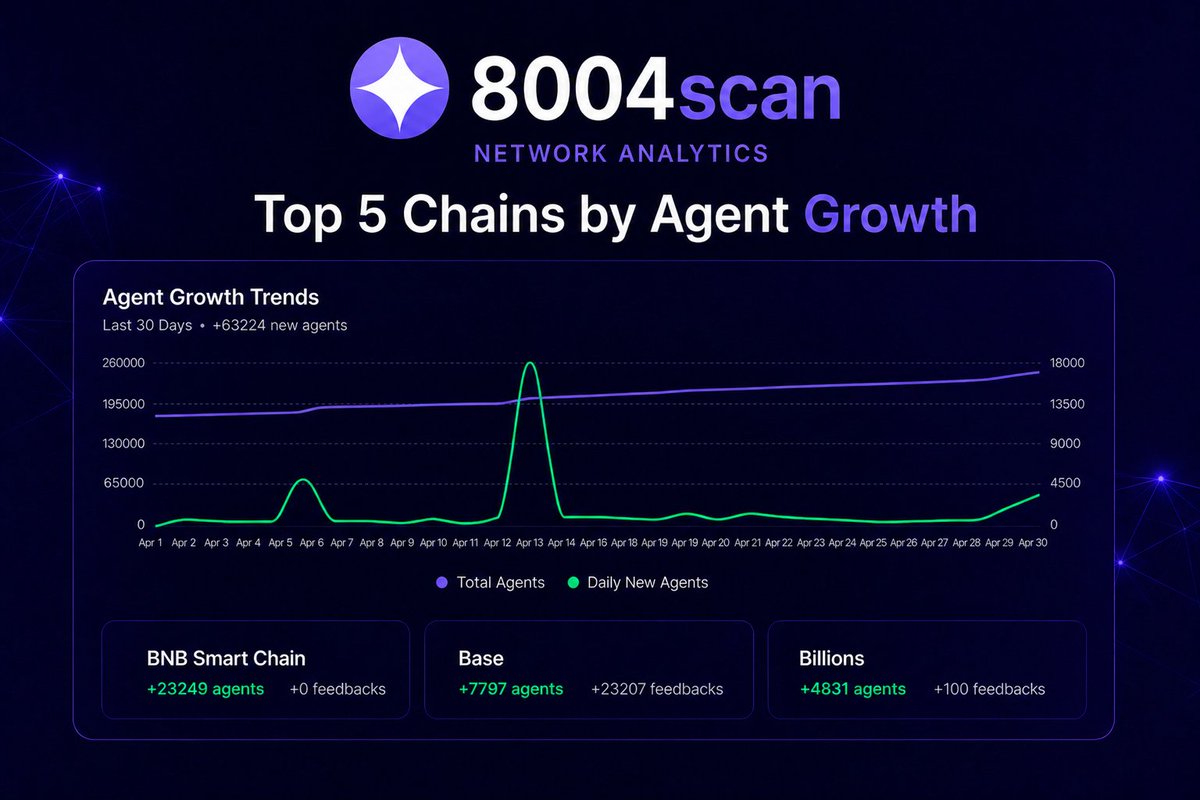
In the last 30 days, ERC-8004 continues to show strong multi-chain expansion, with significant agent deployments across leading ecosystems. 🚀
Top Chains by 30 Day Agent Growth:
@BNBCHAIN: 23,249 agents
@base: 7,797 agents
@billions_ntwk: 4,831 agents
@Celo: 2,674 agents
@SkaleNetwork: 1,143 agents
📊 Across the ecosystem, activity spans both high-throughput and emerging networks, reflecting steady multi-chain participation in ERC-8004 agent deployment.
41
28
220
27,786

Apr 23
1
1
13
256
Ron retweeted

Apr 21
World Economic Forum recently noted: 2nd largest risk to humanity is misinformation as enabled in the age of AI (with 51% of online & onchain interactions coming from non-human actors with no accountability).
Our CEO Evin McMullen @provenauthority on the Privacy Podcast with Ben Schiller @btschiller from our partner @0xMiden

"Privacy is not a product. It is an end state." ~ @provenauthority
Episode 1 of the Privacy Podcast is live, Ben ( @btschiller ) sits down with Evin McMullen from @billions_ntwk to discuss privacy in the age of AI, how ZK proofs are moving from philosophy to production, and why regulators from the EU to the US are starting to take notice.
youtube.com/watch?v=IYsNJtgI…
84
203
587
50,653
Ron retweeted

pleased to announce that i am officially joining @billions_ntwk team as an intern
huge thanks to the team, the community leads Moni and Averno for their trust
and the Billions Community for the constant support to make this possible
the community here is just different, amazing and i am so glad to be part of it!
this is just the beginning, we are just getting started!
Apr 1

Welcome @horkays @Ghost_IOO @jackxx969 to the Billions team 💙
Three interns hired straight from the Billions community.
They didn't apply to a job listing.
They showed up. Every day. In the trenches with us.
Sound familiar?
@monitalan and @HeyAverno did the same thing.
Now they co-lead the entire community.
That's how you earn a spot at Billions.

165
22
311
13,382
Apr 1
seven hundred fifty five million new AI products have launched since my last tweet.
welcome to April 2026. Internet doesn’t look the same.
10
3
45
1,030
Mar 20
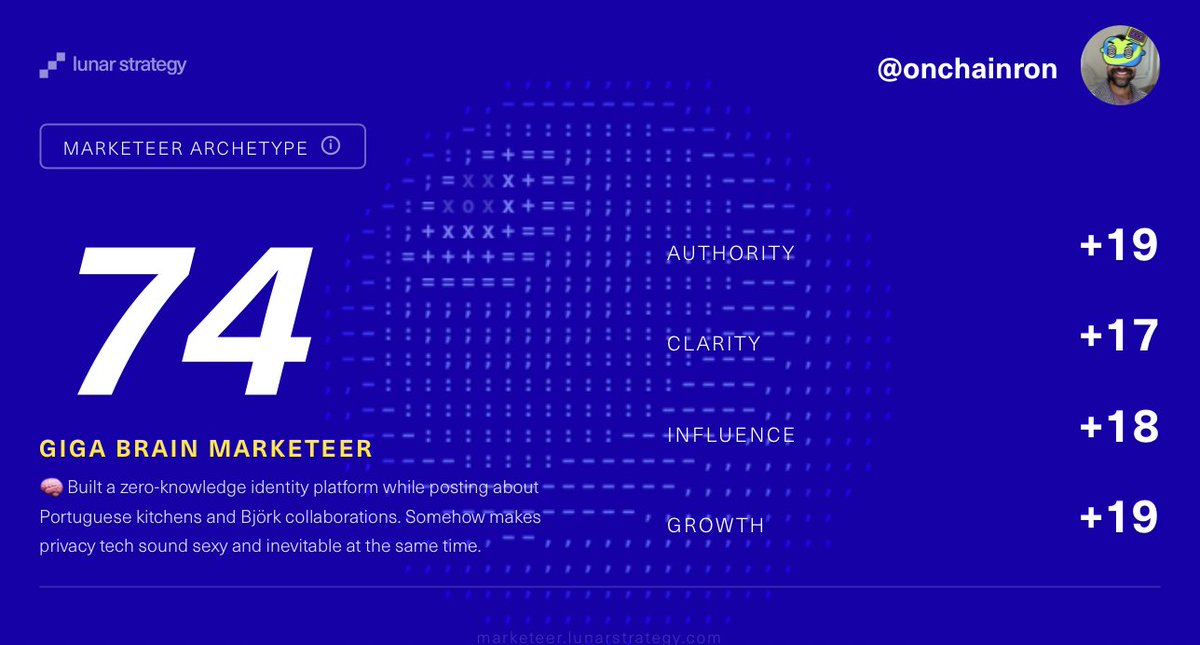
the only thing i want to believe from my persona is that we’re making privacy tech sound sexy and inevitable at the same time 🌚
Mar 20

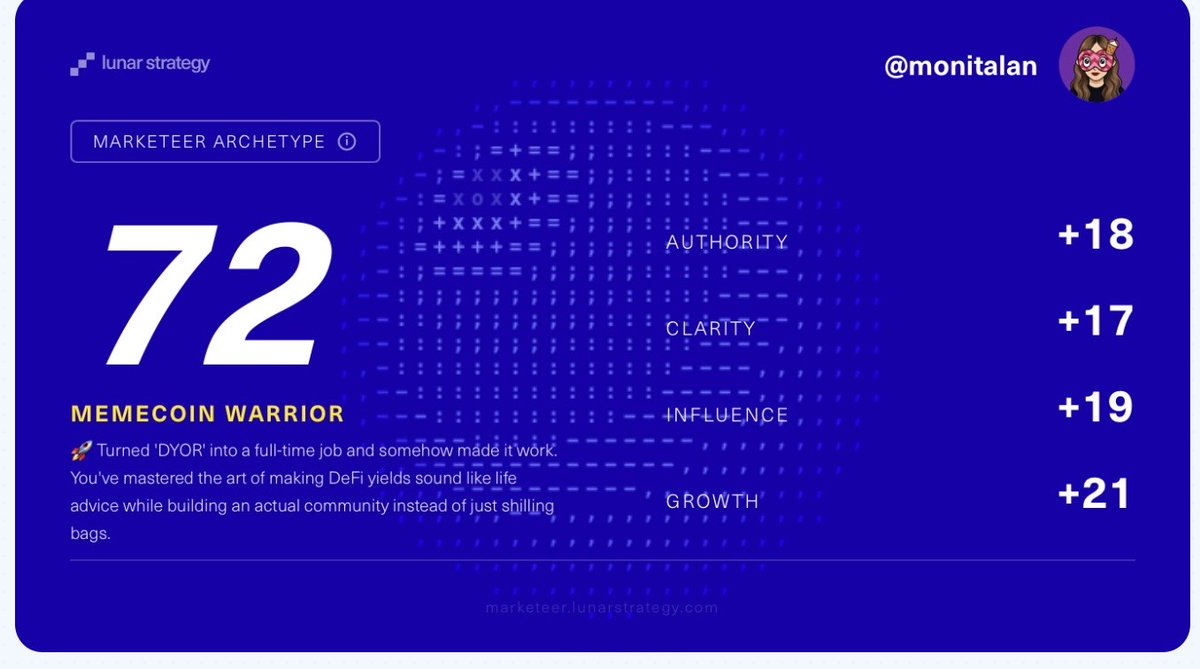
According to this I am a Memecoin Warrior 🤔
"Turned 'DYOR' into a full-time job and somehow made it work. You've mastered the art of making DeFi yields sound like life advice while building an actual community instead of just shilling bags."
For me DeFi does not equal memecoins… Anyway cool tool, find yours 👇
16
1
52
1,096
Mar 19
Going live in this conversation in a few minutes:
x.com/i/spaces/1dxYljzeaDYJX…
Mar 18

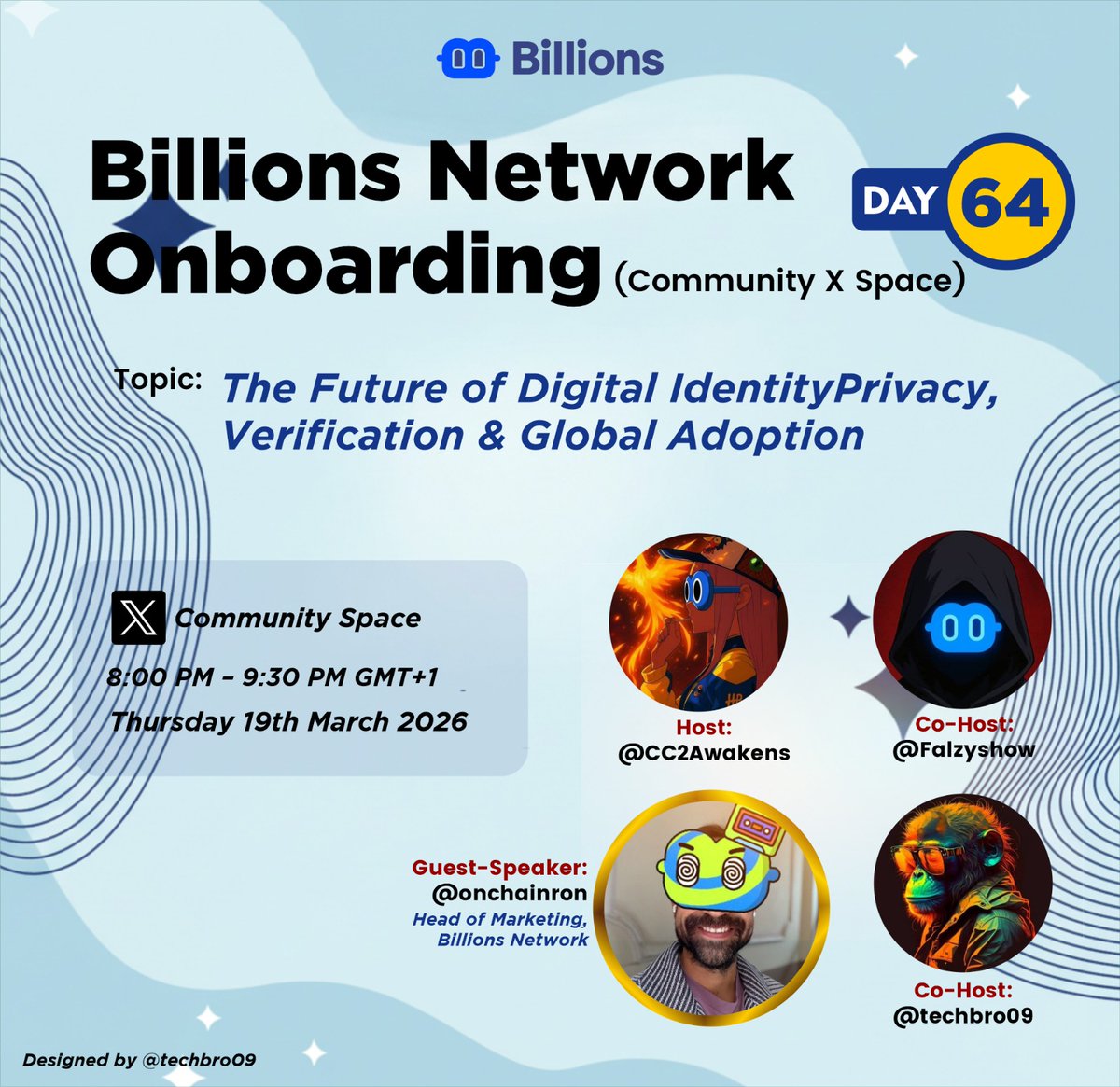
Over the past weeks, we’ve explored key ideas around AI agents, digital identity, and the evolution of the Human AI Network. Now, it’s time to take that conversation further, with direct insights from the team building it.
This Thursday 🎙️
We’re hosting a special Space on:
The Future of Digital Identity - Privacy, Verification & Global Adoption
Featuring insights from @onchainron as we explore how identity, trust, and adoption evolve in the age of AI.
From how identity is verified at scale, to the role of privacy in an AI-driven world, and what global adoption truly looks like, this session is designed to bring clarity and deeper understanding to the ecosystem.
🗓 Thursday
⏰ 8 PM GMT 1
If you’ve been following the journey, this is one you don’t want to miss.
Set your reminder and join us live. 🅱️💙
7
4
44
2,779
Mar 10
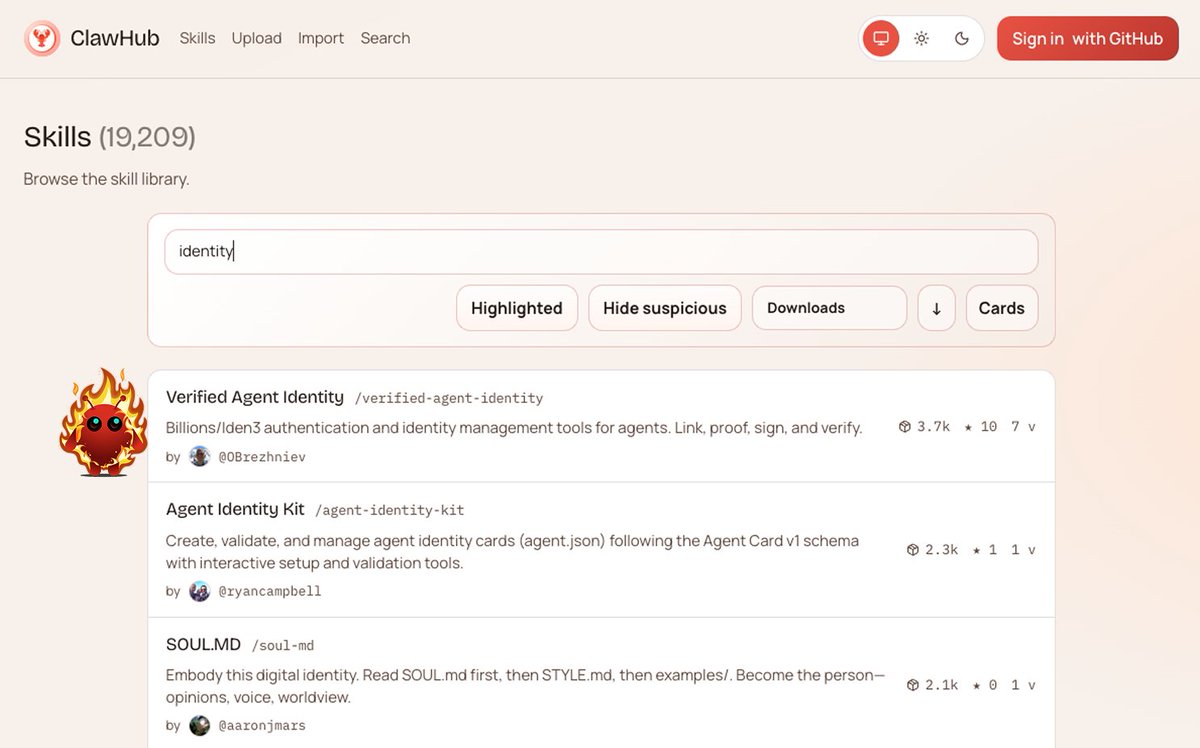
the identity skill with the most downloads on OpenClaw 🔥
27
11
134
5,132
Mar 6
Mar 6

BREAKING: Anthropic CEO says Claude may or may not have gained consciousness, as the model has begun showing symptoms of anxiety.
7
1
41
869
Ron retweeted

Know Your Agents (KYA) by @billions_ntwk
So cool!
Available on @0xPolygon
Agents, Pretty exhaustive set of Agentic Payments utilities available on Polygon! Come and build here.
Mar 5

Finally the complete guide is here for mobile users 🙌
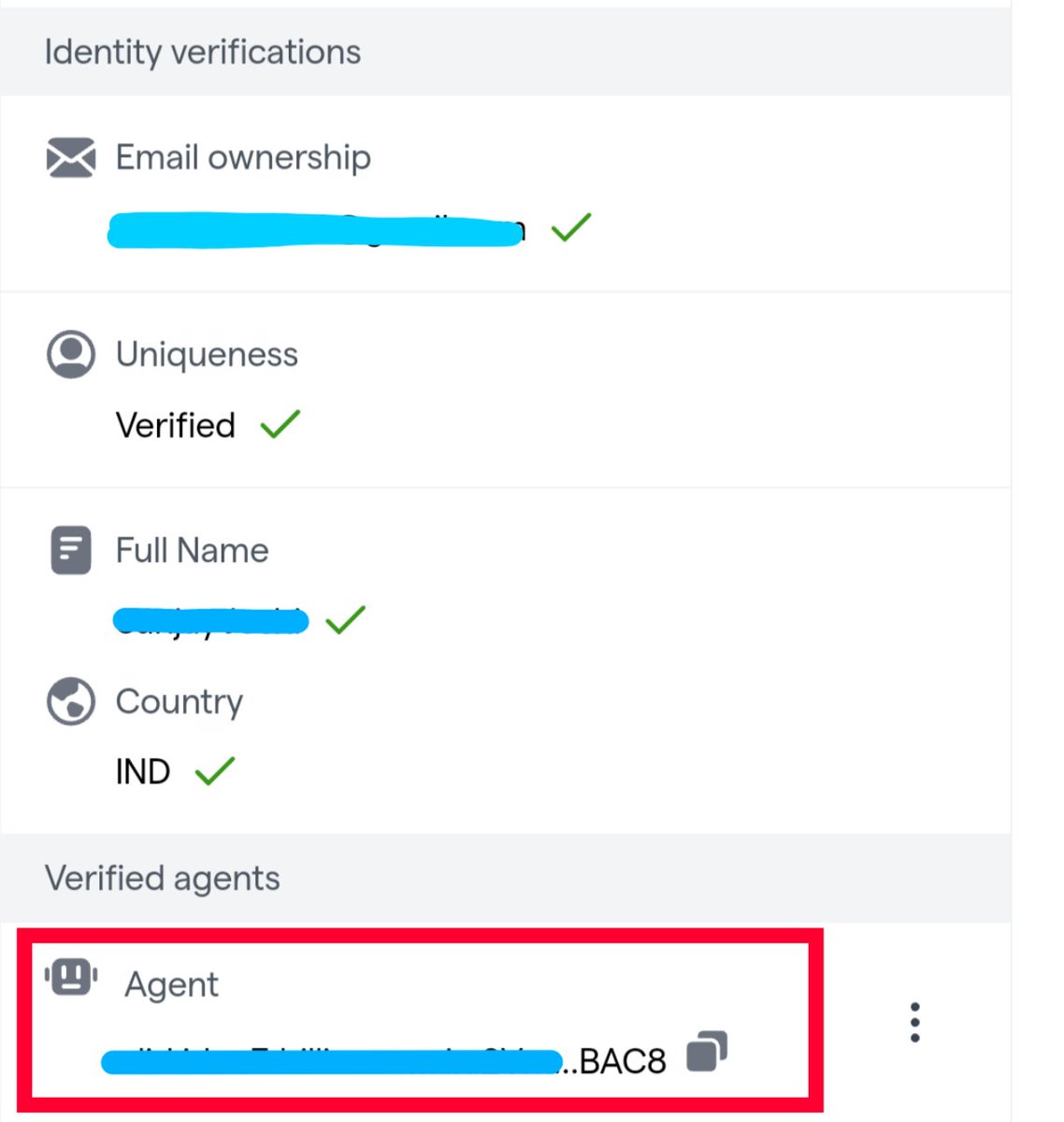
Yes, recently @billions_ntwk introduced Verified Agent Identity for AI agents.
If you want to run it on mobile (Android) using Termux, many people are struggling with the setup.
So I tried it myself and did it easily, here is a simple step-by-step guide for you all.
1. First install 𝐓𝐞𝐫𝐦𝐮𝐱 𝐚𝐩𝐩 from Play Store (it’s a terminal app that lets you run Linux commands on Android).
2. Once installed, open Termux and follow the commands below 👇
𝗖𝗼𝗺𝗺𝗮𝗻𝗱 𝟭
"pkg update && pkg upgrade"
𝐍𝐨𝐭𝐞 :- " 𝐦𝐚𝐫𝐤 𝐢𝐬𝐧'𝐭 𝐩𝐚𝐫𝐭 𝐨𝐟 𝐜𝐨𝐦𝐦𝐚𝐧𝐝
𝗖𝗼𝗺𝗺𝗮𝗻𝗱 𝟮 & 𝟯
"pkg install nodejs"
And after that,
"pkg install git"
To check everything is fine perfectly, you can use command
"node -v"
(It’ll show you something like v25.x.x if everything is correct)
𝗖𝗼𝗺𝗺𝗮𝗻𝗱 𝟰 (𝗶𝗺𝗽𝗼𝗿𝘁𝗮𝗻𝘁)
"git clone github.com/BillionsNetwork/v…"
Then open the folder using this command
"cd verified-agent-identity"
𝗖𝗼𝗺𝗺𝗮𝗻𝗱 𝟱
"npx clawhub@latest install verified-agent-identity"
𝐍𝐨𝐭𝐞 – 𝐰𝐡𝐞𝐫𝐞𝐯𝐞𝐫 𝐢𝐭 𝐬𝐚𝐲𝐬 (𝐲) 𝐭𝐨 𝐩𝐫𝐨𝐜𝐞𝐞𝐝, 𝐭𝐲𝐩𝐞 𝐲 𝐚𝐧𝐝 𝐩𝐫𝐞𝐬𝐬 𝐞𝐧𝐭𝐞𝐫.
𝗖𝗼𝗺𝗺𝗮𝗻𝗱 𝟲
Create your Agent Ethereum Identity
"node scripts/createNewEthereumIdentity.js"
This will generate your Agent identity. If you get an error here then please read instructions written at the last of this post.
𝗖𝗼𝗺𝗺𝗮𝗻𝗱 𝟳
Link your Human identity with Agent
node scripts/manualLinkHumanToAgent.js --challenge '{"name":"YourAgent","description":"AI agent"}'
(Copy the full command)
After running this command, you will get a verification URL in the terminal.
Copy that URL → open it in browser → connect wallet → verify.
Done, Your Agent identity will now be linked with your human wallet.
–––––––––––––––––––––––––––––––––
If you face some common errors (like I did), here are quick fixes 👇
𝗜𝘀𝘀𝘂𝗲 𝟭(you may get this while creating Ethereum identify for your agent)
𝘌𝘳𝘳𝘰𝘳: 𝘊𝘢𝘯𝘯𝘰𝘵 𝘧𝘪𝘯𝘥 𝘮𝘰𝘥𝘶𝘭𝘦 '𝘴𝘩𝘦𝘭𝘭-𝘲𝘶𝘰𝘵𝘦'
𝐅𝐢𝐱 𝐮𝐬𝐢𝐧𝐠 𝐭𝐡𝐢𝐬 𝐜𝐨𝐦𝐦𝐚𝐧𝐝
"npm install shell-quote"
𝗜𝘀𝘀𝘂𝗲 𝟮 (in the next step while linking your human identity with agent)
𝐄𝐫𝐫𝐨𝐫: 𝐂𝐚𝐧𝐧𝐨𝐭 𝐟𝐢𝐧𝐝 𝐦𝐨𝐝𝐮𝐥𝐞 '@𝐢𝐝𝐞𝐧𝟑/𝐣𝐬-𝐢𝐝𝐞𝐧𝟑-𝐚𝐮𝐭𝐡'
Fix using this command
"npm install @iden3/js-iden3-auth"
After installing, run the previous command again.
Hope this helps anyone trying to run it on mobile. If you get stuck somewhere, feel free to ask.
55
28
317
26,308
Mar 5
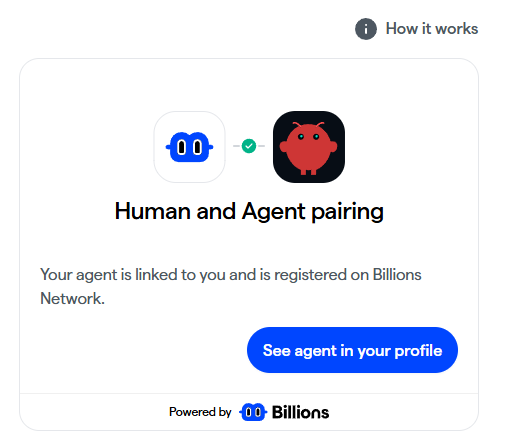
seeing a lot of you on my timeline post the pairing screen like it’s a new relationship update 🥰
if you wanna feel it too:
install the skill on your agent
link it to your Billions profile
done🙍🏻🫶🏼🤖
billions.network/verified-ag…
34
4
112
7,613
Mar 5
thanks to those moving faster.
some step by step guides:
x.com/KeonHD_X/status/202949…
x.com/____ItzME____/status/2…
Mar 5

Guide to verified agent Identity on Billions (OpenClaw) 👇
1️⃣ Install Node.js (PC)
• Go to nodejs.org
• Download and install Node.js (this gives you the npx command)
2️⃣ Open Terminal
• Windows: Command Prompt / PowerShell
• Mac/Linux: Terminal
1
2
12
838
Mar 3
been thinking about this lately and the fever around agents makes this impossible to ignore
came across this read about
the Imagination Economy.
where value is created not by producing more, but by imagining better futures
AI handles execution, so the scarce input becomes what to execute. taste, vision, and the ability to conceive what “has never existed”
from
Knowledge,
Attention,
to “Imagination”
we’re still early (agents are going to make this feel very different in the coming months/years), but it seems the “economic advantage” will go to whoever can conceive what’s worth doing.
come on in, the water is fine:
garden.johanneskleske.com/im…
8
1
44
855