
1,128 Photos and videos









"Why do ordinary people always arrive last in every revolution?"
From that question, Pi was born.
No mining rigs. No big capital. Just one finger tapping every day — and the belief that whatever belongs to the many, must be built by the many from the very beginning.
Circa 2008–2013 — the Stanford years, long before Pi Network officially launched in 2019. Back then, the idea probably didn't even have a name yet. 🎓

12
65
659
17,050
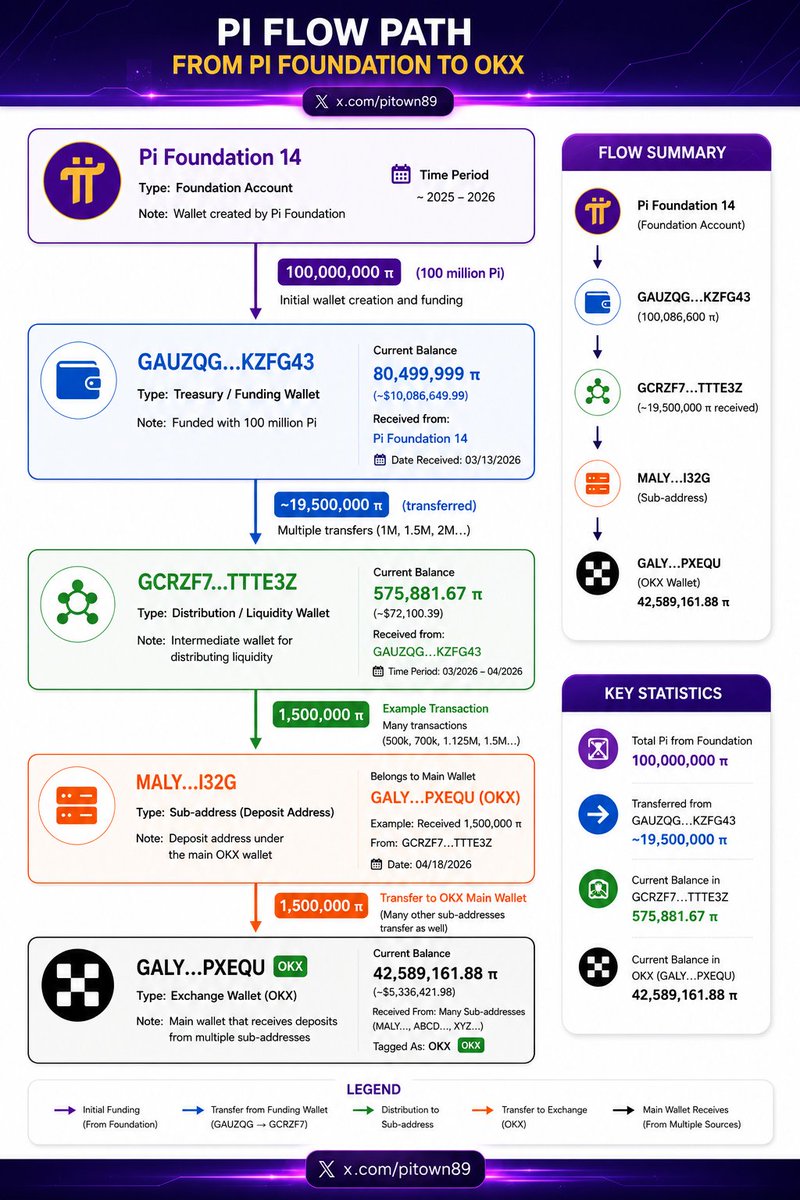
On-chain data shows a large flow of Pi from a Foundation-funded wallet passed through an intermediary wallet and into OKX. This is consistent with liquidity provision, market making, or exchange custody activity. There isn't enough evidence to conclude it was a sell-off, as the blockchain doesn't display internal exchange transaction orders.
6
24
261
8,994
😎🚨 One thing very few people are talking about:
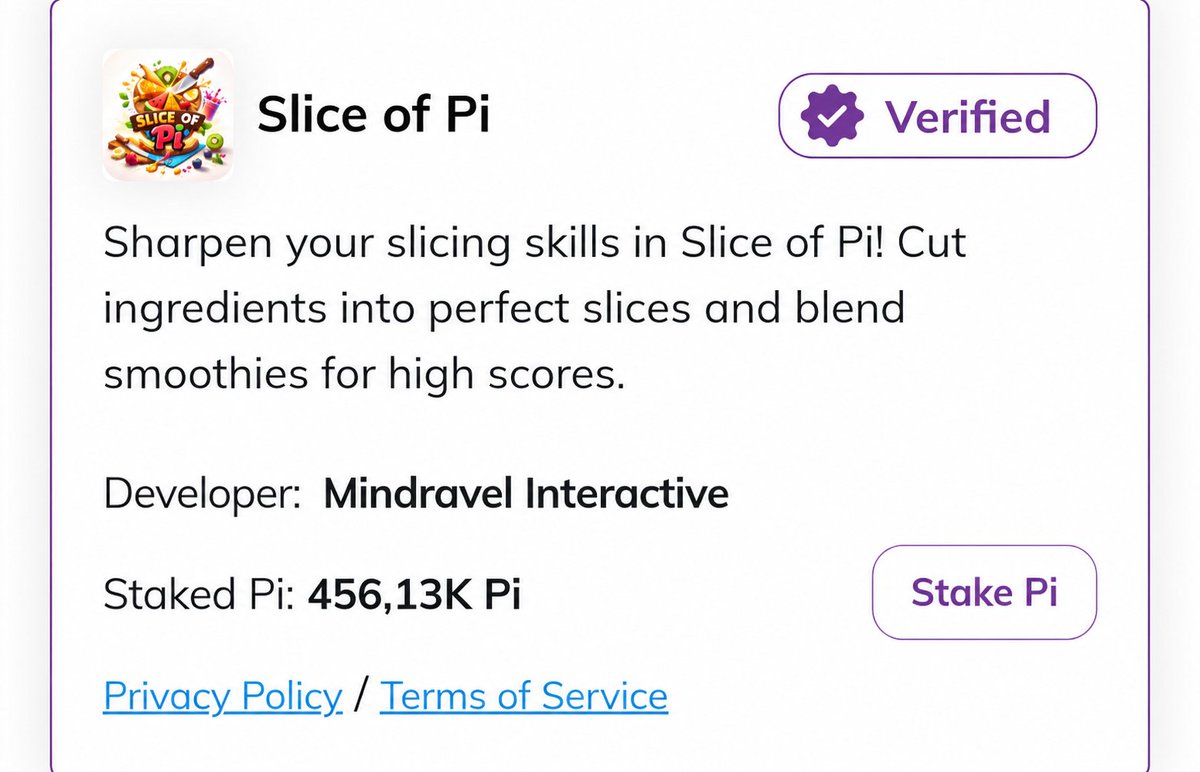
Slice of Pi has been verified by the Pi Core Team, is listed on PiNet, and has even been showcased by Pi as an example of gaming utility within the ecosystem.
Yet when you open App Studio, you won't find it anywhere.
So the question is:
Is App Studio really the only path to launching an application in the Pi ecosystem? 👀😝
Or is there another development route that the community hasn't fully noticed yet? 🚀
Repost ♻️ | Comment 💭 | Follow x.com/pitown89 ❤️ | Turn on Notifications 🛎️ to catch more high-quality analysis!
2
41
1,248
🔥💢 BREAKING 💥🔥
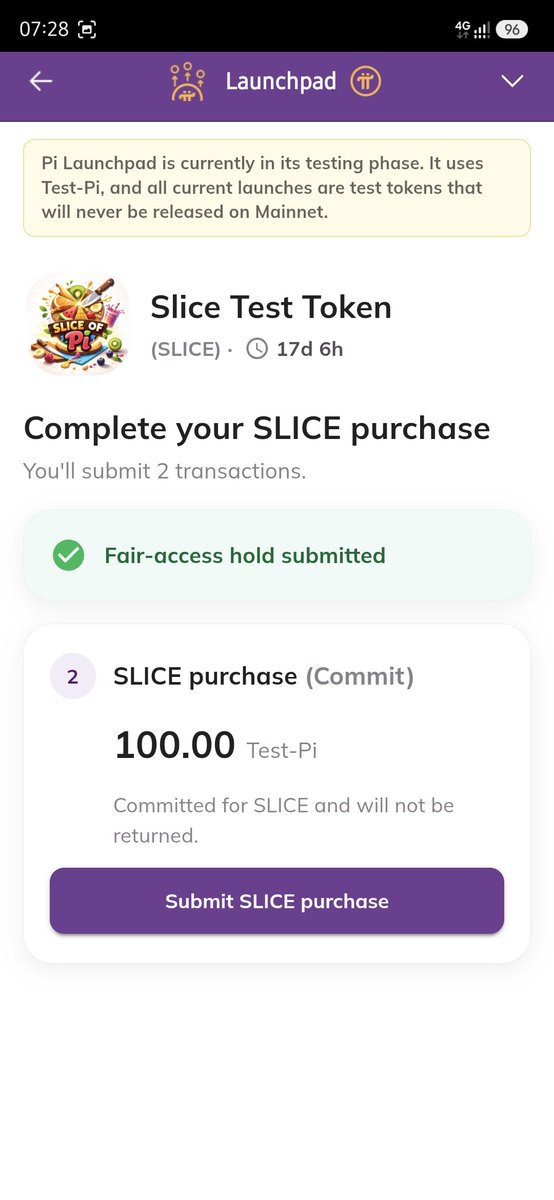
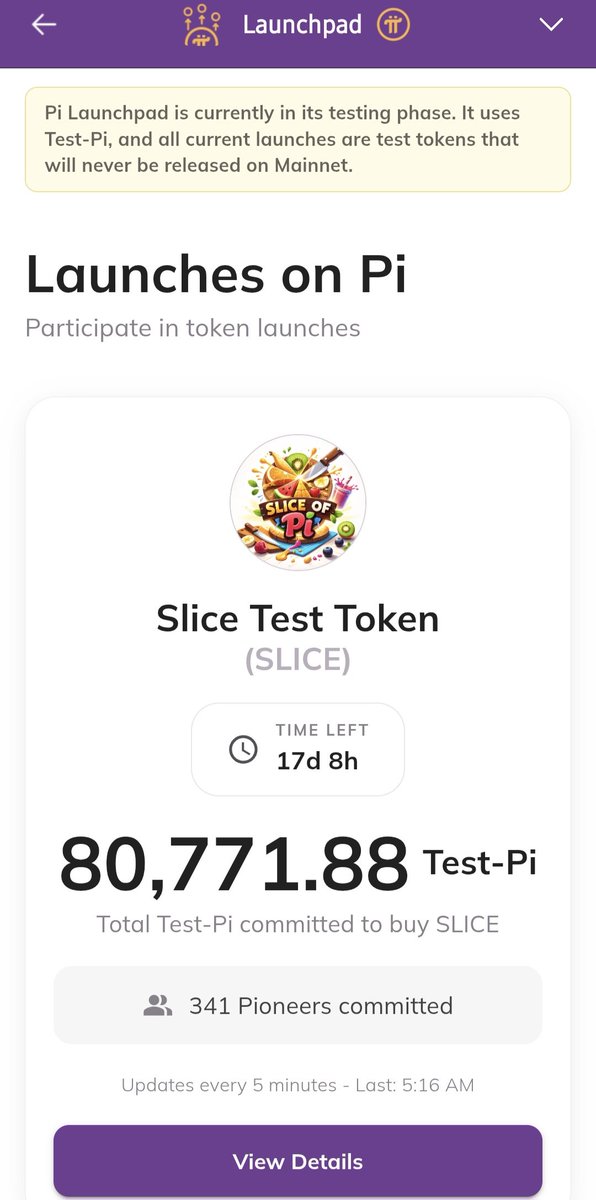
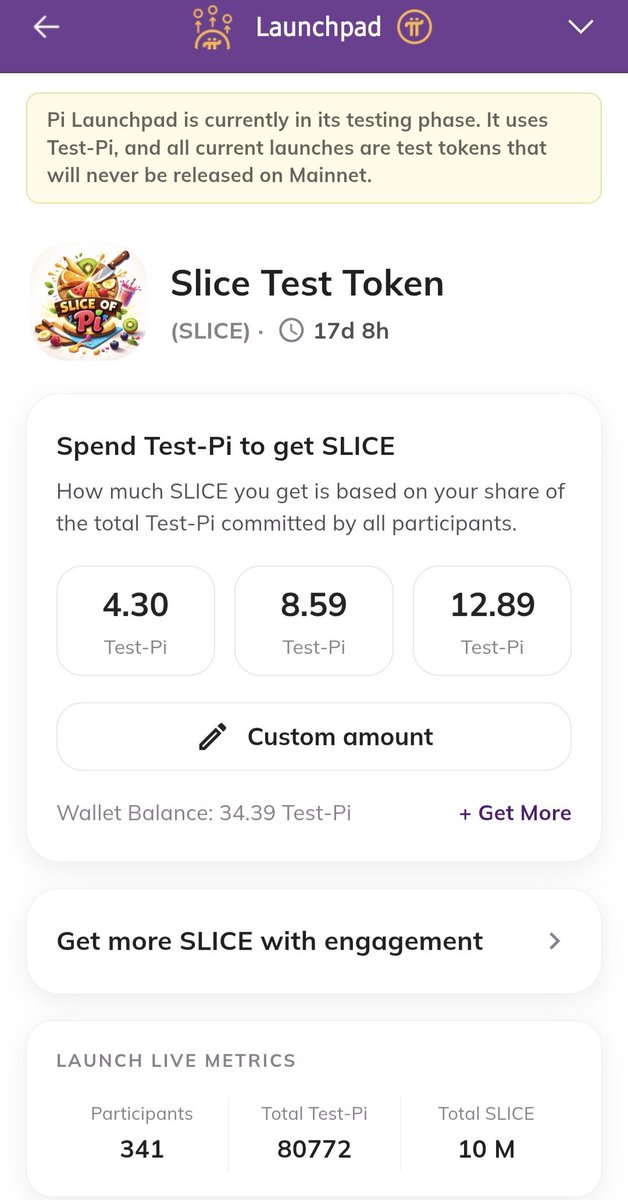
🚀💜 THE SECOND TEST PROJECT HAS APPEARED ON PI LAUNCHPAD!
Following the first test launch, Pi Launchpad has now introduced a second experimental project.
This suggests that the current objective is not to create a valuable token.
The goal is to help the community understand the entire Launchpad process before real-world projects eventually arrive.
Participants can learn:
✅ How to join a token launch
✅ How to commit Pi to a project
✅ How token allocation mechanisms work
✅ How to track real-time statistics
✅ How to interact with projects directly within the Pi ecosystem
For developers, this is also an opportunity to test:
🔹 User interface and experience
🔹 Token distribution systems
🔹 Platform performance
🔹 User behavior patterns
🔹 Scalability under larger participation volumes
An important detail is that everything is currently being conducted using Test-Pi.
There is no real financial value involved.
There is no risk to Mainnet Pi holdings.
However, the data collected during these tests is extremely valuable for refining and improving the Launchpad infrastructure.
🔥 A Launchpad designed to support millions of users cannot be built overnight.
The small-scale tests we see today may become the foundation for much larger launches in the future.
Pi Launchpad is no longer just a concept.
It is being tested in public, step by step.
#PiNetwork #PiLaunchpad #PiMainnet #Web3 #Blockchain #Pioneers
x.com/pitown89
9
31
212
11,772
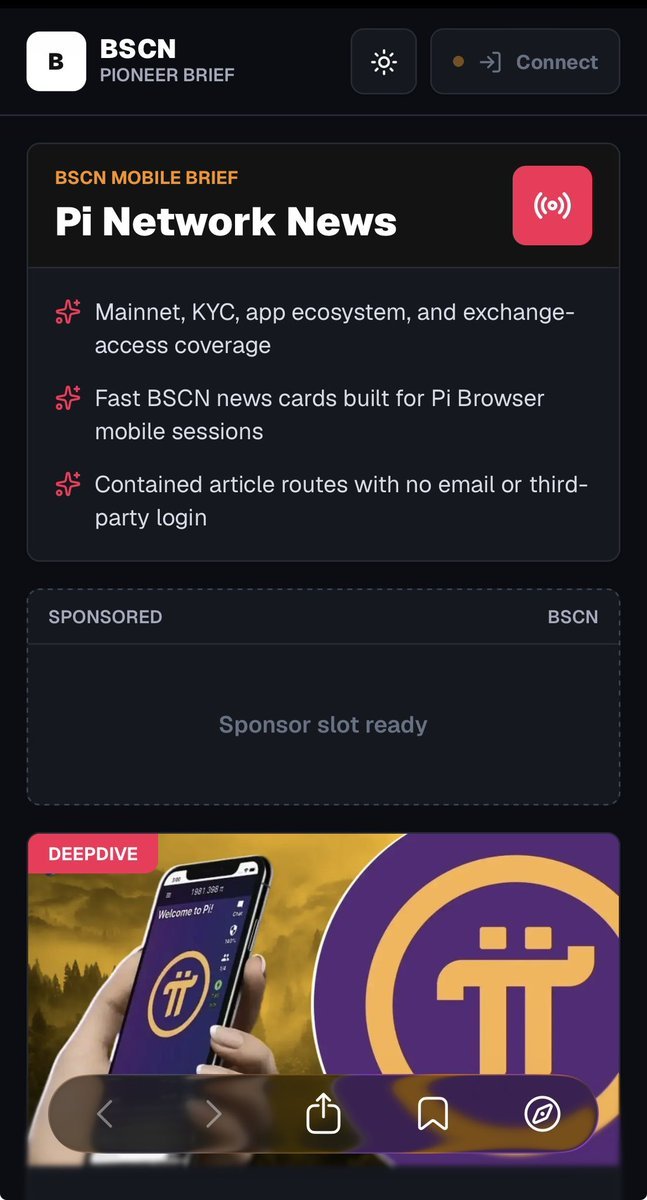
🔥💥 BSC NEWS IS OFFICIALLY LANDING ON PI BROWSER 🚀🔥
@BSCNews is a well-known crypto news outlet in the market, but what I find truly interesting is that they're not just covering Pi, they're actively building a dedicated version for Pi Browser.
Looking at the current prototype, a few things really stand out:
✅ A "Connect" button to link your wallet.
✅ Content optimized specifically for Pi Browser.
✅ No email or third-party login required.
Let's be real a lot of people still like to say Pi "has nothing going on," but ask yourself this: would a major outlet like BSC News waste their time, resources, and brainpower building a product on a platform with "no users"? Absolutely not.
› Builders develop products based on solid technical foundations and real data especially when Pi is continuously refining critical protocols like the recently deployed Protocol 23.
So the real question right now isn't "What will BSCN bring to Pi?", it's: Why is a heavyweight in crypto media choosing this exact moment to "land" in the Pi ecosystem? 🤔
› They've clearly seen the steady, meaningful progress we've been making.
Can't wait to see what other surprises are coming next! 🚀💜
♻️ Repost | 💭 Comment | ❤️ Follow x.com/pitown89 | 🛎️ Turn on Notifications
8
54
369
11,495
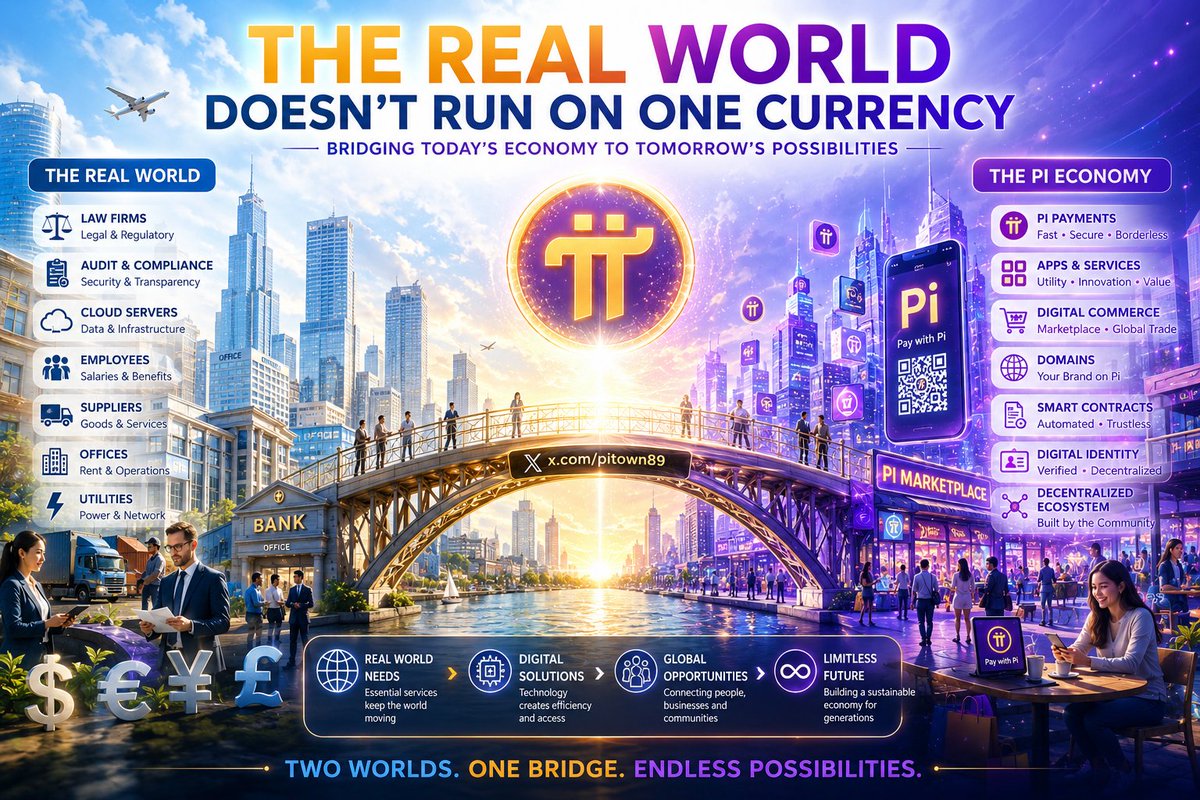
"IF PI IS A CURRENCY, WHY DOES PI FOUNDATION STILL USE FIAT?" 💵⚡
Sounds reasonable at first. 🤔
But let's apply the same logic to today's world:
Ethereum is the native currency of the Ethereum ecosystem.
So why does the Ethereum Foundation still spend USD? 💵
Why are lawyers, auditors, cloud providers, and service vendors still billing in fiat currencies?
Bitcoin is often called money.
But how many companies pay 100% of their employees' salaries in Bitcoin? ₿
For a currency to grow, it doesn't only need to be used inside its own ecosystem.
It also has to coexist in a world where most goods, services, taxes, salaries, and operational costs are still priced in USD, EUR, and other fiat currencies. 🌍
The more important question is not:
"Why does Pi Foundation use fiat currency?"
The real question is:
"How much real economic activity inside the Pi ecosystem is actually being conducted using Pi?" 🚀
That is the metric that reflects the health of a digital economy.
A currency does not become money because someone declares it to be money.
A currency becomes money when more and more people are willing to use it as a medium of exchange for real value. 💜
Repost ♻️ | Comment 💭 | Follow x.com/pitown89 ❤️ | Turn on Notifications 🛎️ to catch more high-quality analysis!
5
39
308
6,062
🔥🚀 Voice Challenge - Amazing Prize Opportunity on Discord!
Hey guys, there's a #voice-submission event on Discord right now. Just send in your voice recording for a chance to win prizes. No need to post on Twitter (Non-X), so it's super convenient.
I just checked out the #📣 events page and the requirements are pretty simple.
If you're confident in your voice, go ahead and make your debut!
3
289
Is there any project where moderators are as dedicated and responsive as those in Pi Network?
I've participated in quite a few airdrops and crypto projects over the years. What surprises me most about Pi isn't the price or even the size of its community—it's the level of support that has been maintained for such a long time.
Looking at these screenshots, you can see that:
• Moderators are constantly answering questions about KYC, balances, migrations, and transactions.
• They actively remind users about chat rules and spam prevention.
• They take the time to explain account-related issues that many other projects would either ignore or leave to automated responses.
• They've remained active almost every day, from the Testnet era up to the present.
Of course, there are still plenty of debates surrounding Pi Network's development timeline.
However, when it comes to community support alone, very few crypto projects have managed to maintain such a consistently active moderation team for so many years.
You may like Pi or dislike it, but finding a project where moderators are still patiently answering users' questions after more than seven years of operation is not something you see very often in the crypto space.

5
9
109
4,894
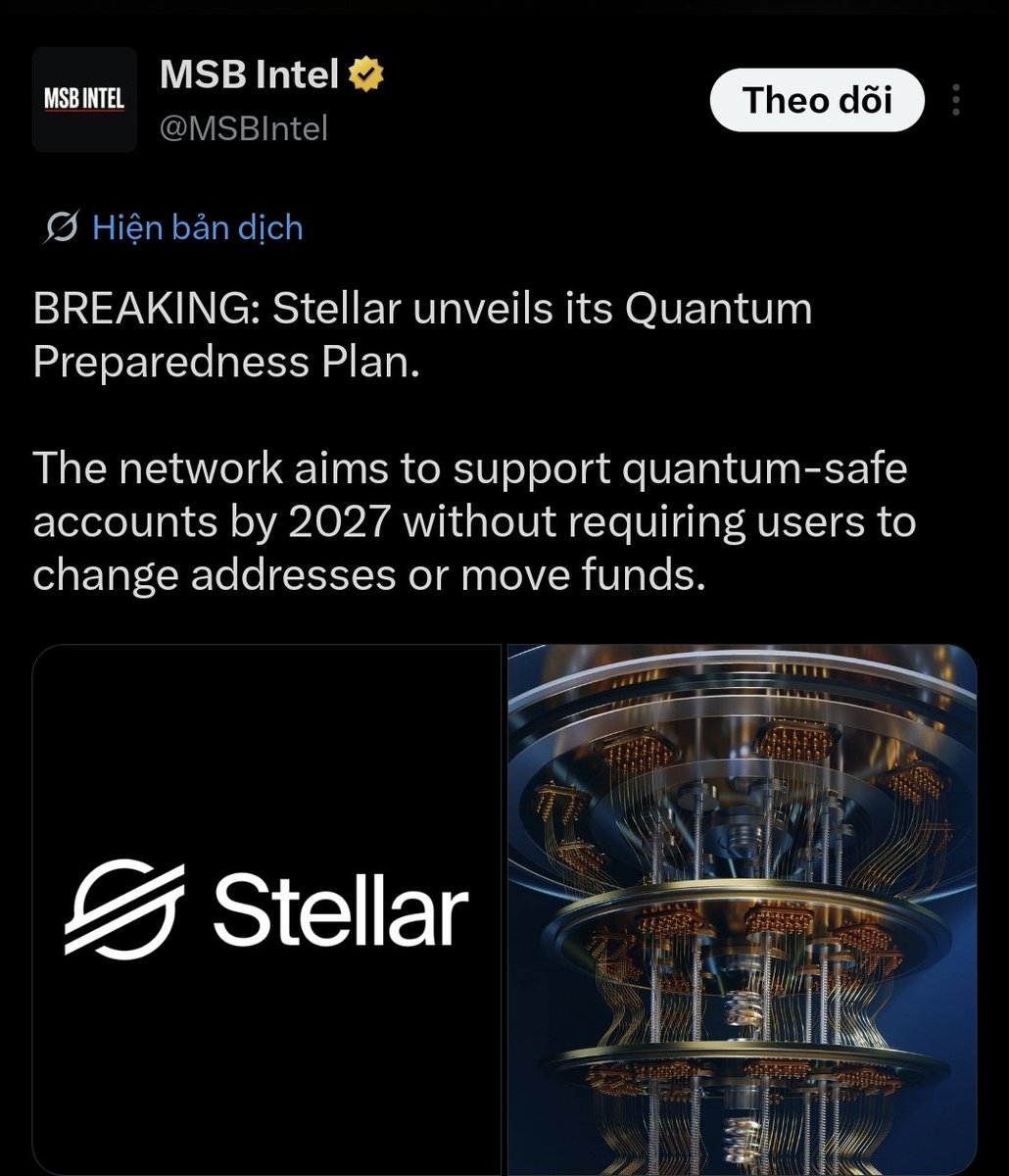
Stellar aims to support accounts against quantum computing attacks by 2027 without requiring users to change their wallet addresses or migrate assets to new wallets.
Currently, most blockchains (Bitcoin, Ethereum, Stellar, Pi...) utilize Public Key Cryptography.
When quantum computers become sufficiently powerful in the future:
* Private keys could be derived from public keys much faster than today.
* Legacy wallets will be at risk of having their assets stolen.
That is why the entire blockchain industry is preparing for
"Post-Quantum Cryptography."
What does Stellar want to do?
Stellar's goals are:
✅ To upgrade the digital signature mechanism.
✅ To support quantum-resistant algorithms.
✅ To allow existing accounts to upgrade their security.
However:
❌ It will not force users to create new wallets.
❌ It will not force users to transfer coins to different addresses.
Why is this noteworthy?
Normally, when a blockchain changes its security standards:
* New wallets must be created.
* Assets must be moved to new wallets.
* Users have to perform these actions themselves.
With millions of accounts, this easily leads to:
* Forgotten transfers.
* Lost keys.
* Abandoned assets.
Stellar is looking for a way to make this upgrade process "smoother."
How does this relate to what you are following regarding Pi?
This is where it gets interesting.
Features such as:
* Signer
* Weight
* Threshold
* Smart Accounts
* Account Recovery
...which Stellar is developing in
Protocol 27, serve as the foundation that could eventually allow for:
* Changing authentication mechanisms.
* Adding quantum-resistant keys.
* Removing old keys.
* Recovering account control.
...all without necessarily changing the wallet address.
The most notable point is:
If a blockchain wants to serve tens of millions of users, businesses, and government agencies, protecting accounts against quantum computers is no longer just an optional feature.
It is becoming a mandatory requirement for infrastructure.
Since the Pi Network is built on the foundation of Stellar Core and SCP technology, any direction Stellar takes regarding Smart Accounts, Recovery, or Quantum-Safe Accounts is worth monitoring during the 2026–2027 period. However, there is currently no official announcement from the Pi Core Team confirming that Pi will fully implement Stellar's quantum-resistance plan.
5
24
268
7,488
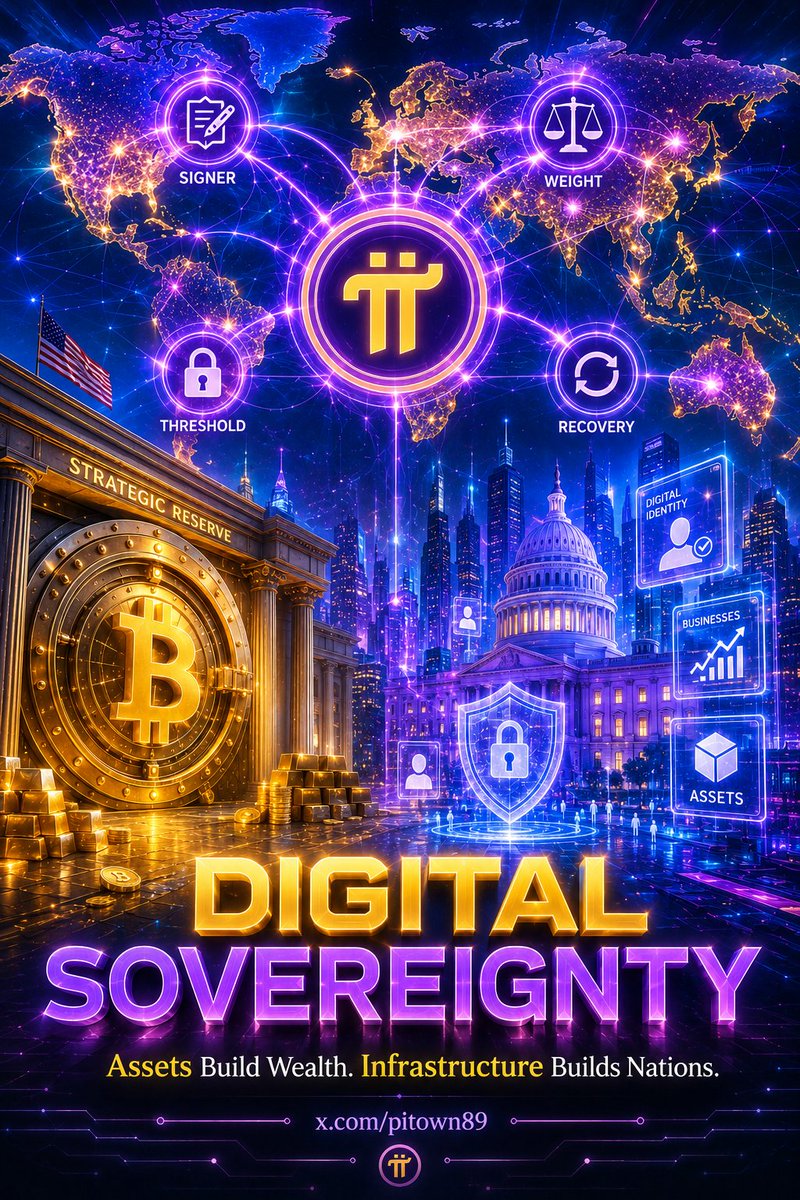
The United States (if the BITCOIN Act is passed) recognizing Bitcoin as a strategic asset would create a geopolitical domino effect. Once "digital gold" is legitimized, nations will be forced to redefine their concept of financial power.
1. Why is Infrastructure More Important Than the Asset?
Bitcoin serves as a Settlement Layer and a Store of Value. It is a solid foundation, but it is similar to gold it does not execute complex economic logic on its own.
To build a "Digital Government" or a "Digital Enterprise," an Execution Layer is required. This is where the mechanisms being observed on Pi Network (Set Options, Signer, Weight, Threshold) become extremely valuable:
• Threshold & Weight: These are the keys to governing authority. In a digital government, a single private key cannot be allowed to decide everything. Multi-signature (Multisig) mechanisms with different weights are needed to approve administrative decisions.
• Account Recovery: This is the Achilles' heel of cryptocurrency. If a nation brings its citizens onto a blockchain, it cannot allow people to lose access to their assets simply because they forgot a password. Pi’s Guardian mechanism is a potential solution to the problem of social authentication that traditional financial systems have long lacked.
2. Nationalizing Infrastructure Rather Than the Coin
• A realistic scenario: Governments may never "buy" Pi, but they could absolutely build National Digital ID systems based on similar protocols.
• Pi Network’s infrastructure (based on the Stellar Consensus Protocol - SCP) offers advantages such as high speed, low transaction costs, and strong compliance capabilities. These characteristics are what lawmakers are likely paying attention to, rather than the coin’s speculative value.
3. Digital Citizens – A New Measure of National Strength
If the 20th century was a race for GDP, then the 21st century may become a race for Digital Sovereignty.
• The nation that can bring its citizens onto blockchain systems the fastest, most efficiently, and with the most transparent governance may gain a significant advantage.
• The Signer, Weight, and Threshold transactions that the community is observing on Pi Mainnet can be viewed as real-world experiments for an economic operating system. This is not merely a technical matter it is the foundation of a future social structure.
Open Question?
If Pi Network were to become a true digital economic infrastructure where identities, businesses, and assets are operated through decentralized mechanisms, what do you think would be the key factor that convinces regulators to embrace such a system instead of building a centralized CBDC infrastructure themselves?
Could it be that decentralization creates a level of transparency that centralized government systems simply cannot replicate?
23
171
2,931
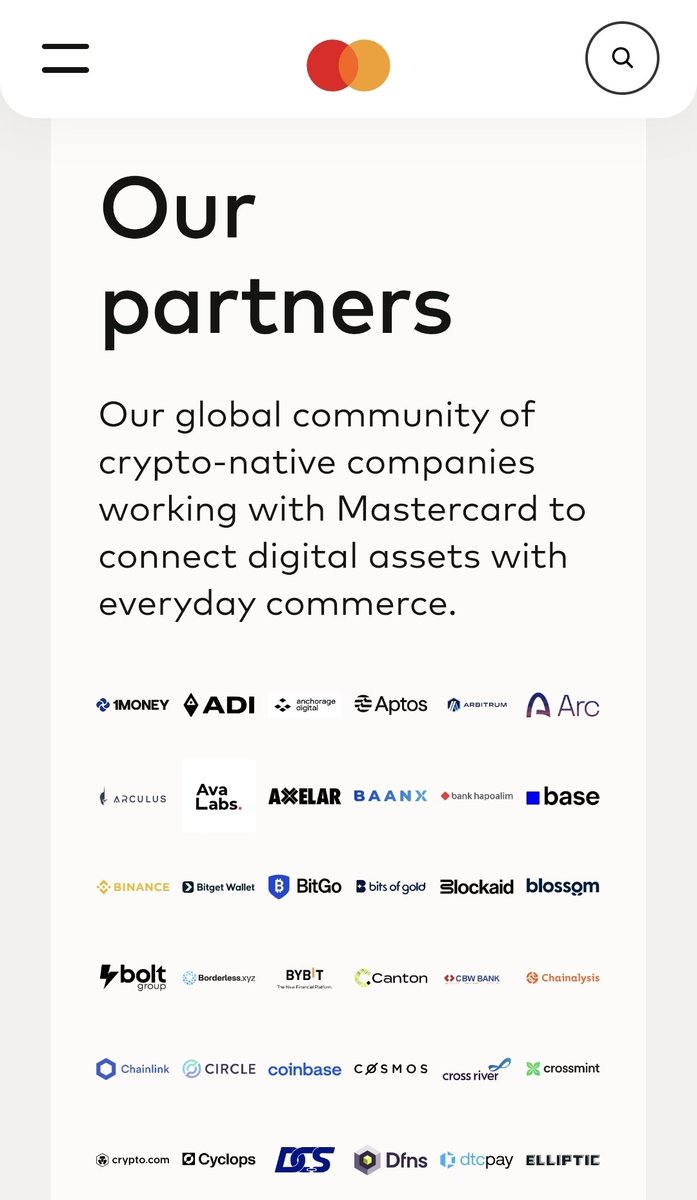
💳 Mastercard has officially launched its Crypto Partner Program.
What's interesting is not that Mastercard is looking for the next token.
It's what they're actually looking for:
✅ Identity
✅ Businesses
✅ Payments
✅ Infrastructure
✅ Compliance
In other words, the industry is gradually shifting from speculation to real-world utility.
Global financial institutions are no longer focused on which token can pump the fastest.
They're focused on:
• Real users
• Real businesses
• Real transaction volume
• Real ecosystems
• Real regulatory readiness
Interestingly, many of the things Pi Network has been building for years align with these priorities.
This does not mean Mastercard will partner with Pi.
But it does highlight a broader industry trend that is becoming increasingly clear.
In the future, projects that exist solely for speculation, without real-world utility, business adoption, infrastructure, or sustainable use cases, may find it increasingly difficult to survive.
In the end, lasting value rarely comes from green candles.
It comes from building systems that people continue to use even when nobody is watching the price chart.
Repost ♻️ | Comment 💭 | Follow x.com/pitown89 ❤️ | Turn on Notifications 🛎️ to catch more high-quality analysis!
3
21
115
3,568
🔥🚨 RECENTLY, SOME PEOPLE HAVE CLAIMED THAT MULTISIG COULD CAUSE PIONEERS TO LOSE CONTROL OF THEIR PI WALLETS.👀
From a technical perspective, this scenario is possible.
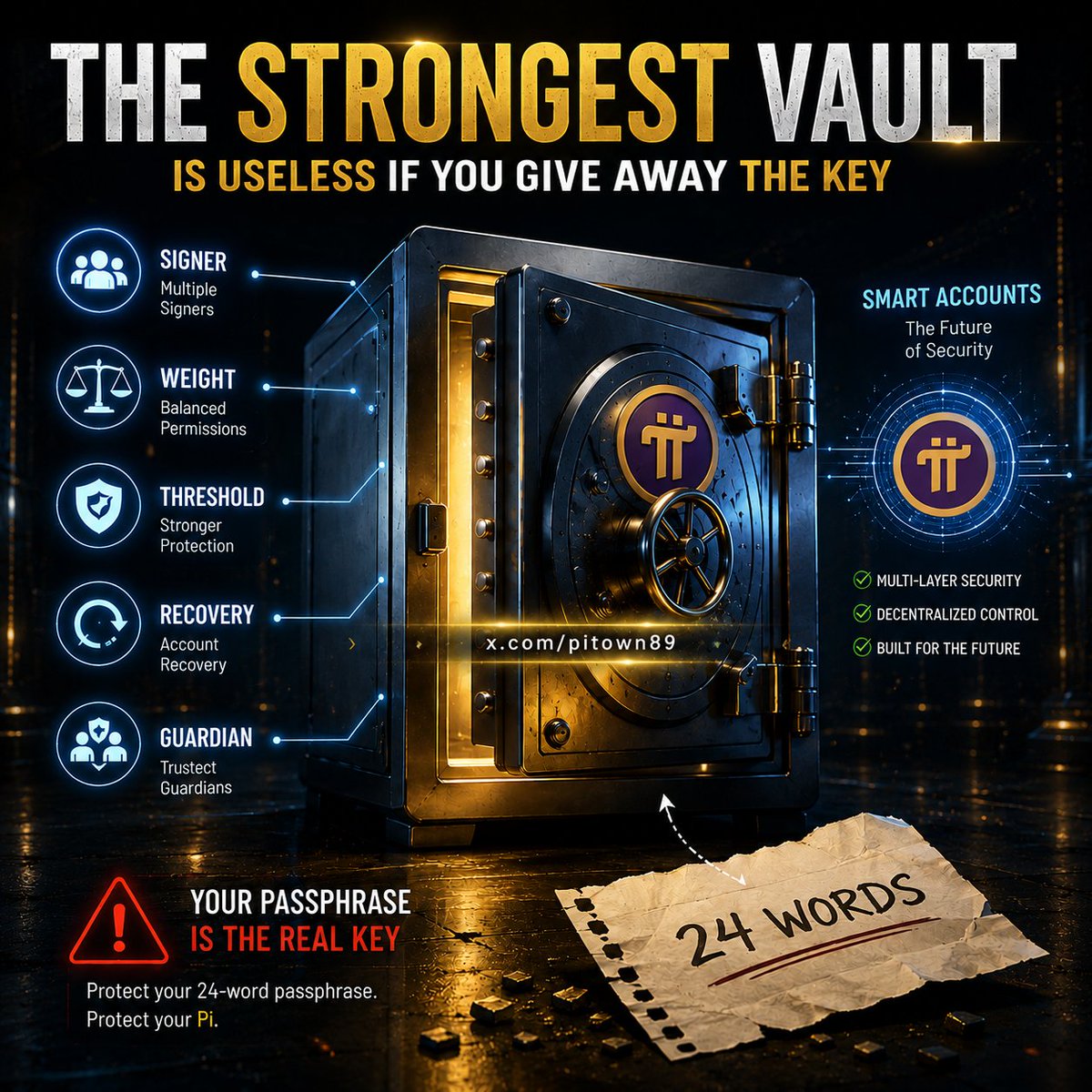
If a hacker obtains your passphrase, they could add a signer, modify weights and thresholds, and maintain control of the account until the locked Pi becomes available.
However, it's important to understand one key point:
🔑 Multisig is not the root cause.
A compromised passphrase is.
Without the passphrase, a hacker cannot:
❌ Add a signer
❌ Modify thresholds
❌ Change the account structure
❌ Take control of the wallet
In other words, Multisig does not create a new vulnerability.
It is simply a permission management tool.
In fact, this is the same technology used by banks, enterprises, and exchanges to secure billions of dollars in assets.
What is more interesting is that transactions such as:
• Signer
• Weight
• Threshold
• Set Options
are appearing more frequently on the Pi Blockchain.
These are not only the building blocks for multisig wallets.
They are also the foundation for:
✅ Account Recovery
✅ Social Recovery
✅ Guardian Models
✅ Smart Accounts
Which aligns with the direction Stellar is taking through Protocol 27.
So rather than viewing Multisig as a threat, it may be more accurate to see it as part of a broader security and account recovery infrastructure that is gradually being built behind the scenes.
The real danger is not Multisig.
It's exposing your 24-word wallet passphrase.
Repost ♻️ | Comment 💭 | Follow x.com/pitown89 ❤️ | Turn on Notifications 🛎️ to catch more high-quality analysis!
4
17
137
3,058
I notice many people are confusing:
The foundation
and
The finished product.
Protocol 23 is not a DEX.
Protocol 23 is not a Launchpad.
Protocol 23 is also not a magic button that makes the price go up.
It is infrastructure.
No one builds the 20th floor before pouring the foundation.
No one builds a bridge before erecting the pillars.
No one runs an ecosystem of tens of millions of users before completing the architecture underneath.
You can criticize the pace.
You can demand a clearer roadmap.
But using the absence of a DEX to conclude that Protocol 23 is useless is a logically flawed argument.
The most dangerous thing in technology is not building slowly.
It is building fast on a weak foundation.
---
V23 is not a product.
V23 is the infrastructure that allows products to exist.
If the foundation didn't matter, major blockchains would not have spent years upgrading their protocols before expanding their ecosystems.

8
17
132
3,768
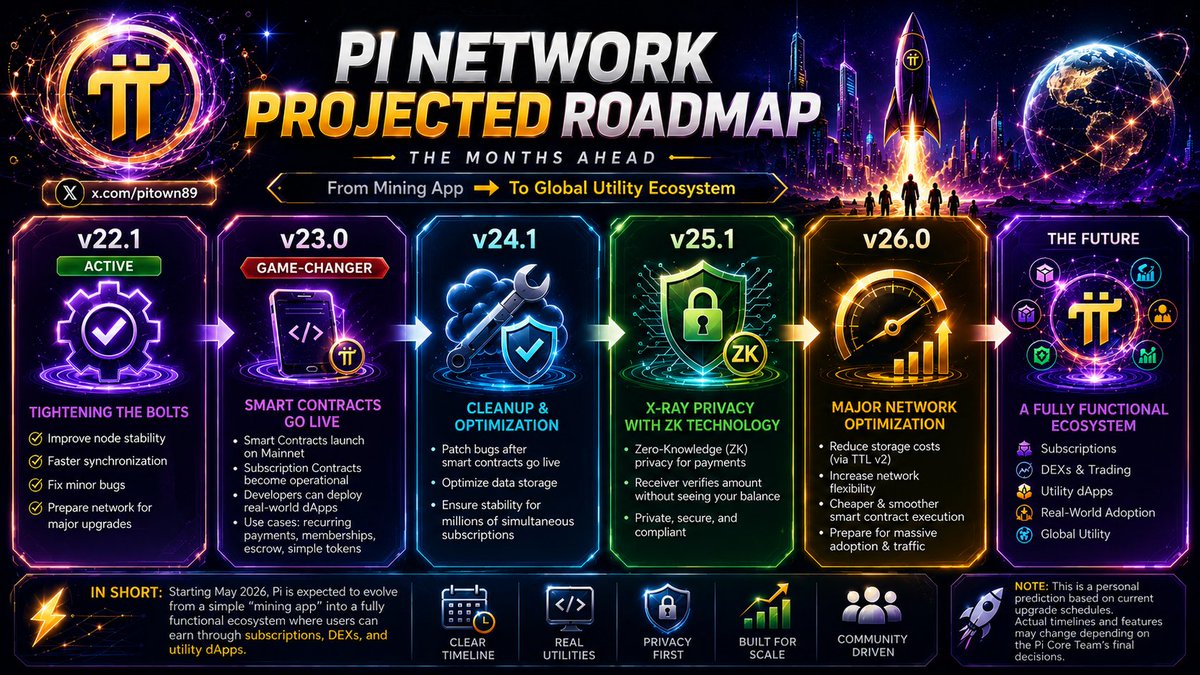
🚨 This is only my personal prediction.
The content below is based on Stellar Protocol upgrades, ongoing developments within Pi Network, and signals currently appearing on the blockchain.
It is not an official roadmap from the Pi Core Team, but rather an attempt to visualize the bigger picture of how the Pi ecosystem could evolve in the months ahead.
4
12
114
3,706
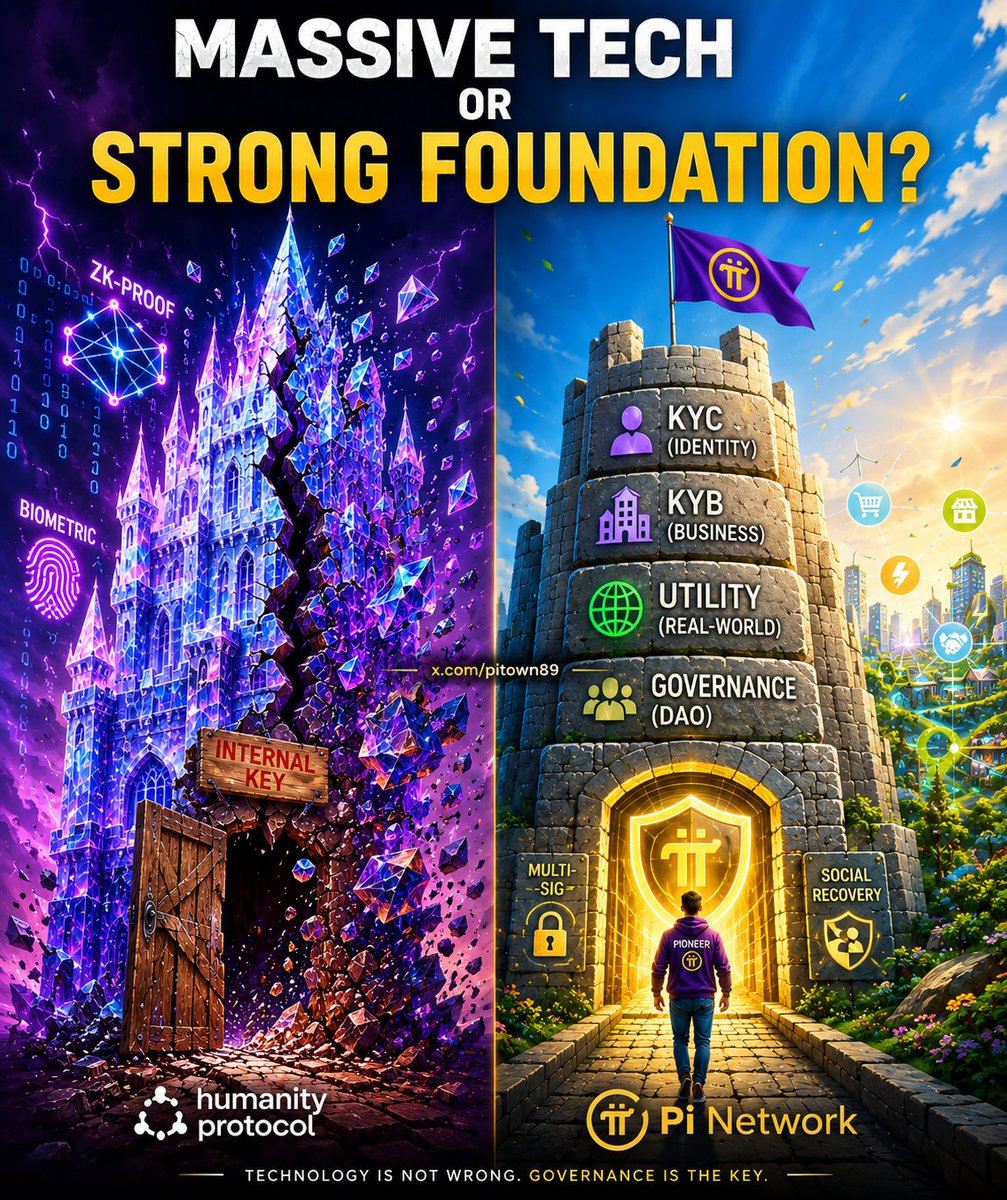
🚨 HUMANITY PROTOCOL COLLAPSES — IS PI'S KYC APPROACH ACTUALLY THE RIGHT DIRECTION?
🧵 Humanity Protocol lost $32M in a single night.
The H token crashed by more than 90%.
And perhaps the question many people are asking is the wrong one.
---
People ask:
"Is ZK Proof secure?"
The answer is:
Yes.
But that's not what caused Humanity's crisis.
---
Based on the information available so far, the incident appears to have originated from a compromised internal private key.
Not because the algorithm was broken.
Not because biometric verification was hacked.
Not because the blockchain failed.
Just a key falling into the wrong hands.
---
It sounds simple.
But in reality, this is a lesson the crypto industry has learned over and over again.
Many projects do not fail because their technology is weak.
They fail because governance, operational security, and key management fail to keep up with the technology they build.
---
Humanity Protocol was once valued at over $1 billion.
Backed by major investors.
Praised as one of the most promising digital identity projects in Web3.
Yet the risk emerged from the place few people were looking.
---
There is also a more troubling question.
ZachXBT discovered that a wallet labeled "Humanity" moved approximately 141 million H tokens before the incident occurred.
Meanwhile, investor token unlocks were scheduled for the following week.
There is no official conclusion yet.
But the community is asking serious questions.
---
The lesson from Humanity is not:
"KYC is better than ZK Proof."
Nor is it:
"ZK Proof has failed."
---
The real lesson is this:
Technology can be incredibly advanced.
But if a single weak link breaks, the entire system can pay a heavy price.
In cybersecurity, attackers do not need to breach the strongest wall.
They only need to find the door that was left unlocked.
---
This is one reason why I find Pi Network's approach interesting.
While many projects focus on next-generation identity technologies, Pi has spent years building foundational layers:
🔹 KYC at a scale of tens of millions of users
🔹 Verified human identities
🔹 KYB for businesses
🔹 Real-world application ecosystems
🔹 Infrastructure designed for long-term expansion
---
KYC does not replace private keys.
But KYC creates a verified identity layer.
And once identity exists, mechanisms such as:
🔹 Multi-Signature
🔹 Smart Accounts
🔹 Guardian Recovery
🔹 Social Recovery
🔹 Account Recovery
can be built on top of that foundation in a way that is more accessible to everyday users.
---
Perhaps that is why the Pi Core Team has consistently chosen the slower path.
Because building a system for tens of millions of real users is not only a blockchain problem.
It is also a question of:
Who owns the account?
Who controls access?
Who can recover it when something goes wrong?
And how do you prevent ordinary people from losing everything because of a single mistake?
---
The Humanity incident is a reminder for the entire industry.
Identity matters.
Blockchain matters.
Technology matters.
But ultimately, the survival of an ecosystem depends on one thing:
🔑 How well it protects users when things do not go according to plan.
🔁 Repost if you think this is a lesson worth remembering.
5
14
92
2,150
In large data systems, it is entirely possible for data to go missing or synchronization errors to occur during upgrades. Here are a few possibilities to consider:
⚠️ Data Synchronization Issues: When the team upgrades to new protocols like 22.1 or 23, they have to migrate a massive volume of data from old servers to a new structure.
If an error occurs during the data mapping stage, your verification information might get stuck in limbo, causing the system to fail to record the final "Pass" status and defaulting it to "Tentative Pass" as a safety measure.
Data Duplication or Conflicts: It is possible that due to multiple migration waves, old data (from the first wave) and new data (from the second wave) are conflicting, causing the automated verification algorithm to mistakenly conclude that your information is incomplete or requires re-verification.
⚠️ Post-Audit Policies: Sometimes, after a protocol upgrade, the system runs new, stricter identity verification algorithms against the entire legacy database. Users who previously "Passed" under old standards might be "flagged" again by the system and shifted to "Tentative" status if their data does not align with the current, more rigorous requirements.
⚠️ The most concerning part is when data gets "stuck" in the system like this, and users have no way of knowing exactly why. If this is truly a technical error occurring during the upgrade process, the development team should ideally provide a "portal" for users to report errors so they can reconcile them with the original source data.
Did you notice this status appearing immediately after any major update?
If it is indeed a system error, hopefully, in future updates, they will implement a re-scan mechanism to automatically restore the status for users who were unfairly affected.

PI KYC STUCK 😤
DO THESE 3 STEPS IMMEDIATELY! 🤔😲
A large number of Pi Network users are currently experiencing a long-term KYC pending issue where the screen gets stuck on an orange loading page displaying the message:
“We are processing your data”
(The community commonly calls this the “orange screen stuck” issue.)
This is currently one of the most common problems during the Pi Network identity verification process.
In most cases, this is NOT caused by intentional violations from the user. It is usually related to:
- an overloaded global verification queue,
- identity data conflicts,
- KYC session synchronization errors,
- or AI verification confidence scores that are not high enough for automatic approval.
📌 This status usually appears when the automated verification system cannot fully complete the identity matching process, or when the KYC session is moved into manual review because the AI confidence score is considered insufficient.
Instead of waiting passively, Pioneers should proactively follow the complete 3-step process below to submit a direct review request to the Pi Core Team support system.
---
⚠️ Important Things to Understand Before Proceeding
Submitting a support ticket does NOT guarantee that your KYC will automatically be restored.
Pi Core Team may still:
- request additional information,
- keep the application under review,
- or reject the request if the system detects policy violations or suspicious identity data.
Users should follow the process correctly, provide truthful information, and patiently wait for the system review.
---
STEP 1: Check Eligibility on the Official KYC Information Page
🔗 Official Website:
minepi.com/kyc-application-a…
🎯 Purpose
This official page displays:
- KYC eligibility requirements,
- algorithm-related policies,
- and security warnings from Pi Core Team.
Users should review this page to determine:
- whether the account is eligible for KYC,
- whether any system rules may have been violated,
- and whether creating a support ticket is appropriate.
---
📌 Things You Should Verify
1. Check Mining Sessions
Your account must complete at least:
- 30 mining sessions (30 lightning days)
before becoming basically eligible for KYC access.
---
2. Check for Risky Behaviors That May Trigger the Algorithm
Make sure your account:
- does NOT use emulators,
- does NOT frequently log into multiple accounts on the same device,
- does NOT constantly change devices or IP addresses,
- does NOT repeatedly use VPNs to switch countries.
These behaviors may cause the system to:
- flag the account as a bot,
- suspect fake account activity,
- or place the KYC into prolonged manual review.
---
3. Verify Your Correct Pi Username
📌 Many users confuse:
- display names,
- nicknames,
- and the actual Pi username.
A valid Pi username is usually:
- written without spaces,
- without special accents,
- and without the “@” symbol.
Check directly inside:
Pi App ➜ Profile
to avoid entering the wrong username when submitting the ticket.
👇 NEXT PART IN THE COMMENTS BELOW 👇

4
3
27
1,745
This image is not directly related to Pi, but it highlights an important trend in the crypto industry.
1. Crypto Is Moving Closer to the Traditional Banking System
Onramp Money has just launched its off-ramp service in Hong Kong:
> Sell crypto → Receive HKD → Transfer directly to your bank account.
This means:
Crypto is no longer "trapped" inside wallets.
Users can convert digital assets into fiat more easily.
The gap between Web3 and traditional banking is gradually shrinking.
---
2. Hong Kong Is Positioning Itself as Asia's Crypto Hub
The continued expansion of fiat ↔ crypto service providers in Hong Kong suggests that:
> Regulatory frameworks are becoming clearer and more supportive.
This is something major projects like Pi will eventually need if they aim to serve tens of millions of users worldwide.
---
3. A Pi-Related Perspective
Today, the community often focuses on:
DEX
Domains
App Studio
Smart Contracts
But if Pi is to become a real economy, it will ultimately need:
✅ On-ramp solutions (bringing money into the ecosystem)
✅ Off-ramp solutions (withdrawing funds to bank accounts)
✅ KYB-verified businesses
✅ Regulatory compliance
Companies such as:
Banxa
Onramp
.....
are all important pieces of this infrastructure puzzle.
And if Pi is truly moving toward a real-world economy, sooner or later the ecosystem will need similar bridges to connect Pi with the traditional financial system. 🚀💜

8
25
128
4,017
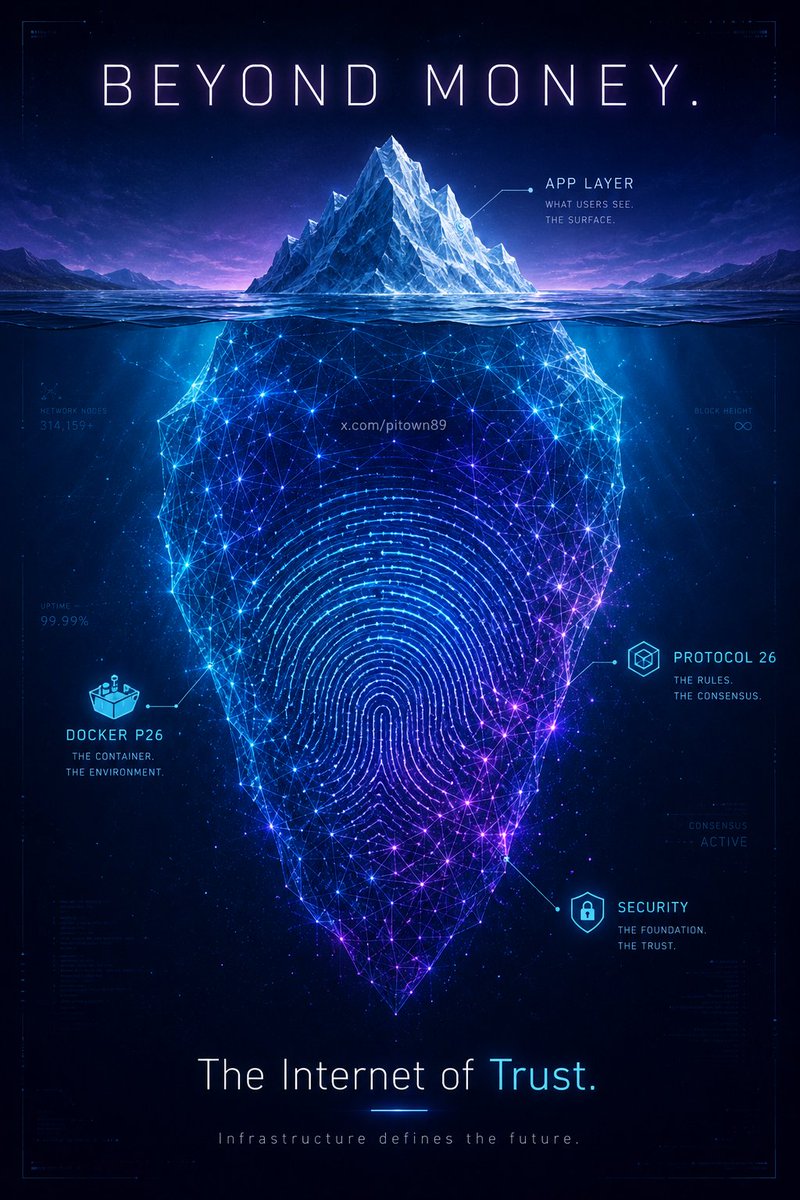
If we put aside Pi’s price, DEX, and exchange listings for a moment, the appearance of Docker p26.0.1 raises some interesting possibilities.
1. PCT May Be Building the Foundation Before Releasing Features
Many people assume:
DEX first → infrastructure later.
But Pi seems to be taking the opposite approach:
«Infrastructure first.
Features later.
It's like building an airport:
- Runways completed.
- Control tower completed.
- Radar systems completed.
Only then do you start letting planes take off.
---
2. P26 May Not Be Intended for End Users
What makes this interesting is that most Stellar protocol upgrades are invisible to everyday users.
Examples include:
- Better performance.
- Improved state management.
- Faster transaction processing.
- Preparing the network for Smart Accounts.
Users may open Pi Wallet and see no visible difference.
But underneath, the blockchain itself may have changed significantly.
---
3. The Community May Be Looking Only at the Top Layer
Most discussions today focus on:
- DEX
- Launchpad
- Domains
- Smart Contracts
These are application-layer features.
P26, however, belongs to the protocol layer.
It's similar to this:
«Users see Netflix.»
But what actually makes Netflix work is:
- Data centers
- Networks
- Databases
The infrastructure is rarely visible, but it's what everything depends on.
---
4. Smart Accounts May Be the Missing Piece
Looking at Stellar's recent development:
Protocol 27 heavily emphasizes:
- Smart Accounts
- Account Recovery
- Social Recovery
This isn't happening by accident.
The entire crypto industry faces the same problem:
Users lose their keys.
Back in 2021, Nicolas said regarding passphrases:
"Hopefully yes, for convenience. But not certain."
If Pi wants to serve tens of millions of mainstream users, then:
"Lose your 24-word passphrase = lose your wallet forever"
is not a user experience most people can realistically accept.
---
5. Signer / Weight / Threshold Transactions Are Becoming More Interesting
This may be the most overlooked signal.
While many people are focused on DEX speculation, the blockchain itself has been showing:
- Set Options
- Signer
- Weight
- Threshold
These are directly related to:
- Multi-signature accounts
- Account control
- Recovery logic
- Smart Accounts
Not token swaps.
---
6. A More Ambitious Perspective
If we connect the dots:
✅ KYC for individuals
✅ KYB for businesses
✅ Domains
✅ Signer / Threshold mechanisms
✅ Protocol 26
✅ Stellar Smart Account development
Then perhaps Pi is moving toward something bigger than a blockchain that simply stores assets.
It could be building a system that manages:
- Identity
- Control rights
- Recovery rights
- Delegation rights
- Relationships between individuals and businesses
In other words:
Many blockchains are trying to build the Internet of Money.
Pi may be attempting to build something closer to:
«The Internet of Trust»
A network centered around identity, verification, and trusted interactions.
That is why Docker p26 feels more significant than many people realize.
By itself, it may not introduce any visible feature for users.
But it could be another foundational brick in a much larger architecture that PCT is quietly building behind the scenes.
8
31
170
4,989